Process Management in Linux Explained for Beginners
A practical guide to monitoring and managing processes in Linux.
Process Management in Linux Explained for Beginners
A practical guide to monitoring and managing processes in Linux.
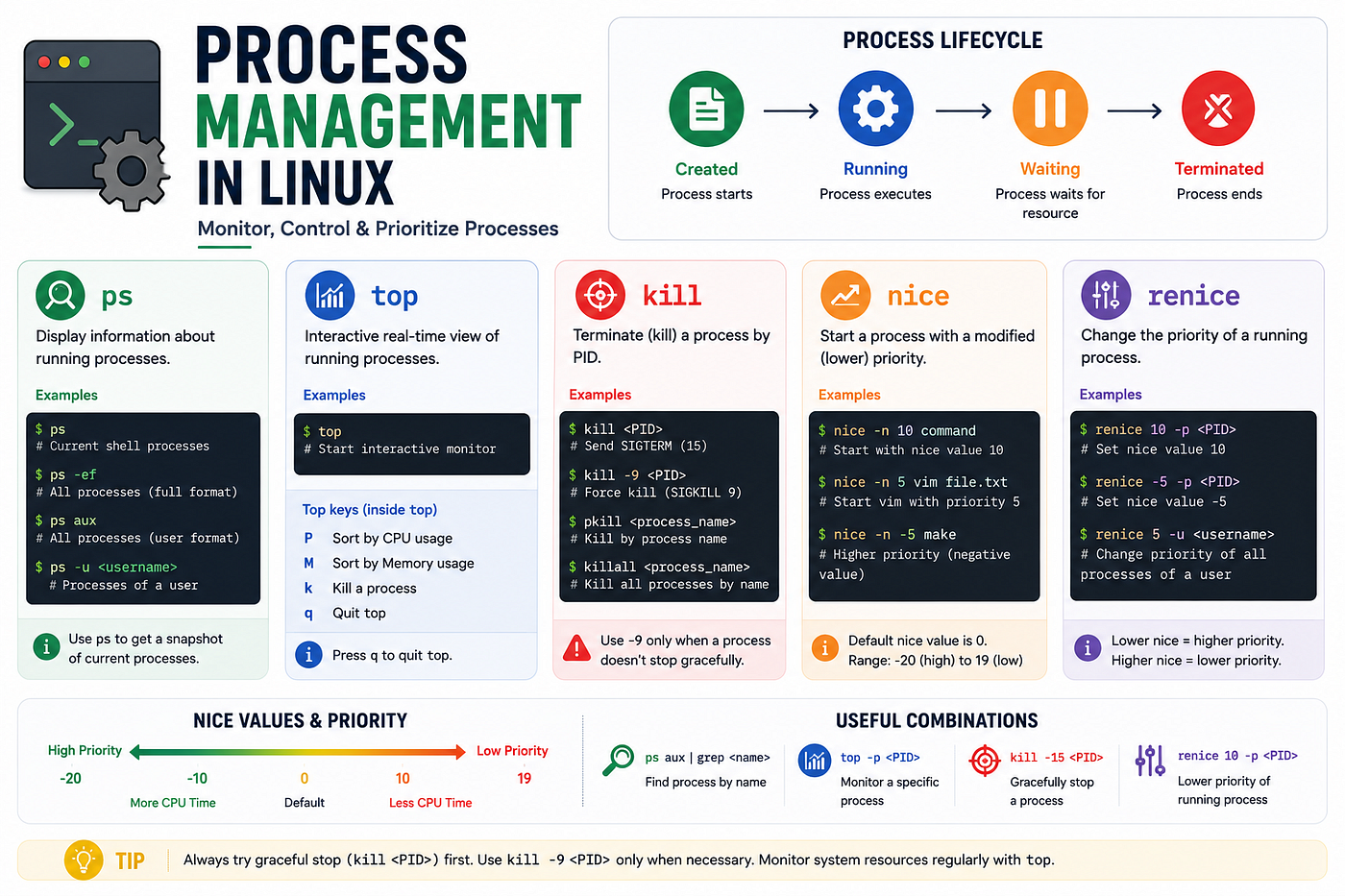
Overview of Process Management in Linux — screenshot created for educational purposes by the author
Introduction
Linux is a multitasking operating system capable of running multiple programs simultaneously.
Every running program or application in Linux is called a process. A process consumes system resources such as CPU and memory. Therefore, monitoring and managing processes is an important responsibility for Linux administrators.
Unused or unnecessary processes can waste system resources and may even introduce security risks.
What Is a Process?
A process is an instance of a program that is currently running in memory.
Each running process is assigned a unique identifier called a PID (Process ID).
The PID helps administrators identify, monitor, and terminate processes when necessary.
Parent and Child Processes
Processes in Linux follow a hierarchical structure.
Parent Process
A process that creates another process is called a Parent Process.
Child Process
A process created by another process is called a Child Process.
Important points:
- Every process has a parent process.
- The init (systemd) process is considered the ancestor of all user-space processes and has PID 1.
- It is the first process started by the kernel during boot.
Viewing Running Processes
1. Display Processes of Current Terminal
ps
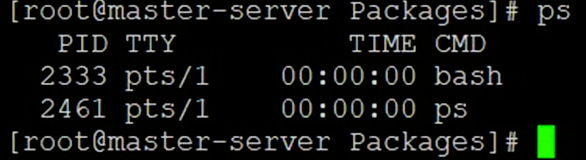
Viewing running processes using ps command — screenshot captured by the author
2. Display All User Processes
ps -a
3. Display Detailed Process Information
ps -ef
4. Search for a Specific Process
ps -ef | grep -i <process_name>
Signals in Linux
Signals are simple messages sent to processes to perform specific actions such as stopping, terminating, or restarting a process.
1. View Available Signals
kill -l
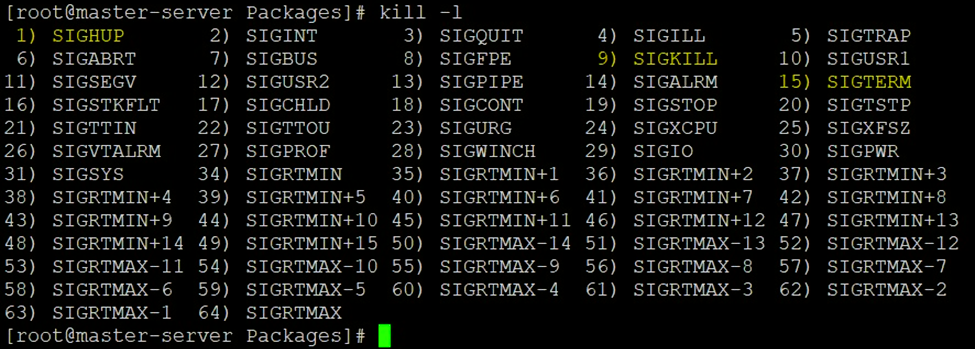
Displaying available Linux signals using kill -l — screenshot captured by the author
2. Managing Processes
Terminate a Process: kill <PID>
Gracefully Terminate a Process: kill -9 <PID>
👉 SIGTERM (15) allows a process to clean up resources before exiting.
⚠️ Use SIGKILL (-9) only when a process does not terminate normally because it cannot perform cleanup operations before exiting.
Process Priority in Linux
Linux allows administrators to control how much CPU attention a process receives.
This priority is controlled using a Nice Value.
1. Nice Value Range
-20 → Highest Priority 0 → Default Priority 19 → Lowest Priority
⚠️ Note: A lower nice value means higher priority, while a higher nice value means lower priority.
2. Start a Process with Custom Priority
nice -n <nice_value> <command>
Ex: nice -n 10 sleep 300
3. Change Priority of a Running Process
renice -n 10 -p <PID>
This changes the nice value of an already running process.
👉 Useful when you need to increase or decrease the priority of a process without restarting it.
4. Monitoring Processes Using top
The top command provides a real-time view of running processes and system resource usage.
Start top
top
👉 Press q to exit the top command.
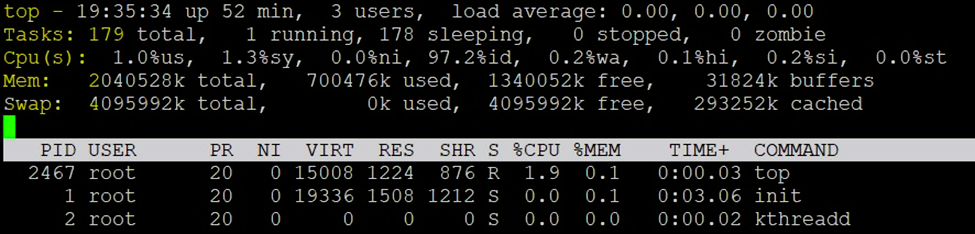
Sorting processes by CPU and memory usage in top — screenshot captured by the author


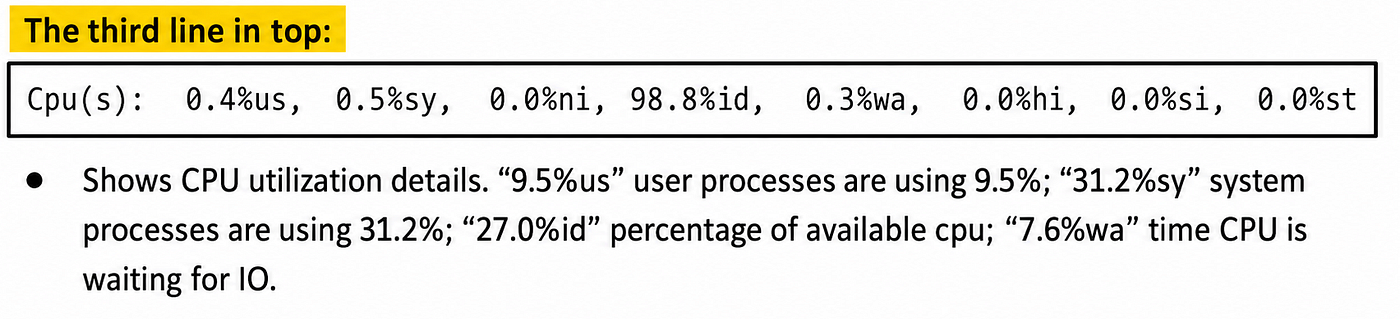
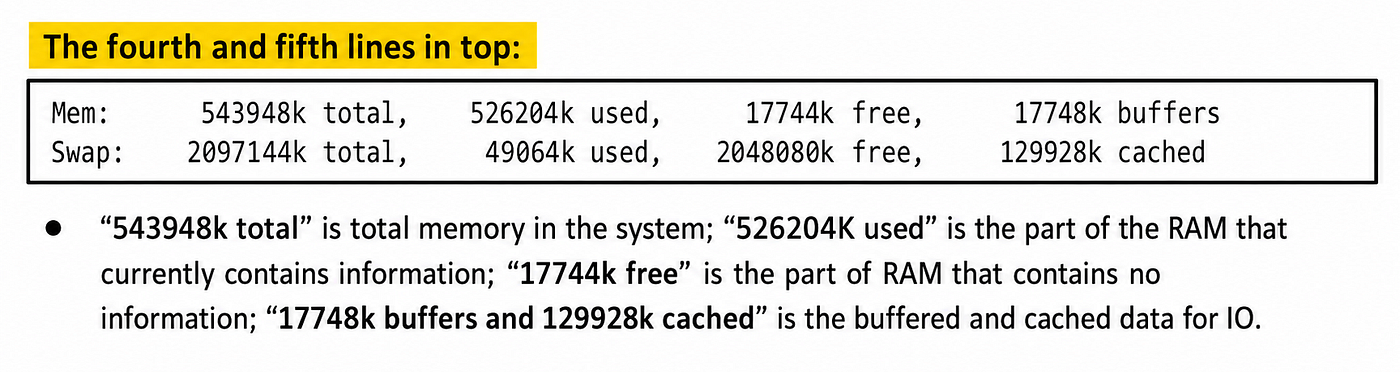
Press the following key while running top and the output will be sorted in real time. M — Sort by memory usage P — Sort by CPU usage T — Sort by cumulative time z — Color display k — Kill a process q — quit r — to renice a process h — help
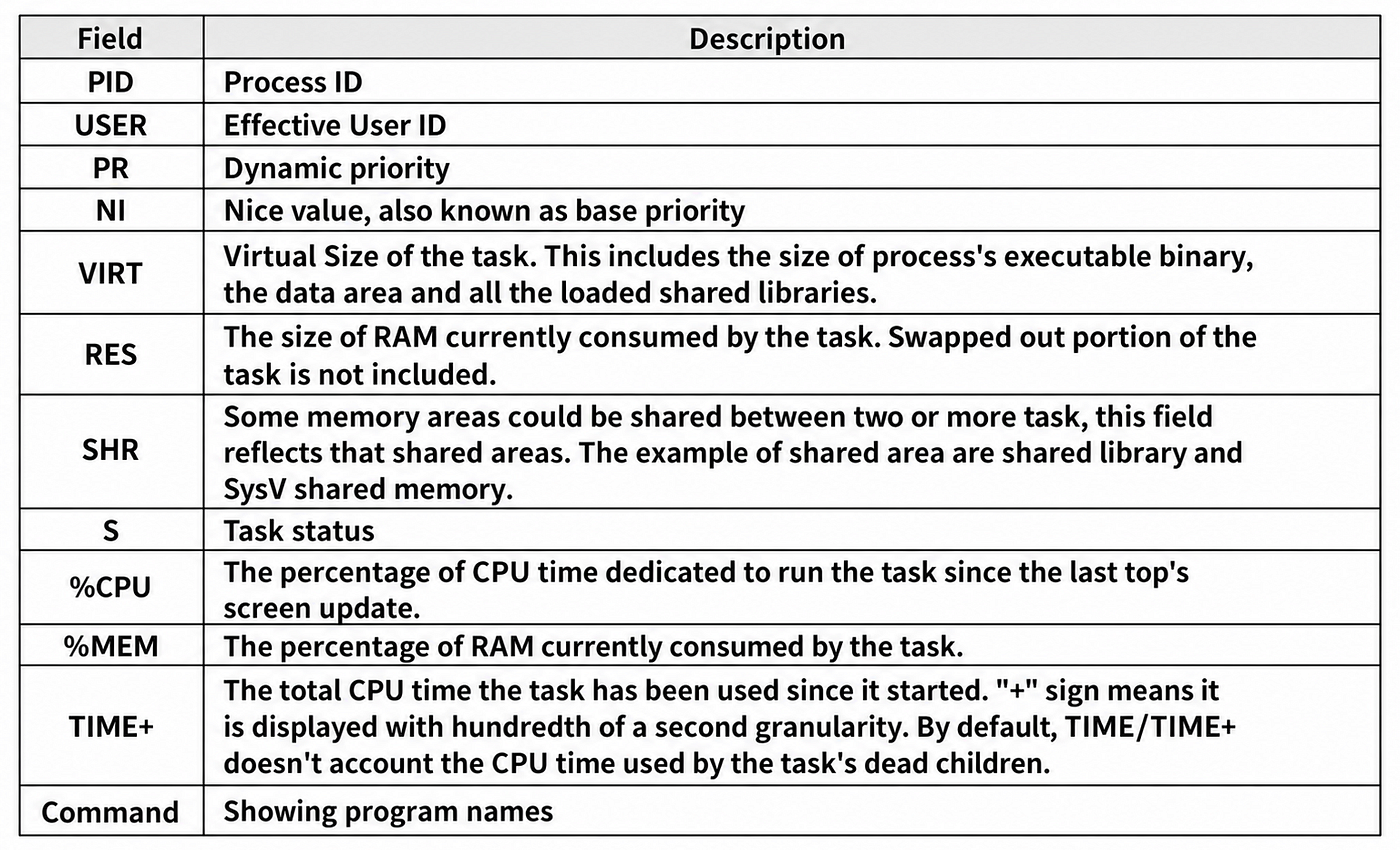
top starts by displaying the following process statistics — screenshot created for educational purposes by the author
Why Process Management Is Important
Process management helps administrators:
- monitor system activity
- identify resource-intensive applications
- terminate unwanted processes
- optimize CPU utilization
- improve system performance
- troubleshoot application issues
Conclusion
Process management is a fundamental Linux administration skill.
Commands such as ps, top, kill, nice, and renice help administrators monitor, control, and optimize running processes effectively.
Understanding these tools is essential for maintaining healthy, secure, and stable Linux systems.
If you found this helpful, consider following for more articles about Linux, System Administration, and Cloud technologies.
메타데이터
- post_id
- 437d5f73ac12
- slug
- process-management-in-linux-explained-for-beginners-437d5f73ac12
- url
- https://medium.com/@sudheerjillilla/process-management-in-linux-explained-for-beginners-437d5f73ac12
- canonical_url
- https://medium.com/@sudheerjillilla/process-management-in-linux-explained-for-beginners-437d5f73ac12
- author_url
- https://medium.com/@sudheerjillilla
- status
- ok
- fetched_at
- 2026-06-09 15:37:30





