AI-Driven Image Search: Engineering a Multi-Modal Retrieval Engine
Discover how to create a hybrid AI image search system that integrates object detection, visual embedding, and semantic search to deliver…
AI-Driven Image Search: Engineering a Multi-Modal Retrieval Engine
Discover how to create a hybrid AI image search system that integrates object detection, visual embedding, and semantic search to deliver fast, accurate, and privacy-conscious results.
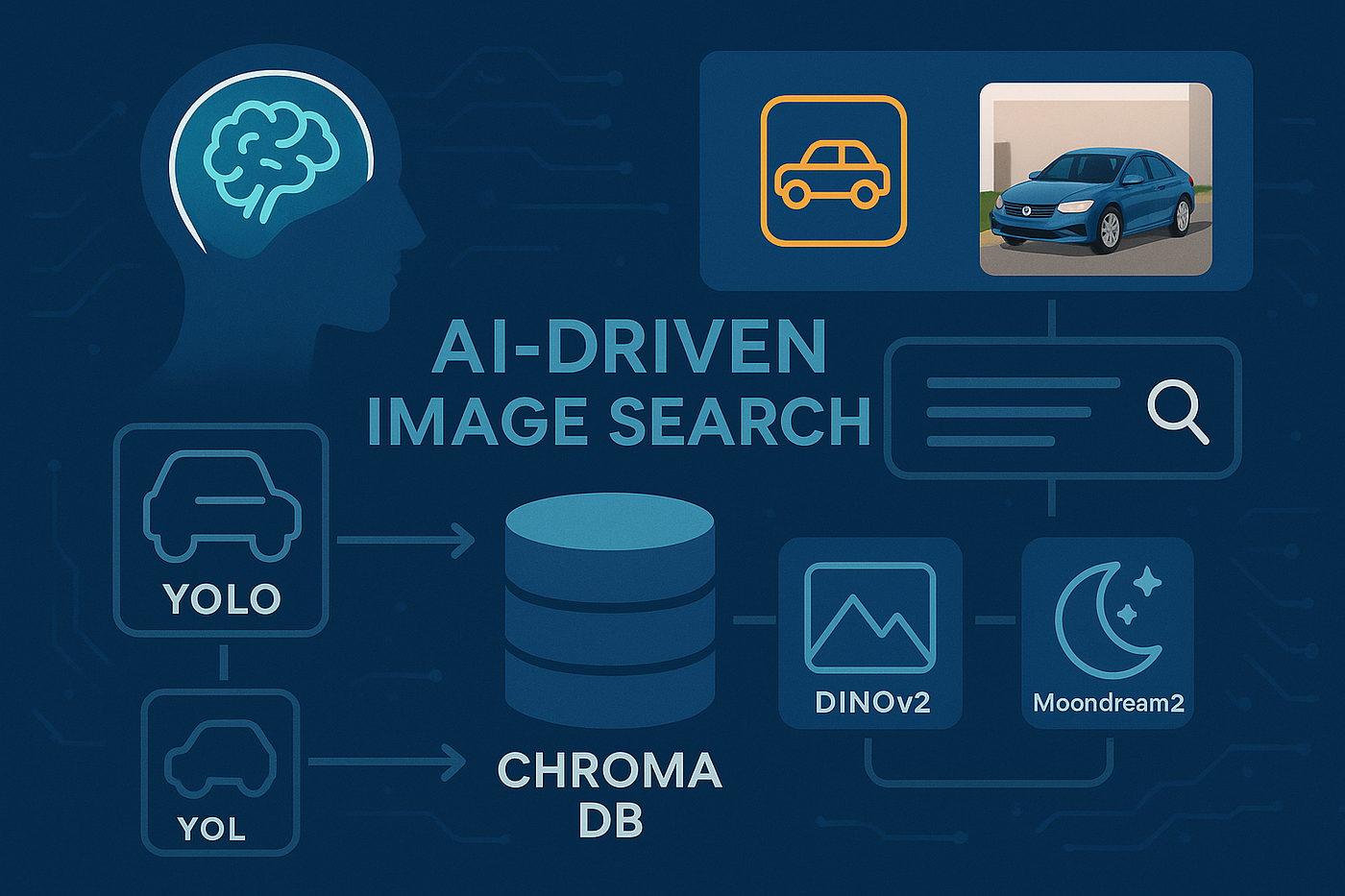
Generated using DALL-E
Introduction
Searching through thousands of images — whether in a personal photo collection or surveillance footage — can be frustrating. Traditional image search often relies on manual tagging or pure visual similarity, both of which have limitations:
- Manual tagging is tedious and error-prone.
- Visual similarity alone can return look-alike that aren’t semantically relevant.
In this guide, we’ll walk through building a Streamlit App in Python that supports:
- Image-based search — upload a sample image and find visually & semantically similar matches.
- Text-based search — type a query like ”blue sedan” and instantly locate relevant images with bounding box highlights.
- Hybrid retrieval — combine image embedding and semantic text embedding for more precise results.
All processing runs locally, so your data stays private.
Core Concept
Our app uses two views of every image:
- Visual Embedding (DINOv2) — captures the appearance of an object or scene.
- Text Embedding (BGE) — captures the semantic meaning of an AI-generated caption.
By indexing both whole images and individual objects detected by YOLO, we enable precise, object-level search.
At query time, we:
- Search visually in the image embedding space.
- Search semantically in the text embedding space.
- Fuse results with Reciprocal Rank Fusion (RRF) for optimal ranking.
Architecture Overview

Components:
- YOLO → Object detection & cropping.
- DINOv2-giant → High-quality visual embedding.
- Moondream2 → Captioning & open-vocabulary object detection.
- BGE-large-en-v1.5 → Semantic text embedding.
- ChromaDB → Local vector store for retrieval.
Image Embedding & Indexing Workflow

Here’s a clear, real‑world interpretation of your workflow, grounded in the code you shared and organized for easy reference.
High‑Level Overview
- Purpose: Index every image in two ways — (1) as a whole image and (2) as per‑object crops — so you can support both broad (scene‑level) and fine‑grained (object‑level) search.
- Flow: Guard → Load metadata → Embed whole image → Detect objects → (Fan‑out to per‑object embedding, if any) → Finalize and catalog.
- Outputs: Two families of indexed items in your vector store (ChromaDB) — file_hash::full for the whole image. — file_hash::obj::<i> for each detected object.
def embed_n_index_workflow() -> CompiledStateGraph:
    # Main graph
    workflow = StateGraph(WorkflowState)

    workflow.add_node(GUARD_REINDEX, guard_reindex)
    workflow.add_node(LOAD_EXIF, load_exif)
    workflow.add_node(EMBED_WHOLE_IMAGE, embed_whole_image)
    workflow.add_node(OBJECT_DETECTION, detect_objects)
    workflow.add_node(OBJECT_EMBEDDING, embed_object)
    workflow.add_node(FINALIZE_IMAGE, finalize_image)

    workflow.add_edge(START, GUARD_REINDEX)
    workflow.add_conditional_edges(OBJECT_DETECTION, continue_embedding, [OBJECT_EMBEDDING])
    workflow.add_edge(OBJECT_EMBEDDING, FINALIZE_IMAGE)

    graph = workflow.compile()

    return graph
Whole‑Image Embedding (User‑Facing, Scene‑Level)
- What happens: — Load the original file (state[“file_path”]) into RGB. — Generate a caption (get_caption) to create text context for cross‑modal retrieval. — Compute image embedding (get_image_embedding) and text embedding (get_text_embedding(caption)).
- Storage in ChromaDB: — item_id: “{file_hash}::full”. — metadata: Copies all img_meta and sets: — class_name=”whole_image”, bbox_abs=None, bbox_rel=None, yolo_conf=None.
- Why it matters: — Enables search by overall scene and supports text queries that describe the image as a whole (thanks to the caption).
def embed_whole_image(state: WorkflowState) -> Command:
    print("EMBED WHOLE IMAGE ...")
    meta = state["img_meta"]
    image_bytes = Image.open(state["file_path"]).convert("RGB")

    caption = get_caption(image_bytes)
    image_embedding = get_image_embedding(image_bytes)
    text_embedding = get_text_embedding(caption)

    item_id = f'{meta["file_hash"]}::full'
    # Only include fields that have valid values; avoid inserting None-valued keys
    metadata = {
        **meta,
        "class_name": "whole_image",
    }

    chromadb_manager = ChromaDBManager()
    chromadb_manager.add_item(
        item_id=item_id,
        image_embedding=image_embedding,
        text_embedding=text_embedding,
        metadata=metadata,
    )

    return Command(
        goto=OBJECT_DETECTION
    )
Object Detection (Finding Searchable Parts)
- What happens: — Run extract_bounding_boxes(image_bytes). — Returns: object crops, absolute & relative boxes, class labels, confidences, and image size (W,H).
- Branching logic: — If no detections, go straight to FINALIZE_IMAGE. — If detections exist, update state with vectors/lists so the next step can fan‑out.
- Why it matters: — Powers fine‑grained retrieval: “find images with a red mug,” “blue car door,” etc., not just scene‑level matches.
def detect_objects(state: WorkflowState) -> Command:
    print("DETECTING OBJECTS ...")
    image_bytes = Image.open(state["file_path"]).convert("RGB")

    cropped_images, bounding_boxes, class_names, confidences, bbox_rel, image_size_wh = extract_bounding_boxes(image_bytes)

    if bounding_boxes:
        return Command(
            update={
                "cropped_images": cropped_images,
                "bounding_boxes": bounding_boxes,
                "class_names": class_names,
                "confidences": confidences,
                "bbox_rel": bbox_rel,
                "image_size_wh": image_size_wh,
            }
        )
    else:
        return Command(
            goto=FINALIZE_IMAGE
        )
Fan‑Out & Parallelism (Conditional Loop Over Objects)
- continue_embedding: — Iterates over detection and constructs a Send(OBJECT_EMBEDDING, payload) per object. — Returns a Command(sends=[…]) so LangGraph can process each object in parallel (or as concurrently as the runtime allows).
- Loop: — Your repeat loop (repeat … while (continue_embedding?)) maps to one OBJECT_EMBEDDING per detection until all are processed.
def continue_embedding(state: WorkflowState) -> WorkflowState:
    print("CONTINUE OBJECT EMBEDDING ...")
    sends = []
    image_size_wh = state["image_size_wh"]
    for i, (img, bb, cls, conf, bb_rel) in enumerate(
        zip(state["cropped_images"], state["bounding_boxes"], state["class_names"],
            state["confidences"], state["bbox_rel"])
    ):
        payload = {
            "cropped_image": img, "bbox_abs": bb, "bbox_rel": bb_rel,
            "class_name": cls, "confidence": conf, "image_size_wh": image_size_wh,
            "i": i, "img_meta": state["img_meta"]
        }
        sends.append(Send(OBJECT_EMBEDDING, payload))
    return sends
Per‑Object Embedding (Fine‑Grained Index Entries)
- What happens for each object: — Convert BGR crop → RGB → PIL image. — Generate caption. — Compute image embedding and text embedding.
- IDs & metadata: — item_id: “{file_hash}::obj::{i}” (stable, dedupe‑friendly). — Save metadata mirroring img_meta with object fields: — bbox_abs, bbox_rel, class_name, yolo_conf`, width, height.
- Persist: — chroma.add_item(…) with both embedding + metadata.
- Why it matters: — Enables object‑level search and robust text‑to‑image matches (“yellow umbrella,” “stop sign at night”) via the caption + text embedding.
def embed_object(state: EachObjectState) -> EachObjectState:
    print(f"EMBEDDING OBJECT {state['i']} ...")

    caption = moondream.get_caption(state["cropped_image"])
    image_embedding = gen.get_image_embedding(state["cropped_image"])
    text_embedding  = gen.get_text_embedding(caption or "")

    print(f"..... Caption of object {state['i']}: {caption}\n")

    file_hash = state["img_meta"]["file_hash"]
    item_id = f"{file_hash}::obj::{state['i']}"
    W, H = state["image_size_wh"]

    metadata = {
        **state["img_meta"],           # file_path, file_hash, phash, pipeline_version, etc.
        "bbox_abs": state["bbox_abs"],
        "bbox_rel": state["bbox_rel"],
        "class_name": state["class_name"],
        "yolo_conf": state["confidence"],
        "width": W,
        "height": H,
    }

    chroma.add_item(
        item_id=item_id,
        image_embedding=image_embedding,
        text_embedding=text_embedding,
        metadata=metadata,
    )

    return Command(
        update={
            "object_results": [item_id],
        },
    )
Finalization & Cataloging (System of Record)
- finalize_image: — Inserts a record into ImageCatalog as the authoritative index row for the file: — file_hash, phash_hex, model_version (pipeline), file_path, width, height, status=”indexed”.
- Outcome: — Confirms the image has been fully processed (whole + objects if any). — Downstream services can rely on ImageCatalog for ingestion status and auditing.
def finalize_image(state: WorkflowState) -> Command:
    print("FINALIZING ...")
    # If this image was short-circuited as alias, you wouldn't be here.
    m = state["img_meta"]  # contains: file_hash, phash, file_path, width/height, pipeline_version (or image_model_version), index_time
    image_catalog = ImageCatalog()

    image_catalog.catalog_insert(
        file_hash=m["file_hash"],
        phash_hex=m["phash"],
        model_version=m["pipeline_version"],
        file_path=m["file_path"],
        width=m.get("width"),
        height=m.get("height"),
        status="indexed",
        canonical_of=None,
        notes=None,
    )
    return Command(goto=END)
What Your Index Now Supports (Search‑Time Implications)
- Whole‑image retrieval: — Fast scene‑level similarity using image_embedding of ::full.
- Object‑level retrieval: — Pinpoint specific items using ::obj::<i> entries. — Combine with metadata filters (e.g., class_name=”person”, yolo_conf>=0.6).
- Text → Image: — Thanks to captions and parallel text embedding, purely textual queries can rank both full‑image and object entries.
End‑to‑End Example (Concrete)
- Input: /images/street.jpg with file_hash=abc123.
- Whole image: — Caption: “busy street with red car and traffic light”. — Write abc123::full with both embedding + class_name=”whole_image”.
- Detection: found 2 objects: car, traffic_light.
- Fan‑out: — abc123::obj::0 → car crop, caption “red car”, embedding + metadata. — abc123::obj::1 → traffic light crop, caption “green traffic light”, embedding + metadata.
- Finalize: — ImageCatalog.insert(abc123, status=”indexed”, …).
- Search later: — Text query “red car at an intersection” matches both abc123::obj::0 and abc123::full, but object entry likely ranks higher due to caption alignment and tighter embedding.
Search by Image

Overview
- The diagram outlines a simple, end-to-end Search by Image pipeline.
- It shows each step in the exact order the program executes, using function names that match the code.
- The flow: load image → detect objects → build embeddings → query Chroma → fuse ranks → finalize and show results.
Image Loading (load_image)
- Loads an image from a file path, bytes, or a PIL Image.
- Ensures the image is in RGB format for consistency across later steps.
- Produces a single Image object used by detection, captioning, and embedding.
def load_image(image_input: Union[str, bytes, Image.Image]) -> Image.Image:
    """Load an image from a file path, bytes, or a PIL Image."""
    if isinstance(image_input, Image.Image):
        return image_input.convert("RGB")
    if isinstance(image_input, (bytes, bytearray)):
        return Image.open(io.BytesIO(image_input)).convert("RGB")
    return Image.open(str(image_input)).convert("RGB")
Object Detection & Selection (detect_top_m(M))
- Runs YOLO to find objects in the image.
- Sorts detection by confidence (highest first).
- Keeps the top M objects (e.g., 3) to stay fast and focused.
- If no objects are found, the pipeline continues with the whole image only.
def detect_top_m(image: Image.Image, m: int) -> List[Tuple[Image.Image, float, str]]:
    """
    Use YOLO helper to get boxes. Return top M as (crop_image, confidence, class_name).
    """
    crops, _, class_names, confidences, _, _ = extract_bounding_boxes(image)
    rows = list(zip(crops, confidences, class_names))
    rows.sort(key=lambda x: x[1], reverse=True)
    m = max(0, min(m, len(rows)))
    return rows[:m]
Visual Embedding (make_visual_embedding)
- Always creates a whole-image embedding (visual vector).
- If objects were selected, also creates one embedding per object crop.
- Uses a vision model (e.g., DINOv2) to convert pixels into vectors suitable for similarity search.
def make_visual_embeddings(image: Image.Image, selected: List[Tuple[Tuple[int,int,int,int], float, str]]) -> Tuple[List[float], List[List[float]]]:
    """
    Return (whole_image_embedding, list_of_object_embeddings).
    """
    q_vis_full = get_image_embedding(image)  # list of floats

    obj_vectors: List[List[float]] = []
    for crop, conf, cls in selected:
        obj_vectors.append(get_image_embedding(crop))
    return q_vis_full, obj_vectors
Caption & Text Embedding
- get_caption(): Generates a natural-language caption for the whole image (e.g., with Moondream2).
- short_query_from_caption(caption): Converts the caption into a concise, search-friendly query (e.g., “photo of a red car”).
- get_text_embedding(query): Turns that query into a text vector (e.g., with BGE) for text-based retrieval.
def make_text_embedding_from_caption(image: Image.Image) -> Tuple[str, str, List[float]]:
    """
    Caption -> short query -> text embedding.
    Returns (caption, short_query, text_vector).
    """
    caption = get_caption(image)
    query = generate_search_query(caption)
    q_txt = get_text_embedding(query)
    return caption, query, q_txt
Chroma Searches
- search_visual_lists(q_vis_full, q_vis_objs): — Performs visual searches in Chroma for the whole-image vector and each object-crop vector. — Returns multiple ranked lists (DataFrames), one per vector.
- search_text_list(q_txt): — Performs a text search in Chroma using the query’s text embedding. — Returns a single ranked list (DataFrame).
def search_visual_lists(mgr: ChromaDBManager, vis_full: List[float], vis_objs: List[List[float]]) -> List[pd.DataFrame]:
    """Search visual collection for the whole image and each object crop."""
    full_df = mgr.search_similar_images(
        query_embedding=vis_full,
        top_k=N_VISUAL,
        similarity_threshold=SIM_THR_IMG,
        where=None,
    )
    obj_dfs = []
    for vec in vis_objs:
        df = mgr.search_similar_images(
            query_embedding=vec,
            top_k=N_VISUAL,
            similarity_threshold=SIM_THR_IMG,
            where=None,
        )
        obj_dfs.append(df)
    return [full_df] + obj_dfs

def search_text_list(mgr: ChromaDBManager, q_txt: List[float]) -> pd.DataFrame:
    """Search text collection for the short query embedding."""
    return mgr.search_similar_text(
        query_embedding=q_txt,
        top_k=N_TEXT,
        similarity_threshold=SIM_THR_TXT,
        where=None,
    )
Visual Rank Consolidation (best_rank_per_item)
- Combines all visual result lists (whole + objects).
- For each item, keeps the best (lowest) rank across all visual lists.
- Produces a map of item_id → best visual rank to summarize visual evidence.
def best_rank_per_item(dfs: List[pd.DataFrame]) -> Dict[str, int]:
    """From several ranked lists, take the best (lowest) rank for each item_id."""
    best: Dict[str, int] = {}
    for df in dfs:
        if df is None or df.empty:
            continue
        rdf = rank_dataframe(df)
        for _id, r in zip(rdf["item_id"].tolist(), rdf["rank"].tolist()):
            best[_id] = min(best.get(_id, r), r)
    return best
Rank Fusion (rrf_fuse)
- Applies Reciprocal Rank Fusion (RRF) to blend visual and text rankings.
- Formula adds 1 / (k + rank) from each list; higher totals mean better overall relevance.
- Output is a dictionary of item_id → fused_score capturing multi-modal agreement.
def rrf_fuse(visual_best_ranks: Dict[str, int], text_df: pd.DataFrame, k: int) -> Dict[str, float]:
    """
    RRF score = sum(1 / (k + rank)) across lists.
    We use visual ranks from visual_best_ranks and text ranks from text_df.
    """
    fused: Dict[str, float] = {}

    # Visual part
    for _id, vrank in visual_best_ranks.items():
        fused[_id] = fused.get(_id, 0.0) + 1.0 / (k + int(vrank))

    # Text part
    tdf = rank_dataframe(text_df) if text_df is not None else pd.DataFrame()
    if not tdf.empty:
        for _id, trank in zip(tdf["item_id"].tolist(), tdf["rank"].tolist()):
            fused[_id] = fused.get(_id, 0.0) + 1.0 / (k + int(trank))

    return fused
Finalization (finalize_results)
- Merges fused scores with metadata (e.g., file_hash, class_name, bounding boxes).
- De-duplicates per file so each image appears once; prefers `whole_image entries when ties exist.
- Sorts by fused score (desc) and returns the Top-K most relevant results as a clean table.
def finalize_results(
    fused_scores: Dict[str, float],
    visual_dfs: List[pd.DataFrame],
    text_df: pd.DataFrame,
    top_k: int,
) -> pd.DataFrame:
    """
    Build a single table with metadata + fused score, deduplicate per file,
    and take Top-K.
    """
    ids = list(fused_scores.keys())
    if not ids:
        return pd.DataFrame(columns=["item_id","file_path", "file_hash","class_name","bbox_abs","bbox_rel","fused_score"])

    # Combine all DFs we have (visual and text) to get metadata
    candidate_cols = ["item_id","file_path", "file_hash","class_name","bbox_abs","bbox_rel","yolo_conf","timeline","index_time","score","source"]
    pooled = []
    for df in (visual_dfs + [text_df]):
        if df is None or df.empty:
            continue
        use_cols = [c for c in candidate_cols if c in df.columns]
        pooled.append(df[use_cols].copy())

    if not pooled:
        # if nothing to merge, return just ids with fused scores
        bare = pd.DataFrame({"item_id": ids})
        bare["fused_score"] = bare["item_id"].map(fused_scores)
        return bare.sort_values("fused_score", ascending=False).head(top_k)

    merged = pd.concat(pooled, ignore_index=True)
    merged = merged[merged["item_id"].isin(ids)].copy()

    # Prefer whole_image row for each item_id
    merged["__pref"] = np.where(merged.get("class_name", "") == "whole_image", 0, 1)
    if "score" not in merged.columns:
        merged["score"] = 0.0
    meta_by_id = (
        merged.sort_values(["item_id","__pref","score"], ascending=[True, True, False])
              .drop_duplicates(subset=["item_id"], keep="first")
              .drop(columns="__pref")
    )

    # Attach fused scores
    meta_by_id["fused_score"] = meta_by_id["item_id"].map(fused_scores).fillna(0.0)

    # Deduplicate per file_hash (prefer whole_image again)
    meta_by_id = prefer_whole_image_dedup(meta_by_id, score_col="fused_score")

    # Sort and take Top-K
    meta_by_id = meta_by_id.sort_values("fused_score", ascending=False).head(top_k)
    return meta_by_id
Data Flow Summary
- Inputs: User image → detection & crops → visual and text embedding.
- Retrieval: Multiple visual lists (whole + objects) and one text list from Chroma.
- Scoring: Best visual ranks + text ranks → RRF fused scores.
- Post-processing: Merge metadata → de-duplicate by file (favor whole image) → Top-K sorted results.
Search by Text

Overview
- Goal: Find images that match a user’s text query, then optionally localize where the match appears inside each image.
- Main stages: Prepare Queries → Retrieve per Query → Fuse & Collapse → Detection (Required) → Rank & Materialize.
- Early exits: If no retrieval hits or no viable candidates, the workflow returns an empty list.
Prepare Queries
- Input: user_text.
- Normalize: Create q_norm = normalize_text(user_text) by lower casing, trimming, and collapsing spaces.
- Rewrite generation: generate_rewrites(q_norm) produces up to two variants: — Clarified: ≤ 20 words, concise version. — Keywords: “bag of terms” aligned with captions.
- Constraints: Keep original constraints; do not introduce new entities or numbers.
- Query set: QUERY_SET = build_query_set(q_norm, rewrites) with order: — original → clarified? → keywords? (include only non-empty rewrites).
def normalize_text(text: str) -> str:
    """Lowercase, strip, and collapse multiple spaces to one."""
    t = text.lower().strip()
    t = re.sub(r"\s+", " ", t)
    return t

def generate_rewrites(q_norm: str) -> Dict[str, Optional[str]]:
    """
    Use your multi-query generator and pick up to two helpful rewrites:
      - 'clarified': ≤ 20 words (short, focused)
      - 'keywords' : keyword-bag style if possible
    Rules: keep constraints; don't add new numbers/entities (best effort filter).
    """
    suggestions = generate_multi_query(q_norm) or []
    # Remove exact duplicate of original and empty lines
    suggestions = [s.strip() for s in suggestions if s and s.strip() and s.strip().lower() != q_norm]

    clarified = None
    keywords = None

    # Helper checks
    def within_20_words(s: str) -> bool:
        return len(s.split()) <= 20

    def no_new_numbers(orig: str, new: str) -> bool:
        # crude numeric guard: don't introduce numbers that weren't in original
        nums_orig = set(re.findall(r"\d+", orig))
        nums_new = set(re.findall(r"\d+", new))
        return nums_new.issubset(nums_orig)

    # Pick a short "clarified"
    for s in suggestions:
        if within_20_words(s) and no_new_numbers(q_norm, s):
            clarified = s
            break

    # For "keywords", try to transform a candidate into a keyword-bag style
    # If none available, we can fallback to a cleaned version of q_norm.
    for s in suggestions:
        if s == clarified:
            continue
        if no_new_numbers(q_norm, s):
            # crude keyword-ization: drop small words, keep nouns-ish tokens
            kw = " ".join([w for w in re.findall(r"[a-z0-9]+", s.lower()) if len(w) > 2])
            if kw and kw != clarified:
                keywords = kw
                break

    # fallback keyword bag from q_norm if we have nothing
    if keywords is None:
        keywords = " ".join([w for w in re.findall(r"[a-z0-9]+", q_norm) if len(w) > 2])

    return {"clarified": clarified, "keywords": keywords}
Retrieve per Query
- Loop per query (q_i) in QUERY_SET: — Embedding: emb_i = get_text_embedding(q_i). — Vector search: raw_i = Chroma.text.query(emb_i, N = n_per_list = 100, include metadatas + distances). — Tabular hits: Convert to cap_hits[i] with columns: — — item_id, file_hash, class_name, file_path, score, rank, source_query.
- Outcome: A list of per-query ranked hit tables (cap_hits).
def embed_and_search(queries: List[str], n_per_list: int) -> List[pd.DataFrame]:
    """
    For each query:
      - Embed with BGE (text encoder)
      - Query Chroma TEXT collection directly so we can keep file_path
    Returns a list of DataFrames (one per query) with columns:
        item_id, file_hash, class_name, file_path, score, rank
    """
    results: List[pd.DataFrame] = []

    for q in queries:
        emb = get_text_embedding(q)

        # Call the manager's low-level query to preserve metadatas incl. file_path
        raw = _CHROMA._query(
            collection=_CHROMA.get_text_collection(),
            query_embedding=emb,
            n_results=n_per_list,
            where=None,
        )
        ids = raw.get("ids", [[]])[0] if raw.get("ids") else []
        metas = raw.get("metadatas", [[]])[0] if raw.get("metadatas") else []
        dists = raw.get("distances", [[]])[0] if raw.get("distances") else []

        # Turn into DataFrame with a similarity score (cosine)
        rows = []
        for _id, meta, dist in zip(ids, metas, dists):
            # score in [0..1], higher is better
            score = _CHROMA._score_from_distance(dist)
            rows.append({
                "item_id": _id,
                "file_hash": meta.get("file_hash"),
                "class_name": meta.get("class_name"),
                "file_path": meta.get("file_path"),
                "score": float(score),
                "source_query": q,
            })

        df = pd.DataFrame(rows)
        if not df.empty:
            # rank within this list by score desc (1,2,3,...)
            df = df.sort_values("score", ascending=False).reset_index(drop=True)
            df["fused_rank"] = (df.index + 1).astype(int)
        results.append(df)

    return results
Fuse & Collapse
- Condition: Execute only if any cap_hits exist; otherwise return [].
- Fusion (RRF): fused = rrf_fuse(cap_hits, k = 60) to combine lists: — Produces: **item_id, file_hash, file_path, fused_score, fused_rank. — Higher fused_score** means stronger consensus across queries.
- Collapse to unique images: candidates = collapse_to_unique_images(fused): — Group by file_hash (fallback: file_path if needed). — Preference: Keep class_name == “whole_image” when duplicates exist.
- Empty candidates: If none, return [].
def rrf_fuse(cap_hit_lists: List[pd.DataFrame], k: int) -> pd.DataFrame:
    """
    Apply Reciprocal Rank Fusion across the per-query lists.
    RRF(item) = sum_i 1 / (k + rank_i)
    Return fused DataFrame with columns:
      item_id, file_hash, class_name, file_path, fused_score, fused_rank
    """
    if not cap_hit_lists:
        return pd.DataFrame(columns=["item_id", "file_hash", "class_name", "file_path", "score", "fused_rank"])

    # Concatenate with query label
    frames = []
    for i, df in enumerate(cap_hit_lists):
        if df is None or df.empty:
            continue
        tmp = df[["item_id", "file_hash", "class_name", "file_path", "score", "fused_rank"]].copy()
        tmp["which_list"] = i
        frames.append(tmp)

    if not frames:
        return pd.DataFrame(columns=["item_id", "file_hash", "class_name", "file_path", "score", "fused_rank"])

    all_hits = pd.concat(frames, ignore_index=True)

    # Compute per-row RRF component and sum per item_id
    all_hits["_rrf_component"] = 1.0 / (k + all_hits["fused_rank"].astype(float))

    fused = (all_hits
             .groupby("item_id", as_index=False)
             .agg({
                 "file_hash": "first",
                 "class_name": "first",
                 "file_path": "first",
                 "_rrf_component": "sum",
             })
             .rename(columns={"_rrf_component": "fused_score"}))

    # Sort by fused_score desc and add fused_rank asc (1 is best)
    fused = fused.sort_values("fused_score", ascending=False).reset_index(drop=True)
    fused["fused_rank"] = (fused.index + 1).astype(int)
    return fused
def collapse_to_unique_images(fused: pd.DataFrame) -> List[Dict[str, Any]]:
"""
Collapse to one candidate per image:
- Group by file_hash if present, else image_path
- Prefer class_name == 'whole_image', else keep highest fused_score
Returns a list of candidates (dicts).
"""
if fused is None or fused.empty:
return []
fused = fused.copy()
# Key to group by (prefer file_hash; fallback to file_path)
group_key = "file_hash" if "file_hash" in fused.columns and fused["file_hash"].notna().any() else "file_path"
fused["__pref"] = (fused["class_name"] != "whole_image").astype(int) # 0 for whole_image, 1 otherwise
# Sort so the preferred row is first within each group
fused = fused.sort_values(
by=[group_key, "__pref", "fused_score"],
ascending=[True, True, False]
)
# Keep one row per image
dedup = fused.drop_duplicates(subset=[group_key], keep="first").drop(columns="__pref")
# Emit candidates
candidates: List[Dict[str, Any]] = []
for _, row in dedup.iterrows():
candidates.append({
"item_id": row.get("item_id"),
"file_hash": row.get("file_hash"),
"file_path": row.get("file_path"),
"class_name": row.get("class_name"),
"fused_score": float(row.get("fused_score")),
"fused_rank": int(row.get("fused_rank")),
"is_full_image": (row.get("class_name") == "whole_image"),
})
return candidatesDetection
- Lists to build: localized_list = [], semantic_only_list = [].
- Loop per candidate (c): — Detection call: boxes = detect_object(c.file_path, q_norm) → list of (bbox, confidence). — Branch: — — Boxes found: — — — Pick top_box = max_conf(boxes). — — — Append to localized_list with: — — — — image_path, file_hash, fused_rank/fused_score, bbox = top_box.bbox, detect_conf = top_box.conf. — — No boxes: Append to semantic_only_list with: — — — image_path, file_hash, fused_rank/fused_score.
- Return: (localized_list, semantic_only_list) for ranking.
def detect_on_candidates(
    candidates: List[Dict[str, Any]],
    q_norm: str,
) -> Tuple[List[Dict[str, Any]], List[Dict[str, Any]]]:
    """
    For each candidate image:
      - Run detect_object(image_path, q_norm)
        → returns list of dicts with normalized coords:
           [{'x_min': float, 'y_min': float, 'x_max': float, 'y_max': float}, ...]
      - If boxes found -> LOCALIZED; else -> SEMANTIC_ONLY

    Returns: (localized_list, semantic_only_list)
    """
    localized: List[Dict[str, Any]] = []
    semantic_only: List[Dict[str, Any]] = []

    def _clamp01(x: float) -> float:
        return max(0.0, min(1.0, float(x)))

    def _to_abs_bbox(b: Dict[str, float], w: int, h: int) -> Tuple[int, int, int, int]:
        # Clamp, convert to absolute pixels, and ensure x2>=x1, y2>=y1
        x1 = int(round(_clamp01(b.get("x_min", 0.0)) * w))
        y1 = int(round(_clamp01(b.get("y_min", 0.0)) * h))
        x2 = int(round(_clamp01(b.get("x_max", 1.0)) * w))
        y2 = int(round(_clamp01(b.get("y_max", 1.0)) * h))
        # Fix potential inversions from bad inputs
        if x2 < x1: x1, x2 = x2, x1
        if y2 < y1: y1, y2 = y2, y1
        # Keep inside image
        x1 = max(0, min(x1, w - 1))
        y1 = max(0, min(y1, h - 1))
        x2 = max(0, min(x2, w - 1))
        y2 = max(0, min(y2, h - 1))
        return (x1, y1, x2, y2)

    for c in candidates:
        img_path = c.get("file_path")

        # Load once to know width/height (needed to convert normalized → absolute)
        im = Image.open(img_path).convert("RGB")
        w, h = im.size

        # Run detector (returns list of dicts with normalized coords)
        try:
            boxes = detect_object(im, q_norm) or []
        except Exception:
            boxes = []

        if boxes and w and h:
            # Compute relative area as a proxy for confidence (since none provided)
            def _rel_area(b: Dict[str, float]) -> float:
                x1 = _clamp01(b.get("x_min", 0.0))
                y1 = _clamp01(b.get("y_min", 0.0))
                x2 = _clamp01(b.get("x_max", 1.0))
                y2 = _clamp01(b.get("y_max", 1.0))
                return max(0.0, x2 - x1) * max(0.0, y2 - y1)

            # Pick the largest box (you can change this to first box if you prefer)
            top_box = max(boxes, key=_rel_area)
            bbox_abs = _to_abs_bbox(top_box, w, h)
            conf_proxy = _rel_area(top_box)  # used later for sorting desc

            localized.append({
                "image_path": img_path,
                "file_hash": c.get("file_hash"),
                "fused_rank": c.get("fused_rank"),
                "fused_score": c.get("fused_score"),
                "bbox": bbox_abs,                             # (x1, y1, x2, y2) in pixels
                "bbox_rel": (
                    float(_clamp01(top_box.get("x_min", 0.0))),
                    float(_clamp01(top_box.get("y_min", 0.0))),
                    float(_clamp01(top_box.get("x_max", 1.0))),
                    float(_clamp01(top_box.get("y_max", 1.0))),
                ),                                           # optional: keep normalized too
                "detect_conf": float(conf_proxy),            # area proxy (0..1)
            })
        else:
            semantic_only.append({
                "image_path": img_path,
                "file_hash": c.get("file_hash"),
                "fused_rank": c.get("fused_rank"),
                "fused_score": c.get("fused_score"),
            })

    print(f"Localized: {localized}\n")
    print(f"Semantic only: {semantic_only}\n")
    return localized, semantic_only
Rank & Materialize
- Separate ordering:
— LOCALIZED: Sort by
*(fused_rank ASC, detect_conf DESC)*— best fused rank first, then strongest detection. — SEMANTIC_ONLY: Sort by (fused_rank ASC). - Merge: combined = LOCALIZED ++ SEMANTIC_ONLY (localized first).
- De-duplicate: One row per image_path; keep the best (highest-quality bbox/score).
- Top cut: final_rows = head(combined, Top-K = 20).
- Display guidance: — Localized: Draw bounding box overlay. — Not localized: Mark as “not_localized”. — Explain-ability: Show “why it matched” (signals, ranks, scores).
def rank_and_materialize(
    localized: List[Dict[str, Any]],
    semantic_only: List[Dict[str, Any]],
    top_k: int
) -> List[Dict[str, Any]]:
    """
    - Sort LOCALIZED by (fused_rank asc, detect_conf desc)
    - Sort SEMANTIC_ONLY by (fused_rank asc)
    - Concatenate: LOCALIZED first
    - De-duplicate per image_path (keep best-scoring bbox/score)
    - Take Top-K
    - Build rows with 'why_matched' info (queries fused via RRF)
    """
    df_loc = pd.DataFrame(localized) if localized else pd.DataFrame(columns=["image_path","file_hash","fused_rank","fused_score","bbox","detect_conf"])
    df_sem = pd.DataFrame(semantic_only) if semantic_only else pd.DataFrame(columns=["image_path","file_hash","fused_rank","fused_score"])

    if not df_loc.empty:
        df_loc = df_loc.sort_values(by=["fused_rank", "detect_conf"], ascending=[True, False])
        df_loc["kind"] = "localized"
    if not df_sem.empty:
        df_sem = df_sem.sort_values(by=["fused_rank"], ascending=[True])
        df_sem["kind"] = "not_localized"

    combined = pd.concat([df_loc, df_sem], ignore_index=True)

    # print(f"Combined: {combined}")

    if combined.empty:
        return []

    # Deduplicate per image_path (keep the first row, which is already best ordered)
    combined = combined.drop_duplicates(subset=["image_path"], keep="first")

    # Take Top-K
    combined = combined.head(top_k).reset_index(drop=True)

    # print(f"Combined after deduplication and Top-K: {combined}")

    # Build final rows with "why it matched"
    final_rows: List[Dict[str, Any]] = []
    for _, r in combined.iterrows():
        final_rows.append({
            "image_path": r.get("image_path"),
            "file_hash": r.get("file_hash"),
            "kind": r.get("kind"),  # "localized" or "not_localized"
            "fused_rank": int(r.get("fused_rank")),
            "fused_score": float(r.get("fused_score")),
            "bbox": tuple(r.get("bbox")) if pd.notna(r.get("bbox")) else None,
            "why_matched": {
                "signals": ["text→embedding similarity", "RRF fused across multi-queries"],
                "notes": "Higher fused_score means consensus across queries; localized uses detector box.",
            }
        })

    return final_rows
Control Flow & Edge Cases
- No retrieval hits (cap_hits empty): Return [].
- No candidates after fusion/collapse: Return [].
- Processing loops: — Query loop over QUERY_SET for retrieval. — Candidate loop for detection and result categorization.
Parameters (Tunable)
- Per-query retrieval size: n_per_list = 100.
- RRF smoothing constant: k = 60.
- Final cut size: Top-K = 20.
Rules & Preferences
- Always keep the original normalized query q_norm.
- At most 2 rewrites; do not add new numbers or entities.
- Image collapsing: Group by file_hash (fallback file_path) and prefer full-image entries over object crops.
Detection Contract
- Function: detect_object(image_path, q_norm).
- Returns: List of (bbox, confidence) per image. — When boxes exist: Image becomes LOCALIZED; best box chosen by confidence. — When none: Image becomes SEMANTIC_ONLY.
- Output of stage: (localized_list, semantic_only_list) passed to ranking.
Demo App
Image Embedding & Indexing Tab
The Image Embedding & Indexing tab prepares your images for search. Each image must be processed (embedded and indexed) so the system can understand both its visual content and semantic meaning. How to Use
-
Enter a folder path — Type or paste the full path to the folder where your images are stored. — Press Enter after typing the path to confirm. — Example: — — Windows → C:/Users/YourName/Pictures/MyImages — — Linux/Mac → /home/yourname/images
-
Check for detected images — After pressing Enter, the app will automatically scan the folder. — It shows how many image files were found (.jpg, .jpeg, .png, .bmp, .webp).
-
Start the indexing process — Click 🚀 Start Indexing to begin embedding and indexing. — Each image will be processed in the background: — — Embedding are created using AI models (visual + text). — — Objects inside images are detected and embedded individually. — — Metadata (hash, perceptual hash, model version, etc.) is recorded.
-
Track progress — A progress bar shows overall completion. — A live status table displays each image status: — — Pending → waiting — — Indexing… → currently processing —- Indexed ✅ → successfully processed — — Error → failed (with error message)
-
Completion — Once all images are indexed, they are ready for searching in the Search by Image and Search by Text tabs.
💡 Tips
- Always press Enter after typing a folder path.
- Ensure the folder path is correct and accessible.
- Re-run indexing if new images are added later.
- Large folders with high-resolution images may take longer.

Search by Text Tab
The Search by Text tab allows you to find images using plain language queries. The system converts your words into semantic embedding and matches them against both captions and object-level details of the indexed images.
🔧 How to Use
-
Enter your query — Type any natural language description into the text box. — Examples: — — “a red sports car on the street” — — “person holding a yellow umbrella” — — “dog running in the park at night”
-
Start the search — Click 🔍 Search (by Text). — The system will: — — Normalize your query (clean formatting). — — Generate a few rewrites (variations) to broaden search coverage. — — Search across all variants in the database. — — Fuse results using Reciprocal Rank Fusion (RRF) for best ranking.
-
Review query rewrites — A “Did you mean” section shows alternate phrasings your query was expanded into. — These are automatically searched behind the scenes; you don’t need to re-enter them. — Example:
Did you mean:
photo of a red car
red car photo-
View results — Images are displayed in a grid (3 per row). — Each image shows its rank and fused score (confidence of match). — If a specific object inside an image was matched, a red bounding box highlights it.
-
Understand why it matched — Each result includes an expandable section (“Why it matched?”) with details such as: — — Matching signals (e.g., text → embedding similarity). — — Notes explaining ranking decisions (e.g., localized object detected).
💡 Tips — Use descriptive queries for best results. — The system understands objects, attributes, and scenes (e.g., “blue car door” or “sunset beach”). — Broader queries (e.g., “cat”) return more results; specific ones (e.g., “black cat on sofa”) narrow it down.

Search by Image Tab
The Search by Image tab allows you to find visually similar images by uploading or selecting an image as your query. The system analyzes both the entire image and its objects (detected automatically) to provide accurate and relevant matches.
🔧 How to Use
- Upload or select an image — Choose an image from your device or provide a file path. — The image will be converted into embedding using the AI model.
- Automatic object detection — The system uses YOLO to detect key objects inside the image. — Top objects (e.g., a car, a person, a cup) are cropped and indexed separately. — This ensures both scene-level and object-level search.
- Embedding generation — The system creates vector embedding for: — — The whole image — — Each top detected object crop — These embedding represent the visual features of your query.
- Database search — The embedding are compared against all previously indexed images in the database (ChromaDB). — Matches are found based on visual similarity.
- Results ranking — Results from whole-image and object searches are combined using Reciprocal Rank Fusion (RRF). — Each result is scored and ranked to show the most relevant matches first.
- View results — Results are displayed in a grid of images. — Each image includes: — — Its rank (e.g., Rank 1 = closest match) — — Its similarity score — If a matched object is detected, it may be highlighted with a bounding box.
💡 Tips
- Use clear, object-focused images for the best results.
- For busy or cluttered scenes, object-level search improves accuracy.
- Broader queries (e.g., a full street scene) will match similar scenes, while close-up queries (e.g., a coffee mug) will find object-level matches.
- Index your images first in the Image Embedding & Indexing tab before searching.

Alternate Using SigLip2
siglip2-so400m-patch14–384 is the highest-quality embedding model in the SigLIP 2 lineup at the 400M scale. It’s a strong replacement for DINOv2-giant because:
- ✅ Patch size 14 @ 384×384 resolution → captures fine-grained visual details.
- ✅ Cross-modal alignment → you can directly compare text ↔ image embedding (no captions needed).
- ✅ SigLIP 2 improvements → better retrieval and localization performance compared to the first-gen SigLIP/CLIP.
Image Embedding & Indexing
- Replace DINOv2 with SigLIP2 for all embedding (whole image + YOLO object crops).
- Store only SigLIP2 embedding in ChromaDB (no captions or BGE needed).
Search by Text
- Replace BGE embedding with SigLIP2 text encoder.
- User query → SigLIP2 text embedding → compare directly with stored image embedding.
Search by Image
- Same SigLIP2 model for both query image and indexed images.
- Embedding comparison works directly (cosine similarity).
✅ Bottom line: Using siglip2-so400m-patch14–384, you can drop captioning completely for retrieval. It simplifies your pipeline, boosts retrieval quality, and still supports object-level indexing.
Recommendations
- If you want maximum accuracy and don’t mind GPU cost → DINOv2.
- If you want fast, balanced retrieval → CLIP (ViT-L/14) or SigLIP.
- If you want richer captions (better semantics for BGE) → BLIP (replace or complement Moondream2).
Comparison Table: DINOv2 vs CLIP vs BLIP vs SigLIP
[embed]
Setup and Running the Demo App:
- Clone the repository:
git clone https://github.com/mail2mhossain/ai_driven_image_search.git
cd ai_driven_image_search
2. Create a Conda environment (Assuming Anaconda is installed):
conda create --prefix D:\\conda_env\\ai_image_search Python=3.11 -y3. Activate the environment:
conda activate D:\conda_env\ai_image_search 4. Install the required packages:
pip install torch torchvision --index-url https://download.pytorch.org/whl/cu126
pip install git+https://github.com/huggingface/transformers
pip install git+https://github.com/huggingface/accelerate
pip install -r requirements.txt5. Run the Streamlit App:
streamlit run web_app.pyTo remove the environment after use:
conda remove --name ai_image_search --allConclusion
By combining visual embedding, semantic captions, and object detection, you get a search tool that’s:
- Accurate — matches both appearance and meaning.
- Flexible — works for personal and surveillance datasets.
- Private — all processing runs locally.
This architecture can be extended for multilingual search, mobile companion apps, and real-time monitoring.
메타데이터
- post_id
- 43bc2fca9285
- slug
- ai-driven-image-search-engineering-a-multi-modal-retrieval-engine-43bc2fca9285
- url
- https://medium.com/@mail2mhossain/ai-driven-image-search-engineering-a-multi-modal-retrieval-engine-43bc2fca9285
- canonical_url
- https://medium.com/@mail2mhossain/ai-driven-image-search-engineering-a-multi-modal-retrieval-engine-43bc2fca9285
- author_url
- https://medium.com/@mail2mhossain
- status
- ok
- fetched_at
- 2026-07-13 18:49:59