AWS Amazon Kinesis: Real-Time Data Streaming
In today’s world, data doesn’t wait. Whether it’s user clicks, financial transactions, or IoT signals — everything is happening right now…
AWS Amazon Kinesis: Real-Time Data Streaming
In today’s world, data doesn’t wait. Whether it’s user clicks, financial transactions, or IoT signals — everything is happening right now. And businesses that can process this data instantly? They win.
That’s where Amazon Kinesis comes in.
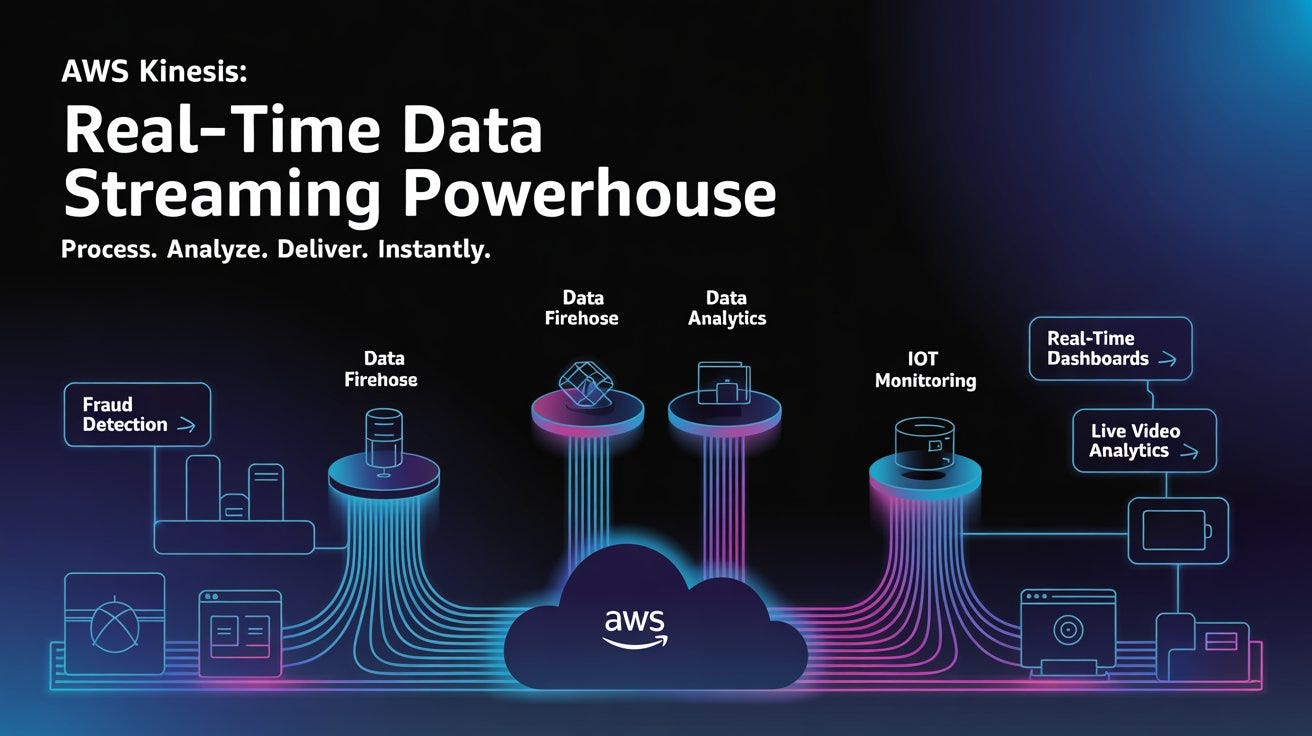
Instead of waiting for batch jobs at midnight, Kinesis lets you process data as it arrives. Think real-time dashboards, instant fraud alerts, and live analytics — all happening in milliseconds.
What is Amazon Kinesis?
Amazon Kinesis is a fully managed streaming platform that helps you:
- Collect real-time data
- Process it instantly
- Analyze it continuously
It’s like a high-speed pipeline for data — always flowing, always processing.
The Four Pillars of Kinesis
Kinesis isn’t just one service — it’s a family of four, each designed for a specific job:

How Amazon Kinesis Works (Step-by-Step)
Let’s break it down in a simple way:
1. Data Ingestion
Data flows in from:
- Applications
- Sensors (IoT)
- Logs
- Clickstreams
Formats? JSON, binary — Kinesis handles it all.
2. Sharding & Scaling
Data is split into shards (like partitions).
- Each shard = fixed capacity
- You can scale horizontally
- Ensures fault tolerance
3. Processing & Buffering
Before storage, Kinesis can:
- Filter data
- Aggregate records
- Prepare it for analysis
4. Data Access
Processed data becomes available via:
- APIs
- Analytics tools
- Storage systems
Deep Dive into Each Kinesis Service
Kinesis Data Streams (KDS)
This is the core engine of Kinesis.
Think of it as a real-time data highway.
Key Concepts:
- Producers → send data
- Shards → store and process data
- Consumers → read data
Features:
- Handles GBs of data per second
- Data retention: 24 hours → 365 days
- Multiple apps can read the same data
- Ordering guaranteed within a shard
Example: Sending Data to Kinesis
# Language: Python (boto3)
import boto3
import json
kinesis = boto3.client('kinesis')
response = kinesis.put_record(
    StreamName='my-stream',
    Data=json.dumps({'event': 'user_click'}),
    PartitionKey='user1'
)
print(response)
Example: Reading Data from Kinesis
# Language: Python (boto3)
import boto3
client = boto3.client('kinesis')
shard_iterator = client.get_shard_iterator(
    StreamName='my-stream',
    ShardId='shardId-000000000000',
    ShardIteratorType='TRIM_HORIZON'
)['ShardIterator']
records = client.get_records(ShardIterator=shard_iterator, Limit=10)
for record in records['Records']:
    print(record['Data'])
Kinesis Video Streams
Built specifically for video and media streaming.
What it does:
- Streams video from devices (CCTV, IoT cameras)
- Stores and processes video
- Enables ML-based analysis
Common Use Cases:
- Smart surveillance
- Face recognition
- Live video analytics
Example: Sending Video Stream (Conceptual)
// Language: JavaScript (AWS SDK)
const AWS = require('aws-sdk');
const kinesisVideo = new AWS.KinesisVideo();
kinesisVideo.createStream({
    StreamName: "MyVideoStream",
    DataRetentionInHours: 24
}, (err, data) => {
    if (err) console.log(err);
    else console.log(data);
});
Kinesis Data Analytics
This is where real-time magic happens.
You can run:
- SQL queries
- Apache Flink applications
Example Use Case:
“Calculate average temperature over the last 5 minutes.”
Example: SQL Query
-- Language: SQL
SELECT
    STREAM_NAME,
    AVG(temperature) AS avg_temp
FROM SOURCE_STREAM
GROUP BY TUMBLING_WINDOW(MINUTE, 5);
Example: Apache Flink (Java)
// Language: Java (Apache Flink)
DataStream<String> stream = env.addSource(kinesisSource);
stream
    .map(value -> value.toUpperCase())
    .print();
Kinesis Data Firehose
This is the “set it and forget it” service.
No coding. No infrastructure.
What it does:
- Captures streaming data
- Automatically delivers it to destinations
Destinations:
- Amazon S3
- Redshift
- OpenSearch
- Splunk / Datadog
Example: Firehose Setup
# Language: Bash (AWS CLI)
aws firehose create-delivery-stream \
    --delivery-stream-name my-stream \
    --s3-destination-configuration BucketARN=arn:aws:s3:::my-bucket,RoleARN=arn:aws:iam::123456789012:role/firehose-role
Real-World Use Cases
1. Real-Time Monitoring
Track app performance instantly.
2. Fraud Detection
Analyze transactions as they happen.
3. Personalized Recommendations
Recommend products in real-time.
4. IoT Analytics
Monitor machines, predict failures.
💸 Pricing Breakdown

When Should You Use What?
👉 Use Data Streams When you need full control + real-time processing
👉 Use Firehose When you just want to move data (no code)
👉 Use Data Analytics When you want real-time insights using SQL/Flink
👉 Use Video Streams When dealing with video/audio data
Final Thoughts
Amazon Kinesis is not just a tool — it’s a real-time data powerhouse.
If your system needs:
- Instant insights
- High scalability
- Low latency
Kinesis is the way to go.
In a world where speed = advantage, Kinesis helps you stay ahead.
메타데이터
- post_id
- 443256a1da4b
- slug
- aws-amazon-kinesis-real-time-data-streaming-443256a1da4b
- url
- https://medium.com/@rheagupta993/aws-amazon-kinesis-real-time-data-streaming-443256a1da4b
- canonical_url
- https://medium.com/@rheagupta993/aws-amazon-kinesis-real-time-data-streaming-443256a1da4b
- author_url
- https://medium.com/@rheagupta993
- status
- ok
- fetched_at
- 2026-07-13 06:23:13





