CKA-20-Kubernetes Rollbacks: Recovering from a Bad Deployment
Even well-tested releases can fail after reaching production.
CKA-20-Kubernetes Rollbacks: Recovering from a Bad Deployment
Even well-tested releases can fail after reaching production.
A new version might introduce:
- Application bugs
- Performance issues
- Configuration errors
- Unexpected behavior
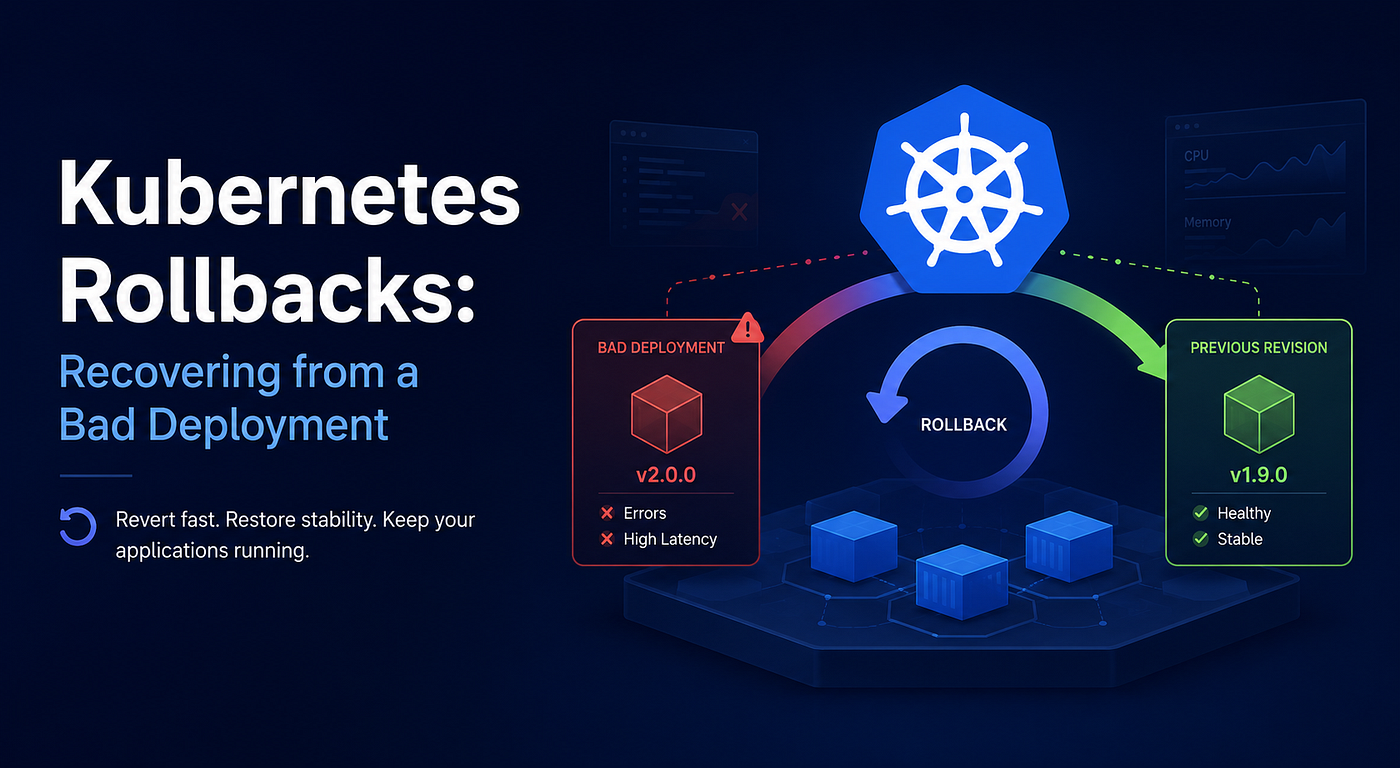
When that happens, Kubernetes allows you to quickly restore a previous Deployment revision using a Rollback.
What Is a Rollback?
A rollback restores a Deployment to a previously known working version.
Example:
Revision 1 → Stable ✅
Revision 2 → Stable ✅
Revision 3 → Broken ❌
Rollback:
Revision 3
     ↓
Revision 2
Kubernetes automatically redeploys the earlier version.
Viewing Deployment History
Every Deployment keeps revision history.
View available revisions:
kubectl rollout history deployment/shopExample:
REVISION   CHANGE-CAUSE
1          Initial deployment
2          Updated image to v1.1
3          Updated image to v2.0
View details of a specific revision:
kubectl rollout history deployment/shop --revision=3This helps identify which version introduced the problem.
Rolling Back to the Previous Version
Restore the most recent working revision:
kubectl rollout undo deployment/shopMonitor progress:
kubectl rollout status deployment/shopKubernetes performs another rolling update and replaces the current Pods with the previous version.
Rolling Back to a Specific Revision
You can also restore a specific revision.
Example:
kubectl rollout undo deployment/shop --to-revision=2This is useful when multiple deployments have occurred since the last stable release.
How Rollbacks Work
Internally, Deployments keep old ReplicaSets.
Deployment
    |
    +--> ReplicaSet v1
    +--> ReplicaSet v2
    +--> ReplicaSet v3
During rollback:
Deployment
      |
      v
ReplicaSet v2
The Deployment updates its Pod template and starts another rolling update.
What a Rollback Does NOT Fix
A rollback restores application Pods.
It does not automatically reverse:
- Database migrations
- Deleted records
- External configuration changes
- Messages already sent to queues
- Third-party system updates
Example:
Application v2
      |
Drops Database Column
Rollback:
Application v1If v1 still expects the deleted column:
Application Failure ❌This is why database changes should be backward compatible.
Designing for Safe Rollbacks
Good release practices include:
Backward-Compatible Database Changes
Good:
1. Add New Column
2. Deploy New Code
3. Migrate Data
4. Remove Old Column Later
Bad:
Deploy New Code
Drop Old Column Immediately
Keep Previous Images
Ensure older container images remain available.
Bad:
Rollback Requested
      |
Old Image Deleted ❌
Version Configuration
Store configuration changes alongside application code whenever possible.
This makes restoring previous versions much easier.
Verifying Recovery
After a rollback, do not assume the incident is resolved.
Check:
kubectl get deployment shopkubectl get podskubectl logs deployment/shopAlso verify:
- Application health
- Error rates
- Response times
- User-facing functionality
A Deployment may show:
READY 4/4while the application still contains logical errors.
GitOps Considerations
In GitOps environments such as Argo CD:
Git Repository
       |
       v
Desired State
If you manually rollback:
Cluster State ≠ Git StateThe GitOps controller may redeploy the broken version.
After rollback:
✅ Revert the change in Git
✅ Commit the rollback
✅ Allow GitOps to reconcile
Revision History Limit
Deployments store old ReplicaSets according to:
revisionHistoryLimit: 10Example:
Keep Last 10 RevisionsOlder revisions are removed automatically.
If history is deleted, rollback options become limited.
Useful Commands
View rollout history:
kubectl rollout history deployment/shopView specific revision:
kubectl rollout history deployment/shop --revision=3Rollback to previous version:
kubectl rollout undo deployment/shopRollback to specific revision:
kubectl rollout undo deployment/shop --to-revision=2Monitor rollout:
kubectl rollout status deployment/shopCKA Exam Tips
Remember these key points:
- Deployments keep revision history.
- Rollbacks create another rolling update.
kubectl rollout undorestores a previous revision.- Rollbacks only restore Deployment configuration.
- Database changes may require separate recovery actions.
- Verify application health after rollback.
- In GitOps environments, update Git after rolling back.
Key Takeaways
Rollbacks provide a fast way to restore a previously working Deployment version.
Bad Release
     ↓
Rollback
     ↓
Known Good Version
For the CKA exam, remember:
A rollback restores a previous Deployment revision, but it does not automatically undo database, configuration, or external system changes.
Originally published at https://cloudopsblog.com on July 8, 2026.
메타데이터
- post_id
- 4455cd7f28fc
- slug
- cka-20-kubernetes-rollbacks-recovering-from-a-bad-deployment-4455cd7f28fc
- url
- https://medium.com/@manojkumarcloud/cka-20-kubernetes-rollbacks-recovering-from-a-bad-deployment-4455cd7f28fc
- canonical_url
- https://medium.com/@manojkumarcloud/cka-20-kubernetes-rollbacks-recovering-from-a-bad-deployment-4455cd7f28fc
- author_url
- https://medium.com/@manojkumarcloud
- status
- ok
- fetched_at
- 2026-08-07 21:41:56