Unlocking Research Superpowers: Master NotebookLM for Optimum Results
Research is often seen as a grind — hours digging through dense PDFs, long videos, and endless transcripts. But what if you could transform…
Unlocking Research Superpowers: Master NotebookLM for Optimum Results
Research is often seen as a grind — hours digging through dense PDFs, long videos, and endless transcripts. But what if you could transform that process from a treasure hunt into a focused conversation?
Welcome to the era of NotebookLM. This powerful tool isn’t just an AI; it’s a personalized research assistant that understands your specific data. The key to unlocking its full potential isn’t just uploading files; it’s knowing how to engage with them.
In this post, we strip away the noise and sponsorships, focusing purely on the expert techniques and features shared in a recent session. Mastering these methods will fundamentally change
Understanding the Core Magic: The Personalized AI
NotebookLM’s defining characteristic is that it grounds its intelligence in your sources. It creates a localized mini-universe of information that is highly relevant to your specific project. It doesn’t query the entire internet; it queries your notebook.
To begin any project successfully, you must maximize the quality of this foundation.
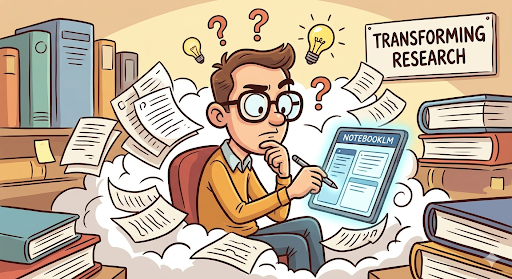
NotebookLM is transforming research faster, better, repeatable, your thinking proces
Phase 1: Creating a Robust Source Foundation
Technique: Maximize Source Diversity (The “Everything” Upload)
The single most impactful step you can take is to not hold back on your uploads. The expert session emphasized that the best notebooks are often the most comprehensive.
● Go Beyond PDFs: NotebookLM excel when you mix media. Upload text documents (PDFs, Google Docs, local files), but crucially, include multimedia.
● The YouTube Power Move: You can paste public YouTube links directly into the source box. NotebookLM instantly ingests the video’s transcript.
● The Workflow: If you are researching a topic, upload the foundational whitepaper (PDF), the expert interview (YouTube link), and the discussion transcript (Google Doc).
Why it works: By providing diverse inputs, you allow the AI to find connections, contrast perspectives, and synthesize insights that are impossible to find by looking at sources in isolation.
Phase 2: Mastering the Synthesis Features
Once your sources are uploaded, your notebook becomes a synthesis engine. This is where the magic of combining information happens.
Feature: The Audio Overview (The “Podcast” Button)
Perhaps the most immediately impactful feature is the ‘Audio Overview’ (frequently located in the top-right corner of the interface).
● Instant Deep Dives: With a single click, the AI generates a stylized, conversational deep dive — like a professional podcast — between two speakers discussing the entire contents of your notebook.
The Best Practices: Use this immediately after a major upload phase. It provides a high-level conceptual summary, highlighting key themes and connecting the dots between your PDFs, videos, and documents. It’s an ideal way to quickly grasp the “big picture” of the information you’ve just centralized.
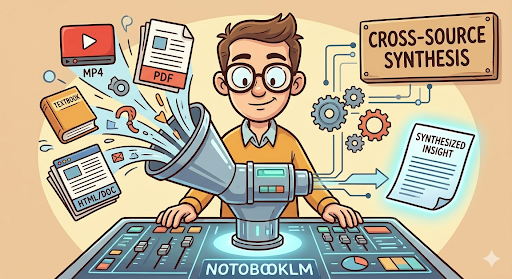
Multiple data types and sources to synthesize results
Feature: Dynamic Cross-Source Querying
This is the technique that truly elevates NotebookLM above a simple summarizer. You are not asking questions about a single document; you are interrogating your personalized library.
● The Power Workflow: Instead of asking, “What does Document A say about the economy?” ask, “Based on all the uploaded materials, what is the consensus view on the economic outlook?”
● Contrasting Perspectives: The AI can actively contrast sources. Try prompts like: “What is the key difference between the YouTube video interview and the foundational whitepaper regarding product launch strategy?”
This capability transforms your research into an active dialogue, allowing you to synthesize and understand different facets of the same topic simultaneously.
Phase 3: Verification and Precision (The Trust Layer)
When your synthesis is generated, the expert advice is: Verify, don’t just trust. NotebookLM includes crucial tools designed to ensure your final output is accurate and trustworthy.
Feature: Direct Source Citations
When you interact with the AI in the chat, the expert indicated you must utilize the citation feature to maximize accuracy.
● The Best Practice: Every time the AI provides an answer (especially a synthesis), look for the hyperlinked citation numbers (e.g., [1], [2]).
● The Action: Click these numbers immediately. NotebookLM will split the screen and highlight the exact text in the source material where that specific information came from.
This verification is essential for academic integrity or high-stakes reporting, allowing you to ensure the AI’s summary is grounded in the actual text.
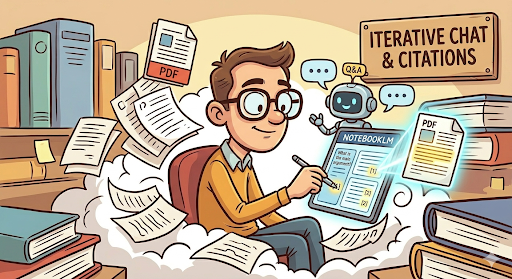
Iterative prompting to improve results and use prompting history to build patterns
Technique: Iterative Prompting and Refining
The session emphasized that research isn’t a single query; it’s a conversation. To get the best results, you must iterate.
● The Workflow:
-
Start Broad: Get a high-level summary or overview of a concept across all sources.
-
Go Narrow: Ask a targeted question based on that summary (e.g., “The summary mentioned three risk factors; provide a detailed breakdown of factor two from the sources.”)
-
Refine (Iterate): If the answer is still vague, refine your prompt. Use the conversation history to guide the AI, treating it like a very bright, very diligent, but slightly literal intern.
Conclusion
By applying these specific techniques — focusing on comprehensive source diversity, leveraging cross-source queries, and ruthlessly verifying citations — you will move beyond basic use and unlock the true research superpowers of NotebookLM.
메타데이터
- post_id
- 44eddec22a8a
- slug
- unlocking-research-superpowers-master-notebooklm-for-optimum-results-44eddec22a8a
- url
- https://medium.com/@ajeetnath/unlocking-research-superpowers-master-notebooklm-for-optimum-results-44eddec22a8a
- canonical_url
- https://medium.com/@ajeetnath/unlocking-research-superpowers-master-notebooklm-for-optimum-results-44eddec22a8a
- author_url
- https://medium.com/@ajeetnath
- status
- ok
- fetched_at
- 2026-07-15 16:12:01