Using Syft to generate Software Bill of Materials
I was reading the latest Thoughtworks Tech Radar Vol 32 to understand the future trends in areas of of Techniques , Tools , Platforms and…
Using Syft to generate Software Bill of Materials
I was reading the latest Thoughtworks Tech Radar Vol 32 to understand the future trends in areas of of Techniques , Tools , Platforms and Languages and Frameworks. The report was really insightful with crisp summary of each blip provided. Some of the blips were also new to me and I spent time to explore them and also understand what they are meant for.
One such blip recommended was to adopt the technique of SBOM or Software Bill of Material.
What is a Software Bill of Material ( SBOM ) ?
A software bill of material (SBOM) is a complete inventory of components including metadata such as licenses and versions that make up a software application. This helps organizations to have a centralized and complete repository of all third party components, open-source libraries and software dependencies used in the development and maintenance of various software applications.
Using SBOM organizations can assess risks within third-party and proprietary software packages and resources. This also helps with software security and software supply chain risk management.
What are the benefits of SBOM ?
SBOM allows a lot of benefits , with the major ones being the following :
- Allows develops to keep track of dependencies , manage open-source libraries and also ensure that they are updated regularly.
- Allows the operations and devops team to manage software deployments, monitor updates and patches and be able to maintain a secure environment during CI/CD processes
- Helps security teams in vulnerability management, risk assessment, and incident response
- Facilitate compliance with industry regulations and standards by providing transparency into the software supply chain
What does SBOM include ?
In general for each component a software bill of material includes the following information :
- Name of the software component or library
- Version number and its release date
- Brief description along with its purpose and functionality
- License and Copyright Information
- Contact information of the author / vendor / distributor
- List of all dependencies required for the component to work
- List of patches or updates applied along with its release date
- Known vulnerabilities if any
- Name of entity that generated the SBOM along with the date and time of generation
What are the tools available for generating SBOM ?
There are many tools that are available. Some of them can also be used as part of CI/CD processes as well. A quick search lists the current tools to be Syft , CycloneDX , Finite State and Fossa .
For this article , I tried the Syft tool , which is a CLI tool and Go library to generate SBOM from docker images and filesystems.
I built a simple FastAPI based web application and then ran the syft command to generate the SBOM.
Here’s what my directory looks like :
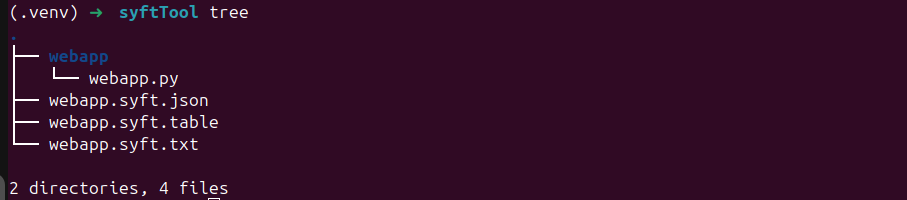
Directory Structure
Below is the python code used to build a simple fastapi web application.
from typing import Union

from fastapi import FastAPI

app = FastAPI()

@app.get("/")
def read_root():
    return {"Hello": "World"}

@app.get("/items/{item_id}")
def read_item(item_id: int, q: Union[str, None] = None):
    return {"item_id": item_id, "q": q}
The syft command is then run with the input as the directory containing the source code.
# Default Mode
syft webapp
# Providing Output Format and Output File
# Output in JSON
syft webapp -o syft-json=webapp.syft.json
# Output as a Table
syft webapp -o syft-table=webapp.syft.table
# Output in user-friendly text
syft webapp -o syft-text=webapp.syft.text
As we see the SBOM contains all the dependencies along with their versions. For the above example , the main package is fast-api and its dependencies. Essentially the packages that you will be installing via pip.
The other formats like json , cyclonedx-json are quite verbose and contain additional metadata like author , version and license.
The above is a simple example , but when we build full fledged application or microservice which have lot of functionalities developed , the SBOM can become big and capture all the dependencies.
If we need to update a specific library across the environment , we would have to scan all our applications and determine which one need to be updated. This can become difficult if we did not have SBOM. With SBOMs , it just becomes easy since we only have to search for those which uses the specific library.
Of course , there are many other uses of SBOM , especially in deployment operations , where we might need to install specific versions of them for the application to run smoothly. It also becomes useful when combined with CI/CD processes , running security scanners , code analysis and other automated operations which require the inventory of libraries and packages being used.
There is one area where SBOM can play an important role is when reviewing software architectures and coming up with solutions . Here it can provide information as to what dependencies are being used , whether there is any library that cannot be used or any compliance issues or not. It can also help with consolidation of libraries and also help in prioritization of software updates. These can also become a useful part when auditing vendor developed applications or solutions.
In future posts , I will try out the usefulness of SBOM in CI/CD processes and multiple scanners covering security and code quality.
메타데이터
- post_id
- 479537d98bc5
- slug
- using-syft-to-generate-software-bill-of-materials-479537d98bc5
- url
- https://medium.com/@raditya.mit/using-syft-to-generate-software-bill-of-materials-479537d98bc5
- canonical_url
- https://medium.com/@raditya.mit/using-syft-to-generate-software-bill-of-materials-479537d98bc5
- author_url
- https://medium.com/@raditya.mit
- status
- ok
- fetched_at
- 2026-07-18 19:13:43