PicoCTF challenge: Password Profiler— Writeup
Hello everyone, back at another picoctf challenge! Today, I will be giving a solution to the picoctf 2026 problem, password profiler. This…
PicoCTF challenge: Password Profiler— Writeup
Hello everyone, back at another picoctf challenge! Today, I will be giving a solution to the picoctf 2026 problem, password profiler. This is what the challenge looks like…
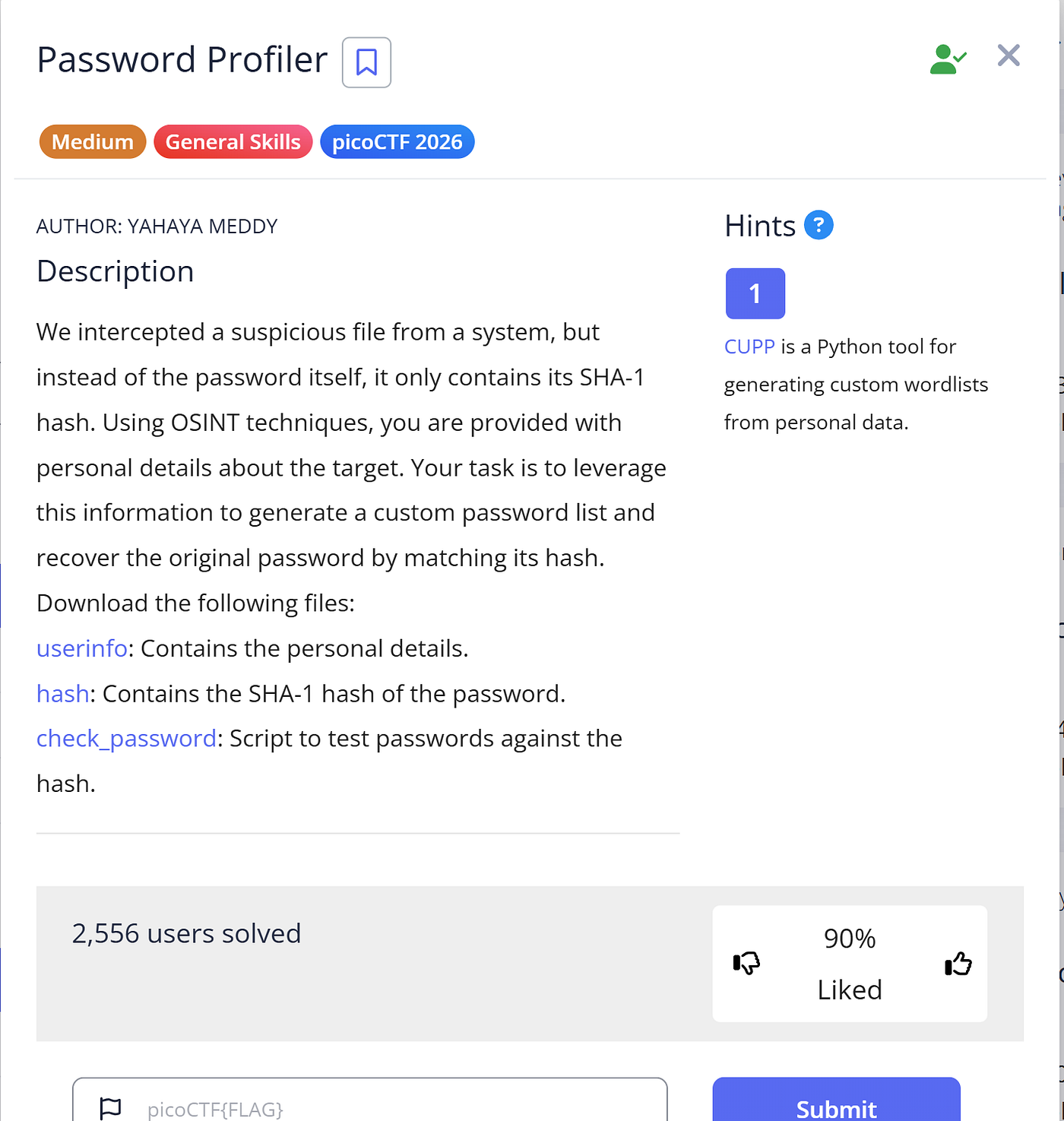
Introduction: The problem tasks us to generate a custom password list and recover the original password by matching its hash. This will lead to the flag. Given below that, are three files, containing user details, the password hash, as well as a script to test passswords against. Let us use the command wget to download the file in our webshell.
Step 1 — Look at the python script “check_password”. It looks like this:
#!/usr/bin/env python3
import hashlib

HASH_FILE = "hash.txt"
WORDLIST_FILE = "passwords.txt" # wordlist that was generated using CUPP

def load_hash():
    with open(HASH_FILE, "r") as f:
        return f.read().strip()

def crack_password(target_hash):
    with open(WORDLIST_FILE, "r", encoding="utf-8", errors="ignore") as f:
        for password in f:
            password = password.strip()
            if hashlib.sha1(password.encode()).hexdigest() == target_hash:
                return password
    return None

if __name__ == "__main__":
    target_hash = load_hash()
    result = crack_password(target_hash)
    if result:
        print(f"Password found: picoCTF{{{result}}}")
    else:
        print("No match found.")
This gives us a few hints. First off, it looks like the script is expecting the wordlist file generated by CUPP, in passwords.txt, where it will be looking. In the hints, it says, “CUPP is a Python tool for generating custom wordlists from personal data.”
Let’s take a crack at the problem using CUPP. The command ‘cupp -i’ starts the program in interactive mode. Let’s do that. This is what it shows.

CUPP’s interactive mode
What we see here is a program which makes a dictionary full of probable passwords with common information given in the question.
Let’s fill this out with all the details we have received in the file ‘userinfo.txt’.
Once done, it will ask for additional questions, such as “Do you want to add some random numbers at the end of words?” Answer y for yes.
Once enter is clicked, it asks to hyperprint. Answer yes and once it starts printing all the strings in the file, press CTRL + C, to interrupt the signal, bring you back to the CMD. We now have the file alice.txt which has everything we need.
However, the script states that it will check the file ‘passwords.txt’, which yet does not exist. To do this we must use the command mv, to rename the file to passwords.txt .
mv alice.txt passwords.txtOnce this is done, we can run the script through the following command.
python3 check_password.pyThis will give us our flag.

Final Flag
Key Takeaways:
- CUPP and its utilization.
Thanks for reading! If you have any questions or comments, feel free to reach out to me at amanbarolia110@gmail.com .
메타데이터
- post_id
- 47cd182156ef
- slug
- picoctf-challenge-password-profiler-writeup-47cd182156ef
- url
- https://cybersecuritywriteups.com/picoctf-challenge-password-profiler-writeup-47cd182156ef
- canonical_url
- https://cybersecuritywriteups.com/picoctf-challenge-password-profiler-writeup-47cd182156ef
- author_url
- https://medium.com/@amanbarolia110
- status
- ok
- fetched_at
- 2026-07-21 20:08:30