Beyond Unit Tests: Mastering API Behavior with Python’s Behave
As a software architect, I’ve seen my fair share of testing frameworks come and go. But in today’s world of complex microservices, getting…
Beyond Unit Tests: Mastering API Behavior with Python’s Behave
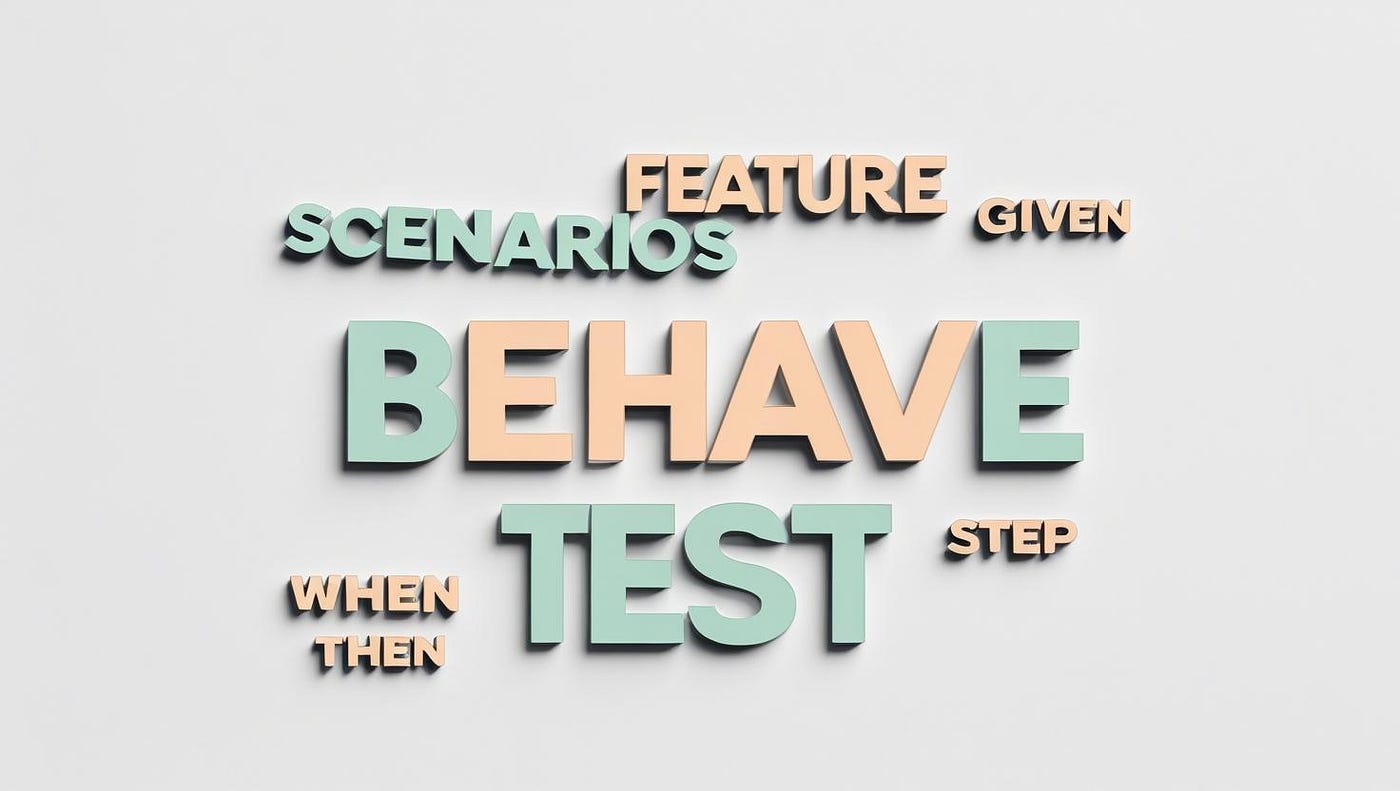
As a software architect, I’ve seen my fair share of testing frameworks come and go. But in today’s world of complex microservices, getting our applications to behave exactly as expected isn’t just a good idea — it’s absolutely non-negotiable for system stability and user trust. Sure, we have our unit tests and even our service-level integration tests, and they’re crucial. But let’s be honest, they often miss the bigger picture — that holistic, user-centric view of how an entire system should hum along across multiple API interactions. This is precisely where Behavior-Driven Development (BDD) truly shines, and if you’re working with Python APIs, **behave** is your secret weapon for robust, end-to-end integration testing.
What I love about Behave is how it empowers teams to describe API behaviors in plain English, using that wonderfully intuitive Gherkin syntax (Given-When-Then). It transforms dry technical specs into engaging narratives that anyone — from engineers to product managers — can understand. And that, my friends, is gold for fostering better communication and tighter collaboration across development, QA, and product teams.
I’ve personally witnessed the profound impact of shifting our testing mindset left, aligning it directly with business behavior. In this post, I want to pull back the curtain and share why I consider Behave a cornerstone for comprehensive API integration testing. I’ll walk you through setting it up and crafting your very first behavior-driven API tests. Let’s dive in!
From Integration Headaches to Harmony: Our Behave Story
My team was knee-deep in a pretty sophisticated microservices architecture. While our component-level tests were solid, we frequently encountered issues during end-to-end integration. Small changes in one service would inexplicably break critical customer workflows across multiple APIs. My team approached me for a solution that could truly validate our entire API ecosystem from a user’s perspective.
My recommendation was behave. We started by translating complex user stories into simple Gherkin scenarios. This immediately resonated with our product owners, who could now read and understand what was being tested. Developers embraced defining API behaviors collaboratively.
The real game-changer was integrating these Behave tests into our CI/CD pipeline. Any integration break, no matter how subtle or distributed across services, was caught early and automatically. Behave became our indispensable early warning system for end-to-end API integration regressions.
We’ve been using Behave extensively for our API integration testing, and its effectiveness in ensuring the robustness and correctness of our end-to-end workflows has been nothing short of remarkable. I’m so excited about its benefits that I just had to share our journey and insights with all of you, hoping you can tap into the immense power of Behavior-Driven Development for API testing.
Why Behave for API Testing?
Before we roll up our sleeves, let’s break down exactly why I advocate so strongly for Behave when it comes to API testing, especially from an architectural viewpoint:
- Human-Readable Specs as Living Docs: Forget outdated, dusty documentation. Gherkin syntax makes your tests readable by everyone, serving as clear, executable blueprints of your API’s expected behavior. It’s living documentation that evolves right alongside your code.
- Focus on Business Value, Not Just Code: Behave shifts the spotlight from just testing isolated functions to validating the overall, composite behavior of your API. This ensures your API design and implementation directly hit those critical business requirements and user expectations — which, let’s be honest, is the whole point.
- Supercharging Cross-Functional Collaboration: The shared, domain-specific language of Gherkin naturally bridges any communication gaps between developers, QAs, and business analysts. It’s a common language that fosters better understanding, squashes misinterpretations, and genuinely encourages teamwork.
- Bulletproof End-to-End Integration: For microservices, Behave is a superstar at orchestrating calls across multiple APIs, perfectly mimicking real-world user journeys. This is absolutely crucial for snagging those tricky integration defects that isolated unit or component tests might completely miss, giving you rock-solid confidence in your entire system.
- Catching Design Flaws Early: By defining behaviors upfront, you’re compelled to think deeply about your API’s public contract and how it interacts from an external viewpoint. This proactive thinking helps you uncover potential architectural inconsistencies or design flaws much earlier, saving you a ton of costly refactoring down the line.
- A Strong Foundation for Automation: Behave gives you a robust framework for automating these human-readable behaviors, making them effortlessly repeatable and perfectly integratable into your CI/CD pipelines. This means consistent, automated quality checks with every single deployment.
Setting Up Your Behave Environment
Let’s get started with setting up Behave for your API testing project. We’ll assume you have Python and pip installed.
Step 1: Create Your Project Directory
First, create a new directory for your Behave tests:
mkdir api-behave-tests
cd api-behave-tests
Step 2: Create a Virtual Environment (Highly Recommended)
Seriously, always use a virtual environment to keep your project dependencies tidy:
python -m venv venv
source venv/bin/activate  # On Windows, use `venv\Scripts\activate`
Step 3: Install Behave and Requests
We’ll need behave itself, and requests for making HTTP calls to our API:
pip install behave requestsbasStructuring Your Behave Tests
Behave follows a specific directory structure. You’ll typically have a features directory where your Gherkin .feature files reside, and within that, a steps directory containing your Python step definition files.
api-behave-tests/
├── venv/
├── features/
│   ├── api.feature
│   └── steps/
│       └── api_steps.py
└── environment.py (optional, for global hooks)
Example API and Its Behavior
For this example, let’s imagine we have a simple user management API with the following endpoints:
GET /users: Returns a list of all users.POST /users: Creates a new user.
Creating Your First Behave Test
Step 1: Define Your Feature File (api.feature)
Create a file named api.feature inside the features directory:
# features/api.feature
Feature: User Management API

  As an API consumer
  I want to manage users
  So that I can interact with user data

  Scenario: Retrieve all users
    Given the API is running
    When I send a GET request to "/users"
    Then the response status code should be 200
    And the response body should be a JSON array

  Scenario: Create a new user
    Given the API is running
    When I send a POST request to "/users" with body:
      """
      {
        "name": "John Doe",
        "email": "john.doe@example.com"
      }
      """
    Then the response status code should be 201
    And the response body should contain "id"
    And the response body should contain "name" with value "John Doe"
Let’s break down this Gherkin syntax:
- Feature: Describes the high-level functionality being tested.
- Scenario: A specific example of a behavior.
- Given: The initial context or precondition.
- When: The action performed.
- Then: The expected outcome or result.
- And: Used to extend Given, When, or Then clauses.
- Doc Strings (
"""): Used to pass multi-line arguments, like JSON request bodies.
Step 2: Implement Your Step Definitions (api_steps.py)
Now, create api_steps.py inside features/steps/. This file will contain the Python code that links the Gherkin steps to actual API calls and assertions.
# features/steps/api_steps.py
import requests
import json
from behave import *

# Base URL of your API (replace with your actual API URL)
BASE_URL = "http://localhost:5000" # Assuming a local API running on port 5000

@given('the API is running')
def step_impl(context):
    # In a real-world scenario, you might have a more robust way to
    # check if the API is truly running (e.g., a health check endpoint).
    # For this example, we'll assume it is.
    print(f"API Base URL: {BASE_URL}")
    pass

@when('I send a GET request to "{path}"')
def step_impl(context, path):
    context.response = requests.get(f"{BASE_URL}{path}")

@when('I send a POST request to "{path}" with body:')
def step_impl(context, path, body):
    headers = {'Content-Type': 'application/json'}
    context.response = requests.post(f"{BASE_URL}{path}", data=body, headers=headers)

@then('the response status code should be {status_code:d}')
def step_impl(context, status_code):
    assert context.response.status_code == status_code, \
        f"Expected status code {status_code}, but got {context.response.status_code}"

@then('the response body should be a JSON array')
def step_impl(context):
    try:
        json_data = context.response.json()
        assert isinstance(json_data, list), "Response body is not a JSON array"
    except json.JSONDecodeError:
        assert False, "Response body is not valid JSON"

@then('the response body should contain "{key}"')
def step_impl(context, key):
    try:
        json_data = context.response.json()
        assert key in json_data, f"Response body does not contain key: {key}"
    except json.JSONDecodeError:
        assert False, "Response body is not valid JSON"

@then('the response body should contain "{key}" with value "{value}"')
def step_impl(context, key, value):
    try:
        json_data = context.response.json()
        assert key in json_data, f"Response body does not contain key: {key}"
        assert str(json_data[key]) == value, \
            f"Expected value for '{key}' to be '{value}', but got '{json_data[key]}'"
    except json.JSONDecodeError:
        assert False, "Response body is not valid JSON"
Important Notes:
**BASE_URL: You MUST replacehttp://localhost:5000with the actual URL of your API.** For demonstration purposes, we're assuming a local API running on port 5000.**contextobject:** Behave provides acontextobject that allows you to share data between steps within a scenario. Here, we're storing therequestsresponse object incontext.response.- Type Hinting: Notice
status_code:din@then('the response status code should be {status_code:d}'). This tells Behave to expect an integer forstatus_code. - Error Handling: Basic
try-exceptblocks are included forjson.JSONDecodeErrorto handle cases where the response isn't valid JSON.
Running Your Behave Tests
Now for the exciting part — running your tests! Make sure your API is running and accessible at the BASE_URL you've configured.
From your api-behave-tests directory (where features is located), simply run:
behaveYou should see output similar to this (assuming your API is running correctly and tests pass):
Feature: User Management API # features/api.feature:2

  Scenario: Retrieve all users        # features/api.feature:8
    Given the API is running          # features/steps/api_steps.py:10
    When I send a GET request to "/users" # features/steps/api_steps.py:17
    Then the response status code should be 200 # features/steps/api_steps.py:21
    And the response body should be a JSON array # features/steps/api_steps.py:26

  Scenario: Create a new user         # features/api.feature:13
    Given the API is running          # features/steps/api_steps.py:10
    When I send a POST request to "/users" with body: # features/steps/api_steps.py:20
      """
      {
        "name": "John Doe",
        "email": "john.doe@example.com"
      }
      """
    Then the response status code should be 201 # features/steps/api_steps.py:21
    And the response body should contain "id" # features/steps/api_steps.py:33
    And the response body should contain "name" with value "John Doe" # features/steps/api_steps.py:40

1 feature passed, 0 failed, 0 skipped
2 scenarios passed, 0 failed, 0 skipped
8 steps passed, 0 failed, 0 skipped, 0 undefined
Took 0m0.0XXs
If any of your steps fail, Behave will provide clear error messages indicating which step failed and why.
Advanced Behave Concepts (Briefly)
**environment.py:** You can create anenvironment.pyfile directly under yourapi-behave-testsdirectory (sibling tofeatures). This file allows you to define hooks that run before/after features, scenarios, or steps. For example, you could usebefore_allto start a test API server andafter_allto shut it down.- Tags: You can add tags to features or scenarios in your
.featurefiles (e.g.,@smoke,@regression) and then run specific subsets of tests usingbehave --tags=@smoke. - Configuration File: Behave supports a configuration file (
behave.ini) for more advanced settings.
Conclusion
Behave provides a powerful and intuitive way to implement Behavior-Driven Development for your Python APIs. By writing tests in human-readable Gherkin syntax and linking them to robust Python step definitions, you can:
- Improve communication and collaboration across your team.
- Create comprehensive and understandable API specifications.
- Catch bugs earlier in the development lifecycle, especially in end-to-end integration flows.
- Maintain a living documentation of your API’s behavior.
Start integrating Behave into your API testing workflow today and experience the benefits of a more collaborative and behavior-focused development process! Your APIs will thank you, and so will your team.
What’s your biggest challenge with API testing right now? Let me know in the comments!
Enjoyed this post?
I write everything here for free — no paywall, no ads. If it helped you or saved you time, consider buying me a coffee☕. It really helps me keep writing and sharing more content like this. Thanks for reading! 🙌
메타데이터
- post_id
- 48d6ae29bbec
- slug
- beyond-unit-tests-mastering-api-behavior-with-pythons-behave-48d6ae29bbec
- url
- https://blog.stackademic.com/beyond-unit-tests-mastering-api-behavior-with-pythons-behave-48d6ae29bbec
- canonical_url
- https://blog.stackademic.com/beyond-unit-tests-mastering-api-behavior-with-pythons-behave-48d6ae29bbec
- author_url
- https://medium.com/@gane18
- status
- ok
- fetched_at
- 2026-07-19 07:01:35