OpenAPI to Signal Forms: Generate Angular Form Configs from Your API Spec
Stop hand-writing form configs your API spec already defines
OpenAPI to Signal Forms: Generate Angular Form Configs from Your API Spec
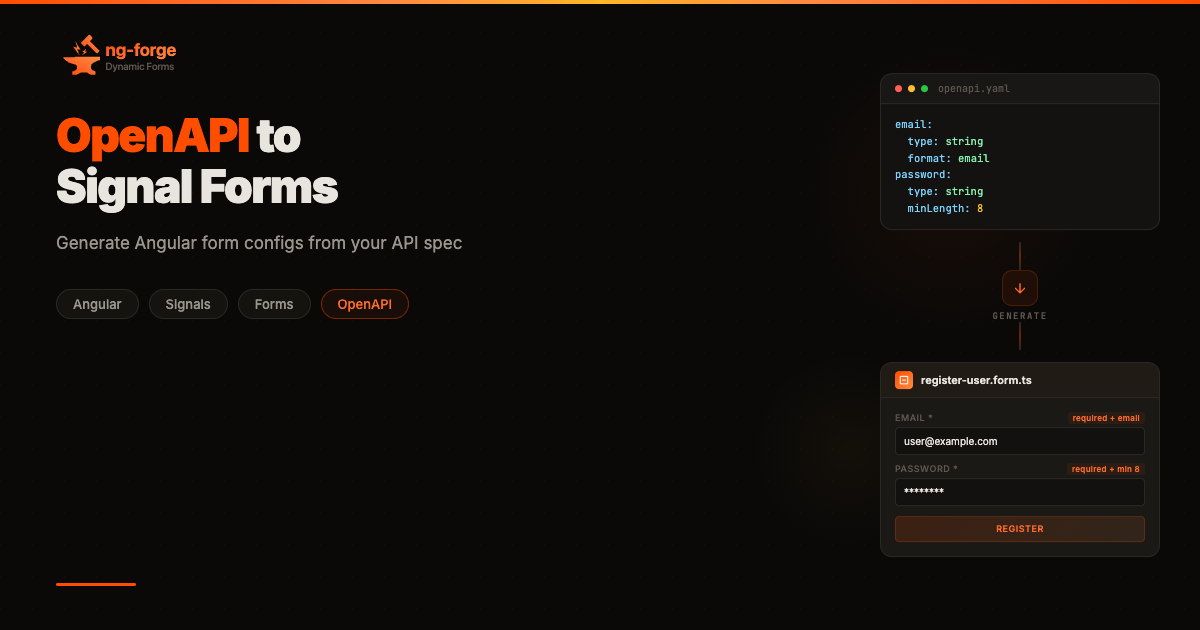
You already have your forms. They’re just hiding in your OpenAPI spec.
Every property in your schema — its type, format, constraints, whether it’s required — maps to a form field with a specific input type, validators, and label. Your backend team already wrote that information. You’re just rewriting it in a different syntax.
I got tired of doing this by hand. So I built a generator for it.
ng-forge Dynamic Forms is a configuration-driven form library for Angular, built on the experimental Signal Forms API. You describe a form as a single typed configuration object and the library renders it — no templates per field, no manual wiring. I’ve written about the library before; this article is about what happens when you point a code generator at an OpenAPI spec and have it write those configurations for you.
@ng-forge/openapi-generator reads an OpenAPI 3.x spec and produces fully typed FormConfig objects and TypeScript interfaces. This is not an HTTP client generator (that's what ng-openapi-gen and similar tools do). It generates form UI configurations from the same schemas those tools use for request/response types. In short:
- Generates Angular form configs and TypeScript interfaces from OpenAPI 3.x
- Maps types, validators, nested objects,
allOfcomposition, andoneOfdiscriminators - Asks about ambiguous UX decisions (checkbox vs. toggle? select vs. radio?) instead of guessing
- Saves your choices for deterministic CI runs
- Works with all four UI adapters (Material, Bootstrap, PrimeNG, Ionic) out of the box
Setup
Install the generator as a dev dependency — it generates code at build time, not at runtime:
npm install -D @ng-forge/openapi-generatorThe generated output depends on @ng-forge/dynamic-forms, which you already have if you're using ng-forge. If you're new to ng-forge, set up the basics first:
npm install @ng-forge/dynamic-forms @ng-forge/dynamic-forms-material @angular/material @angular/cdkWire the providers:
import { ApplicationConfig, provideZonelessChangeDetection } from '@angular/core';
import { provideAnimations } from '@angular/platform-browser/animations';
import { provideDynamicForm } from '@ng-forge/dynamic-forms';
import { withMaterialFields } from '@ng-forge/dynamic-forms-material';

export const appConfig: ApplicationConfig = {
  providers: [provideZonelessChangeDetection(), provideAnimations(), provideDynamicForm(...withMaterialFields())],
};
The Simplest Case
Say your spec has a user registration endpoint:
paths:
  /users/register:
    post:
      operationId: registerUser
      requestBody:
        required: true
        content:
          application/json:
            schema:
              type: object
              required: [email, password]
              properties:
                email:
                  type: string
                  format: email
                password:
                  type: string
                  format: password
                  minLength: 8
                bio:
                  type: string
                  maxLength: 500
Run the generator:
npx @ng-forge/openapi-generator --spec openapi.yaml --output src/generatedYou get two files. The form config (src/generated/forms/register-user.form.ts):
// @generated by @ng-forge/openapi-generator
import type { FormConfig } from '@ng-forge/dynamic-forms';

export const registerUserFormConfig = {
  fields: [
    {
      key: 'email',
      type: 'input',
      label: 'Email',
      props: { type: 'email' },
      validators: [{ type: 'required' }, { type: 'email' }],
    },
    {
      key: 'password',
      type: 'input',
      label: 'Password',
      props: { type: 'password' },
      validators: [{ type: 'required' }, { type: 'minLength', value: 8 }],
    },
    {
      key: 'bio',
      type: 'textarea',
      label: 'Bio',
      validators: [{ type: 'maxLength', value: 500 }],
    },
  ],
} as const satisfies FormConfig;
And the TypeScript interface (src/generated/types/register-user.types.ts):
// @generated by @ng-forge/openapi-generator
export interface RegisterUserFormValue {
  email: string;
  password: string;
  bio?: string;
}
Worth looking at what happened here. format: email pulled double duty — it set the HTML input type and added an email validator. The required array became validators on those two fields and made bio optional (?) in the interface. And bio ended up as a textarea even though the spec just says string — the generator saw the field name and guessed (correctly) that a field called "bio" probably wants more than one line. It does the same for names like description, notes, comment, body, content, summary, and message. The maxLength: 500 would have triggered the same heuristic anyway — anything over 200 characters gets a textarea.
Using it in a component:
import { registerUserFormConfig } from '../generated/forms/register-user.form';
import type { RegisterUserFormValue } from '../generated/types/register-user.types';

@Component({
  imports: [DynamicForm],
  template: `<form [dynamic-form]="config" (submitted)="onSubmit($event)" />`,
})
export class RegisterComponent {
  config = registerUserFormConfig;
  onSubmit(value: RegisterUserFormValue) {
    // Fully typed, matches the OpenAPI schema exactly
  }
}
Will turn into this:

Generated registration form with validation states
Type Mapping
The generator maps OpenAPI types to form field types using the schema’s type, format, constraints, and the field's name. The straightforward cases — format: email → email input, format: date → datepicker, object → group, array of objects → repeatable array — are deterministic. String formats, container types, and multi-checkbox for enum arrays all resolve without ambiguity.
The defaults for everything else: string → input, string + enum → select, integer/number → input (number), boolean → checkbox. But these are defaults, not final answers. A boolean could be a toggle switch. An enum could be radio buttons. A number could be a slider. These are UX decisions, not type-system decisions — and the generator knows the difference.
Before asking you, it tries to resolve ambiguity from the field’s name. Fields ending with description, notes, comment, bio, body, content, summary, or message are automatically mapped to textarea. Fields ending with phone, tel, mobile, or fax get a tel input type. These heuristics are a convenience — not a constraint. If the generator guesses wrong, override it with an x-ng-forge-type extension (covered below).
But defaults and heuristics only go so far. That still leaves the question open: where do the alternatives in those prompts actually come from?
Field Scopes and Ambiguity
Most codegen tools hardcode their output: OpenAPI boolean → checkbox, done. If you want a toggle switch instead, you edit the generated code. Every time.
ng-forge has a concept called field scopes — semantic groupings that declare which field types are interchangeable. A checkbox and a toggle are both boolean scope. A select and a radio are both single-select. The generator uses the same idea: when it encounters an ambiguous mapping, it knows which alternatives to offer because field types are grouped by what kind of data they represent, not by what they look like.
Currently the generator ships with a built-in scope map covering the standard field types across all four adapters (Material, Bootstrap, PrimeNG, Ionic):
- boolean: checkbox, toggle
- single-select: select, radio
- numeric: input (number), slider
- text-input: input (text), textarea
When the generator hits an ambiguous field, it prompts you with the alternatives for that scope:
? Field "isActive" is boolean. How should it render?
  ❯ Checkbox
    Toggle (switch)
Your answer is saved to .ng-forge-generator.json so it's not asked again on subsequent runs — run once interactively, commit the config, and every future run produces identical output.
If you’re using custom field types (a star-rating component, a color picker), the x-ng-forge-type extension lets you bypass the scope system entirely and specify the exact type to emit. Making the generator dynamically discover custom scopes from adapter registrations is on the roadmap.
Validator Mapping
OpenAPI constraints map directly to ng-forge validators:
required: true→requiredminLength/maxLength→minLength/maxLengthminimum/maximum→min/maxexclusiveMinimum/exclusiveMaximum→min/max(adjusted — see below)pattern→patternformat: email→emailformat: uuid→pattern(UUID regex)minItems/maxItems(arrays) →minLength/maxLength
A note on exclusiveMinimum/exclusiveMaximum: in OpenAPI 3.1, these are numeric values (e.g., exclusiveMinimum: 0 means "strictly greater than 0"). Angular's min/max validators use inclusive comparisons (>=/<=), so for integer schemas the generator adjusts by 1 — exclusiveMinimum: 0 becomes min: 1. For non-integer schemas this is an approximation; a custom validator would be needed for exact floating-point strict inequality.
Other schema properties map to field configuration rather than validators:
readOnly: true→disabled: truedefault: value→value: valuedescription→props.hint
The mapping is conservative — if the spec doesn’t constrain a field, the generated config doesn’t either. No invented validators, no assumed defaults.
Nested Objects and Arrays
Real APIs nest things. A customer object inside an order, an array of line items — the generator maps these to ng-forge’s group and array container fields:
components:
  schemas:
    Order:
      type: object
      required: [customer, items]
      properties:
        customer:
          type: object
          required: [name, email]
          properties:
            name:
              type: string
            email:
              type: string
              format: email
        items:
          type: array
          minItems: 1
          items:
            type: object
            required: [product, quantity]
            properties:
              product:
                type: string
              quantity:
                type: integer
                minimum: 1
Generated config (abbreviated):
export const createOrderFormConfig = {
  fields: [
    {
      key: 'customer',
      type: 'group',
      label: 'Customer',
      fields: [
        {
          key: 'name',
          type: 'input',
          label: 'Name',
          validators: [{ type: 'required' }],
        },
        {
          key: 'email',
          type: 'input',
          label: 'Email',
          props: { type: 'email' },
          validators: [{ type: 'required' }, { type: 'email' }],
        },
      ],
    },
    {
      key: 'items',
      type: 'array',
      label: 'Items',
      validators: [{ type: 'minLength', value: 1 }],
      template: [
        {
          key: 'product',
          type: 'input',
          label: 'Product',
          validators: [{ type: 'required' }],
        },
        {
          key: 'quantity',
          type: 'input',
          label: 'Quantity',
          props: { type: 'number' },
          validators: [{ type: 'required' }, { type: 'min', value: 1 }],
        },
      ],
    },
  ],
} as const satisfies FormConfig;
The generated interface mirrors the nesting exactly — customer becomes a nested object type, items becomes an array type. Nesting goes as deep as your spec does; the generator just walks the schema tree recursively.
export interface CreateOrderFormValue {
  customer: {
    name: string;
    email: string;
  };
  items: {
    product: string;
    quantity: number;
  }[];
}
And the result:

Order form with nested group and array containers
Schema Composition with allOf
You’ll run into allOf in any non-trivial spec — it's how OpenAPI does inheritance. A NewPet extends Pet with extra fields:
NewPet:
  allOf:
    - $ref: '#/components/schemas/Pet'
    - type: object
      properties:
        ownerEmail:
          type: string
          format: email
      required: [ownerEmail]
The generator dereferences the $ref, merges all schemas in the allOf, unions the required fields, and produces one flat form. You don't need to care about the composition — it's resolved before any field mapping happens.
Polymorphic Forms with Discriminators
Discriminators are the case I was most unsure about when building this. OpenAPI’s oneOf with a discriminator describes polymorphic payloads — a payment that's either a credit card or a bank transfer, determined by a paymentMethod field:
Payment:
  oneOf:
    - $ref: '#/components/schemas/CreditCardPayment'
    - $ref: '#/components/schemas/BankTransferPayment'
  discriminator:
    propertyName: paymentMethod
    mapping:
      credit_card: '#/components/schemas/CreditCardPayment'
      bank_transfer: '#/components/schemas/BankTransferPayment'
The generator produces a form with conditional visibility — a radio field for the discriminator, and group fields for each variant that show/hide based on the selection:
{
  fields: [
    {
      key: 'paymentMethod',
      type: 'radio',
      label: 'Payment Method',
      options: [
        { label: 'Credit Card', value: 'credit_card' },
        { label: 'Bank Transfer', value: 'bank_transfer' },
      ],
      validators: [{ type: 'required' }],
    },
    {
      key: 'credit_cardVariant',
      type: 'group',
      label: 'Credit Card',
      fields: [
        { key: 'cardNumber', type: 'input', label: 'Card Number', /* ... */ },
        { key: 'expiry', type: 'input', label: 'Expiry', /* ... */ },
      ],
      logic: [{
        type: 'hidden',
        condition: {
          type: 'fieldValue',
          fieldPath: 'paymentMethod',
          operator: 'notEquals',
          value: 'credit_card',
        },
      }],
    },
    {
      key: 'bank_transferVariant',
      type: 'group',
      label: 'Bank Transfer',
      fields: [
        { key: 'iban', type: 'input', label: 'Iban', /* ... */ },
        { key: 'bic', type: 'input', label: 'Bic', /* ... */ },
      ],
      logic: [{
        type: 'hidden',
        condition: {
          type: 'fieldValue',
          fieldPath: 'paymentMethod',
          operator: 'notEquals',
          value: 'bank_transfer',
        },
      }],
    },
  ],
}
The logic blocks here are the same ones you'd write by hand if you were building this form from scratch — hidden conditions that check the discriminator value. The generator just writes them for you from the discriminator mapping. No imperative show/hide code, no if chains.

Payment form — discriminator toggles between credit card and bank transfer groups
Custom Extensions
Sometimes you know better than the type system. Two vendor extensions let you override the generator:
**x-ng-forge-type** overrides the generated field type entirely:
rating:
  type: integer
  x-ng-forge-type: star-picker
This skips all type mapping logic and emits type: 'star-picker' directly. Useful for custom field types that don't map to any standard OpenAPI concept.
**x-enum-labels** provides human-readable labels for enum values:
status:
  type: string
  enum: [pending, approved, rejected]
  x-enum-labels:
    pending: 'Awaiting Review'
    approved: 'Approved'
    rejected: 'Rejected'
Without this extension, the generator title-cases the enum values (Pending, Approved, Rejected). With it, you get exactly the labels you specify.
Non-Interactive Mode and CI
The interactive prompts are useful exactly once. After that first run, the generator saves every decision to .ng-forge-generator.json:
{
  "spec": "openapi.yaml",
  "output": "src/generated",
  "endpoints": ["POST:/users/register", "PUT:/users/{id}"],
  "decisions": {
    "registerUser.isActive": "toggle",
    "updateUser.role": "radio"
  }
}
Subsequent runs read this config and skip prompts. For CI pipelines, pass --interactive none to fail on any unresolved ambiguity rather than blocking on a prompt:
npx @ng-forge/openapi-generator \
  --spec openapi.yaml \
  --output src/generated \
  --interactive none
Commit this file next to your spec. Now the whole pipeline is deterministic — spec changes, you regenerate, the diff shows exactly what changed in your forms. For development, --watch regenerates on every spec save.
Endpoint Selection
You probably don’t want forms for every endpoint in the spec. --endpoints filters:
npx @ng-forge/openapi-generator \
  --spec openapi.yaml \
  --output src/generated \
  --endpoints "POST:/users/register,PUT:/users/{id}"
Or run interactively the first time — the generator lists all discovered endpoints (GET, POST, PUT, PATCH) and lets you select which ones to generate forms for.
GET endpoints are supported too. By default they produce editable forms (useful for search or filter interfaces). Pass --read-only to generate disabled fields instead, for display-only views.
The Programmatic API
The CLI is a convenience wrapper. Everything it does is available as a library — and for teams with non-standard workflows, the API is the real product.
The CLI assumes a simple pipeline: one spec in, files on disk out. But your situation might be different. Maybe the spec lives behind an authenticated endpoint and needs to be fetched at build time. Maybe you generate forms as part of a larger code scaffolding step that also produces API clients and route definitions. Maybe you want to post-process the generated fields — injecting company-wide default props, adding analytics hooks, or filtering endpoints based on feature flags. The CLI can’t anticipate all of this, but the API gives you every piece of the pipeline as a composable function.
import { parseOpenAPISpec, extractEndpoints, mapSchemaToFields, generateFormConfig, generateInterface } from '@ng-forge/openapi-generator';

const spec = await parseOpenAPISpec('openapi.yaml');
const endpoints = extractEndpoints(spec);
for (const endpoint of endpoints) {
  const schema = endpoint.requestBodySchema ?? endpoint.responseSchema;
  if (!schema) continue;
  const { fields, ambiguousFields, warnings } = mapSchemaToFields(schema, endpoint.requiredFields);
  const formSource = generateFormConfig(fields, {
    method: endpoint.method,
    path: endpoint.path,
    operationId: endpoint.operationId,
  });
  const interfaceSource = generateInterface(schema, {
    method: endpoint.method,
    path: endpoint.path,
    operationId: endpoint.operationId,
  });
}
Each function in that pipeline is independently useful. mapSchemaToFields returns structured data — fields, ambiguities, warnings — that you can inspect, transform, or route before generating any code. generateFormConfig takes fields and returns a string of TypeScript source code. You control what happens between those steps and what happens with the output.
What It Doesn’t Do
I want to be honest about the boundaries here, because overselling a codegen tool is how you end up with disappointed users.
The generator won’t produce derivations (computed fields), async validators, or submission handlers. Those depend on application logic that doesn’t exist in a spec file. It won’t infer layout — column spans, row groupings, multi-page flows — because OpenAPI has no concept of visual structure. anyOf and additionalProperties are skipped with a warning. if/then/else is not yet supported, though the common pattern — "if field X equals Y, require/show fields A and B" — maps naturally to ng-forge's logic blocks, so this is on the roadmap.
What you get is a scaffold that’s structurally correct and fully typed. The interesting work — derivations, conditional logic beyond discriminators, submission flows — you still add by hand. But you’re adding it to a form that already has every field, every validator, and every type in the right place.
The Bigger Picture
An OpenAPI spec is already a contract between services. The generator just extends that contract to the form layer. The output is standard FormConfig — same objects you'd write by hand, same type safety, same as const satisfies FormConfig pattern, same compatibility with every ng-forge feature. There's no lock-in and no runtime dependency; the generated code is yours to modify.
The workflow I actually wanted when I started building this: the spec changes, I re-run the generator, the diff tells me exactly which forms were affected, and TypeScript catches any downstream breakage before I even open a browser.
And if you’d rather skip the spec entirely and build forms visually — a form builder is in the works.
Stop rewriting your API as forms. You already did that work.
ng-forge Dynamic Forms is open source. The documentation includes a full OpenAPI generator guide with interactive examples.
메타데이터
- post_id
- 490ddfe65bea
- slug
- openapi-to-signal-forms-generate-angular-form-configs-from-your-api-spec-490ddfe65bea
- url
- https://itnext.io/openapi-to-signal-forms-generate-angular-form-configs-from-your-api-spec-490ddfe65bea
- canonical_url
- https://itnext.io/openapi-to-signal-forms-generate-angular-form-configs-from-your-api-spec-490ddfe65bea
- author_url
- https://medium.com/@antimprisacaru
- status
- ok
- fetched_at
- 2026-07-09 05:26:43