Planner Dashboard for iPad: The Ultimate Digital Planner to Organize Your Life
In a world where productivity matters more than ever, staying organized shouldn’t feel complicated. A beautifully designed digital planner…
Planner Dashboard for iPad: The Ultimate Digital Planner to Organize Your Life
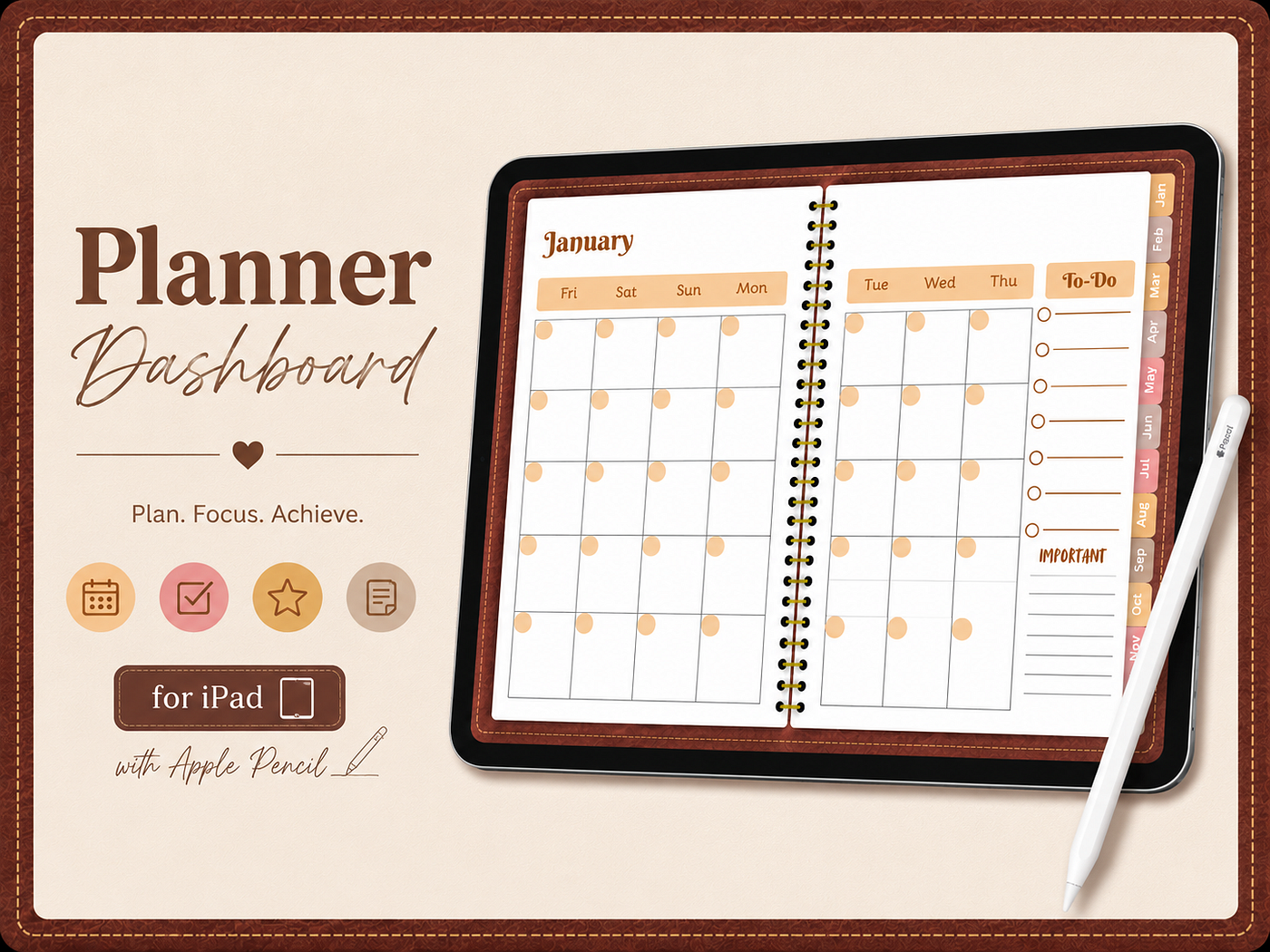
In a world where productivity matters more than ever, staying organized shouldn’t feel complicated. A beautifully designed digital planner can transform the way you manage your schedule, goals, and daily tasks. The Planner Dashboard for iPad is designed to help you stay focused, productive, and in control — all from your favorite digital device.
Whether you’re a student, entrepreneur, professional, or busy parent, this planner offers an elegant and practical solution for planning your life digitally.
Why Choose a Digital Planner?
Traditional paper planners are great, but they come with limitations. You can’t duplicate pages, easily move notes, or carry years of planning without extra weight.
A digital planner gives you:
- Unlimited handwriting with Apple Pencil
- Easy navigation between months
- Eco-friendly planning
- Instant access anywhere on your iPad
- Clean, organized workspace
- No messy erasing or torn pages
With everything stored digitally, planning becomes faster and more enjoyable.
Beautiful Leather-Inspired Design
The Planner Dashboard features a premium leather-inspired interface with warm brown tones that create a sophisticated planning experience.
Its elegant layout includes:
- Monthly calendar pages
- Dedicated To-Do section
- Important notes area
- Quick month tabs
- Clean minimalist design
- Hyperlinked navigation
The result is a planner that’s both functional and visually relaxing.
Perfect for Apple Pencil Users
Writing digitally feels natural with Apple Pencil.
You can:
- Write notes
- Highlight important events
- Draw arrows
- Create custom symbols
- Check off completed tasks
The planner mimics the experience of writing in a premium notebook while giving you all the advantages of digital organization.
Stay Organized Every Month
The monthly dashboard provides a clear overview of your schedule.
Use it to:
- Track appointments
- Schedule meetings
- Plan vacations
- Remember birthdays
- Monitor deadlines
- Organize projects
Everything is visible at a glance, making planning effortless.
Keep Your Priorities in One Place
The built-in To-Do list helps you focus on what matters most.
Instead of juggling multiple apps, keep your:
- Daily goals
- Weekly priorities
- Shopping lists
- Project milestones
- Personal reminders
all within your planner.
Great for Students
Students can use the planner to organize:
- Class schedules
- Assignment deadlines
- Exam preparation
- Reading lists
- Study sessions
- Semester planning
It’s an excellent digital companion for academic success.
Ideal for Professionals
Busy professionals can manage:
- Client meetings
- Business goals
- Team projects
- Work deadlines
- Monthly planning
- Productivity tracking
A structured planner helps reduce stress while increasing efficiency.
Excellent for Personal Goal Setting
Planning isn’t just about appointments.
Use your planner to track:
- Fitness goals
- Budget planning
- Habit building
- Reading challenges
- Self-care routines
- Personal development
Small daily actions lead to big achievements.
Minimalist Layout for Better Focus
A clutter-free design reduces distractions.
The clean monthly layout gives you enough writing space while maintaining an elegant appearance.
Less visual clutter means more focus on your priorities.
Why Digital Planning Is Becoming So Popular
Millions of people are switching from paper planners because digital planning offers unmatched flexibility.
Benefits include:
- No wasted paper
- Instant duplication
- Easy corrections
- Long-term storage
- Faster organization
- Better productivity
It’s planning for the modern lifestyle.
Who Is This Planner For?
This planner is perfect for:
- Students
- Teachers
- Entrepreneurs
- Small business owners
- Freelancers
- Remote workers
- Busy parents
- Creatives
- Goal setters
- Productivity enthusiasts
If you want to organize your life digitally, this planner is made for you.
Final Thoughts
The Planner Dashboard for iPad combines elegant design with practical functionality to create a planning experience you’ll actually enjoy using. From monthly calendars and to-do lists to note-taking and goal tracking, everything is thoughtfully designed to help you stay productive and organized.
Whether you’re managing work, school, or personal goals, this digital planner helps you plan with confidence, stay focused, and achieve more — one month at a time.
메타데이터
- post_id
- 496be2d68a6f
- slug
- planner-dashboard-for-ipad-the-ultimate-digital-planner-to-organize-your-life-496be2d68a6f
- url
- https://medium.com/@zdaanis0/planner-dashboard-for-ipad-the-ultimate-digital-planner-to-organize-your-life-496be2d68a6f
- canonical_url
- https://medium.com/@zdaanis0/planner-dashboard-for-ipad-the-ultimate-digital-planner-to-organize-your-life-496be2d68a6f
- author_url
- https://medium.com/@zdaanis0
- status
- ok
- fetched_at
- 2026-07-10 05:19:05




