Why Building an Image Cropper in React Native Is More Complicated Than It Looks
Image cropping looks like one of those features that should be easy.
Why Building an Image Cropper in React Native Is More Complicated Than It Looks
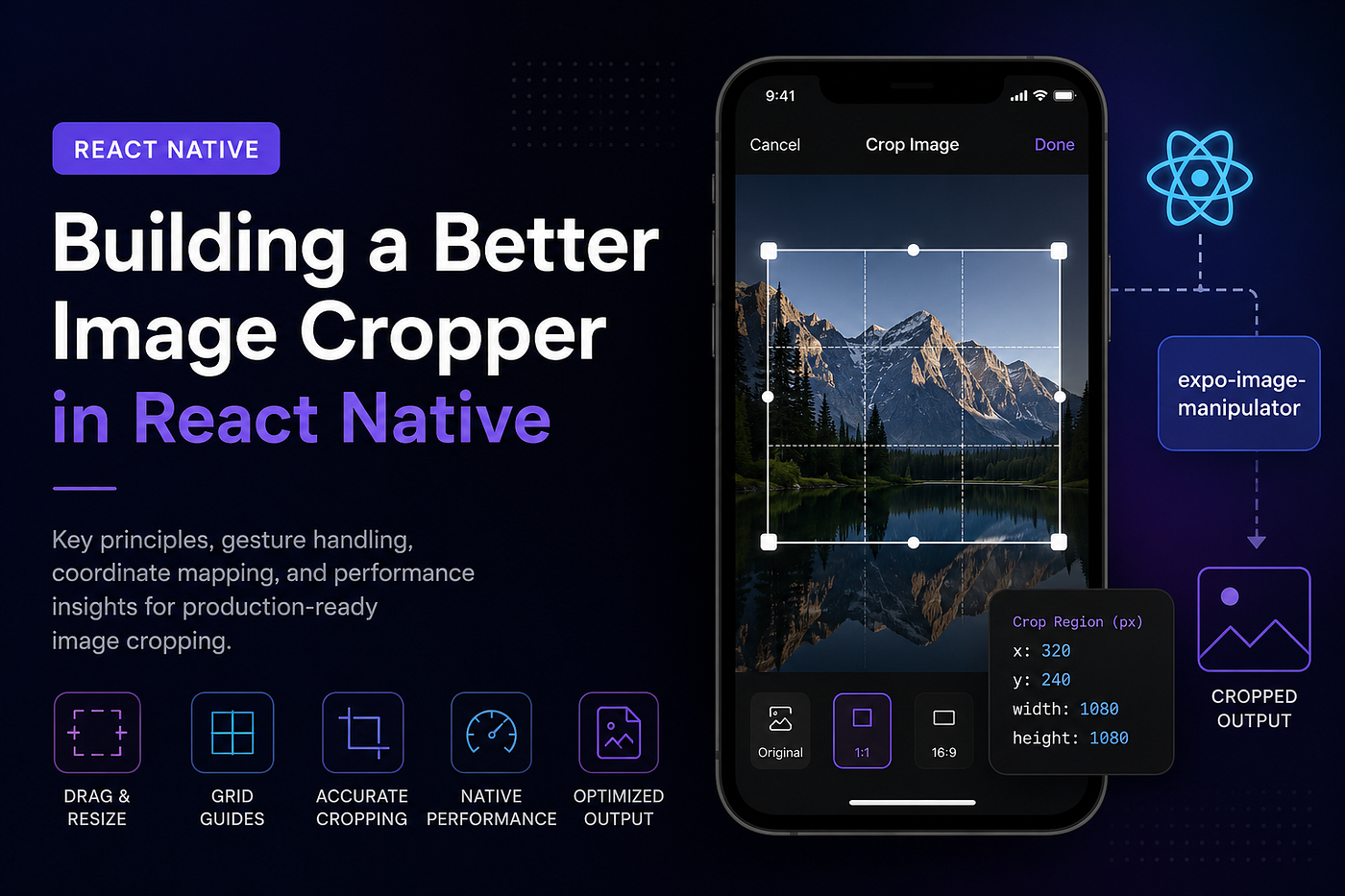
Image cropping looks like one of those features that should be easy.
A user selects a photo, adjusts the visible area, taps save, and moves on. From the outside, it feels like a small UI interaction. But in a real mobile app, especially one built with React Native, image cropping can quickly become a mix of gesture handling, layout measurement, image processing, performance trade-offs, and pixel-level accuracy.
That is what makes the topic worth discussing. A recent technical guide on **building a production-ready image cropper in React Native **breaks down how much engineering detail sits behind a feature that most users interact with for only a few seconds.
The main lesson is simple: a good cropper is not just a rectangle on top of an image. It is a small media system.
Why image cropping deserves more attention
In many mobile products, images are part of the core user experience. Profile pictures, cover photos, product images, thumbnails, banners, identity documents, community posts, and creator uploads all depend on clean media handling.
When cropping works well, users barely notice it. When it fails, the problem becomes obvious immediately.
A profile photo may appear off-center. A cover image may cut out the wrong section. A thumbnail may look stretched. A high-resolution photo may slow down the app. A crop that looked correct in the preview may produce a different result after saving.
These issues are easy to underestimate because the UI appears simple. But production-ready cropping requires the app to understand exactly what the user selected and translate that selection into the original image correctly.
That translation is where the complexity begins.
The problem with relying only on off-the-shelf behavior
Third-party libraries can be useful, especially when a team needs a basic image picker or cropper quickly. But they may not always match the product’s exact requirements.
Some apps need square profile photos. Others need wide cover images. Some need circular previews. Others need fixed output dimensions, compression rules, cloud upload integration, or custom design controls.
This is why a custom React Native cropper can make sense. It gives the product team control over the full experience: how the crop window appears, how gestures behave, how resizing works, how overlays are drawn, and how the final image is processed.
For teams following React Native development closely, resources like React Native Coders can be useful for tracking broader patterns, tutorials, and implementation ideas around mobile app engineering.
The cropper UI is only one layer
The visible crop box is the part users interact with, but it is not the entire feature.
A production image cropper usually needs to manage:
The image container.
The crop window position.
The crop window dimensions.
Drag gestures.
Resize gestures.
Minimum crop size.
Aspect ratio rules.
Profile and cover crop modes.
Overlay behavior.
Final crop execution.
Output resizing and compression.
That is a lot for a feature that may look like a simple screen.
The original React Native cropper approach uses state to track the container size, crop position, and crop window dimensions. The crop window exists in screen or container coordinates first. Only when the user confirms the crop does the app convert that selection into original image pixel coordinates.
This is an important architectural choice. It keeps gestures responsive because the app is not processing the image during every drag or resize movement. The expensive image operation happens only once, when the user taps the crop action.
Why native image manipulation matters
Image processing can become heavy very quickly. Modern phone cameras produce large images, and trying to manipulate those images directly in JavaScript can create memory and performance problems.
That is why the source article uses expo-image-manipulator. The idea is to let the UI handle interaction while native image manipulation handles the actual crop, resize, compression, and output generation.
This separation is useful in production apps.
The React Native layer can stay focused on gestures and layout. The native side can perform the heavier image operation more efficiently. The result is a smoother experience, especially on lower-end Android devices or when users upload large photos.
The key is not to crop repeatedly during interaction. The better pattern is to let users drag and resize freely, then process the image only after confirmation.
Gesture handling is where the UX becomes real
A cropper has to feel natural.
Users expect to drag the crop area without friction. They expect resize handles to respond predictably. They expect the crop window to stay inside the image. They expect the app to prevent invalid selections.
This means the cropper needs clear gesture rules.
Dragging the crop window should update its top-left position while keeping the crop box within the visible image container. Resizing should adjust width and height without letting the crop area become too small or move outside bounds. For profile photos, the cropper may need to preserve a 1:1 square ratio. For cover photos, it may allow wider rectangular dimensions.
There is also a subtle interaction issue: drag gestures and resize gestures should not fight each other. If a user touches a corner handle, the resize logic should activate. If they touch inside the crop area, the drag logic should activate. Without that separation, the cropper can feel jittery or unpredictable.
This is one of the reasons image cropping is more of a UX engineering problem than a simple image-processing problem.
Coordinate mapping is the hard part
The most important technical idea in the original article is coordinate mapping.
The crop box that users see on screen is not automatically the same as the crop region in the original image. The displayed image may be scaled to fit the container. It may be centered. It may be clipped. It may use a cover-style layout where part of the image extends beyond the visible area.
That means the cropper has to calculate the relationship between the displayed image and the original image.
A reliable cropper needs to know the original image dimensions, the container dimensions, the rendered image scale, any hidden overflow, and the crop window’s position inside the container.
Only then can it convert the crop area into the correct original pixel coordinates.
This is where many custom implementations break. The preview may look correct, but the saved image ends up shifted because the app forgot to account for scaling or hidden overflow.
A production-ready cropper should make the final output match what the user saw before tapping save.
Small UI details improve the final result
The best croppers guide the user without making the interface feel complicated.
Rule-of-thirds grid lines can help users align faces, objects, or compositions more naturally. Corner handles make resizing easier to understand. A darkened overlay focuses attention on the selected area. A loading state during processing prevents users from tapping multiple times or assuming the app is frozen.
Auto-centering the crop window also matters. Users should not start from a random crop position. The initial crop area should feel intentional and easy to adjust.
These details may sound small, but they make the difference between a developer tool and a user-friendly product feature.
Output consistency matters for the whole app
A cropper does not end when the user taps save.
The final image may be uploaded to cloud storage, displayed across multiple screens, compressed for performance, cached locally, or used in different aspect ratios. If the cropper produces inconsistent output, the rest of the app has to deal with that inconsistency.
For example, profile photos may need to be normalized to a fixed square size. Cover photos may need a predictable rectangular output. Compression may need to balance quality and file size. The app may also need to handle unsupported formats, failed operations, or very large source files.
This is why cropping should be treated as part of a larger media pipeline, not just a UI component.
What engineering teams can take away
The bigger takeaway is that production readiness is usually hidden in the details.
A basic cropper can be built quickly. A reliable cropper takes more care.
It needs responsive gestures, accurate coordinate conversion, native image processing, proper aspect-ratio rules, useful visual feedback, and predictable output. It also needs to behave consistently across devices, image sizes, and user inputs.
That is the difference between a feature that works in a demo and a feature that holds up in a real app.
React Native gives teams enough flexibility to build this kind of custom experience, but the implementation has to be deliberate. The crop box, overlay, drag system, resize handles, pixel mapping, and final image manipulation all need to work together.
Final thoughts
Image cropping is a good example of how simple mobile features often hide real engineering complexity.
The user sees a photo, a frame, and a save button. The app has to manage gestures, layout, scaling, hidden overflow, native processing, compression, and output consistency.
For developers building React Native apps with user-generated images, the goal should not be just to crop an image. The goal should be to make the selected image match the saved image, keep the interaction smooth, and produce output that the rest of the product can rely on.
That is what makes a cropper production-ready.
메타데이터
- post_id
- 4a831c8e85fc
- slug
- why-building-an-image-cropper-in-react-native-is-more-complicated-than-it-looks-4a831c8e85fc
- url
- https://medium.com/@ym2290566/why-building-an-image-cropper-in-react-native-is-more-complicated-than-it-looks-4a831c8e85fc
- canonical_url
- https://medium.com/@ym2290566/why-building-an-image-cropper-in-react-native-is-more-complicated-than-it-looks-4a831c8e85fc
- author_url
- https://medium.com/@ym2290566
- status
- ok
- fetched_at
- 2026-06-09 15:37:30






