Redis Is Not Just a Cache: 6 Redis Capabilities We Used in a Real Production System
Ask most developers what Redis is for, and you’ll get one answer: caching. “Check Redis before hitting the database; if it’s there, return…
Redis Is Not Just a Cache: 6 Redis Capabilities We Used in a Real Production System
Ask most developers what Redis is for, and you’ll get one answer: caching. “Check Redis before hitting the database; if it’s there, return it.” True — but that’s only a small slice of what Redis can do.
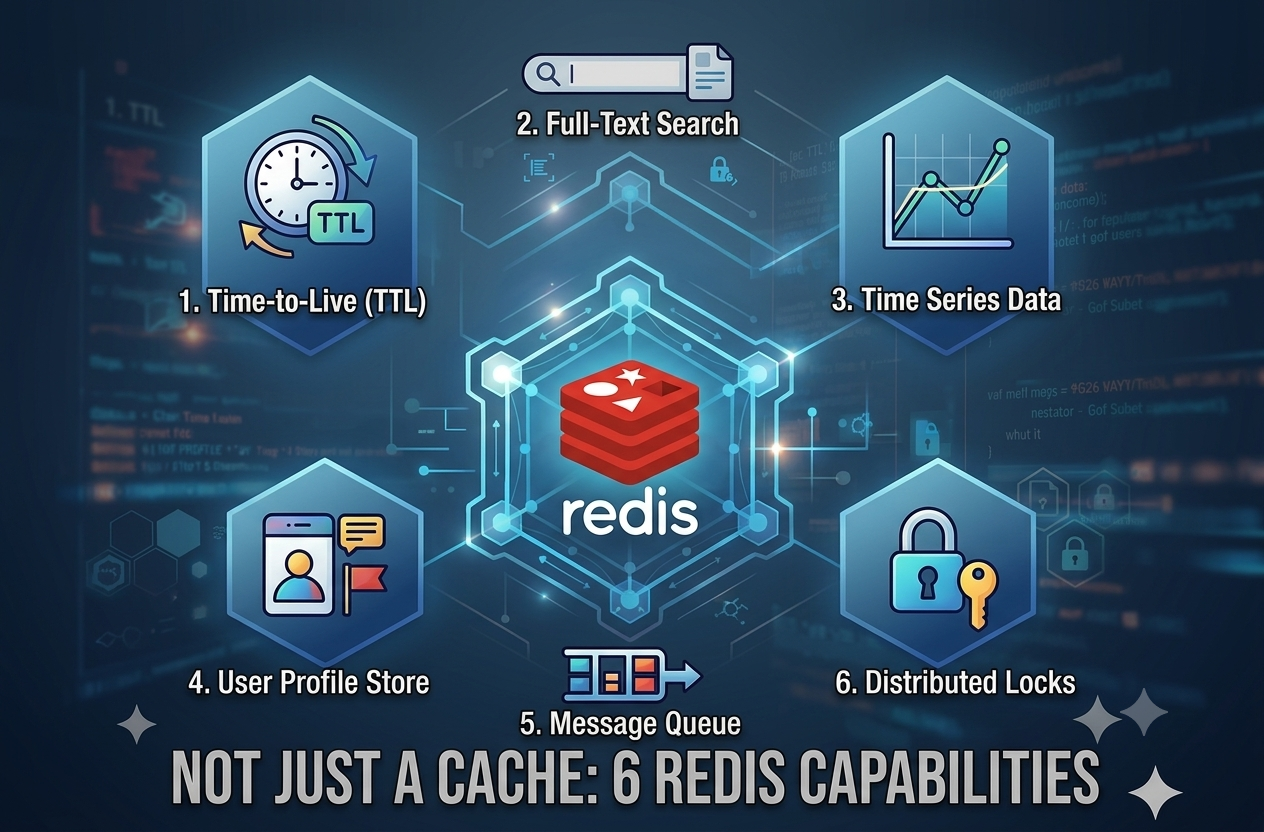
While building an AI-powered service that lets users search by chatting, we used Redis far more deeply: distributed locking, real-time messaging, event streams, atomic operations, and liveness tracking. And here’s the twist — in this project we never used Redis as a classic cache at all.
In this essay, I’ll walk you through which Redis capabilities we used, how, and why — through real scenarios, in plain language.
Setting the Scene: What Was the Problem?
Our user opens the app and asks: “I’m looking for a 3-bedroom apartment near the sea in Istanbul.” AI agents process the request, and the results stream back to the user in real time via SSE (Server-Sent Events), piece by piece.
Sounds simple. It gets complicated once you add:
- The service runs on multiple servers (pods/instances). The user’s SSE connection might live on server A while the job producing the answer runs on server B.
- If the user sends two requests at once, the two jobs can overwrite each other’s data.
- If the user’s internet drops for a moment, the answers produced in that window must not be lost.
We solved all three problems with Redis. Let’s follow the journey of a single request and look at them one by one.
1. SET NX + TTL: The Distributed Lock
First, the acronyms: NX = Not eXists — “write this key only if it does not already exist; otherwise do nothing.” TTL = Time To Live — “delete this key automatically after a set duration.” PX is the TTL expressed in milliseconds (use EX for seconds). Combine all three in a single SET command and you get a distributed lock: one that every server can see, that only one request can hold at a time, and that unlocks itself when its time runs out.
It’s really no different from the “occupied” latch on a single changing room: the first person in turns the latch, and everyone else waits at the door. The TTL is like a smart lock on that door — even if the person inside faints, the latch springs open on its own once its timer runs out. Nobody waits forever. How long that timer lasts isn’t some rule handed down by Redis — it’s just a number you pick when you write the SET command. We picked 60 seconds for this lock; a service with slower jobs could just as easily pick 90.
Now the real scenario. Our user hit the “search” button — the page stuttered for a second, so they impatiently hit it again. Now two requests want to work on the same session data at the same time. If both touch it, the chat history can get corrupted. Both requests send Redis the same command (say the user’s member ID is 12345):
SET member-lock:12345 "a1b2c3..." NX PX 60000In plain English: “If the key member-lock:12345 doesn’t exist, write my random token into it and delete it after 60,000 milliseconds (60 seconds — the value we chose for this lock).”
Because Redis is single-threaded, it serializes these two commands. The first request gets OK — the lock is theirs, work begins. The second gets nil — no lock. Does it give up? No; it retries with increasing backoff (50ms, 100ms, 200ms, 400ms, 800ms...). When the first request finishes and releases the lock, the second grabs it and takes its turn. If it can't acquire the lock within 30 seconds, the user gets a polite "your request is still being processed" message.
And the TTL’s critical role: suppose the server holding the lock crashes mid-job. Nobody is left to release it. Without a TTL, that user’s account would stay locked forever. With it, Redis deletes the lock itself after at most whatever TTL we set — 60 seconds here — and life goes on. Nothing stops us from tuning that number up or down per use case; it’s just how much risk we’re willing to accept between “crash happens” and “Redis notices.”
2. Lua Scripts: Making “Check-Then-Act” Atomic
Atomic means “one indivisible operation”: either all of it runs or none of it does — and nothing can squeeze in while it runs. That’s exactly how Redis executes the Lua scripts you send it. It lets you run multi-step logic like “read first, decide, then write” in a single uninterruptible move.
Think of a coat check: you hand over your coat and receive a numbered ticket. When you come back, the attendant checks your ticket first — if the number matches, you get the coat; if not, you don’t. You can’t take someone else’s coat. The random token we write into the lock is that coat-check ticket.
Why do we need this safeguard? Let’s continue the story. Our user’s first request acquired the lock, but the AI job took longer than expected and the lock’s 60-second TTL expired. Redis deleted the lock. At that exact moment, the second request (remember, the button was pressed twice) grabbed the lock and wrote a new one with its own token.
Then the first request finished and said, “let me release the lock.” If it had simply run DEL member-lock:12345, it would have deleted the second request's lock — like walking off with someone else's coat. A third request could have slipped in through that gap. Chaos.
Instead, we release the lock with this Lua script:
if redis.call("get", KEYS[1]) == ARGV[1] then
    return redis.call("del", KEYS[1])
else
    return 0
end
In plain English: “If the token in the key matches my ticket, delete it; otherwise do nothing.” Since the first request’s token no longer matches, the script returns 0 and the second request's lock stays safe. If "check + delete" were two separate commands, another request could sneak in between them; with Lua, they're one atomic block.
We use the same technique to extend the lock. If the job runs long, a background “watchdog” task runs this every 20 seconds:
if redis.call("get", KEYS[1]) == ARGV[1] then
    return redis.call("pexpire", KEYS[1], tonumber(ARGV[2]))
else
    return 0
end
“If the lock is still mine, extend it by another 60 seconds.” If the watchdog ever gets back a 0 — meaning the lock has changed hands — it cancels the main job immediately. That job no longer has any right to touch the data.
3. Pub/Sub: Real-Time Communication Between Servers
Pub/Sub (publish/subscribe) is Redis’s messaging mechanism. One side publishes a message to a channel (PUBLISH); everyone subscribed to that channel (SUBSCRIBE) receives it instantly. The publisher doesn't need to know who the listeners are or where they are — just like a radio station: the host speaks into frequency 90.5 from the studio, and everyone tuned in — at home, in the car — hears the broadcast at the same moment. The host never asks, "where are my listeners right now?"
That was precisely our problem. Our user’s browser opened an SSE connection, and the load balancer landed it on Pod A. But the AI job processing the question runs on Pod B. How does Pod B deliver its answer to the user’s browser? It doesn’t hold the connection!
The solution: every user gets their own radio frequency. Our user’s is sse:12345.
- Pod A subscribes to this channel the moment the user connects:
SUBSCRIBE sse:12345 - Pod B publishes to the same channel when the first piece of the answer is ready:
PUBLISH sse:12345 '{"event": "message", "data": "Here are the 3-bedroom apartments near the sea..."}'- Pod A catches the message instantly and forwards it to the user’s open SSE connection. The answer appears on screen.
We never had to ask “which server is the user on?” — Redis delivered the message to the right place on its own. Bonus: if the user also has a tab open on their phone, both connections listen to the same channel, so the answer lands on both at once.
4. Streams: An Outbox for Messages That Must Not Be Lost
Redis Streams is a persistent, ordered event log. Every entry gets a unique, monotonically increasing ID that embeds a timestamp (e.g. 1720512345678-0). Unlike Pub/Sub, messages don't evaporate: anyone arriving late can say "give me everything after this ID" and read what they missed.
Think of how WhatsApp works: your phone can be off for two hours and your messages don’t vanish; when you turn it back on, they all come down in order, right from where you left off — because they were waiting in an ordered log on the server. Redis Streams is our system’s WhatsApp server; Pub/Sub is a live phone call — you hear it if you’re on the line, you miss it if you’re not.
That “live broadcast” nature is exactly Pub/Sub’s weakness: if nobody is listening at the moment a message is published, it’s gone forever. And that moment came: our user stepped into an elevator while waiting for results, and their internet dropped for 5 seconds. In those exact 5 seconds, the AI published its most important answer.
That’s why we write every event to a per-user stream before publishing it — we call it the outbox:
XADD outbox:12345 MAXLEN ~ 10 * data '{"event": "message", "data": "..."}'The * means "Redis, assign the ID automatically" — something like 1720512345678-0. And MAXLEN ~ 10 keeps at most ~10 events in the outbox; older ones are trimmed automatically, so memory never bloats.
Here’s the elegant part: we also send that stream ID to the browser as the SSE event’s id field. The SSE standard has a lovely built-in behavior — when the connection drops and comes back, the browser automatically sends the ID of the last event it received in a **Last-Event-ID* header. The client itself answers the question "where did you leave off?"*
Our user stepped out of the elevator, the browser reconnected automatically, carrying Last-Event-ID: 1720512345678-0. The server then read everything after that ID from the outbox and replayed it:
XRANGE outbox:12345 (1720512345678-0 +The ( prefix on the ID means "everything after this ID, excluding it" (an exclusive range). The result: the user missed nothing and saw nothing twice — a lossless, duplicate-free replay. If the browser sends no Last-Event-ID (i.e., it's a first connection), nothing is replayed; a fresh stream simply begins.
In short: Pub/Sub = speed, Streams = guarantee. Together, they give you a system that is both instant and lossless.
5. Pipeline and Transaction: Sending Commands in One Envelope
A pipeline lets you send multiple Redis commands in a single packet instead of one by one — you hit the network once. Used with transaction=True, Redis wraps the commands in a MULTI/EXEC block: they execute back-to-back as one atomic unit, with nothing allowed in between.
Imagine you need to send two documents to a notary. Calling two separate couriers with two separate envelopes means paying for the trip twice — and if one document is delayed, the whole transaction stalls halfway. Instead, you put both documents in one envelope with one courier: one trip, and the documents reach the desk together — either both are processed or neither is.
Our two documents are these: every time we write an event to the outbox, we actually run two commands — XADD (append the event) and EXPIRE (set the outbox's lifetime to 60 seconds). Sent separately, that's two network round-trips per event; worse, if XADD succeeded but EXPIRE failed for some reason, ghost outboxes that never expire would start piling up. So we put both in one envelope:
MULTI
XADD outbox:12345 MAXLEN ~ 10 * data '{...}'
EXPIRE outbox:12345 60
EXEC
One round-trip, atomic execution. And since EXPIRE is reset on every event, the outbox's lifetime keeps refreshing: when the user finishes searching and closes the app, an outbox that receives no events for 60 seconds deletes itself from Redis. We leave no garbage behind.
6. TTL-Based Presence: “Is the User Connected Right Now?”
A heartbeat is the periodic signal a system sends to say “I’m alive.” Combine that signal with a TTL’d Redis key and you get a presence mechanism: as long as the signal keeps coming, the key keeps getting refreshed and stays alive; when the signal stops, the key expires and disappears on its own. Key exists? User is connected. Key gone? They’re not.
The green “online” dot in messaging apps works exactly this way: as long as your friend’s phone keeps pinging “I’m here,” the dot stays green; when the phone goes off, nobody has to announce “I left” — the signal stops, and the dot fades out by itself.
Our scenario: a background job is about to produce an expensive notification for the user. But first it wants to know: “Does this user currently have an open connection — on any server? Or am I about to do this work for nothing?” The connection might live on another pod, so checking local memory isn’t enough.
The solution takes three steps. When the user connects, a presence key is written to Redis — the green dot lights up:
SET sse:presence:12345 1 EX 30As long as the connection stays open, a background task periodically re-SETs this key — the heart keeps beating, and the 30-second lifetime is refreshed each time. Now any server in the fleet can get the answer with a single command:
EXISTS sse:presence:12345If it returns 1, the user is connected and the notification is produced. If 0, it isn't — no resources wasted.
The best part: we never have to track disconnections. When the connection drops, the refreshing stops; even if the server crashes, the key vanishes within 30 seconds at most. TTL does the cleanup for us — the green dot turns itself off.
Putting It All Together
Here’s a summary of the roles Redis plays in the lifecycle of a single request:
- Distributed lock —
SET NX PX— serializes concurrent requests from the same user. - Lua script —
EVAL(GET+DEL / GET+PEXPIRE) — releases the lock safely and extends its lifetime. - Pub/Sub —
PUBLISH/SUBSCRIBE— delivers events across servers instantly. - Streams —
XADD MAXLEN,XRANGE— stores events and replays them fromLast-Event-ID. - Pipeline/Transaction —
MULTI/EXEC— makes event write + TTL refresh atomic. - TTL / Presence —
SET EX,EXISTS,EXPIRE— tracks connected users and cleans up automatically.
The flow works like this:
- A request arrives → a distributed lock is acquired for the user (
SET NX PX). - If the job runs long, a Lua script extends the lock.
- When the AI produces an answer, the event is first written to the Stream (the outbox) — via pipeline, refreshing the TTL.
- It’s then published to the Pub/Sub channel; whichever server holds the user’s connection picks it up and delivers it over SSE (with the stream ID in the
idfield). - If the user drops and comes back, the browser’s
**Last-Event-IDdrives an XRANGE** — only the missed events are replayed, with no duplicates. - As the job finishes, the lock is released safely via Lua script; presence keys clean themselves up through TTL.
Closing: Give Redis the Credit It Deserves
Back to where we started. Our user pressed the button twice — nothing got corrupted, because a lock was standing guard. Their internet dropped in an elevator — they didn’t miss a single answer, because an outbox was keeping the events safe. The server producing the answer and the server holding the connection had never met — yet the message found its way. And the user noticed none of it. That’s what good infrastructure is: invisible.
At the center of that invisible infrastructure sat Redis — the tool most teams file away as “just a simple cache”:
- It became a lock manager — preventing race conditions.
- It became a message carrier — enabling real-time communication between servers.
- It became an event log — preventing data loss on dropped connections.
- It became a timer — thanks to TTL, no resource ever stayed stuck forever.
For all of this, we set up no message queue (Kafka, RabbitMQ) and added no coordination service (ZooKeeper). A single Redis instance, already sitting in our stack, took on the work of four separate systems. Fewer moving parts means less maintenance, lower cost, and better sleep at night.
A tool is only as powerful as your knowledge of it. Redis has been at your fingertips for years — maybe you’ve only been using its surface. The next time your architecture calls for “a distributed lock,” “cross-server messaging,” or “an event stream that survives disconnects,” before adding a new system to the shopping list, ask yourself one question:
“Can Redis already do this?”
The answer, more often than not, is yes. And the teams who know that answer solve the same problems with half the complexity.
메타데이터
- post_id
- 4b762cf207f2
- slug
- redis-is-not-just-a-cache-6-redis-capabilities-we-used-in-a-real-production-system-4b762cf207f2
- url
- https://medium.com/@dogancankoseoglu/redis-is-not-just-a-cache-6-redis-capabilities-we-used-in-a-real-production-system-4b762cf207f2
- canonical_url
- https://medium.com/@dogancankoseoglu/redis-is-not-just-a-cache-6-redis-capabilities-we-used-in-a-real-production-system-4b762cf207f2
- author_url
- https://medium.com/@dogancankoseoglu
- status
- ok
- fetched_at
- 2026-08-05 00:51:36




