Deploying a Machine Learning Standalone Application using Streamlit
Understanding the Deployment Types
Deploying a Machine Learning Standalone Application using Streamlit
Understanding the Deployment Types
1. Standalone Application
A Standalone Application is a user-facing application where:
- Inputs are provided directly by the user through a UI.
- The trained Machine Learning model processes the inputs.
- Predictions are generated and displayed instantly.
Example: A Sales Prediction App where the user enters:
- YouTube Advertising Budget
- Facebook Advertising Budget
- Newspaper Advertising Budget
The model predicts the expected sales based on these inputs.
2. Batch Processing
In Batch Processing:
- Inputs are fetched automatically from a database, CSV file, or data warehouse.
- The Machine Learning model processes multiple records at once.
- Predictions are stored back into a database or output file.
Example: Every night, thousands of marketing records are processed automatically to predict future sales.
What is a Model (.pkl File)?
The trained Machine Learning model is typically saved as a .pkl (Pickle) file.
Example:
sales_prediction_model.pklThis file contains the learned patterns from historical data and is used during prediction.
Building the Streamlit Application using Claude
Open Claude (or any AI coding assistant) and use the following prompt:
Prompt
Write a Python Streamlit application for Sales Prediction.Requirements:1. Create three input fields:
- YouTube Advertising Budget
- Facebook Advertising Budget
- Newspaper Advertising Budget2. Load the attached machine learning model:
sales_prediction_model.pkl3. Add a Predict button.4. When the user clicks Predict:
- Load the model.
- Pass the input values to the model.
- Display the predicted sales value.5. Use a clean and professional Streamlit UI.Attach the file:
sales_prediction_model.pklInstalling Streamlit
Open the terminal and install Streamlit:
pip install streamlitYou can also ask Claude:
Install python package streamlitProject Structure
SalesPredictionApp/
│
├── A1.py
├── sales_prediction_model.pkl
└── requirements.txt
Running the Application
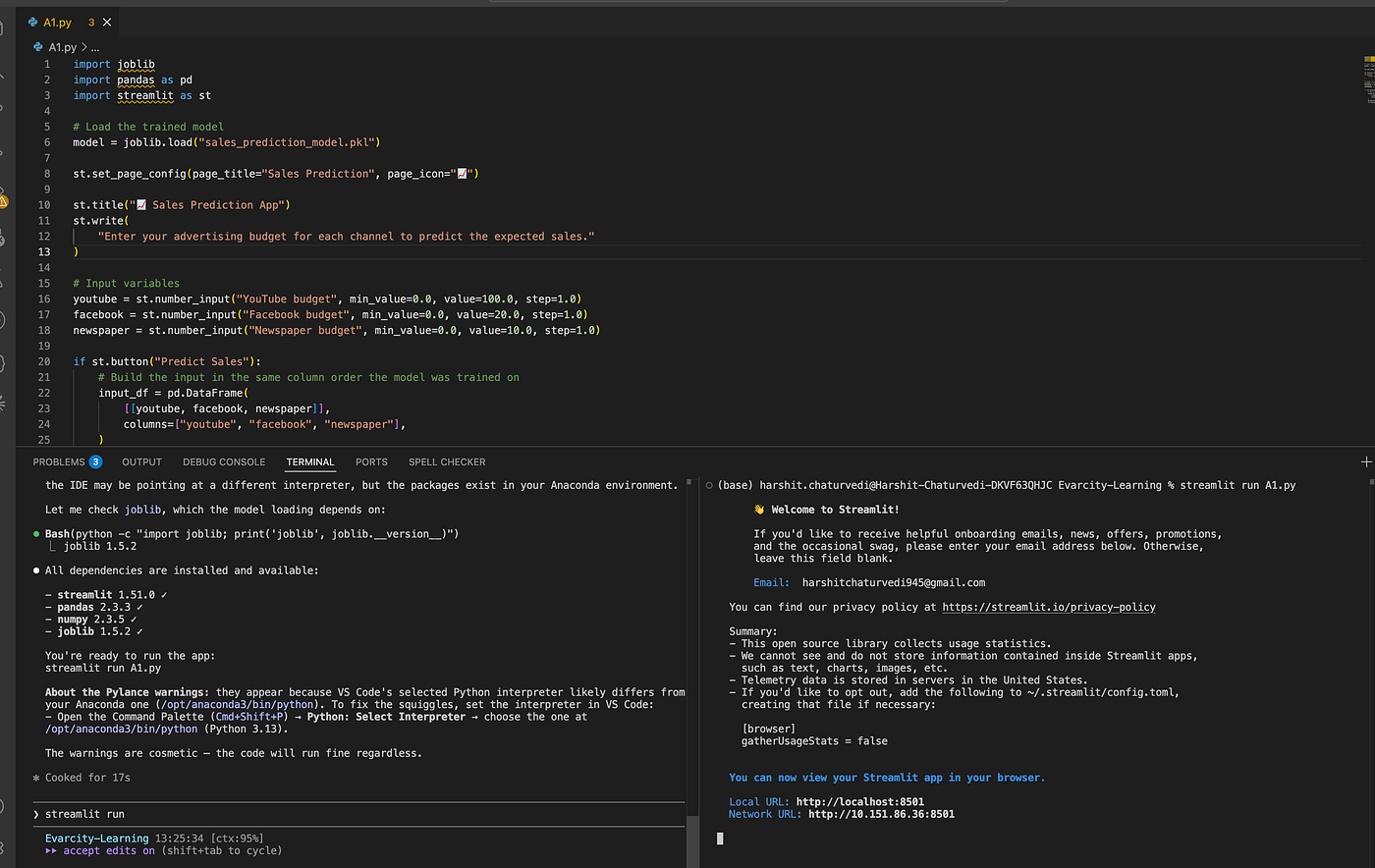
Open the terminal and execute:
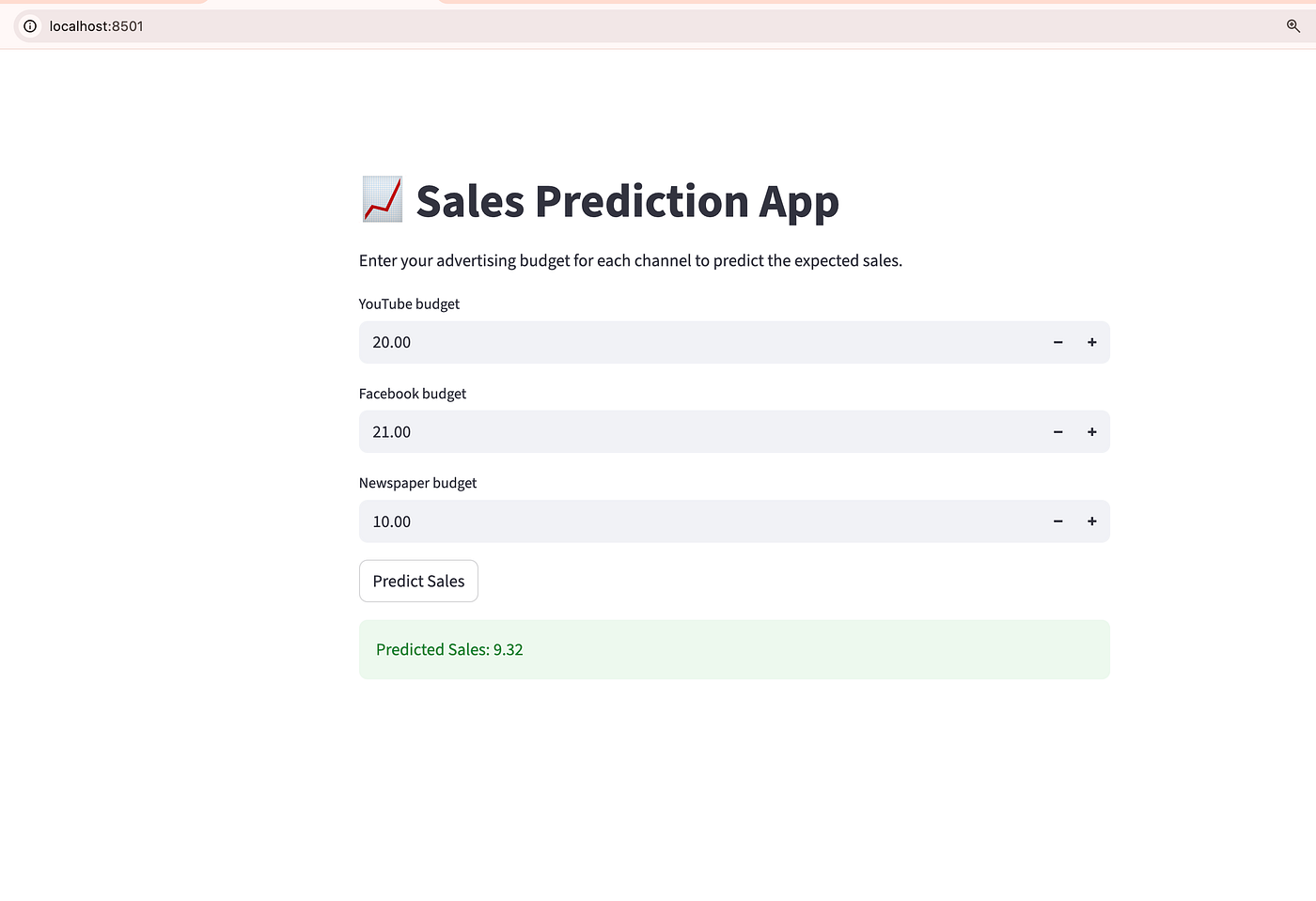
streamlit run A1.pyAfter running the command:
- Streamlit starts a local server.
- A browser window opens automatically.
- Enter the advertising budget values.
- Click Predict.
- View the predicted sales result.
End-to-End Flow
User Inputs
      ↓
Streamlit UI
      ↓
Load .pkl Model
      ↓
Model Prediction
      ↓
Display Sales Output
This is the simplest way to deploy a Machine Learning model as a standalone web application using Streamlit.
- Now there is one file : MLOps Guide.pdf Prompt : “Design my current model based on @MLOps Guide.pdf ”
Building a Production-Ready MLOps Pipeline for Sales Prediction
I transformed a simple Linear Regression sales prediction project (predicting sales from YouTube, Facebook, and Newspaper advertising budgets) into a production-ready MLOps pipeline following a 10-step MLOps lifecycle.
The project now includes:
- Structured project design and documentation (
MLOPS_DESIGN.md) - Standardized data management (
data/raw/Marketing_Data.csv) - Scikit-Learn preprocessing pipeline for consistent training and inference
- MLflow-based experiment tracking and model versioning
- Automated model evaluation using R², RMSE, and MAE
- FastAPI serving artifacts and Docker configuration
- CI/CD workflows and code quality checks
- Data drift monitoring using Evidently AI
- Safe model retraining with performance-based promotion logic
- DVC-based data and pipeline versioning
Results
- R² Score: 0.881
- RMSE: 2.33
- MAE: 1.91
- Pytest: 3/3 tests passed
The entire workflow was validated end-to-end, with evaluation reports generated successfully and retraining logic correctly preventing promotion of non-improving models. No deployment was performed; the project remains deployment-ready for future use.
메타데이터
- post_id
- 4bbd8cc3f71c
- slug
- deploying-a-machine-learning-standalone-application-using-streamlit-4bbd8cc3f71c
- url
- https://medium.com/@harshitchaturvedi945/deploying-a-machine-learning-standalone-application-using-streamlit-4bbd8cc3f71c
- canonical_url
- https://medium.com/@harshitchaturvedi945/deploying-a-machine-learning-standalone-application-using-streamlit-4bbd8cc3f71c
- author_url
- https://medium.com/@harshitchaturvedi945
- status
- ok
- fetched_at
- 2026-06-15 22:55:51