Building awsquote.com: How I Shipped an AWS Pricing Chat App with Kiro
AWS has more than 200 services. Each one has its own pricing model, and those models change depending on region, instance type, storage…
Building awsquote.com: How I Shipped an AWS Pricing Chat App with Kiro
AWS has more than 200 services. Each one has its own pricing model, and those models change depending on region, instance type, storage class, and how much traffic you push through them. The official AWS Pricing Calculator is thorough, but it assumes you already know exactly what you want. If you just want a quick answer to “what would a small serverless API cost me in Singapore,” you end up clicking through a dozen screens.
I wanted something simpler: a chat box where you describe your architecture in plain English and get a real estimate back. That became awsquote.com, and I built it with Kiro.
This post walks through what the app does, how I built it, and why building it with Kiro felt different from the usual back-and-forth with a coding assistant.
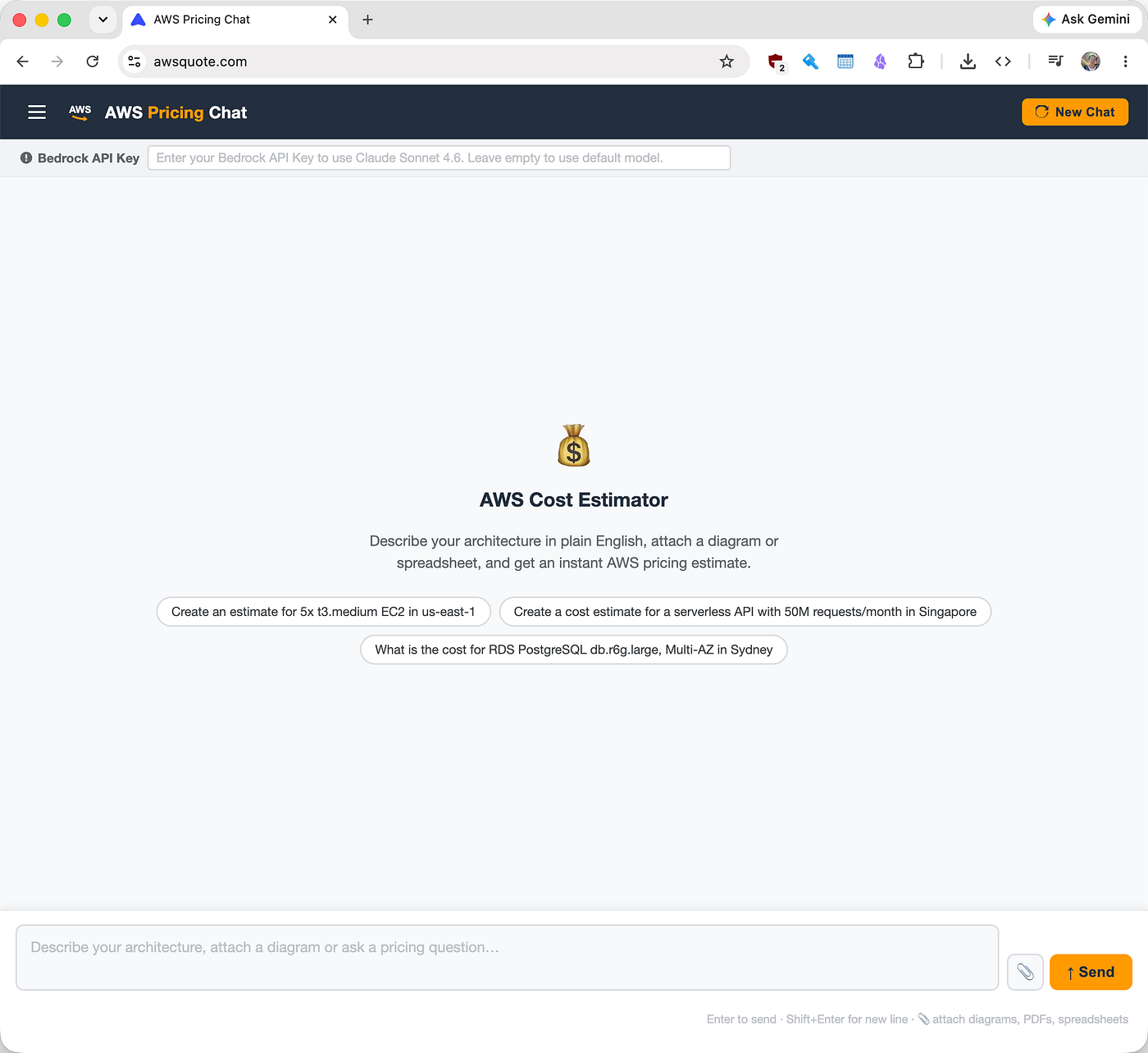
awsquote.com interface
What awsquote.com Does
The app is a chat interface for AWS pricing. You can:
- Ask in plain English. Type something like “What’s the cost for 5 t3.medium EC2 instances in us-east-1?” and get a breakdown back.
- Attach files. Drop in an architecture diagram, a spreadsheet, or a CloudFormation template, and the assistant pulls out the billable components and prices them.
- Get a shareable estimate. When there’s enough detail, it builds a real AWS Pricing Calculator estimate and hands you back a link you can open, tweak, and share.
- Refine as you go. It keeps the conversation context, so you can say “now make that Multi-AZ” or “compare that to Sydney” without starting over.
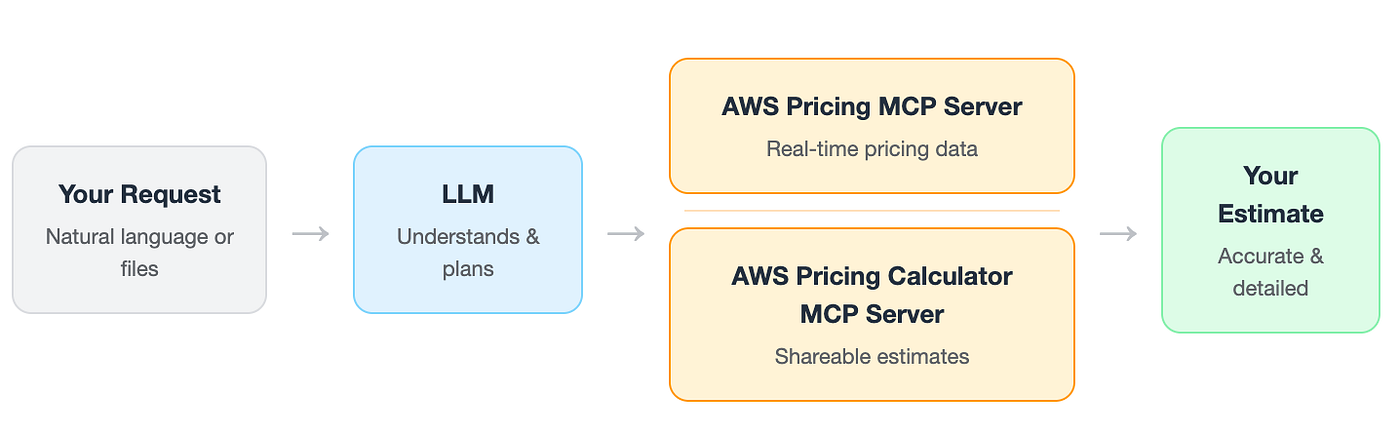
The key thing is that the prices are real. The assistant doesn’t guess from memory or outdated data. It calls the official AWS Price List API and the AWS Pricing Calculator through a pair of MCP servers, so the numbers come straight from AWS.
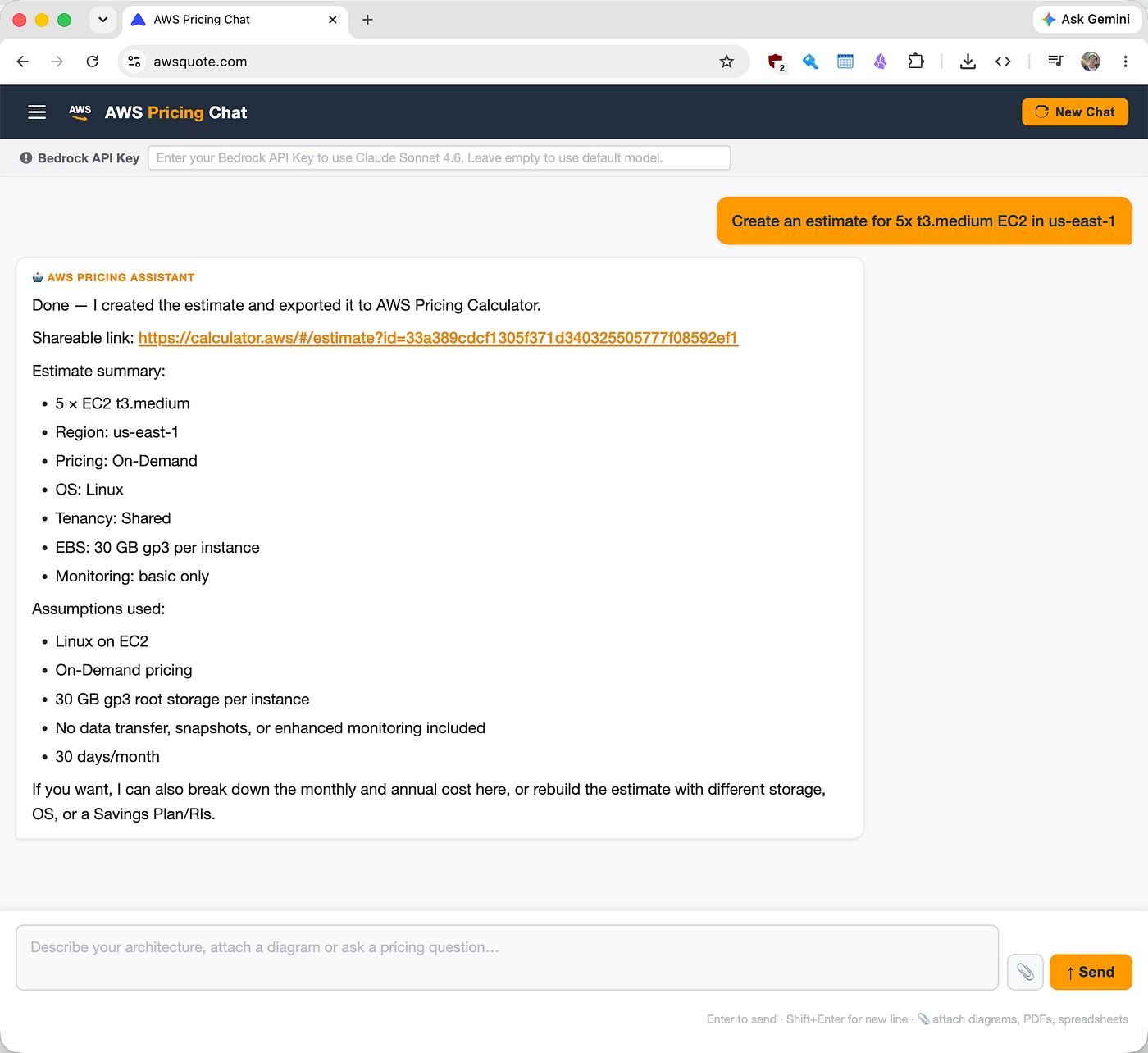
shareable aws officle pricing calculator link
How It’s Put Together
Under the hood it’s a two-tier web app:
- Frontend — a React + Vite + TypeScript single-page app. It handles the chat thread, multi-line input, file attachments, and the conversation state.
- Backend — a Node.js + Express server. It takes each message, keeps the conversation history, and runs a tool-call loop against an LLM. LLM decides when to reach for pricing data and calls one of two MCP servers to get it.
The two MCP servers do the heavy lifting on pricing:
[aws-pricing-mcp-server](https://awslabs.github.io/mcp/servers/aws-pricing-mcp-server) — queries the AWS Price List API for raw, current pricing.[aws-pricing-calculator-mcp-server](https://github.com/aws-samples/sample-aws-pricing-calculator-mcp) — builds shareable estimates in the AWS Pricing Calculator.
Here’s the flow:
     Browser → Express backend → LLM
                                  ↕
                          MCP servers
                          ├── aws-pricing-mcp-server      (live prices)
                          └── aws-pricing-calculator-mcp  (shareable estimates)
When you send a message, the backend forwards it to LLM along with the full list of tools the MCP servers expose. LLM works out which tools to call, the backend routes each call to the right server, feeds the results back, and the loop repeats until LLM has a final answer. That answer comes back to your browser as a normal chat reply.
Why I Built It With Kiro
I’ve used plenty of coding assistants. Most of them are good at writing a function when you ask for one. Where they fall down is the part before the code: figuring out what you’re actually building, what the edge cases are, and how the pieces fit together. You usually carry all of that in your head and feed it to the assistant one prompt at a time.
Kiro flips that around with specs. Instead of jumping straight to code, Kiro helped me write down the whole thing first, in three documents that built on each other.
1. Requirements
The first document was a set of requirements written as user stories with clear acceptance criteria. Not vague notes, but specific, testable statements. For example, the file attachment requirement spelled out the 10 MB limit, what happens when a file is too big, and that the attachment list clears after a successful send.
Writing this down first did two things. It forced me to make decisions early, like “this MVP has no auth and no persistence, single session in memory.” And it gave Kiro a reference to check its own work against later.
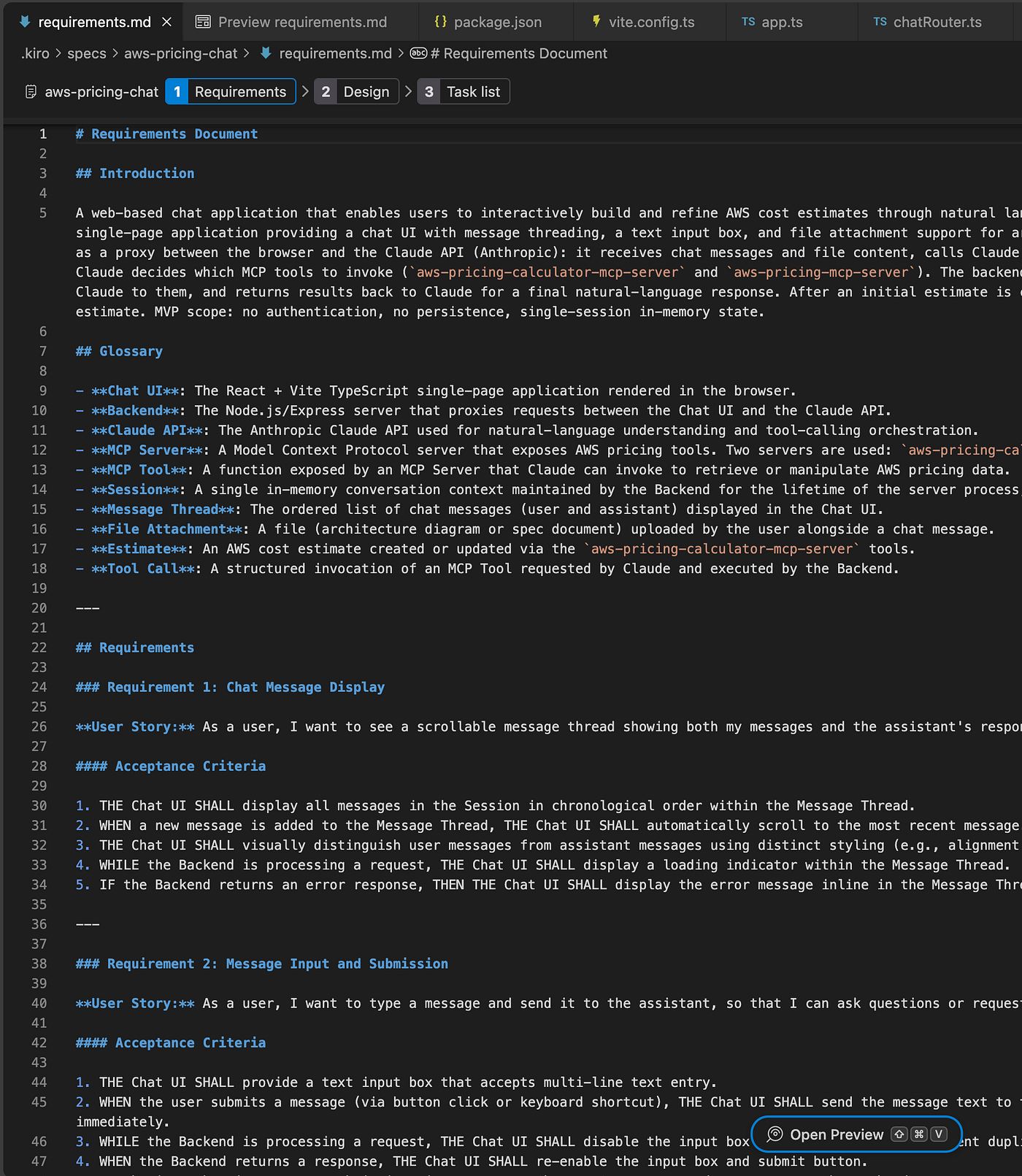
Kiro generated requirements.md
2. Design
Next came a design document. This is where the architecture got pinned down: the component breakdown, the data models, the HTTP payload shapes, the tool routing map, and an error-handling table covering things like “what happens when an MCP server crashes” (retry three times with backoff, then mark it unavailable).
The design doc even included a set of correctness properties, plain statements like “the message thread renders messages in the same order they appear in the session, with no reordering or omissions.” These read like a contract for how the app should behave, and they made the later implementation much easier to verify.
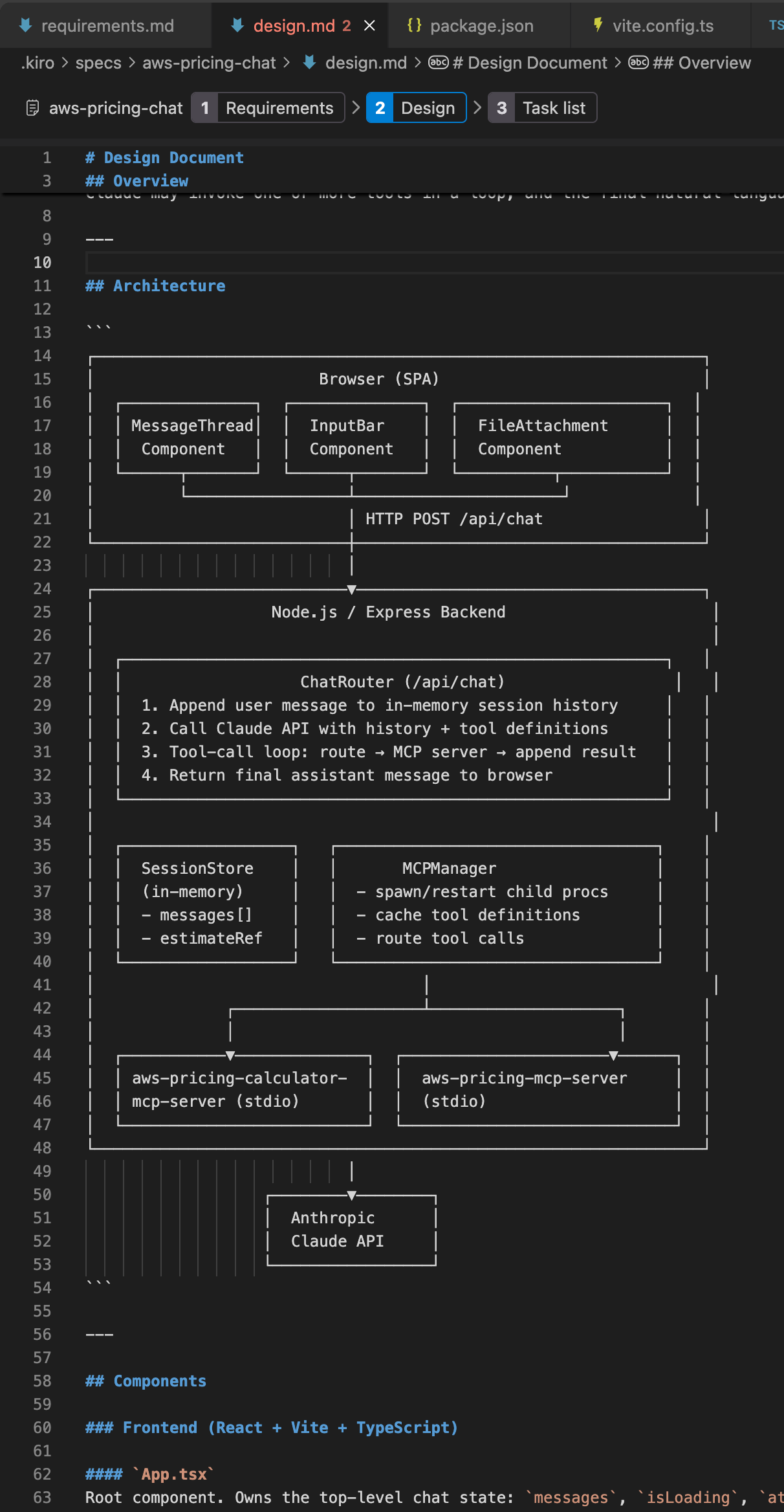
Kiro generated design.md
3. Tasks
Finally, Kiro turned the design into a task list, broken into small, ordered steps. Each task linked back to the requirements it satisfied, so nothing was built without a reason. There was even a dependency graph showing which tasks could run in parallel.
Then Kiro worked through the tasks one at a time, checking them off as it went. Because the requirements and design were already settled, the implementation stage was mostly mechanical. I wasn’t re-explaining what I wanted on every prompt, because it was all written down.
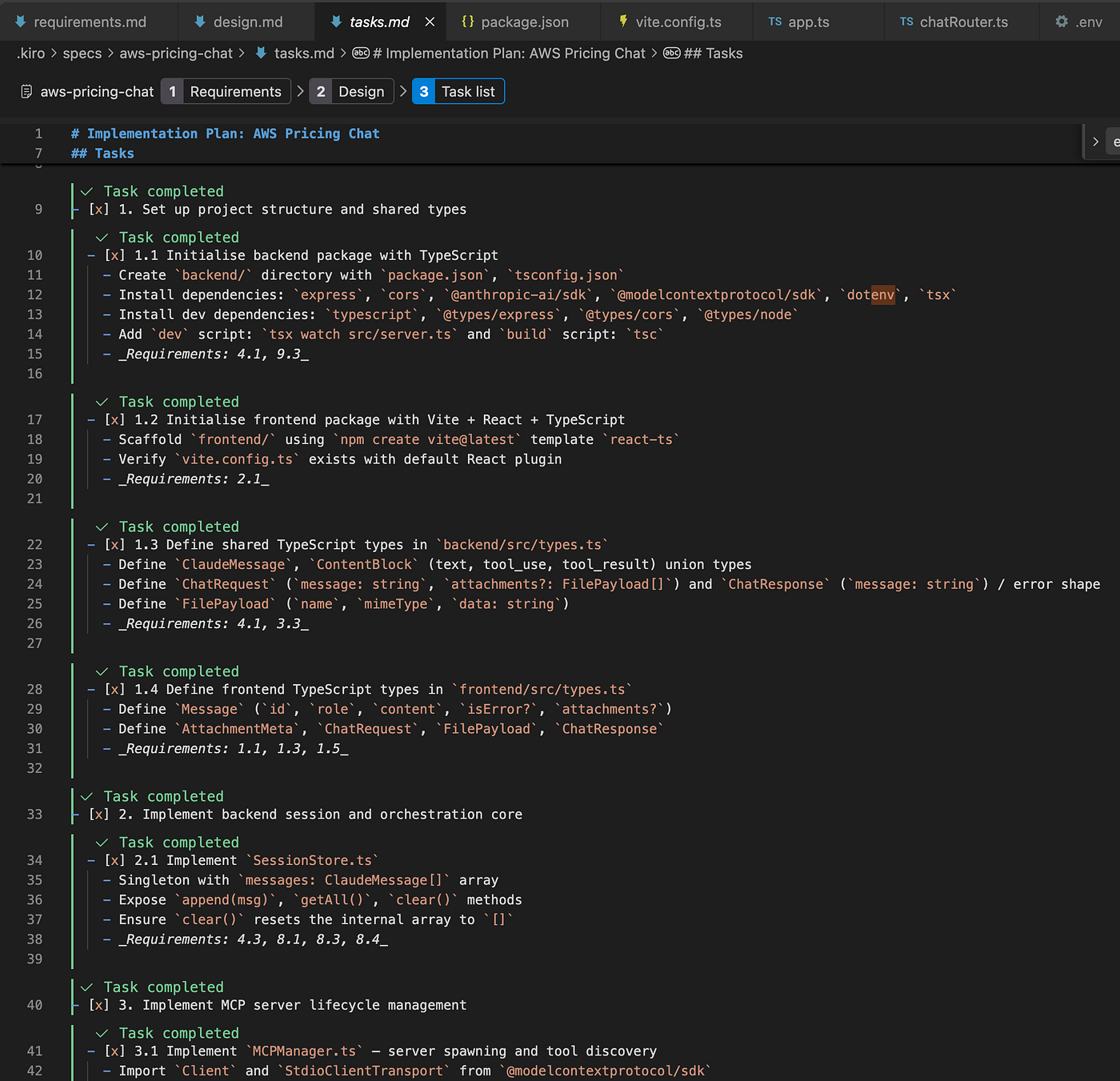
Kiro generated tasks.md
How This Differs From Other Tools
The difference comes down to structure.
With a typical chat-based assistant, the project lives in your head and in a long, messy conversation. If you step away for a week and come back, you’ve lost the thread. The assistant has lost it too. You end up re-describing the same context over and over.
With Kiro, the thinking lives in files in the repo. The requirements, the design, and the tasks are all there, version-controlled alongside the code. When I came back to add a feature, the context was already on disk. Kiro could read the spec and pick up where things left off.
A few other things stood out:
- It corrected me instead of just agreeing. When a requirement was ambiguous, Kiro asked rather than guessing and quietly building the wrong thing.
- Traceability. Every task pointed back to a requirement. If I wondered why a piece of code existed, the chain was right there.
- It handled the boring parts. MCP server lifecycle management, exponential backoff on reconnect, graceful shutdown on SIGTERM. These are easy to forget and annoying to write. Kiro built them straight from the design’s error-handling table.
- MCP was first-class. Kiro understands MCP servers natively, which made wiring up the two AWS pricing servers far less fiddly than I expected.
Going to Production
The whole setup is defined in CloudFormation, and deployments run through GitHub Actions. Kiro helped write the infrastructure templates and the workflows too, which kept the deployment story consistent with the rest of the project rather than being an afterthought.
For the model, the app uses a free LLM by default. But you can also paste in your own Bedrock API key to run it on Claude Sonnet.
What I Took Away
The code Kiro writes is solid, but that’s not the part that changed how I work. The part that stuck was being made to think the project through before writing any of it. The spec workflow turned a vague idea into a set of decisions I could actually point at.
By the time the first line of real code got written, the hard questions were already answered. The build became the easy part, which is how it should be.
If you’ve got an idea sitting in your head that you keep meaning to build, try starting it as a spec in Kiro. Writing down what you want, before you write how to do it, turns out to be the thing that gets it shipped.
Built by Shawn Jiang. Try it at awsquote.com.
메타데이터
- post_id
- 4c8d9c5b59aa
- slug
- building-awsquote-com-how-i-shipped-an-aws-pricing-chat-app-with-kiro-4c8d9c5b59aa
- url
- https://medium.com/@shawn-jiang/building-awsquote-com-how-i-shipped-an-aws-pricing-chat-app-with-kiro-4c8d9c5b59aa
- canonical_url
- https://medium.com/@shawn-jiang/building-awsquote-com-how-i-shipped-an-aws-pricing-chat-app-with-kiro-4c8d9c5b59aa
- author_url
- https://medium.com/@shawn-jiang
- status
- ok
- fetched_at
- 2026-06-18 00:10:23