Fake Job Interview Scams: Verify the Recruiter Before You Sign In, Share ID, or Run a Test
A polished interview process can still be a phishing funnel. Use this five-minute routine before crossing a sensitive boundary.
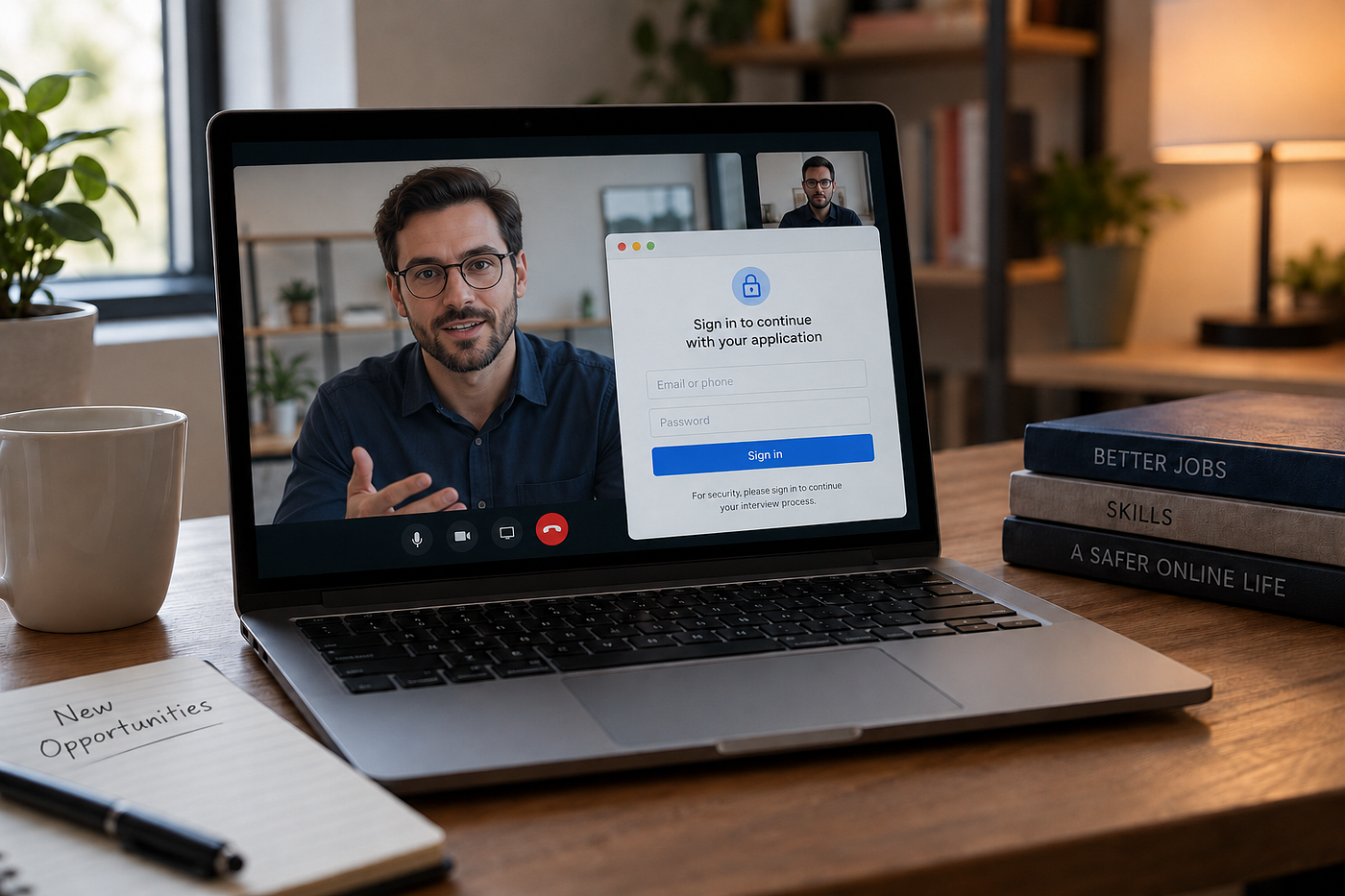
Fake Job Interview Scams: Verify the Recruiter Before You Sign In, Share ID, or Run a Test
A polished interview process can still be a phishing funnel. Use this five-minute routine before crossing a sensitive boundary.
You completed the interview.
The recruiter knew the company, the role, and the names of people who appeared to work there. The invitation included professional branding. The conversation lasted long enough to feel real.
Now comes the next step.
Perhaps you are asked to sign in with Google to choose another interview time. Maybe you need to upload identification for a background check. Or perhaps the “technical assessment” requires downloading a project, opening a repository, or running a command on your computer.
None of these requests automatically proves fraud.
But none of the professionalism that came before them proves the recruiter is genuine, either.
That is the uncomfortable shift in modern job scams: the interview may not be a brief pretext before the scam. The interview itself may be the trust-building stage.
The safest response is not to become suspicious of every recruiter or reject every remote opportunity. It is to verify the hiring process before it crosses into your accounts, identity, finances, or device.
A Long Interview Is Not Authentication
Many people imagine a fake recruiter as someone offering an implausible salary after a five-minute text conversation.
Those scams still exist. But they are no longer the entire picture.
The Federal Trade Commission has warned that scammers may use real job platforms, official-looking documents, company logos, virtual interviews, and even lengthy conversations to lower an applicant’s guard. In some reported cases, fake interviews have lasted around 45 minutes before the scam moved toward money or personal information.
That time investment is powerful.
After researching the company, preparing answers, completing interviews, and imagining yourself in the role, you naturally become more willing to complete “one final step.”
Scammers understand this.
They are not only copying company branding. They are copying the emotional rhythm of recruitment:
- Initial excitement.
- Preparation and effort.
- A positive interview.
- Encouraging feedback.
- A request presented as the next routine step.
By the time the dangerous request appears, refusing can feel like throwing away an opportunity you have already earned.
But effort does not authenticate the person receiving your information.
A scammer can spend an hour building trust if the potential reward is access to your email, cloud files, identity documents, banking information, cryptocurrency, or computer.
What Fake Recruitment Processes Are Trying to Obtain
Fake recruiter scams do not all have the same goal.
Understanding the three main possibilities makes unusual requests easier to evaluate.
1. Your login credentials
A fake recruiter may send an interview calendar, document, portfolio request, or application portal that asks you to sign in with Google, Microsoft, LinkedIn, Facebook, or another account.
The page may look almost perfect.
A July 7, 2026 campaign described by Malwarebytes targeted marketing professionals using fake recruiters and websites impersonating major brands. Victims were shown a counterfeit Google sign-in window built inside the malicious webpage rather than a genuine browser-controlled sign-in window. The campaign also routed people through legitimate services before reaching the phishing page, making the journey appear more credible.
The goal was not necessarily to persuade someone to accept a fake job.
The job was the reason to make the login request feel normal.
Once attackers obtain account credentials, they may attempt to access email, cloud storage, saved files, contacts, advertising accounts, business pages, password-reset messages, or other connected services.
A familiar logo is decoration. It is not proof of who controls the page.
2. Your identity, banking information, or money
Other fake recruiters are after information that appears normal during employment:
- Government identification.
- Tax information.
- Home address.
- Date of birth.
- Bank details for direct deposit.
- Copies of licenses or certificates.
- Payment for equipment, training, verification, or software.
Legitimate employers may eventually need some of this information. Hiring procedures also vary by country, company, industry, and role.
The important question is not simply, “Would a real employer ever request this?”
The better question is:
Have I independently verified the employer, the recruiter, the role, the onboarding platform, and the reason this information is needed now?
The FTC warns that fake employers may conduct interviews and send convincing paperwork before asking applicants for sensitive information. It also recommends contacting the company through a phone number or website found independently — not contact details supplied by the recruiter.
A polished employment form is still only a form.
Before entering information that could be used for identity theft or financial fraud, verify where it is going.
3. Access to your computer
This version can be especially difficult to recognize because opening files, reviewing documents, testing software, or completing assignments can be completely normal for some jobs.
Developers may be asked to clone a repository. Designers may receive asset packages. Marketers may open campaign briefs. Writers may download editorial files. Applicants may be instructed to install video software or troubleshoot a microphone.
Attackers can hide malicious activity inside those expected actions.
Microsoft documented a campaign in which attackers staged convincing developer recruitment processes, including recruiter outreach, technical discussions, assignments, and follow-ups. Applicants were then persuaded to clone repositories, execute packages, trust project files, or run commands presented as part of a technical evaluation. Those actions could install backdoors on the device.
The dangerous request did not look separate from the interview.
It looked like the interview.
That is why “I was expecting a test” is not enough protection. The assessment and its source still need to be verified.
Verify the Hiring Infrastructure, Not the Polish
Trying to detect deception from grammar, confidence, video quality, or the recruiter’s personality is unreliable.
Some genuine recruiters communicate awkwardly. Some scams are professionally written. Real companies use outside recruiters, unfamiliar hiring vendors, automated scheduling tools, and third-party assessment platforms.
Instead of asking whether the conversation feels authentic, verify the infrastructure behind it.
Here is a five-minute routine you can use before signing in, sharing sensitive information, paying, downloading, or running anything.
The Five-Minute Verify-First Routine
Step 1: Find the job independently
Do not use the recruiter’s link.
Open a fresh browser tab and navigate to the company’s official website yourself. Find its careers section and search for the position.
Check:
- Does the role exist?
- Does the location or remote status match?
- Are the responsibilities similar?
- Is there a reference number you can compare?
- Was the job recently removed because applications closed?
Not finding the role does not automatically prove fraud. Companies may use confidential searches, recruiting agencies, or listings that have expired.
But it creates a question that should be resolved before proceeding.
Ask the company or verified recruiter to confirm the position through an official channel.
Step 2: Confirm the recruiter separately
Search for the recruiter, but do not stop after finding a matching name and photograph.
Scammers can copy a real employee’s identity.
Instead, contact the organization using information you found independently. That might mean:
- Calling the company’s published main number.
- Contacting its HR or careers department.
- Messaging the verified employee through a separate professional profile.
- Asking the company to confirm the recruiting agency.
- Applying through the official careers page and referencing the recruiter.
The confirmation should not travel through the same potentially compromised channel.
If the recruiter tells you, “Do not contact the company because the search is confidential,” that may occasionally have a legitimate explanation — but it also removes your ability to verify the opportunity. Do not cross a sensitive boundary until an alternative verification method is available.
Step 3: Examine the next step — not only the email
An email from a corporate-looking address is useful evidence, but it is not definitive proof.
Domains can be misspelled. Display names can be spoofed. Real email accounts can be compromised. Legitimate recruiters may also use external agencies or hiring platforms.
Look at the entire process:
- Does the recruiter’s domain match the company or confirmed agency?
- Does the assessment platform belong to a service the company confirms using?
- Does the sign-in page open on the real provider’s domain?
- Does your password manager recognize the website?
- Does the company confirm the exact file, repository, or software?
- Is the request consistent with the stage of recruitment?
The FBI advises examining addresses and URLs carefully, avoiding unsolicited attachments, and contacting organizations through independently obtained information when a message requests sensitive action.
Do not ask only, “Does this page look like Google?”
Ask, “Am I actually on Google’s website?”
Step 4: Stop at every sensitive boundary
Most conversations do not need forensic investigation.
They need a pause at the right moment.
Stop and verify whenever a recruiter asks you to:
- Enter an account password.
- Approve a login or multifactor authentication request.
- Share a verification code.
- Upload identity documents.
- Provide tax or banking information.
- Pay for equipment, training, checks, or software.
- Deposit a check and return part of the money.
- Install an unfamiliar application.
- Disable security software.
- Paste a command into Terminal, PowerShell, Command Prompt, or another console.
- Run code, scripts, packages, macros, or executable files.
- Grant remote access or extensive device permissions.
The presence of one of these requests does not always mean the job is fake.
It means the consequences of being wrong have increased.
At that point, verification is no longer optional admin work. It is part of protecting the opportunity and yourself.
Step 5: Confirm the exact request outside the conversation
A general confirmation that “the recruiter works here” may not be enough.
Ask the verified company representative to confirm the specific next step:
- Is this the correct onboarding portal?
- Does this role require this identity document at this stage?
- Is this the assessment repository?
- Is this the approved video platform?
- Should the test require executing code locally?
- Is the company asking applicants to purchase anything?
- Does the company use this third-party background-check provider?
This protects you against both impersonation and compromised accounts.
A real employee’s account can be misused. A real company name can be attached to a fake role. A genuine-looking assessment can contain an unexpected malicious component.
Confirm the action, not merely the person’s name.
Three Situations That Deserve Extra Care
The marketing interview login
You receive a message about a role at a recognizable brand. The recruiter sends you to a scheduling or candidate page. The site then asks you to sign in through a familiar provider.
Do not enter your credentials merely because the recruiter already knows your profession, employer, or portfolio. Much of that information may be publicly available.
Close the page.
Visit the company’s careers site independently, contact its recruiting team, and ask whether the company uses that exact domain and login process.
The executive recruiter who knows your industry
Senior candidates may assume scammers only target inexperienced job seekers.
In reality, an executive search can offer attackers a higher-value target: corporate email access, internal documents, professional contacts, identity information, or access to business systems.
A recruiter’s knowledge of your career is not proof. Public biographies, conference pages, company websites, social profiles, and data brokers can provide enough detail to create a highly personalized approach.
Treat cold executive outreach professionally — but verify it before sending confidential documents, identification, compensation records, or account credentials.
The technical take-home assignment
A repository existing on a popular code-hosting platform does not make its contents safe.
Before running a technical test:
- Confirm the recruiter and role independently.
- Ask the verified company to confirm the repository owner and exact link.
- Read the instructions before executing anything.
- Be cautious with requests to trust projects, disable warnings, install unusual dependencies, or paste commands.
- Do not use a work device unless your employer explicitly permits it.
- When possible, use an isolated environment appropriate to your technical skill level.
Applicants who are not qualified to inspect code should not be pressured into becoming malware analysts just to keep an interview alive.
Ask the employer for a safer assessment method or confirmation from its technical team.
A legitimate opportunity should survive a reasonable security question.
“But Real Employers Ask for These Things”
Yes, sometimes they do.
Real employers may request identification, tax documents, background checks, banking details, software installation, or technical assignments.
The purpose of this routine is not to declare every request fraudulent.
It is to distinguish verified onboarding from unverified data collection.
The safest sequence is:
- Confirm that the organization exists.
- Confirm that the role exists.
- Confirm that the recruiter represents that organization.
- Confirm the platform or vendor.
- Confirm the specific sensitive request.
- Then decide whether to proceed.
Verification should happen before exposure, not after something feels wrong.
What to Do If You Already Took the Next Step
Do not spend hours blaming yourself or debating whether the recruiter “seemed genuine.”
Respond according to what you shared.
If you entered a password
Open the real service independently — not through the recruiter’s link.
Change the password immediately. Sign out other sessions, review recovery information, check connected applications, and enable or reset multifactor authentication.
If you reused the password elsewhere, change it on those accounts too.
For a workplace account, contact the organization’s security or IT team immediately.
If you approved a login or shared a verification code
Change the account password and terminate active sessions.
Check whether new recovery email addresses, phone numbers, forwarding rules, filters, devices, or applications were added.
A password change alone may not remove every form of access.
If you shared identity or financial information
Contact the relevant bank or financial provider through its official channel.
Watch for follow-up impersonation attempts. Scammers may use the information you shared to sound more credible in later calls or messages.
In the United States, the FTC directs people who exposed personal information to IdentityTheft.gov for a tailored recovery plan. People elsewhere should use their country’s official identity-theft and consumer-protection resources.
If you sent money
Contact the bank, card issuer, transfer service, or payment platform immediately and ask whether the transaction can be stopped, recalled, or reported as fraud.
Do not pay anyone who promises guaranteed recovery. Victims of one scam are frequently approached by people pretending they can retrieve the money for an additional fee.
If you downloaded or ran something
Disconnect the device from the internet if you suspect malicious activity.
Do not continue using it for banking, email, password changes, or sensitive work until it has been assessed.
Contact a trusted IT or cybersecurity professional. If it is a company device, report the incident to your employer immediately rather than attempting to hide or privately fix it.
Depending on what ran, a basic scan may not be enough. The safest recovery may require restoring or rebuilding the device.
The Rule Worth Remembering
A job interview can be friendly, detailed, time-consuming, and professionally managed — and still be fraudulent.
That does not mean you should distrust every opportunity.
It means trust should come from independent verification, not from how much effort has already been invested.
Before you sign in, share identification, provide banking information, pay, download, or run a test, step outside the recruiter’s conversation and verify the process through an official channel.
A genuine employer may need a few minutes to answer your question.
A fake process may collapse the moment you stop following its links.
Walking away from an opportunity that cannot be verified is not paranoia.
It is not a lack of ambition.
It is sound professional judgment.
메타데이터
- post_id
- 4ced8f76c299
- slug
- fake-job-interview-scams-verify-the-recruiter-before-you-sign-in-share-id-or-run-a-test-4ced8f76c299
- url
- https://medium.com/@safefamilyos/fake-job-interview-scams-verify-the-recruiter-before-you-sign-in-share-id-or-run-a-test-4ced8f76c299
- canonical_url
- https://medium.com/@safefamilyos/fake-job-interview-scams-verify-the-recruiter-before-you-sign-in-share-id-or-run-a-test-4ced8f76c299
- author_url
- https://medium.com/@safefamilyos
- status
- ok
- fetched_at
- 2026-07-26 09:46:03




