Angular 22 Just Made Complex Forms Surprisingly Simple
Signal Forms are now stable — and they replace a surprising amount of form boilerplate with typed models, reactive validation, declarative…
Angular 22 Just Made Complex Forms Surprisingly Simple
Signal Forms are now stable — and they replace a surprising amount of form boilerplate with typed models, reactive validation, declarative rules, and state you can actually understand.
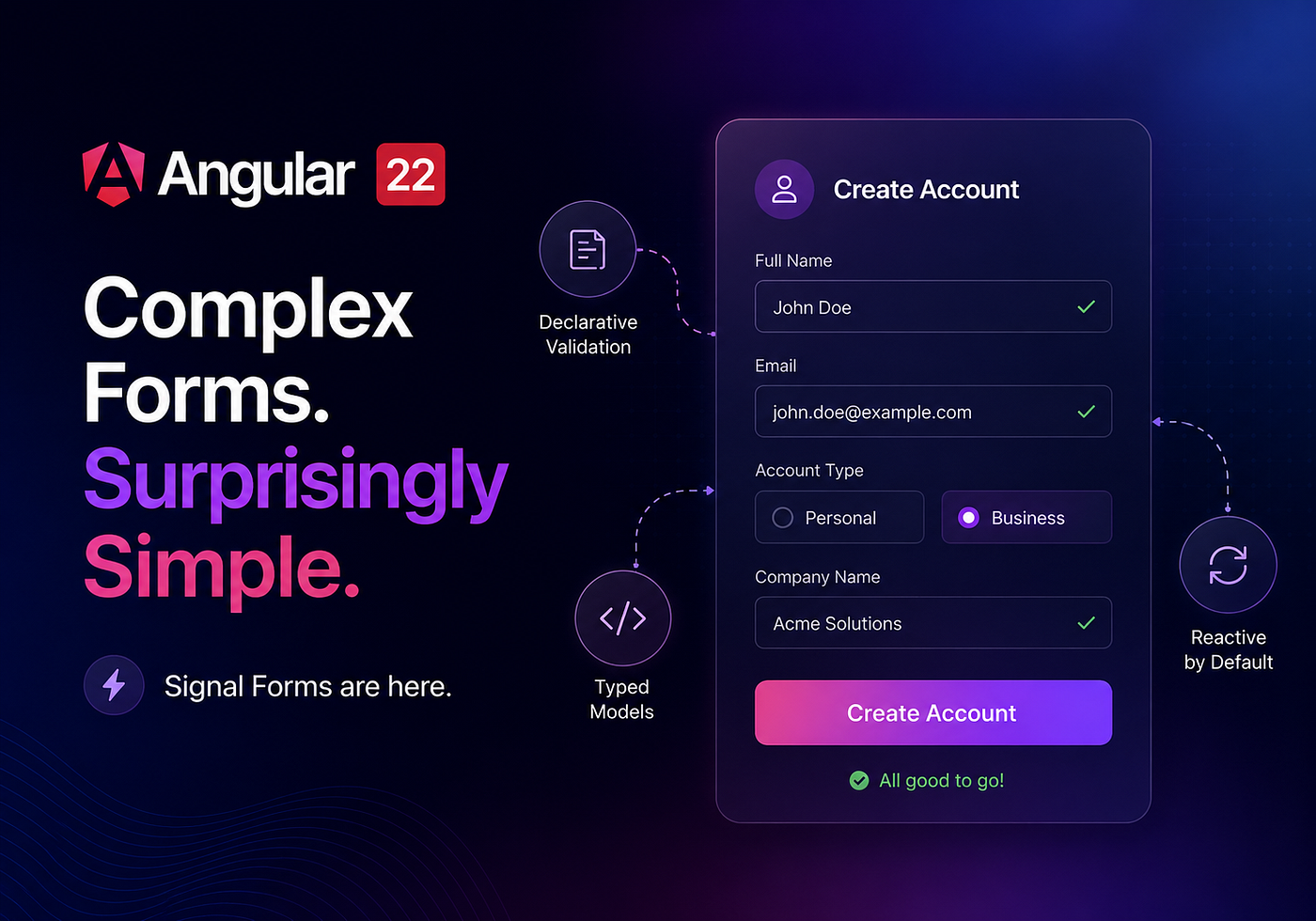
Created on Copilot
A familiar Angular code review starts with a harmless request
“Can we add one more field to the checkout form?”
Of course we can.
Then “one more field” needs validation.
The validation depends on another field.
The field must disappear for guest users.
The submit button needs a loading state.
The backend can reject the value.
The error must appear under the correct input.
And somehow, the form should not submit twice because someone aggressively clicked the button six times.
That tiny request is no longer a field. It is a small state-management system wearing a <form> tag.
Angular has always been capable of handling this. Reactive Forms are mature, predictable, and battle-tested. But large forms often accumulate enough controls, subscriptions, validators, state flags, and glue code to make a tax return look relaxing.
Angular 22 changes that equation.
With Angular 22, Signal Forms are stable and ready for production. They combine a typed data model, automatic synchronization, schema-based validation, field-level signals, declarative form rules, and a managed submission lifecycle.
The result is not magic.
It is better alignment.
Your form’s data is a signal. Its structure follows that data. Its validation is declared in a schema. Its UI reads reactive field state directly.
That sounds like a minor API improvement.
It is not.
For complex forms, it changes where the complexity lives — and makes much more of it visible.
The Old Problem Was Never the Input Element
An input is simple.
<input type="email">The problems begin when the application needs to answer questions around that input
- What is its current value?
- Has the user touched it?
- Has the value changed?
- Is it valid?
- Is validation still running?
- Should the field be visible?
- Should it be disabled?
- Does another field affect its rules?
- Did the server reject the submitted value?
- Is the entire form currently submitting?
This is why forms become difficult.
The HTML is rarely the complicated part. The difficult part is coordinating state.
Reactive Forms solve this with objects such as FormControl, FormGroup, validators, observables, status properties, and explicit bindings. It works. Plenty of serious Angular applications should continue using it.
But it also creates two mental models.
You have the business data
interface Customer {
  name: string;
  email: string;
}
Then you have a second object representing the form
new FormGroup({
  name: new FormControl(''),
  email: new FormControl(''),
});
Then you map data into the form.
Then you extract it from the form.
Then you keep both representations synchronized.
This is not automatically bad. Separation can be useful. But on a large form, the duplicated structure starts charging rent.
Signal Forms approach the problem differently.
The model becomes the source of truth.
What Angular 22 Actually Changed
Signal Forms first appeared experimentally in Angular 21. Angular 22 promotes the API to stable status.
According to the official Angular 22 announcement, the Angular team also expanded the documentation, addressed community feedback, and added support for Angular Material and Angular Aria.
Signal Forms are available through
@angular/forms/signalsThe basic architecture has three pieces
- A writable signal containing the form data
- A form tree created from that model
- A schema describing validation and field behaviour
Here is the smallest useful example
import { Component, signal } from '@angular/core';
import {
  email,
  form,
  FormField,
  required,
} from '@angular/forms/signals';

interface LoginData {
  email: string;
  password: string;
}
@Component({
  selector: 'app-login',
  imports: [FormField],
  templateUrl: './login.component.html',
})
export class LoginComponent {
  readonly loginModel = signal<LoginData>({
    email: '',
    password: '',
  });
  readonly loginForm = form(this.loginModel, (path) => {
    required(path.email, {
      message: 'Email is required',
    });
    email(path.email, {
      message: 'Enter a valid email address',
    });
    required(path.password, {
      message: 'Password is required',
    });
  });
}
The template binds inputs using [formField]
<form>
  <label for="email">Email</label>

<input
    id="email"
    type="email"
    autocomplete="email"
    [formField]="loginForm.email"
  >
  @if (loginForm.email().touched() && loginForm.email().invalid()) {
    <ul class="error-list">
      @for (error of loginForm.email().errors(); track error) {
        <li>{{ error.message }}</li>
      }
    </ul>
  }
  <label for="password">Password</label>
  <input
    id="password"
    type="password"
    autocomplete="current-password"
    [formField]="loginForm.password"
  >
  @if (loginForm.password().touched() && loginForm.password().invalid()) {
    <ul class="error-list">
      @for (error of loginForm.password().errors(); track error) {
        <li>{{ error.message }}</li>
      }
    </ul>
  }
  <button type="submit" [disabled]="loginForm().invalid()">
    Sign in
  </button>
</form>
There is no separate FormGroup definition duplicating the shape of LoginData.
There is no manual subscription to input changes.
There is no extraction step required to reconstruct a login object.
The current data already lives in
this.loginModel()That is the first major improvement.
The form is built around your data instead of forcing your data to orbit the form API.
Signal Forms Are Model-First, Not Control-First
With Reactive Forms, developers commonly begin by constructing controls
this.form = new FormGroup({
  firstName: new FormControl(''),
  lastName: new FormControl(''),
});
With Signal Forms, you begin with the domain model
interface ProfileData {
  firstName: string;
  lastName: string;
}

readonly profileModel = signal<ProfileData>({
  firstName: '',
  lastName: '',
});
readonly profileForm = form(this.profileModel);
That difference matters more as forms grow.
Consider an onboarding form
interface OnboardingData {
  account: {
    email: string;
    password: string;
  };
  profile: {
    firstName: string;
    lastName: string;
  };
  company: {
    isBusinessAccount: boolean;
    companyName: string;
  };
}
Your model can preserve the actual business structure
readonly onboardingModel = signal<OnboardingData>({
  account: {
    email: '',
    password: '',
  },
  profile: {
    firstName: '',
    lastName: '',
  },
  company: {
    isBusinessAccount: false,
    companyName: '',
  },
});
The form tree follows it
onboardingForm.account.email
onboardingForm.account.password
onboardingForm.profile.firstName
onboardingForm.company.companyName
That is easier to navigate because it looks like the data you are collecting.
A form should not require developers to mentally translate between three slightly different representations of the same customer.
We have enough translations in software already.
Validation Finally Reads Like a Set of Rules
Validation is where simple forms usually turn into tiny bureaucracies.
The user must enter an email.
The email must be correctly formatted.
The company name is required only for business customers.
The delivery address is unnecessary for digital products.
A coupon field should remain disabled until the basket reaches a minimum amount.
These are business rules.
Signal Forms let you express them as rules in a schema rather than scattering them across templates, event handlers, subscriptions, and component methods.
A basic schema looks like this
readonly checkoutForm = form(this.checkoutModel, (path) => {
  required(path.customer.name, {
    message: 'Enter your name',
  });

required(path.customer.email, {
    message: 'Enter your email',
  });
  email(path.customer.email, {
    message: 'Enter a valid email address',
  });
});
The schema callback runs during form creation and attaches reactive rules to fields. Validation then runs when relevant values change.
The field exposes its state through signals
checkoutForm.customer.email().valid()
checkoutForm.customer.email().invalid()
checkoutForm.customer.email().errors()
checkoutForm.customer.email().touched()
checkoutForm.customer.email().dirty()
checkoutForm.customer.email().pending()
This makes the template explicit
@if (
  checkoutForm.customer.email().touched() &&
  checkoutForm.customer.email().invalid()
) {
  @for (
    error of checkoutForm.customer.email().errors();
    track error
  ) {
    <p class="error">{{ error.message }}</p>
  }
}
Yes, the condition is longer than blindly printing an error.
That is good.
Users should not be greeted by a wall of red validation messages before they have typed anything. A form that screams at an untouched user is not “helpful.” It is just anxious.
Checking touched() before displaying errors is deliberate user experience.
Complex Forms Become Simpler Through Declarative Behaviour
The most interesting part of Signal Forms is not required().
Every forms library can require a field.
The useful part is that field behaviour can be declared as part of the schema.
According to Angular’s form logic documentation, schemas can control whether fields are
- Disabled
- Hidden
- Read-only
- Debounced
- Decorated with metadata
Suppose a coupon should only be available when the order total reaches £50
import {
  disabled,
  form,
} from '@angular/forms/signals';

readonly orderForm = form(this.orderModel, (path) => {
  disabled(path.couponCode, {
    when: ({ valueOf }) => valueOf(path.total) < 50,
  });
});
The rule says exactly what the business wants
Disable the coupon field when the total is below 50.
The [formField] binding can then synchronize the disabled state with the HTML control.
You do not need a separate template expression like this
<input
  [disabled]="orderModel().total < 50"
  ...
>
You also avoid putting one version of the rule in TypeScript and another version in HTML.
One rule. One place.
That is what “simpler” should mean.
Not fewer characters at any cost.
Fewer places where the same idea can become inconsistent.
A Practical Example: A Business Registration Form
Let’s build something more realistic than a two-field login form.
The registration form needs to
- Collect a name and email
- Let the customer choose a personal or business account
- Require a company name for business accounts
- Prevent invalid submission
- Disable the button during submission
- Display field errors only when useful
- Preserve a strongly typed model
Step 1: Define the data model
interface RegistrationData {
  fullName: string;
  email: string;
  accountType: 'personal' | 'business';
  companyName: string;
}
Keep form models plain.
Do not place HTTP clients, services, DOM elements, or random UI machinery inside them. The model should describe the data being edited.
readonly registrationModel = signal<RegistrationData>({
  fullName: '',
  email: '',
  accountType: 'personal',
  companyName: '',
});
Step 2: Create the form schema
import { Component, signal } from '@angular/core';
import {
  email,
  form,
  FormField,
  FormRoot,
  required,
} from '@angular/forms/signals';

@Component({
  selector: 'app-registration',
  imports: [FormField, FormRoot],
  templateUrl: './registration.component.html',
})
export class RegistrationComponent {
  readonly registrationModel = signal<RegistrationData>({
    fullName: '',
    email: '',
    accountType: 'personal',
    companyName: '',
  });
  readonly registrationForm = form(
    this.registrationModel,
    (path) => {
      required(path.fullName, {
        message: 'Your full name is required',
      });
      required(path.email, {
        message: 'Your email is required',
      });
      email(path.email, {
        message: 'Enter a valid email address',
      });
      required(path.companyName, {
        message: 'Enter your company name',
        when: ({ valueOf }) =>
          valueOf(path.accountType) === 'business',
      });
    },
    {
      submission: {
        action: async (field) => {
          const registration = field().value();
          await this.saveRegistration(registration);
        },
      },
    },
  );
  private async saveRegistration(
    registration: RegistrationData,
  ): Promise<void> {
    console.log('Submitting registration:', registration);
    // Replace this with your application service.
    await Promise.resolve();
  }
}
The important part is the conditional validator
required(path.companyName, {
  message: 'Enter your company name',
  when: ({ valueOf }) =>
    valueOf(path.accountType) === 'business',
});
The rule depends on another field.
It remains in the schema.
It does not require a manual valueChanges subscription whose only purpose is to add and remove validators.
That subscription-heavy pattern works, but it often spreads a single business rule across several lines and lifecycle concerns.
The schema makes the dependency visible.
Step 3: Bind the template
<form [formRoot]="registrationForm">
  <div class="field">
    <label for="full-name">Full name</label>

<input
      id="full-name"
      type="text"
      autocomplete="name"
      [formField]="registrationForm.fullName"
    >
    @if (
      registrationForm.fullName().touched() &&
      registrationForm.fullName().invalid()
    ) {
      @for (
        error of registrationForm.fullName().errors();
        track error
      ) {
        <p class="error">{{ error.message }}</p>
      }
    }
  </div>
  <div class="field">
    <label for="email">Email address</label>
    <input
      id="email"
      type="email"
      autocomplete="email"
      [formField]="registrationForm.email"
    >
    @if (
      registrationForm.email().touched() &&
      registrationForm.email().invalid()
    ) {
      @for (
        error of registrationForm.email().errors();
        track error
      ) {
        <p class="error">{{ error.message }}</p>
      }
    }
  </div>
  <fieldset>
    <legend>Account type</legend>
    <label>
      <input
        type="radio"
        value="personal"
        [formField]="registrationForm.accountType"
      >
      Personal
    </label>
    <label>
      <input
        type="radio"
        value="business"
        [formField]="registrationForm.accountType"
      >
      Business
    </label>
  </fieldset>
  @if (registrationModel().accountType === 'business') {
    <div class="field">
      <label for="company-name">Company name</label>
      <input
        id="company-name"
        type="text"
        autocomplete="organization"
        [formField]="registrationForm.companyName"
      >
      @if (
        registrationForm.companyName().touched() &&
        registrationForm.companyName().invalid()
      ) {
        @for (
          error of registrationForm.companyName().errors();
          track error
        ) {
          <p class="error">{{ error.message }}</p>
        }
      }
    </div>
  }
  <button
    type="submit"
    [disabled]="
      registrationForm().invalid() ||
      registrationForm().submitting()
    "
  >
    @if (registrationForm().submitting()) {
      Creating account…
    } @else {
      Create account
    }
  </button>
</form>
The model updates as the user edits the controls.
The validation reacts to the account type.
The template reacts to validation and submission state.
The submit button prevents another submission while the first one is running.
No mystery Boolean named isLoadingFormMaybe.
No manual “mark everything as touched” loop.
No event handler trying to coordinate six different concerns.
Form Submission Is More Than Calling an API
Many tutorials reduce submission to this
submit() {
  this.api.save(this.form.value).subscribe();
}
That is where the tutorial ends.
The production bugs begin immediately afterward.
A real submission flow needs to
- Reveal relevant validation errors
- Stop when the form is invalid
- Prevent duplicate requests
- expose a loading state
- send the current data
- route server errors back to the UI
- report whether submission succeeded
Signal Forms provides a submit() function and a FormRoot directive to manage that lifecycle.
The official submission guide explains that submission marks interactive fields as touched, checks validation, runs the configured action, exposes submitting() while the action is active, and supports submission errors.
That is valuable because submission is a workflow, not a click handler.
When the lifecycle is standardized, teams are less likely to invent a slightly different version in every feature.
And yes, developers love inventing the same loading Boolean 47 times. It gives us character.
Server Validation Still Matters
Client-side validation improves feedback.
It does not create security.
Never trust a form because Angular marked it valid.
Users can disable JavaScript.
Requests can be modified.
Two users can claim the same username between validation and submission.
Prices can change.
Permissions can change.
Business rules can change.
The server remains authoritative.
Signal Forms can help display server-returned errors, but it cannot eliminate server validation. No frontend framework can.
A sensible flow is
- Run immediate client-side validation
- Submit valid-looking data
- Validate everything again on the server
- Return structured field or form errors
- Display those errors near the relevant controls
Client validation is for speed and usability.
Server validation is for correctness and security.
Confusing the two is how “the button was disabled” becomes an application’s entire security model.
Does This Automatically Make Forms Faster?
Here is the honest answer
Not necessarily.
Signals let Angular track where reactive state is consumed. Angular describes signals as a system that can granularly track state usage and optimize rendering updates.
That gives Signal Forms a strong reactive foundation.
But adopting Signal Forms does not guarantee that every application will suddenly achieve a dramatic performance improvement.
Form performance still depends on
- The number of rendered controls
- The cost of synchronous validators
- The frequency of asynchronous validation
- Template complexity
- Large dynamic field collections
- Expensive effects or computed values
- Third-party components
- Network latency
- How much work your own code performs
Do not write “10× faster” because the API contains the word signal.
Measure it.
Use Angular DevTools.
Use browser performance profiling.
Test the forms that matter in your own application.
Signals can make updates more targeted. That is useful. But architectural clarity may be the more immediate benefit for many teams.
Less duplicated state.
Fewer manual synchronization paths.
More directly observable field state.
Those improvements matter even when a benchmark graph does not produce fireworks.
Async Validation Needs Restraint
A username availability check looks helpful
“We’ll call the backend after every change.”
Congratulations. You have invented an API stress test inside a text field.
Async validation should normally be delayed or debounced where appropriate. It should also avoid running before basic synchronous checks pass.
For example, there is no reason to ask the server whether a is an available email address when it is not even a valid email address.
Angular’s Signal Forms validation lifecycle runs synchronous validation before asynchronous validation. Fields can also expose a pending() state while asynchronous work is running.
That pending state should be reflected in the UI
@if (registrationForm.email().pending()) {
  <p class="hint">Checking email…</p>
}
Good async validation should be
- Deliberate
- Debounced where sensible
- Cancellable or replaceable
- Clear about pending state
- Treated as assistance, not final authority
The server must still validate again on submission.
Yes, again.
The backend does not care how confident the green tick looked.
Type Safety Is Not a Decorative Feature
A form is a data-entry boundary.
Data boundaries are exactly where type mistakes become expensive.
Suppose this model changes
interface RegistrationData {
  contactEmail: string;
}
If the form still tries to access
registrationForm.emailType-aware field access helps surface the mismatch during development.
That is much better than discovering it when a customer says the registration page stopped working.
Type safety cannot verify that your business decision is correct.
It cannot tell you that asking for someone’s date of birth is unnecessary.
It cannot design a good onboarding experience.
But it can catch structural mistakes before users do.
That is not glamorous.
It is just useful.
Useful wins.
Accessibility Still Requires Actual Thought
A new forms API does not make a form accessible by default.
You still need
- Real
<label>elements - Unique IDs
- Clear error text
- Keyboard-friendly controls
- Logical focus order
- Meaningful field grouping
- Adequate contrast
- Screen-reader-friendly status updates
- Correct use of
aria-describedbyand live regions where appropriate
Do not use placeholder text as a label.
Do not communicate errors using colour alone.
Do not hide focus outlines because a designer decided they were “ugly.”
And do not replace native controls with twelve nested <div> elements unless you are prepared to recreate everything the browser already gave you.
Angular 22 also stabilizes Angular Aria, and Signal Forms now support integration with Angular Aria and Angular Material. That helps teams build consistent controls.
But an API cannot rescue a careless interface.
Accessibility is a design and engineering responsibility, not an import statement.
Should You Rewrite Every Reactive Form?
No.
Please do not turn a framework release into a company-wide demolition project.
Reactive Forms remain mature and dependable. An existing form that works, is tested, and is understood by the team does not become bad because a newer API exists.
A rewrite has costs
- Regression risk
- Lost development time
- New learning requirements
- Updated tests
- Third-party compatibility work
- More code review
- More opportunities to accidentally change behaviour
Use Signal Forms first where the benefits are easiest to evaluate
- A new feature
- A new application
- A form already scheduled for major redesign
- A feature with complicated conditional logic
- A form suffering from duplicated state
- A form with excessive subscription-based coordination
Angular also provides an official migration guide focused on interoperability with Reactive Forms. The compatibility APIs are particularly useful when an existing control depends on specialised validators, RxJS logic, or third-party libraries.
That means migration does not need to be all or nothing.
A sensible engineering team migrates incrementally.
An excited engineering team schedules a rewrite.
A tired engineering team later fixes the rewrite.
Choose your team.
A Practical Adoption Plan
Here is how I would evaluate Signal Forms without creating unnecessary drama.
Step 1: Upgrade Carefully
Follow Angular’s official update tooling and check version compatibility before upgrading.
Run
ng updateReview the suggested changes rather than blindly accepting every dependency update.
Then run
ng test
ng build
Also run your end-to-end tests if you have them.
A framework upgrade is not complete because the development server displayed a homepage.
Step 2: Choose One Representative Form
Do not start with your largest form.
Do not start with your smallest form either.
Choose one that includes
- Several field types
- At least one conditional rule
- Validation
- Submission
- A realistic service call
- Existing tests or clear acceptance criteria
You need enough complexity to judge the API properly without risking the organisation’s most fragile workflow.
Step 3: Begin With the Model
Design the data shape before designing the schema.
Ask
- What data does the backend actually need?
- Which values are optional?
- Which values belong together?
- Which UI-only values should stay outside the submission model?
- Should nested groups be represented as nested objects?
A messy model produces a messy form tree.
No API can make an incoherent data structure elegant.
Step 4: Centralize Business Rules
Move validation and field behaviour into the schema where appropriate.
Avoid duplicating rules in
- Component methods
- Template conditions
- Submit handlers
- Services
- Random helper files with names like
form-utils-final-v2.ts
Keep server rules on the server too, of course. The frontend schema is the client-side expression of those rules, not their secure replacement.
Step 5: Test Behaviour, Not Implementation Trivia
Useful form tests should verify:
- Required fields reject empty values
- Conditional rules activate correctly
- Errors appear after interaction or submission
- Invalid forms do not call the service
- Valid forms send the correct model
- The button is disabled during submission
- Server errors appear in the correct location
- Keyboard users can complete the form
Avoid tests that become useless whenever internal implementation changes.
The goal is confidence, not worship of private properties.
Step 6: Measure Before Declaring Victory
Compare the old and new implementations.
Look at
- Lines of coordination code
- Number of manual subscriptions
- Duplicate model definitions
- Ease of adding a new rule
- Test readability
- Runtime performance
- Developer understanding during review
The best metric may not be bundle size or milliseconds.
It may be how quickly another developer can safely change the form three months later.
Maintainability is performance for teams.
Where Signal Forms Provide the Most Value
Signal Forms are particularly compelling when a form has interconnected behaviour.
Examples include
Multi-step onboarding
One step affects the fields and validation of later steps. A typed shared model and reactive field tree can make that flow easier to reason about.
Checkout experiences
Delivery, billing, coupon, payment, and account fields often depend on order state and customer choices.
Administration dashboards
Large internal forms tend to contain conditional fields, editable nested objects, permissions, and server-side validation.
Account configuration
Security options, communication preferences, organisation details, and role-dependent settings often interact.
Dynamic questionnaires
Later questions may appear or disappear based on earlier answers.
These are not just collections of inputs.
They are reactive workflows.
Treating them as reactive state from the beginning makes sense.
Where Reactive Forms May Still Be the Better Choice
Signal Forms being stable does not mean Reactive Forms have become obsolete.
Reactive Forms may remain the practical choice when
- The application already has a large, reliable forms architecture
- The team has extensive custom validators built around Reactive Forms
- Third-party libraries expect
FormControlorControlValueAccessor - The form uses sophisticated RxJS pipelines
- Migration would provide little measurable benefit
- The team cannot yet support two form paradigms responsibly
The Angular migration documentation includes compatibility tools precisely because real applications cannot replace years of forms code during lunch.
Use the right tool for the context.
“New” is information.
It is not an architectural argument.
Reality Check: Simpler Does Not Mean Simple
Signal Forms reduce accidental complexity.
They do not remove essential complexity.
A tax form still has complicated rules.
A medical form still requires careful privacy and accessibility decisions.
An international checkout still has different address formats, currencies, taxes, and payment failures.
A banking form still needs strong server validation, security controls, auditability, and thoughtful error handling.
Signal Forms will not decide what your product should ask.
They will not resolve contradictory business requirements.
They will not stop someone from requesting seven mandatory fields that nobody uses.
Software can improve form mechanics.
It cannot cure organisational enthusiasm for unnecessary data collection.
My Strongest Take
Angular 22 did not make complex forms simple by hiding the complexity.
It made them simpler by giving that complexity a clearer home.
The data belongs in a typed signal model.
Validation belongs in a schema.
Conditional behaviour belongs in declarative rules.
Field status belongs in reactive state.
Submission belongs in a managed lifecycle.
Server authority stays on the server.
That separation is the real improvement.
Not a shorter demo.
Not a fashionable API.
Not another dramatic “Angular has killed Reactive Forms” headline.
Reactive Forms are still useful. Existing applications should not rewrite working code without a reason.
But for new forms — especially forms with conditional behaviour, nested data, asynchronous state, and complex validation — Signal Forms deserve serious consideration.
Angular forms used to feel like a separate reactive system living beside the rest of the application.
With Angular 22, they finally feel like part of Angular’s signal-based direction.
And honestly, that direction makes sense.
Final Checklist for Your First Angular 22 Signal Form
Before shipping, confirm that
- The form model represents the real submission data
- All important fields are strongly typed
- Validation rules live in a clear schema
- Conditional fields behave correctly
- Errors appear at an appropriate time
- Async validation exposes pending feedback
- Duplicate submission is prevented
- Server-side validation is still enforced
- Backend errors can be displayed clearly
- Labels and errors are accessible
- Keyboard navigation works
- The form has behavioural tests
- Performance claims are based on measurements
- Existing Reactive Forms were not rewritten without a reason
That is how you adopt a new API responsibly.
Not with hype.
With a controlled experiment, measurable benefits, and enough tests to sleep normally.
Have you tried Signal Forms in Angular 22 yet? Do they genuinely simplify your production forms, or do you still prefer the explicit structure of Reactive Forms?
Share your experience in the comments. Disagree loudly — but bring code.
If this article helped, save it for your next Angular migration, give it a clap, and share it with the teammate who maintains the form everyone else is afraid to touch.
메타데이터
- post_id
- 4cfbbdbd7491
- slug
- angular-22-just-made-complex-forms-surprisingly-simple-4cfbbdbd7491
- url
- https://medium.com/@julias3/angular-22-just-made-complex-forms-surprisingly-simple-4cfbbdbd7491
- canonical_url
- https://medium.com/@julias3/angular-22-just-made-complex-forms-surprisingly-simple-4cfbbdbd7491
- author_url
- https://medium.com/@julias3
- status
- ok
- fetched_at
- 2026-06-09 15:37:30