4 best writing apps for iPad that help me edit & publish on the go
One thing I’ve realised as I start to think seriously about writing a novel (or at least something that isn’t work/study related) is that…
4 best writing apps for iPad that help me edit & publish on the go
Photo by Francois Hoang on Unsplash
One thing I’ve realised as I start to think seriously about writing a novel (or at least something that isn’t work/study related) is that, unlike when I’m at work and have to sit at my desk, write and meet a deadline, creative writing for pleasure can be done anywhere.
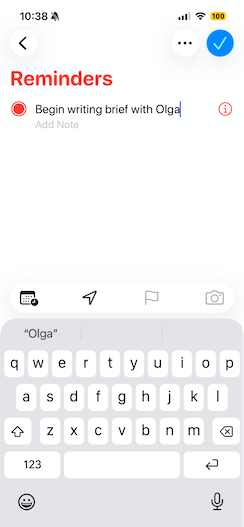
That’s a good thing, as it means that as soon as I get an idea, I can jot it down without having to sit in front of my Mac.
So, I’ve been looking at apps I can use on my iPad, or even iPhone, to help me with my writing flow if I’m sitting in a coffee shop, on a train, or even lying in bed (because sometimes cheese dreams give me inspiration too…)
iPad writing apps I love
I had a friendly chat with my **Productivity tool finder **for a helping hand and asked it for some ideas on apps I can try.
- Apple Notes FTW
I’ll start natively, as I often do, and give a big shout-out to **Notes**. If you’re on a budget or you just want something simple and no frills to get you on your way, then this is brilliant.
When inspo strikes: All I need to do is fire up the app and type in my thoughts. It’ll automatically save them to the app and to iCloud.
Its bare minimum interface is good to work with, and it means I’m never without a jotter.
2. All around aceness from Ulysses
When it comes to writing and publishing drafts of my work, I love **Ulysses**. For one thing, it’s such an uncluttered app and provides one of the best ‘blank page’ experiences for writing. I can pretty much turn my iPad into a little laptop and work merrily away.
It also allows me to publish drafts of my work directly, which is always a bonus.
Pro tip: Ulysses has a brilliant text editor that allows me to structure and format my work. As it’s markup-based, headlines, footnotes, and other elements are literally at my fingertips.
3. Aye for AYOA
If I have a “bigger picture” idea and need to map it out more clearly, I might turn to **AYOA**. This mind-mapping tool is a great resource for fleshing out ideas on my iPad to see if they’ve got anywhere to run.
If they haven’t, I can ditch them. If they do, I can start to work on them a bit more assiduously.
All you need is: To create an account, and you can use a Gmail address if you have one. There’s a free trial, but you will have to pay to upgrade it after 7 days.
4. Evernote worked well for me
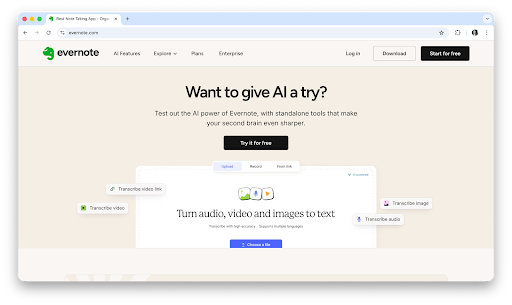
For turning those notes and random jottings into something more coherent, I gave **Evernote **a try. It makes sorting them into a more organised structure much easier. What I also found was that it was useful for longer writing sessions. It obviously has more functionality than basic Notes.
There are also more advanced editing/formatting tools to try out, but you’ll need to upgrade your account for this. Handy to know if you like it once you’ve tried it and know you’ll use it on the reg.
You can write on the go, successfully…
I really think it’s best to write when creativity strikes, and that’s often when you’re not at your desk!
Having the tools to create on your iPad or iPhone can free those chains, making putting together that first novel much easier (OK, I do know it’s easier said than done).
With native tools like Notes and great word processors like **Ulysses**, I’ve got all my bases covered to create at all times, whether that’s sitting in a coffee shop or from underneath my blanket fort on the sofa.
Make this year a creative one with me
Here’s some more of my writing on…writing… so you can write, too! I’ve got some other blog posts that you might like:
메타데이터
- post_id
- 4d722e2d87da
- slug
- 4-best-writing-apps-for-ipad-4d722e2d87da
- url
- https://medium.com/@polina.fomenkova1/4-best-writing-apps-for-ipad-4d722e2d87da
- canonical_url
- https://medium.com/@polina.fomenkova1/4-best-writing-apps-for-ipad-4d722e2d87da
- author_url
- https://medium.com/@polina.fomenkova1
- status
- ok
- fetched_at
- 2026-06-23 17:05:31