How to Convert a String to a Number? How to use nested If-Else statements?
Learn Swift from scratch and challenge to create 100 apps — BMI Calculation App
How to Convert a String to a Number? How to use nested If-Else statements?
Learn Swift from scratch and challenge to create 100 apps — BMI Calculation App
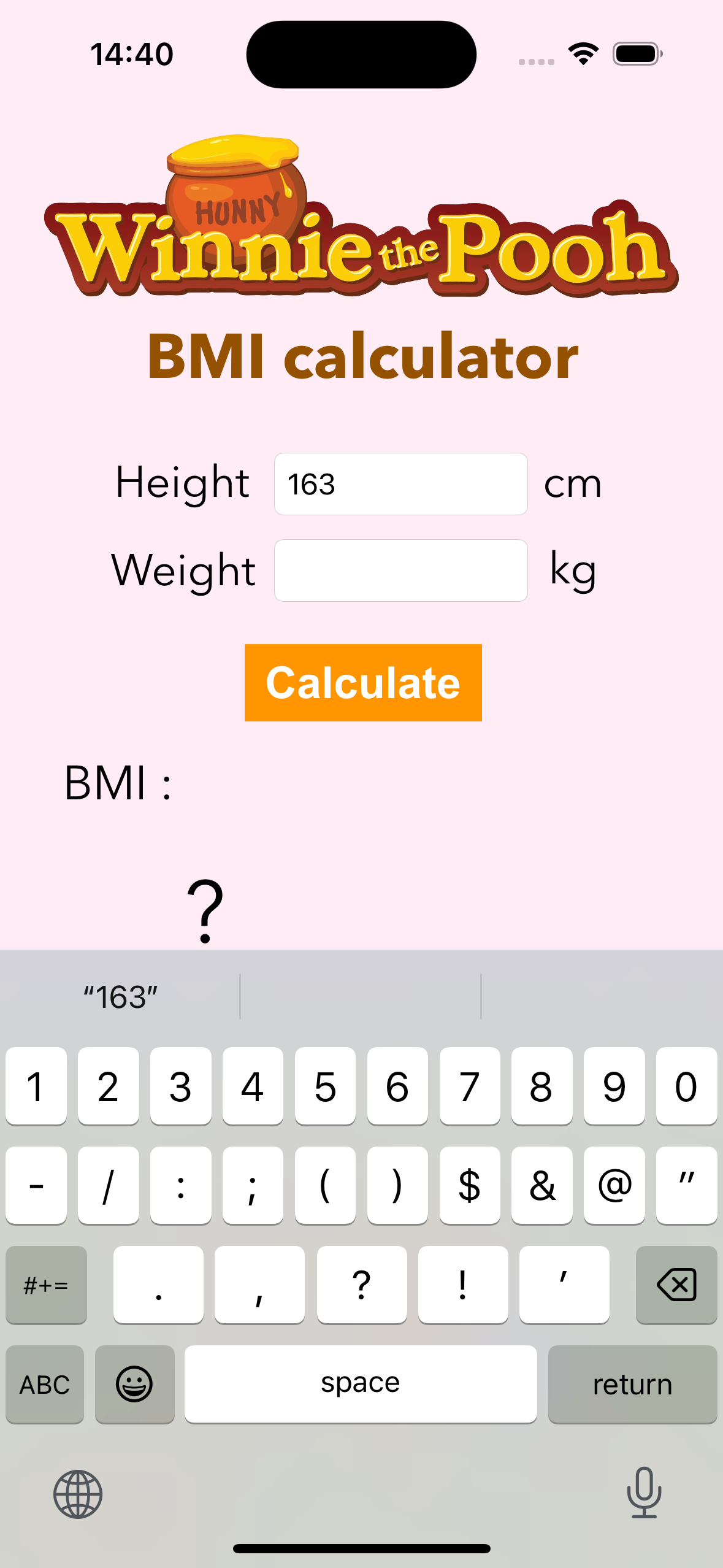
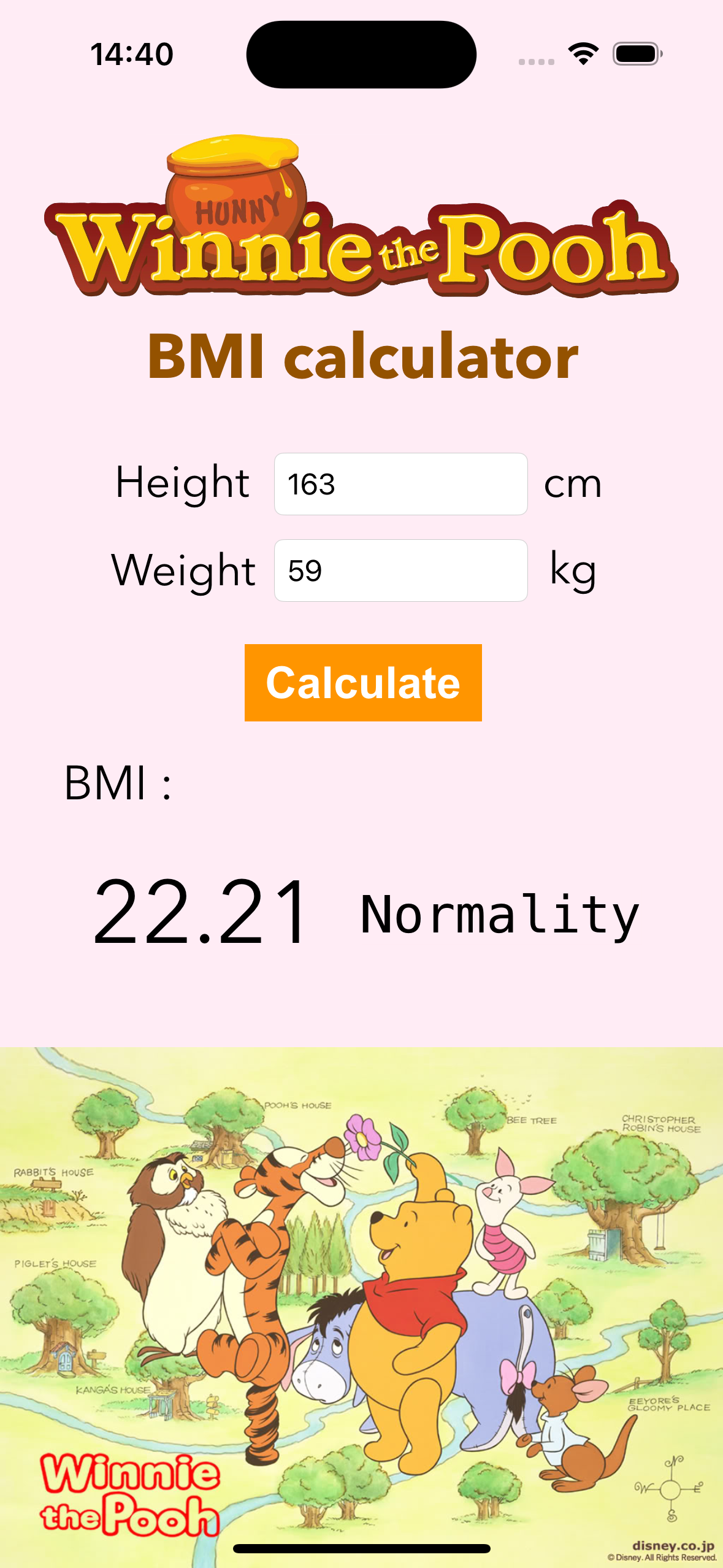

Figure 1 shows the animation of the BMI Calculation App. The app will calculate the BMI value after the user enters height and weight. After that, based on the BMI standard ranges, the app will indicate the user’s current physical condition. In more detail, BMI can be categorized into the following 5 ranges.
- Severe Fat: BMI is greater than or equal to 35.0
- Moderate Fat: BMI is from 30.0 to 34.9
- Mild Fat: BMI is between 27.0 and 29.9
- Overweight: BMI is between 24 and 26.9
- Normality: BMI is from 18.5 to 23.9
- Underweight: BMI is below 18.5

Figure 1 The animation of the BMI Calculation App
Now, let’s explain how to create an application to calculate the BMI value.
1. Convert the values of height and weight
First, we added two TextFields to the Storyboard to allow the user to enter height and weight respectively. Then we connect these elements to the front of the viewDidLoad() function and name it separately(Here, we named it ‘height’ and ‘weight’).
After the user clicks the Calculate button, we use an if-let statement to check if the Textfield has a value and then we convert the height and weight strings to Double and Int values respectively. Then, we check whether the height and weight are greater than zero, as shown in Figure 2.
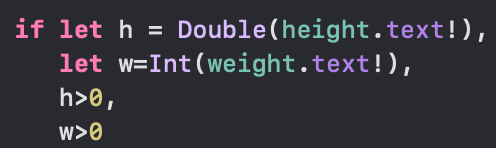
Figure 2 The code for converting string to numbers
2. Use nested If-Else statements
The formula for calculating BMI is Weight (kg) / Height (m) *Height (m), so we convert height to meters and store it in the ‘hmeter’ variable. After that, the BMI number is calculated based on the input height and weight.
Next, we will give the user feedback based on the BMI results. We use the previously mentioned BMI ranges as benchmarks, and use nested if-else statements to make judgments as shown in Figure 3.
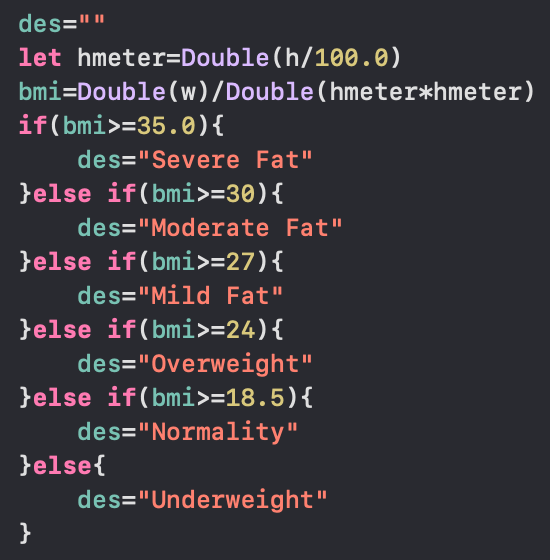
Figure 3 The code of nested if-else statement
3. Displayed Decimal Places
In Figure 4, we use the format to set the number of decimal places to display and declare a ‘strbmi’ constant to store the string to the second decimal place.
Afterward, we can show the BMI value and description to the user according to their height and weight.
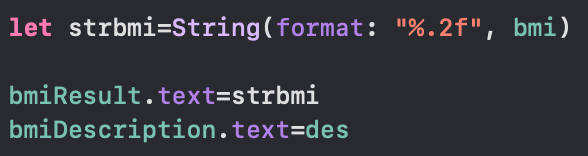
Figure 4 The code for setting the decimal places
Finally, the BMI Calculation APP is done!
The screenshot of the BMI Calculation App is shown in Figure 5.
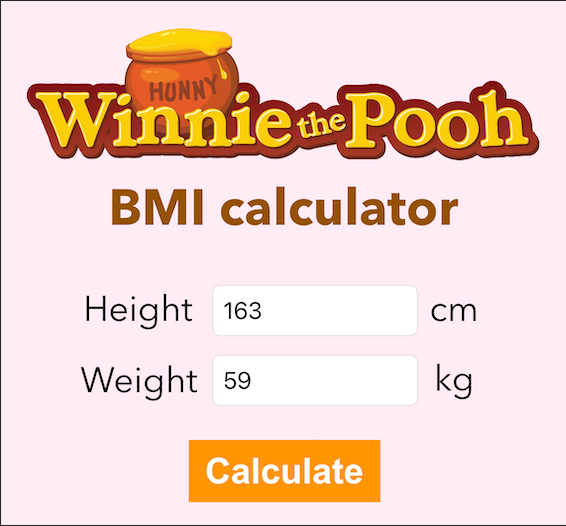
Figure 5 The screenshot of the BMI Calculation App
If you have any questions or recommendations, feel free to comment below.
메타데이터
- post_id
- 4e030cce4088
- slug
- how-to-convert-a-string-to-a-number-how-to-use-nested-if-else-statements-4e030cce4088
- url
- https://medium.com/jcs-ios-exploration/how-to-convert-a-string-to-a-number-how-to-use-nested-if-else-statements-4e030cce4088
- canonical_url
- https://medium.com/jcs-ios-exploration/how-to-convert-a-string-to-a-number-how-to-use-nested-if-else-statements-4e030cce4088
- author_url
- https://medium.com/@chiauli
- status
- ok
- fetched_at
- 2026-06-14 11:28:49