Oracle EPM Predictive Cash Forecasting Deep Dive : Part 2
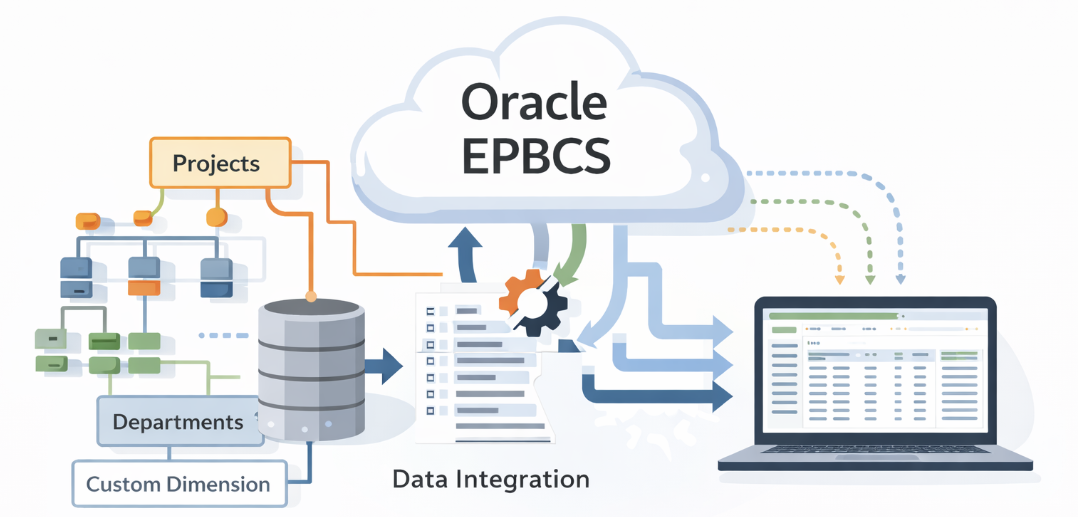
In Part 2, we move beyond the forecasting engine itself and into the implementation layer covering IPM Insights, anomaly detection…
Oracle EPM Predictive Cash Forecasting Deep Dive : Part 2

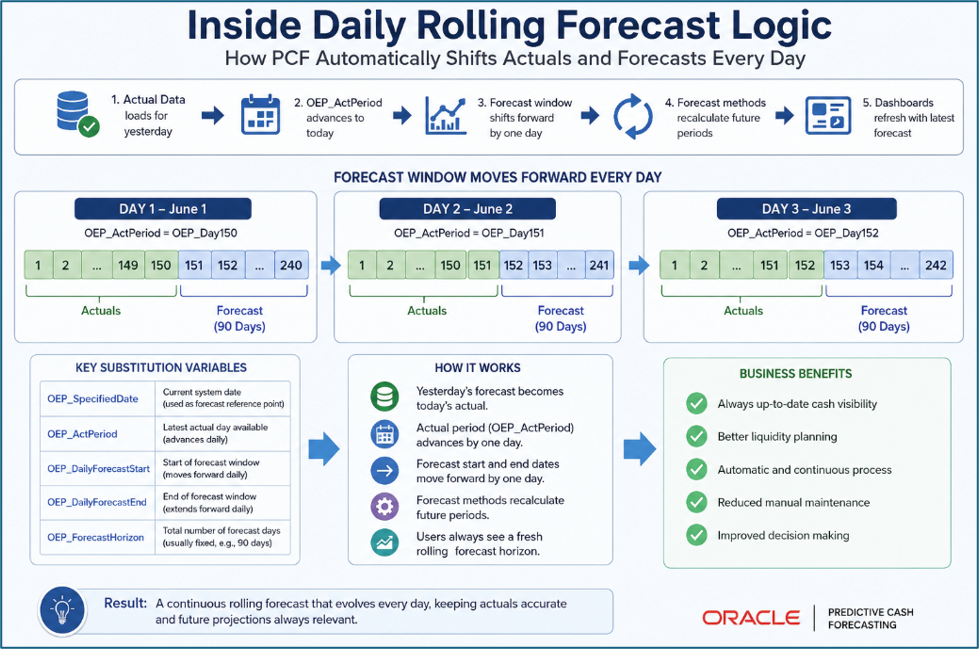
In Part 2, we move beyond the forecasting engine itself and into the implementation layer covering IPM Insights, anomaly detection, forecast configuration, ERP integration considerations, and the practical realities of running Auto Predict inside Oracle EPM Predictive Cash Forecasting (PCF).
IPM Insights : The Anomaly Detection Companion
Auto Predict handles forward-looking prediction. But PCF’s IPM layer also includes IPM Insights a separate capability that operates on the historical and current-period data to automatically surface anomalies, pattern breaks, and emerging trends that a treasurer should know about.
These two capabilities work in tandem: Auto Predict tells you what is likely to happen; IPM Insights tells you when something unexpected is already happening that may invalidate your prediction assumptions.

Example: if Auto Predict has modeled a smooth upward trend in Collections based on 18 months of AR history, but IPM Insights detects that a key customer’s payment timing has shifted by 15 days in the current period, the Insight will surface that anomaly as an alert prompting the cash manager to adjust the near-term Collections forecast manually, overriding the statistical model with business judgment.
Step-by-Step: Configuring Auto Predict in PCF
The following is a practitioner walkthrough of the complete Auto Predict setup within the PCF module from application creation to running the first prediction job.
Phase 1 : Application & Feature Setup
Create a Cash Forecasting Application
From EPM Cloud Home → Application → Create → select type Cash Forecasting. At the end of the wizard, click Configure (or navigate to Application → Configure post-creation). This provisions the pre-built PCF dimensional model, line items, forms, rules, and navigation flows.
Enable Features : Including Predictions
In Configure → Enable Features, enable: Predictions (Auto Predict / Statistical), and optionally Advanced Predictions (requires EPM Enterprise). Also enable Cloud ERP Integration if using Fusion ERP. Click Enable this populates all PCF artifacts including prediction-related members and rules.
Verify Hybrid Essbase Is Active
Navigate to Application → Settings → confirm Hybrid mode is enabled for the PCF plan types. Auto Predict IPM jobs will not execute on non-Hybrid Essbase plan types. This is typically auto-configured for new PCF instances but must be verified on migrated or upgraded applications.
Phase 2- Assign Forecast Methods to Line Items
Open Configure → Forecast Methods
This screen presents a grid of all PCF cash line items. For each line item, select its forecast method from the dropdown. Set high-frequency, historically rich items (Collections, Recurring AP) to Prediction-Based (Statistical). Set deterministic items (Payroll, Scheduled Debt Service) to Driver-Based or Trend.
Configure Period-Based Method Splits (Optional)
For each line item, optionally define period-based splits e.g., Prediction-Based for the first 8 weeks, Driver-Based for weeks 9–26. This is the hybrid pattern that maximizes forecast accuracy across the short-term and medium-term horizon.


Phase 3 - Create and Run the IPM Auto Predict Job
Create the IPM Job
Configure → IPM → Create Job → Type = Auto Predict. Fill in: Job Name, Target Plan Type (Daily or Periodic), Source Scenario & Version (Actual / Final), Target Scenario & Version (Predicted / Base), Prediction Periods count, Historical Training Range, Line Items in scope, and Entity scope.


Validate Historical Data Availability
Before running, confirm actuals are loaded for the full historical range. Use the PCF Data Validation report or a simple data form to verify non-zero actuals exist across the training window for each line item × entity combination in scope. Gaps will produce straight-line fallback predictions.
Run the Job and Monitor Status
Click Run on the IPM Job. Monitor execution via the Jobs console — status transitions: Queued → Running → Completed / Error. Review the error log for any line items or entities that failed to predict (commonly caused by insufficient data or all-zero series).
Review Prediction Results in the Rolling Forecast Form
After successful job completion, open the Rolling Forecast form and switch the Version selector to Predicted (Base). The forward period cells will now display the Auto Predict output. Switch between Base, Best, and Worst to review the three scenarios. Right-click a predicted cell to access Explain Prediction for model details.
Adjust and Lock the Prediction as Forecast Baseline
Cash managers review the predicted values against business context (pipeline, market conditions, known payment events) and make manual adjustments where judgment overrides the model. Once reviewed, the Predicted scenario can be promoted as the official Forecast baseline using a business rule or Groovy copy operation.
Known Limitations :
- Separate EPM instance required: PCF cannot coexist with your main EPBCS/Planning application in the same EPM Cloud instance. It requires a dedicated instance an infrastructure cost and governance consideration that catches teams off-guard.
- Auto Predict is univariate only: Standard Auto Predict in PCF cannot incorporate external economic drivers or operational variables. If you need multivariate predictions, you must configure Advanced Predictions (which requires additional setup complexity).
- Fewer than 6 data points = straight-line only: New entities, new line items, or datasets with structural gaps will receive a straight-line linear fit with no Best/Worst case output. Monitor the IPM job log for these cases.
- Dimension changes require IPM job reconfiguration: If you add new dimensions to the PCF application after the IPM job is created (e.g., adding a new Region or Sub-entity dimension), you must reconfigure the IPM job to include those dimensions. The job does not auto-update.
- No manual algorithm override in Auto Predict: You cannot force a specific algorithm (e.g., “always use ARIMA for this line item”). Algorithm selection is fully automatic. To override, you would need to move to Advanced Predictions and manually select a model.
- ERP integration is Fusion-first: The prebuilt connectors are Oracle Fusion ERP only. Non-Oracle ERP integration relies on Oracle’s published specs and custom Data Integration pipelines functional but requires implementation effort.
- Machine Learning (Smart Drivers) flagged for future release in some docs: As of the initial GA release of PCF, the invoice-level ML prediction (Smart Drivers) was scheduled for a subsequent release. Confirm the current availability of this feature in your EPM Cloud version before promising it to stakeholders.
Critical: Do Not Load Predictions into Actuals
A recurring implementation error is misconfiguring the IPM job to write predicted values into the Actual scenario or Final version overwriting ground truth actuals with model output. Always verify that the Target Scenario and Target Version in the IPM job configuration point to a dedicated Predicted scenario before running the job in production. Once actuals are overwritten, recovery requires a restore from backup or a full ERP data reload.
Closing Thoughts
Auto Predict in Oracle EPM Predictive Cash Forecasting is not just a button it is an architectural choice about how your organization approaches treasury forecasting. By embedding statistical ML directly into the cash forecasting process, Oracle has removed the biggest barrier to AI adoption in treasury: the requirement to involve data scientists.
The per-line-item forecast method framework where you can assign Auto Predict to Collections, driver-based to Payroll, and trend to utilities, all within the same application is the right abstraction. Cash is not monolithic; its components have radically different predictability profiles, and the blended method approach respects that reality.
For practitioners implementing PCF, the most important mindset shift is this: Auto Predict is a starting point for the human judgment conversation, not a replacement for it. IPM Insights surfaces when the prediction assumptions are breaking. The three-scenario output (Base/Best/Worst) gives treasury the scenario language they already use. The EPM Automate integration makes the daily refresh operationally manageable. The result is a treasury team that spends less time building forecasts and more time acting on them.
Advanced Predictions extends this further multivariate ML on OCI infrastructure, without leaving the EPM environment. The trajectory is clear: Oracle is building toward a treasury forecasting environment where the ML model is continuously improving, the human’s job is to interpret and decide, and the system automates the rest.
Key Takeaways
- Auto Predict in PCF runs via IPM Jobs not form right-clicks. It is a batch, schedulable, automatable prediction engine.
- PCF’s forecast method framework is per-line-item assign Auto Predict only where statistical patterns exist; use driver-based or trend elsewhere.
- Three scenarios natively: Base, Best, Worst generated from model confidence intervals, no additional configuration required.
- Hybrid Essbase is mandatory for Auto Predict IPM jobs in PCF. Verify before implementation.
- Minimum 6 data points per series; fewer falls back to straight-line only. Target 52+ weeks for reliable weekly predictions.
- IPM Insights is Auto Predict’s companion retrospective anomaly detection that tells you when to override the model with judgment.
- Separate EPM instance required PCF cannot share an instance with your main Planning application.
- Advanced Predictions = multivariate ML evolution available now on EPM Enterprise, powered by OCI AI, with AutoMLx algorithm selection.
메타데이터
- post_id
- 4e05bdd61cbe
- slug
- oracle-epm-predictive-cash-forecasting-deep-dive-part-2-4e05bdd61cbe
- url
- https://medium.com/@venkatasiva600/oracle-epm-predictive-cash-forecasting-deep-dive-part-2-4e05bdd61cbe
- canonical_url
- https://medium.com/@venkatasiva600/oracle-epm-predictive-cash-forecasting-deep-dive-part-2-4e05bdd61cbe
- author_url
- https://medium.com/@venkatasiva600
- status
- ok
- fetched_at
- 2026-06-09 15:37:30