8 Tiny JavaScript Utilities That Prevent Big Bugs
Small helper functions will not save a bad architecture, but they can stop ordinary JavaScript assumptions from turning into production…
8 Tiny JavaScript Utilities That Prevent Big Bugs
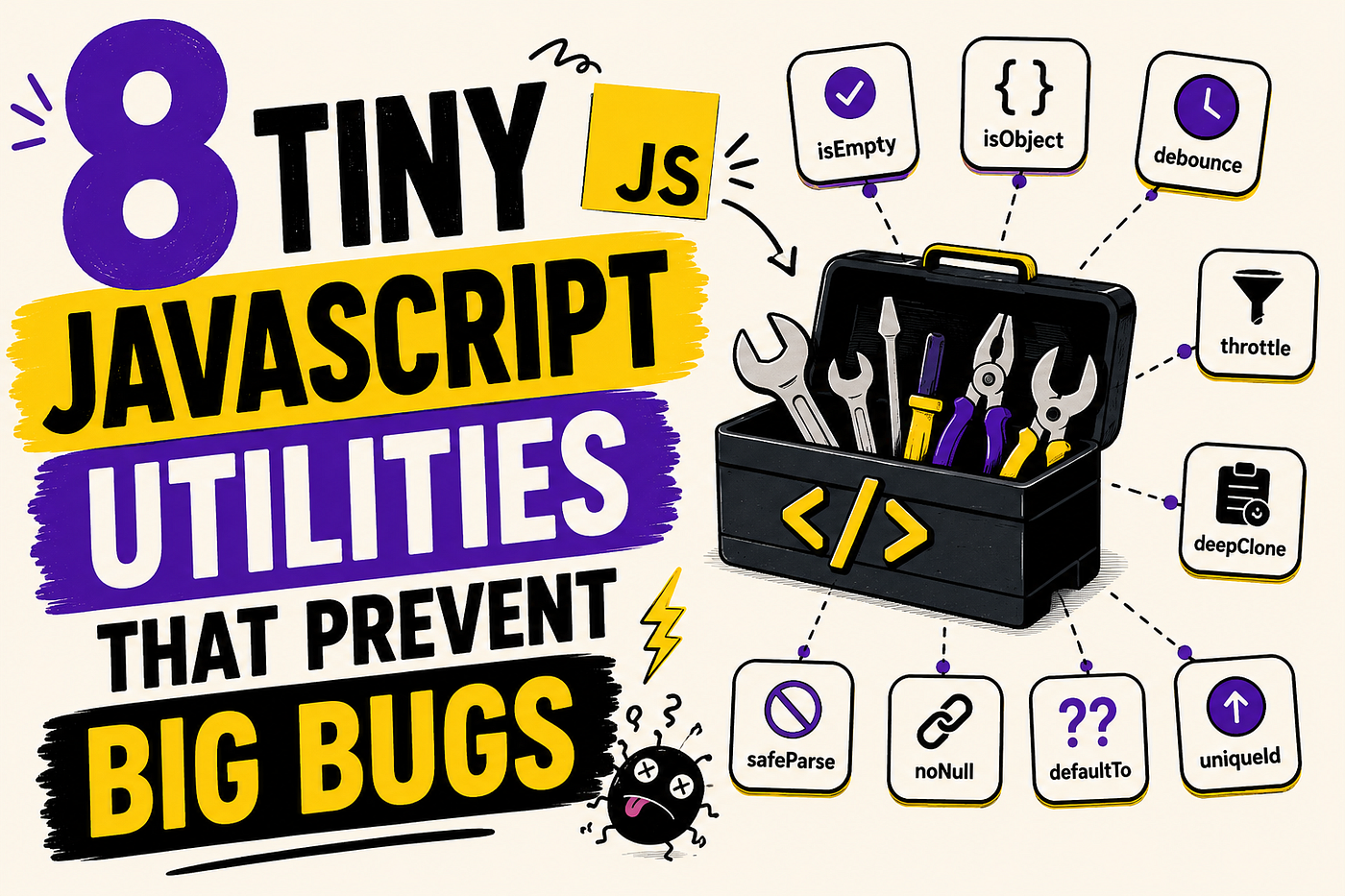
8 Tiny JavaScript Utilities That Prevent Big Bugs
Small helper functions will not save a bad architecture, but they can stop ordinary JavaScript assumptions from turning into production bugs.
Most JavaScript bugs are not dramatic.
They are small.
A missing value.
A bad response shape.
A string pretending to be a number.
Then the team loses three hours debugging a feature that “worked yesterday.”
That is the annoying truth about JavaScript. Many bugs do not come from complex algorithms or clever abstractions. They come from trusting data too early, assuming the happy path, and letting weak checks sit quietly until the wrong user, browser, API response, environment variable, or edge case exposes them.
Tiny JavaScript utilities are not glamorous. Nobody brags about them in architecture meetings. But good teams often have a small layer of boring helper functions that make bad assumptions obvious before they spread through the codebase.
The goal is not to build a utility library for everything.
The goal is to stop repeating fragile judgment.
1. Make Missing Values Loud Before They Travel
The most expensive missing value is not the one that crashes immediately.
It is the one that becomes undefined, moves through five functions, gets stored in state, reaches the UI, and only breaks when a user clicks a button nobody tested.
JavaScript makes this easy. A missing value does not always explode. Sometimes it quietly becomes an empty label, a broken URL, a malformed request, or a database query with the wrong filter.
That is how small bugs become confusing bugs.
A tiny required utility makes missing values loud at the boundary.
function required(value, name = "value") {
  if (value === null || value === undefined) {
    throw new Error(`${name} is required`);
  }
return value;
}
This is not about being fancy. It is about refusing to let critical values drift silently.
const userId = required(params.userId, "userId");
fetch(`/api/users/${userId}`);
Without this check, the app may call /api/users/undefined, the backend may return a confusing 404, and someone may waste time debugging routing, authentication, or API permissions.
The better failure is boring and direct:
userId is required
That message saves time because it points to the assumption that failed.
A missing value should fail close to where it becomes important, not three layers later where the error message lies to you.
2. Stop Calling Everything an Object
One of the oldest JavaScript traps is still one of the most common:
typeof null === "object"Arrays are objects too. Dates are objects. Functions have properties. API responses can be anything when a backend changes, a proxy fails, or an integration returns an error page instead of JSON.
So when developers write checks like this, they are often checking less than they think:
if (typeof payload === "object") {
  // seems safe
}
It is not safe enough.
If the code expects a plain object, say that clearly.
function isPlainObject(value) {
  return (
    value !== null &&
    typeof value === "object" &&
    !Array.isArray(value)
  );
}
This utility prevents a specific kind of bug: treating the wrong shape as valid data.
if (!isPlainObject(response.data)) {
  throw new Error("Expected response data to be an object");
}
This matters in real projects because UI code often trusts backend contracts too much. A component expects:
{
  name: "Umar",
  role: "admin"
}
But receives:
[]or:
nullor:
"Service unavailable"Then the UI starts failing with errors like:
Cannot read properties of null
That error is technically true, but practically useless. It tells you where the crash happened, not where trust was given too early.
A good utility turns vague runtime pain into a clear boundary failure.
The code worked. The assumption did not.
3. Never Trust a Property Until You Own It
Checking object properties looks simple until inheritance, prototypes, and unexpected payloads enter the room.
Many developers write this:
if (user.role) {
  // role exists
}
But this check mixes several ideas together. It checks whether the value exists, whether it is truthy, and whether the property can be accessed. It does not clearly answer the question:
Does this object actually own this property?
A safer utility is tiny:
function hasOwn(object, key) {
  return Object.prototype.hasOwnProperty.call(object, key);
}
Modern JavaScript also has Object.hasOwn, but wrapping the behavior keeps the usage consistent across your codebase if your runtime support varies.
if (!hasOwn(user, "role")) {
  throw new Error("User role is missing");
}
This is especially useful when parsing API responses, configuration objects, feature flags, and user-generated data.
The bug this prevents is subtle. A property can exist somewhere in the prototype chain and still not belong to the object you are validating. That difference may not matter in a small toy app, but it matters in security-sensitive code, permission checks, config parsing, and data transformation.
Also, truthy checks are weak.
if (settings.retries) {
  connect(settings.retries);
}
This fails when retries is 0, even if 0 is a valid intentional value.
A better version separates presence from meaning:
if (hasOwn(settings, "retries")) {
  connect(settings.retries);
}
This looks boring because it is boring.
Boring checks are good when the alternative is debugging a production incident caused by one value being technically valid but treated as missing.
4. Normalize Lists Before the UI Touches Them
Many frontend bugs begin with one sentence:
“I thought this was always an array.”
Then the component renders, calls .map(), and crashes.
items.map(renderItem);This is fine until items is null, undefined, a single object, or a backend error response. In real apps, this happens more often than developers admit.
A tiny utility can reduce this entire class of bugs.
function toArray(value) {
  if (Array.isArray(value)) return value;
  if (value === null || value === undefined) return [];
  return [value];
}
Now the UI can normalize before rendering:
const products = toArray(response.products);
return products.map(product => (
  <ProductCard key={product.id} product={product} />
));
This utility is not always the right choice. Sometimes receiving a single object instead of an array should be treated as a contract failure, not normalized silently.
That is the nuance.
Use toArray when the input is allowed to be flexible. For example, filters, tags, query parameters, optional selections, or APIs that intentionally return one or many items.
Do not use it to hide broken backend contracts.
The point is not to make every wrong shape acceptable. The point is to decide where flexibility is intentional and where it is dangerous.
A quick decision table helps:
SituationBetter choiceOptional tags from query paramsNormalize with toArrayBackend contract says arrayThrow if not arrayUser selected one or many filesNormalize with toArrayPayment API returned wrong shapeFail loudly
Tiny utilities are useful only when they encode judgment.
Without judgment, they become bug polish.
5. Parse JSON Like It Came From the Real World
JSON.parse is honest.
It either parses valid JSON or throws.
The problem is not JSON.parse. The problem is where developers use it without thinking about the failure path.
This shows up in local storage, feature flags, server-rendered data, cached API responses, browser extensions, and third-party integrations.
const settings = JSON.parse(localStorage.getItem("settings"));That line looks harmless until the stored value is corrupted, manually edited, old, empty, or from a previous app version.
A safer utility makes the failure explicit:
function safeJsonParse(value, fallback = null) {
  try {
    return JSON.parse(value);
  } catch {
    return fallback;
  }
}
Then the code can decide what failure means:
const settings = safeJsonParse(
  localStorage.getItem("settings"),
  {}
);
This prevents one bad stored value from breaking the entire page.
But there is a trap here too. Returning a fallback should not become a way to ignore important corruption. For user preferences, fallback is usually fine. For authentication data, payment data, permissions, or critical business state, silent fallback can be dangerous.
A better pattern for important data is to log or report the failure:
const settings = safeJsonParse(rawSettings, null);
if (!settings) {
  console.warn("Invalid settings JSON");
}
This is the mature approach: recover when recovery is safe, fail when correctness matters.
The bug is not invalid JSON.
The bug is pretending invalid JSON cannot happen.
6. Refuse Numbers That Cannot Be Numbers
JavaScript number bugs are painful because they often look valid at first.
"10" looks like a number.
NaN has type "number".
Infinity is also a number.
Empty strings can become 0 in the wrong conversion path.
That is how dashboards show broken totals, pagination skips pages, prices render incorrectly, animations jump, and API filters behave strangely.
This utility is tiny but valuable:
function assertFiniteNumber(value, name = "value") {
  if (typeof value !== "number" || !Number.isFinite(value)) {
    throw new Error(`${name} must be a finite number`);
  }
return value;
}
Use it where a number actually matters.
const page = assertFiniteNumber(input.page, "page");
const limit = assertFiniteNumber(input.limit, "limit");
This is especially useful around pagination, money calculations, chart data, timeout values, retry counts, coordinates, and scoring logic.
The common mistake is assuming that because something came from a form, URL, database, or API, it is already safe.
It is not.
Most external data starts as a string or unknown value. Treating it as a valid number without checking is how bugs hide behind normal-looking code.
A better flow is explicit:
const page = Number(searchParams.get("page"));
assertFiniteNumber(page, "page");
This still does not mean page is valid for your business rule. You may also need to check that it is an integer, positive, and within a limit.
That is the real lesson.
Type is the first gate, not the whole validation strategy.
7. Put a Clock on Promises
A promise that never resolves is not just a technical detail.
It is a user staring at a spinner.
It is a button that stays disabled.
It is a checkout flow that feels broken.
It is a developer checking the wrong logs because there is no clean failure.
Many apps handle success and failure, but forget the third state: nothing happens for too long.
A small timeout utility makes this visible.
function withTimeout(promise, ms, label = "Operation") {
  const timeout = new Promise((_, reject) => {
    setTimeout(() => {
      reject(new Error(`${label} timed out after ${ms}ms`));
    }, ms);
  });
return Promise.race([promise, timeout]);
}
Now an API call has a boundary:
const user = await withTimeout(
  fetchUser(userId),
  5000,
  "Fetch user"
);
This does not replace proper request cancellation, retries, or backend reliability. It also does not automatically stop the original operation from continuing in the background. For fetch, you may want AbortController.
Still, this utility prevents a dangerous UI state: waiting forever.
Forever is not a loading strategy.
Timeouts are especially important in dashboards, admin panels, internal tools, payment flows, and onboarding screens where users need clear feedback.
The error does not have to be dramatic. Even a simple message like “This is taking longer than expected” is better than silent waiting.
A timeout turns uncertainty into a state the system can handle.
That is what good utilities do.
8. Lock Unknown States Out Early
Many JavaScript bugs come from unknown strings.
A status from the backend changes.
A feature flag has the wrong value.
A role name is misspelled.
A payment state is added but the frontend does not know about it.
Then the UI falls into a default branch that was never designed for reality.
A small assertOneOf utility helps protect these boundaries:
function assertOneOf(value, allowed, name = "value") {
  if (!allowed.includes(value)) {
    throw new Error(
      `${name} must be one of: ${allowed.join(", ")}`
    );
  }
return value;
}
Use it when a value must belong to a known set:
const status = assertOneOf(
  order.status,
  ["pending", "paid", "failed"],
  "order.status"
);
This is useful for status values, roles, environments, themes, sort directions, feature flags, and action types.
The alternative is usually a weak default:
switch (status) {
  case "paid":
    return "Payment complete";
  default:
    return "Pending";
}
That default looks safe, but it can hide a real product bug. If the backend sends "refunded" and the frontend displays "Pending", the app is not resilient. It is lying.
A safer approach is to treat unknown states as meaningful failures.
switch (status) {
  case "pending":
    return "Waiting for payment";
  case "paid":
    return "Payment complete";
  case "failed":
    return "Payment failed";
  default:
    throw new Error(`Unknown order status: ${status}`);
}
This is not about crashing recklessly. In production UI, you may show a fallback message and report the error.
But internally, the system should know something unexpected happened.
Unknown states deserve attention, not decoration.
Conclusion: Tiny Utilities Are Really Tiny Boundaries
The best JavaScript utilities are not clever.
They are small boundaries against bad assumptions.
They make missing values loud. They separate plain objects from random data. They protect owned properties. They normalize only where flexibility is intentional. They parse JSON with a failure path. They reject fake numbers. They stop promises from waiting forever. They refuse unknown states before they become wrong UI.
None of this replaces good architecture, strong API contracts, tests, reviews, or careful engineering judgment.
But these utilities reduce the number of bugs caused by ordinary carelessness.
That matters because most real-world bugs are not born in complex code. They are born when a developer trusts a value one step too early.
A tiny utility cannot make your system good.
But it can stop a bad assumption from traveling quietly.
What tiny JavaScript utility has saved you from a painful bug?
GitHub Repo: Use These Utilities as a Starting Point
No package. No magic abstraction. Just small JavaScript helpers that make risky assumptions more visible.
메타데이터
- post_id
- 4eb6172b3fbf
- slug
- 8-tiny-javascript-utilities-that-prevent-big-bugs-4eb6172b3fbf
- url
- https://medium.com/skillstuff/8-tiny-javascript-utilities-that-prevent-big-bugs-4eb6172b3fbf
- canonical_url
- https://medium.com/skillstuff/8-tiny-javascript-utilities-that-prevent-big-bugs-4eb6172b3fbf
- author_url
- https://medium.com/@learnwithmasaud
- status
- ok
- fetched_at
- 2026-06-11 05:11:55