Agents Are Now Files
Google’s new Managed Agents API isn’t the interesting part. The fact that you define an agent in two markdown files is.
Agents Are Now Files
Google’s new Managed Agents API isn’t the interesting part. The fact that you define an agent in two markdown files is.

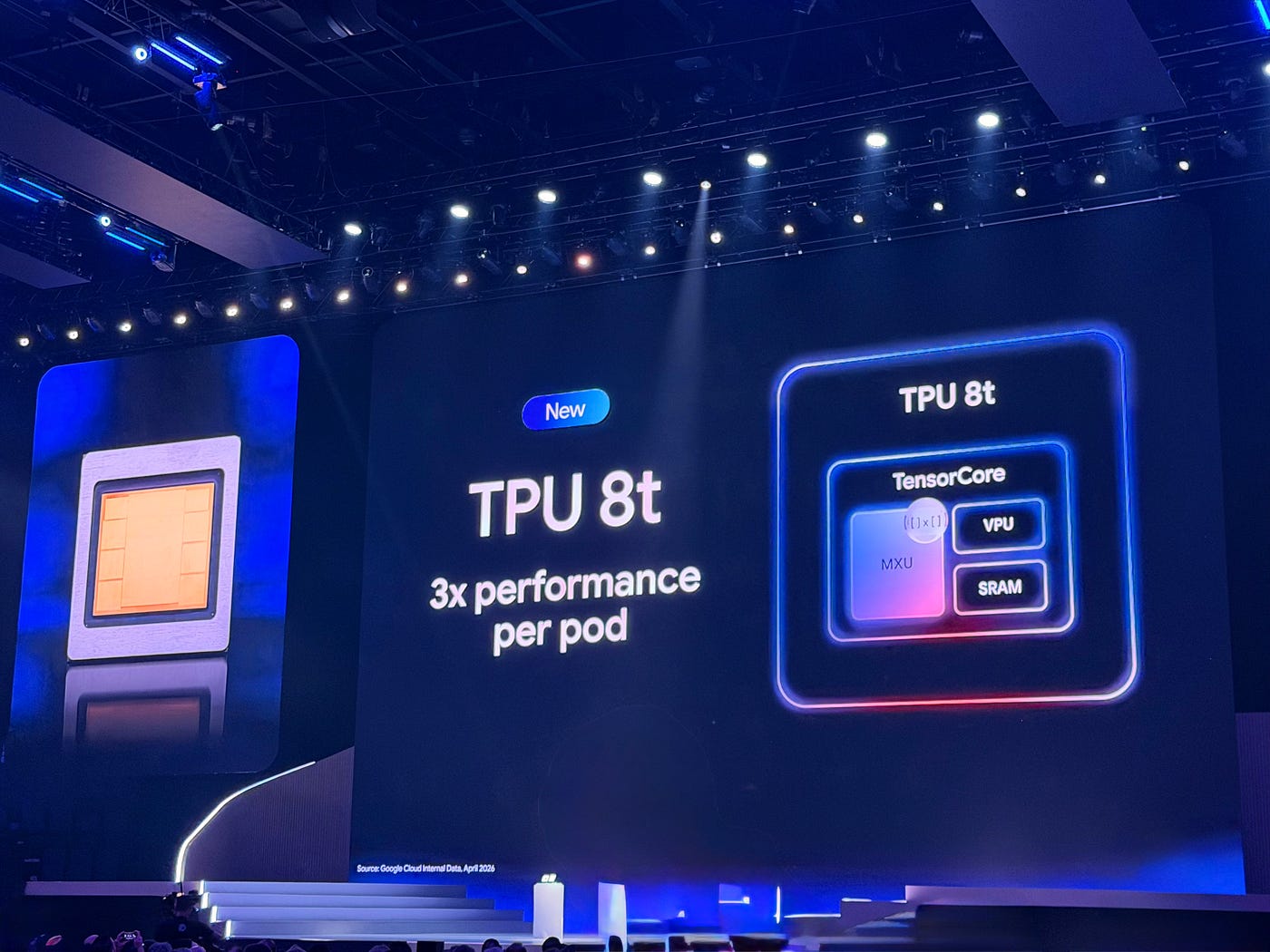
Google IO 2026 Developer Keynote
If you’ve ever tried to ship a production agent, you know the actual prompt is the easy part. The hard part is everything around it — sandboxing, orchestration, state, the boring infrastructure layer between “the model said something” and “the model did something.” Anyone who’s built one has written some version of the same code: spin up a container, scope its network, mount a workspace, stream the output, persist files between turns, deal with context windows that explode after the third tool call.
Last week Google shipped Managed Agents in the Gemini API, and that whole layer is now somebody else’s problem. One API call provisions an isolated Linux sandbox, runs the agent loop, and hands back a result. That’s useful. It’s not what makes the launch interesting.
The interesting part is buried in the docs: a custom agent can be expressed as versionable markdown-centered configuration: an AGENTS.md file for behavior and one or more SKILL.md files for capabilities, alongside optional sources, tools, environment settings, and network rules. An AGENTS.md for instructions and a directory of SKILL.md files for capabilities. That's it. No bespoke YAML. No GUI builder. No proprietary agent-definition language. You version it in git, you code-review it in PRs, you share it across teams the same way you share a library. Anthropic's Claude products use a near-identical SKILL.md convention. Two of the three frontier labs are converging on "agents are markdown files in a folder," which is the kind of quiet standardization that ends up mattering more than the launch post.
The rest of this piece walks through what the API actually does, with runnable code. There’s a companion notebook if you want to follow along. But keep the thesis in your head as you read: every primitive below is in service of treating an agent as a versionable artifact, not a runtime configuration.
Three things to know before you run any of this.
1.If you create an API key and immediately see “Your API key was reported as leaked,” the flag is usually on the project, not the key. Create a fresh Google Cloud project, generate the key under it, and you’ll be fine.
- Keep the key out of your code. Create a
.envfile in your project root withGEMINI_API_KEY=AIza..., add.envto your.gitignore, and load it withpython-dotenv:
from dotenv import load_dotenv load_dotenv() # the SDK picks GEMINI_API_KEY up from the environment
3. Never paste the key into a notebook cell. If you’ve ever pasted a real key into a cell and run it, the key is now embedded in the notebook’s saved output JSON even if you’ve since edited the cell to remove it. Clear all outputs (Restart Kernel and Clear All Outputs) and grep the raw .ipynb for AIza before you commit anything. Google scans public repos and burns keys it finds within seconds.
- The sandbox is sandboxed. Your machine is not. Once you pull a tarball out of the sandbox, anything in it — filenames, contents, paths — was produced by an agent that just read untrusted data from the open web. Treat that tarball the way you’d treat an email attachment from a stranger. The “Getting files back” section below covers what that means in practice.
The simplest call
The whole API surface is essentially one method: client.interactions.create(...). Gemini's bet is that you don't need any of that scaffolding if the sandbox is doing the heavy lifting — you just need somewhere to send an instruction and somewhere to get a result back.
from dotenv import load_dotenv
from google import genai
load_dotenv()  # reads GEMINI_API_KEY from .env
client = genai.Client()
interaction = client.interactions.create(
    agent="antigravity-preview-05-2026",
    input=(
        "Write a Python script that generates the first 20 Fibonacci numbers "
        "and saves them to fibonacci.txt. Then read the file and print its contents."
    ),
    environment="remote",
)
print(interaction.output_text)
Three parameters. agent is the agent ID — antigravity-preview-05-2026 is Google's default general-purpose agent, built on Gemini 3.5 Flash. environment="remote" provisions a fresh sandbox (Ubuntu, Python 3.12, Node.js 22). input is your prompt.
Two IDs come back that you’ll use constantly: interaction.id (this turn of the conversation) and interaction.environment_id (this sandbox). interaction.steps gives you the full trace of reasoning, tool calls, and code execution — indispensable for debugging.
Keeping state across turns
Here’s a design choice worth pausing on: conversation context and environment state are two independent dimensions. LangGraph couples them. CrewAI couples them. Most homegrown agent platforms couple them. Gemini doesn’t, and once you’ve used it that way you don’t want to go back.
interaction_2 = client.interactions.create(
    agent="antigravity-preview-05-2026",
    previous_interaction_id=interaction.id,        # keep conversation
    environment=interaction.environment_id,        # keep filesystem
    input="Now plot the Fibonacci sequence as a line chart and save it as chart.png.",
)
Pass both, you continue the same conversation in the same workspace. Pass only environment, you start a fresh conversation but keep the files the agent already produced — useful when you want to hand a clean session a pre-warmed sandbox. Pass only previous_interaction_id with environment="remote", you keep the chat history but swap in a clean filesystem. The combinations are obvious in hindsight but vanishingly rare in existing frameworks.
The other detail that should not be buried: at around 135k tokens, the managed agent runs an automatic context compaction step. Anyone who’s built a multi-turn agent has fought this — reasoning traces and tool outputs pile up, you blow past the context window mid-task, and you end up writing your own summarization pass to keep the agent coherent. Compaction is one of those load-bearing primitives that everyone reinvents badly. Having it in the harness is a meaningful productivity win.
Streaming and getting files back
Streaming is the same call with stream=True, iterated:
stream = client.interactions.create(
    agent="antigravity-preview-05-2026",
    input="Read Hacker News, summarize the top 5 stories, and save the results as a PDF.",
    environment="remote",
    stream=True,
)
for event in stream:
    print(event)
Each event is a step delta — incremental text, reasoning tokens, or tool-call updates. Wire it into your UI and users get to watch the agent work instead of staring at a spinner.
Files the agent creates live inside the sandbox VM. The Files API exposes one way to get them out: download the whole workspace as a tarball. The shape of the call is simple; the handling is where you have to be careful, because everything in that tarball was produced by an agent that just read untrusted content from the open web.
Four risks to defend against, all at once:
- Tar slip / path traversal — a malicious entry like
../../etc/somethingcan write outside the extraction directory. - Symlink and hardlink trickery — an entry can claim to be
report.pdfbut point at~/.ssh/id_rsa. Filename-only checks miss this. - Files landing where the host trusts them — if extracted to your project root, your IDE indexes them, your
.gitignoremay not cover them, a rogue.bashrcbecomes a foothold. - Unexpected files at all — the agent may have produced extra files you didn’t ask for. Hallucinated or injected, you don’t want them on disk.
The pattern that handles all four:
import os, requests, tarfile, tempfile
env_id = interaction.environment_id
response = requests.get(
    f"https://generativelanguage.googleapis.com/v1beta/files/environment-{env_id}:download",
    params={"alt": "media"},
    headers={"x-goog-api-key": os.environ["GEMINI_API_KEY"]},
    allow_redirects=True,
)
response.raise_for_status()
work_dir = tempfile.mkdtemp(prefix="sandbox_snapshot_")
tar_path = os.path.join(work_dir, "snapshot.tar")
with open(tar_path, "wb") as f:
    f.write(response.content)
# Edit per use case: only files named here will be extracted.
EXPECTED = {"fibonacci.txt", "chart.png"}
def normalize(name: str) -> str:
    """Strip './' and leading slashes so 'fibonacci.txt' matches './fibonacci.txt'."""
    return name.lstrip("./").lstrip("/")
with tarfile.open(tar_path) as tar:
    # Find candidates matching EXPECTED. Only show top-level files in the
    # listing - the sandbox snapshot also contains any pip-installed packages
    # under usr/local/lib/, which would drown the output.
    candidates = {}
    print("Top-level files in archive:")
    for m in tar.getmembers():
        norm = normalize(m.name)
        if "/" not in norm and m.isfile():
            marker = "✓" if norm in EXPECTED else "·"
            print(f"  {marker} {m.name}  ({m.size} bytes)")
        if norm in EXPECTED and m.isfile():
            candidates[norm] = m
    for name in EXPECTED:
        if name not in candidates:
            print(f"  missing: {name}")
            continue
        member = candidates[name]
        member.name = name  # extract as 'fibonacci.txt', not './fibonacci.txt'
        tar.extract(member, path=work_dir, filter="data")
        print(f"  extracted: {os.path.join(work_dir, name)}")
print(f"\nExtracted to: {work_dir}")
Each piece is doing specific work:
**EXPECTEDallowlist** — only files you explicitly asked the agent to produce make it to disk. Everything else is logged and skipped. The set is a variable you edit per use case, not a global constant; different cells call for different outputs.**normalize()** — strips the./prefix that sandbox tarballs put on every entry. Without this,tar.getmember("fibonacci.txt")returnsKeyErrorbecause the actual member name is./fibonacci.txt, and you spend ten minutes wondering why your expected files are "missing" when they're sitting right there in the archive.**member.isfile()** — rejects anything that isn't a plain regular file. This is what blocks the "named correctly, linked elsewhere" attack class. Without this check, a filename allowlist gives you a false sense of security.**filter="data"** (Python 3.12+) — defense in depth. Rejects path-traversal entries and absolute paths even though you've picked the name explicitly. Also conveniently skips device nodes from the sandbox VM's/devtree that would otherwise causePermissionErroron macOS viaos.mknod.**tempfile.mkdtemp()** — extraction happens off the project root. You decide what to move back to your real workspace after inspecting it.- Top-level-only listing — the
"/" not in normfilter on the print loop. Sandbox snapshots include everything the agent installed during the run: if it ranpip install matplotlib, the tarball now contains the entire matplotlib + Pillow + fontTools + contourpy tree, which is thousands of files and tens of megabytes. Without filtering the listing, you drown in./usr/local/lib/python3.12/dist-packages/...and can't see your actual outputs. The allowlist still does the security work; the filter just keeps the output readable.
In production you wouldn’t do this on a developer machine at all — extract on a build worker, scan the contents, then promote artifacts. For a tutorial, the allowlist-plus-tempdir pattern is the minimum that’s actually defensible. A per-file download endpoint on the Files API would obviate most of this section; until that ships, this is the shape.
One more thing worth saying explicitly: even after the file lands safely on disk, the contents are still untrusted. A PDF can contain JavaScript, embedded files, and external references. Open it in a sandboxed viewer; don’t trust its links.
Defining your own agent
The API for registration is straightforward:
client.agents.create(
    id="my-agent",
    base_agent="antigravity-preview-05-2026",
    system_instruction="...",
    base_environment={
        "type": "remote",
        "sources": [
            {"type": "inline", "target": ".agents/AGENTS.md", "content": "..."},
        ],
    },
)
Sources can be inline strings, files from a Git repo, or a snapshot of an existing environment you’ve already iterated on. The harness loads .agents/AGENTS.md as system instructions and any SKILL.md under .agents/skills/ as available capabilities. Once registered, you invoke by ID and every interaction forks the base environment clean.
One sharp edge worth flagging: if you add a {"type": "repository", "source": "..."} block pointing at a URL that doesn't exist or isn't reachable, the agents.create call succeeds but the agent ends up in a broken state, and the next call — interactions.create — returns a generic 400 invalid_request with no hint that the repo was the problem. Use inline sources when prototyping, and only switch to a repo source once you have a real one to point at.
That’s the shape. The interesting question is what you put in the files.
A real example: a weekly news digest agent
Here’s where the markdown-as-config bet pays off. Suppose I want an agent that browses for recent stories on a topic, writes a digest, and outputs a styled PDF. The entire behavior lives in two files.
The AGENTS.md:
# News Digest Agent

You are a research analyst that produces concise weekly news digests on a
topic the user provides.

## Process
1. Browse the web for 5–8 recent, high-quality stories on the topic.
2. Prefer original reporting and primary sources over aggregators.
3. For each story, extract: title, source, one-paragraph summary, link.
4. Group stories into 2–4 themes.
5. Produce a PDF report named `digest.pdf` using the `pdf_report` skill.

## Style
- Neutral, factual tone. No editorializing.
- Keep summaries under 80 words each.
- Lead the report with a 3-bullet TL;DR.
A SKILL.md for the rendering:
# Skill: pdf_report

Render a structured digest as a clean, readable PDF.

## When to use
Whenever the user wants the final deliverable as a PDF report.

## How
- Use the `fpdf2` Python library. Install it with
  `pip install --break-system-packages fpdf2` if not already present.
- Single column, 11pt body, 14pt section headers.
- First page: title, date, TL;DR bullets.
- One section per theme; under each list the stories with title, source,
  summary, and link.
- Save to `digest.pdf` at the workspace root.
A note on the install line: the sandbox ships with requests and bs4 but not most other libraries, and pip complains without --break-system-packages because there's no virtualenv. Telling the skill exactly which library to use and how to install it removes a coin-flip the agent would otherwise make on every run — sometimes it'll pick reportlab, sometimes fpdf2, sometimes weasyprint, and the output looks different each time. Pin the library in the skill the same way you'd pin a dependency in a requirements.txt.
Register the agent, invoke it with client.interactions.create(agent="weekly-news-digest", input="Topic: open-source AI agent frameworks. Cover the last 7 days.", environment="remote"), and you have a deployable service.
Now consider what this looks like in a real engineering org. The AGENTS.md and SKILL.md files sit in a repo. They go through code review like any other change. When the legal team wants the agent to add a disclaimer, that's a PR. When you discover the agent hallucinates citations on Tuesdays, you open an issue against the file, not against a vendor support ticket. The skill could be vendored from another team's repo via the repository source type — your news digest agent imports pdf-rendering@v2.1 the same way your Python service imports a library. You can diff agent behavior between versions. You can revert.
This is the part many current frameworks still make harder than it should be: separating agent behavior from orchestration code in a form that non-engineers can review. LangGraph workflows are Python code, which sounds the same but isn’t — Python conflates “how the agent thinks” with “how the orchestration runs” and reviewers can’t tell which they’re looking at. CrewAI’s role definitions are buried inside Python class constructors. Both work, neither is legible to non-engineers. Markdown is.
The fine print
One item here matters more than the rest, so I’ll lead with it. Sandbox environments have unrestricted outbound network access by default. That is convenient for prototyping — pip install works, web browsing works, any API call works — and indefensible for production. An agent you spin up to summarize Hacker News can also, after a successful prompt injection from one of those pages, exfiltrate any credential it picks up to any host the attacker chooses. You have three levers, in increasing order of paranoia: "network": {"allowlist": [{"domain": "..."}]} to scope outbound traffic to a list of hosts, transform headers on those entries to inject credentials via the egress proxy (never exposed inside the sandbox), and "network": "disabled" to block all outbound calls completely. Scope as narrowly as the task allows — github.com and pypi.org for an issue-resolver, news.ycombinator.com and your specific publishers for a news digest. Wildcards ({"domain": "*"}) are equivalent to the default; reach for them when you actually need the open web, and even then pair them with strict review of what the agent does in interaction.steps.
The other limits are worth knowing but not arguing about: environments are deleted after 7 days of inactivity, VMs cold-start after idle periods, up to 1,000 agents per project. Pricing is pay-as-you-go on Gemini tokens and tool usage — a typical interaction runs 100k–3M tokens because of the reasoning loops. Sandbox compute is free during the preview; that won’t last forever, so model your costs assuming it’ll be metered.
And: this is preview. Read the steps your agent took before you trust the output. Don’t wire it to anything destructive without review.
What “agents as files” actually predicts
If markdown-as-config is the right level of abstraction — and the convergence between Google’s AGENTS.md/SKILL.md and Anthropic's SKILL.md suggests at least two labs think it is — then a bunch of follow-on infrastructure becomes obvious:
Versioning. AGENTS.md files will get version pins (# Agent: news-digest v2.3.0) and changelogs. Semantic versioning for prompts. Breaking change = behavior change that downstream consumers might rely on.
Dependencies. Skills will reference other skills. SKILL.md files will get requires: blocks. You'll have transitive dependency resolution for agent capabilities, with all the joy and pain that implies.
Registries. Someone will build the Docker Hub of agent bundles. A public registry where you pull a legal-review-agent or a code-migration-agent the same way you pull a container image. The first one to nail discoverability and reputation signals will own the layer.
Lockfiles. When your news digest agent’s pdf_report skill is version 2.1 in dev and 2.3 in prod, you'll need an agents.lock to pin the resolved graph. CI will fail if the lockfile drifts.
Testing. Property-based testing for agents. Given an AGENTS.md, generate adversarial inputs and check invariants ("never recommends a stock," "always cites a source"). This barely exists today; it'll exist in eighteen months.
None of this is in the Gemini launch. That’s the point. The launch is the seed crystal. The interesting question for anyone building agent tooling right now is which of these layers is yours.
Further reading
메타데이터
- post_id
- 4ecc3c352a29
- slug
- agents-are-now-files-4ecc3c352a29
- url
- https://medium.com/@roya90/agents-are-now-files-4ecc3c352a29
- canonical_url
- https://medium.com/@roya90/agents-are-now-files-4ecc3c352a29
- author_url
- https://medium.com/@roya90
- status
- ok
- fetched_at
- 2026-06-11 21:11:36