Build Spring Boot CRUD APIs Faster with Compile-Time Generation for MongoDB Documents
One annotation on a MongoDB document, and the repository, DTOs, mapper, controller, and security wiring get generated at build time — as…
Build Spring Boot CRUD APIs Faster with Compile-Time Generation for MongoDB Documents
One annotation on a MongoDB document, and the repository, DTOs, mapper, controller, and security wiring get generated at build time — as plain Java, you can read and debug.
If your Spring Boot service stores documents in MongoDB, you’ve probably written this layer more times than you’d like.
Define the document. Write the repository. Add a response DTO. Add a request DTO that’s almost the same but not quite. Wire up a mapper. Write the controller. Add validation, OpenAPI annotations, and security rules. Then do it all again for the next collection.
Spring Data MongoDB makes the persistence side productive, but the application layer on top of it is still repetitive, noisy, and easy to make subtly inconsistent across resources.
That’s what spring-xpose removes. As of version 3.0.0, you put a single **@ExposeDocument annotation on a MongoDB document and the entire REST layer gets generated at compile time** - as real .java files you can open, read, and step through with a debugger. No runtime reflection, no proxies.
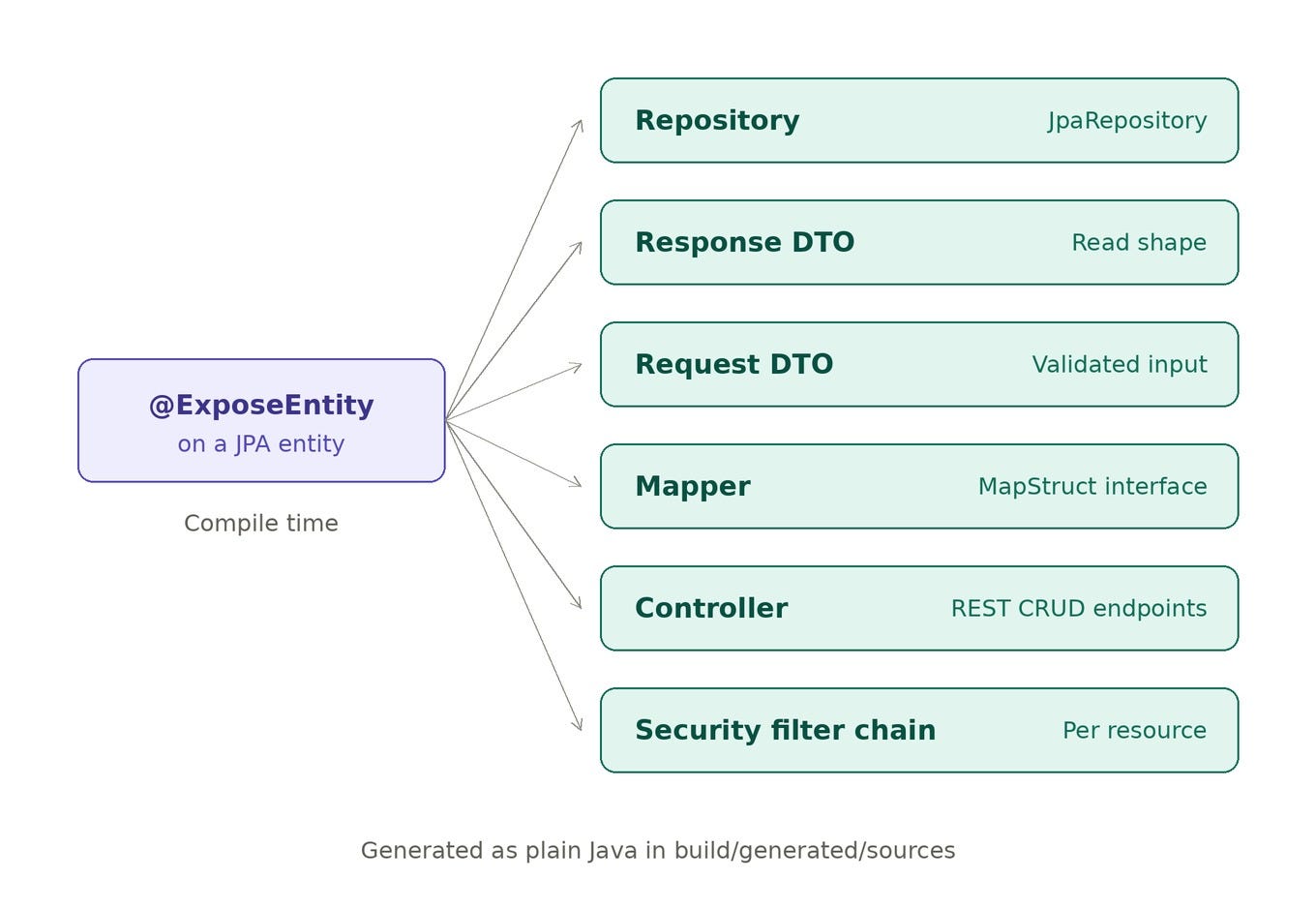
If you’re working with JPA / SQL entities instead, there’s a separate article for that: Build Spring Boot SQL CRUD APIs Faster with Compile-Time Generation. This post focuses on the MongoDB side and stands on its own.
What you get from one annotation
From a single @ExposeDocument on a Mongo document , spring-xpose generates:
One annotation, 6 classes.
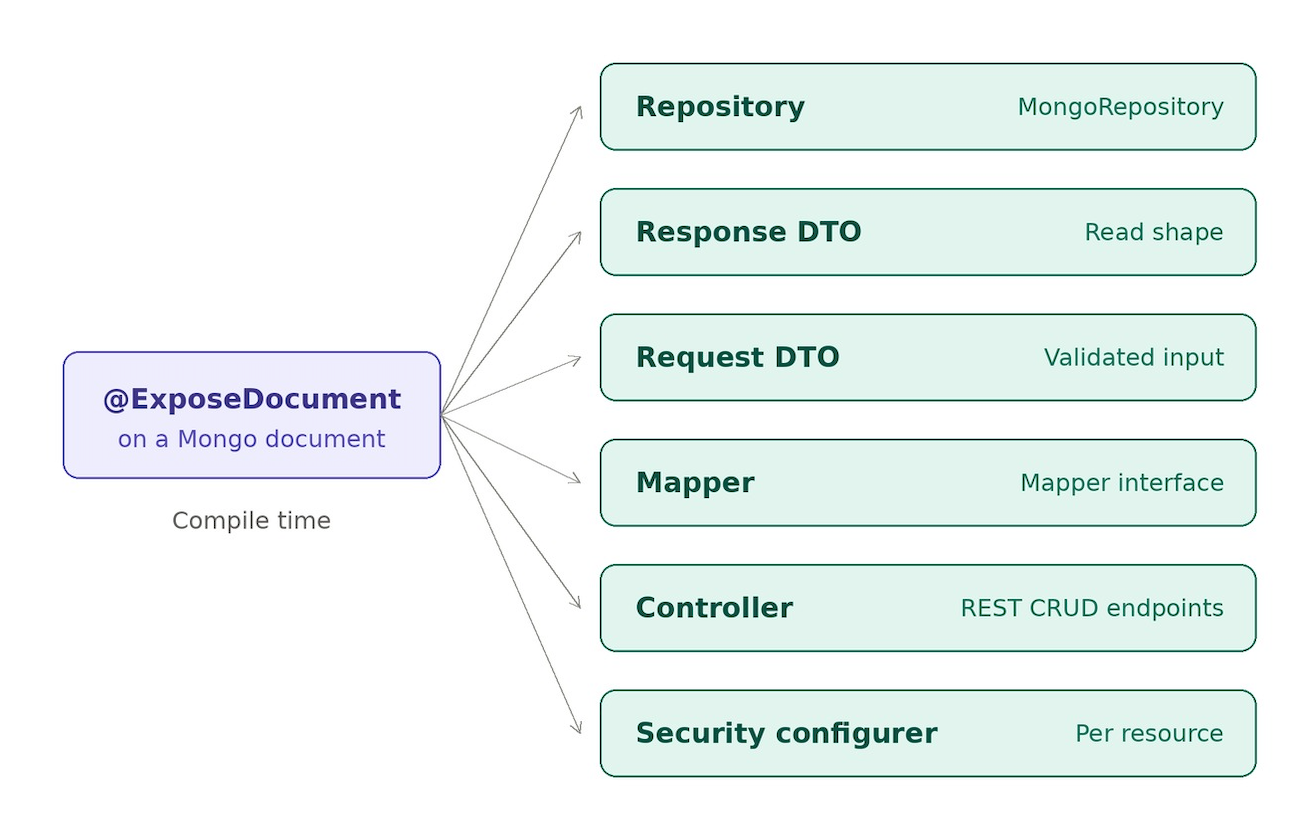
One annotation, 6 classes
All of it lands as plain Java under build/generated/sources/..., so you can inspect and debug it exactly like code you wrote by hand. Nothing happens at runtime through hidden reflection or proxies - the generation is done by the time the build finishes.
Two annotations, one mental model
spring-xpose gives you two annotations, and you pick the one that matches your backend:
**@ExposeDocument** - for MongoDB. Generates aMongoRepository, uses Mongo's @Id (org.springframework.data.annotation.Id), and skips the JPA machinery: no EntityManager, no @Transactional on writes, no relation support, no relationMode.
**@ExposeEntity** - for JPA / SQL. Generates a JpaRepository, uses jakarta.persistence.Id, injects an EntityManager, puts @Transactional on writes, and supports JPA relations and relationMode.
The differences aren’t arbitrary — they reflect how the two stores actually work. Picking @ExposeDocument flips the generation to Mongo-style output: the repository becomes a MongoRepository<Entity, Id>, no EntityManager is used, and no JPA transaction annotations end up on write methods.
One document, a full API
Here’s a real example — a Note document with Basic auth and a read/write role split:
@Document(collection = "notes")
@ExposeDocument(
    path       = "notes",
    authType   = AuthType.BASIC,
    readRoles  = {"CUSTOMER", "ADMIN"},
    writeRoles = {"ADMIN"}
)
public class Note {
    @Id                   // org.springframework.data.annotation.Id
    private String id;
@NotBlank
private String title; @NotBlank
private String content; private String author;
}From this, spring-xpose generates a NoteRepository extends MongoRepository<Note, String>, the NoteDto and NoteRequestDto, a NoteMapper, a NoteController, and a NoteSecurityConfigurer. You didn't write a controller, a DTO, or a security config - but you have all three.
Configurability that actually matters the most
Switching to @ExposeDocument doesn't strip away the controls you rely on - it's the same model, adapted to a document store, not a stripped-down sibling. You tune behaviour per document:
**expose** - which CRUD operations are generated (FIND_ALL, FIND_BY_ID, CREATE, UPDATE, DELETE). Security follows whatever you include.
**authType** - the security model: NONE (public), BASIC (HTTP Basic), or OAUTH2 (JWT resource server).
**readRoles / writeRoles** - role-based read vs write access, e.g. readRoles = {"CUSTOMER","ADMIN"}, writeRoles = {"ADMIN"}.
**ignoredFields** - hides fields from both the request and response DTOs.
**customMapper** - supply your own mapping bean instead of the generated one.
**pageable** - enables a paginated findAll list endpoint.
Security is scoped per resource
For /api/notes, The generated security config applies only to that path:
GETrequiresCUSTOMERorADMINPOST/PUTrequireADMIN
So instead of one giant hand-written security file that everyone’s afraid to touch, access rules live right next to the document they protect.
Sample App: ready to explore out of the box
The sample app is built to be cloned and run as-is. It seeds MongoDB through a Docker init script that inserts demo notes on first start — so every endpoint has real data behind it the moment the app boots.
That makes it easy to explore what the library can do without any setup: you can immediately try out the generated endpoints, the per-resource security, and the validation behaviour against live data.
Steps to run
The sample app spins up with Docker for the datastores and a local Spring profile:
cd spring-xpose-sample-rest
docker compose up -d postgres mongo
./gradlew bootRun --args='--spring.profiles.active=local'
Then, exercise the generated Note endpoints:
curl -i http://localhost:8080/api/notes
curl -i -u customer:customer123 http://localhost:8080/api/notes
curl -i -u admin:admin123 -X POST http://localhost:8080/api/notes \
  -H "Content-Type: application/json" \
  -d '{"title":"Runtime Note","content":"Created from curl","author":"admin"}'
In the sample’s configuration, an unauthenticated GET /api/notes is blocked with a 403, while authenticated customer access returns 200 - the security rules straight from the annotation, working end to end.
SQL and Mongo in one app
The real payoff shows up when you combine the two. With @ExposeEntity for JPA and @ExposeDocument For Mongo, a single service can expose transactional SQL resources like Order and Report alongside document resources like Note - without duplicating implementation patterns per datastore.
Final take
For MongoDB services, spring-xpose turns the repetitive CRUD layer into compile-time configuration while staying transparent and debuggable. You still control which operations exist, who can access them, how DTOs look, and how data is paged - the generation just removes the typing.
That’s the whole point: less repetitive coding, more intentional API design.
If you also have JPA / SQL entities in the same service, the @ExposeEntity side works the same way - covered in this companion article.
Links
- Library: github.com/notablogger/spring-xpose
- Sample app: github.com/notablogger/spring-xpose-sample-rest
- Maven Central: io.github.notablogger
- Spring-Xpose with JPA
메타데이터
- post_id
- 4f5eb832f1d6
- slug
- build-spring-boot-crud-apis-faster-with-compile-time-generation-for-mongodb-4f5eb832f1d6
- url
- https://medium.com/@notabloggerr/build-spring-boot-crud-apis-faster-with-compile-time-generation-for-mongodb-4f5eb832f1d6
- canonical_url
- https://medium.com/@notabloggerr/build-spring-boot-crud-apis-faster-with-compile-time-generation-for-mongodb-4f5eb832f1d6
- author_url
- https://medium.com/@notabloggerr
- status
- ok
- fetched_at
- 2026-06-15 20:49:13