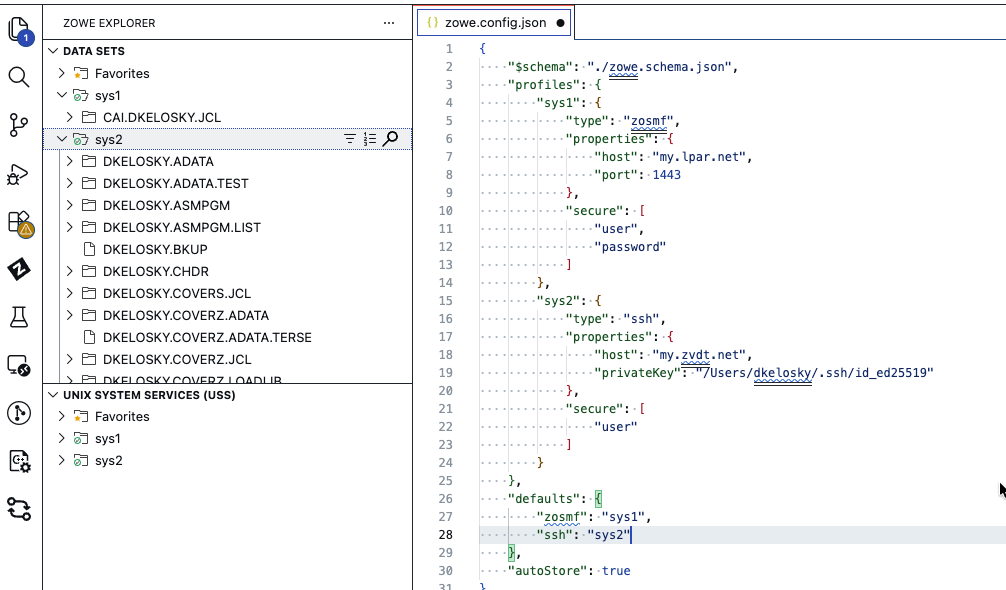
Technical Preview: Zowe Remote SSH (ZRS)
{Core} Soon, you’ll be able to use the Open Mainframe Project’s Zowe Explorer VS Code extension while only needing a simple SSH connection…
Technical Preview: Zowe Remote SSH (ZRS)
{Core} Soon, you’ll be able to use the Open Mainframe Project’s Zowe Explorer VS Code extension while only needing a simple SSH connection to your mainframe system. There is a technical preview version of this that you can try today, and it only takes a few minutes to get going!
Server-Side Prereq Challenges
Typically, before a user can get started with Zowe Explorer, they need a server-side dependency, usually the z/OSMF REST APIs:
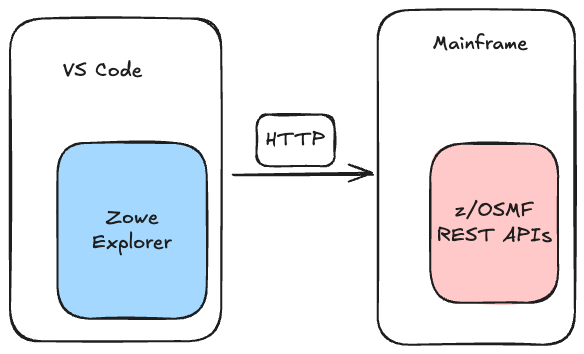
Typically z/OSMF REST APIs are a prereq that must be setup prior to using Zowe Explorer
However, this can present a few challenges:
- it takes time (weeks or months) to get these APIs setup through internal tickets
- z/OSMF APIs may not be available in all mainframe environments a user connects to (e.g. other LPARs or mini systems)
- z/OSMF APIs may not be an optimally performant choice for emulated mainframe environments (something like ZD&Ts)
SSH in VS Code
VS Code has a great feature that allows for remote development using SSH. Unfortunately, this capability does not work out-of-the-box when connecting to mainframe environments. On top of that, there are mainframe features needed by Zowe Explorer that don’t have a parallel in VS Code itself, e.g. submitting and viewing z/OS jobs.
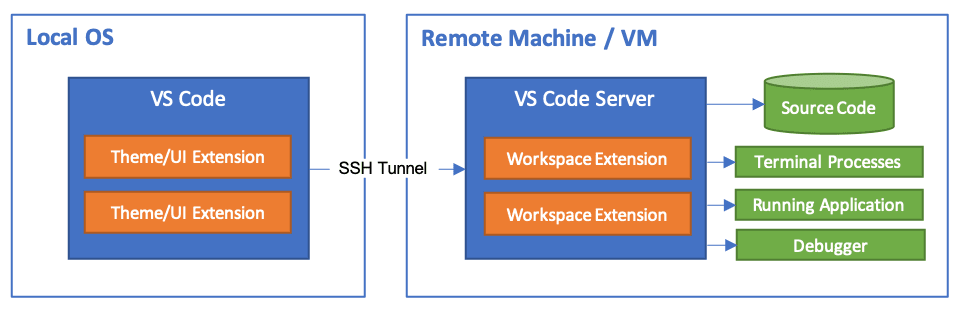
Source: https://code.visualstudio.com/docs/remote/ssh
Zowe Remote SSH (ZRS)
Zowe Remote SSH works in a similar way to the VS Code Remote — SSH capability described above. It self-deploys a native binary to a z/OS system and the Zowe Explorer client communicates with it over SSH:
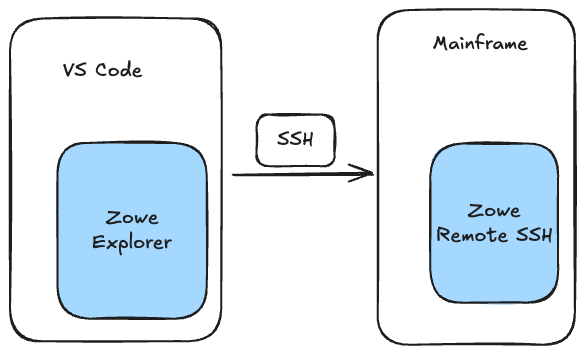
ZRS can self-deploy a ~7MB server through SSH so that Zowe Explorer users can get started in less than a minute!
ZRS Technical Preview — Try it out!
While in technical preview, you can find the extension in our GitHub releases — scroll down and expand the “Assets” to download and install the .vsix.
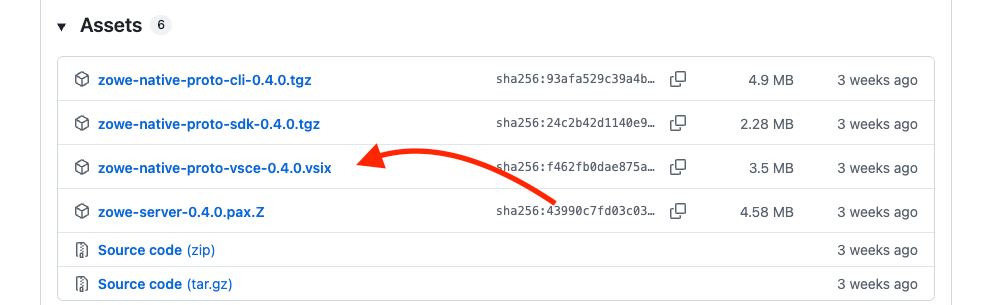
Download the latest vsix and install into VS Code
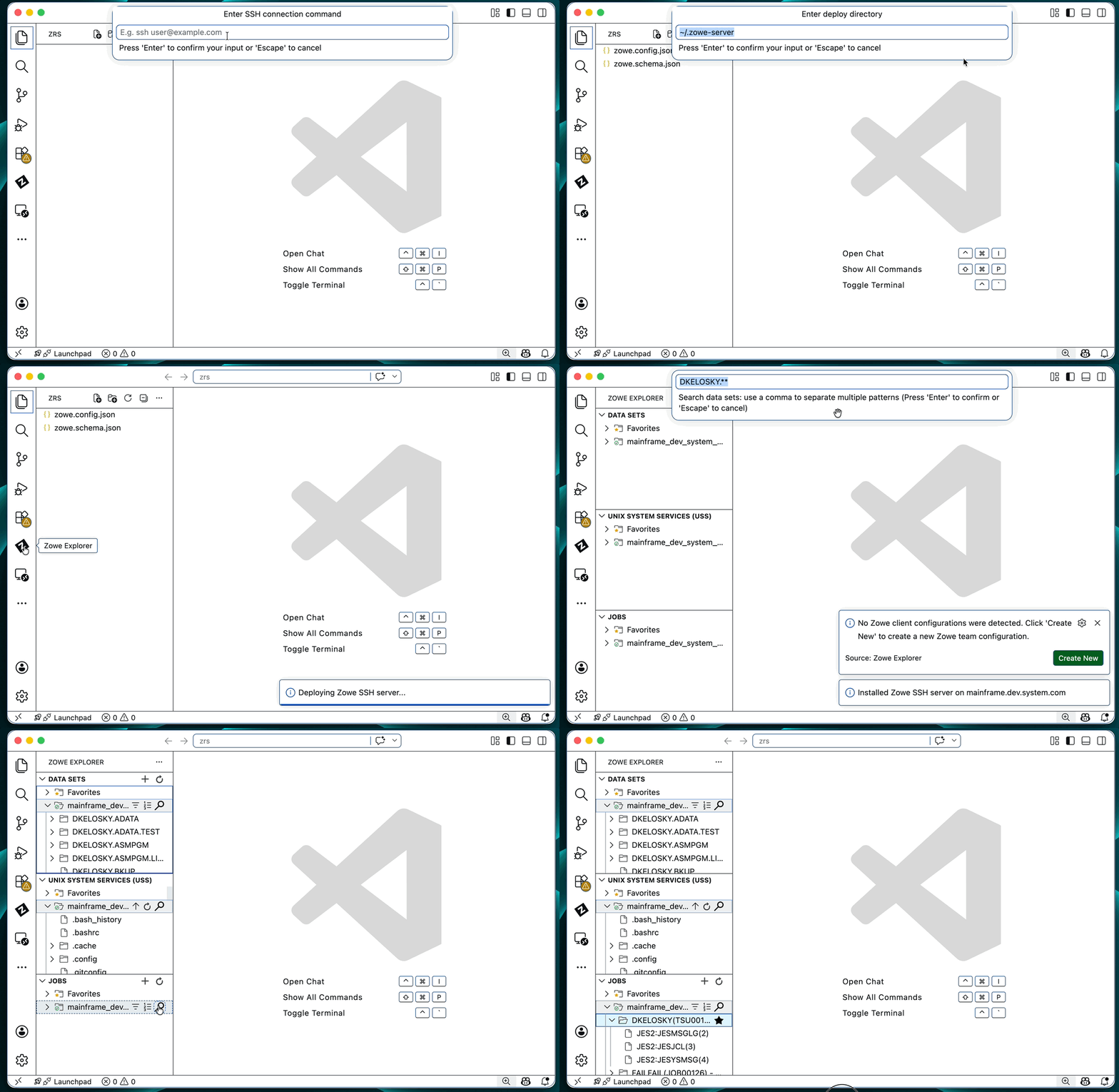
This will add a new command palette option “Zowe-SSH: Connect to Host…”:

Pick this new command and follow the prompt
From there, ZRS will self-deploy and you can use Zowe Explorer as you normally would for z/OS jobs, z/OS UNIX, and z/OS data sets:
Summary
All code for this project currently resides here. There are a few other cool features in this repo, and we’ll share more about it in a future post.
메타데이터
- post_id
- 507a405fbc05
- slug
- technical-preview-zowe-remote-ssh-zrs-507a405fbc05
- url
- https://medium.com/zowe/technical-preview-zowe-remote-ssh-zrs-507a405fbc05
- canonical_url
- https://medium.com/zowe/technical-preview-zowe-remote-ssh-zrs-507a405fbc05
- author_url
- https://medium.com/@dkelosky
- status
- ok
- fetched_at
- 2026-06-23 03:48:11