Campusphere | Student Campus Mobile App UI/UX Case Study
Campusphere — ‘ One Space for Campus Life ’
Campusphere | Student Campus Mobile App UI/UX Case Study
Campusphere — ‘ One Space for Campus Life ’

Introduction
Campusphere is a student-focused digital platform designed to bring all campus-related information and activities into one unified space. The idea for this project came from my personal experience of how scattered and unorganized college information can be, making it difficult for students to stay updated and connected.
Through Campusphere, students can access everything in one place — including notes sharing, PDFs, images, events, announcements, new activities, and even buy/sell options within the campus community. The aim is to reduce confusion caused by multiple sources and create a more organized and efficient student experience.
This case study explores the complete design process of Campusphere, including user needs, problem identification, wireframing, and UI design solutions focused on improving campus communication and student convenience.
Why I Chose This Problem?
College life is about much more than attending classes. Students constantly switch between different platforms to stay updated on events, access study materials, buy or sell essentials, join communities, and communicate with peers. This scattered experience often leads to missed opportunities, information overload, and unnecessary frustration.
As a student, I have experienced these challenges firsthand. I realized that there wasn’t a single platform where students could manage all aspects of campus life efficiently. This inspired me to design CampusSphere — a unified digital space that connects students with everything they need throughout their academic journey.
The goal wasn’t just to create another campus app, but to design an experience that makes student life simpler, more organized, and more connected.
About the Project
What is Campusphere?
Campusphere is a mobile application designed to enhance the overall campus experience for students. It addresses the challenge of scattered campus information by bringing events, student clubs, academic resources, placement opportunities, and important announcements together in one intuitive platform. By creating a centralized and user-friendly experience, Campusphere helps students stay informed, actively participate in campus activities, and make the most of their college journey.
Who is it for?
Campusphere is designed exclusively for the students of my college. It is not a public or multi-institution platform, but a dedicated solution created to improve the way students within our campus access and share information.
It is built for students who often struggle with scattered updates across different sources like notice boards, group chats, and informal sharing. Campusphere brings everything together in one place — including notes, PDFs, images, event updates, announcements, and campus activities. It also includes a buy/sell feature to encourage peer-to-peer exchange within the student community, making campus life more connected, organized, and efficient.
Why CampuSphere?
Although students already have access to platforms like WhatsApp, Instagram, Telegram, and even their college’s official application, each platform serves only a specific purpose. Important notes are shared in one place, announcements in another, event updates on social media, and buy & sell activities through personal contacts or group chats. As a result, students often switch between multiple applications to complete simple campus-related tasks.
The college’s official app mainly focuses on academic information such as attendance, fees, examinations, and results, but it does not provide a dedicated space for student-driven activities like sharing notes, joining communities, buying and selling items, reporting lost & found belongings, or discovering campus events and competitions.
A common question is, “Why not simply ask classmates or seniors?” While that works in many situations, it isn’t always the most convenient option. Students who are new to the campus often don’t know whom to ask and may feel hesitant or awkward approaching others. Even senior students can miss important updates when information is scattered across multiple groups and platforms.
CampusSphere was designed to bridge this gap by creating a student-only ecosystem where everything students need — from academic resources to campus communities — is available in one organized and easily accessible place. The goal is not to replace existing platforms but to bring the most relevant campus activities together, reducing information overload and creating a smoother, more connected student experience.

Problem Statement
Students often struggle to stay updated with important campus activities because information is shared through multiple platforms. While event organizers usually circulate updates via WhatsApp groups, social media posts, and other channels, it is often observed that some students still miss out on important information. This happens due to lack of a single, centralized system where everything is organized and easily accessible.
As a result, even though information is available, it does not always effectively reach every student, leading to missed opportunities and lower engagement.
Scattered Information – Campus updates are distributed across multiple platforms like WhatsApp groups, social media, and informal channels.
Missed Opportunities – Some students miss important events, announcements, and placement updates despite information being shared.
Low Student Engagement – Uneven information reach reduces participation in campus activities.
No Centralized Platform – There is no single, organized platform where all campus-related information can be accessed easily.
Proposed Solution
To address these challenges, I designed Campusphere — a student-centric mobile application that brings all essential campus information into one intuitive platform. Instead of switching between multiple WhatsApp groups, notice boards, and different portals, students can access event updates, club activities, placement opportunities, academic resources, announcements, and competition details in one place. The goal was to create a simple, organized, and engaging experience that helps students stay informed, participate actively in campus life, and never miss important opportunities throughout their academic journey.
Project Overview
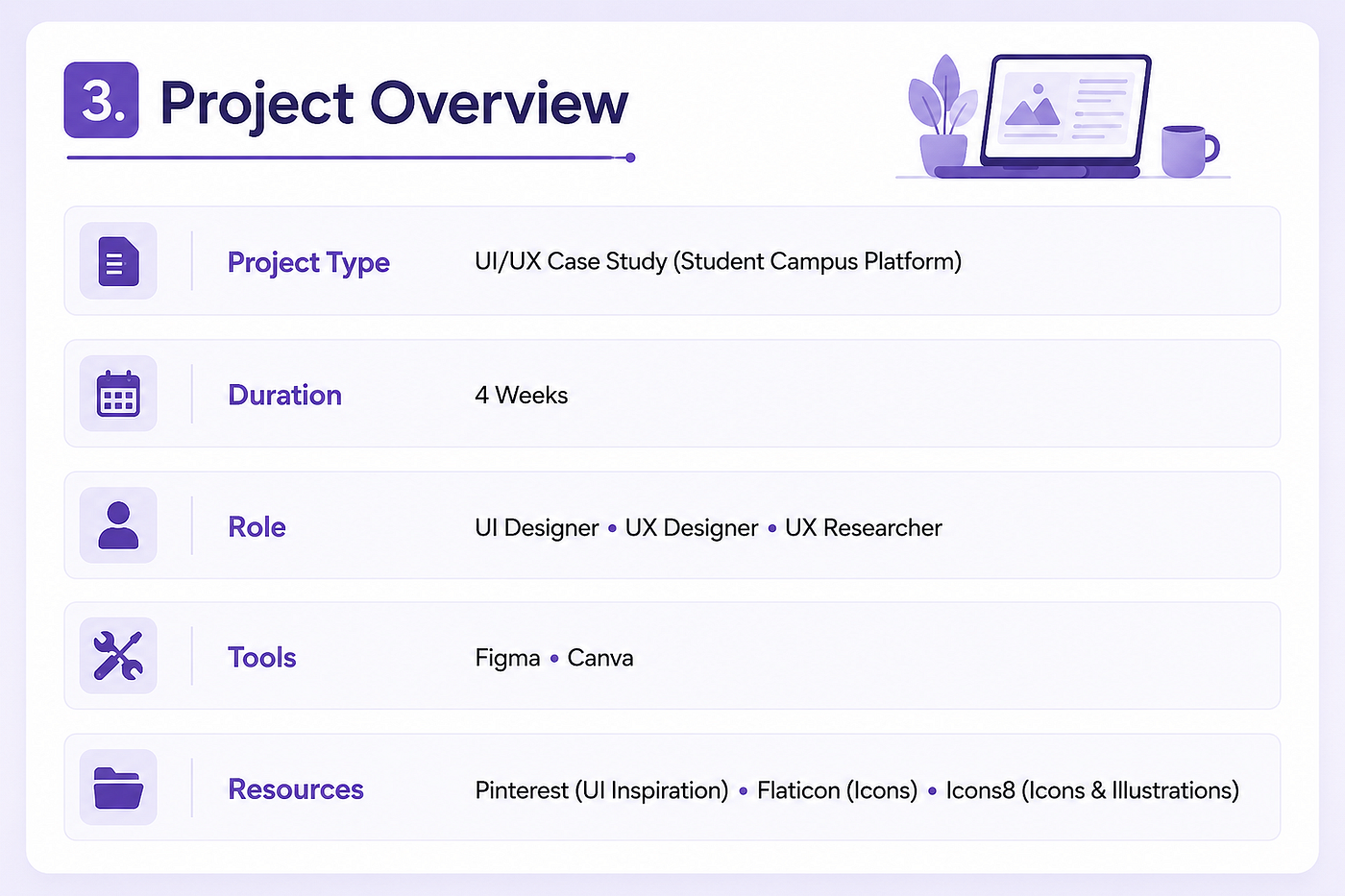

Research Phase
1. User Research
To understand the core problems faced by students, I conducted informal user research within my college community. The goal was to identify how students currently access campus information and the challenges they face in staying updated.
Most students shared that they rely on multiple sources such as WhatsApp groups, social media pages, notice boards, and peer-to-peer communication to get updates. While information is available, it is often unorganized and inconsistent across platforms.
Key insights from the research:
- Students frequently miss important announcements due to scattered communication channels.
- There is no single platform that consolidates all campus-related updates.
- Information overload in multiple groups often leads to confusion or ignored messages.
- Students prefer a simple, centralized, and easy-to-navigate system for all updates.
This research helped in clearly defining the problem and guided the direction for designing a unified platform like Campusphere.
2. Research Objectives
· To understand the key challenges faced by students in managing academic and campus-related activities across multiple platforms.
· To identify how students currently access study materials, notes, and academic resources.
· To analyze existing communication methods used by students for collaboration and group studies.
· To explore student behavior regarding buying/selling items within campus communities.
· To determine the need and importance of a unified platform for academic, social, and career-related activities.
· To gather insights on features students expect in an all-in-one campus application.
3. Goals
- To design a centralized platform for students to upload and access notes in multiple formats like PDFs, images, and documents.
- To simplify sharing of important campus updates such as events, announcements, and competitions.
- To create a dedicated Buy & Sell section for students to exchange items like books, electronics, and other essentials.
- To organize academic resources semester-wise for easy access and better learning experience.
- To include a Lost & Found feature to help students recover misplaced items efficiently.
- To ensure the platform is strictly student-focused, without teacher or external job/internship integrations.
- To improve overall campus communication and resource sharing within a single, easy-to-use system.
Defining Users
Target Audience
The target audience for CampusSphere is solely college and university students aged 18–25. This platform is strictly designed for students only, with no involvement of teachers, faculty members, or any external users. It focuses on students who actively participate in campus life and need a centralized space for sharing notes, accessing study materials, staying updated with announcements, participating in events and competitions, and engaging in buy & sell activities for items like books and electronics. It also caters to students who want a simple and organized way to manage lost & found information within their campus community.
Pain Points
· Study materials like notes, PDFs, and images are scattered across different apps and chat groups, making them hard to organize and retrieve when needed.
· Important campus updates such as announcements, events, and competitions often get lost in long chat threads, causing students to miss key information.
· There is no dedicated and trusted platform for students to buy and sell items like books, electronics, and essentials within the campus.
· Students face difficulty in tracking lost & found items due to the absence of a structured and centralized system.
Design System
1) Typeface

Typography
2) Color Palette
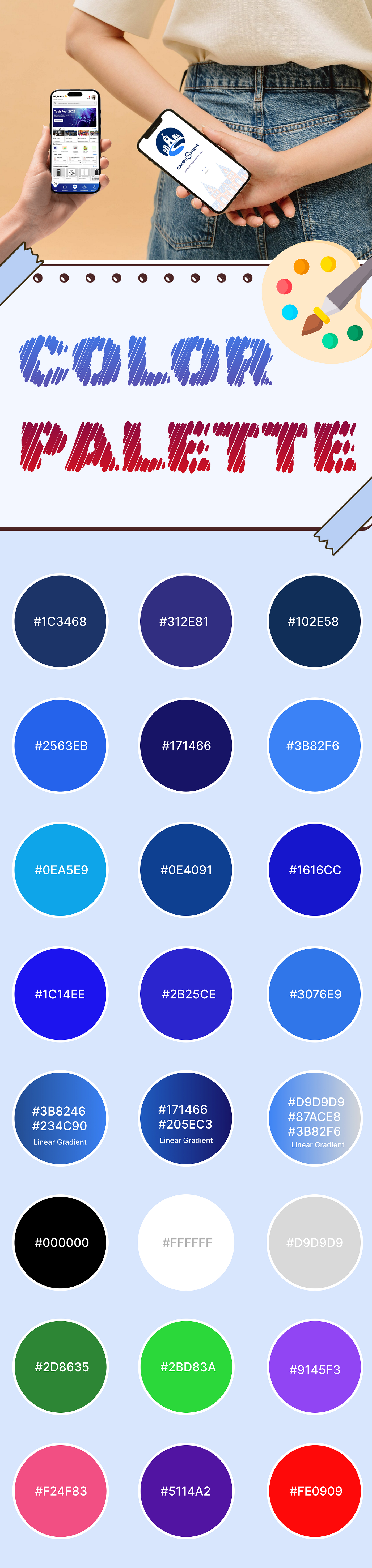
Color Palette
3) Icons/Components

Icons and Components Used in Campusphere
4) Logo Design
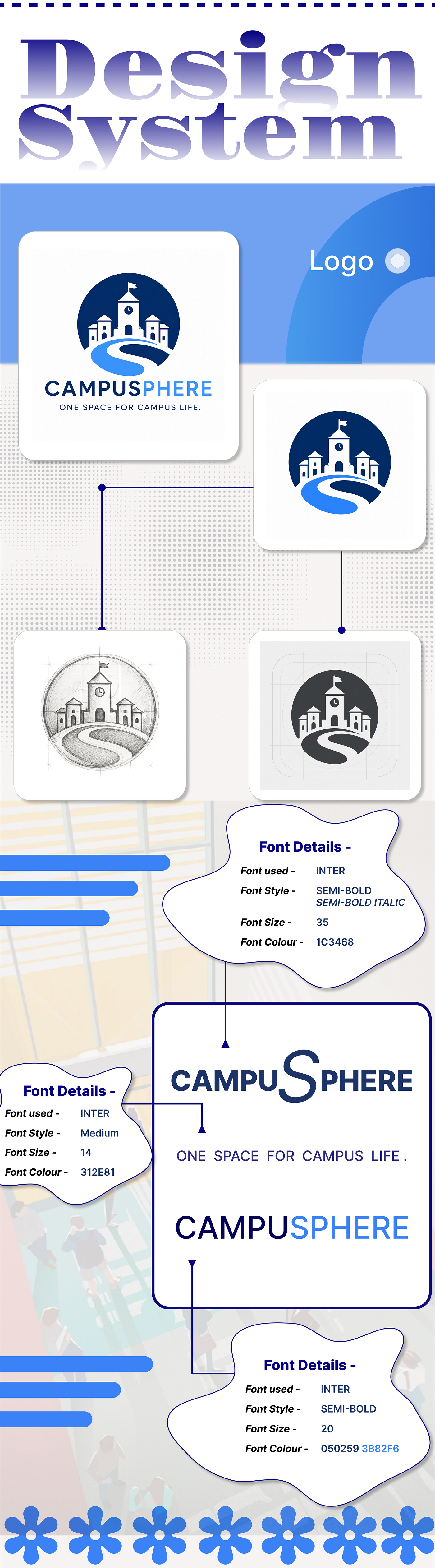
Logo Design
Design Phase
a) User persona

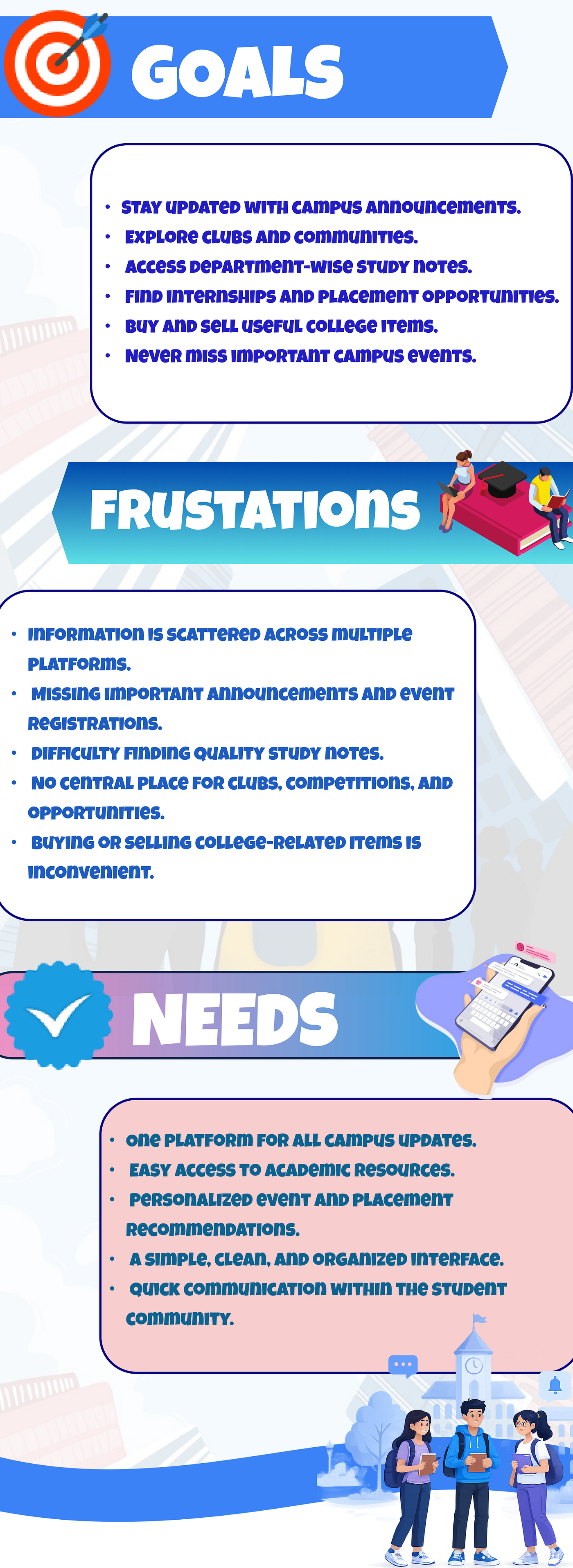
User Persona
b) User Flowchart

User Flow Chart
c) Wireframes
1) Low Fidelity (Paper Sketches)


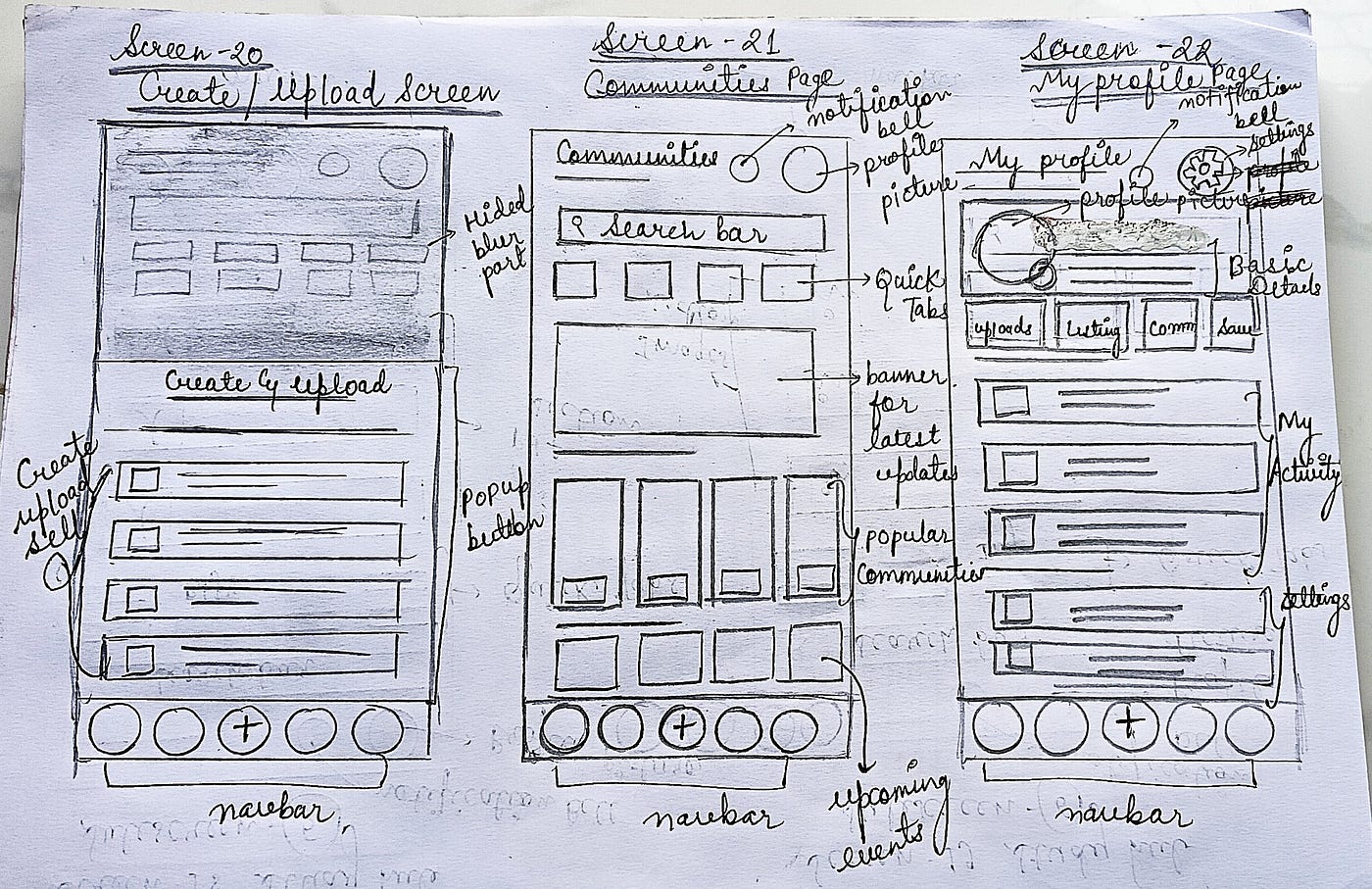
Paper Sketches
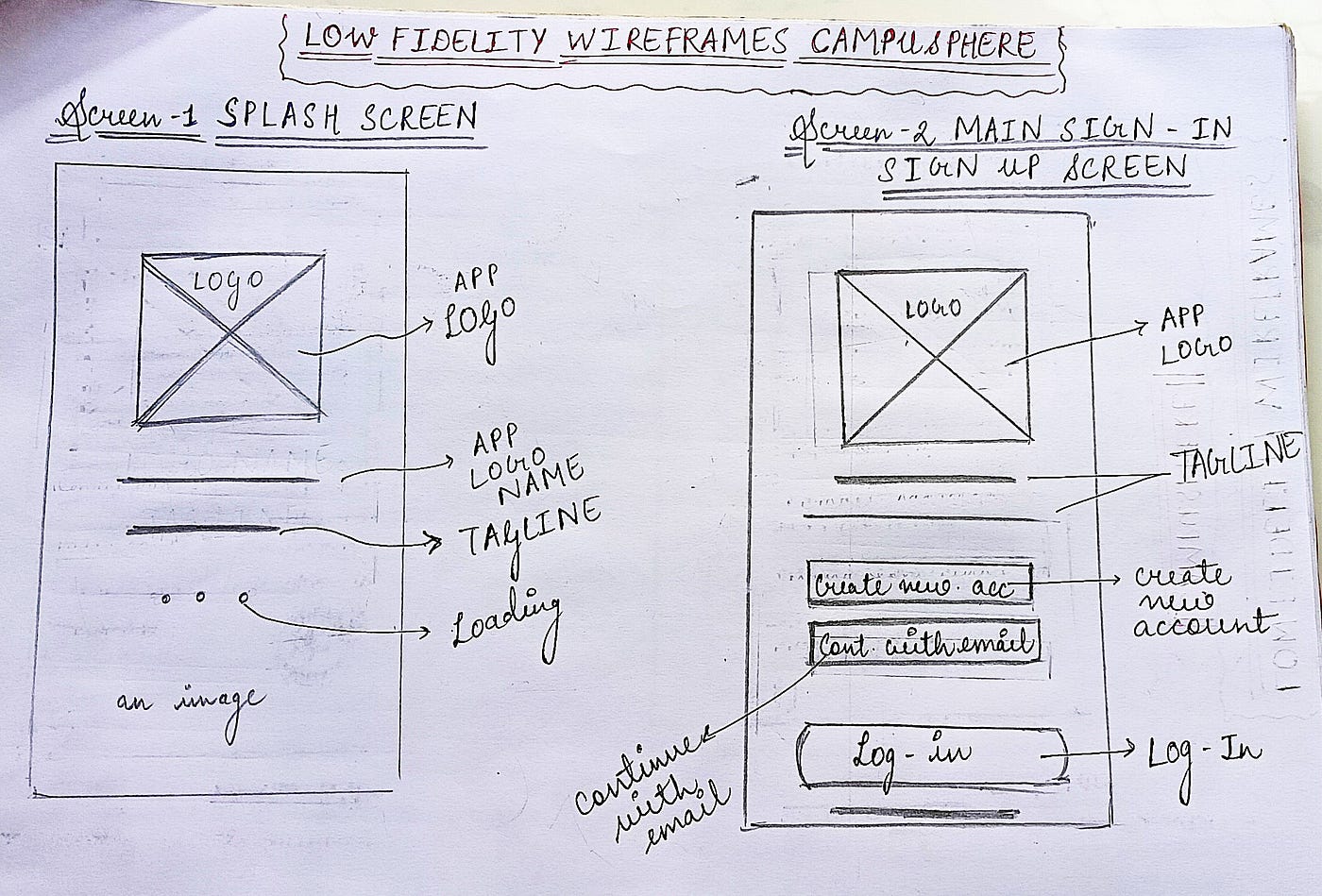
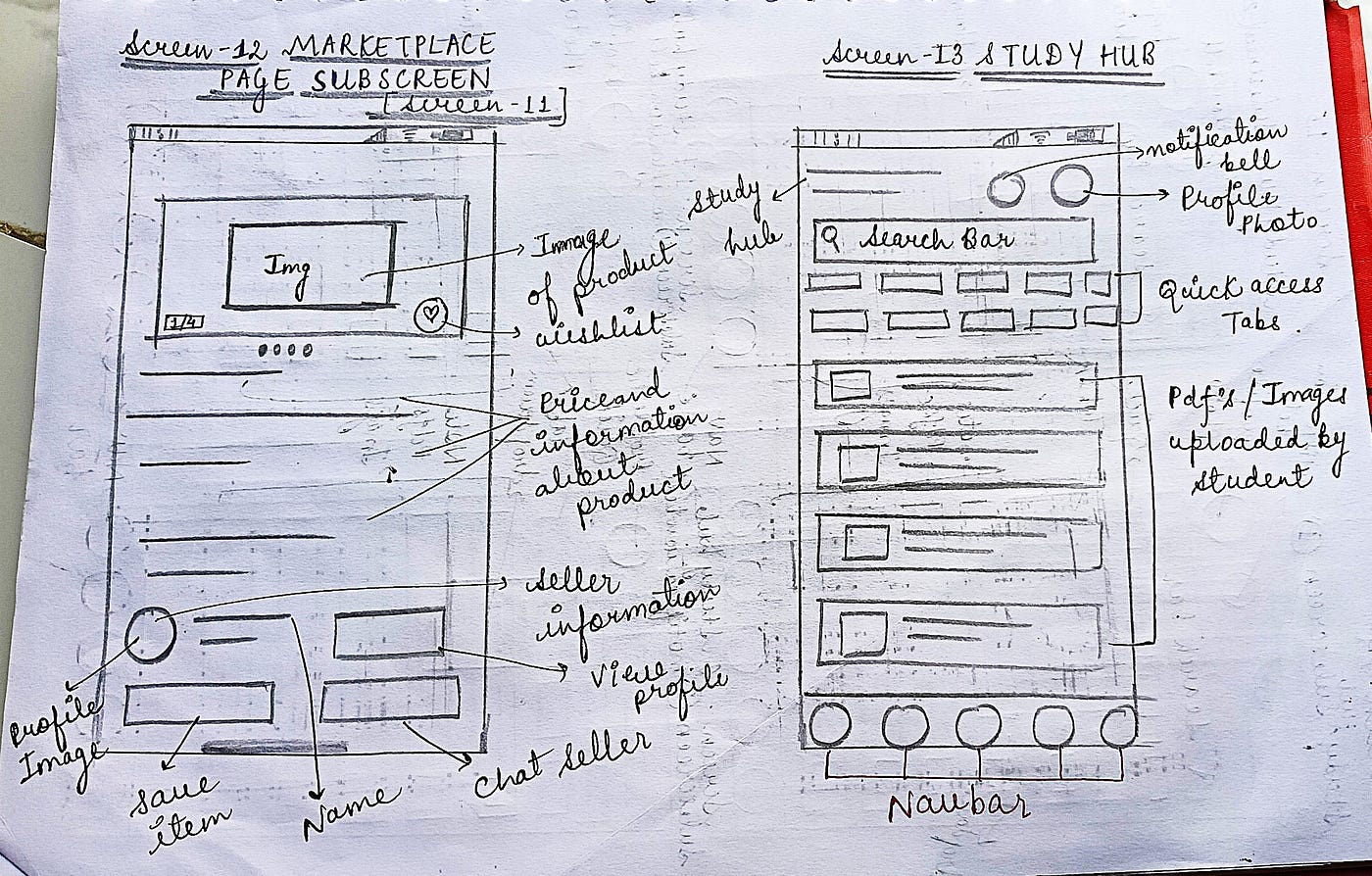
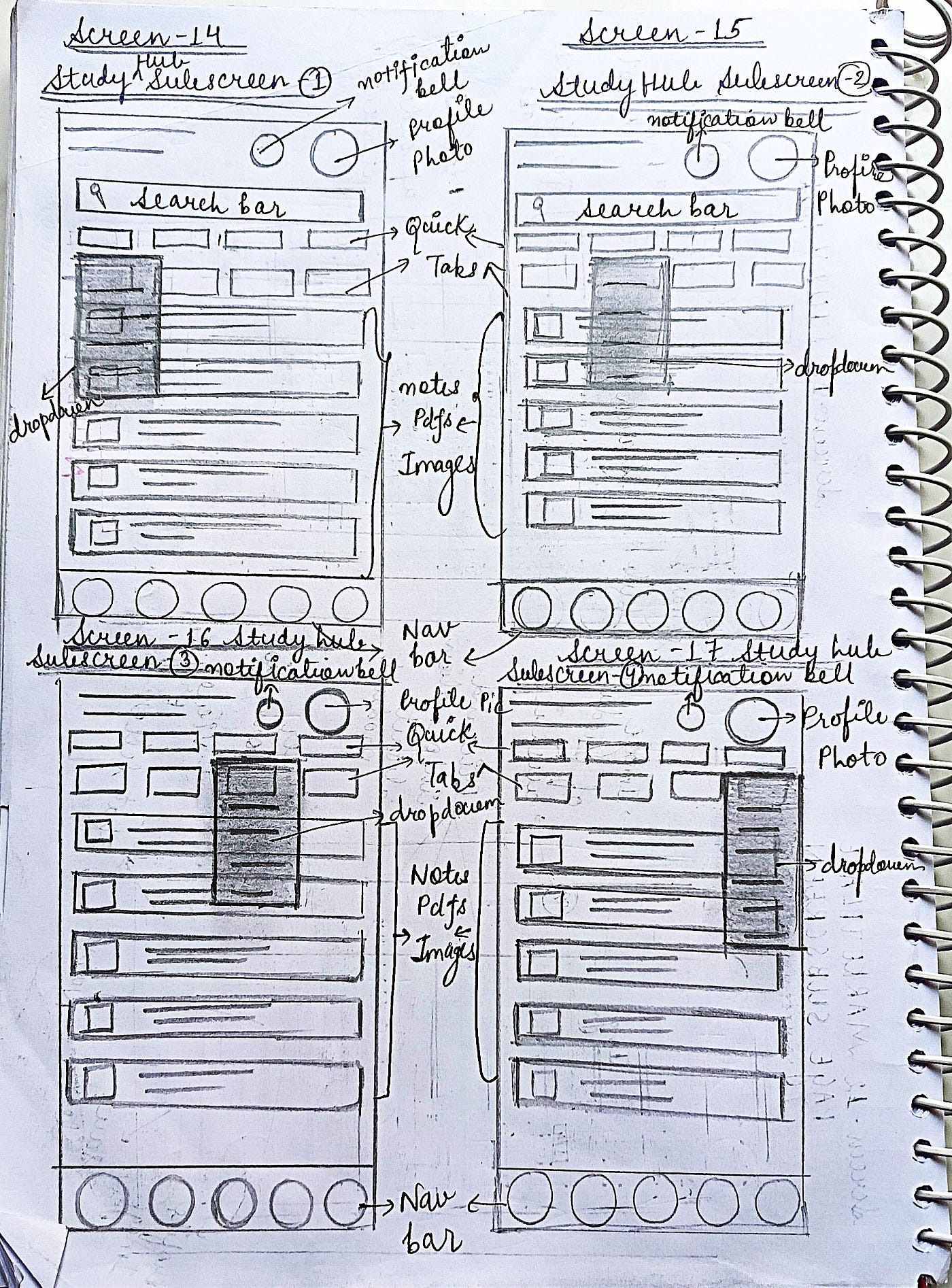
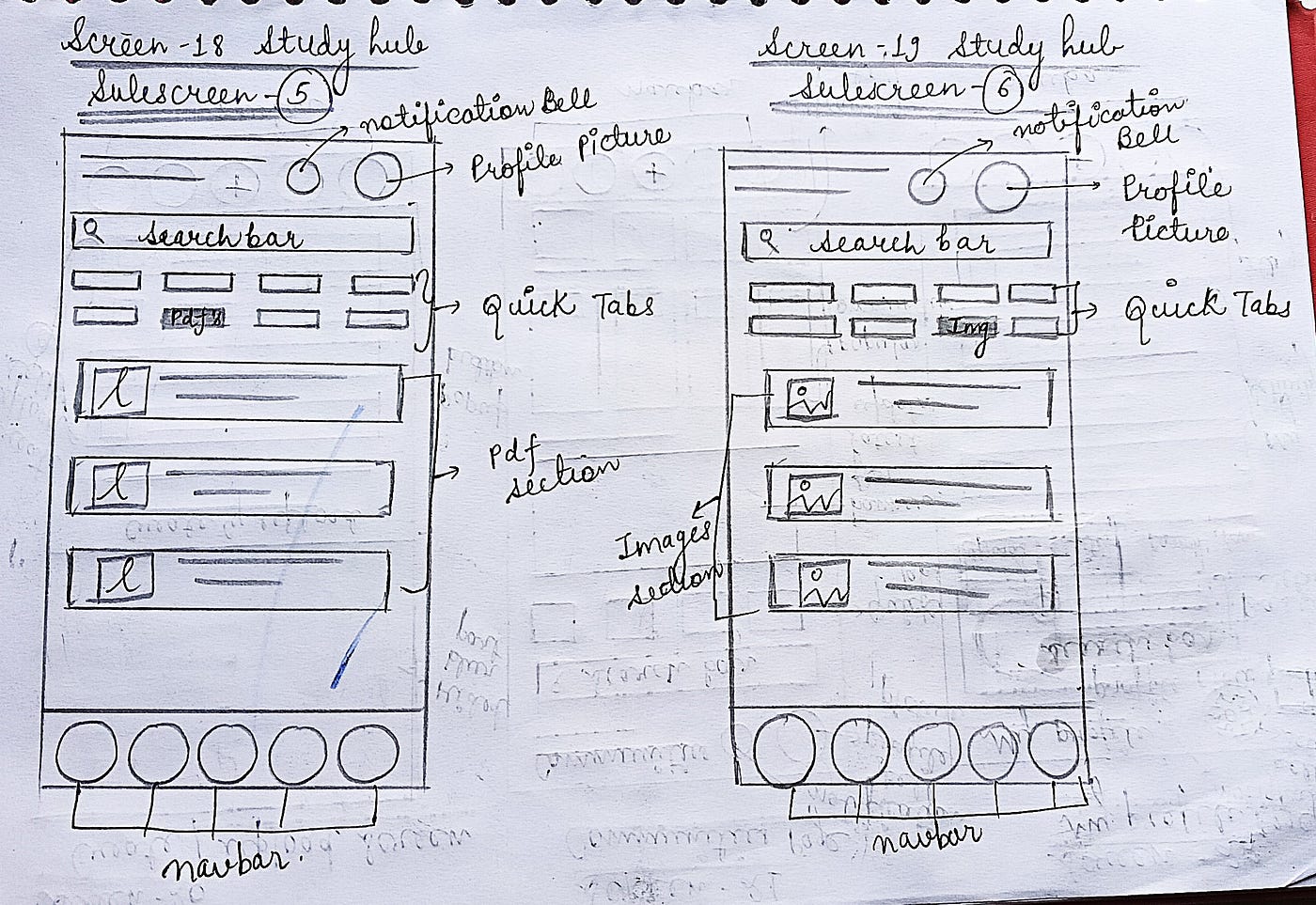
Every great design starts with a rough idea. Before opening Figma, I sketched the initial layouts of Campusphere on paper to visualize the app structure, screen flow, and placement of key features. These low-fidelity sketches helped me experiment with different concepts, identify usability improvements, and build a strong foundation before creating the final high-fidelity interface.
2) Mid Fidelity
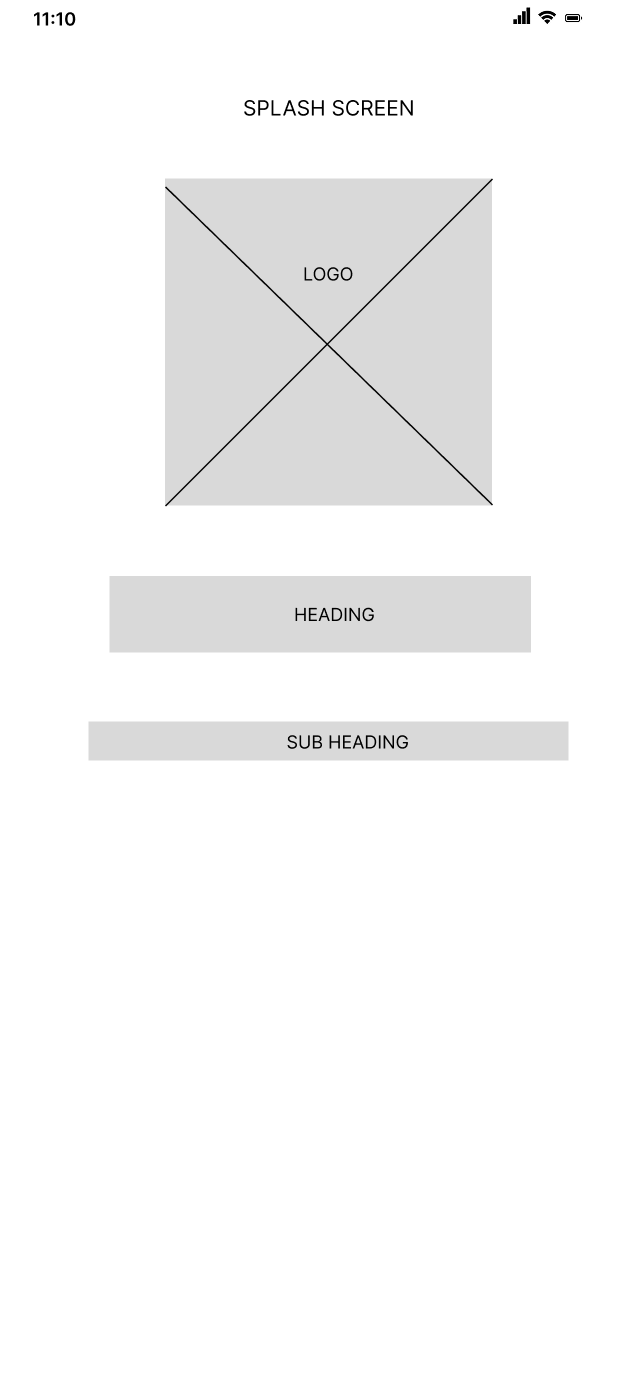

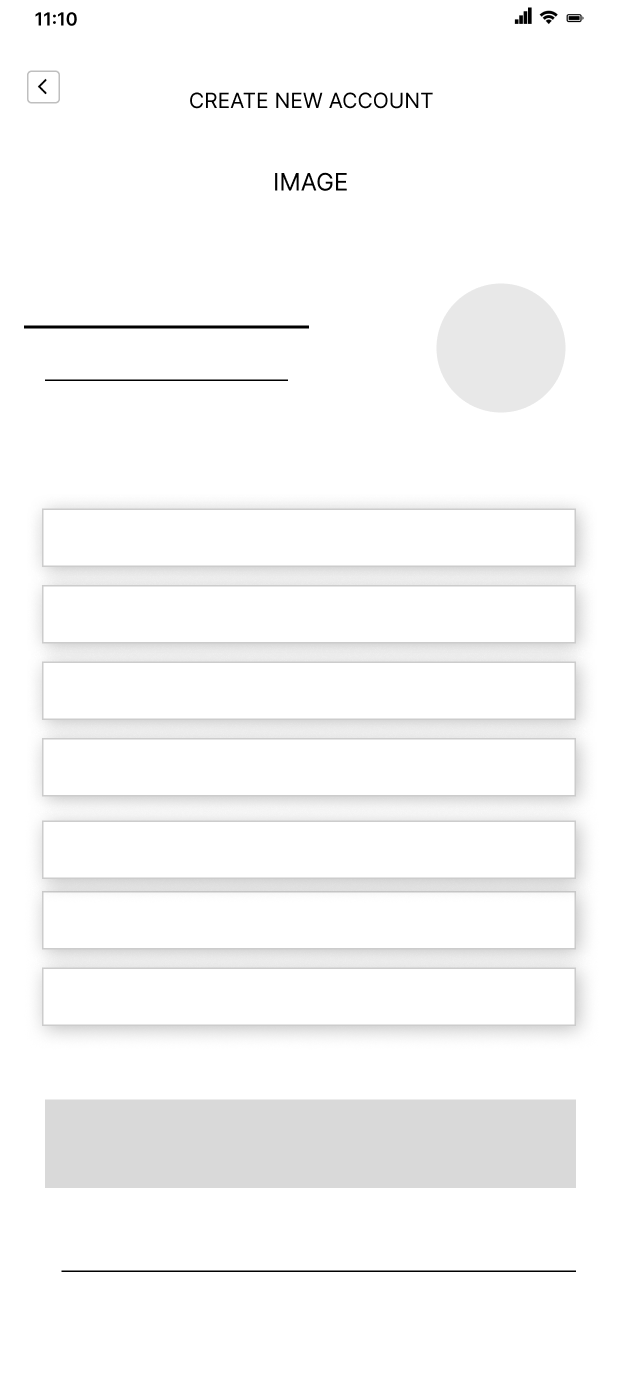


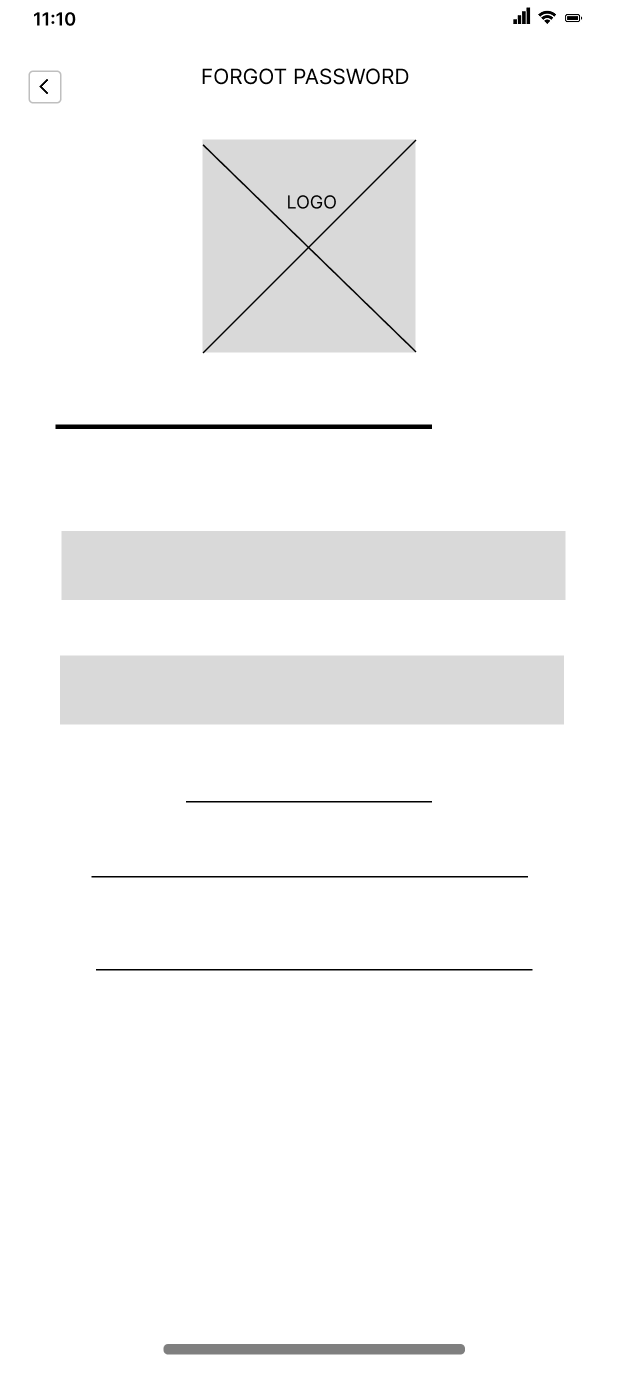


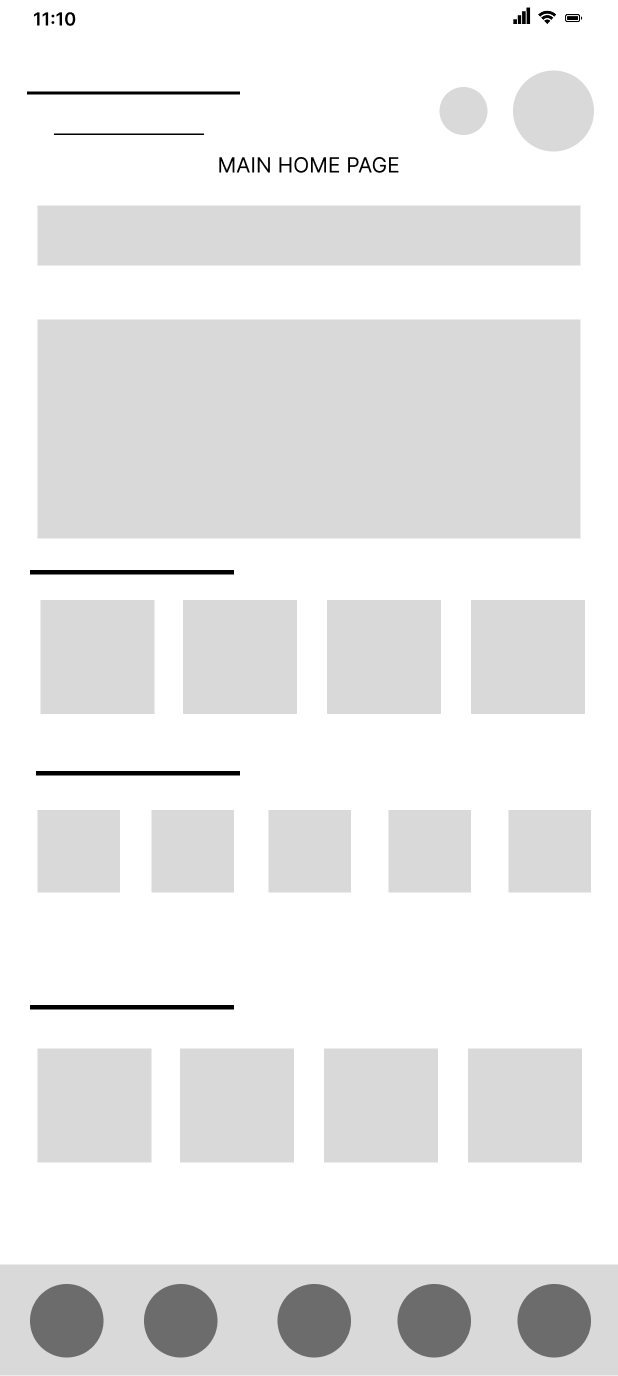

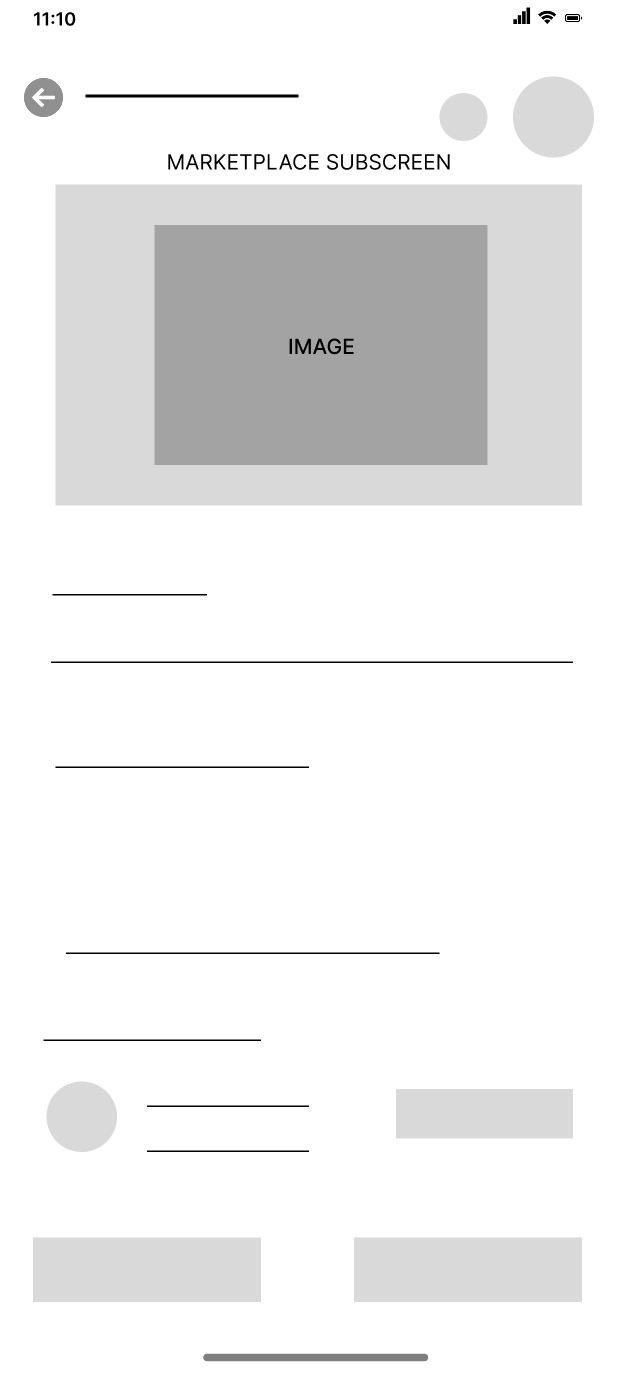

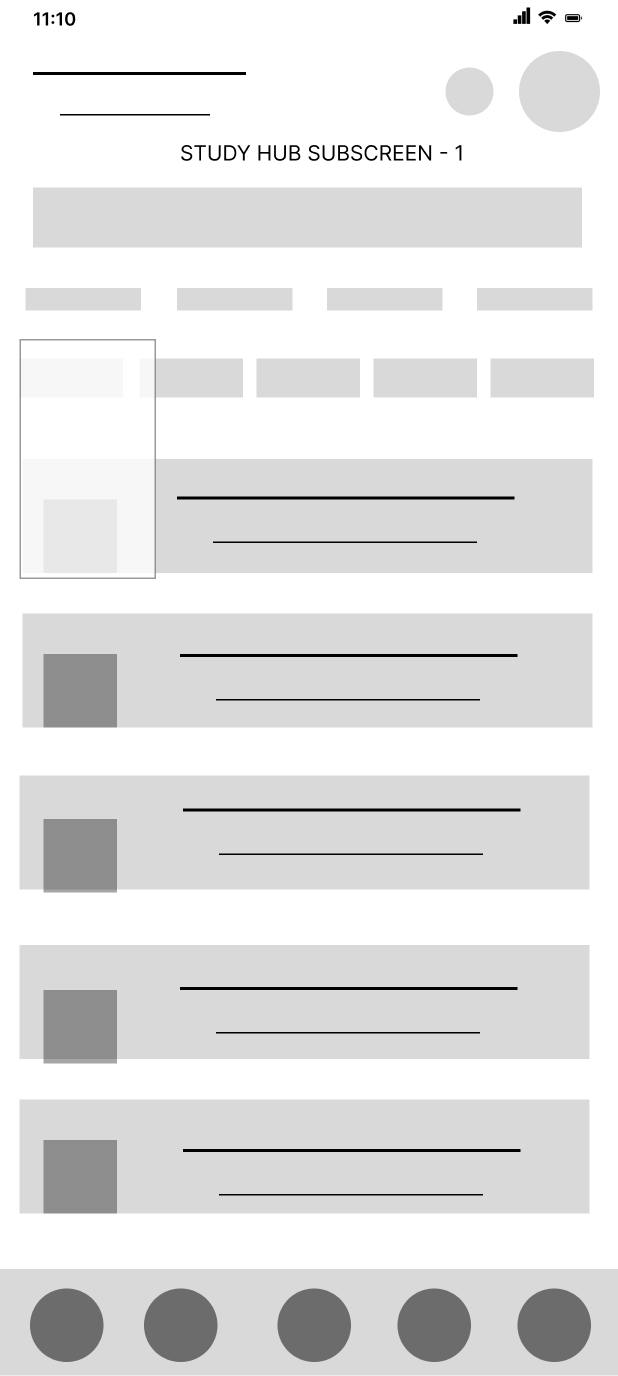

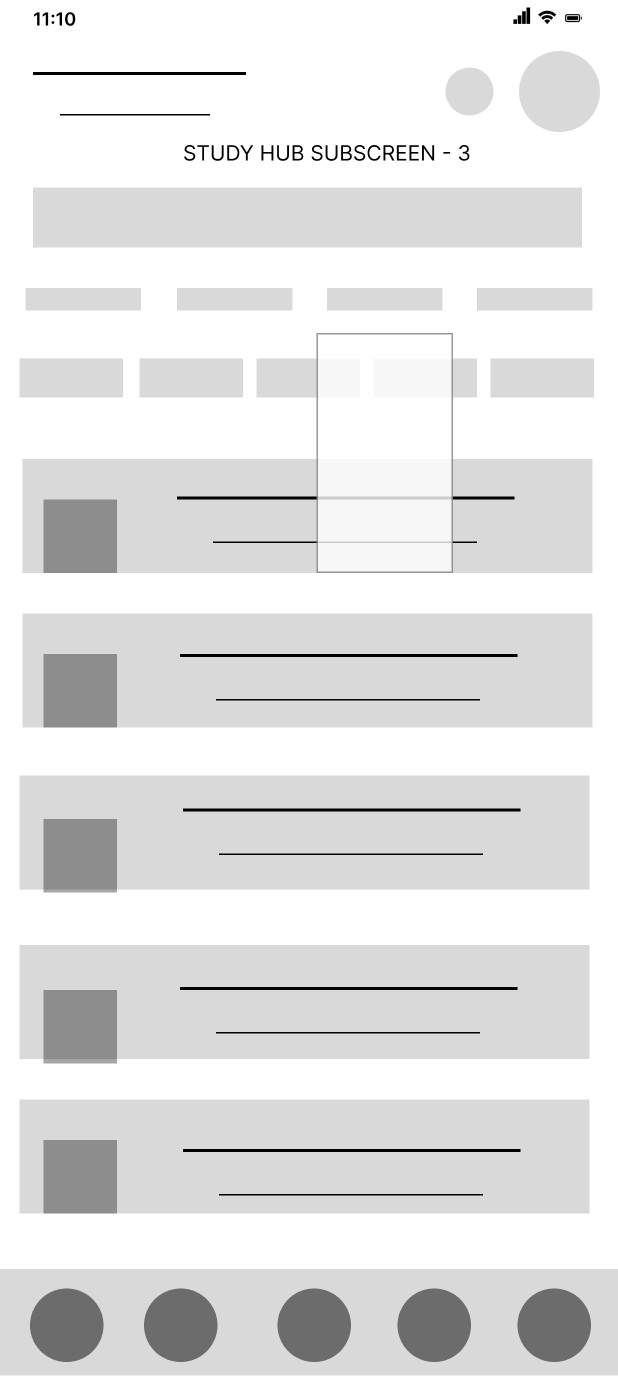


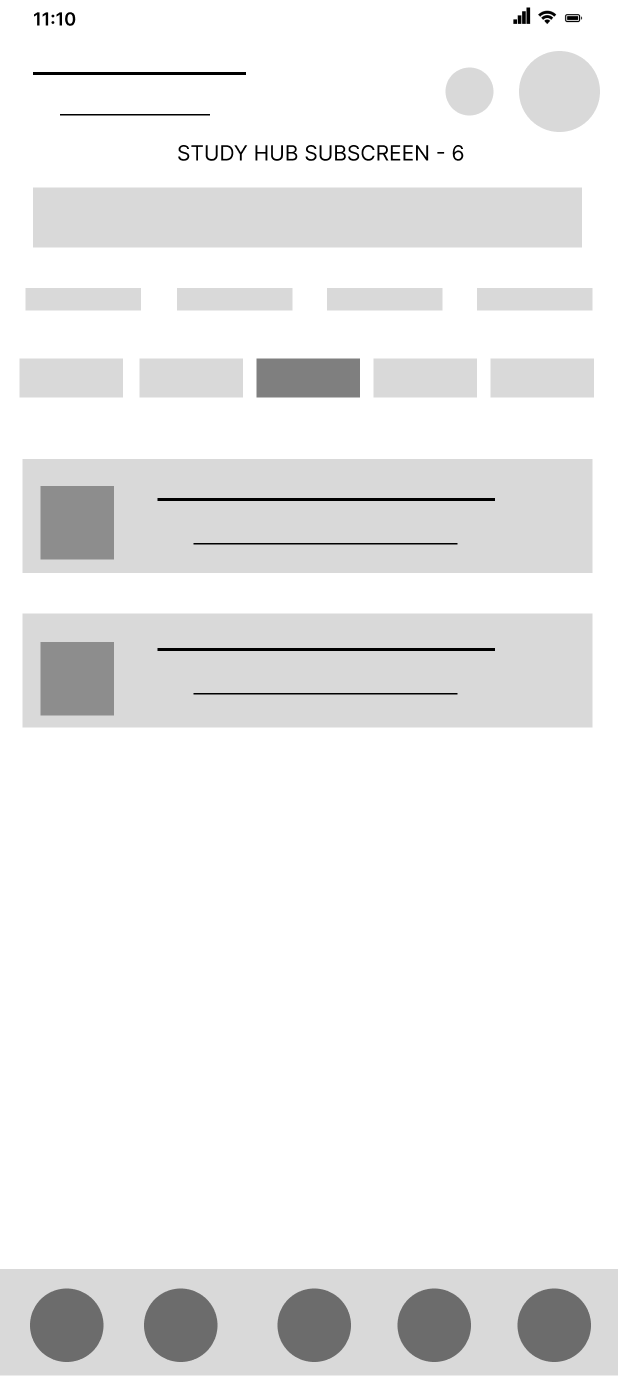


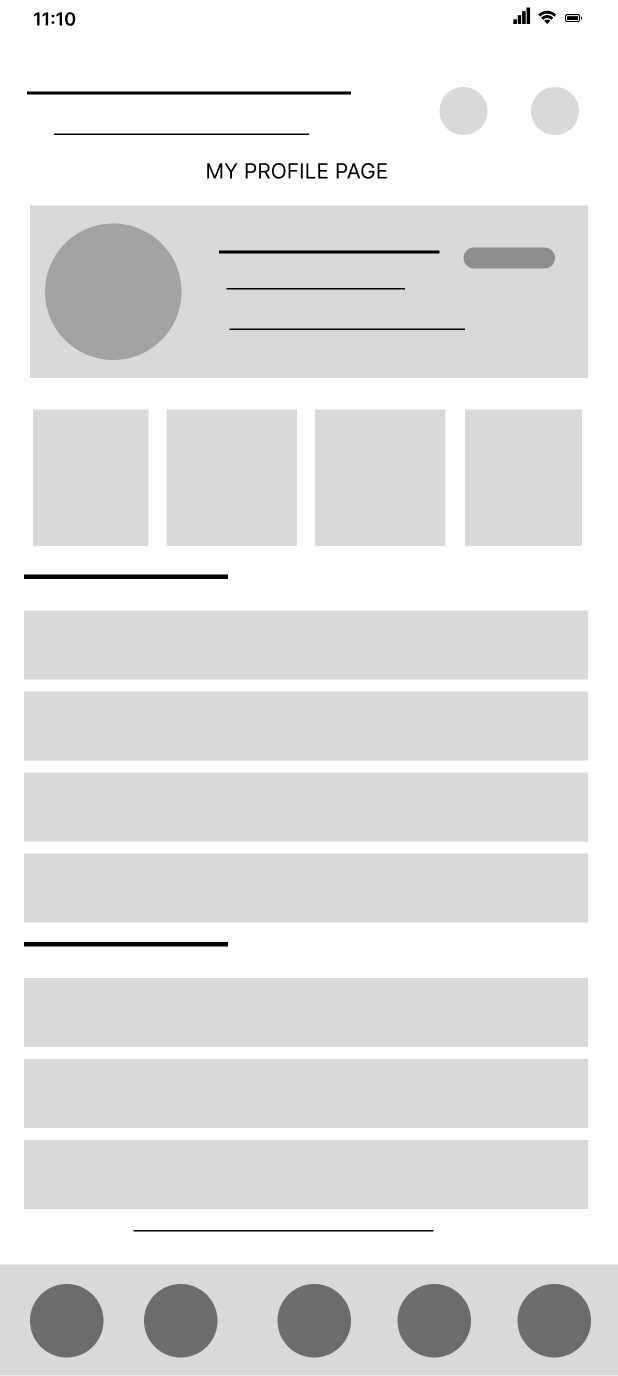
Digital wireframes created in Figma to refine layouts, user flow, and screen structure before developing the final high-fidelity interface.
The mid-fidelity wireframes transformed the initial paper sketches into structured digital layouts. Created in Figma, these wireframes focused on screen organization, navigation, content hierarchy, and interaction flow. This stage helped identify usability improvements and establish a strong foundation before applying the final branding, colors, and visual components.
Final Product UI Screens
Important Screens Explanation

Authentication Flow
The authentication flow is designed to provide a smooth and secure onboarding experience for students. Users can create a new account, continue with email, sign in with Google, log in to an existing account, or recover their password whenever needed. The clean and consistent interface, combined with clear call-to-action buttons, makes the onboarding process simple, intuitive, and user-friendly.
Welcome Screens
Designed to create a strong first impression, the onboarding screens communicate Campusphere’s core value proposition while guiding new users smoothly into the app through a simple and engaging introduction.
Main Features
· Notes & Study Materials: Upload and access notes, PDFs, images, and other academic resources in one organized place.
· Announcements: Stay updated with important college notices and academic announcements.
· Events & Competitions: Discover upcoming events and competitions, publish event details, and participate directly through the platform.
· Communities & Clubs: Join student communities and clubs based on your interests, interact with members, and stay informed about club activities.
· Buy & Sell Marketplace: Buy or sell books, electronics, and other student essentials within the campus community.
· Semester-wise Resources: Access study materials organized semester-wise for a seamless learning experience.
· Lost & Found: Report lost items or browse found items to help reunite belongings with their owners.
· Student-Only Access: A trusted platform exclusively for college and university students, ensuring a secure and relevant campus environment.
Final Product High Fidelity UI Screens (20 + Polished Screens)

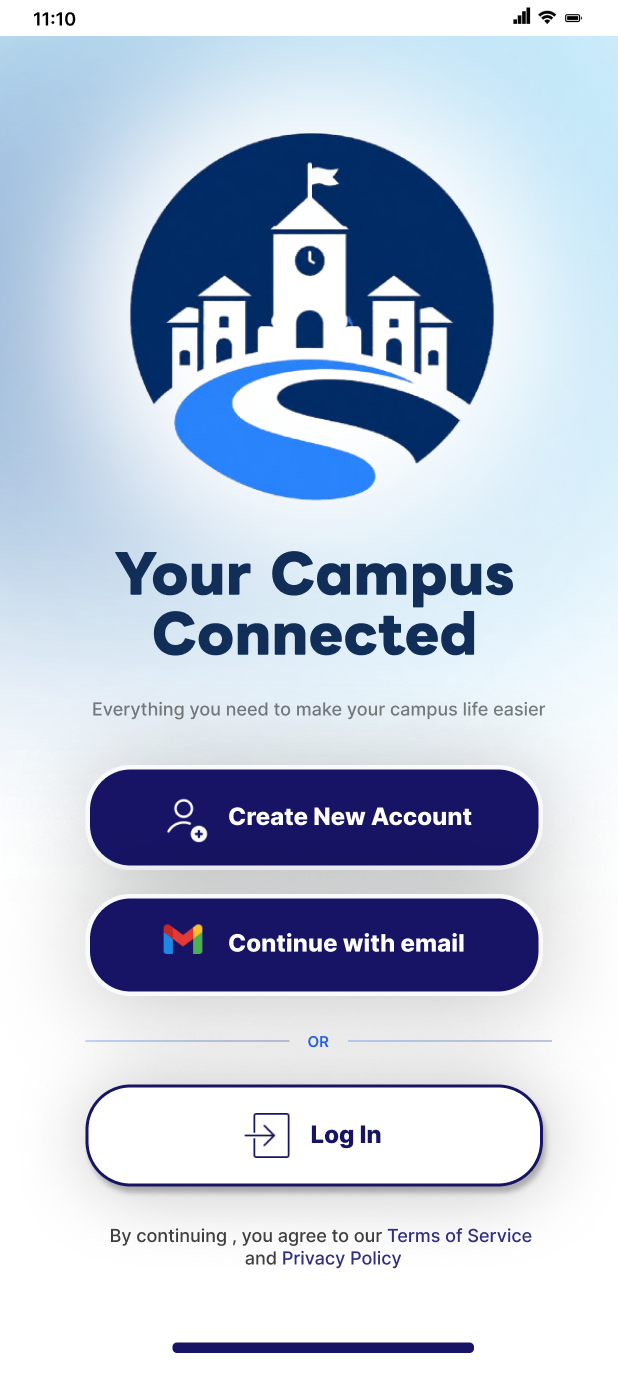

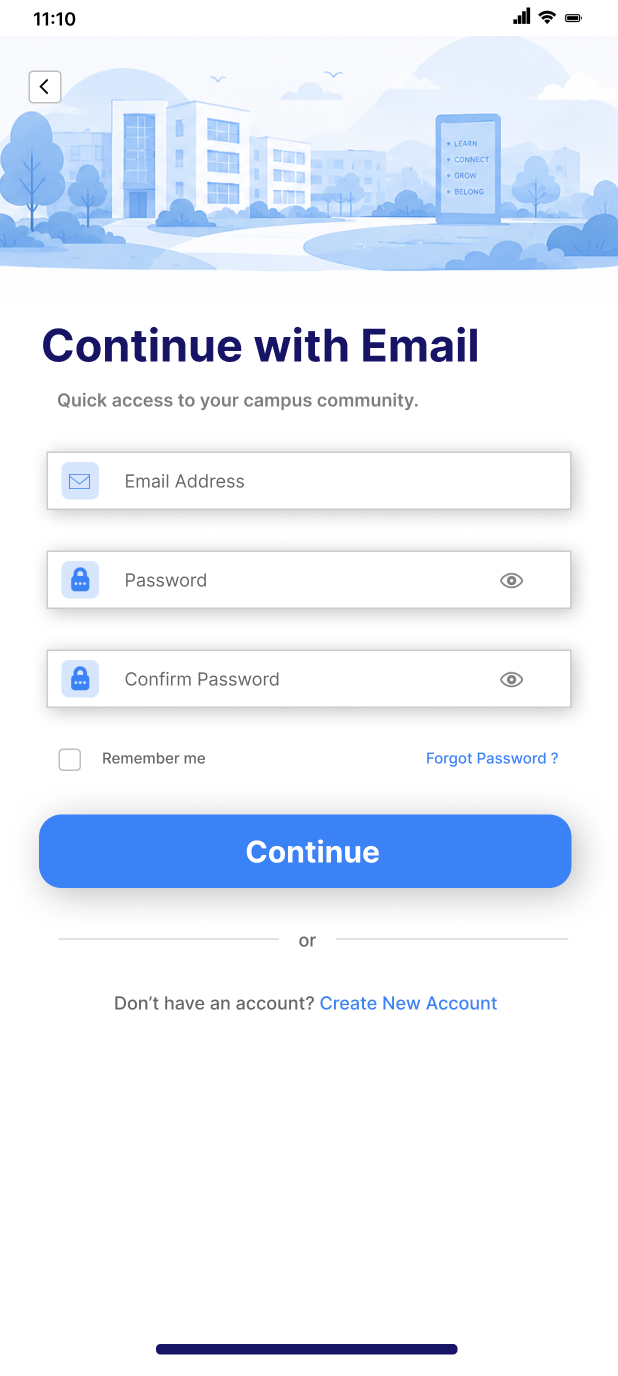
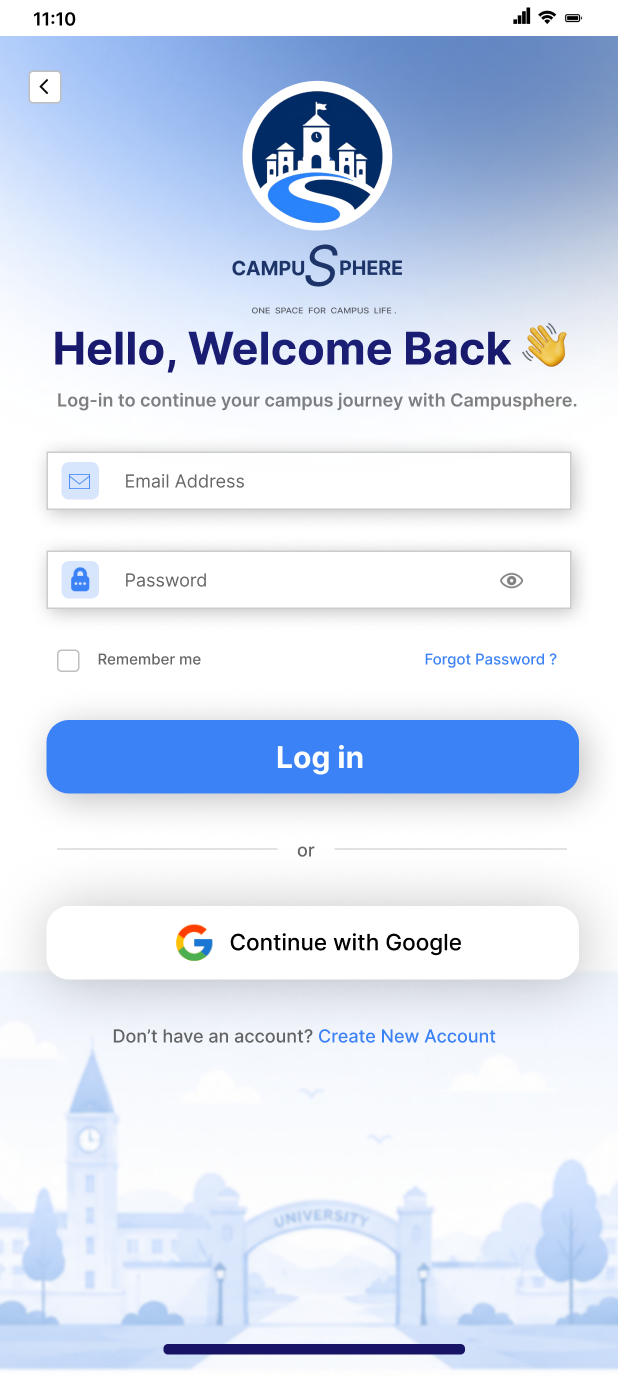


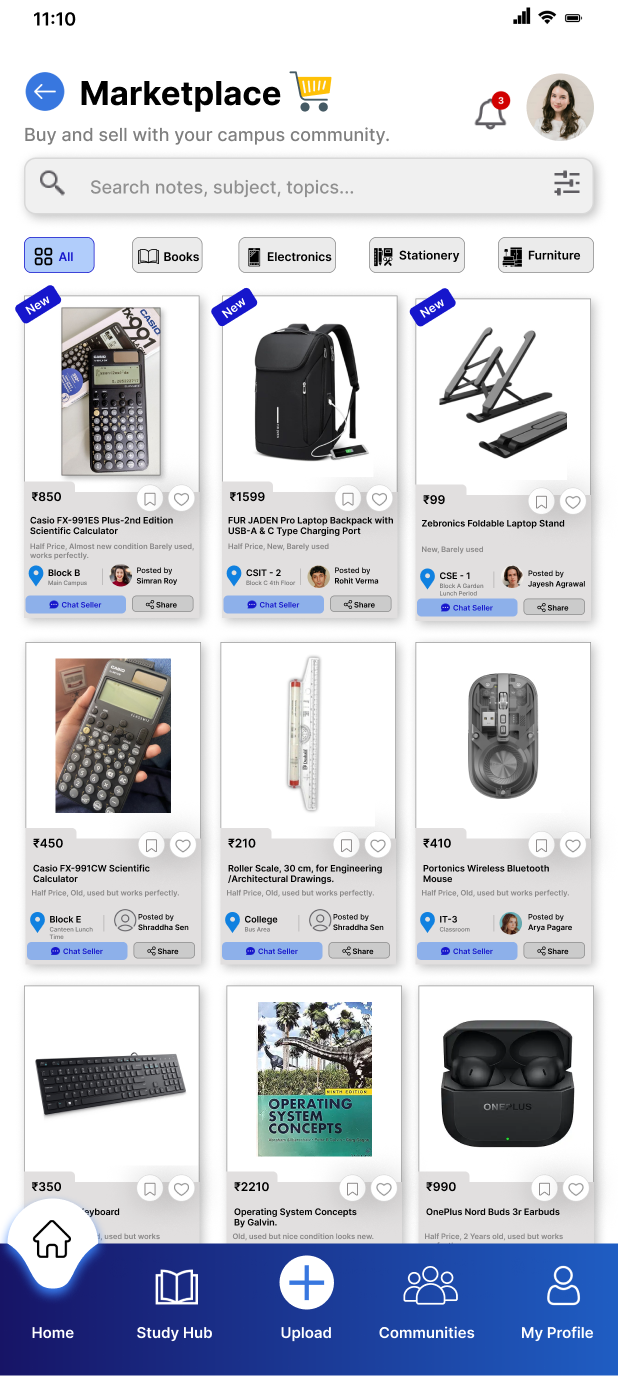


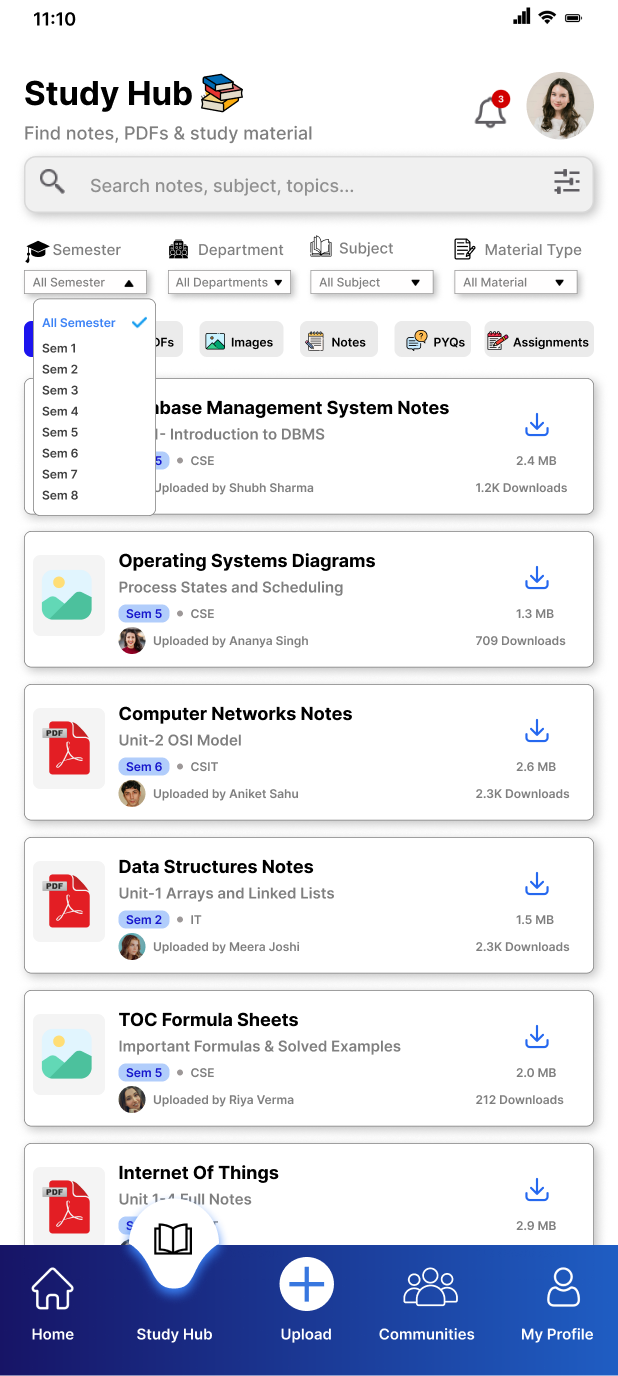
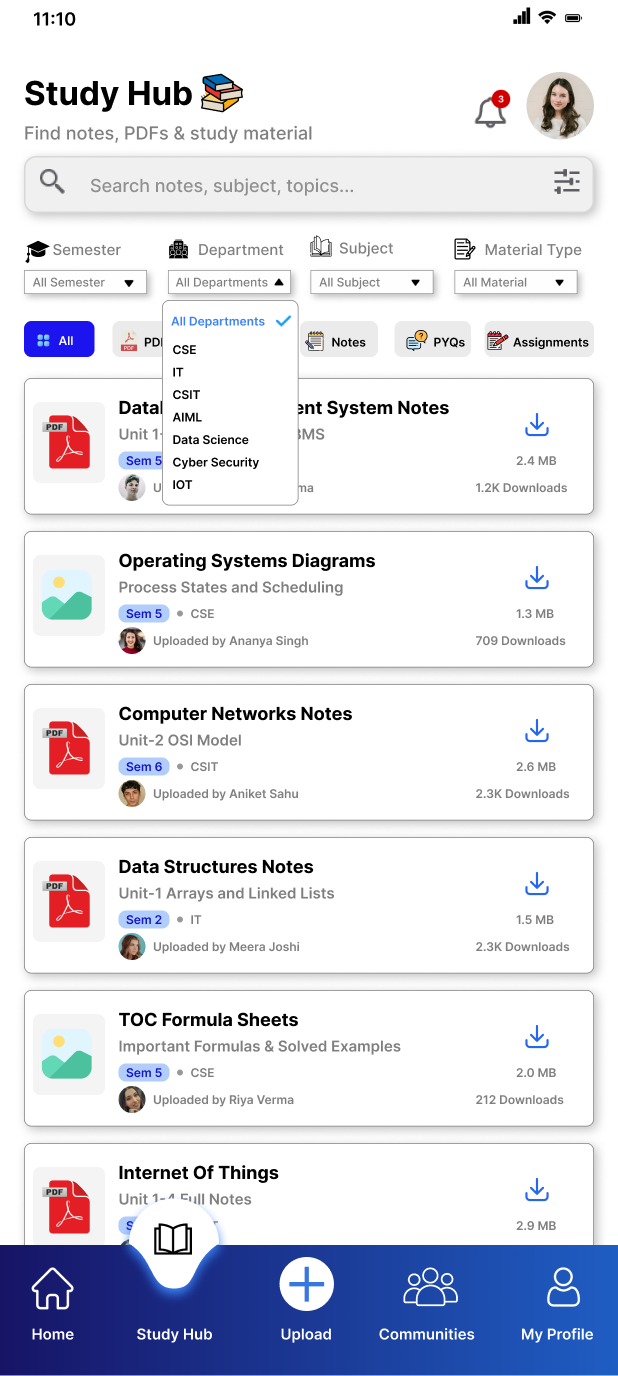


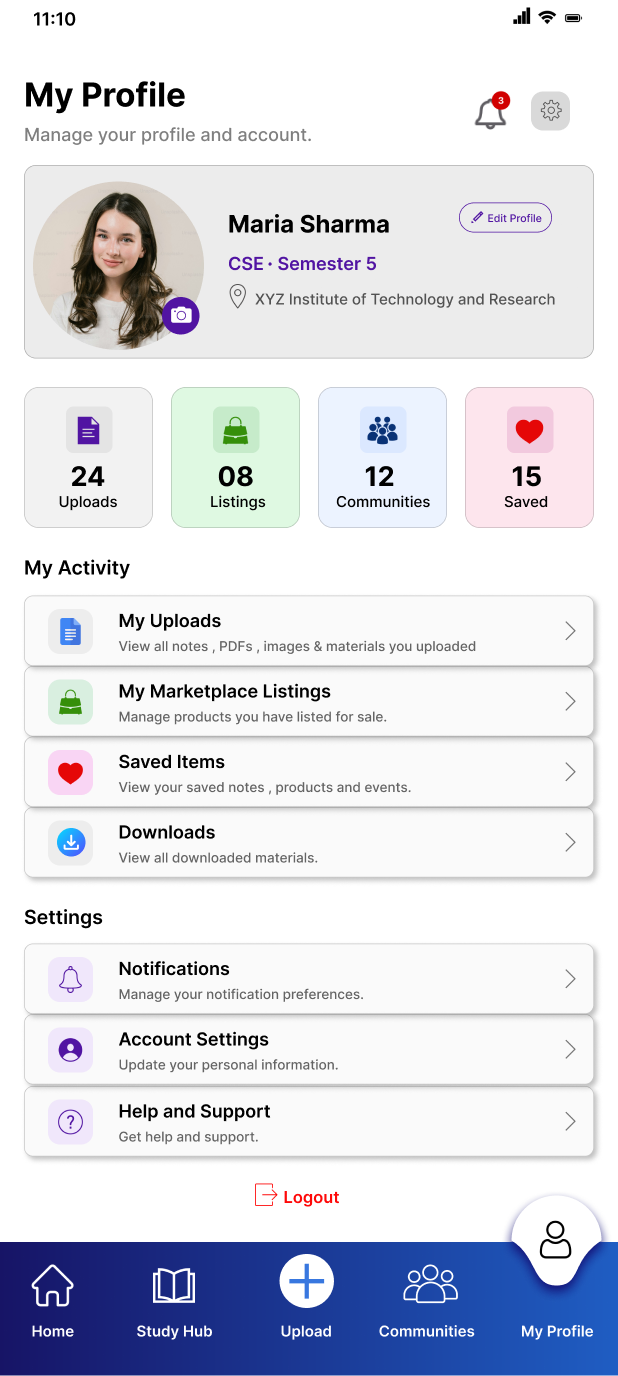
High Fidelity Ui Screens
High-Fidelity UI Screens
Designed with clarity and consistency in mind, the final interface focuses on creating a modern digital campus experience. From authentication to study resources, community engagement, marketplace, uploads, and profile management, every screen follows a unified design system to ensure a smooth, intuitive, and visually engaging user journey.
Prototype Link
View the Interactive Campusphere Student Campus App Prototype
Challenges and Iterations
· Organizing multiple features: Combining notes, announcements, marketplace, and lost & found without making the interface feel cluttered.
· Improving navigation: Iterated on the information architecture to make it easier for students to quickly access different sections.
· Content prioritization: Refined the homepage layout to highlight the most important campus updates while keeping other features easily accessible.
· Enhancing usability: Simplified the upload and browsing experience for notes, announcements, and marketplace listings to reduce the number of steps required.
· Maintaining visual consistency: Reworked colors, typography, spacing, and components to create a clean and cohesive user interface across all screens.
Impact and Learnings
1) Project Impact
Although students already use platforms like WhatsApp, Instagram, and other social media to share notes, announcements, and campus updates, the information often remains scattered across multiple channels. College official applications are generally limited to academic information such as attendance, fees, and examination details, leaving many day-to-day student needs unaddressed. CampusSphere brings these essential student activities — such as notes sharing, announcements, events, communities, buy & sell, and lost & found — into a single, organized platform. Instead of switching between multiple applications or relying on word-of-mouth, students can easily access everything from one place. This is especially beneficial for first-year and newly joined students, who may feel hesitant to approach others or may not yet be part of the right groups. By providing a centralized, student-only ecosystem, CampusSphere aims to improve accessibility, reduce information gaps, and create a more connected campus experience.
2) What I Learned
Working on CampusSphere helped me understand that good UX design is not about adding more features — it is about solving the right problems in the simplest way possible. Throughout this project, I learned the importance of understanding user needs before making design decisions and organizing multiple features without overwhelming the user.
I also realized that many existing platforms already solve individual problems, but there is value in creating a unified experience that reduces the need to switch between different applications. This project strengthened my skills in user-centered thinking, information architecture, wireframing, visual hierarchy, and designing intuitive interfaces. Most importantly, it taught me that every design decision should have a clear purpose and should genuinely improve the user’s experience rather than simply adding functionality.
Future Scope
While the current version focuses on solving the core needs of students, CampusSphere has the potential to grow further. Features such as personalized recommendations, advanced search and filters, real-time chat, campus navigation, and event reminders can be added in future iterations based on user feedback. As student needs evolve, the platform can continue expanding to provide an even more seamless campus experience.
Conclusion
CampusSphere was designed with the vision of creating a centralized, student-only platform that simplifies everyday campus life. By bringing together study resources, announcements, events, student communities, a buy & sell marketplace, and lost & found services into one application, the project aims to reduce the need for multiple platforms while making information more accessible and organized.
Although this is a concept project, it demonstrates how thoughtful, user-centered design can address real challenges faced by college students. CampusSphere is not intended to replace existing tools but to complement them by providing a seamless and connected campus experience. With future enhancements based on user feedback, the platform has the potential to evolve into a more comprehensive solution that continues to meet the changing needs of students.
“Designing CampusSphere reminded me that the right digital experience can make a student’s journey more connected, accessible, and meaningful.”
“The beautiful thing about learning is that nobody can take it away from you.”
“Education is the most powerful weapon which you can use to change the world.”
- — Nelson Mandela*
메타데이터
- post_id
- 511c5936b711
- slug
- campusphere-student-campus-mobile-app-ui-ux-case-study-511c5936b711
- url
- https://medium.com/@mitalivishwakarma26/campusphere-student-campus-mobile-app-ui-ux-case-study-511c5936b711
- canonical_url
- https://medium.com/@mitalivishwakarma26/campusphere-student-campus-mobile-app-ui-ux-case-study-511c5936b711
- author_url
- https://medium.com/@mitalivishwakarma26
- status
- ok
- fetched_at
- 2026-07-31 15:47:04