It Starts with a File Descriptor
While building an HTTP server, I discovered a vulnerability that allowed a child process to tamper with its parent. I ended up writing an…
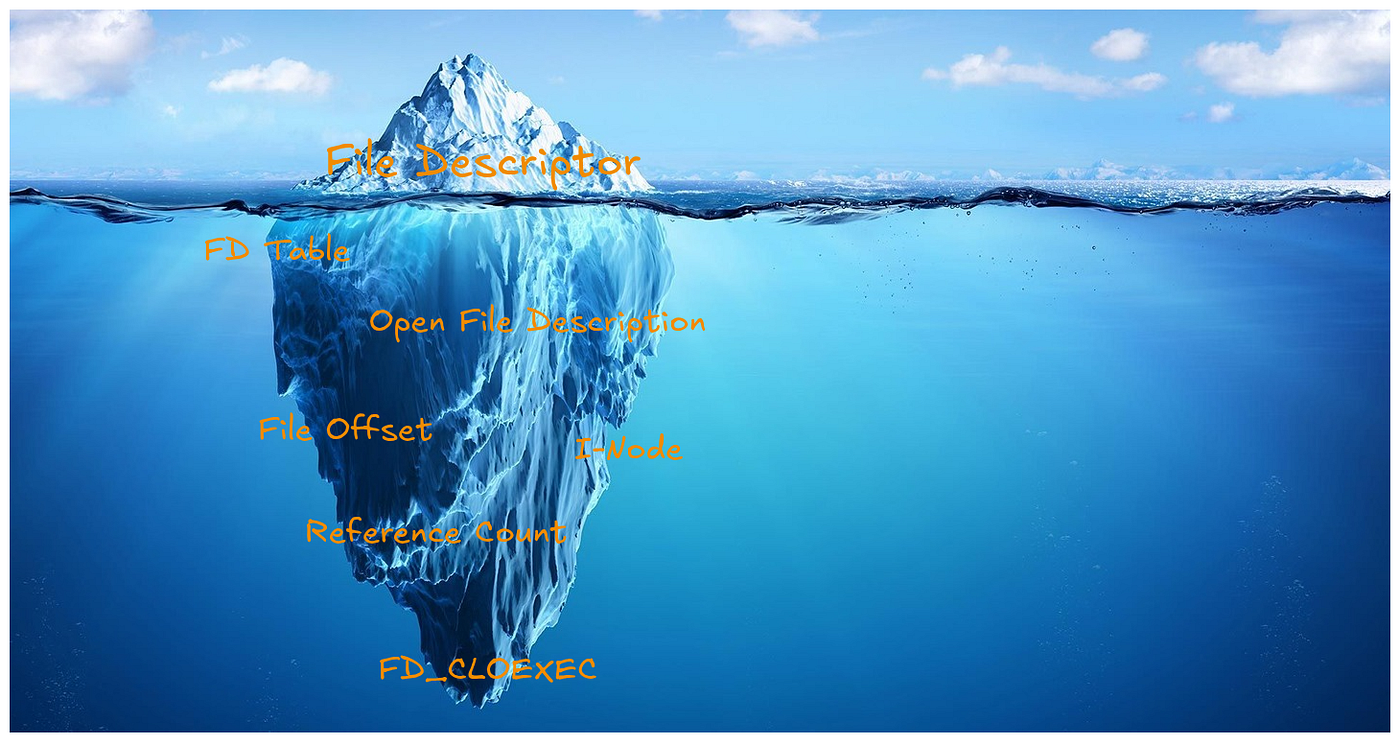
Because sometimes an image is worth more than this entire article
It Starts with a File Descriptor
While building an HTTP server, I discovered a vulnerability that allowed a child process to tamper with its parent. I ended up writing an exploiter program against my own — and yes, my projects are always the first victims of my curiosity. This is the first article in a two-part series about how understanding UNIX primitives more deeply can reveal — and prevent — subtle vulnerabilities.
I’ve been working with file descriptors in C for over a year and a half. During the first few months, every time I used them in a larger project, I could almost hear Albert Einstein whispering in my ear: “The more you learn about file descriptors, the more you realize how little you understand them.” The uncomfortable part? He was right.
Things You Can See
A file descriptor is a non-negative integer used by a process to interact with an I/O resource. It abstracts the underlying file system, providing a consistent interface for reading from and writing to resources.
In practice, this means that whether you’re working with a text file, a directory, a network socket, or even a pipe, your process won't refer to these resources by their path or name directly; instead, the system gives you an integer — and you use that integer with system calls like read(), write(), and close().
In fact, file descriptors are the key that allows UNIX-like systems to implement a feature called universality of I/O, which enables the same system calls to be used to perform I/O operations on all types of files.
Standard File Descriptors
Normally, a process inherits three open file descriptors when it is started by the shell. By convention, they are:
[embed]Standard File Descriptors
Note that there's nothing inherently special about these file descriptors; what gives them meaning is convention. The shell wires them up before executing a program, and the program blindly trusts that file descriptor 1 is associated with wherever it should write its output. Most of the time, that is a terminal. Sometimes, it is a text file. Other times, it is a connection to another process through a pipe or socket.
Let's start making the theory concrete by translating it into code. The program below is intentionally simple: it opens a file, reads its contents, and writes them to standard output — essentially a minimal version of cat.

A file on disk or the terminal — it doesn’t make a difference here. The program sees the same interface every time: just integers, with everything else hidden behind the abstraction.
File Descriptor Duplication
Up to this point, it’s easy to think of a file descriptor as having a one-to-one relationship with a file: you call open, you get an integer, and that integer becomes your handle to the resource. It feels simple and intuitive to think this way.
But that intuition doesn’t hold. The same open file can be referenced by multiple file descriptors at once, even within a single process. This behavior isn’t accidental — it’s actually a deliberate and widely used feature of the API.
A common example is output redirection. When a shell redirects standard output to a file, it does not rewrite the program — it simply makes file descriptor 1 (stdout) refer to a different open file. The program keeps writing to the same descriptor, but the destination has changed.
The way to do it is through the dup family of system calls, which create a new file descriptor that can be used interchangeably with the original one.
To make this visible, here’s a slight variation of the previous program using two file descriptors for the same file:

At first glance, this might not seem surprising. Both file descriptors are used interchangeably, and the program behaves exactly as expected. But there are a few details worth pausing on:
- Why do we close both file descriptors at the end?
- If they refer to the same file, wouldn’t closing one be enough?
- And more importantly — what does it actually mean for two different integers to “refer to the same file”?
What You Don’t See
So far, everything we’ve looked at lives at the surface: integers, system calls, and observable behavior. That’s enough to write programs that work — but definitely not enough to understand how they can break or how to prevent that from happening.
To get there, it helps to go a bit lower and look at the three data structures maintained by the kernel:
1. File Descriptor Table
For each process, the kernel maintains a table of file descriptors, which I like to think of as an array-like structure where the file descriptor itself is used as an index. Each object in this array stores two important pieces of information:
- the file descriptor flags, currently limited to the
close-on-execflag — a detail that will turn out to be central to the vulnerability we'll uncover; - a pointer to the underlying open file description associated with it.
2. File Description Table
First of all, I haven't made a mistake in the naming — file descriptor and file description are two different things. While a file descriptor is just the non-negative integer we've been using so far, a file description represents an active instance of an open file inside the kernel — a real object that stores state.
The file description table (also referred to as the open file table) is system-wide, meaning that the objects it store are shared across all running processes. An open file description in this table stores all information relating to an open file, including:
- the current read/write file offset in bytes, from the start of the file;
- creation and status flags specified when the file was opened;
- the file access mode — read-only, write-only, or read-write (in our previous program, passing
O_RDONLYtoopen()sets this mode to read-only); - a reference count tracking how many file descriptors point to this file description;
- a pointer to the i-node object for this file.
This is where things start to explain the behavior we observed earlier. When a file descriptor is duplicated, both descriptors point to the same open file description, which means they share this state.
In the example program, reading the first half of the file using the original descriptor advances the file offset stored in the file description. When the second read is performed using the duplicated descriptor, it continues from that updated offset — not from the beginning.
The same applies to closing descriptors. Each call to close() decrements the reference count, and only when it reaches zero is the open file description released. This is why both descriptors need to be closed, even though they refer to the same underlying object.
3. I-node Table
Each UNIX file system maintains a set of i-nodes representing the files stored on disk. An i-node contains metadata about a file and describes its physical representation on the system. It includes information such as:
- the file size in bytes;
- file permissions and ownership;
- timestamps (creation, modification, access);
- the locations of the file's data blocks on disk.
In the previous program, this is exactly the kind of information retrieved by fstat(), which exposes metadata stored in the i-node. The st_size field, for instance, was used to determine how many bytes to allocate before reading the file.
I-nodes sit at a different level. While file descriptors and open file descriptions deal with open instances, i-nodes represent the file itself. That's why multiple open file descriptions can refer to the same i-node. For instance, if a file is opened multiple times, each call to open() creates a new open file description, but all of them point to the same underlying i-node.
What matters is the distinction in responsibility: open file descriptions hold state related to a specific use of a file (such as the current offset), while the i-node represents the file independently of how it is being accessed. As a result, even when multiple file descriptions refer to the same i-node, each of them can maintain its own state — for example, by having different offsets while still operating on the same file.
Relationship Between the Tables
Up to this point, we’ve looked at each of these structures separately: the file descriptor table, the open file table, and the i-node table. Individually, each one is easy enough to understand. The difficult part is seeing how they all connect at the same time.
At least for me, this was the point where things only started to click once I stopped thinking in isolated definitions and started looking at diagrams. File descriptors are easy to use when they are just integers on the screen, but much harder to truly understand when the real behavior depends on kernel objects you cannot see.
The diagram below was one of the first that made that relationship feel concrete to me.

Adapted from Prof. David Bernstein (James Madison University)
Once you visualize the chain, everything becomes easier to reason about: a file descriptor is only an index inside a per-process table; that entry points to an open file description, which stores the state of that specific use of the file; and that object finally points to the i-node, which represents the file itself on disk.
That is why duplicated file descriptors share offsets, why closing one descriptor does not necessarily release the resource, and why opening the same file multiple times creates independent state even though the file itself is still the same.
Remember when I said at the beginning that Albert Einstein was right? This is what I meant.
Using open(), read(), or dup() to make a program work does not mean you understand file descriptors. It only means you know how to use the interface. Real understanding begins when you can explain what the kernel is actually doing after those system calls return - which tables are involved, what state is being shared, and why behavior that looks strange at the surface is actually completely predictable underneath.
That was the point where file descriptors stopped being just integers to me and started becoming references into a chain of kernel-managed objects. And once a process creates a child, this stops being just an implementation detail and starts becoming a security problem.
That was exactly the mistake hidden inside my HTTP server.
In the next article, Children Tamper With, we’ll see why creating a child process changes everything — how file descriptors cross process boundaries, how inherited access becomes dangerous, and how a child process ended up tampering with its own parent.
Further Reading
- Michael Kerrisk — The Linux Programming Interface
- Linux manual pages:
open(2),fcntl(2)
메타데이터
- post_id
- 5145c07a929c
- slug
- it-starts-with-a-file-descriptor-5145c07a929c
- url
- https://medium.com/@efinda/it-starts-with-a-file-descriptor-5145c07a929c
- canonical_url
- https://medium.com/@efinda/it-starts-with-a-file-descriptor-5145c07a929c
- author_url
- https://medium.com/@efinda
- status
- ok
- fetched_at
- 2026-06-24 11:06:28


