Promote your event and boost your sales
drive more sales!
Promote your event and boost your sales
Invite sub sales
As an event planner/venues, you can integrate google analytics and facebook pixel. There will be a feature under the management of an event.
Step 1. Click ‘Management’ of an event and go to event management page.

Dashboard page
Step 2. Scroll down the left menu bar, find ‘Facebook pixel’ and click it. Fill in your facebook id in the input box and click ‘Save and continue’. When the upload success, you will see a success message on the top right corner.

Facebook pixel setting page
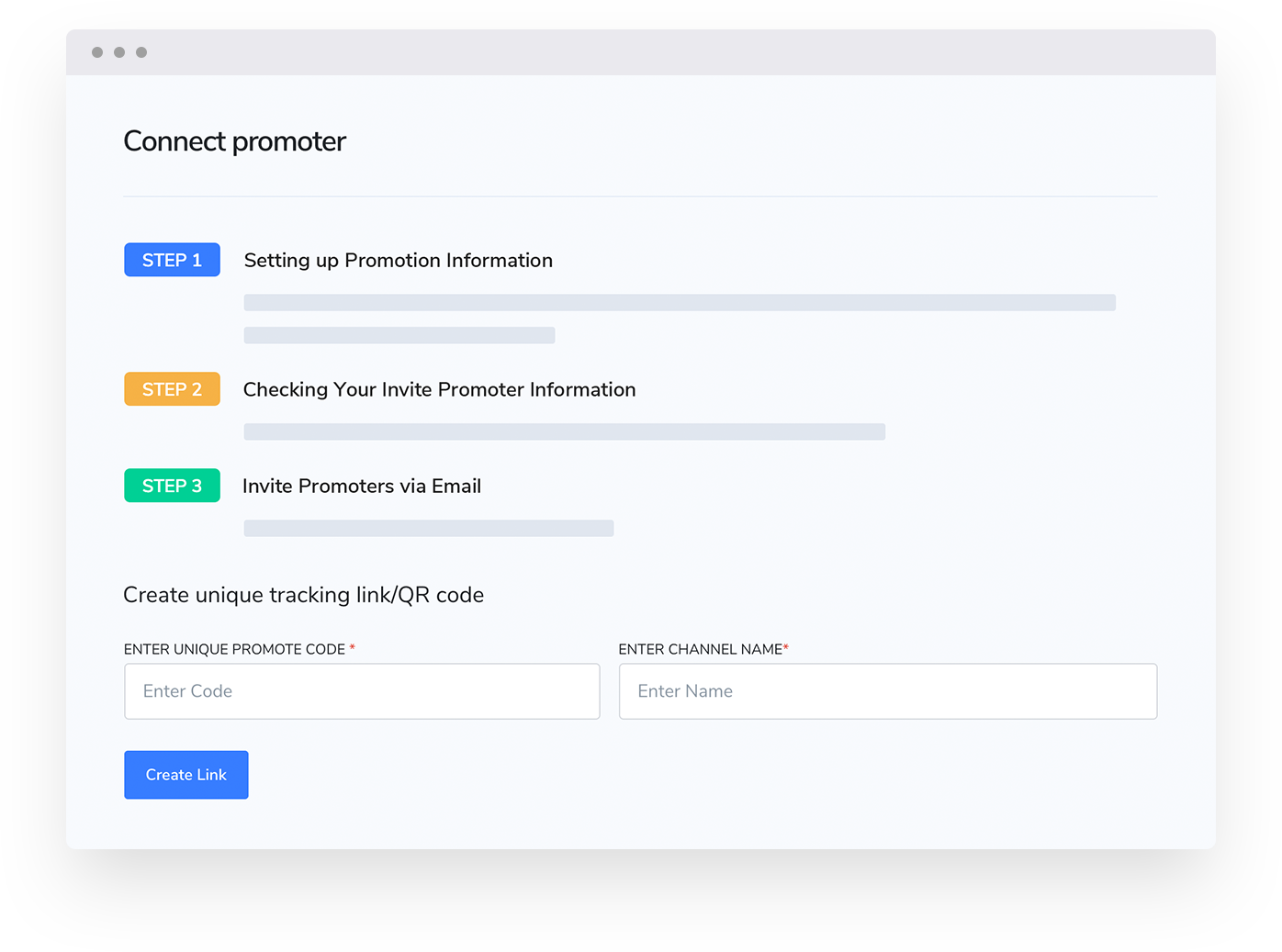
Next, you can invite sub sales to help you sell tickets, and we take care of splitting payment, so you don’t need to worry about labor work anymore. Which means when a person bought a $100 ticket from a sub sales, you gave the sales 10% as commission, so $10 will be directly into sales pocket, and you will have $90. You just need to invite them via email under the management of an event. Convenience! Right?
Step 1. Click ‘Management’ of an event and go to event management page.
Dashboard page
Step 2. Scroll down the left menu bar, find ‘Invite sales by email’ and click it. If you are the first time to invite sales, please click the blue button ‘How it works’ for further information. Enable the switch ‘Invite your own influencer, vendor, sub-promoter, media partners’.

Invite sales page

User guide page after click ‘How it works’
Step 3. Check the event name in the form. Setting commission number and type in the form, write down the email of the promoter you invited. Then click ‘Invite promoters’ via email. When inviting successfully, you will see a success message on the top right corner.
Besides, the promoter you invited will receive an email that informs them they are invited as promoters of an event, and the commission of every ticket they sold.

Invite promoter page
Last, you can have our website solution to drive more sales. You can pick the best template, and edit a pop-up solution. Basically, you can give a promotion code when people view the event after a specific time (like 20 seconds), or when people want to exit the page (give them 10% off forcing them to buy tickets now).
Step 1. Click ‘website’ of an event and go to the website editing page.

Dashboard page
Caution: If you don’t have a website yet, check **how to build a website and popup for your single event to sell more tickets or [how to build a website and popup for your group events like music tours, festivals, conference](https://medium.com/@admin_2249/build-a-website-and-popup-for-your-group-events-like-music-tours-festivals-conference-c0a5b2ef44f8)**
Step 2. you can create your website popup by clicking ‘Edit all popups’.

Website editing page
If you don’t want to create now, you can click ‘Skip this step’. You can add the popup anytime you want on the website editing page.

Popup setting page
For the people want to create popup now, choose ‘Add a new popup’.
Step 3. Select which type of popup you want to create, you can create all the popups by editing them one by one. Let’s choose one of them first. For example, click ‘Create a popup for every visitor arrival after delay’.

Popup setting page
Step 4. Set how many seconds you want this popup show when your customer open your website. Then click ‘edit popup’ to edit the popup.

Popup editing
Step 5. You can change the background of this image by double click the image, change the text on the input box. When finish editing, click the ‘Save’ button.

Popup editing
Step 6. Now you can preview the popup style. For the next step, you can click ‘Save setting for current popup and go to the next step’ to go to the next step or click ‘Save settings for current popup’ to continue to add and edit another type popup.

Save popup
Congratulations! Now you can promote your events to drive more sales.
메타데이터
- post_id
- 51e38efe3fe8
- slug
- promote-your-event-and-boost-your-sales-51e38efe3fe8
- url
- https://medium.com/@admin_2249/promote-your-event-and-boost-your-sales-51e38efe3fe8
- canonical_url
- https://medium.com/@admin_2249/promote-your-event-and-boost-your-sales-51e38efe3fe8
- author_url
- https://medium.com/@admin_2249
- status
- ok
- fetched_at
- 2026-07-29 18:51:22