Building My Own AI Coding Assistant with C#, Semantic Kernel, and a Local Gemma Model
What I Created a Tool That Fixes Code, Explains Errors, and Suggests Improvements — All Running Locally
Building My Own AI Coding Assistant with C#, Semantic Kernel, and a Local Gemma Model
What I Created a Tool That Fixes Code, Explains Errors, and Suggests Improvements — All Running Locally
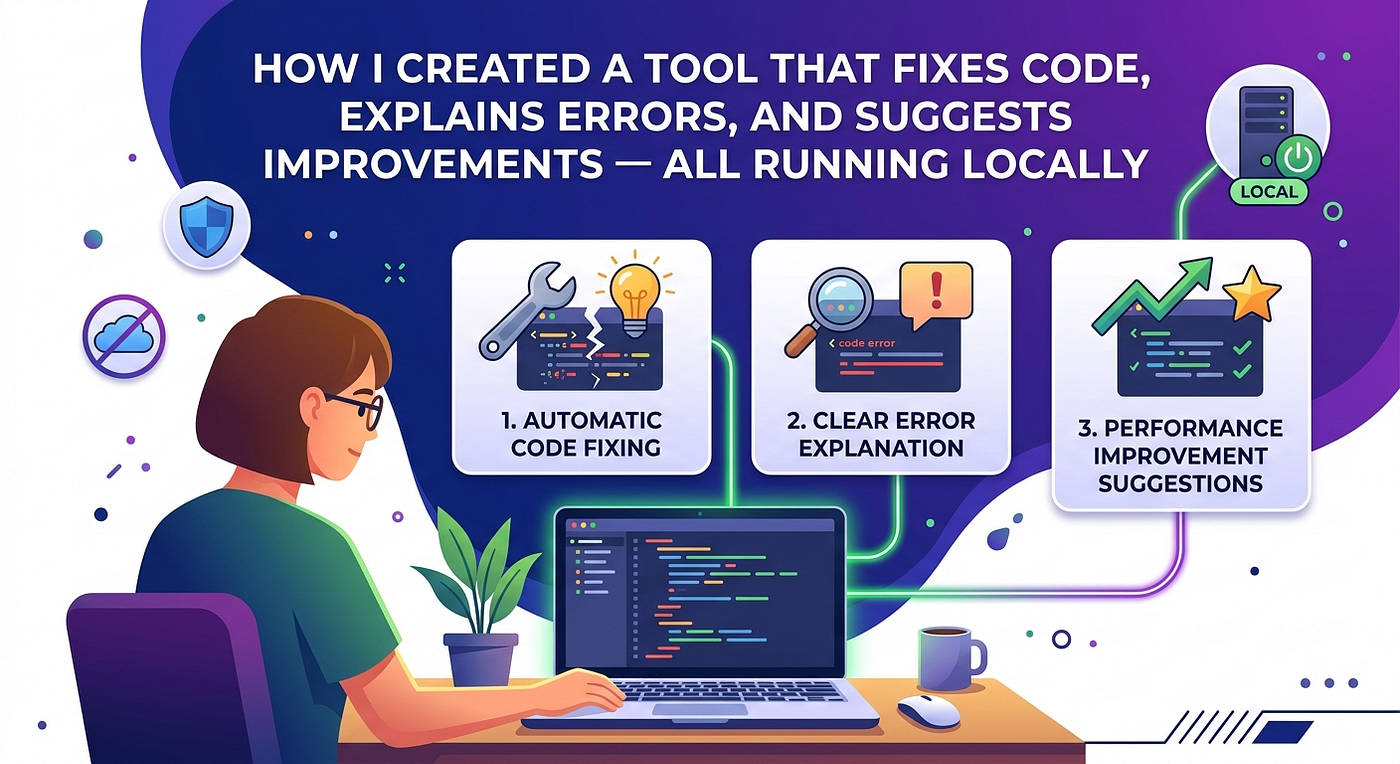
Edited by Google Gemini
As software developers, we’ve all experienced that frustrating moment.
You write code for hours, everything seems fine, and then suddenly an error appears. You search online, browse Stack Overflow, read documentation, and spend more time debugging than actually building.
A few months ago, I started wondering:
What if I could build my own AI coding assistant that runs entirely on my machine, understands code, fixes bugs, and provides suggestions without sending any data to the cloud?
That question led me down an interesting journey involving C#, Semantic Kernel, llama.cpp, and Google’s Gemma model.
This article shares how I built a local AI-powered coding assistant capable of analyzing source code, identifying problems, suggesting fixes, and helping developers become more productive.
The Problem I Wanted to Solve
Modern AI coding assistants are incredibly powerful, but most of them depend on cloud services.
For many developers, that creates several challenges:
- Internet dependency
- API costs
- Privacy concerns
- Rate limits
- Vendor lock-in
I wanted a coding assistant that:
- Runs completely offline
- Uses local LLM inference
- Understands programming concepts
- Suggests code improvements
- Explains errors clearly
- Can be customized for my workflow
Most importantly, I wanted to learn how AI agents actually work under the hood instead of treating them like a black box.
Choosing the Technology Stack
After exploring several options, I settled on the following architecture:
Frontend
A simple C# console application.
The goal was not to build a fancy interface but to focus on functionality and developer productivity.
AI Orchestration
Microsoft Semantic Kernel became the foundation of the project.
Semantic Kernel provides:
- Prompt management
- AI service integration
- Function calling
- Memory capabilities
- Agent orchestration
It offered a clean way to connect my application with a local language model.
Local LLM Inference
For model execution, I selected llama.cpp.
Why llama.cpp?
Because it is:
- Fast
- Lightweight
- Efficient on consumer hardware
- Compatible with GGUF models
Language Model
I chose Google’s Gemma model.
The model provides strong reasoning abilities while remaining small enough to run locally on my machine.
High-Level Architecture
The overall workflow looks like this:
Developer Input → Semantic Kernel → Local Gemma Model → Analysis → Suggested Fixes → User
The process is straightforward:
- User pastes code or an error message.
- Semantic Kernel formats the request.
- The request is sent to the local Gemma model.
- The model analyzes the issue.
- Suggestions and fixes are returned.
- Results are displayed in the console.
The first step was configuring Semantic Kernel to communicate with my local llama.cpp server.
The kernel acts as the bridge between the application and the language model.
Once connected, the application could send prompts directly to the local Gemma model.
This was the moment the project started feeling real.
Teaching the AI to Fix Code
Simply connecting a language model isn’t enough.
The real challenge was designing prompts that produce useful debugging advice.
I created specialized instructions that encourage the model to:
- Identify syntax errors
- Detect logical bugs
- Suggest refactoring opportunities
- Explain issues in simple language
- Recommend best practices
Example prompt structure:
You are an expert senior software engineer and debugging assistant.

Analyze the provided code, bug report, or programming request.

Tasks:
- Identify the root cause of bugs or errors
- Fix broken code
- Generate production-ready code
- Improve code quality and readability
- Preserve formatting and indentation
- Keep explanations concise and technical

Rules:
- Return complete working code when possible
- Do not include unnecessary commentary
- Do not include unnecessary symbols(**) or formatting
- Do not repeat the user input
- If code is incomplete, explain what is missing
- Use best practices for the requested language

User Input:
{{$input}}
These prompts are written in plugin files, semantic kernel automatically read these files and send request to AI model to generate response.
A small change in wording often produced significantly better results.
Running Everything Locally
Set Up llama.cpp Server You still need the llama.cpp server and a model
- Download llama.cpp: https://github.com/ggerganov/llama.cpp/releases
- Download a GGUF model from Hugging Face
- Create start-llama-server.bat in your llama.cpp folder:
@echo off
set MODEL_PATH= Your_model_path.gguf
C:\llama.cpp\llama-server.exe ^
-m %MODEL_PATH% ^
--ctx-size 2048 ^
--port 8080 ^
--threads 12 ^
--chat-template chatml

pause
Configure the Application
Edit Configuration/appsettings.json in the extracted folder:
{
  "modelId": "gemma 4",
  "apiKey": "dummy-key",
  "endpoint": "http://localhost:8080/",
  "HttpClientConfig": {
    "TimeoutSeconds": 10
  }
}
Run the Application
- Start the llama.cpp server: start-llama-server.bat
- Run AiCodingAgent.exe from the extracted folder
- Start coding!
Installation & Setup (Building from Source)
Step 1:
Clone the Repository
git clone https://github.com/sumeetpypi/AICodingAgnet-SemanticKernel.git
cd AICodingAgnet
Step 2:
Restore NuGet Packages
dotnet restoreThis will install:
- Microsoft.SemanticKernel (v1.75.0)
- Spectre.Console (v0.55.2)
- Microsoft.Extensions.Configuration packages
- Other dependencies from AiCodingAgent.csproj
Step 3:
Configure Application Settings
Edit Configuration/appsettings.json:
{
  "LLM": {
    "Endpoint": "http://localhost:8080",
    "ModelId": "local-model",
    "ApiKey": "not-needed"
  }
}
Configuration Options:
- Endpoint: URL where your llama.cpp server is running
- ModelId: Identifier for your model (can be any string for local models)
- ApiKey: Not required for local llama.cpp server
Step 4:
Set Up llama.cpp Server
Create a batch file start-llama-server.bat in your llama.cpp directory:
@echo off
set MODEL_PATH= Your_model_path.gguf
C:\llama.cpp\llama-server.exe ^
-m %MODEL_PATH% ^
--ctx-size 2048 ^
--port 8080 ^
--threads 12 ^
--chat-template chatml

pause
Parameters Explained:
- — model: Path to your GGUF model file
- — port: Port number (must match appsettings.json)
- — ctx-size: Context window size (tokens)
- — n-gpu-layers: Number of layers to offload to GPU (0 for CPU-only)
- — threads: CPU threads to use
- — chat-template : For formating
Step 5:
Build the Project
In Visual Studio:
- Open AiCodingAgent.csproj or the solution file
- Build → Build Solution (or press Ctrl+Shift+B)
Or via command line:
dotnet buildUsage
Starting the Agent
Method 1: Using Pre-built EXE (Easiest)
# Start llama.cpp server first
start-llama-server.bat  # Windows

            or

# Double-click AiCodingAgent.exe or run from command line
AiCodingAgent.exe
Method 2: Visual Studio
- Press F5 to run with debugging
- Or Ctrl+F5 to run without debugging
Method 3:
Command Line (from source)
# Start llama.cpp server first
start-llama-server.bat  # Windows

# In a new terminal, run the agent
dotnet run
Once started, you’ll see the main menu:
=== AI Coding Agent ===
Commands:
  1 or Debug Code      - Debug and fix your code
  2 or Docker Commands - Get Docker help
  exit                 - Quit the application
Option 1: Debug Code
You: 1
Paste your code and press Ctrl+Z then Enter (Windows)- Type or paste your code
- Press Ctrl+Z then Enter (Windows)
- The AI will analyze and provide fixes/improvements in real-time
Example:
def calculate(x, y):
    result = x + y
    return result
print(calculate(5))  # Missing argument!
The agent will identify the error and provide the corrected code.
Option 2:
Docker Commands
You: 2
Paste your Docker requirement and press Ctrl+Z then Enter
Example requests:
- “Create a Dockerfile for a Node.js application”
- “Generate docker-compose for nginx and postgres”
- “Fix this Docker error: [paste error]”
Exiting the Application
Type exit and press Enter at any prompt.
Project Structure
AiCodingAgent/
│
├── Agent/
│   ├── AgentPrompts.cs       # Display prompts and commands
│   ├── CodingAgent.cs        # Core agent logic with streaming
│   └── UserInput.cs          # Main loop and command handling
│
├── Configuration/
│   ├── AppSettings.cs        # Settings model classes
│   └── appsettings.json      # Configuration file
│
├── Kernel/
│   ├── KernelExtensions.cs   # Extension methods for kernel
│   └── KernelFactory.cs      # Kernel initialization
│
├── Plugins/
│   ├── CodingPlugin/         # Code assistance functions
│   │   ├── Code/
│   │   │   ├── config.json
│   │   │   └── skprompt.txt
│   │   ├── CodePython/
│   │   ├── DOSScript/
│   │   └── Entity/
│   │
│   └── DockerPlugin/         # Docker assistance functions
│       ├── docker/
│       │   ├── config.json
│       │   ├── skprompt.txt
│       │   └── docker_suggest.yaml
│       └── DockerPlugin.cs
│
├── Services/
│   ├── CodeParserService.cs  # Code parsing utilities
│   └── Services.cs           # Service initialization
│
├── Program.cs                # Application entry point
└── AiCodingAgent.csproj      # Project file with dependencies
Customization
Adding New Plugins
- Create a new folder in Plugins/
- Add a YourPlugin.cs file
Create semantic functions with:
- config.json: Function metadata
- skprompt.txt : AI prompt template
Example skprompt.txt:
You are an expert [domain] assistant.
Task: [What the function does]
Rules:
-[Rule 1]
-[Rule 2]
User Input:
{{$input}}
Modifying Prompts
Edit the skprompt.txt files in plugin folders. Changes take effect on next run — no recompilation needed!
Changing LLM Settings
Modify Configuration/appsettings.json to point to different servers or adjust parameters.
Troubleshooting
Common Issues
“Connection refused” or “Cannot connect to LLM”
- Ensure llama.cpp server is running (llama-server.exe)
- Check port matches in both server and appsettings.json
- Verify endpoint URL is correct
“Model not found” error from llama.cpp
- Check model path in batch file is correct
- Ensure GGUF file exists and isn’t corrupted
- Try absolute path instead of relative
Slow responses
- Reduce — ctx-size in server startup
- Decrease model size (use quantized versions like Q4_K_M)
- If using CPU, reduce — threads
- For GPU, increase — n-gpu-layers
“Invalid command” in agent
- Type exact commands: 1, 2, exit, or full names
- Commands are case-insensitive
Build errors about .NET 10.0
- Install .NET 10.0 SDK from Microsoft
- Or modify TargetFramework in .csproj to net8.0 or net9.0
Dependencies
NuGet Packages:
- Microsoft.SemanticKernel (1.75.0) — AI orchestration framework
- Spectre.Console (0.55.2) — Beautiful terminal UI
- Microsoft.Extensions.Configuration (7.0.0) — Configuration management
- Microsoft.Extensions.Configuration.Json (7.0.0) — JSON config support
- Microsoft.Extensions.VectorData.Abstractions (10.5.2) — Vector data support
External Tools:
- llama.cpp — Local LLM inference server
- GGUF Model — Quantized language model
Use Cases
- Code Review: Get instant feedback on code quality
- Bug Fixing: Paste error messages and get solutions
- Docker Setup: Generate container configurations quickly
- Learning: Understand code patterns and best practices
- Prototyping: Generate boilerplate code fast.
Code
Github link: https://github.com/sumeetpypi/AICodingAgnet-SemanticKernel.git
Final Thoughts
Building a local AI coding assistant with C#, Semantic Kernel, llama.cpp, and Gemma was one of the most educational projects I’ve worked on.
What started as a simple experiment became a practical development tool capable of helping identify bugs, explain errors, and improve code quality.
The most rewarding aspect isn’t the technology itself.
It’s knowing that every component runs locally under my control, demonstrating how accessible AI development has become for individual engineers.
If you’ve been curious about AI agents, local LLMs, or Semantic Kernel, I highly recommend building something similar.
You don’t need a massive budget, a cloud infrastructure, or a team of researchers.
Sometimes all it takes is an idea, a local model, and the willingness to experiment.
And who knows?
Your next debugging assistant might be one you build yourself.
메타데이터
- post_id
- 53bd3e80091c
- slug
- building-my-own-ai-coding-assistant-with-c-semantic-kernel-and-a-local-gemma-model-53bd3e80091c
- url
- https://medium.com/@sumeetdugg022/building-my-own-ai-coding-assistant-with-c-semantic-kernel-and-a-local-gemma-model-53bd3e80091c
- canonical_url
- https://medium.com/@sumeetdugg022/building-my-own-ai-coding-assistant-with-c-semantic-kernel-and-a-local-gemma-model-53bd3e80091c
- author_url
- https://medium.com/@sumeetdugg022
- status
- ok
- fetched_at
- 2026-06-09 15:37:30





