Starting in Product in a new company — #2 — Drawing stuff
This series of articles tells the story of my first 3 months at Vapaus & how I dealt with discovering totally new colleagues & challenges.
Starting in Product in a new company — #2 — Drawing stuff
This series of articles tells the story of my first 3 months as Chief Product Officer at Vapaus & how I dealt with discovering totally new colleagues & challenges. Missed the previous episode? Read #1 — Talking to people
People who’ve worked with me more than 5 minutes know it: I like drawing big boxes and arrows whenever I get a chance. My desk (and currently most desks in the office) is usually covered with paper, preferably A3. It’s become so much out of hand at times that I had the privilege of getting my own company iPad & Apple Pen.
I suppose it’s no surprise I started doing it on day 1 at Vapaus. Drawing is my secret weapon when it comes to learning a lot, as fast as I can.
Drawing stuff
I’m no artist. I can’t draw anything looking like a person or an animal. I can draw a house without lifting my pencil, and along the years I’ve become really good at drawing EV charging stations. I’m sad to admit that my bike-drawing skills are still very much to be built.
So what do I draw? How? And most importantly: why?
What
Processes
Processes are at the core of anything we do in product: they ensure that users do the actions we want them to, with the simplicity we’re aiming for. They make or break the scalability of companies. They can be a pleasure or a pain.
For this reason, every day of my first couple of weeks, I’ve tried drawing our internal processes. I drew the one below after my first work day on January 2nd. It’s hilariously wrong, but it was also a good baseline to start working on. For example, it helped me understand the role of different people involved in our processes — and therefore whom I should be talking to next to improve my understanding. Big red question marks are good: they’re a sign that I have realised I have gaps in my knowledge.
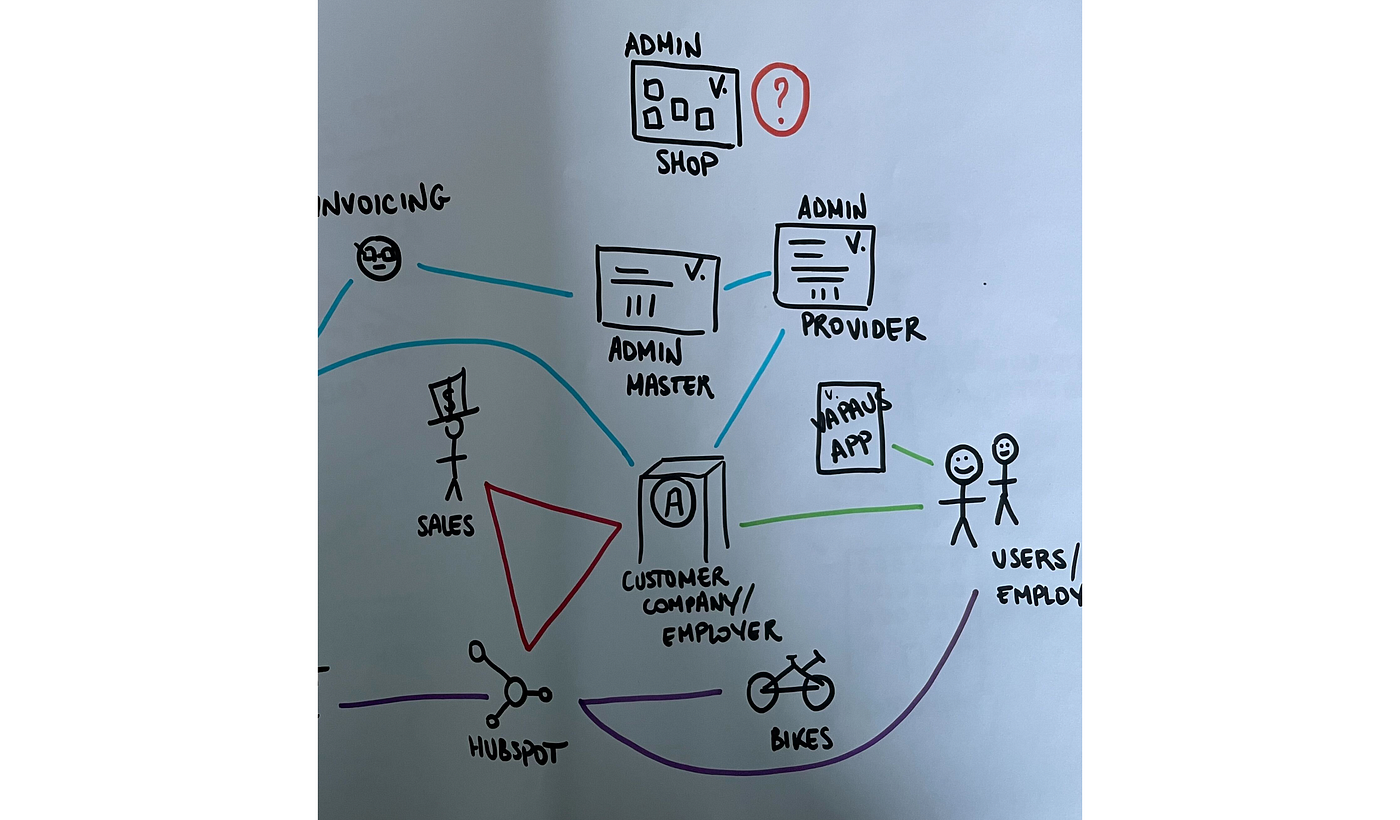
See what I meant about bike-doodling skills
I’m a process-lover.
I want everything to be organised and stuff to happen magically. But in my job, most of what I set out to improve relates to work I don’t do personally. This makes it even more important to really understand what others are going through, and where a good process can make the biggest difference.
Data
I may love good data even more than I love a good process.
By that I don’t mean that I’m great at data analysis or that every single decision I make has to be based on proofs and numbers. I actually barely ever have worked with data in product, which probably sounds very counter-intuitive. It required time and resources I didn’t have, and I had to make do without it.
What I do mean is that data has to flow between different people and systems seamlessly for a product (and a company) to be successful. We need to all share the same definitions: what is a bike? What’s a contract? What’s a user? If we are able to define these in a simple way whilst drawing their inter-relations, everyone understand much faster what’s going on.
Is a bike a vehicle? Or is it an employee benefit?
In the case of “users” for example, simply drawing a relation to the specific app you’re referring to clarifies greatly who you are talking about. Same goes for all the objects in your ecosystem.
Wireframes
As a product owner, I have always tried drawing my ideas before submitting them to the rest of the team. The quality of the drawings I’m able to produce has greatly evolved over time, but I still enjoy a quick and ugly pencil-drawn wireframe.
I’ve read multiple times that POs shouldn’t be trying to do a designer’s job, and I don’t disagree. This being said, I do strongly believe that our role in any development is to challenge all team members to produce the best work they can. In design, this also means making suggestions, even if (especially when!) the final product doesn’t look anything like my initial proposal.
Drawing wireframes usually helps people around us understand what’s going on in Product. They look fun, they’re engaging. They are an easy way to make people interact with your work and to ensure that you’re not going in a completely wrong direction — way before any of the “real work” gets started.

The app of your dreams
Additionally, I think it’s a really good learning experience to hear first-hand from the design experts why something won’t work.
We actually do not yet have a designer working at Vapaus, meaning that I have to make most of the design-related decisions myself. For this reason in particular, I’m grateful I’ve been able to learn so much from the designers I’ve worked with in the past.
How
Pen & paper
As already mentioned in the intro, I’m a big believer in the power of thick colour pens & larger paper sheets. Even the best modern tools do not — in my opinion — allow for the same freedom and creativity than paper does.
I use paper every time I can, but especially in the early steps of my work. Paper is the place I try to think about the big picture, where I understand how big the picture actually is and how it works. I use it a lot to make mistakes and challenge the best way to depict something.
I use paper a lot to make mistakes and challenge my understanding of a problem. To understand how “big” the big picture actually is.
Online tools
When the picture is clearer, it becomes less convenient to stick to only paper. I still do it sometimes, but realistically — it’s just not the best tool to go into much detail and iterate.
When I started using the iPad for my drawings, I got introduced to two really useful apps: Paper & Concepts, which I can warmly recommend.
- Paper is, as its name suggests, the closest you can get to an actual piece of paper. There’s limited space, which forces you to really focus on a smaller scope: for me, Paper has been the tool for software design ideas & wireframing.
- Concepts on the other hand is an infinite canvas. The main use I’ve had for it is during online meetings. In my previous role, I gave many presentations during which I liked sharing my Concepts screen to draw things as I explained them. You know: like we used to do with physical whiteboards ;)
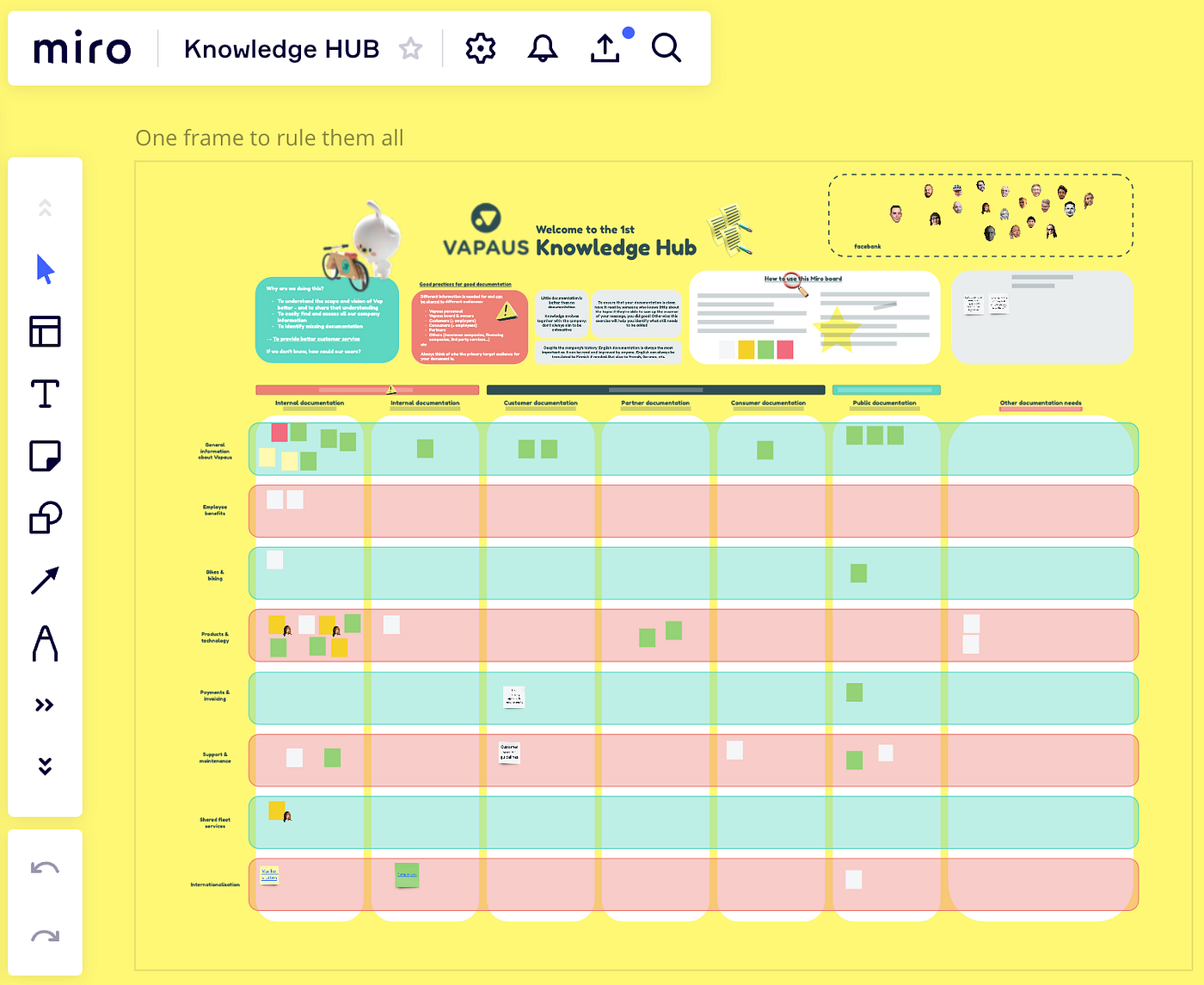
Recently, I have also extensively used Miro for drawing. Naturally, we’ve used it in workshops and to improve our collaboration, but I’ve also started using it for anything and everything. I draw processes on Miro, gather insights, make Venn diagrams… we have even started using it for UML modelling instead of the painful Draw.io. Offline collaboration also works really well and allows you to go back to a topic weeks later without losing much of the context.

Paper app. (-> Source)
The Paper, Concepts & Miro trio is a good bundle of tools to have in Product
The best? Use all three of those, throw in some handwritten notes, and make sure everyone can easily access your work!
Why
Visualising problems
One thing I always look for in product people is their ability to find out the truth, to ask the right questions. More often than not, when I ask someone to explain their work to me, they skip a good half of the steps. Obviously, they’re not trying to hide things from me, but they are so used to a certain way of doing things that even the most mind-blowing flaws in a process have become to seem normal (hello, copy-pasting people!).
This is why it’s very important to involve drawing in truth-seeking conversations. Drawing a process makes the complexity crystal-clear, and gives a really good base for deeper questions.
“So the customer fills this form and…” — what form? Where do they find it?
“Then we receive a ticket and someone starts handling it” — who checks the tickets? Are they going into a specific category? What do you do first when opening a new ticket?
Adding all these steps to your picture in a way they can’t be missed will make it easier later on to choose which problem to fix first. You can’t fix what you don’t see.
Communicating
Working with developers as a non-technical person teaches you a thing or two about communicating ideas and guidelines.
It may not be for this reason that I have started drawing stuff, but it could have been. Images are so much more powerful than any text to convey an idea, a problem, or to specify a ticket. They don’t leave any space for interpretation.
I’m not against long spec descriptions. Some might even say that I love them a bit too much. But any long explanation is nicer to go through when some tricky parts are explained twice, in different ways. As an added bonus, it shows you care about making your team’s job easy.
I’ve also used drawings a lot to explain things outside of my own team. As mentioned earlier, Concepts has been a great tool for this: instead of using long boring PowerPoints, drawing as you address an audience forces you to speak at an understandable pace, using clear logical connections.
Showing your limits
Drawing a process you don’t understand enough will immediately show.
Maybe the most important reason to get drawing: it is the best way for you and people around you to realise when you don’t know something well enough.

“Organised” mess
I got some feedback recently that some of my schemas are “messy” or “hard to understand”. Usually both! And it’s true.
Drawing a process you don’t understand enough will immediately show. That’s why is also such a brilliant exercise. Use paper, make mistakes and find the answers until you are able to draw a flawless, clear process or an idea end-to-end. A good drawing shouldn’t even need your voice as support to explain your point.
3 months in, I’ve started archiving a bunch of my older Miro boards to focus on the parts I now can identify as the most important.
Cheers 👩🏻🎨
Any comments? Own opinions on the topics? Happy to hear & learn from them. ✌🏻
Read the next episode: #3 — Implementing tools & ways of working early
메타데이터
- post_id
- 53da7b36d1ba
- slug
- starting-in-product-in-a-new-company-2-drawing-stuff-53da7b36d1ba
- url
- https://medium.com/@emiliecalmettes/starting-in-product-in-a-new-company-2-drawing-stuff-53da7b36d1ba
- canonical_url
- https://medium.com/@emiliecalmettes/starting-in-product-in-a-new-company-2-drawing-stuff-53da7b36d1ba
- author_url
- https://medium.com/@emiliecalmettes
- status
- ok
- fetched_at
- 2026-07-27 06:50:25