RubyCritic Found Problems Hiding in Plain Sight
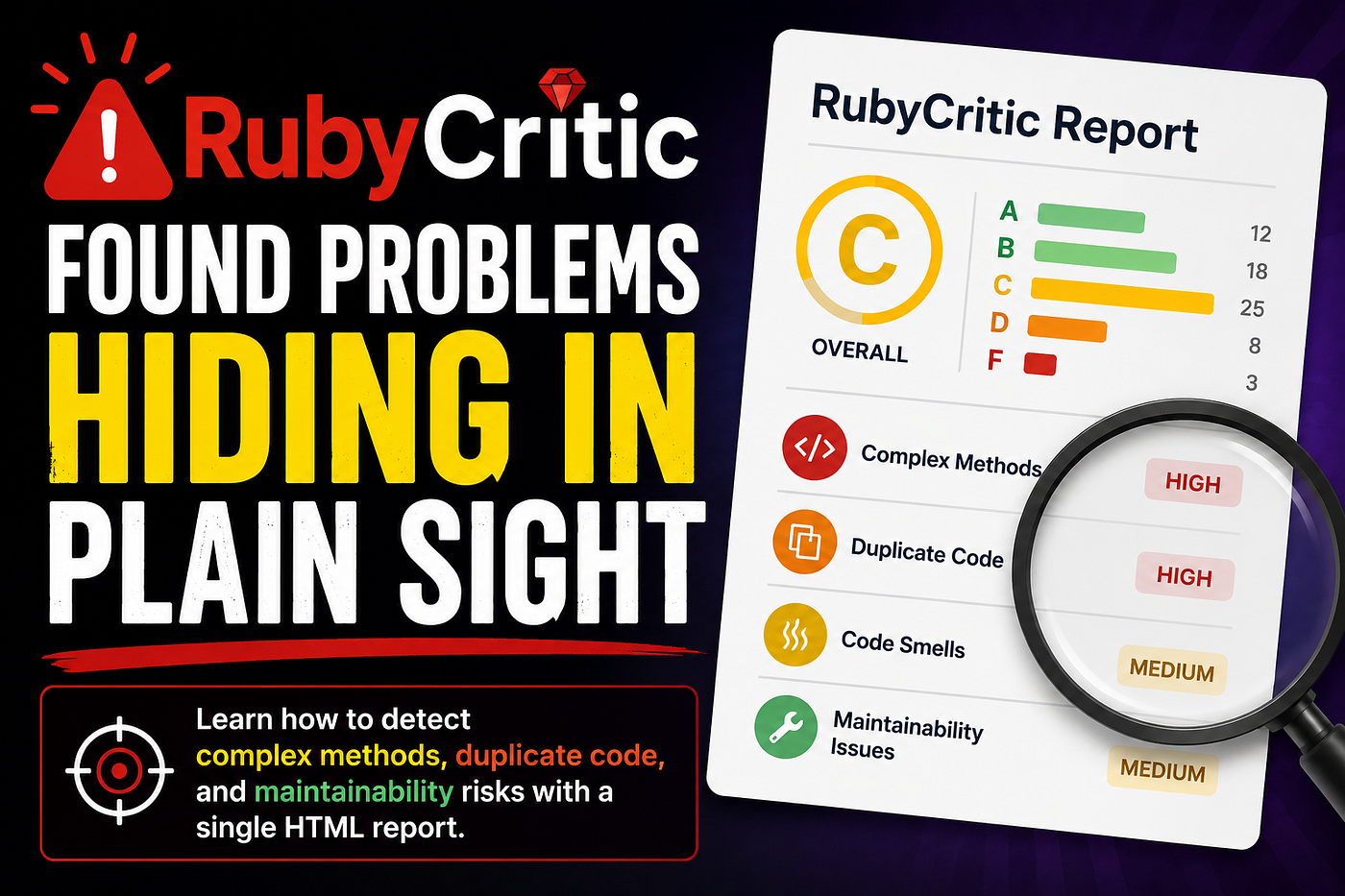
Learn how to detect complex methods, duplicate code, and maintainability risks with a single HTML report
RubyCritic Found Problems Hiding in Plain Sight
Learn how to detect complex methods, duplicate code, and maintainability risks with a single HTML report
What is RubyCritic?
RubyCritic is a code quality analysis tool for Ruby and Rails projects. It combines tools such as Reek, Flay, and Flog to identify:
- Complex methods
- Duplicate code
- Code smells
- Maintainability issues
It generates an HTML report with grades ranging from A (best) to F (worst).
1. Install RubyCritic
Add it to your Gemfile:
group :development, :test do
  gem 'rubycritic', require: false
end
Install dependencies:
bundle install2. Run an Analysis
From the project root:
bundle exec rubycritic .RubyCritic generates an HTML report, typically in:
tmp/rubycritic/overview.htmlOpen it in your browser:
xdg-open tmp/rubycritic/overview.html   # Linux
open tmp/rubycritic/overview.html       # macOS
3. Useful Options
Analyze only recent changes:
bundle exec rubycritic --mode-ciGenerate a report in a custom directory:
bundle exec rubycritic \
  --no-browser \
  --format html \
  --path analysis_report
4. Common Findings
IrresponsibleModule
A class lacks documentation.
# Responsible for extracting property data from listing pages.
class PropertyCrawler
end
TooManyStatements
A method is too large.
Fix: Break it into smaller methods.
UncommunicativeVariableName
Variable names are unclear.
rescue StandardError => error
  puts error.message
end
VeryHighComplexity
A method does too many things.
Fix: Extract responsibilities into dedicated methods.
DuplicateCode / DuplicateMethodCall
Repeated code or method calls.
Fix: Create reusable helpers or service methods.
UtilityFunction
The method does not depend on instance state.
Fix: Consider moving it to a module or class method.
5. Understanding the Report
| Section     | Description                                         |
|------------ |-----------------------------------------------------|
| Overview    | Overall project grade and summary metrics           |
| Files       | Quality score and analysis for each file            |
| Smells      | Code maintainability issues and design problems     |
| Churn       | Frequently modified files that may need attention   |
| Duplication | Repeated or duplicated code detected in the project |
Focus first on files with:
- High churn
- High complexity
- Many smells
These usually provide the greatest return on refactoring effort.
6. Refactoring Strategy
- Review the overall grade.
- Prioritize files with high churn and complexity.
- Remove duplication.
- Split large methods.
- Improve naming and readability.
- Run tests.
- Re-run RubyCritic and compare results.
bundle exec rubycritic \
  --no-browser \
  --format html \
  --path analysis_report
Key Takeaway
RubyCritic does not tell you that your code is bad — it highlights areas that may become difficult to maintain. Treat its findings as guidance, prioritize the most impactful issues, and improve the code incrementally.
메타데이터
- post_id
- 547c5db2ab5f
- slug
- rubycritic-found-problems-hiding-in-plain-sight-547c5db2ab5f
- url
- https://medium.com/jungletronics/rubycritic-found-problems-hiding-in-plain-sight-547c5db2ab5f
- canonical_url
- https://medium.com/jungletronics/rubycritic-found-problems-hiding-in-plain-sight-547c5db2ab5f
- author_url
- https://medium.com/@jaythree
- status
- ok
- fetched_at
- 2026-06-23 03:48:11