Understanding jQuery: A Comprehensive Guide
Introduction to jQuery
Understanding jQuery: A Comprehensive Guide
Introduction to jQuery
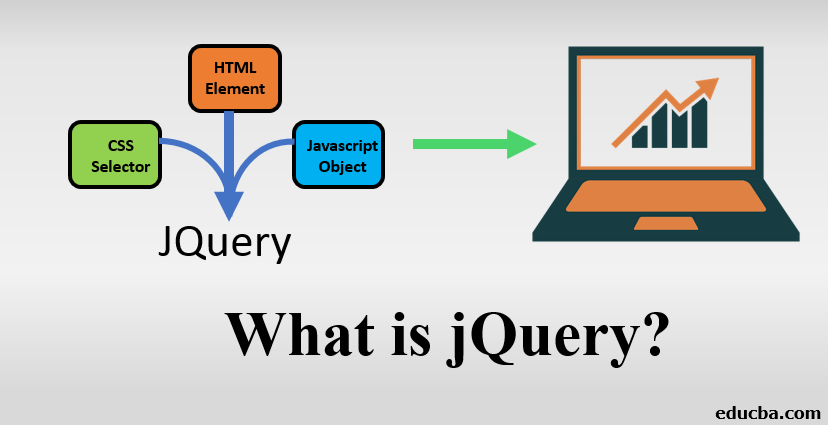
jQuery is a fast, small, and feature-rich JavaScript library. It makes tasks such as HTML document traversal and manipulation, event handling, and animation much simpler with an easy-to-use API that works across a multitude of browsers. Released in 2006, jQuery has become one of the most popular JavaScript libraries in the world, providing a powerful toolset for developers to create interactive websites with less code.
Why Use jQuery?
jQuery simplifies the complexities of JavaScript, especially when it comes to DOM manipulation and event handling. It provides a layer of abstraction, so you don’t need to worry about differences in how browsers implement JavaScript. Here are some of the key benefits:
- Simplifies Complex Tasks: jQuery abstracts a lot of the complexity involved in common tasks like manipulating the DOM, handling events, and making AJAX requests.
- Cross-Browser Compatibility: One of the significant challenges in web development is ensuring that your code works across all browsers. jQuery handles these inconsistencies for you.
- Rich Plugin Ecosystem: jQuery has a vast ecosystem of plugins that can extend its functionality, allowing you to add features like carousels, sliders, and popups with minimal effort.
Getting Started with jQuery
Including jQuery in Your Project
There are two main ways to include jQuery in your project:
- Using a CDN (Content Delivery Network): This is the simplest way to include jQuery. By linking to a hosted version of jQuery, you ensure that your site benefits from the CDN’s speed and that users who have already visited another site using the same version of jQuery will have it cached.
<script src="https://code.jquery.com/jquery-3.6.0.min.js"></script>2. Download and Include Locally: You can download jQuery from the official website and host it yourself. This approach is beneficial if your application requires a local copy of the library.
<script src="path/to/jquery-3.6.0.min.js"></script>Basic jQuery Syntax
The jQuery syntax is designed to be easy to write and understand. A basic jQuery statement typically looks like this:
$(selector).action();**$**: The$sign is an alias for thejQueryfunction.**selector**: Specifies the HTML elements you want to select.**action**: The action you want to perform on the selected elements.
For example, to hide all paragraphs on a page, you could write:
$('p').hide();jQuery Selectors
Selectors are one of jQuery’s most powerful features, allowing you to find and manipulate HTML elements with ease.
- Element Selectors: Select elements based on their tag name.
$('p') // Selects all <p> elements- Class Selectors: Select elements based on their class.
$('.myClass') // Selects all elements with class "myClass"- ID Selectors: Select elements based on their ID.
$('#myId') // Selects the element with ID "myId"- Attribute Selectors: Select elements based on their attributes.
$('input[type="text"]') // Selects all <input> elements with type="text"- Hierarchy Selectors: Select elements based on their position in the DOM hierarchy.
$('div > p') // Selects all <p> elements that are direct children of a <div>Manipulating the DOM
What is DOM?
A conceptual model that shows how a “document” is structurally composed is called the Document Object Model (DOM). Acting as an interface that is independent of language and platform, it allows scripts and programs to dynamically interact with and modify the content, structure, and styling of a document.
DOM Structure
A structured representation of a document’s structure is provided by the Document Object Model (DOM), which provides a methodical way for programs to access and alter the document’s layout, style, and content. The Document Object, which includes several child objects that are subordinate to it, is at the center of this tree-like structure. The document object also has a number of characteristics that shed light on the document’s general condition. For example, the title of the current page is a descriptor described by the property document.title.
<script type="text/javascript"> alert(document.title); </script>HTML Dom Structure

img by net-informations
jQuery makes it easy to get and set the content of HTML elements, change their attributes, and manipulate their CSS.
- Getting and Setting Content:
- Use the
text()method to get or set the text content of an element.
var text = $('#myId').text(); // Get text $('#myId').text('New Text'); // Set text- Use the
html()method to get or set the HTML content of an element.
var htmlContent = $('#myId').html(); // Get HTML $('#myId').html('<strong>Bold Text</strong>'); // Set HTML- Use the
val()method to get or set the value of form elements.
var value = $('#myInput').val(); // Get value $('#myInput').val('New Value'); // Set value- Changing CSS with jQuery:
- Use the
css()method to get or set CSS properties.
$('#myId').css('color', 'red'); // Set CSS- Add or remove classes using
addClass()andremoveClass().
$('#myId').addClass('newClass'); // Add class $('#myId').removeClass('oldClass'); // Remove class- Manipulating DOM Structure:
- Append content to the end of an element using
append().
$('#myId').append('<p>New Paragraph</p>');- Prepend content to the beginning of an element using
prepend().
$('#myId').prepend('<p>First Paragraph</p>');- Remove elements from the DOM using
remove()andempty().
$('#myId').remove(); // Removes the element with id="myId" $('#myId').empty(); // RemoveEvent Handling in jQuery
jQuery makes it easy to handle events such as clicks, form submissions, and hover effects.
Binding Events: Use the on() method to attach an event handler to one or more elements.
$('#myButton').on('click', function() {
    alert('Button clicked!');
});
Common Events:
click(): Triggered when an element is clicked.dblclick(): Triggered when an element is double-clicked.hover(): Triggered when the mouse pointer is moved over an element.focus(): Triggered when an element gains focus (e.g., an input field).blur(): Triggered when an element loses focus.
Event Delegation: Use on() for event delegation, which allows you to attach an event handler to a parent element, ensuring that it works for dynamically added elements.
$('#parent').on('click', '.child', function() {
    alert('Child element clicked!');
});
AJAX with jQuery
AJAX (Asynchronous JavaScript and XML) allows you to load data from the server without reloading the entire page.
Making AJAX Calls:
- Use
$.get()to make a GET request.
$.get('data.json', function(data) {
    console.log(data);
});
. Use $.post() to make a POST request.
$.post('submit.php', {name: 'John'}, function(response) {
    console.log(response);
});- Use
$.ajax()for more control over the AJAX request.
$.ajax({
    url: 'data.json',
    method: 'GET',
    success: function(data) {
        console.log(data);
    },
    error: function(error) {
        console.error(error);
    }
});
Handling Responses:
- Use
.done()and.fail()methods to handle success and error responses.
$.get('data.json')
  .done(function(data) {
      console.log('Success:', data);
  })
  .fail(function() {
      console.error('Error occurred');
  });
jQuery Plugins
Plugins are an essential part of jQuery, allowing you to extend its functionality easily.
- What are jQuery Plugins? Plugins are reusable pieces of code that add functionality to jQuery, like creating a slideshow, carousel, or lightbox.
- How to Use a Plugin: Typically, you include the plugin’s JavaScript file in your project and initialize it using jQuery.
$('#myElement').pluginName(options);Creating a Simple jQuery Plugin: Here’s a basic example of a jQuery plugin that changes the color of an element.
(function($) {
    $.fn.changeColor = function(color) {
        return this.css('color', color);
    };
}(jQuery));

// Usage:
$('#myElement').changeColor('blue');
Best Practices with jQuery
- Performance Optimization: jQuery is powerful, but like any tool, it needs to be used wisely to avoid performance issues.
- Minimize DOM manipulation by caching selectors and working with elements in memory before updating the DOM.
- Use efficient selectors that minimize the number of elements jQuery needs to search through.
- Code Organization: Keep your jQuery code clean and maintainable by separating concerns, using comments, and following consistent naming conventions.
- Progressive Enhancement: Ensure that your site works without JavaScript, and use jQuery to enhance the user experience for those who have it enabled.
jQuery vs. Modern JavaScript
With the advent of modern JavaScript (ES6 and beyond), some developers question the necessity of jQuery. However, jQuery still has its place in the development world:
Where jQuery Still Shines?
- Legacy Browser Support: jQuery is a great option for projects that need to support older browsers.
- Ease of Use: For beginners or small projects, jQuery offers a quick and straightforward way to add interactivity.
- ES6 and Beyond: Modern JavaScript has introduced features like
querySelector,fetch, and Promises, which reduce the need for jQuery in some cases. However, jQuery’s ease of use and extensive plugin ecosystem keep it relevant.
Should You Still Learn jQuery?
Absolutely! While it’s essential to learn modern JavaScript, jQuery is still widely used and can be an invaluable tool in your web development toolkit.
Conclusion
jQuery remains a powerful and essential tool for web developers. Whether you’re looking to simplify your JavaScript code, add complex interactivity to your site, or ensure cross-browser compatibility, jQuery has something to offer. With its extensive documentation, large community, and rich plugin ecosystem, jQuery will continue to be relevant for years to come.
For further learning, consider exploring the official jQuery documentation, experimenting with different plugins, and integrating jQuery UI components into your projects.
메타데이터
- post_id
- 554fcc4ad85a
- slug
- understanding-jquery-a-comprehensive-guide-554fcc4ad85a
- url
- https://medium.com/@uroojarif479/understanding-jquery-a-comprehensive-guide-554fcc4ad85a
- canonical_url
- https://medium.com/@uroojarif479/understanding-jquery-a-comprehensive-guide-554fcc4ad85a
- author_url
- https://medium.com/@uroojarif479
- status
- ok
- fetched_at
- 2026-08-06 21:52:48





