Building an AI-Ready ERP: How I Connected Claude to ERPNext With MCP and OAuth 2.1
Most ERP systems were designed for people clicking through forms, not AI assistants reasoning across business data. I wanted to change that…
Building an AI-Ready ERP: How I Connected Claude to ERPNext With MCP and OAuth 2.1
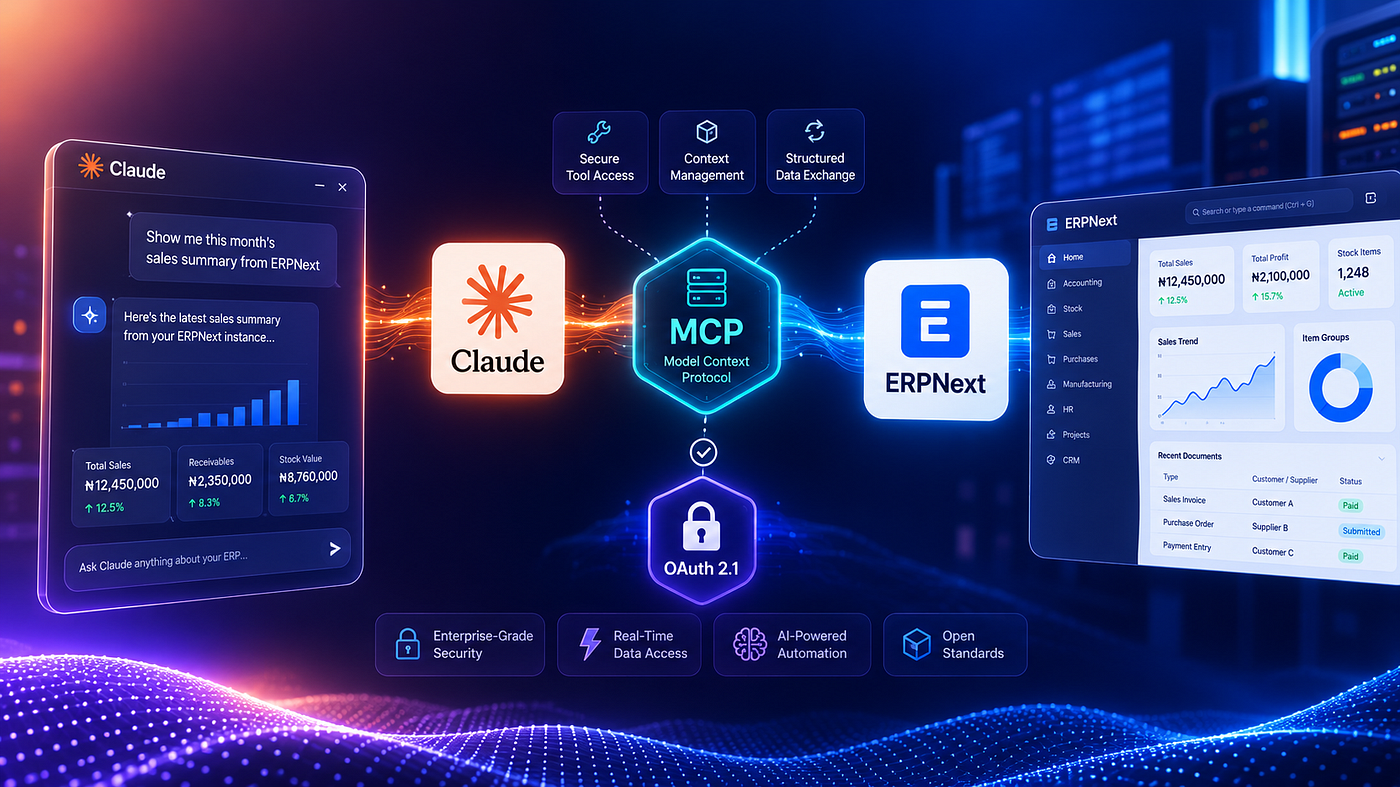
Most ERP systems were designed for people clicking through forms, not AI assistants reasoning across business data. I wanted to change that without giving an AI model direct database access, sharing a permanent API token, or placing another identity provider between our users and ERPNext.
So I built a remote Model Context Protocol server for ERPNext, secured it with a self-contained OAuth 2.1 authorisation flow, and connected it to Claude through a custom connector. The final result lets an approved ERPNext user authorise Claude with their existing ERP credentials and access a controlled set of ERP tools.
This guide explains the architecture, the decisions I made, the mistakes I avoided, and how I tested the connection safely.
What We Were Trying to Achieve
Our ERPNext deployment already held live operational data. The goal was not to build a chatbot that could bypass ERP permissions. We wanted a secure integration layer that allowed AI clients to work with the ERP through explicit, auditable tools.
The integration needed to support:
- A remote MCP endpoint over HTTPS
- Claude and other standards-compliant MCP clients
- OAuth-based user authorization
- Existing ERPNext user accounts
- Read and write operations through controlled tools
- Rate limiting, audit logging, and protected deletion
The important principle was simple: the AI client should never receive an ERP password or unrestricted database access.
The Architecture
The finished request flow looks like this:
┌─────────────┐
│   Claude    │
└──────┬──────┘
       │
       │ OAuth 2.1 + PKCE
       ▼
┌────────────────────────────┐
│ MCP Authorization Layer    │
└──────────┬─────────────────┘
           │
           │ Short-lived Access Token
           ▼
┌────────────────────────────┐
│     Remote MCP Server      │
└──────────┬─────────────────┘
           │
           │ Dedicated ERPNext API Credentials
           ▼
┌────────────────────────────┐
│      ERPNext REST API      │
└────────────────────────────┘
The MCP service sits between Claude and ERPNext. Claude sees a small collection of well-described tools. The MCP server validates the user’s access token, applies its own security controls, calls ERPNext through a dedicated service account, and records the operation in an audit log.
This separation matters. Claude does not connect directly to the ERP database, and the user’s ERP password is used only during authorisation. It is validated against ERPNext and is never stored by the MCP service.
Step 1: Build a Dedicated ERPNext Integration User
I created a dedicated ERPNext System User for the MCP service instead of reusing the built-in Administrator account.
That decision gives us a clean security boundary. The service account can be rotated, monitored, restricted, or disabled without affecting a human administrator. Its activity is also easier to identify in ERP logs.
For a production implementation, I recommend:
-
Create a dedicated enabled System User.
-
Assign only the roles required by the MCP tools.
-
Generate API credentials for that user.
-
Store the credentials only in the server’s secret environment file.
-
Restrict the file permissions to the service owner.
I initially used broad permissions while proving the integration, but least privilege should be the long-term target. A generic MCP tool backed by an all-powerful service account is convenient, but convenience is not a security model.
Step 2: Expose ERPNext as Explicit MCP Tools
We implemented six generic tools:

These tools map MCP requests to ERPNext’s REST API. Each tool validates its inputs before the request reaches ERPNext.
Deletion received extra protection. A delete request must include an exact confirmation value rather than relying on vague natural-language intent. We also restricted method calls to an allowlist so that the generic method tool could not become an escape hatch into arbitrary ERP functions.
That said, exposing a tool does not mean every user should automatically be allowed to use it. A mature version should combine MCP-level policy, ERPNext permissions, and — where appropriate — human approval for high-impact operations.
Step 3: Serve MCP Over Streamable HTTP
Because Claude needed to connect remotely, we exposed the server through a public HTTPS endpoint using MCP’s Streamable HTTP transport.
In our deployment, the endpoint follows this pattern:
https://your-erp-domain.example/mcpA reverse proxy terminates TLS and routes MCP and OAuth paths to the containerised service. The MCP container is not exposed directly to the public internet.
At this stage, I added:
✓ HTTPS at the reverse proxy
✓ Container health checks
✓ Request rate limiting
✓ JSONL audit logs
✓ Authentication on every MCP session
✓ 401 Unauthorized response for unauthenticated requests
Before adding OAuth, I validated the core protocol using a temporary bearer token. That was useful for isolating MCP and ERPNext problems from OAuth problems. It was never intended to be the final user experience.
Step 4: Add OAuth Discovery
Remote MCP clients need to discover how authentication works. I implemented the standards-based metadata endpoints used by OAuth-aware clients.
The MCP endpoint advertises protected-resource metadata, and the authorisation server publishes its authorisation, token, and registration endpoints. Conceptually, the metadata tells the client:
{
"authorization_endpoint": "https://your-erp-domain.example/authorize",
"token_endpoint": "https://your-erp-domain.example/token",
"registration_endpoint": "https://your-erp-domain.example/register",
"code_challenge_methods_supported": ["S256"]
}
The exact documents should follow the relevant OAuth metadata specifications rather than being invented for one client. This is what allows Claude to start with only the MCP URL and discover the rest automatically.
Step 5: Support Dynamic Client Registration
Claude can dynamically register itself as an OAuth client. I implemented a registration endpoint that accepts approved callback URLs and returns a client ID.
This is also an important security boundary. Dynamic registration should not mean accepting any redirect URI on the internet. My implementation uses a strict allowlist for known Claude, ChatGPT, and local development callbacks.
An unapproved or malformed redirect URI is rejected.
Without this check, an attacker could attempt to register a malicious callback and steal an authorisation code after a user signs in.
Step 6: Implement Authorisation Code Flow With PKCE
The authorisation flow uses OAuth 2.1-style Authorisation Code with PKCE.
The sequence is:
-
Claude generates a code verifier and a derived code challenge.
-
Claude opens the authorisation page with the challenge.
-
The user signs in with an approved ERPNext user ID and password.
-
The MCP authorisation service validates those credentials directly against ERPNext.
-
After consent, the service creates a short-lived, one-time authorisation code.
-
Claude exchanges that code, together with the original verifier, for tokens.
-
The server verifies that the verifier matches the earlier challenge.
PKCE protects the authorisation code from being useful if it is intercepted. The code is also single-use and expires quickly.
We issue short-lived signed access tokens and rotating refresh tokens. Refresh tokens are stored as hashes rather than plain text, and rotation invalidates the previous token after use.
Step 7: Use ERPNext as the Identity Source
The simpler design is always better for this use case: approved users authenticate with their existing ERPNext credentials. This avoided a second identity system, an additional app registration, tenant configuration, and the risk of confusing mailbox aliases with ERPNext user IDs.
The distinction is important. If an email address is only a Microsoft 365 alias but the ERPNext User ID is different, the user must enter the actual ERPNext User ID. Authentication is performed against ERPNext, not against the mailbox receiving email.
I also added an application-level allowlist. Even if an ERPNext account exists, it cannot authorise the MCP client unless it has been explicitly approved for this integration.
Step 8: Keep Secrets Out of the Repository
The repository contains configuration templates, not production secrets.
The production environment stores:
- ERPNext base URL
- Dedicated service-account credentials
- Token-signing secrets
- Approved OAuth users
- Allowed redirect URIs
- Rate-limit and audit configuration
These values live in a restricted server-side environment file. They should never appear in Git, screenshots, setup guides, client configuration forms, or chat messages.
Claude only needs the MCP URL. The user enters their ERP password into the authorisation page served by the organisation’s own domain.
Step 9: Connect Claude
Once the service was deployed, the Claude configuration was deliberately minimal:

claude desktop custom connector
text
Name: Your ERP
URL: https://your-erp-domain.example/mcp
OAuth Client ID: leave blank
OAuth Client Secret: leave blank
Individual sign-in: enabled
Managed authorization: disabled
Claude discovered the authorisation server, registered itself, opened the sign-in page, and completed the OAuth redirect automatically.
Leaving the client credentials blank is intentional when dynamic client registration is supported. We also did not add a custom bearer-token header because OAuth replaced that manual setup.
Step 10: Test Read Access Before Write Access
The first live test was intentionally boring:
Use the ERP connector to list the Company records. This is a read-only test. Do not create, update, or delete anything.
Claude returned the expected company record from the live ERP.
We then tested document-level retrieval:
Retrieve the full Company document named “Example Company”. Do not modify anything. Return only the company name, abbreviation, country, default currency, and domain. Tell me which MCP tool you used.
These two tests verified:
- OAuth authorisation completed successfully
- Claude discovered the MCP tools
- The access token was accepted
- The MCP server reached ERPNext
- ERPNext returned live data
- The tool response reached Claude
- No record was modified
We deliberately postponed create, update, and delete tests. Those operations should be tested against a harmless DocType or dedicated test record with a documented rollback plan.
What We Verified Before Calling It Complete
Connecting successfully in the Claude interface was not enough. We tested the failure paths too.
Our checklist included:
-
Unauthenticated MCP requests return
401 -
OAuth and protected-resource metadata return valid responses
-
Claude can dynamically register an approved callback
-
A malicious redirect URI is rejected
-
Authorisation codes are short-lived and single-use
-
PKCE verification is enforced
-
Access tokens expire
-
Refresh tokens rotate
-
The container remains healthy
-
ERPNext remains healthy
-
All six tools are discoverable
-
A live read-only ERPNext query succeeds
-
Audit logs identify the OAuth user and requested tool
This matters because a happy-path demo proves only that the demo worked. Security comes from proving that invalid requests fail in the expected way.
Lessons From the Build
The biggest lesson was that MCP is the easy part. The hard part is identity, authorisation, and operational safety.
It is straightforward to wrap an ERP API in tools. It is much harder to decide who can authorise an AI client, which tools they can invoke, how destructive intent is confirmed, how tokens are protected, and how every action can be reconstructed later.
Another lesson was to keep the architecture proportional. Using an external enterprise identity provider can be the correct decision when centralised SSO and conditional access are requirements. In our case, it introduced complexity we did not need. ERPNext already had the user identities we wanted to authorise, so using it as the authentication source made the integration simpler and easier to operate.
Where We Go From Here
The next phase is not “give the AI more power.” It is to make the existing power safer and more useful.
That means moving toward per-user authorisation policies, narrower ERP roles, approval workflows for sensitive operations, structured observability, and business-specific tools that are safer than generic CRUD.
For example, “prepare a draft customer record for approval” is a better production tool than “create any document.” The more clearly a tool represents a real business workflow, the easier it is to validate, authorise, audit, and trust.
We proved that Claude can interact with ERPNext through a secure, standards-based MCP connection without exposing the database or depending on an external identity provider. The real value, however, is not that an AI can read ERP data. It is that we now have a controlled foundation for building AI-assisted business workflows on top of the systems the organisation already uses.
메타데이터
- post_id
- 55928a43e45f
- slug
- building-an-ai-ready-erp-how-i-connected-claude-to-erpnext-with-mcp-and-oauth-2-1-55928a43e45f
- url
- https://medium.com/@eberewill/building-an-ai-ready-erp-how-i-connected-claude-to-erpnext-with-mcp-and-oauth-2-1-55928a43e45f
- canonical_url
- https://medium.com/@eberewill/building-an-ai-ready-erp-how-i-connected-claude-to-erpnext-with-mcp-and-oauth-2-1-55928a43e45f
- author_url
- https://medium.com/@eberewill
- status
- ok
- fetched_at
- 2026-08-07 02:32:30



