Design and Implementation of PP-ChatOCRv4: An Open-Source Key Information Extraction Solution
🔍 Background and Challenges
Design and Implementation of PP-ChatOCRv4: An Open-Source Key Information Extraction Solution
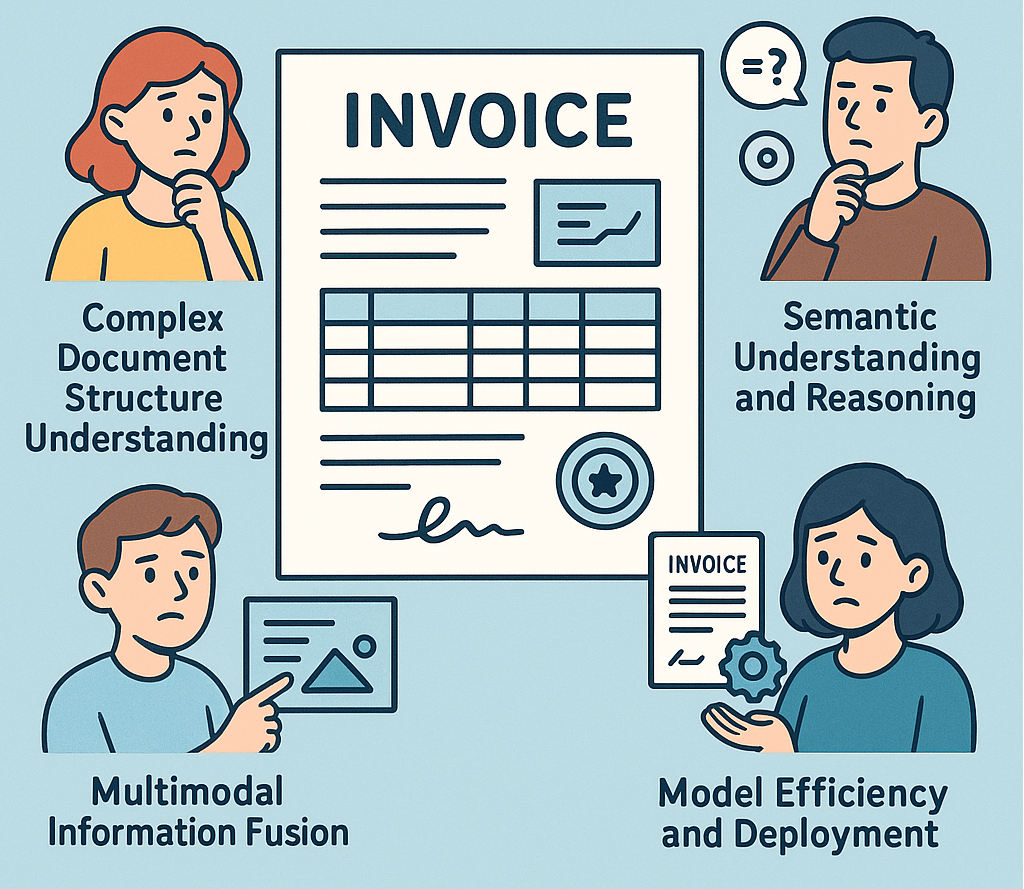
How to extract key information?
🔍 Background and Challenges
In the digital era, documents remain crucial mediums for information exchange. Particularly in finance, legal, and healthcare sectors, accurately extracting key information from complex documents like invoices, contracts, and medical records forms the foundation for automated workflows and intelligent decision-making.
However, key information extraction faces multiple practical challenges:
- Complex Document Structure Understanding: Documents often contain diverse elements including text, tables, seals, and images that traditional OCR struggles to parse completely
- Semantic Understanding and Reasoning: Requires contextual and domain-specific knowledge beyond text recognition
- Multimodal Information Fusion: Effective integration of visual and textual information for cross-modal comprehension
- Model Efficiency and Deployment: Trade-offs between large model performance and deployment costs versus lightweight model efficiency
To address these challenges, PP-ChatOCRv4 was developed, combining OCR, computer vision, and large language model technologies for efficient intelligent parsing of complex documents.
🚀 PP-ChatOCRv4 Solution Overview
PP-ChatOCRv4 is an open-source end-to-end key information extraction and intelligent Q&A system designed for complex document parsing scenarios. It integrates OCR technology, structured parsing, vector retrieval, and LLMs to create a complete processing pipeline from document images to structured results → PP-ChatOCRv4 Quick Experience.
2.1 Core Design Principles
- Modular Architecture: Loosely coupled components for easy replacement and extension
- Multimodal Fusion: Combining visual features with text semantics for improved accuracy
- Retrieval-Augmented: Vector retrieval provides precise context for LLMs
- Lightweight and Efficient: Supports resource-constrained deployment environments
- Open-Source Collaboration: Fully open-source with deep PaddlePaddle ecosystem integration
2.2 Technical Architecture
PP-ChatOCRv4 has 6 core modules:
- PP-DocBee2: Full document parsing and semantic understanding
- PP-StructureV3: Table recognition, layout analysis, and field localization
- Vector Retrieval: Converts structured results to vectors for contextual retrieval
- Prompt Engineering: Optimizes LLM input by combining retrieval results with user queries
- LLMs: Supports ERNIE 4.5, GPT and other models for cross-domain reasoning
- Result Fusion: Combines LLM outputs with PP-DocBee2 results for final accuracy

PP-ChatOCRv4 Architecture
This architecture maintains traditional OCR accuracy while incorporating multimodal reasoning for complex document processing.
⚙️ Environment Setup and Quick Start
3.1 Installation
PP-ChatOCRv4 requires the following dependencies:
# Install PaddlePaddle (GPU version)
python -m pip install paddlepaddle-gpu==3.1.0 -i https://www.paddlepaddle.org.cn/packages/stable/cu118/

# Install PaddleOCR
pip install paddleocr

# Install ERNIE-4.5-0.3B dependencies
git clone https://github.com/PaddlePaddle/ERNIE.git
cd ERNIE
pip install -r requirements.txt
pip install -e .
pip install --upgrade opencv-python opencv-python-headless
3.2 Quick Start Example
Here is the sample code of extracting key information from contracts:
from paddleocr import PPChatOCRv4Doc

# Configure ERNIE service
chat_bot_config = {
    "module_name": "chat_bot",
    "model_name": "ernie-4.5-0.3b",
    "base_url": "http://0.0.0.0:8178/v1",
    "api_type": "openai",
    "api_key": "sk-xxxxxx...",  # Replace with your API key
}

# Initialize pipeline
pipeline = PPChatOCRv4Doc()

# Document analysis
image_path = "./contract_sample.jpg"
visual_predict_res = pipeline.visual_predict(
    input=image_path,
    use_doc_orientation_classify=False,
    use_doc_unwarping=False,
    use_common_ocr=True,
    use_seal_recognition=True,
    use_table_recognition=True,
)

# Extract information
question = "What is the Party A name in the contract?"
chat_result = pipeline.chat(
    key_list=[question],
    visual_info=[res["visual_info"] for res in visual_predict_res],
    chat_bot_config=chat_bot_config,
)

print(chat_result['chat_res'])
# Expected output: {'What is the Party A name in the contract?': 'Beijing Technology Co., Ltd.'}
Complete code available at: Practice of Key Information Extraction in Contract Scenarios
📊 Performance Evaluation
4.1 Benchmark Results
Evaluation on contract information extraction:

Test Environment: A100 GPU, batch size=1, average input length=512 tokens
4.2 Optimization Strategies
- Model Compression: Knowledge distillation and quantization
- Inference Acceleration: Paddle Inference optimization
- Parallel Computing: Multi-GPU processing
- Adaptive Batch Sizing: Dynamic adjustment based on document complexity
# INT8 Quantization
from paddle.quantization.quantize import quantize_model
quantized_model = quantize_model(model, quantize_type='INT8')

# Accelerated Inference
from paddle.inference import Config, create_predictor
config = Config(model_path)
config.enable_memory_optim()
predictor = create_predictor(config)
📋 Case Study
Lease Contract Analysis: This case demonstrates PP-ChatOCRv4’s capability in real-world contract analysis scenarios. The system successfully extracts critical clauses from complex lease agreements with mixed layouts
from paddleocr import PPChatOCRv4Doc

# Configure ERNIE service
chat_bot_config = {
    "module_name": "chat_bot",
    "model_name": "ernie-4.5-0.3b",
    "base_url": "http://0.0.0.0:8178/v1",
    "api_type": "openai",
    "api_key": "sk-xxxxxx...",  # Replace with your API key
}

# Initialize pipeline
pipeline = PPChatOCRv4Doc()

# Document analysis
image_path = "./contract_sample.jpg"
visual_predict_res = pipeline.visual_predict(
    input=image_path,
    use_doc_orientation_classify=False,
    use_doc_unwarping=False,
    use_common_ocr=True,
    use_seal_recognition=True,
    use_table_recognition=True,
)

# Prepare the key information extract prompt
question = "What is the area discrepancy tolerance in the contract?"
# Extract the information
chat_result = pipeline.chat(
    key_list=[question],
    visual_info=[res["visual_info"] for res in visual_predict_res],
    chat_bot_config=chat_bot_config,
)
print(chat_result['chat_res'])
# Output: {'What is the area discrepancy tolerance in the contract?': 'Absolute value within 5% (inclusive)'}
🔮 Conclusion
PP-ChatOCRv4 provides an effective open-source solution for complex document parsing through OCR, computer vision and LLM integration, with applications across multiple industries.
Next Steps
메타데이터
- post_id
- 564c243bd69e
- slug
- design-and-implementation-of-pp-chatocrv4-an-open-source-key-information-extraction-solution-564c243bd69e
- url
- https://medium.com/@alex_paddleocr/design-and-implementation-of-pp-chatocrv4-an-open-source-key-information-extraction-solution-564c243bd69e
- canonical_url
- https://medium.com/@alex_paddleocr/design-and-implementation-of-pp-chatocrv4-an-open-source-key-information-extraction-solution-564c243bd69e
- author_url
- https://medium.com/@alex_paddleocr
- status
- ok
- fetched_at
- 2026-06-13 16:00:06






