When Shared Hosting Becomes a Bottleneck
Shared hosting often looks like the obvious choice when a website is new. It is affordable, easy to set up, and often includes a control…
When Shared Hosting Becomes a Bottleneck
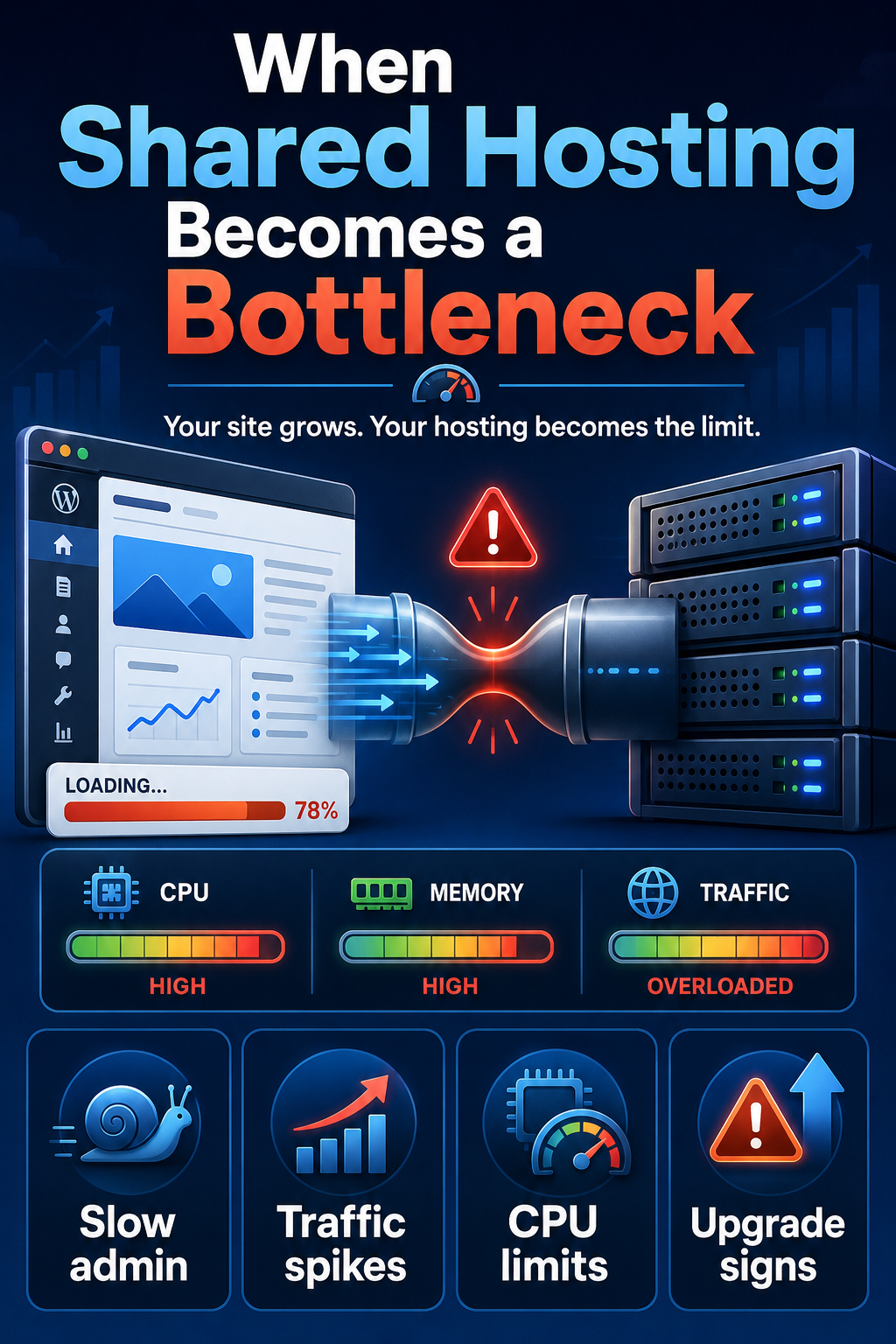
Shared hosting often looks like the obvious choice when a website is new. It is affordable, easy to set up, and often includes a control panel, backups, and WordPress installation. For a small site with limited traffic, that can be more than enough.
The problem usually appears later. The website grows, plugins are installed, traffic becomes less predictable, and visitors expect faster pages. At that point, the same hosting plan that worked well at the beginning may start holding the site back.
This is what a shared hosting bottleneck looks like in practice. The hosting may not be broken, and the website may remain online. However, the server resources available to the account are no longer sufficient to support the way the site now works.
Shared Hosting Can Work Well at the Beginning
Shared hosting is not automatically a poor choice. For many new websites, it is a practical starting point because the site does not yet need much processing power.
A basic WordPress site may run well when it has:
- a small number of pages;
- a lightweight theme;
- only a few essential plugins;
- low or moderate traffic;
- limited database activity;
- no complex search, filtering, membership, or ecommerce features;
- few simultaneous visitors.
Under these conditions, the site may load quickly enough and remain stable. The owner may not notice serious limitations because the website rarely reaches its resource limits.
This can create the impression that the same plan will remain suitable indefinitely. In reality, hosting needs change as the website becomes more active. A site that once served mostly static pages may later need to process forms, run scheduled tasks, update inventories, generate personalised content, handle logged-in users, or support an online shop.
Shared hosting has not suddenly become bad. The issue is that the website has changed while the available resources have stayed roughly the same.
For a closer explanation of why WordPress can struggle in this environment, see:
https://volodymyrzh.medium.com/why-shared-hosting-struggles-with-wordpress-07b94f85b916
What a Shared Hosting Bottleneck Actually Means
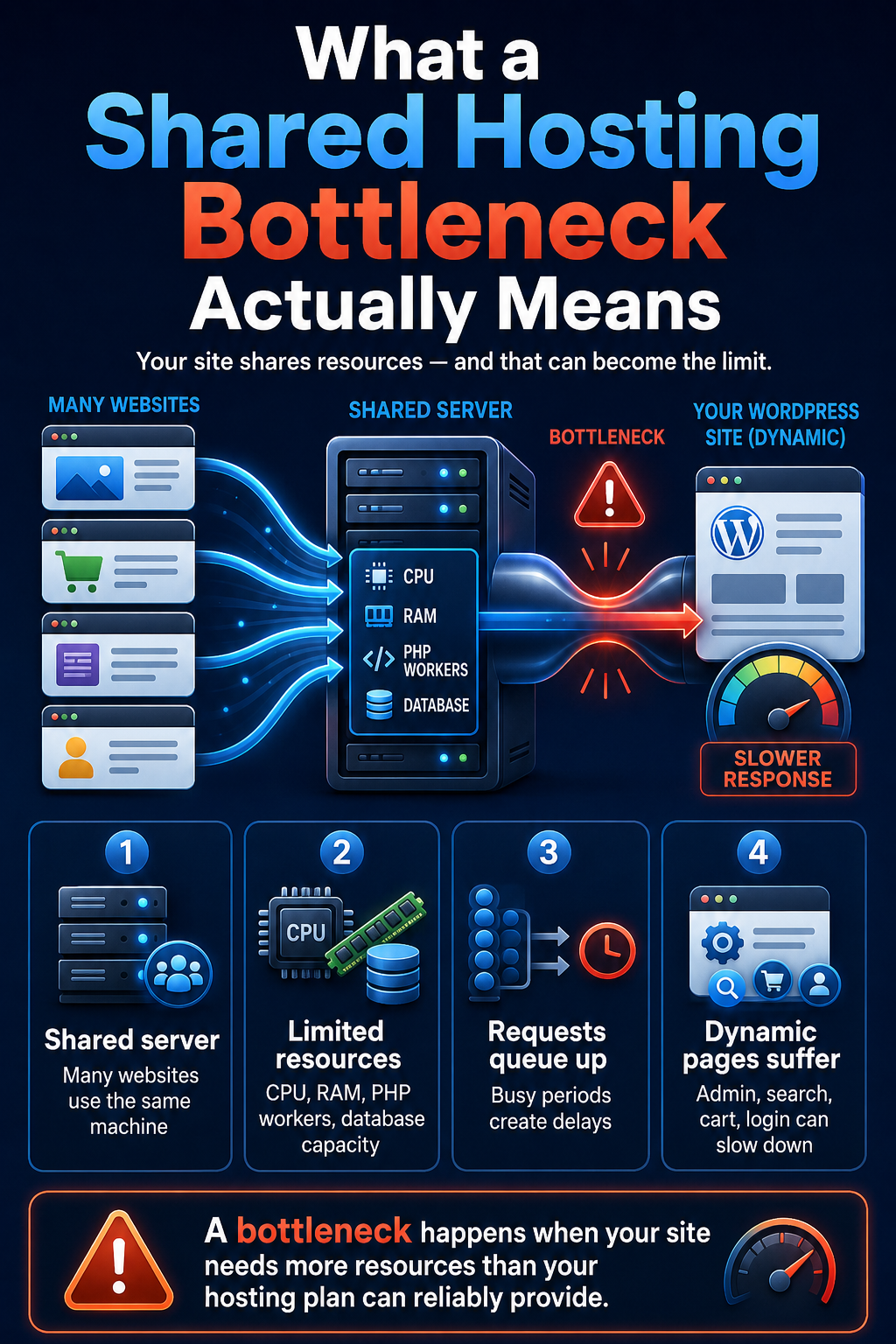
A bottleneck is the part of a system that limits the performance of everything else. A website may have an optimised theme, compressed images, a CDN, and well-written content, but it can still feel slow if the hosting account cannot process requests quickly enough.
On shared hosting, many websites use the same physical server. The provider divides the server’s resources between accounts and applies limits to prevent one customer from consuming too much.
These limits may affect:
- CPU time;
- available memory;
- the number of simultaneous PHP processes;
- database queries;
- disk input and output;
- background tasks;
- the number of files or processes an account can use.
The server itself may be powerful, but an individual account receives only a controlled portion of that power. When the website repeatedly needs more than the plan allows, requests begin to queue, processes slow down, or tasks fail.
This is why a hosting bottleneck can affect different parts of a site in different ways. A cached blog post may load reasonably well because the server has little work to do. A product search, checkout page, account area, contact form, or WordPress admin screen may be much slower because it requires fresh database queries and PHP processing.
The bottleneck is therefore not always visible on every page. It appears most clearly where the site has to perform real work.
Why the Bottleneck Is Often Hard to Notice
Shared hosting performance issues are often inconsistent. The website may be fast during one test and slow ten minutes later. It may work well when the owner checks it but struggle during a traffic spike.
Common patterns include:
- pages loading normally early in the day but slowing down during busy periods;
- good results for cached pages but poor performance for uncached pages;
- a fast homepage but a slow WordPress admin area;
- delays on login, search, filtering, forms, carts, or checkout pages;
- backups or security scans making the whole site temporarily slower;
- different speed results from repeated tests.
This inconsistency makes diagnosis difficult. Site owners may blame the theme, plugins, images, or internet connection and keep making small changes without addressing the actual limit.
The most important clue is repetition. If performance problems return whenever traffic, database activity, backups, or background tasks increase, the website may be reaching a shared hosting bottleneck rather than suffering from a single isolated issue.
A site does not need to crash completely before it has outgrown its hosting. Slow, unstable, or unpredictable performance can be the earlier warning.
The Main Signs You Have Outgrown Shared Hosting
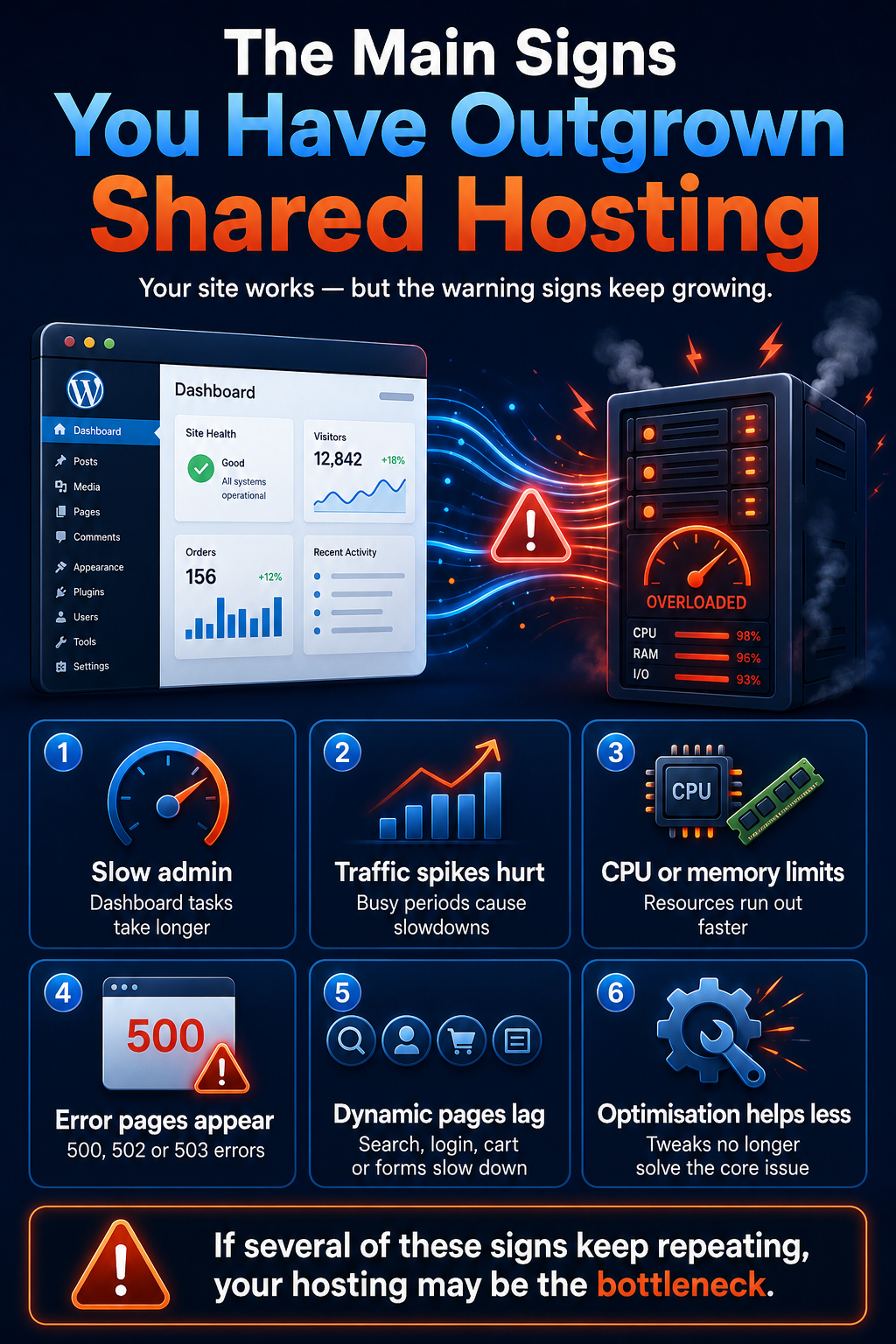
A shared hosting bottleneck rarely announces itself with one clear message. More often, the site develops several smaller problems that appear unrelated. A page becomes slow, the admin panel freezes, a backup fails, or visitors report errors during busy periods.
One problem on its own does not prove that the hosting plan is responsible. However, several recurring symptoms often show that the site is reaching its available server limits.
Typical warning signs include:
- server response time increasing without a clear change to the website;
- pages becoming slower when traffic rises;
- the WordPress admin area taking longer to open or save changes;
- dynamic pages performing worse than cached articles;
- repeated 500, 502, 503, or resource limit errors;
- backups, imports, or security scans slowing down the entire site;
- a new plugin causing a much larger performance drop than expected;
- optimisation changes producing smaller improvements over time;
- speed varying significantly at different times of day.
The pattern matters more than a single speed test. If the same problems return whenever the website has more work to do, the hosting environment may be limiting performance.
This is also where hosting can begin to affect visibility and business results. A site may remain technically available while becoming too slow or unstable for users and search engines. The wider SEO consequences are explained here:
https://volodymyrzh.medium.com/when-shared-hosting-is-no-longer-enough-for-seo-909e8765076b
Traffic Growth Exposes Resource Limits
Monthly visitor numbers do not tell the whole story. A website with moderate overall traffic can still overload shared hosting if many requests arrive at the same time.
This can happen after:
- an email campaign;
- a paid advertising launch;
- a popular social media post;
- a seasonal promotion;
- a search ranking improvement;
- increased activity from crawlers and bots.
The hosting account must process concurrent requests, not just count visitors over a month. Ten people opening cached blog posts may create little pressure. Ten people searching products, logging in, adding items to a basket, or submitting forms can require far more CPU, memory, and database work.
The business may successfully attract more visitors, but the hosting plan may not be able to handle the extra activity reliably.
Why More Plugins and Content Increase Server Work

The number of plugins alone is not a useful performance measurement. A lightweight plugin may have almost no noticeable effect, while one complex plugin can create regular database queries, background jobs, or external requests.
As a WordPress site grows, it may need to process:
- search and filtering queries;
- scheduled publishing tasks;
- security scans;
- automated backups;
- form submissions;
- membership checks;
- inventory updates;
- image generation;
- imports and exports;
- ecommerce sessions and payments.
The problem is not simply that the website contains more pages. It is that more features require the server to perform more work for each visitor or administrative task.
Why Optimisation Cannot Remove Every Hosting Bottleneck
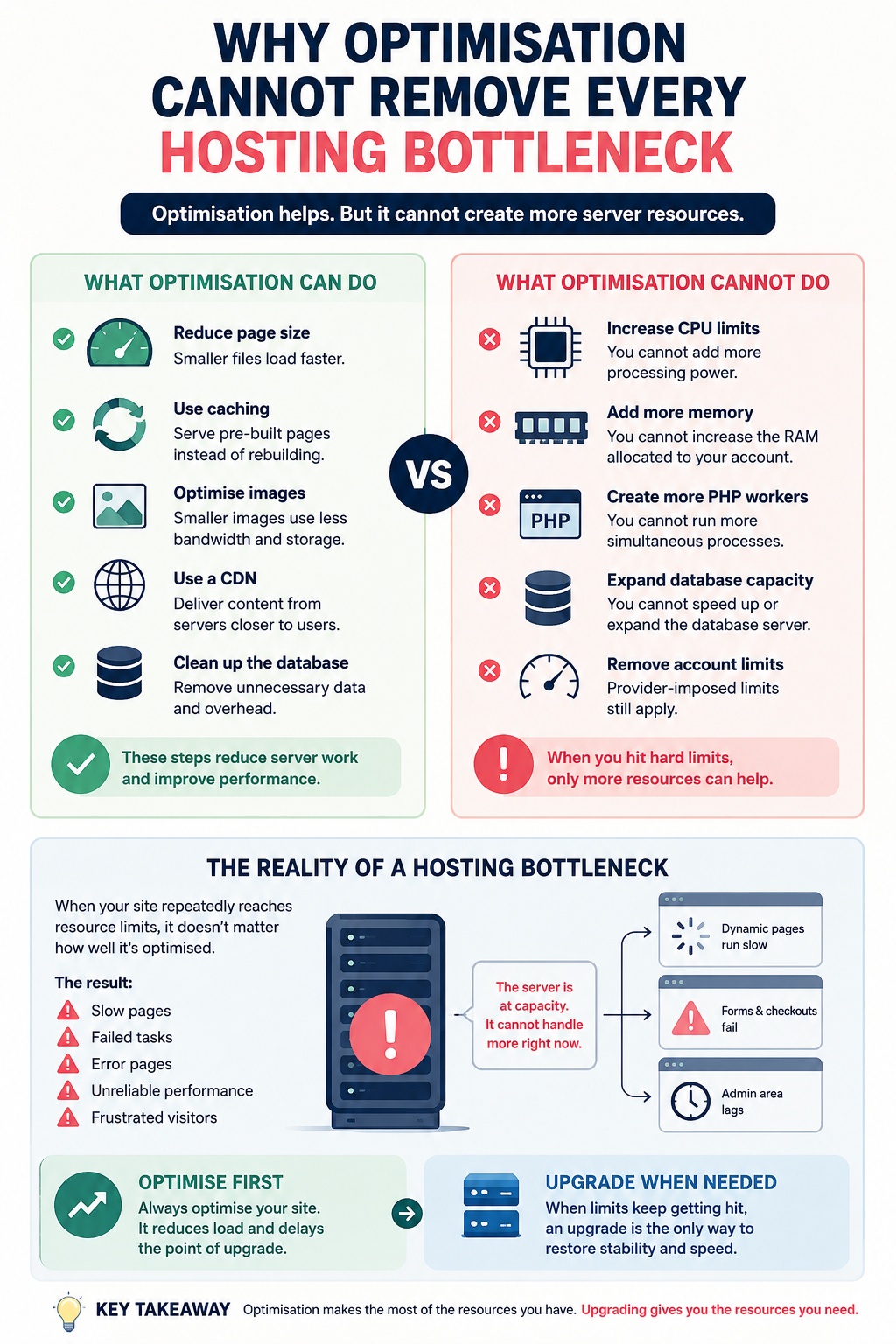
Caching, image compression, a CDN, database cleaning, and code improvements can reduce server workload. These steps are valuable and should normally be completed before changing hosting.
However, optimisation cannot create resources that the hosting plan does not provide. A cache plugin cannot increase the account’s CPU allowance. A CDN cannot add more PHP workers. Compressing images will not fix a database process that repeatedly reaches a memory limit.
Optimisation can delay the point at which an upgrade becomes necessary, but it cannot remove every shared hosting limitation. When the website repeatedly reaches hard resource limits, further small adjustments may only hide the problem temporarily.
Shared Hosting vs a More Scalable Setup
Shared hosting remains useful when affordability and simplicity matter more than advanced control. The difficulty appears when the website needs predictable access to resources.
The main alternatives include:
- managed WordPress hosting, with an environment configured specifically for WordPress;
- VPS hosting, with more isolated resources and greater control;
- scalable cloud hosting, where capacity can be adjusted as demand changes.
A VPS is not automatically faster in every situation. A poorly configured VPS can perform worse than good shared hosting. The advantage is that it can provide clearer resource allocation and more room for growth when properly managed.
A fuller comparison of these options is available here:
The correct choice depends on the actual bottleneck. The goal is not to buy the most expensive plan. It is to move to an environment that can support the website’s real workload without repeated slowdowns, failed processes, or emergency fixes.
A suitable upgrade should also leave some spare capacity. Moving to a plan that only matches today’s peak demand can recreate the same bottleneck as soon as traffic, content, or functionality grows again.
When an Upgrade Is Actually Justified
A hosting upgrade is usually justified when the same performance problems keep returning after basic optimisation has been completed. One slow day is not enough evidence. Repeated limits, failed processes, and lost customer actions are much stronger signals.
Consider moving from shared hosting when several of these points apply:
- the site repeatedly reaches CPU, memory, or process limits;
- traffic is growing and slowdowns appear during peak periods;
- forms, checkout, search, or login pages fail or become unreliable;
- the hosting provider confirms that the account is being restricted;
- optimisation has already improved the site as far as reasonably possible;
- the current plan cannot be expanded without a full migration;
- slow performance is affecting enquiries, sales, or search visibility.
Cheap hosting can become expensive when the business repeatedly pays for emergency fixes, developer time, lost orders, and missed growth opportunities. This wider cost is explained here:
https://volodymyrzh.medium.com/why-cheap-hosting-becomes-expensive-over-time-e08193b9387c
What to Check Before Moving
Do not choose a new plan only because it uses words such as “premium”, “cloud”, or “unlimited”. These labels do not guarantee better performance. Check which resources, controls, and support services are actually included.
Before migrating, review:
- CPU and memory allocation;
- the number of PHP workers or simultaneous processes;
- access to resource usage and error logs;
- backup frequency and restoration options;
- migration assistance;
- data centre location;
- available upgrade paths;
- technical support;
- whether resources are shared, isolated, or guaranteed.
The new plan should solve the current bottleneck and provide reasonable spare capacity. It should not simply move the same problem to a slightly larger package that the website may outgrow again within a few months.
If the website regularly exceeds shared hosting limits, you can compare VPS hosting options here:
https://host4.biz/cp/?affid=116&affplan=2
Conclusion
Shared hosting is not automatically slow or unsuitable. It becomes a bottleneck when the website needs more consistent processing power, memory, database capacity, or simultaneous connections than the plan can provide.
The right response is not to buy the most expensive server immediately. First identify the repeated limitation, complete sensible optimisation, and compare hosting environments that match the site’s real workload.
A suitable upgrade should improve stability today while leaving enough room for future traffic, content, and functionality. The goal is not simply to change hosting. It is to remove the specific limit that prevents the website from performing reliably.
Frequently Asked Questions
What Is a Shared Hosting Bottleneck?
A shared hosting bottleneck is a resource limit that prevents the hosting account from processing website requests quickly or reliably. It can affect CPU time, memory, database activity, PHP processes, or disk operations.
How Can I Tell If My Site Has Outgrown Shared Hosting?
Look for repeated slowdowns, resource warnings, failed backups, slow admin pages, and errors that appear when traffic or server activity increases. Several recurring symptoms are more meaningful than one poor speed test.
Does High Traffic Always Mean I Need a VPS?
No. Cached and relatively simple pages may handle substantial traffic. The type of requests, number of concurrent users, database workload, and available hosting resources matter more than monthly visitor totals alone.
Can Caching Fix Shared Hosting Resource Limits?
Caching can reduce server work and improve many page loads. However, it cannot increase CPU, memory, PHP workers, database capacity, or other hard limits applied to the hosting account.
Why Is WordPress Admin Slow on Shared Hosting?
The WordPress admin area is highly dynamic and usually cannot be fully cached. It depends on PHP processing, database queries, plugins, scheduled tasks, and the server resources available at that moment.
Is VPS Always Faster Than Shared Hosting?
No. Performance depends on available resources, configuration, management, and software. A well-managed shared hosting plan can outperform a poorly configured VPS.
When Should a Small Business Upgrade Its Hosting?
An upgrade is worth considering when recurring hosting limitations affect customer experience, sales, enquiries, administration, or growth, and normal optimisation no longer produces enough improvement.
Affiliate disclosure: This article contains an affiliate link. If you purchase a hosting service through it, I may receive a commission at no additional cost to you.
메타데이터
- post_id
- 56ffa8ea9b67
- slug
- when-shared-hosting-becomes-a-bottleneck-56ffa8ea9b67
- url
- https://medium.com/@volodymyrzh/when-shared-hosting-becomes-a-bottleneck-56ffa8ea9b67
- canonical_url
- https://medium.com/@volodymyrzh/when-shared-hosting-becomes-a-bottleneck-56ffa8ea9b67
- author_url
- https://medium.com/@volodymyrzh
- status
- ok
- fetched_at
- 2026-07-19 13:10:54