Teaching your Agent: mastering context with AGENTS.md
Why this file is the blueprint of your project and how to get help from your AI to set it up. Part 3 of the series
Teaching your Agent: mastering context with AGENTS.md
Why this file is the blueprint of your project and how to get help from your AI to set it up. Part 3 of the series
If you want your AI agent to be truly useful, you can’t just treat it like a stranger. You need to give it a “manual.” That manual is a file called AGENTS.md.
In this article, I will show you how to build this project brain so your agent knows your coding style, your project structure, and exactly how to run your tests without you having to repeat yourself every single time.
Table of Contents
The Problem of AI Amnesia
What is AGENTS.md? (The Project's Brain)
The Anatomy of a Great AGENTS.md
The Golden Rules
Real-World Examples: Two Different Worlds
Passive Context vs. Active Skills
Try This Now: Create Your First Manual
Conclusion
By the way, this is a Series of 6 articles:
**Part 1 — The OpenCode revolution: more than just another chatbot Part 2 — Beginner to expert: your first 60 seconds with OpenCode Part 3 — Teaching your Agent: mastering context with AGENTS.md* Part 4 — The toolkit: Commands and Skills in OpenCode Part 5 — Your private AI Agency: the local powerhouse Part 6 — Advanced Orchestration: multi-agent systems and plugins*
The Problem of AI Amnesia
Have you ever had that one colleague who is incredibly brilliant but has the memory of a goldfish? You spend twenty minutes explaining a complex process, they nod enthusiastically, and then five minutes later, they ask you the exact same question.
So frustrating!
We often experience this exact same phenomenon with AI agents.
When you start a new session with OpenCode, it is essentially a blank slate. It can look at your files, yes. It can see your code, certainly. But it doesn’t know your preferences. It doesn’t know that you hate using semicolons in JavaScript, or that your Python tests must always be run with a specific coverage flag, or that you prefer a very specific way of naming your database migrations.
Without guidance, the AI will fall back on “average” patterns.
I wrote about this in my previous article here below:
It will write code that is technically correct, but it won’t feel like your code. It will be like having a very smart assistant who doesn’t know how you like your coffee. They can make a cup, but it’s never quite right.
To solve this, we need to move past simple chatting and start providing “context.” And in the world of OpenCode, the most powerful way to do that is through a single, simple file: AGENTS.md.
What is AGENTS.md? (The Project’s Brain)
Imagine you are hiring a new developer for your team.
On their first day, you don’t just throw them into the deep end and say, “Good luck, here is the codebase.” You give them an orientation.
You show them the project structure, you explain the coding standards, and you tell them how the build process works.
AGENTS.md is that orientation manual for your AI agent.
But what is this file?
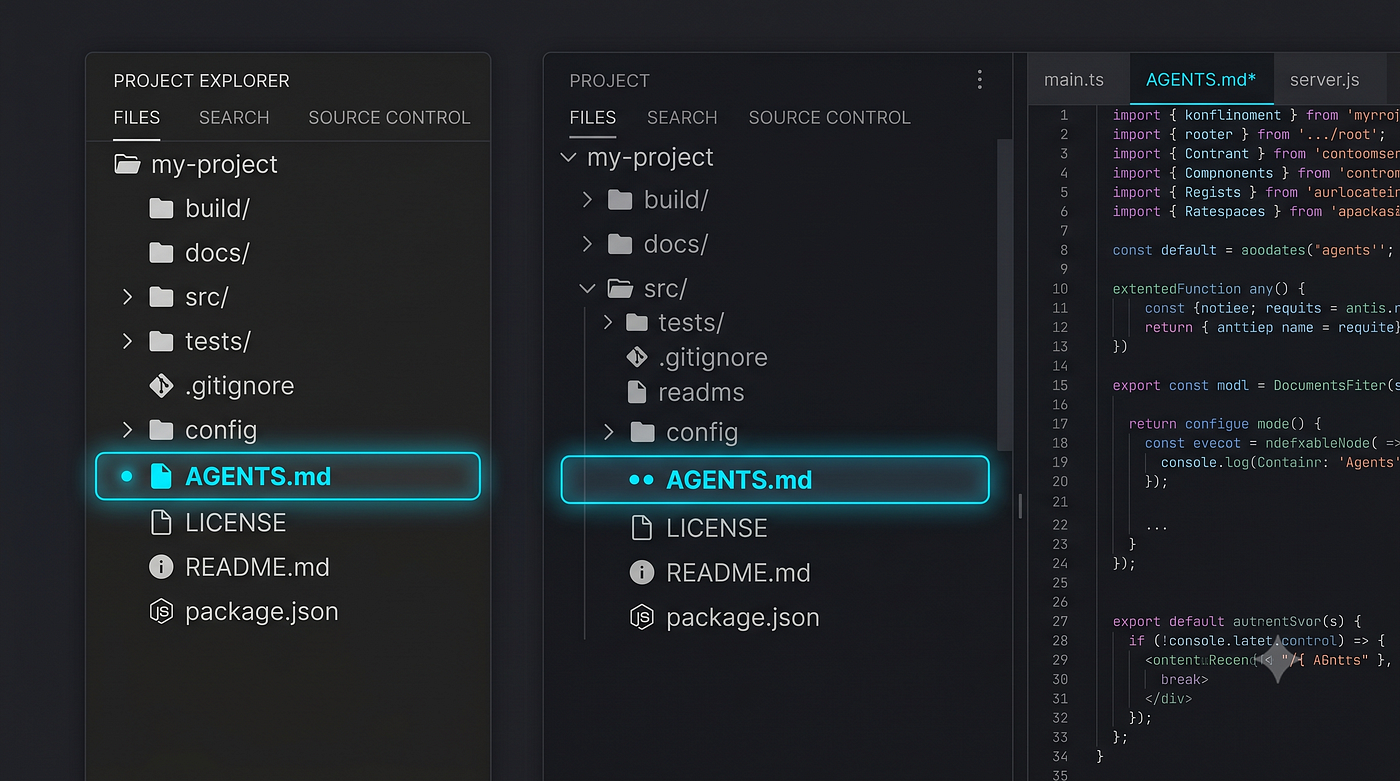
It is a simple Markdown file that lives in the root directory of your project. When OpenCode starts up, the first thing it does is look for this file. It reads it, absorbs it, and uses it as the foundational “truth” for everything it does within that project.
When you are creating an AGENTS.md, you are essentially giving your agent a long-term memory. You are moving from "telling the AI what to do" to "teaching the AI how we work."
When the agent reads this file, it’s not just reading text. It is building a mental model of your project. It understands the “rules of the road.” This is what transforms an AI from a generic tool into a specialized member of your team.
By the way, it looks like at Anthropic they are already using this way to do onboarding for new employees. They put specific folders for the new hire, and they can start imeediately using Cluade itself to understand what is happening, how they do things, what projects are expected to be started.
The Anatomy of a Great AGENTS.md
A good manual isn’t just a random collection of notes. It needs to be structured, clear, and actionable. If you write a rambling, disorganized AGENTS.md, your agent will get confused, just like a new employee reading a messy handbook.
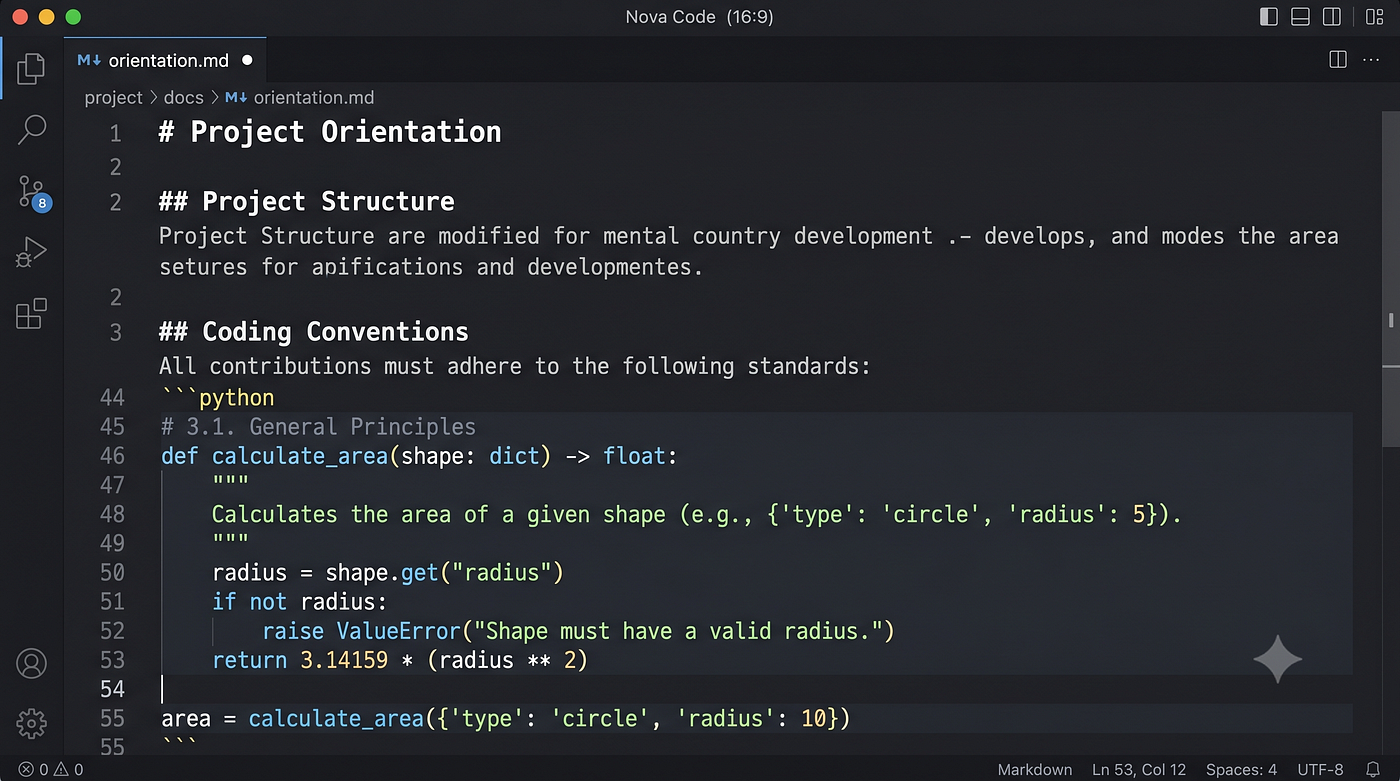
An effective AGENTS.md typically covers four key areas:
1. Project Orientation (The “What” and “Why”)
Start with a high-level overview. What is this project? What language or framework is it using? This helps the agent immediately narrow down its “knowledge base.”
2. Project Structure (The “Where”)
Tell the agent where the important things live. Where is the source code? Where are the tests? Where are the configuration files? This prevents the agent from wasting time searching the wrong directories.
3. Coding Conventions (The “How”)
This is the most important section for maintaining code quality. This is where you define your style. Do you use tabs or spaces? Do you use specific libraries for validation (like Zod)? Do you follow a specific architectural pattern (like Repository or Service layers)?
4. Command Reference (The “Action”)
Don’t make the agent guess how to run your project. Explicitly list your primary commands: how to run tests, how to run the build, how to run the linter.
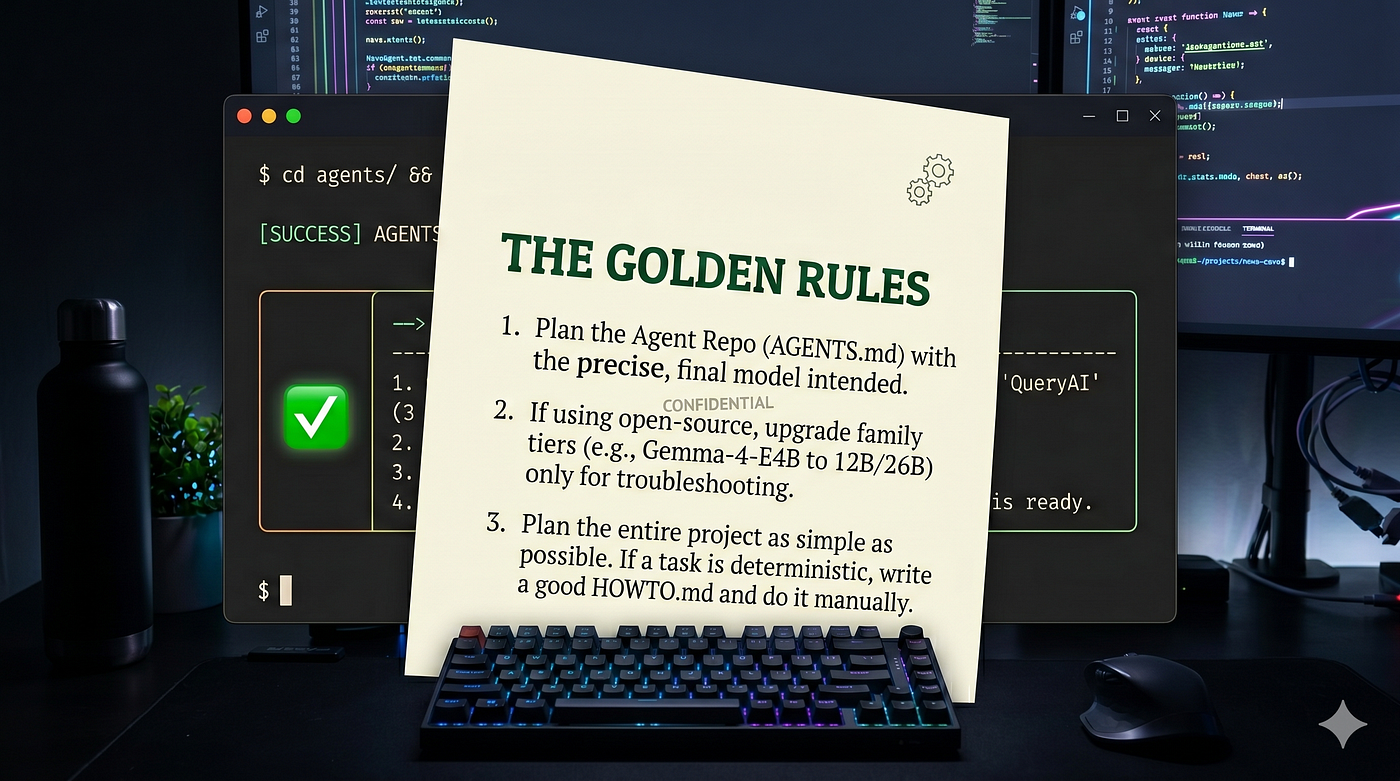
The Golden Rules
Before proceeding, here a set of golden rules:
- plan the Agent repo (AGENTS.md) with the very same model you are going to use
- If you plan to use an open-source model of one family (Qwen, Gemma…) you can upgrade a higher tier model for the troubleshooting (for example you plan to use Gemma-4-E4B, you can troubleshoot with Gemma-4–12b or Gemma-4–26B-A4B)
- plan the entire project as simple as possible. If there are deterministic actions (like conversion from PDF to markdown, write a good HOWTO.md and do it manually)
Real-World Examples: Two Different Worlds
To show you how versatile this can be, let’s look at two very different projects.
Example 1: The Simple Python Script
Let’s say you are working on a small automation project. Your AGENTS.md might look like this:
# Project: Data Scraper Pro
This is a Python project used for scraping news data.
## Structure
- `src/`: All core logic lives here.
- `data/`: Scraped data is stored in JSON format here.
- `tests/`: Pytest files live here.
## Conventions
- Use type hints for all function signatures.
- Use `requests` for all HTTP calls.
- Always include docstrings in Google format.
## Commands
- `pytest` - Run the test suite.
- `python src/main.py` - Run the scraper.
Even this tiny amount of information makes the agent ten times more effective. It won’t try to write your scraper in JavaScript, and it won’t forget to add those type hints you value so much.
Example 2: The Complex TypeScript Monorepo
Now, imagine a much larger project, something a professional team might manage. The AGENTS.md would be more detailed:
# Project: Enterprise E-Commerce API
This is a TypeScript monorepo using Bun workspaces.
## Structure
- `packages/core/`: Shared business logic and entities.
- `packages/api/`: Express.js API handlers and routes.
- `packages/workers/`: Background job processors for email and billing.
## Conventions
- Use Zod for all input validation at the API boundary.
- All database queries must use the Repository pattern.
- Prefer composition over inheritance for service layers.
- Test files must live next to the source file (e.g., `user.service.ts` needs `user.service.test.ts`).
## Commands
- `bun test` - Run the full test suite.
- `bun run lint` - Run ESLint and Prettier.
- `bun run build` - Compile the entire monorepo.
In this complex scenario, the agent now understands the “map” of your monorepo. It knows that if it’s touching an API handler, it should probably check the packages/core folder for the business logic. It knows the specific architectural rules that keep your code clean.
Passive Context vs. Active Skills
This is a distinction that often trips people up, so let’s clear it up.
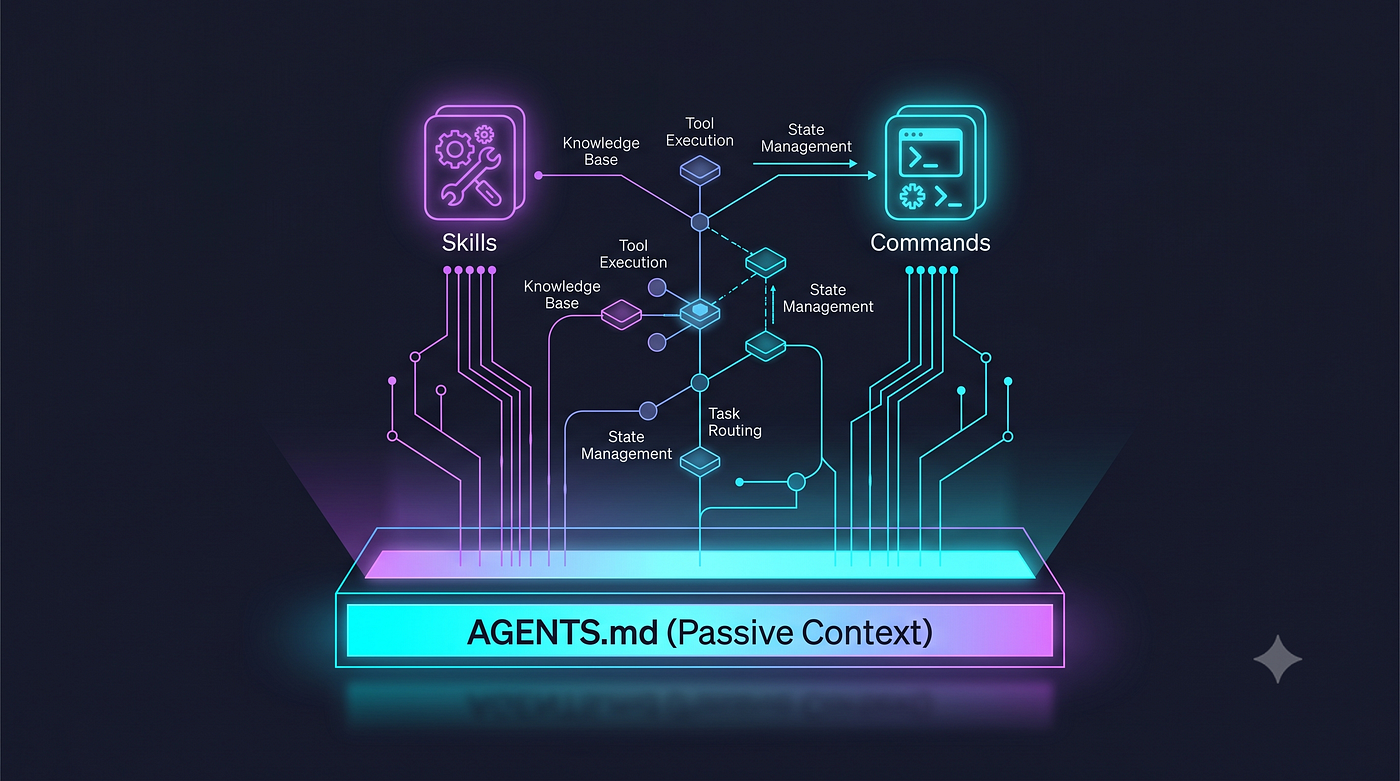
If you think of your AI agent as a professional, AGENTS.md is the Employee Handbook. It is "passive context." The agent refers to it to understand the rules and the environment. It is always there in the background, informing its decisions.
On the other hand, Skills (the .opencode/skills/ directory) are the Specialized Tools. A skill is an "active" capability. If a command is "what to do," a skill is "how to do it expertly."
For example, an AGENTS.md might say: "We use Git for version control." That is passive context. But a Skill named git-release would be an active capability that knows exactly how to draft release notes, bump the version number, and run the deployment command.
You use AGENTS.md to set the stage, and you use Skills to give the agent expert-level powers for specific, repetitive tasks.
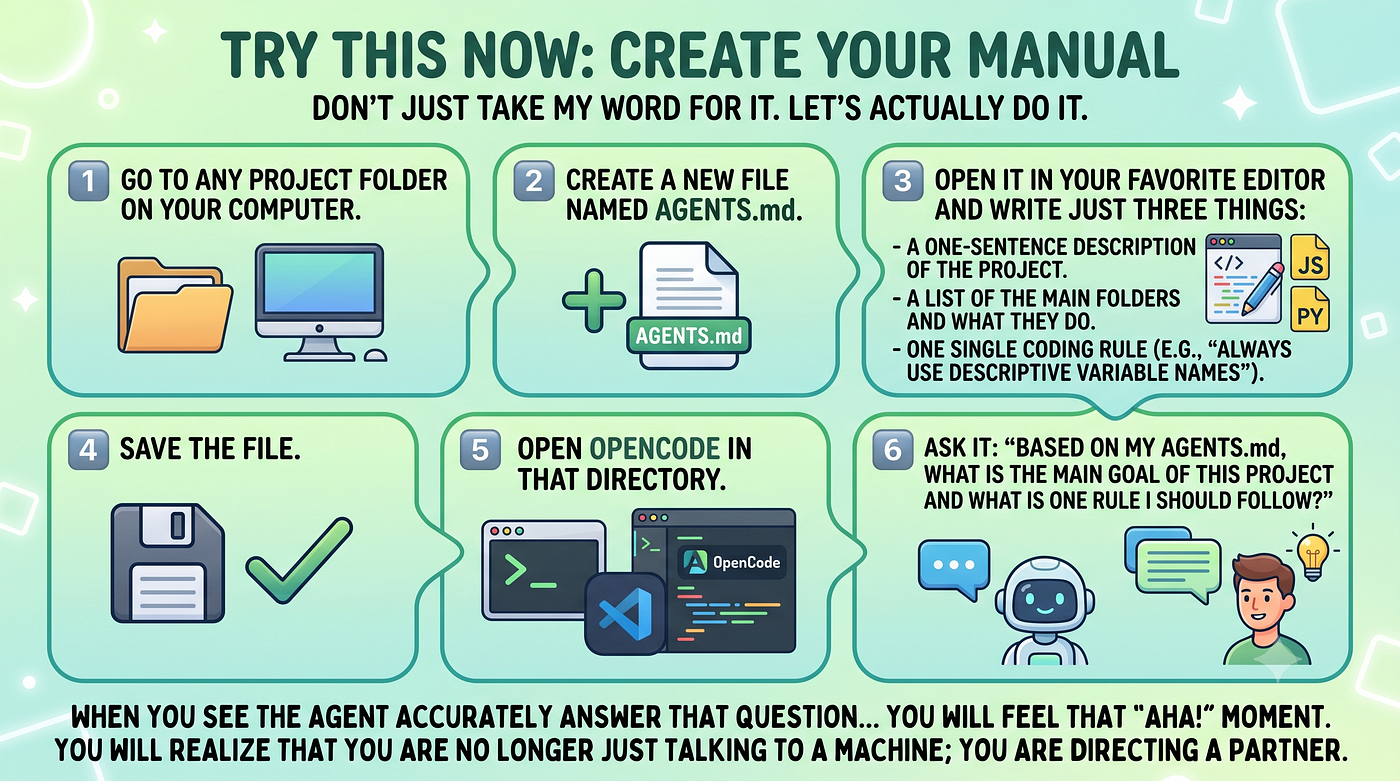
Try This Now: Create Your Manual
Don’t just take my word for it. Let’s actually do it.
1️⃣Go to any project folder on your computer.
2️⃣Create a new file named AGENTS.md.
3️⃣Open it in your favorite editor and write just three things:
- A one-sentence description of the project.
- A list of the main folders and what they do.
- One single coding rule (e.g., “Always use descriptive variable names”).
4️⃣Save the file.
5️⃣Open OpenCode in that directory.
6️⃣Ask it: “Based on my AGENTS.md, what is the main goal of this project and what is one rule I should follow?”
When you see the agent accurately answer that question based on your file, you will feel that “aha!” moment. You will realize that now you are directing a partner, not a chatbot.

Conclusion
Mastering AGENTS.md is the single most important step you can take to move from a casual user to a power user. It is the difference between fighting against the AI and working in perfect harmony with it.
By taking ten minutes to document your project, you are saving yourself hours of frustration and correction in the long run. You are building a brain.
In our next article, we are going to get even more practical. We will look at the “Toolkit,” how to use Commands to automate your repetitive prompts and how to build Skills to give your agent expert-level capabilities.
The manual is written. Now, it’s time to use the tools. See you in the next one!
I hope you enjoyed the article. If this story provided value and you wish to show a little support, you could:
- Clap a lot of times for this story
- Highlight the parts more relevant to be remembered (it will be easier for you to find them later and for me to write better articles)
- Write with me on this Publication: there is no better way to learn than writing about it!
- Follow my publication https://medium.com/artificial-intel-ligence-playground
If you want to read more, here are some ideas:
메타데이터
- post_id
- 573f50eb596f
- slug
- teaching-your-agent-mastering-context-with-agents-md-573f50eb596f
- url
- https://medium.com/artificial-intel-ligence-playground/teaching-your-agent-mastering-context-with-agents-md-573f50eb596f
- canonical_url
- https://medium.com/artificial-intel-ligence-playground/teaching-your-agent-mastering-context-with-agents-md-573f50eb596f
- author_url
- https://medium.com/@fabio.matricardi
- status
- ok
- fetched_at
- 2026-06-24 11:06:28