The Browser Is Becoming an Operating System. Most Developers Haven’t Realized It Yet
A few years ago, browsers were simple.
The Browser Is Becoming an Operating System. Most Developers Haven’t Realized It Yet
A few years ago, browsers were simple.
They rendered HTML, executed JavaScript, and sent requests to a server.
If you wanted to edit videos, generate PDFs, process large files, store gigabytes of data, or run machine learning models, you needed a native desktop application.
Today, that’s no longer true. **non members can read here**
Modern browsers can access files, run background processes, store databases, work offline, execute near-native code, and even run AI models locally.
The browser isn’t just a window to the internet anymore.
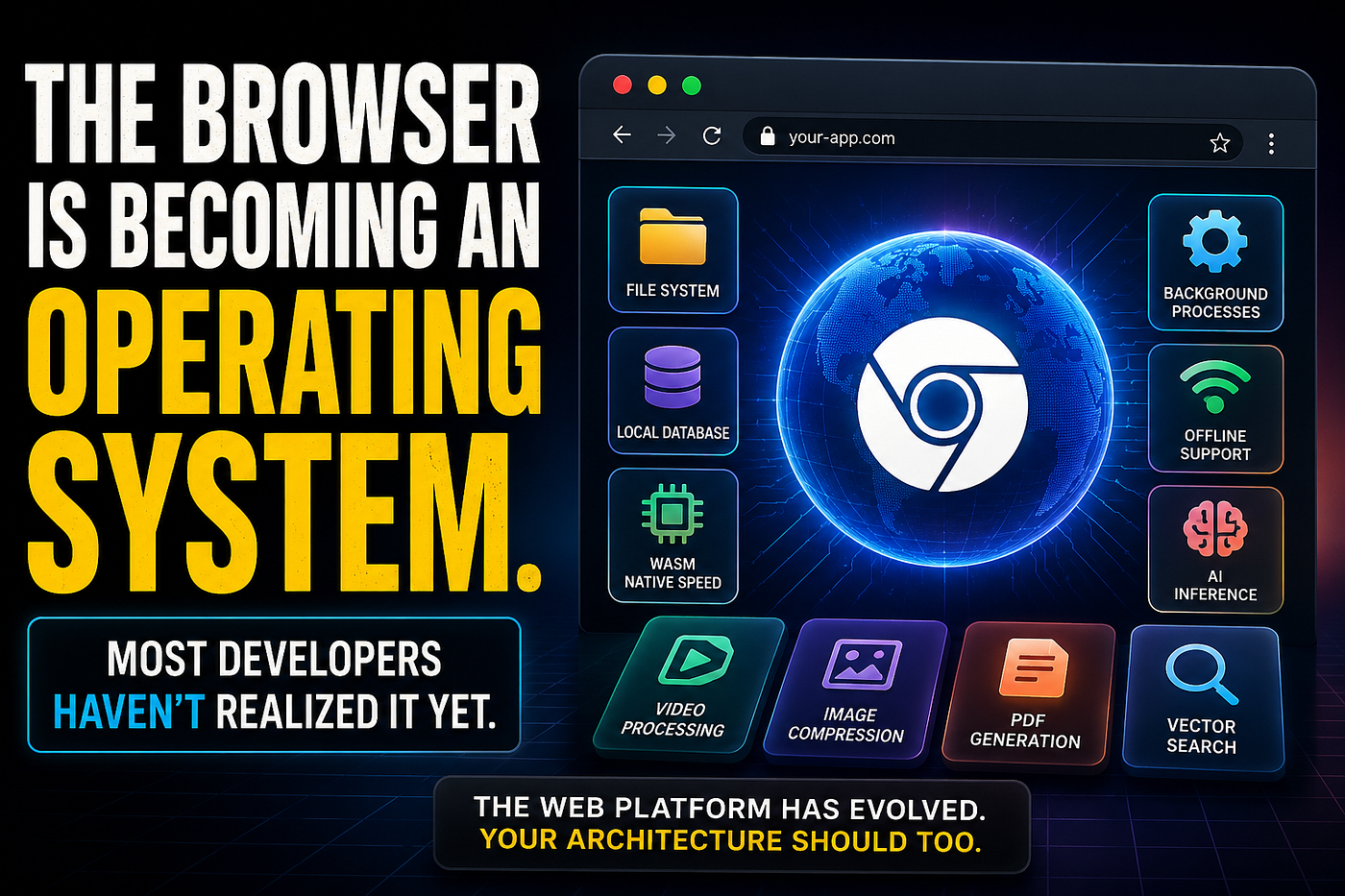
It’s becoming an operating system.
Let’s look at how we got here and why this shift matters for every software engineer.
The Browser We Learned vs The Browser We Have Today
Back in the early days of web development, browsers were mostly presentation engines.
Browser in 2015
- Render HTML
- Execute JavaScript
- Make API requests
- Store small amounts of data
Browser in 2026
- Access local files
- Store large databases
- Run background services
- Execute native-speed applications
- Work completely offline
- Run AI models locally
- Support desktop-class applications
Many developers still design systems as if browsers are thin clients.
Modern browsers are anything but thin.
WebAssembly Changed Everything
One of the biggest turning points was WebAssembly (WASM).
WebAssembly allows code written in languages like C, C++, and Rust to run inside the browser at near-native speed.
Before WASM, browser applications were limited by JavaScript performance.
After WASM, entire desktop-class applications became possible.
Consider video processing.
Years ago, a user would upload a video to a server.
The server would process it using FFmpeg.
The processed file would then be downloaded.
Today, the browser can perform the entire workflow locally.
import { FFmpeg } from "@ffmpeg/ffmpeg";

const ffmpeg = new FFmpeg();
await ffmpeg.load();
await ffmpeg.writeFile(
  "input.mp4",
  await fetchFile(videoFile)
);
await ffmpeg.exec([
  "-i",
  "input.mp4",
  "-vf",
  "scale=1280:-1",
  "output.mp4"
]);
const result = await ffmpeg.readFile("output.mp4");
Traditional Architecture
500 MB Video
      ↓
Upload
      ↓
Backend
      ↓
FFmpeg
      ↓
Download
Modern Architecture
500 MB Video
      ↓
Browser
      ↓
WebAssembly FFmpeg
      ↓
Download Result
No upload required.
No processing servers required.
No waiting for a large file to travel across the network.
Applications like Figma, Photopea, and browser-based IDEs rely heavily on these capabilities.
The browser is no longer just displaying applications.
It is running them.
Browsers Now Have File System Access
For years, web applications couldn’t interact with local files beyond a simple upload dialog.
That limitation is disappearing.
Modern browsers now provide direct file system access.
const [fileHandle] = await window.showOpenFilePicker();
const file = await fileHandle.getFile();
console.log(file.name);
That may seem small, but it fundamentally changes what web applications can do.
Let’s look at a real-world example.
Compress Images Before Uploading
Most SaaS products upload images directly to servers.
User Uploads 15 MB Image
          ↓
Backend
          ↓
Storage
Modern browsers can reduce file size before upload.
const bitmap = await createImageBitmap(file);
const canvas = document.createElement("canvas");
canvas.width = bitmap.width / 2;
canvas.height = bitmap.height / 2;
const ctx = canvas.getContext("2d");
ctx.drawImage(
  bitmap,
  0,
  0,
  canvas.width,
  canvas.height
);
const compressed =
  await new Promise(resolve =>
    canvas.toBlob(
      resolve,
      "image/jpeg",
      0.7
    )
  );
console.log(compressed.size);
Modern Flow
15 MB Image
      ↓
Browser Compression
      ↓
1.8 MB Upload
      ↓
Storage
This reduces:
- Bandwidth costs
- Storage costs
- Upload times
- Server-side processing
Service Workers Are Like Background Processes
Operating systems have always supported background services.
Modern browsers do too.
Service Workers allow applications to run tasks independently of the active page.
self.addEventListener(
  "fetch",
  event => {
    event.respondWith(
      caches.match(event.request)
    );
  }
);
This enables:
- Offline support
- Intelligent caching
- Background synchronization
- Push notifications
Imagine a sales representative using a CRM while traveling.
They lose internet access.
The application continues working because customer data has already been cached locally.
When connectivity returns, the browser synchronizes changes automatically.
That feels much closer to a desktop application than a traditional website.
Browsers Have Their Own Databases
Most developers think of databases as server-side infrastructure.
Browsers now challenge that assumption.
Using IndexedDB, applications can store large amounts of structured data locally.
import { openDB } from "idb";

const db = await openDB("crm", 1);
await db.put(
  "customers",
  {
    id: 101,
    name: "Acme Corp"
  },
  101
);
Real-world use cases include:
- Offline CRM systems
- Warehouse management apps
- Project management tools
- AI memory systems
- Design applications
Many modern applications treat the browser as a miniature application platform with its own persistent storage layer.
Browsers Can Generate PDFs
Generating PDFs used to be a backend responsibility.
A user would click “Download Invoice.”
The server would generate a PDF and send it back.
Browser
   ↓
API
   ↓
Generate PDF
   ↓
Return PDF
Today, the browser can handle this itself.
import jsPDF from "jspdf";

const pdf = new jsPDF();
pdf.text(
  "Invoice #12345",
  20,
  20
);
pdf.save("invoice.pdf");
Benefits include:
- Lower server load
- Faster response times
- Reduced infrastructure costs
- Better user experience
For products generating thousands of PDFs daily, the savings add up quickly.
Progressive Web Apps Feel Like Native Applications
Progressive Web Apps blurred the line between websites and desktop software.
Users can:
- Install applications
- Launch from the desktop
- Work offline
- Receive notifications
- Synchronize data in the background
Many users cannot tell whether they’re using a traditional desktop application or a modern web application.
That distinction continues to shrink every year.
AI Makes This Shift Even Bigger
Artificial intelligence is accelerating the browser’s evolution.
Modern AI runtimes can execute directly on client devices.
Imagine a support portal containing thousands of knowledge-base articles.
Instead of sending every search request to an AI API, the browser can perform semantic search locally.
import { pipeline } from "@xenova/transformers";

const embedder =
  await pipeline(
    "feature-extraction",
    "Xenova/all-MiniLM-L6-v2"
  );
const embedding =
  await embedder(
    "How do I reset my password?"
  );
Traditional AI Flow
User Query
     ↓
OpenAI API
     ↓
Embedding
     ↓
Vector Database
     ↓
Results
Browser AI Flow
User Query
     ↓
Local Model
     ↓
Embedding
     ↓
Local Search
     ↓
Results
Benefits:
- Lower latency
- Improved privacy
- Reduced AI costs
- Offline capability
The browser is becoming both the application runtime and the AI runtime.
We Accidentally Moved Half Our Backend to the Browser
This is the shift many teams haven’t fully noticed.
Five years ago, backend services handled almost everything.
Backend Responsibilities in 2020
✓ Image resizing
✓ PDF generation
✓ Video compression
✓ Search indexing
✓ AI inference
✓ File conversion
Today, browsers increasingly handle those workloads themselves.
Browser Responsibilities in 2026
✓ Image resizing
✓ PDF generation
✓ Video compression
✓ Vector search
✓ AI inference
✓ Local databases
✓ File management
The backend now focuses on:
✓ Authentication
✓ Business rules
✓ Data persistence
✓ Billing
✓ Synchronization
✓ Security
The result is a thinner backend and a much more capable client.
The New Architecture Pattern
Many modern applications now follow a different architecture.
Old Model
Browser
   ↓
Backend
   ↓
Database
Emerging Model
Browser Runtime
   ↓
API Layer
   ↓
Database
The browser increasingly handles:
- Business logic
- Data processing
- Local storage
- AI workloads
- File management
- Media processing
The server becomes a coordination layer rather than a processing layer.
This shift is subtle but profound.
Real Products Already Following This Pattern
Think about some of the most successful software products today.
- Figma
- VS Code Web
- Canva
- Photopea
- Notion
- ChatGPT’s browser experience
Many capabilities that once required native applications now run entirely inside a browser.
Ten years ago, this would have sounded unrealistic.
Today, it’s normal.
Final Thoughts
Twenty years ago, the browser was the thinnest layer of the stack.
Today, it stores data, runs databases, processes media, executes AI models, manages files, and powers applications used by millions of people every day.
The most interesting part isn’t that browsers became more powerful.
The next generation of software won’t be built around servers doing everything.
The browser isn’t replacing operating systems.
But it is steadily acquiring many of the capabilities that once belonged exclusively to them.
메타데이터
- post_id
- 57defa8968ee
- slug
- the-browser-is-becoming-an-operating-system-most-developers-havent-realized-it-yet-57defa8968ee
- url
- https://medium.com/front-end-world/the-browser-is-becoming-an-operating-system-most-developers-havent-realized-it-yet-57defa8968ee
- canonical_url
- https://medium.com/front-end-world/the-browser-is-becoming-an-operating-system-most-developers-havent-realized-it-yet-57defa8968ee
- author_url
- https://medium.com/@sachinkasana
- status
- ok
- fetched_at
- 2026-06-12 22:02:08





