How to send dynamic data in an email with Mendix
Tables and lists

How to send dynamic data in an email with Mendix
How to send dynamic data in an email with Mendix
Tables and lists
A requirement I’ve faced in the past is sending emails that contain dynamic data. By dynamic data, I mean calculated data from the database that can be displayed as a list or table.
One very well-known method is to create a little algorithm that would generate the HTML structure & styling of that dynamic data display.
Of course, with any implementation, there are some advantages and also some disadvantages. The main issue for me was with the maintainability of the solution. Often, it’s difficult to customize or extend the functionality since we have to work with string manipulation.
How I solved this
For my solution, I used the Document Template from Mendix. First, we create the document template, and we add our own structure & styling.
Based on the following simple domain model

We create a new document template.
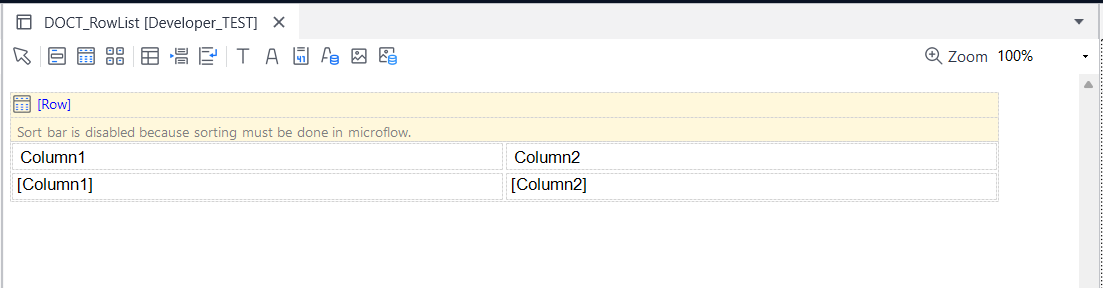
Then, in the microflow we use to send the email, we have the following
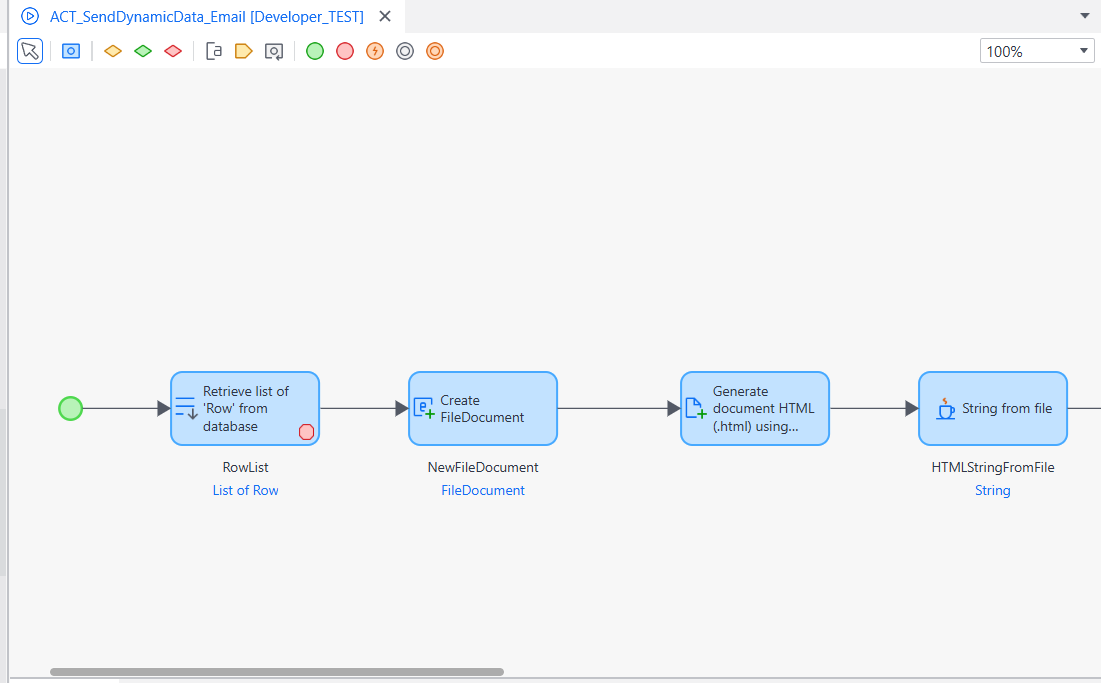
Breaking down the microflow
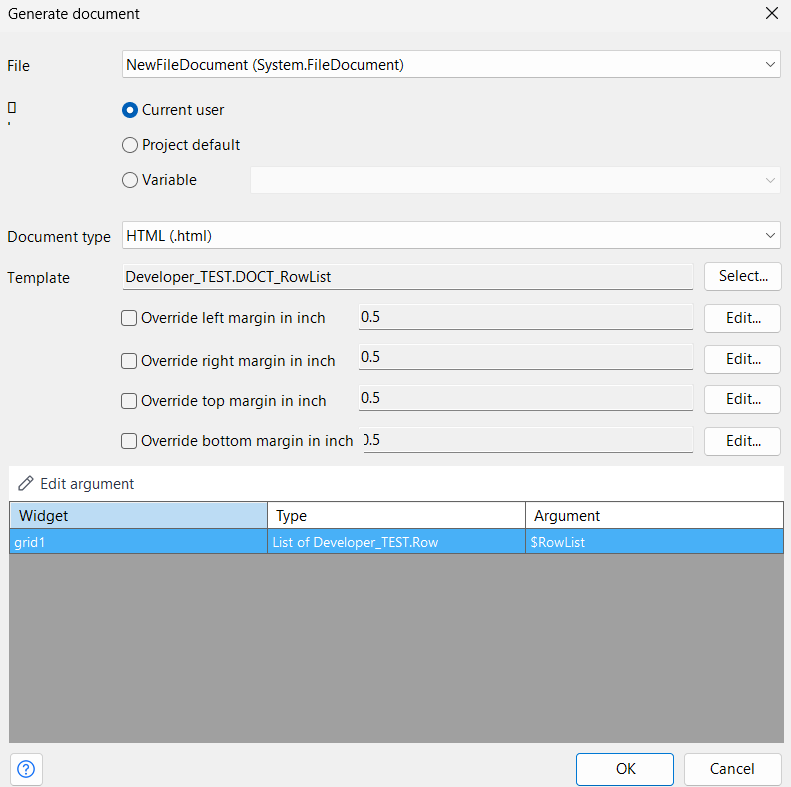
First, the microflow retrieves the data before creating a new File document. After that, it generates an HTML document using a Java action from Community Commons and returns the resulting HTML as a string.
The generate document activity looks as follows:
And the Java action used to convert the file document to a string data type is named “String from file” and it’s implemented in the Community Commons module.

Now, the result is put in the email helper object’s TokenExample attribute, and then the email is sent.

Email Configuration settings
Of course, in the email configuration settings, we have a template with the following content

And the following placeholders

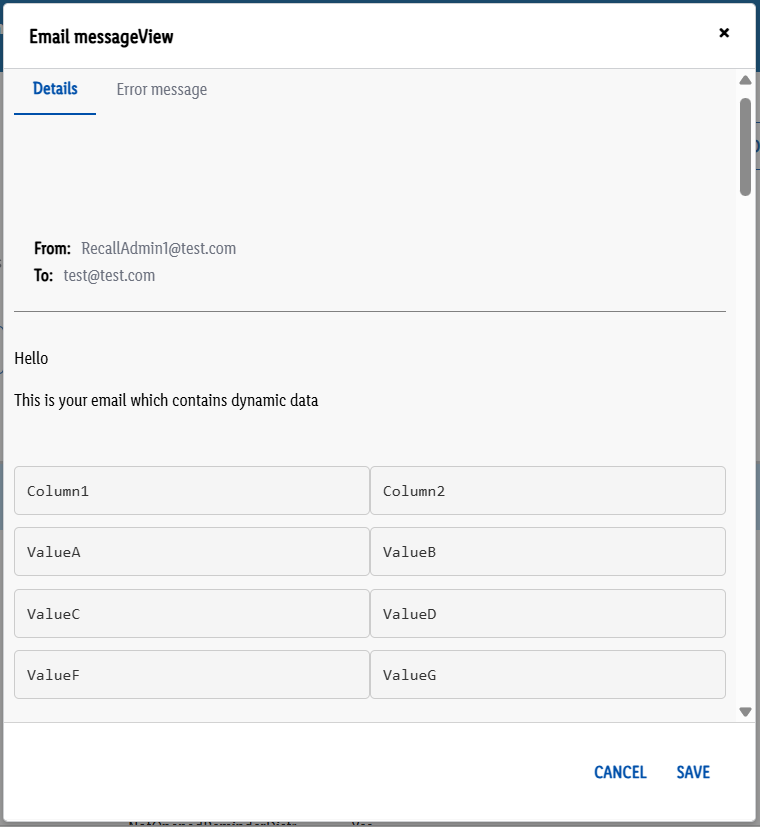
The result
After testing the message and inspecting the details generated, the end result looks like this:
Read more
From the Publisher -
Inspired by this article to bring your ideas to life with Mendix? Sign up for a free account! You’ll get instant access to the Mendix Academy, where you can start building your skills.
For more articles like this one, visit our Medium page. And you can find a wealth of instructional videos on our community YouTube page.
Speaking of our community, join us in our Slack community channel. We’d love to hear your ideas and insights!
메타데이터
- post_id
- 5869269f4496
- slug
- how-to-send-dynamic-data-table-list-in-an-email-with-mendix-5869269f4496
- url
- https://medium.com/mendix/how-to-send-dynamic-data-table-list-in-an-email-with-mendix-5869269f4496
- canonical_url
- https://medium.com/mendix/how-to-send-dynamic-data-table-list-in-an-email-with-mendix-5869269f4496
- author_url
- https://medium.com/@marcian.bondoc
- status
- ok
- fetched_at
- 2026-06-10 08:17:25