Kusto Detective Agency Season 3 — Call of the Cyber Duty — Case 9— Smoke Signals from YACC
Case Description
Kusto Detective Agency Season 3 — Call of the Cyber Duty — Case 9— Smoke Signals from YACC
Case Description
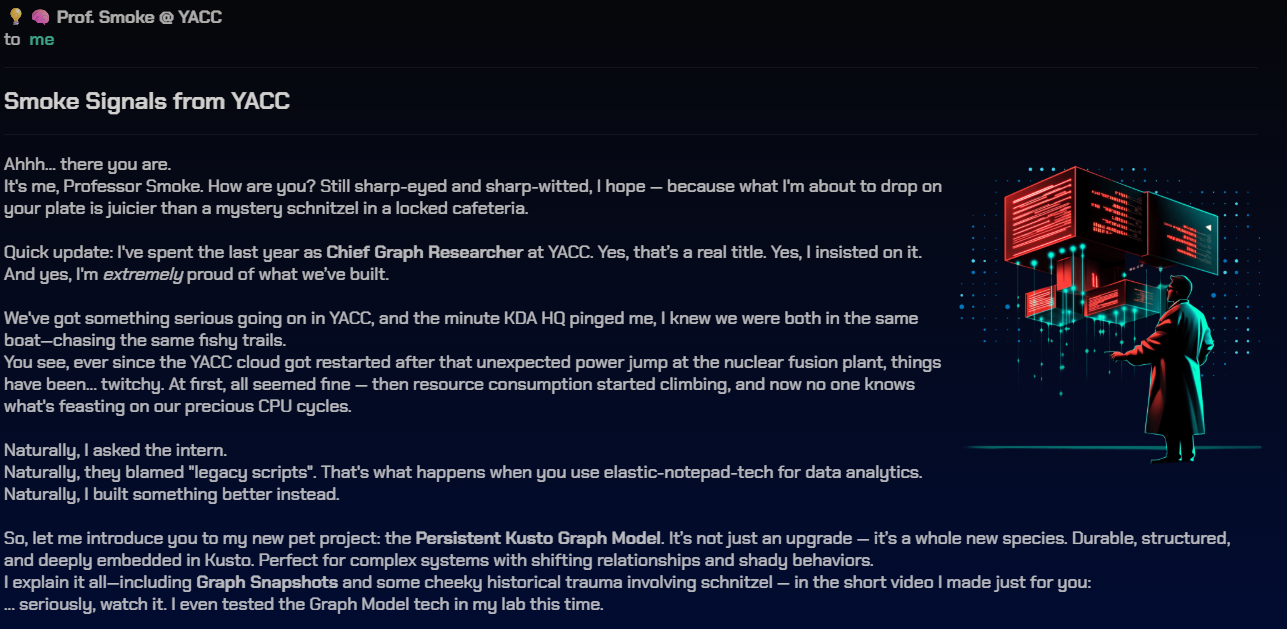
Smoke Signals from YACC
Ahhh… there you are. It’s me, Professor Smoke. How are you? Still sharp-eyed and sharp-witted, I hope — because what I’m about to drop on your plate is juicier than a mystery schnitzel in a locked cafeteria.
Quick update: I’ve spent the last year as Chief Graph Researcher at YACC. Yes, that’s a real title. Yes, I insisted on it. And yes, I’m extremely proud of what we’ve built.
We’ve got something serious going on in YACC, and the minute KDA HQ pinged me, I knew we were both in the same boat — chasing the same fishy trails. You see, ever since the YACC cloud got restarted after that unexpected power jump at the nuclear fusion plant, things have been… twitchy. At first, all seemed fine — then resource consumption started climbing, and now no one knows what’s feasting on our precious CPU cycles.
Naturally, I asked the intern. Naturally, they blamed “legacy scripts”. That’s what happens when you use elastic-notepad-tech for data analytics. Naturally, I built something better instead.
So, let me introduce you to my new pet project: the **Persistent Kusto Graph Model. It’s not just an upgrade — it’s a whole new species. Durable, structured, and deeply embedded in Kusto. Perfect for complex systems with shifting relationships and shady behaviors. I explain it all — including Graph Snapshots** and some cheeky historical trauma involving schnitzel — in the short video I made just for you: … seriously, watch it. I even tested the Graph Model tech in my lab this time.

>>Watch here Professor Smoke video
To sum it up, here’s what you’re getting: • Raw telemetry from inside YACC — unfiltered, like your coffee. [see below] • Graph schema and sample model — think blueprint meets spiderweb. [link]
Tell me what you’ve found. What’s the application that eats most of it? The trail’s warm.
— Smoke out. ☁️🕵️
Let’s get into the log
Woops, Professor Smoke
//  Raw telemetry from inside YACC
.execute database script <|
.create-merge table YaccApplications(AppId:string, AppName:string, HostingIp:string)
.ingest into table YaccApplications (@'https://kustodetectiveagency.blob.core.windows.net/kda3c09yacc/yacc_applications.tsv.gz')
.create-merge table YaccApplications_Workloads(AppId:string, WorkloadId:string)
.ingest into table YaccApplications_Workloads(@'https://kustodetectiveagency.blob.core.windows.net/kda3c09yacc/yacc_app_to_workload.csv')
.create table YaccProcessEvents(Time:timespan, EventType:string, MachineId:string, ProcessId:long, ProcessName:string, Message:string)
.ingest async into table YaccProcessEvents(@'https://kustodetectiveagency.blob.core.windows.net/kda3c09yacc/yacc_logs_00000.csv.gz')
.ingest async into table YaccProcessEvents(@'https://kustodetectiveagency.blob.core.windows.net/kda3c09yacc/yacc_logs_00001.csv.gz')
.ingest into table YaccProcessEvents(@'https://kustodetectiveagency.blob.core.windows.net/kda3c09yacc/yacc_logs_00002.csv.gz')
and here is the graph model
.execute database script <|
// Setting up helper functions to extract information from the raw telemetry
.create-or-alter function YaccWorkloadStartsProcess() {
    YaccProcessEvents
    | where EventType == 'ProcessStart'
    | parse-where Message with "Workload '" WorkloadId:string "' starts new process '" ProcessName "' PID=" ProcessId:long "on machine '" MachineId "'"
    | project Time, WorkloadId, MachineId, ProcessId, ProcessName, Key=strcat(MachineId, ':', ProcessId)
}
.create-or-alter function YaccProcessStartsProcess() {
    YaccProcessEvents
    | where EventType == 'ProcessStart'
    | where Message startswith "Process"
    | parse-where Message with "Process" * "starts new process '" NewProcessName "' PID=" NewProcessId:long "on machine '" NewMachineId "'"
    | project Time, MachineId=NewMachineId, ProcessId=NewProcessId, ProcessName=NewProcessName, SourceId=strcat(MachineId, ':', ProcessId), TargetId=strcat(NewMachineId, ':', NewProcessId)
}
.create-or-alter graph_model YaccGraph ```
{
  "Schema": {
    "Nodes": {
      "Application": { "AppName":"string", "AppId":"string", "HostingIp":"string" },
      "Workloads":   { "WorkloadId":"string"},
      "Process":     { "ProcessId":"long", "MachineId":"string", "ProcessName":"string", "Key":"string" }
    },
  },
  "Definition": {
    "Steps": [
        {
          "Kind": "AddNodes",
          "Query": "YaccApplications",
          "NodeIdColumn": "AppId",
          "Labels": ["Application"]
        },
        {
          "Kind": "AddEdges",
          "Query": "YaccApplications_Workloads",
          "SourceColumn": "AppId",
          "TargetColumn": "WorkloadId"
        },
        {
          "Kind": "AddNodes",
          "Query": "YaccWorkloadStartsProcess() | project MachineId, ProcessId, ProcessName, Key",
          "NodeIdColumn": "Key",
          "Labels": ["Process"]
        },
        {
          "Kind": "AddEdges",
          "Query": "YaccWorkloadStartsProcess() | project Time, WorkloadId, Key",
          "SourceColumn": "WorkloadId",
          "TargetColumn": "Key"
        },
        {
          "Kind": "AddNodes",
          "Query": "YaccProcessStartsProcess() | project MachineId, ProcessId, ProcessName, Key=TargetId",
          "NodeIdColumn": "Key",
          "Labels": ["Process"]
        },
        {
          "Kind": "AddEdges",
          "Query": "YaccProcessStartsProcess() | project Time, SourceId, TargetId",
          "SourceColumn": "SourceId",
          "TargetColumn": "TargetId"
        },
    ]
  }
}
.make graph_snapshot YaccGraphSnapshot from YaccGraph // Now you can use: // "graph('YaccGraph') | graph-match ..." for running graph queries! Sooooo cool!
Some notable details:
- Persistence Graph: Define once and use
- Graph snapshot: point in time graph ( graph stage)

Very nice feature from this semantics graph upgrade. So what we have after running those script?

we have 1 graph model
.show graph_models

and 1 snapshot
.show graph_snapshots *

Three table
- YaccApplications
- YaccApplications_Workloads
- YaccProcessEvents
Two function:
- YaccProcessStartsProcess
- YaccWorkloadStartsProcess
Ok now, What consumes YACC resources?
Ehhhhhh, Not sure what to do and where to start🤣. First, lets understand the schema and things. Lets see how many workload an App has:
YaccApplications_Workloads | summarize WorkloadsCount=count() by AppId | summarize count() by WorkloadsCount | render columnchart

Usually it has only 1 some App has more than 10 even 30. I guess how many workloads not quite important, importance is how many process and resource consume for the workload.
YaccApplications | summarize NumApp=dcount(AppName),NumAppId= dcount(AppId),IP=dcount(HostingIp)

Total we have 533 App, but 1103 AppID 🤔.
YaccApplications | summarize dcount(AppId) by AppName | summarize count()by dcount_AppId | render columnchart

Ok, most of AppName has 1 Id and max is 7 Ids
YaccApplications | summarize dcount(AppId) by HostingIp | summarize count() by dcount_AppId | render columnchart

There is 1 Hosting IP has more than 2 App IDs which algin with Number we have above. Lets check Process Creation
union withsource=tab (YaccWorkloadStartsProcess
| sample 5),
(YaccProcessStartsProcess | sample 5)

The Key in this scenario look like TargetProcess. Lets dig more
union withsource=Tab (YaccWorkloadStartsProcess | summarize Machines= dcount(MachineId)), (YaccProcessStartsProcess | summarize Machines= dcount(MachineId) )

Interesting, it could mean some Device doesnt have process start differently some workload.
YaccWorkloadStartsProcess | join kind=anti ( YaccProcessStartsProcess ) on MachineId |count
Result gives us 0. So there is no machine that only has workload create process event. But look like YaccProcessStartsProcess and YaccWorkloadStartsProcess missing one importnant metric is CpuLoad EventType. So I have to custom the provided script a little
.execute database script <|
// Setting up helper functions to extract information from the raw telemetry
.create-or-alter function YaccWorkloadStartsProcess() {
YaccProcessEvents
| where EventType == 'ProcessStart'
| parse-where Message with "Workload '" WorkloadId:string "' starts new process '" ProcessName "' PID=" ProcessId:long "on machine '" MachineId "'"
| project Time, WorkloadId, MachineId, ProcessId, ProcessName, Key=strcat(MachineId, ':', ProcessId)
| join kind=leftouter (
YaccProcessEvents
| where EventType == 'CpuLoad'
| parse-where Message with "Value=" CpuPower:double
| project Time, MachineId, ProcessId, ProcessName, Key=strcat(MachineId, ':', ProcessId), CpuPower
| summarize TotalCpuPower=sum(CpuPower) by Key
) on Key
| project Time, WorkloadId, MachineId, ProcessId, ProcessName, Key, TotalCpuPower
}
.create-or-alter function YaccProcessStartsProcess() {
YaccProcessEvents
| where EventType == 'ProcessStart'
| where Message startswith "Process"
| parse-where Message with "Process" * "starts new process '" NewProcessName "' PID=" NewProcessId:long "on machine '" NewMachineId "'"
| project Time, MachineId=NewMachineId, ProcessId=NewProcessId, ProcessName=NewProcessName, SourceId=strcat(MachineId, ':', ProcessId), TargetId=strcat(NewMachineId, ':', NewProcessId)
| join kind=leftouter (
YaccProcessEvents
| where EventType == 'CpuLoad'
| parse-where Message with "Value=" CpuPower:double
| project Time, MachineId, ProcessId, ProcessName, Key=strcat(MachineId, ':', ProcessId), CpuPower
| summarize TotalCpuPower=sum(CpuPower) by Key
) on $left.TargetId == $right.Key
| project Time, MachineId, ProcessId, ProcessName, SourceId, TargetId, TotalCpuPower
}
.create-or-alter graph_model YaccGraph ```
{
"Schema": {
"Nodes": {
"Application": { "AppName":"string", "AppId":"string", "HostingIp":"string" },
"Workloads": { "WorkloadId":"string"},
"Process": { "ProcessId":"long", "MachineId":"string", "ProcessName":"string", "Key":"string" }
},
},
"Definition": {
"Steps": [
{
"Kind": "AddNodes",
"Query": "YaccApplications",
"NodeIdColumn": "AppId",
"Labels": ["Application"]
},
{
"Kind": "AddEdges",
"Query": "YaccApplications_Workloads",
"SourceColumn": "AppId",
"TargetColumn": "WorkloadId"
},
{
"Kind": "AddNodes",
"Query": "YaccWorkloadStartsProcess() | project MachineId, ProcessId, ProcessName, Key, TotalCpuPower",
"NodeIdColumn": "Key",
"Labels": ["Process"]
},
{
"Kind": "AddEdges",
"Query": "YaccWorkloadStartsProcess() | project Time, WorkloadId, Key",
"SourceColumn": "WorkloadId",
"TargetColumn": "Key"
},
{
"Kind": "AddNodes",
"Query": "YaccProcessStartsProcess() | project MachineId, ProcessId, ProcessName, Key=TargetId,TotalCpuPower",
"NodeIdColumn": "Key",
"Labels": ["Process"]
},
{
"Kind": "AddEdges",
"Query": "YaccProcessStartsProcess() | project Time, SourceId, TargetId",
"SourceColumn": "SourceId",
"TargetColumn": "TargetId"
},
]
}
}
union withsource=tab (YaccWorkloadStartsProcess
| sample 5),
(YaccProcessStartsProcess | sample 5)
Great, we have TotalCpuPower added :). Note, the graph wont change, in order to change it we have to create a snapshot or delete and recreate snapshot.
Let do test query
graph('YaccGraph')
| graph-match cycles=none (app)-[CreateProcess*1..10]->(process)
 where app.AppName == 'ImagePro'
       and labels(app) has 'Application'
        and labels(process) has 'Process'
 project app=app.AppName,proc=process.ProcessName
          ,path=map(CreateProcess,
          strcat(iif(isnotempty(AppId),AppId,iif(isnotempty(WorkloadId),WorkloadId,SourceId)),
          "->",
          iif(isnotempty(AppId),WorkloadId,iif(isnotempty(WorkloadId),Key,TargetId))))
          ,allcpu = map(CreateProcess,TotalCpuPower)
| sample 10
but look like we are facing another problem. For Example we have a graph AppA->WorkloadA->ProcessA->ProcessB->ProcessC
The result return shows
- AppA->WorkloadA->ProcessA->ProcessB->ProcessC
- AppA->WorkloadA->ProcessA->ProcessB
- AppA->WorkloadA->ProcessA
Which may mess up our calculation since we want full graph from first process till last process, not from first process to middle process. Lets see what we can do which Time and how Time can help us.
YaccWorkloadStartsProcess
| summarize count() by bin(Time,5m)

YaccProcessStartsProcess
| summarize count() by bin(Time,10m)

YaccWorkloadStartsProcess doesnt have Timeline, but Process start process does. Dive deeper we see
YaccProcessStartsProcess
| where SourceId == 'machine-b4e0f6fed8:115912'
I couldnt get out solution using Time, then i hardcoded a filter for this
“ and strcat(process.MachineId, ‘:’, process.ProcessId) !in ((YaccProcessStartsProcess | distinct SourceId)) project app=app.AppName,proc=process.ProcessName”
graph('YaccGraph')
| graph-match cycles=none (app)-[CreateProcess*1..10]->(process)
 where
        labels(app) has 'Application'
        and labels(process) has 'Process'
        and strcat(process.MachineId, ':', process.ProcessId) !in ((YaccProcessStartsProcess | distinct SourceId))
 project app=app.AppName,proc=process.ProcessName
          ,path=map(CreateProcess,
          strcat(iif(isnotempty(AppId),AppId,iif(isnotempty(WorkloadId),WorkloadId,SourceId)),
          "->",
          iif(isnotempty(AppId),WorkloadId,iif(isnotempty(WorkloadId),Key,TargetId))))
          ,allcpu = map(CreateProcess,TotalCpuPower)
| where path contains 'machine-b4e0f6fed8:115912'
| sample 10
Look like it working, but I found an issue with our Cpu Calculation.
If App A has
- Process A (10 CPUPower) -> Process B (9 CPUPower) -> C(8 CPUPower)
- Process A (10 CPUPower) -> Process B (9 CPUPower) -> D(11 CPUPower)
Then we say App A consuming (10 + 9 +8) + (10 +9 +11) it would be wrong, right one should be 10 + 9 +8 +11
SOOOO, I decided to drop my modified graph model and go back to use default one from this case. 🤣Let craft a query after changing graph model to orginal one
let power=YaccProcessEvents
| where EventType == 'CpuLoad'
| parse-where Message with "Value=" CpuPower: real
| project
    Time,
    MachineId,
    ProcessId,
    ProcessName,
    Key=strcat(MachineId, ':', ProcessId),
    CpuPower
| summarize TotalCpuPower=sum(CpuPower) by Key
;
graph('YaccGraph')
| graph-match cycles=none (app)-[CreateProcess*1..10]->(process)
 where
        labels(app) has 'Application'
        and labels(process) has 'Process'
        and strcat(process.MachineId, ':', process.ProcessId) !in ((YaccProcessStartsProcess | distinct SourceId))
 project app=app.AppName,proc=process.ProcessName
          ,path=map(CreateProcess,
          strcat(iif(isnotempty(AppId),AppId,iif(isnotempty(WorkloadId),WorkloadId,SourceId)),
          "->",
          iif(isnotempty(AppId),WorkloadId,iif(isnotempty(WorkloadId),Key,TargetId))))
          , Powercount= map(CreateProcess,iif(isnotempty(AppId),WorkloadId,iif(isnotempty(WorkloadId),Key,TargetId)))
| where path contains 'machine-b4e0f6fed8:115912'
| sample 10
| mv-expand Powercount to typeof(string)
| join kind=innerunique  power on $left.Powercount == $right.Key
| project app, TotalCpuPower,Key
Look promising. Lets do another test. This time we test with 1 app
let power=YaccProcessEvents
| where EventType == 'CpuLoad'
| parse-where Message with "Value=" CpuPower: real
| project
    Time,
    MachineId,
    ProcessId,
    ProcessName,
    Key=strcat(MachineId, ':', ProcessId),
    CpuPower
| summarize TotalCpuPower=sum(CpuPower) by Key
;
graph('YaccGraph')
| graph-match cycles=none (app)-[CreateProcess*1..10]->(process)
where app.AppName == 'ImagePro'
       and labels(app) has 'Application'
        and labels(process) has 'Process'
        and strcat(process.MachineId, ':', process.ProcessId) !in ((YaccProcessStartsProcess | distinct SourceId))
 project app=app.AppName,proc=process.ProcessName
          , Powercount= map(CreateProcess,iif(isnotempty(AppId),WorkloadId,iif(isnotempty(WorkloadId),Key,TargetId)))
| mv-expand Powercount to typeof(string)
| join kind=innerunique  power on $left.Powercount == $right.Key
| project app, TotalCpuPower,Key
| summarize keycount=count(), dcountkey=dcount(Key,4), CPUPOWR=sum(TotalCpuPower) by app
Yes, It look like we going on a right track. LETS DO ALL APP!!!!!
let power=YaccProcessEvents
| where EventType == 'CpuLoad'
| parse-where Message with "Value=" CpuPower: real
| project
    Time,
    MachineId,
    ProcessId,
    ProcessName,
    Key=strcat(MachineId, ':', ProcessId),
    CpuPower
| summarize TotalCpuPower=sum(CpuPower) by Key
;
graph('YaccGraph')
| graph-match cycles=none (app)-[CreateProcess*1..10]->(process)
where labels(app) has 'Application'
        and labels(process) has 'Process'
        and strcat(process.MachineId, ':', process.ProcessId) !in ((YaccProcessStartsProcess | distinct SourceId))
 project app=app.AppName,proc=process.ProcessName
          , Powercount= map(CreateProcess,iif(isnotempty(AppId),WorkloadId,iif(isnotempty(WorkloadId),Key,TargetId)))
| mv-expand Powercount to typeof(string)
| join kind=innerunique  power on $left.Powercount == $right.Key
| project app, TotalCpuPower,Key
| summarize keycount=count(), dcountkey=dcount(Key,4), CPUPOWERRRRRRR=sum(TotalCpuPower) by app
| sort by CPUPOWERRRRRRR desc
The first one stands out from other let submit it.

Ahhhh, the error code is different from other wrong answer “ Doesn’t Sum up, try again”.
After browsing around I notice some App doesn’t create workload. Not sure if this info helpful.
YaccApplications
| where AppId !in( YaccApplications_Workloads | distinct AppId)
Some Workload doesnt start a process
YaccApplications_Workloads
| where WorkloadId !in (( YaccWorkloadStartsProcess | distinct WorkloadId))
| join kind=inner  YaccApplications on AppId
is it App within same /24 subnet?
YaccApplications
| where HostingIp startswith "16.154.77"
Nope, not the one. I also searched any other table, columns containing: ClassifiedApp,16.154.77.133 or 8f7175a9–97da-4cb1–843d-c2fab1ede2dd, but nothing comes up. I notice that CopsAI doesnt support this case.
would be timing problem?
YaccProcessEvents
| where EventType == 'ProcessStart'
| summarize count() by bin(todatetime(Time),5m)
| render timechart
Nope, nothing I can come up with. Spending time looking around, even I thought log I ingested was missing some data.
Tried CopsAI again see if its still Out of Service. but wait the IP in error look so familiar. ISNT IT ClassifiedApp IP?😮😮😮😮😮😮😮😮😮

Then, what next, interestinggggggggg. I came up with a logic that since CopsAI is calling api to ClassifiedApp which mean the App is being use by CopsAI.
Yes it is. If you have some nice query feel free to share in comment 😊
메타데이터
- post_id
- 5906e61e2c8b
- slug
- kusto-detective-agency-season-3-call-of-the-cyber-duty-case-9-smoke-signals-from-yacc-5906e61e2c8b
- url
- https://medium.com/@Phonggg/kusto-detective-agency-season-3-call-of-the-cyber-duty-case-9-smoke-signals-from-yacc-5906e61e2c8b
- canonical_url
- https://medium.com/@Phonggg/kusto-detective-agency-season-3-call-of-the-cyber-duty-case-9-smoke-signals-from-yacc-5906e61e2c8b
- author_url
- https://medium.com/@Phonggg
- status
- ok
- fetched_at
- 2026-06-25 12:15:08