How to make a favicon for a website free
A favicon is one of the smallest design elements on your website, but it has a surprisingly big impact.
How to make a favicon for a website free
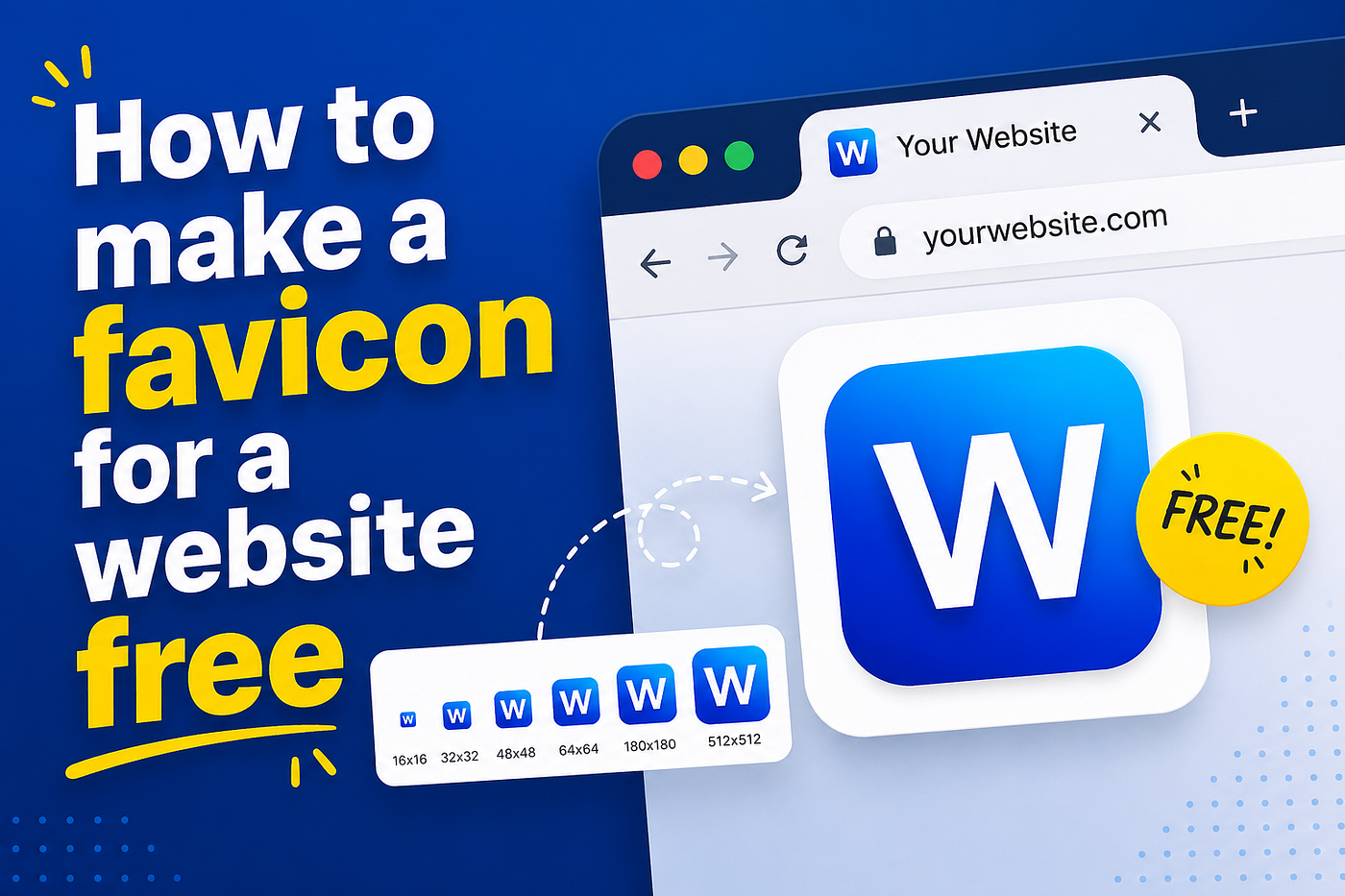
A favicon is one of the smallest design elements on your website, but it has a surprisingly big impact. It's the tiny icon that appears in browser tabs, bookmarks, browser history, and mobile home screen shortcuts. While small, it helps visitors instantly recognize your website and gives your brand a more professional appearance.
If you've ever noticed the small icons beside websites like Google, YouTube, Amazon, or BBC, you've already seen favicons in action.
The good news is that you don't need expensive software or graphic design experience to create one. There are plenty of free favicon generators and image editors that let you make a professional-looking favicon in just a few minutes.
In this guide, you'll learn:
- What a favicon is
- Why every website needs one
- The best free favicon tools
- How to create a favicon step by step
- The correct favicon sizes
- How to add a favicon to WordPress and HTML websites
- Common mistakes to avoid
- Expert tips for better branding
- Let's get started.
What Is a Favicon?
A favicon (short for favorite icon) is a small square image that represents your website.
It usually appears in:
- Browser tabs
- Browser bookmarks
- Search history
- Mobile browser tabs
- Desktop shortcuts
- Progressive Web Apps (PWAs)
- Some search engine results
- Browser start pages
Although most people think of it as a browser tab icon, modern browsers use favicons in many different places.
Why Is a Favicon Important?

Many beginners skip creating a favicon because it seems insignificant. In reality, it improves branding, trust, and usability.
Benefits of using a favicon
- Makes your website look professional
- Helps users recognize your brand instantly
- Improves bookmark visibility
- Makes browser tabs easier to identify
- Supports brand consistency
- Improves user experience
- Essential for Progressive Web Apps
- Required by many browsers for proper website presentation
Although a favicon is not a direct Google ranking factor, it contributes to a better user experience and stronger brand recognition, which can indirectly support SEO.
What Size Should a Favicon Be?
Modern websites should provide multiple favicon sizes because different devices and browsers use different dimensions.
Size
Recommended Use
16×16 px
Browser tabs
32×32 px
Windows shortcuts
48×48 px
Desktop icons
64×64 px
High-resolution displays
180×180 px
Apple Touch Icon
192×192 px
Android devices
512×512 px
Progressive Web Apps
Most free favicon generators automatically create all required sizes.
Best Free Favicon Makers
There are many free tools available online. Here are some of the most reliable options.
1. Favicon.io - The Ultimate Favicon Generator (Free)
Best for beginners.
Features:
- Upload your logo
- Create text-based favicons
- Emoji favicon generator
- Multiple icon sizes
- Free downloads
Perfect if you already have a logo.
2. RealFaviconGenerator
Best for professional websites.
Features:
- Creates icons for every device
- Browser compatibility testing
- Apple and Android icons
- Generates HTML code
- Free to use
Excellent for businesses and larger websites.
3. Canva Free
Great for designing custom icons.
Features:
- Drag-and-drop editor
- Thousands of templates
- Brand colours
- Export as PNG
After designing, upload the image to a favicon generator.
4. Adobe Express
Ideal for simple branding.
Features:
- Free templates
- Logo creation
- Easy editing
- High-quality exports
5. Figma
Best for designers.
Features:
- Vector graphics
- Precise editing
- Team collaboration
- Free plan available
How to Make a Favicon for a Website for Free
Follow these simple steps.
Step 1: Decide What Your Favicon Should Look Like
Keep it simple.
Popular options include:
- Company logo
- Brand initials
- Lettermark
- Symbol
- Icon
- Minimal graphic
Remember, users will often see your favicon at only 16×16 pixels.
Avoid complicated artwork.
Step 2: Create a Square Image
Use any free editor.
Recommended size:
512 × 512 pixels
This gives favicon generators enough resolution to create all required versions.
Use:
- PNG format
- Transparent background
- Bold shapes
- High contrast colours
Step 3: Upload to a Free Favicon Generator
Upload your PNG image.
The generator will automatically create:
- favicon.ico
- PNG icons
- Apple Touch icons
- Android icons
- Manifest files
Most tools package everything into a ZIP file.
Step 4: Download Your Files
You'll usually receive:
- favicon.ico
- favicon-16x16.png
- favicon-32x32.png
- apple-touch-icon.png
- android-chrome-192x192.png
- android-chrome-512x512.png
- site.webmanifest
Step 5: Upload the Files to Your Website
For HTML websites:
Upload them to your website's root folder.
Then add:
- <link rel="icon" href="/favicon.ico">
Many generators also provide complete HTML code covering all modern devices.
How to Add a Favicon in WordPress
WordPress makes the process extremely simple.
Go to:
Appearance → Customise → Site Identity
Then:
- Click Site Icon
- Upload your favicon
- Crop if needed
- Save changes
WordPress automatically generates several required sizes.
No plugins are needed.
Tips for Designing a Great Favicon
A favicon should be instantly recognisable.
Keep it simple
Tiny icons lose detail quickly.
Use bold shapes
Thin lines disappear at small sizes.
Limit colours
Too many colours make the icon harder to identify.
Match your brand
Use your existing logo colours whenever possible.
Test at 16×16 pixels
Zoom out before publishing.
If you can't recognise it instantly, simplify the design.
Common Favicon Mistakes
Many websites make avoidable errors.
Using too much text
Words become unreadable.
Use one letter or an icon.
Adding too much detail
Small graphics become blurry.
Simplify everything.
Choosing poor colour contrast
Dark icons on dark browser tabs become invisible.
Aim for a strong contrast.
Using low-resolution images
Always start with a high-quality PNG.
Forgetting mobile icons
Modern devices require more than a single favicon.ico file.
Not updating browser cache
Browsers often cache favicons.
If yours doesn't update:
- Clear browser cache
- Hard refresh the page
- Wait a few hours
- Test in another browser
Does a Favicon Affect SEO?
Not directly.
Google has never confirmed that favicons improve rankings.
However, they do contribute to:
- Better branding
- Improved user trust
- Easier navigation
- Stronger recognition
- Higher perceived professionalism
These factors can improve user engagement over time.
Expert Tips
Use your logo if possible
Brand consistency builds recognition.
Create multiple sizes
Modern browsers expect several icon formats.
Always use PNG as the source
PNG provides excellent quality with transparency.
Keep your design timeless
Avoid trendy graphics that may quickly look outdated.
Test across browsers
Check Chrome, Edge, Firefox, Safari, and mobile browsers.
Frequently Asked Questions
Can I create a favicon for free?
Yes. Many online tools let you design and download favicons without paying.
What file format should I use?
PNG is the best source format. Most generators will convert it into ICO and other required formats.
What is the ideal favicon size?
A 512 × 512 pixel PNG is the best starting point. The generator will create smaller versions automatically.
Can I use my logo as a favicon?
Yes, provided it remains clear and recognisable when scaled down. Simple logos work best.
Why isn't my new favicon showing?
Your browser may be using a cached version. Clear the cache, perform a hard refresh, or test in a different browser.
Do WordPress websites need a favicon plugin?
No. WordPress includes built-in support for uploading a Site Icon through the Customiser.
Is favicon.ico still required?
Many browsers still support and expect a favicon.ico file, so including it alongside PNG icons is considered best practice.
Conclusion
Creating a favicon is one of the quickest ways to improve your website's branding and professionalism. In just a few minutes, you can design a simple icon, generate all the required file sizes for free, and add them to your website without any technical expertise.
Focus on simplicity, use a high-resolution source image, generate multiple icon sizes, and test your favicon across different browsers and devices. A well-designed favicon may be small, but it helps visitors recognise your website instantly and reinforces your brand every time they open a new tab.
Whether you're launching a personal blog, an online shop, or a business website, adding a favicon is a small task that delivers long-term value and completes the overall user experience.
메타데이터
- post_id
- 596c16cc6ab8
- slug
- how-to-make-a-favicon-for-a-website-free-596c16cc6ab8
- url
- https://medium.com/@muhammadmujeeb_42147/how-to-make-a-favicon-for-a-website-free-596c16cc6ab8
- canonical_url
- https://medium.com/@muhammadmujeeb_42147/how-to-make-a-favicon-for-a-website-free-596c16cc6ab8
- author_url
- https://medium.com/@muhammadmujeeb_42147
- status
- ok
- fetched_at
- 2026-07-07 05:46:58