Monorepo Explained Simply: How Big Companies Manage Multiple Apps in One Repo
“One repo. Multiple apps. Shared code. Less chaos.”
Monorepo Explained Simply: How Big Companies Manage Multiple Apps in One Repo
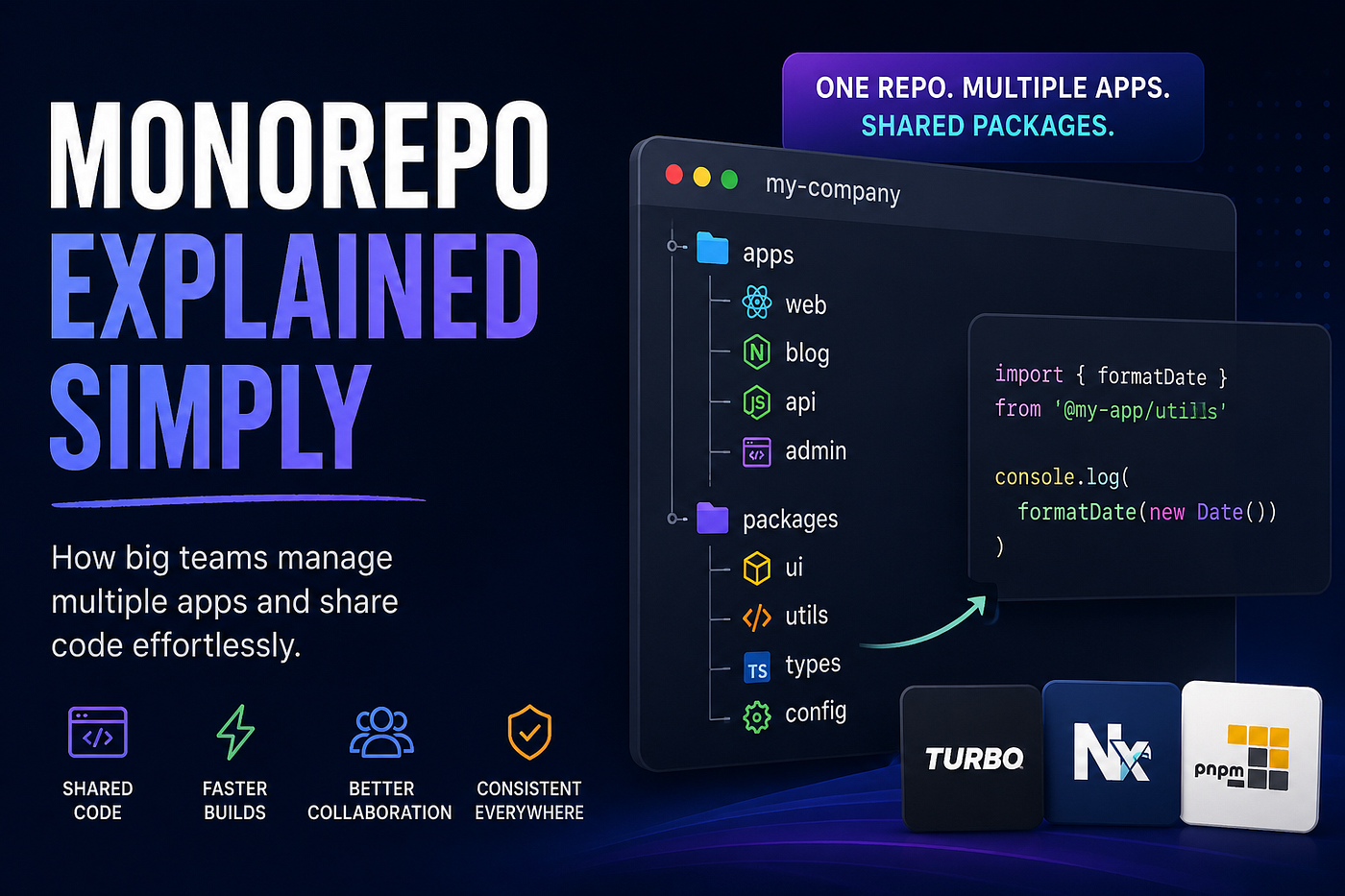
“One repo. Multiple apps. Shared code. Less chaos.”
If you’ve heard terms like TurboRepo, Nx, or PNPM Workspaces and felt they were some “senior engineer only” concepts — relax 😄. Monorepo is actually a very simple idea once someone explains it in normal language.
Why Monorepo Exists
Most developers start with separate projects:
landing-page/
backend-api/
blog/
admin-panel/
At the beginning this feels perfectly fine.
But slowly the same code starts appearing everywhere:
- buttons
- utility functions
- auth logic
- configs
- TypeScript types
Then one day someone updates a function in one project… but forgets the other 4 places where it was copied 😅.That’s where things become messy.
The Real Problem Companies Face
Imagine a company with multiple teams working on:
- frontend apps
- backend APIs
- dashboards
- internal tools
Now every project needs the same things:
formatDate()
validateEmail()
Button component
Auth types
If all repositories are separate, maintaining them becomes painful very quickly.
A Monorepo solves this by keeping everything inside one large repository where apps can share code properly instead of duplicating it everywhere.
So What Actually Is a Monorepo?
A Monorepo is just:
One repository containing multiple applications and shared packages. Usually the structure looks something like this:
my-company/├── apps/
├── packages/The apps folder contains actual applications while packages contains reusable shared code.
Simple idea. Huge impact.
Think of It Like This
Imagine a restaurant kitchen 🍜. Instead of every chef buying their own:
- salt
- sauces
- ingredients
- utensils
there’s one shared storage room everyone uses.
In Monorepo terms:
apps      = chefs
packages  = shared storage room
Every app can reuse the same shared code without copying things again and again.
Tools Used in Monorepos
This part confuses beginners a lot.
A Monorepo itself is just an architecture style.To manage it properly, developers use tools like:
These tools help with:
- running apps
- caching builds
- task ordering
- shared package handling
- faster development workflow
TurboRepo is currently one of the most popular choices for React, Next.js, and TypeScript projects.
Why Most Developers Use PNPM
Most modern Monorepos use PNPM because it works extremely well with shared workspaces and local packages.
You can install it using:
npm install -g pnpmThen create a TurboRepo project:
npx create-turbo@latestChoose pnpm during setup and TurboRepo generates the full structure automatically.
Folder Structure You’ll See
After setup you’ll usually get something like this:
apps/
packages/
turbo.json
package.json
pnpm-workspace.yaml
The important folders are still just:
apps/
packages/
Everything else is mostly configuration.
Shared Packages: The Real Superpower
Suppose you create a utility function:
export function formatDate(date: Date) {
  return date.toLocaleDateString();
}
Instead of copying this into every project, you place it inside:
packages/utils/Now every app can use it.
Example Shared Package
packages/utils/src/index.ts
export function formatDate(date: Date) {
  return date.toLocaleDateString();
}
export function slugify(text: string) {
return text.toLowerCase().replaceAll(" ", "-");
}Then create its package configuration:
{
  "name": "@my-app/utils",
  "version": "0.0.1",
  "main": "src/index.ts",
  "types": "src/index.ts"
}
Now any app inside the Monorepo can use it like a normal npm package.
Using Shared Packages Inside Apps
Inside another app:
{
  "dependencies": {
    "@my-app/utils": "workspace:*"
  }
}
Then simply import it:
import { formatDate } from "@my-app/utils";That workspace:* basically means:
“Use the local package from this Monorepo.” No publishing needed. No npm upload. Everything stays connected locally.
Adding a New React App
Inside the apps folder you can create another app normally:
pnpm create vite blog --template react-tsNow your structure becomes:
apps/
├── web/
├── blog/
├── api/
And yes — all of them can share the same packages.
Adding an Express API
Monorepos are not frontend-only, you can also create backend services inside the same repository.
Example:
import express from "express";const app = express();app.get("/hello", (_, res) => {
res.json({
message: "Hello from API"
});
});app.listen(3001);Now your frontend and backend live together and can even share types and utilities.
One Of The Biggest Advantages: Shared Types
This is where Monorepos become insanely useful eg:-
export interface User {
  id: string;
  email: string;
}
Frontend and backend can both use the same interface.
No duplicate types. No API mismatch issues. No “backend changed something again” problems 😄
This is also why tools like tRPC became popular with Monorepos.
TurboRepo Features That Actually Matter
TurboRepo gives several powerful features out of the box that becomes extremely useful once projects become large:
- caching → skips rebuilding unchanged apps
- parallel builds → runs multiple apps together
- task ordering → builds dependencies first
- incremental builds → only rebuilds changed code
Common Beginner Mistakes
Sharing everything
Not every file belongs inside packages/. Keep shared code meaningful.
Running all apps together
This usually causes port conflicts and slows everything down.
Instead use filters:
pnpm run dev --filter=webCreating giant shared packages
Avoid making one massive “utils-everything” package 😄 Keep packages small and focused.
Deployment Is Easier Than You Think
You don’t deploy the entire Monorepo together each app can deploy independently modern hosting platforms support this very well now.
apps/web  → Vercel
apps/api  → Render
apps/blog → Netlify
Final Thoughts
Monorepo sounds complicated at first because developers think it’s some advanced architecture monster 😄
But honestly, the core idea is very small:
One repository
Multiple apps
Shared packages
That’s really it.
Everything else — TurboRepo, caching, workspaces, task pipelines — are just tools that make this system faster and easier to manage and once you start working on larger projects or teams, Monorepos begin making a LOT of sense very quickly.
메타데이터
- post_id
- 5995625b9cef
- slug
- monorepo-explained-simply-how-big-companies-manage-multiple-apps-in-one-repo-5995625b9cef
- url
- https://medium.com/@yashdubey.official/monorepo-explained-simply-how-big-companies-manage-multiple-apps-in-one-repo-5995625b9cef
- canonical_url
- https://medium.com/@yashdubey.official/monorepo-explained-simply-how-big-companies-manage-multiple-apps-in-one-repo-5995625b9cef
- author_url
- https://medium.com/@yashdubey.official
- status
- ok
- fetched_at
- 2026-06-20 20:29:01





