GitHub Stacked PRs: I Got Into the Private Preview
A few months ago I made a Youtube video about GitHub’s native Stacked PRs — at the time, all we had was the CLI announcement and a…
GitHub Stacked PRs: I Got Into the Private Preview
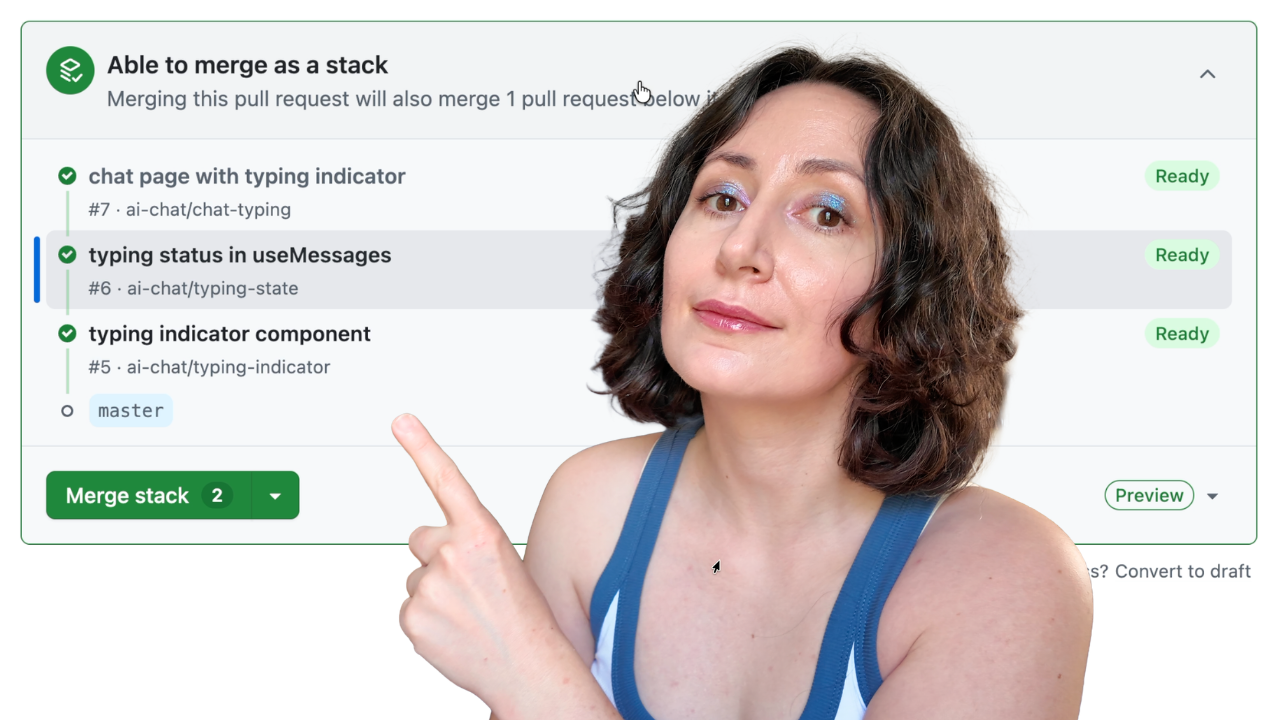
A few months ago I made a Youtube video about GitHub’s native Stacked PRs — at the time, all we had was the CLI announcement and a waitlist. Last week, my account got approved for the private preview. I’ve spent a few days living inside the new UI, and in this article I’ll walk you through it: creating a stack without ever touching a terminal, the redesigned merge box, and the single button that performs a cascading rebase of your entire stack server-side.
If you prefer watching over reading, I made a full video walkthrough of the UI:
[embed]
What’s a Stack, and Why Should You Care?
If you’ve worked on a large feature in a standard GitHub workflow, you know the dilemma. Either you ship one massive, all-in-one pull request that nobody can meaningfully review — or you split it into dependent branches and spend your evenings doing git rebasegymnastics, force-pushing five branches in the correct order every time main moves.
A stack solves this. It’s a chain of pull requests where each PR targets the branch of the PR below it, and only the bottom one targets main:
┌── feat/frontend       → PR #3 (base: feat/api-endpoints)  ← top
┌── feat/api-endpoints  → PR #2 (base: feat/auth-layer)
┌── feat/auth-layer     → PR #1 (base: main)                ← bottom
Each PR is a small, focused, independently reviewable slice of the feature. This isn’t a new idea — Facebook engineers have had it since 2007 via Phabricator, and tools like Graphite built entire businesses around bringing it to GitHub. What’s new is that it’s now first-party. GitHub launched the private preview on April 13, 2026, and you can join the waitlist at gh.io/stacksbeta.
The Stack Navigator
The first thing you notice when opening a PR that belongs to a stack is a new component in the PR header: the stack navigator.
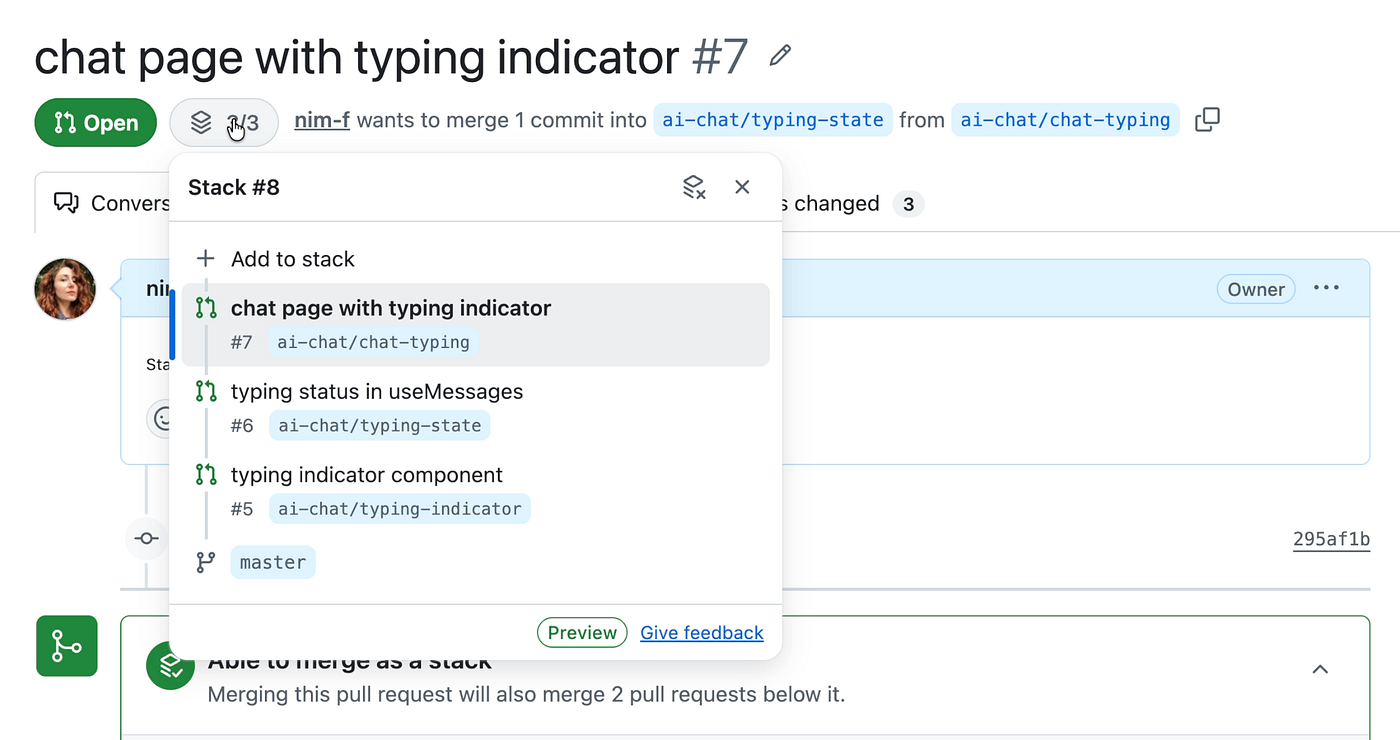
It shows every PR in the stack from top to bottom, highlights the one you’re currently viewing, and makes every entry clickable so a reviewer can jump between layers instantly. There’s also an “Add to Stack” link for extending the stack and an “Unstack” option for dissolving it.
This is the thing no third-party tool could ever fully deliver, because it lives inside the pull request UI itself. Your reviewers don’t need an account on another service, a browser extension, or any setup at all. The context is just there.
Equally important: each PR in a stack shows only its own diff — the changes between its branch and the branch directly below it. The API-routes PR shows API changes only, not the auth middleware from the layer beneath. Focused diffs for reviewers, full stack context in the header. That’s the entire pitch of stacked PRs, delivered natively.
Creating a Stack Entirely From the UI
Here’s how you build one from scratch in the browser, in three steps.
Step 1 — Create the first PR normally. Branch off main, open a PR targeting main. Nothing special about this step; it simply becomes the bottom of your stack.
Step 2 — Target the previous PR’s branch. When creating the second PR, set its base branch to the first PR’s branch instead of main. GitHub notices what you're doing and offers a checkbox: Create stack. Tick it and create the pull request.
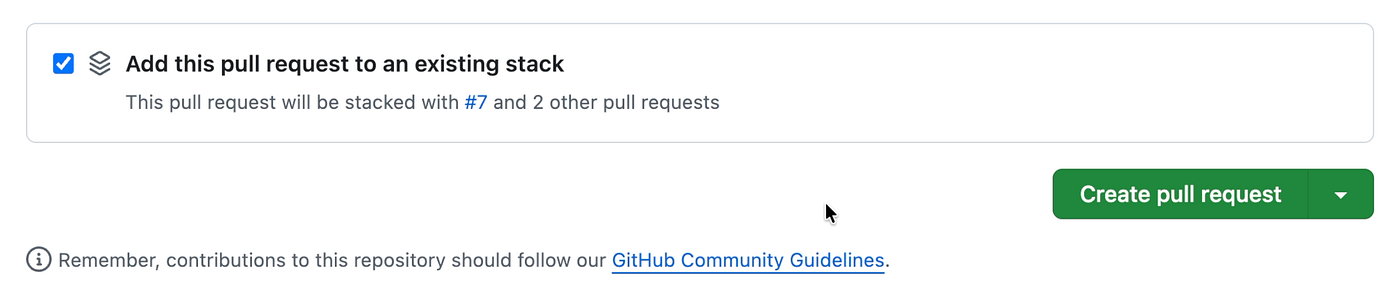
Step 3 — Confirm. The stack navigator appears in the header, showing both PRs linked together. Repeat for every additional layer — each new PR targets the branch of the one before it.
Adding to an existing stack is even smoother: open any PR in the stack, click the stack icon, hit Add, and GitHub automatically sets the base branch to the head of the topmost PR. Select your branch, tick “Add to existing stack,” and the new PR lands on top. The pull requests list page even displays the stack as a visual group.
The Merge Box
The merge box on a stacked PR is completely redesigned. Instead of showing only the current PR’s status, it reflects the state of the entire stack.
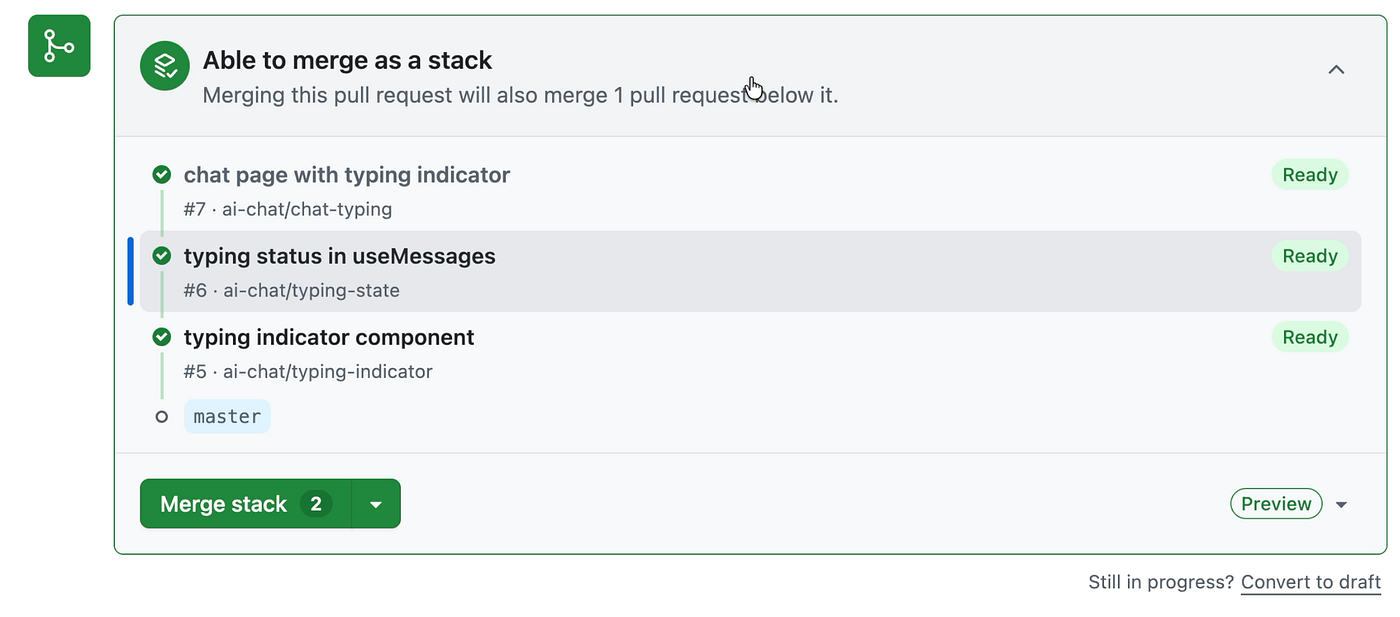
Before any PR in a stack can merge, three conditions must hold:
- Every PR below it is approved with passing checks.
- The stack is fully rebased with a linear history.
- The PR itself satisfies branch protection requirements.
And here’s the detail that fixes what was fundamentally broken about manual stacking: branch protection rules are enforced against the stack’s final target — main — not the intermediate branch a PR happens to point at. The same goes for CI: checks run for every PR in the stack as if it were targeting main directly. With manual stacking, your CODEOWNERS rules and required checks only fired properly on the bottom PR; every layer above lived in a compliance blind spot. That blind spot is gone.
Merging is flexible, with one sensible constraint. You can land just the bottom PR, any contiguous group starting from the bottom, or the whole stack at once. What you can’t do is merge the middle while skipping the bottom — merging a PR always brings its unmerged dependencies along with it.
The best part happens after a partial merge: the remaining PRs are automatically rebased and retargeted, so the next unmerged PR now points directly at main, immediately ready for review and merge.
The Rebase Stack Button
So what happens when main moves ahead, or you push a fix to a branch lower in the stack? In the old world, this was the moment your evening disappeared into rebase archaeology.
In the new world, a Rebase Stack button appears in the merge box whenever the stack is no longer linear.
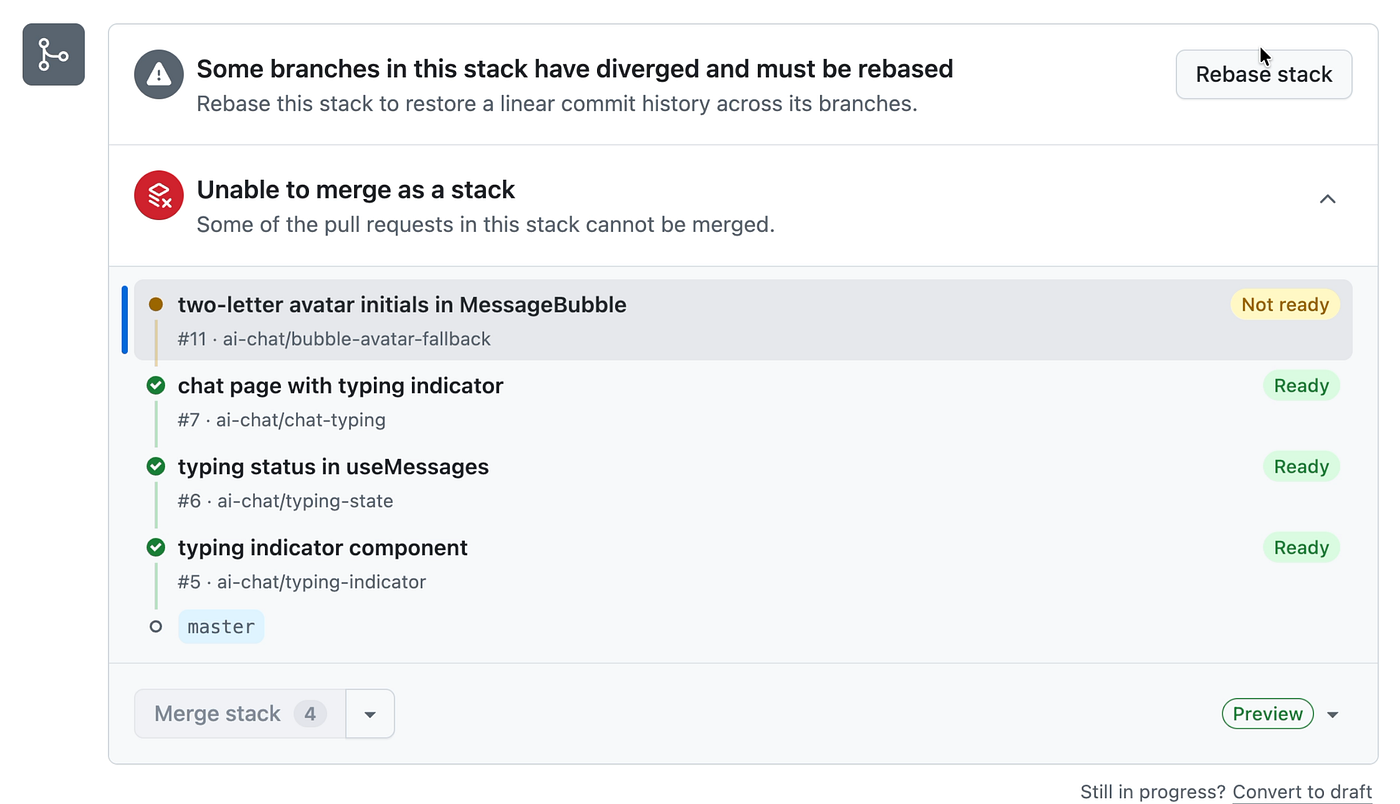
One click triggers a server-side cascading rebase: GitHub rebases the entire stack onto the latest main, then rebases every unmerged branch onto its updated base, working bottom-up, and force-pushes each branch. CI re-triggers across the stack automatically.
One caveat worth knowing before you rely on it: commits created by the server-side rebase are not signed. If your repository enforces signed commits, do the rebase locally instead — gh stack rebase uses local git operations and respects your signing configuration, and gh stack push force-pushes the updated branches.
Unstacking, Restructuring, and the CLI’s Role
Changed your mind? The unstack option dissolves the entire stack — every PR keeps its current base branch but becomes an ordinary, independent pull request. The navigator and the stack-specific merge requirements disappear.
There is one real limitation in the current UI: you can’t reorder a stack from the browser. If you want to restructure, you either dissolve and rebuild, or drop to the CLI, where gh stack modify offers interactive restructuring — reordering, inserting, dropping, and renaming branches without dissolving anything. In practice, the UI covers the daily workflow and the CLI covers the power moves.
A small detail I loved as someone deep in the AI-assisted-coding world: GitHub ships a gh-stack skill, so your coding agent — Claude Code or whatever you run — can learn to drive stacked PRs itself.
Thats all for now. The waitlist is at gh.io/stacksbeta, and the official docs live at github.github.com/gh-stack.
메타데이터
- post_id
- 5b6483d181d2
- slug
- github-stacked-prs-i-got-into-the-private-preview-5b6483d181d2
- url
- https://medium.com/@codeandbird/github-stacked-prs-i-got-into-the-private-preview-5b6483d181d2
- canonical_url
- https://medium.com/@codeandbird/github-stacked-prs-i-got-into-the-private-preview-5b6483d181d2
- author_url
- https://medium.com/@codeandbird
- status
- ok
- fetched_at
- 2026-07-24 01:22:17




