Setting up PostgreSQL with Tortoise ORM in Nexios
Nexios is a high-performance, async-first Python web framework I built with the goal of giving developers Express.js-like power with…
Setting up PostgreSQL with Tortoise ORM in Nexios
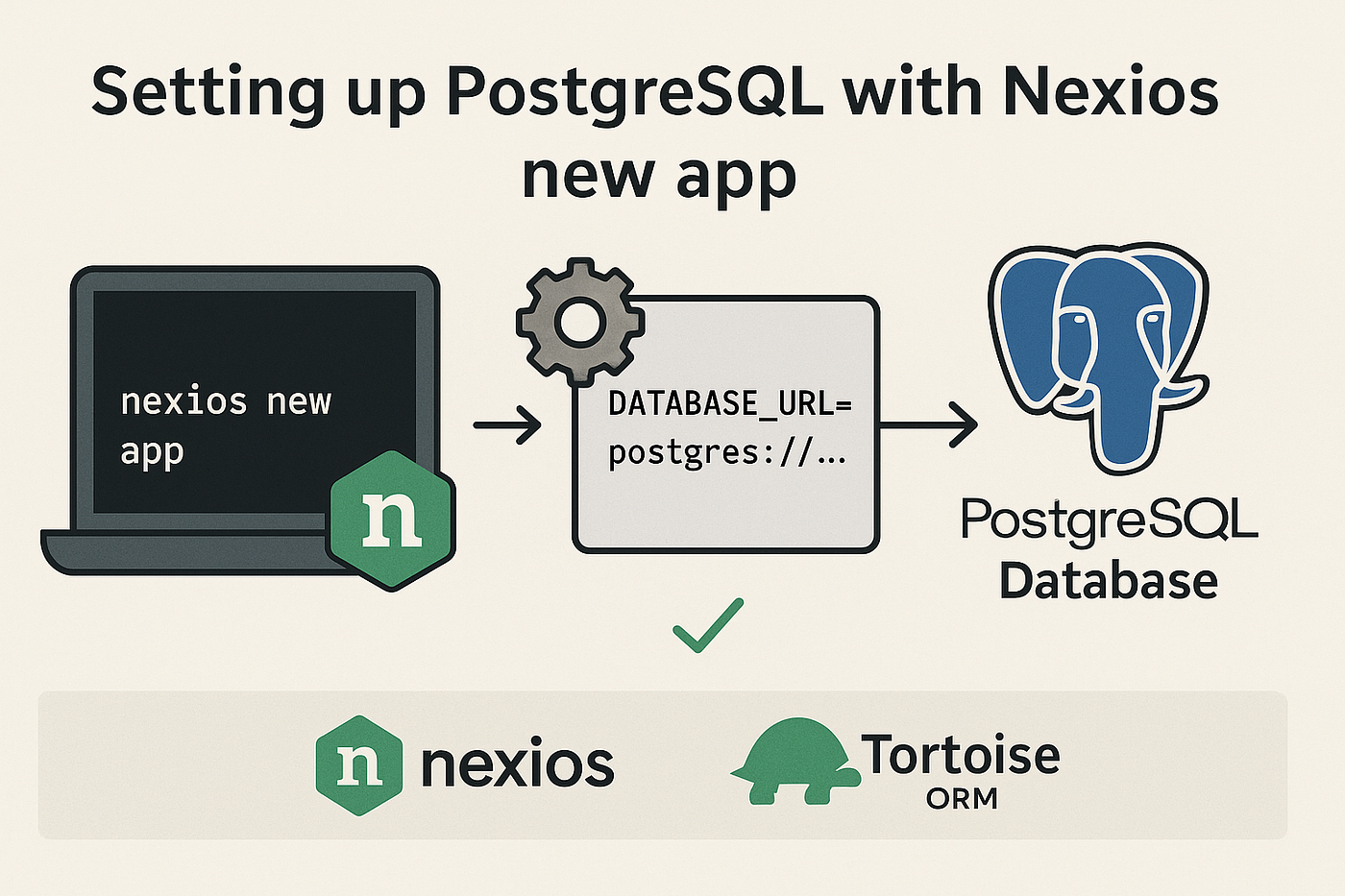
Nexios is a high-performance, async-first Python web framework I built with the goal of giving developers Express.js-like power with Python’s concurrency strengths. If you’re using PostgreSQL and want a clean ORM experience, Tortoise ORM fits in perfectly.
- Set up PostgreSQL for a Nexios project
- Integrate Tortoise ORM cleanly
- Understand lifespan events and why they matter
Before proceeding you’ll need:
- Python 3.9+
- PostgreSQL installed and running
- Nexios installed (
pip install nexios) - Tortoise ORM (
pip install tortoise-orm asyncpg)
Project Structure
Let’s initialize a new Nexios app:
nexios new nexios_tortoise_demo -t beta #to use nexios beta template
cd nexios_tortoise_demo
You should see something like:
.
├── main.py           # Main application file
├── requirements.txt  # Project dependencies
├── README.md        # Documentation
└── .gitignore
We’ll now install Tortoise ORM and connect it.
Configuring PostgreSQL
1. Create a PostgreSQL DB
In your terminal or pgAdmin:
CREATE DATABASE nexiosdb;
CREATE USER nexiosuser WITH PASSWORD 'nexiospass';
GRANT ALL PRIVILEGES ON DATABASE nexiosdb TO nexiosuser;
2. Update config.py
Add your DB connection details:
DATABASE_URL = "postgres://nexiosuser:nexiospass@localhost:5432/nexiosdb"etting Up Tortoise ORM
Create a new file models.py:
from tortoise import fields
from tortoise.models import Model

class User(Model):
    id = fields.IntField(pk=True)
    username = fields.CharField(50, unique=True)
    email = fields.CharField(100)
    created_at = fields.DatetimeField(auto_now_add=True)
Then, in app.py, hook Tortoise ORM to the Nexios lifespan system.
from nexios import NexiosApp
from tortoise import Tortoise
from config import DATABASE_URL

app = NexiosApp()

@app.on_startup
async def init_db():
    await Tortoise.init(
        db_url=DATABASE_URL,
        modules={"models": ["models"]}
    )
    await Tortoise.generate_schemas()
    print("✅ DB Initialized")

@app.on_shutdown
async def close_db():
    await Tortoise.close_connections()
    print("🔌 DB Closed")
What’s Happening?
@app.on_startup: This runs when Nexios starts the ASGI server.Tortoise.init(...): Connects to PostgreSQL and loads models.generate_schemas(): Auto-creates tables if they don't exist.@app.on_shutdown: Gracefully closes DB connections.
Lifespan ensures your app:
- Starts only when DB is ready
- Shuts down cleanly without dangling sockets
Example Route with Tortoise
Add this to routes.py:
from nexios import APIHandler
from models import User

@app.get("/users")
async def get(self, request, _):
   users = await User.all().values("id", "username", "email")
   return {"users": users}
Run the App
uvicorn app:app --reload #or nexios run --reloadVisit: http://localhost:8000/users
You’ll get:
{
  "users": []
}
You can now create, query, and manage users from PostgreSQL.
메타데이터
- post_id
- 5cb2a339b719
- slug
- setting-up-postgresql-with-tortoise-orm-in-nexios-5cb2a339b719
- url
- https://medium.com/@techwithdunamix/setting-up-postgresql-with-tortoise-orm-in-nexios-5cb2a339b719
- canonical_url
- https://medium.com/@techwithdunamix/setting-up-postgresql-with-tortoise-orm-in-nexios-5cb2a339b719
- author_url
- https://medium.com/@techwithdunamix
- status
- ok
- fetched_at
- 2026-06-26 21:52:29