I Built an AI Second Brain to cure my information overload. And here is how.
How an oil and gas engineer used the free Opencode coding agent to automate note-taking, kill the folder chaos, and reclaim writing time.
I Built an AI Second Brain to cure my information overload. And here is how.
How an oil and gas engineer used the free Opencode coding agent to automate note-taking, kill the folder chaos, and reclaim writing time.
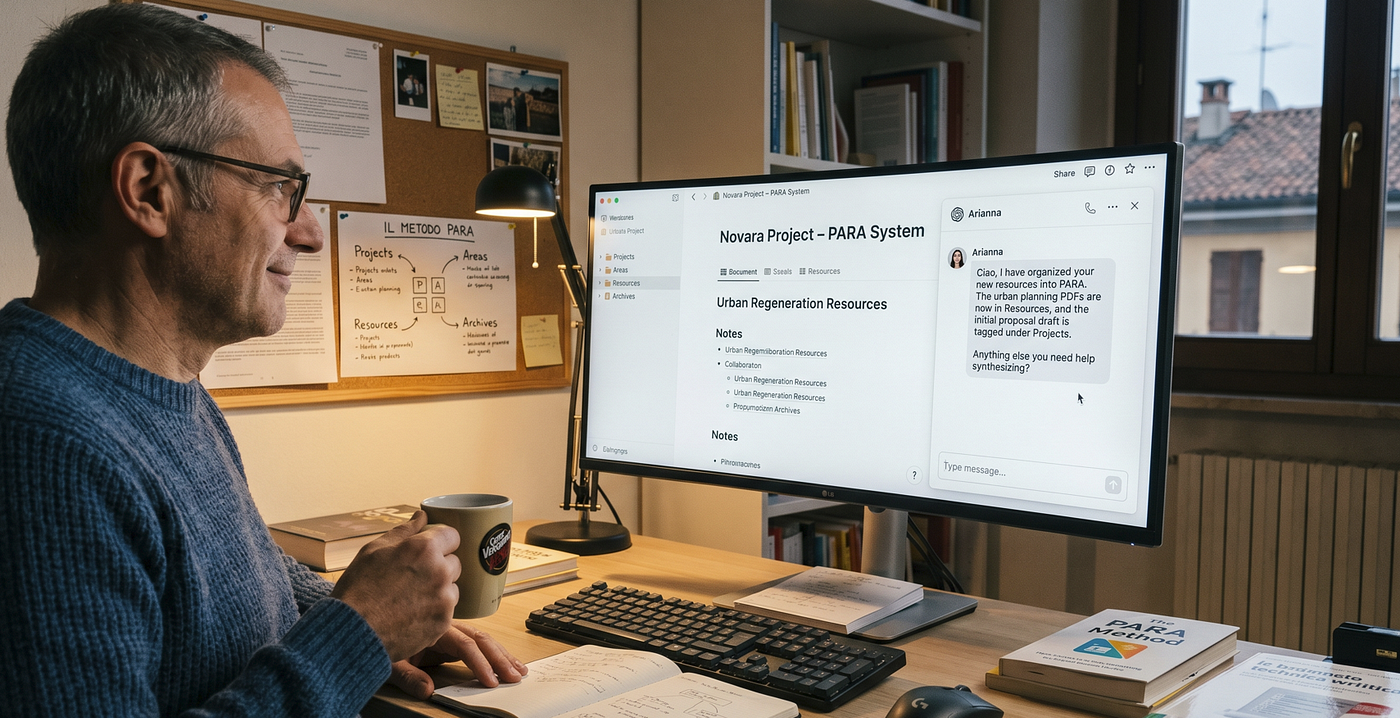
I am a process automation control system engineer in the oil and gas industry by day. By night, or rather by weekend, I write about AI on Medium. I have been doing this for a while now. I am in my fifties. I have seen a lot of technology cycles come and go. I have also accumulated a lot of notes.
And that was the problem.
My notes were everywhere. Scattered across browser bookmarks, email drafts, Twitter saves, LinkedIn posts I meant to revisit, and random text files with names like “interesting-ai-thing.txt.” I was working on three or four writing projects at the same time, each one pulling in different directions. Every time I sat down to write, I spent the first twenty minutes trying to remember where I put that one article about model efficiency that I wanted to reference.
Maybe you know that feeling too. You read something great. You think “I will come back to this.” And then you never do. Not because you are lazy. Because the friction of finding it again is higher than the value of using it.
Then I read an article about something Meta had built. They called it an AI Second Brain. It gave an AI agent persistent access to everything a person was working on. The agent tracked projects, read meeting notes, surfaced connections, and carried context across conversations. Not a chatbot. A working partner.
Sixty thousand people at Meta ended up using it. Engineers, product managers, designers, legal, finance, communications. Not just the AI team. Everyone.
I thought: if this works for sixty thousand people at Meta, maybe it can work for one confused technical writer with too many browser tabs open.
So I built my own. And I used the very same AI to help me build it.
By the end of this article you will learn how to start from Zero, have the LLM help you to setup the entire project, and get the Agents to work with your needs.
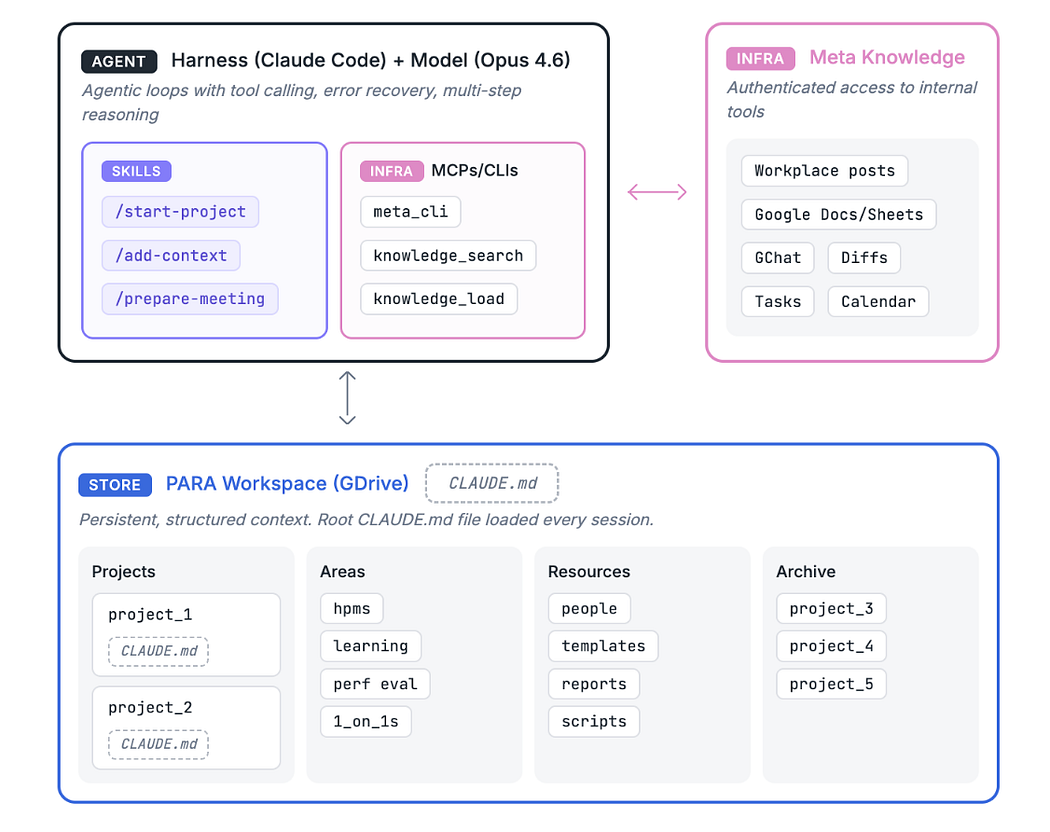
image from Source — your AI second brain
The Framework That Started It All
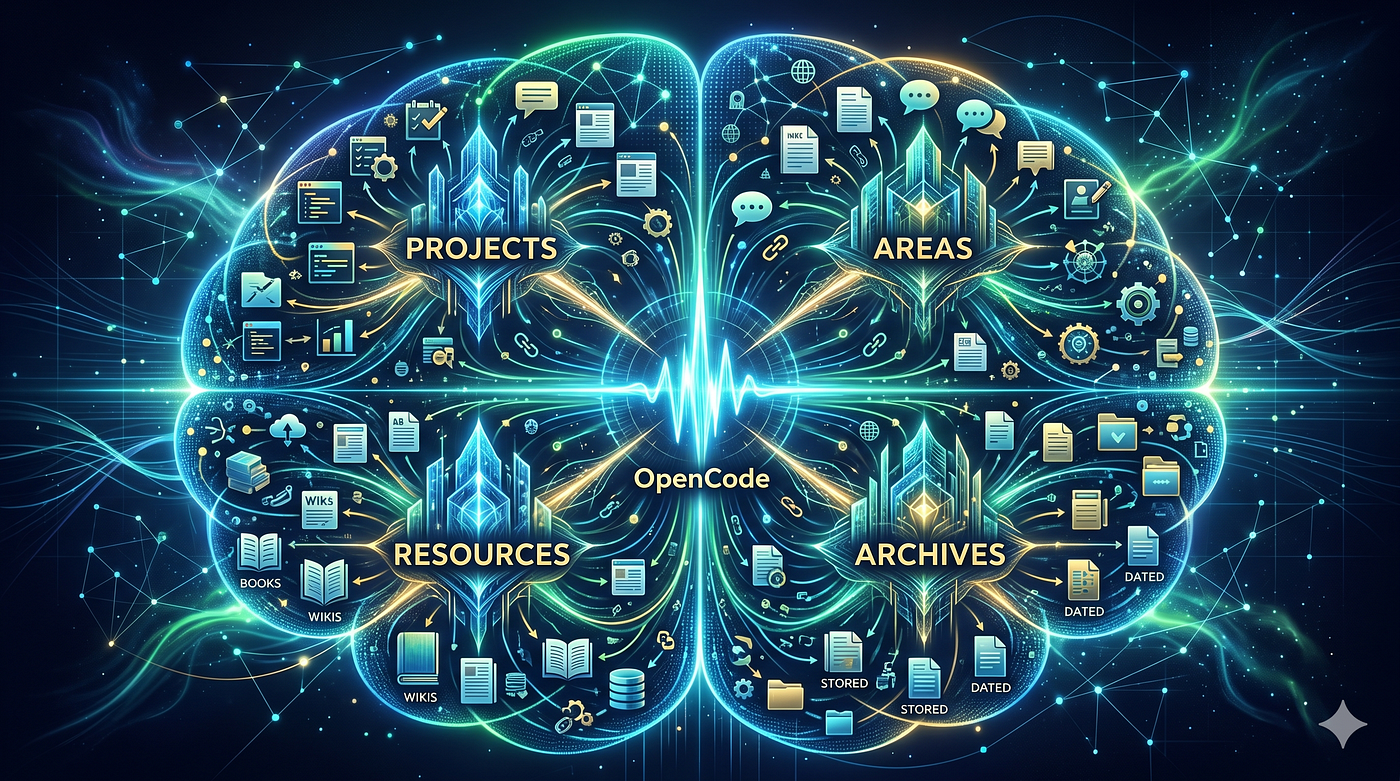
The Meta article described a system built on something called PARA. It stands for Projects, Areas, Resources, Archives. It was originally created by a productivity guy named Tiago Forte for human note-taking. The idea is simple. Organize everything by how actionable it is, not by what topic it covers.
Projects are things with a deadline. Areas are responsibilities you carry indefinitely. Resources are stuff you might need later. Archives are the graveyard for things you are done with.
What made it interesting for me was not the folder structure. Anyone can make folders. But, this structure also works for AI agents. It tells the agent not just what information exists, but what is active, what matters right now, and where new information should go.
That is a powerful thing. Because most AI conversations start cold. You open a new chat and spend ten minutes explaining what you are working on, who the stakeholders are, what decisions you made last week. Then the session ends and you start over again the next day. Same explanation. Same links. Same ten minutes.
The PARA approach changes that.
The agent already knows your active projects when you open a session. It knows your team. It knows your working conventions. When a new piece of information arrives, it reads it, matches it against your known projects, and files it into the right folder without being told where it goes.
I liked that. A lot.
bypassing the human understanding at all…
Building It From Zero, With Help From the AI
Here is the thing I want to be honest about. I did not build this alone.
I had help. Not from a human collaborator. From the AI itself.
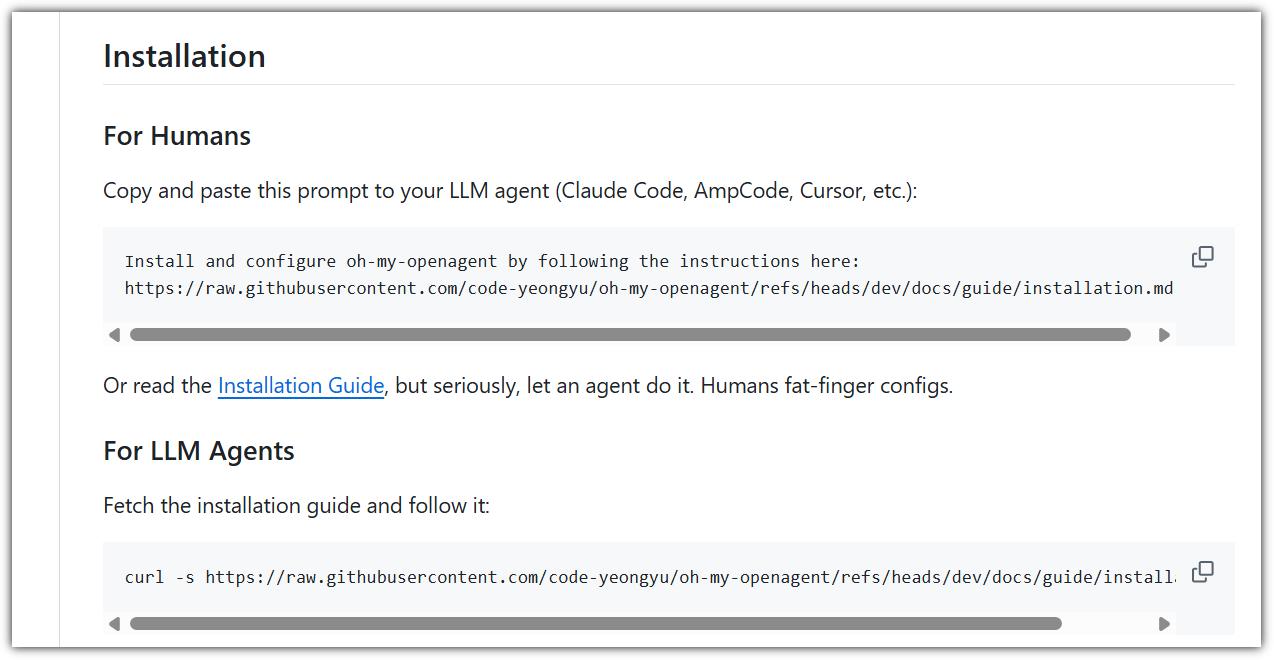
I recently read it from a GitHub repo a funny guideline:
Or read the Installation Guide, but seriously, let an agent do it. Humans fat-finger configs.
To me this is a bit too much, but in reality I already follow a similar thing: when I don’t know what to do with AI I ask AI directly how to fix that.
Back to today… I use a tool called OpenCode. If you are not familiar with it, read more in this article: it is a real quick start guide.
It is an open source AI coding agent that runs in your terminal. You give it access to a folder on your computer and it can read files, write files, create directories, run scripts. It is not a chatbot. It is a working partner that lives inside your project.
I started with a blank directory (called AIsecondBRAIN) and the Meta article saved as a markdown file. I told OpenCode: read this article and help me build a project that implements what it describes.
Remember to be in PLAN mode first (TABon the keyboard).
I want to create a brand new project following the guidelines in
Meta-secondBrain-source.md. Read it and usewebsearchandwebfetchif further information are required. In case you need clarifications, ask them to me.
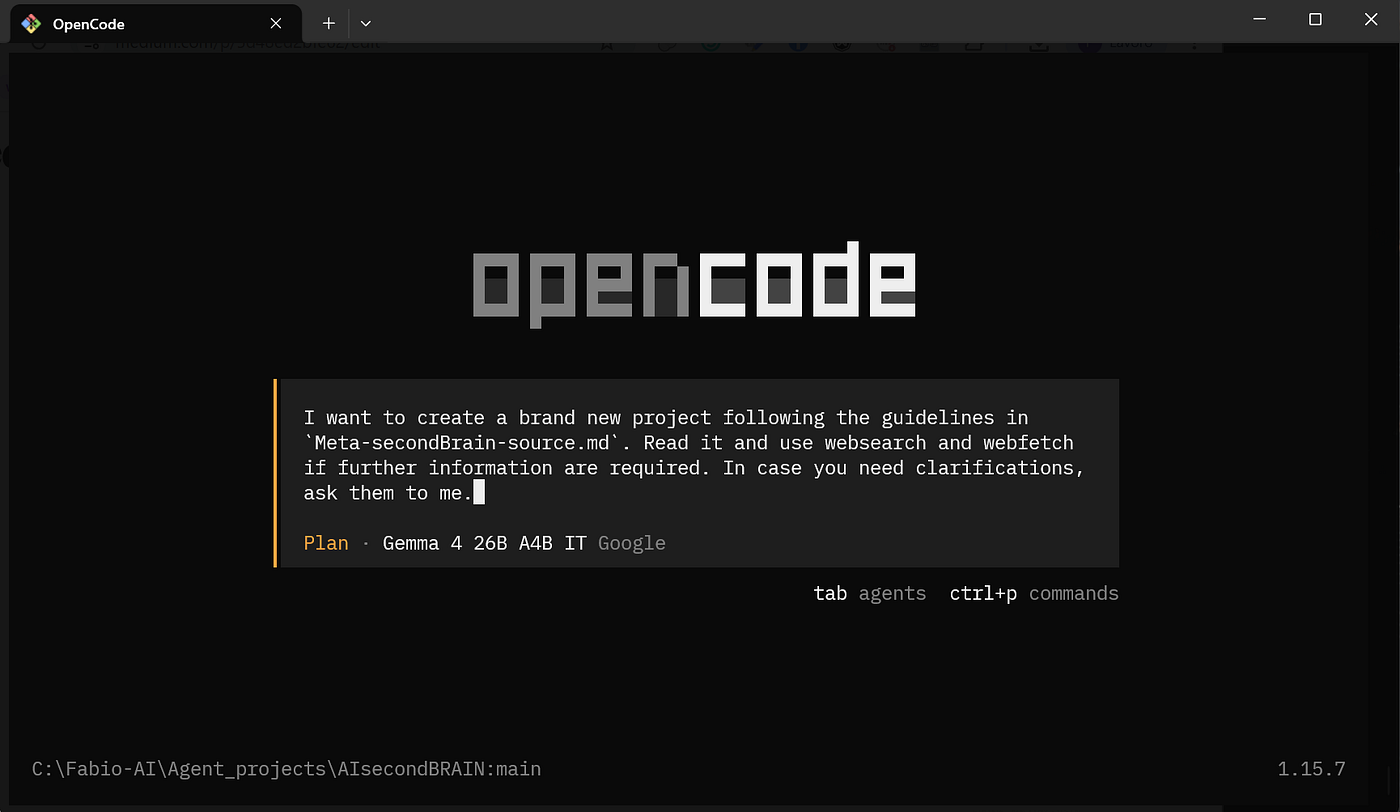
Note that here I am using the free tiers calls with Gemini API (through Google AI studio) and Gemma 4 26B A4B IT as model. You can read more on how to do it in this article.
Opencode read the article. It understood the architecture. It proposed a folder structure. Then it asked me questions.
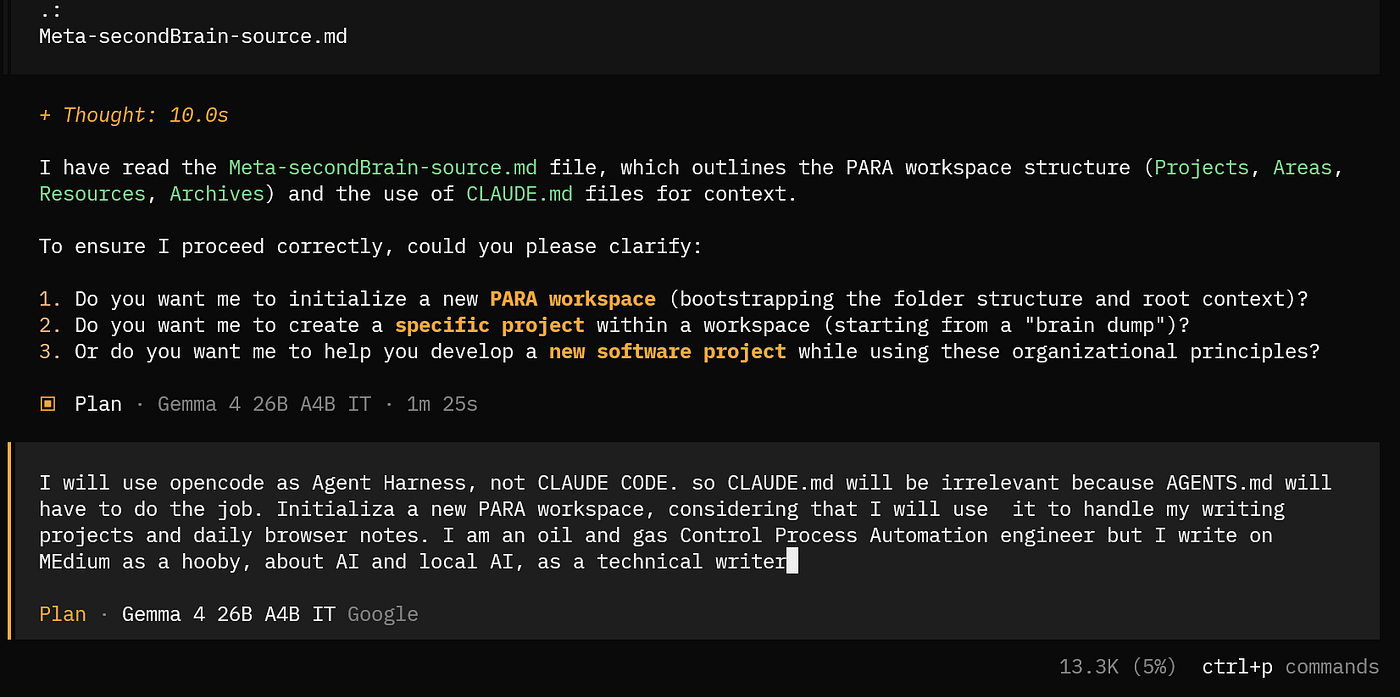
First thing (expected) the original Meta project was relying on Claude Code, so I had to specify that since my AI agent to target is OpenCode we have to rely on AGENTS.md (not CLAUDE.md). The questions are like a guide step to step and I just followed with my remarks.
When you are happy with all the details, switch to BUILD mode (
TABon the keyboard) and say ‘’Proceed’.
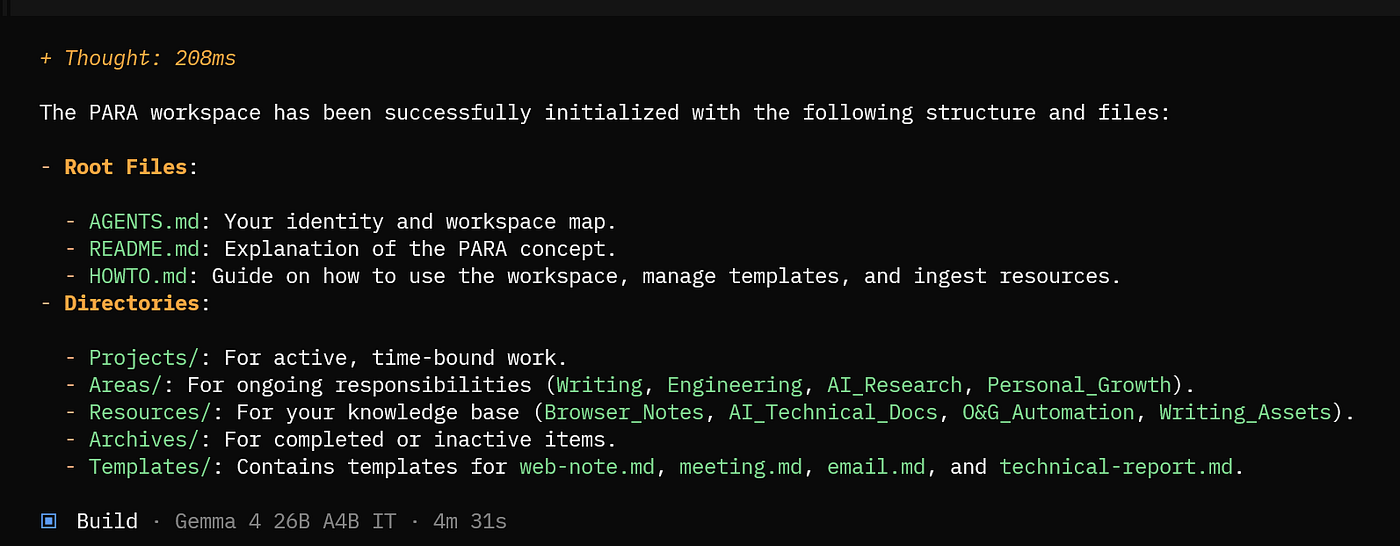
It created everything. Twenty-five files across sixteen directories. PARA folders. Templates. Agent skills. MCP server templates for filesystem, git, and web search. Utility scripts.
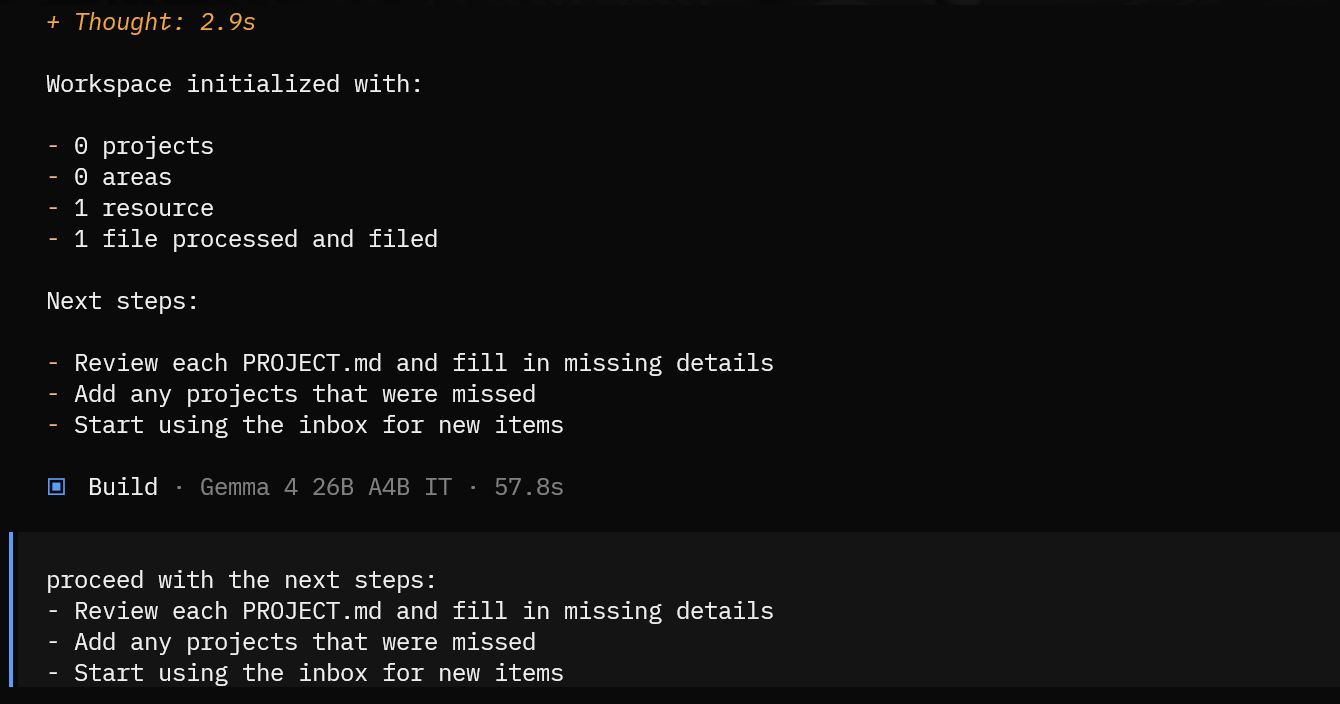
Then I started using it. And I kept asking it to improve itself.
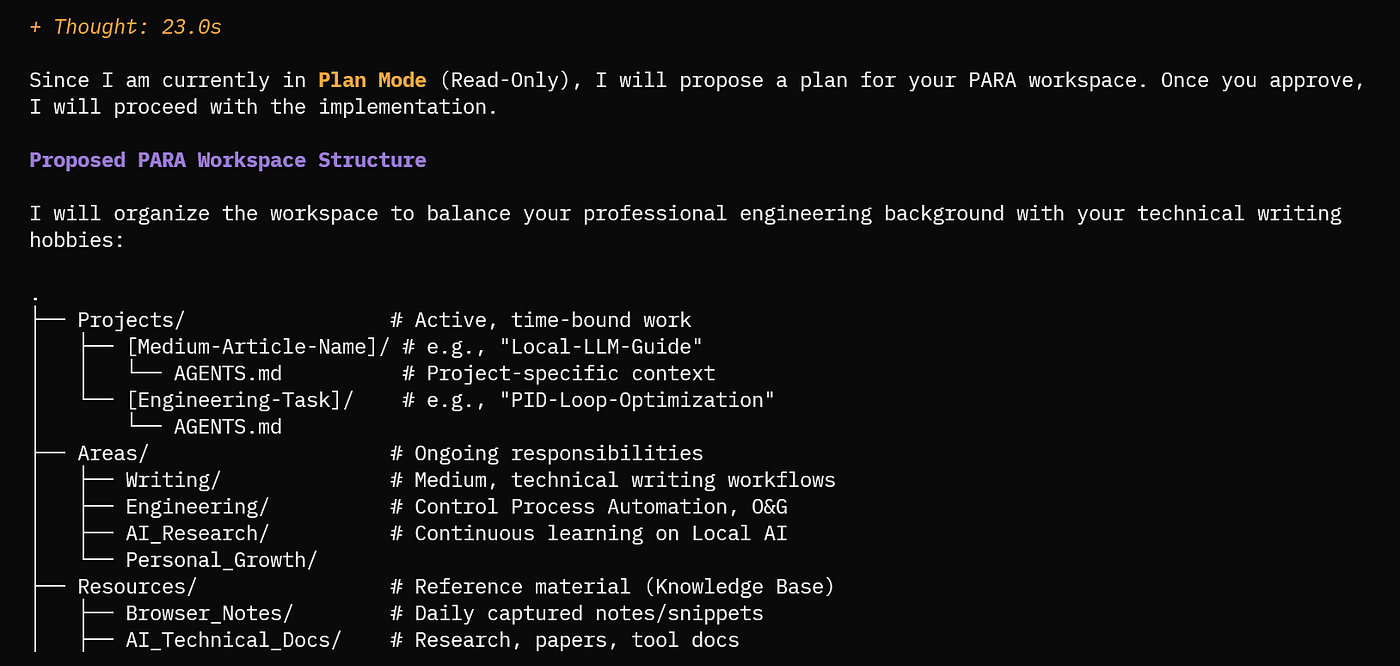
The original Meta project was tailored for the several departments: but I am a technical writer. I need an organization and a set of skills fit for my needs: for example, a skill that ingests articles.
I asked opencode to help me to build one.
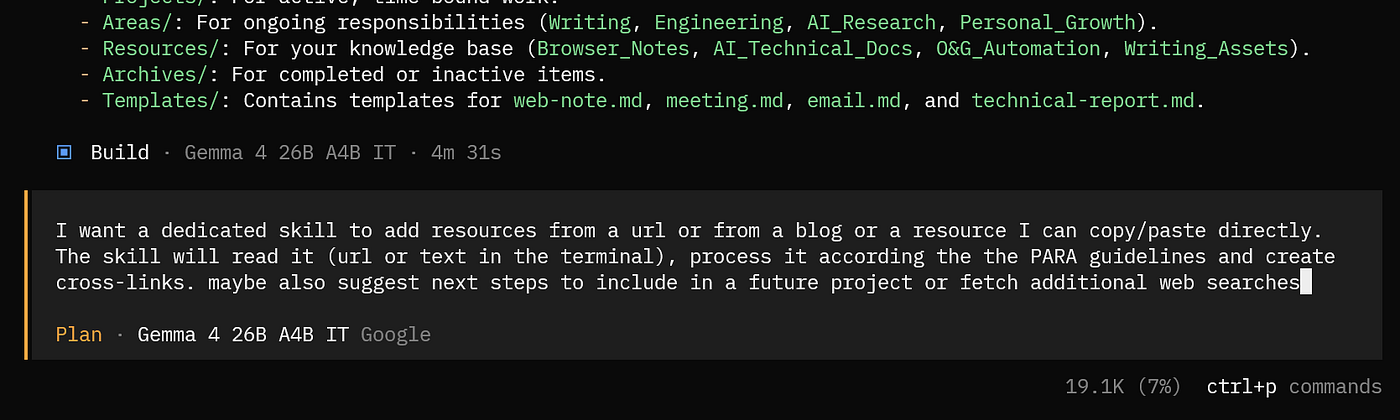
Few clicks and clarifications and I got everything ready.
Every time I wanted something new, I described it in plain English and the AI built it. I was not writing code. I was having a conversation with a partner that understood the project because it had helped create it.
That was the moment it clicked for me. Using an agent harness like OpenCode does not just simplify the building process. It makes the project self-understanding. The agent knows the structure because it helped design it. It can add skills, tailor domains, and improve workflows because it has the full context. I started from an article and arrived at a working system, with the AI as my co-builder.
But what next?
What the System Actually Looks Like
Let me show you what I ended up with. It is not complicated. That is the whole point.
At the root level I have a few key files. AGENTS.md is the instruction manual that the AI reads at the start of every session. It tells the agent who I am, what the folder structure means, what rules to follow, and what skills are available. HOWTO.md is the guide for me, the human. It explains how to set everything up, how to use templates, how to capture web notes, and what to do at each stage of the workspace growth. README.md is the quick overview for anyone who stumbles into the project.
Then the folders:
1-Projects for active work with deadlines. Each project has a PROJECT.md file with goals, stakeholders, key decisions, and action items.
2-Areas for ongoing responsibilities. My writing practice. My professional development. Things that do not end.
3-Resources for reference material. This is where ingested articles live. Papers. Tutorials. Anything worth keeping.
4-Archives for completed or inactive items. Nothing gets deleted. It just moves.
inbox for anything that has not been processed yet. New items always land here first.
templates for reusable note formats. Daily notes. Meeting summaries. Project briefs. Decision logs. Web notes for quick URL capture.
.opencode/skills for the workflows that tell the AI how to do things. Each skill is just a markdown file. No compiled code. No servers. Anyone can write them. Even the AI itself.
That is it. The whole system is just folders and markdown files. But the combination of structure plus an AI agent that understands the structure is what makes it work.
How I Use It Every Day
My daily workflow is pretty simple. I am not a productivity guru. I just want to stop losing things.
When I am browsing the web and find an article I want to save, I do not read it right away. I paste the URL into my web notes file with a quick thought. Something like “ByteShape tutorial on running local AI with OpenCode” or “interesting take on treating AI as normal technology.” Then I keep browsing.
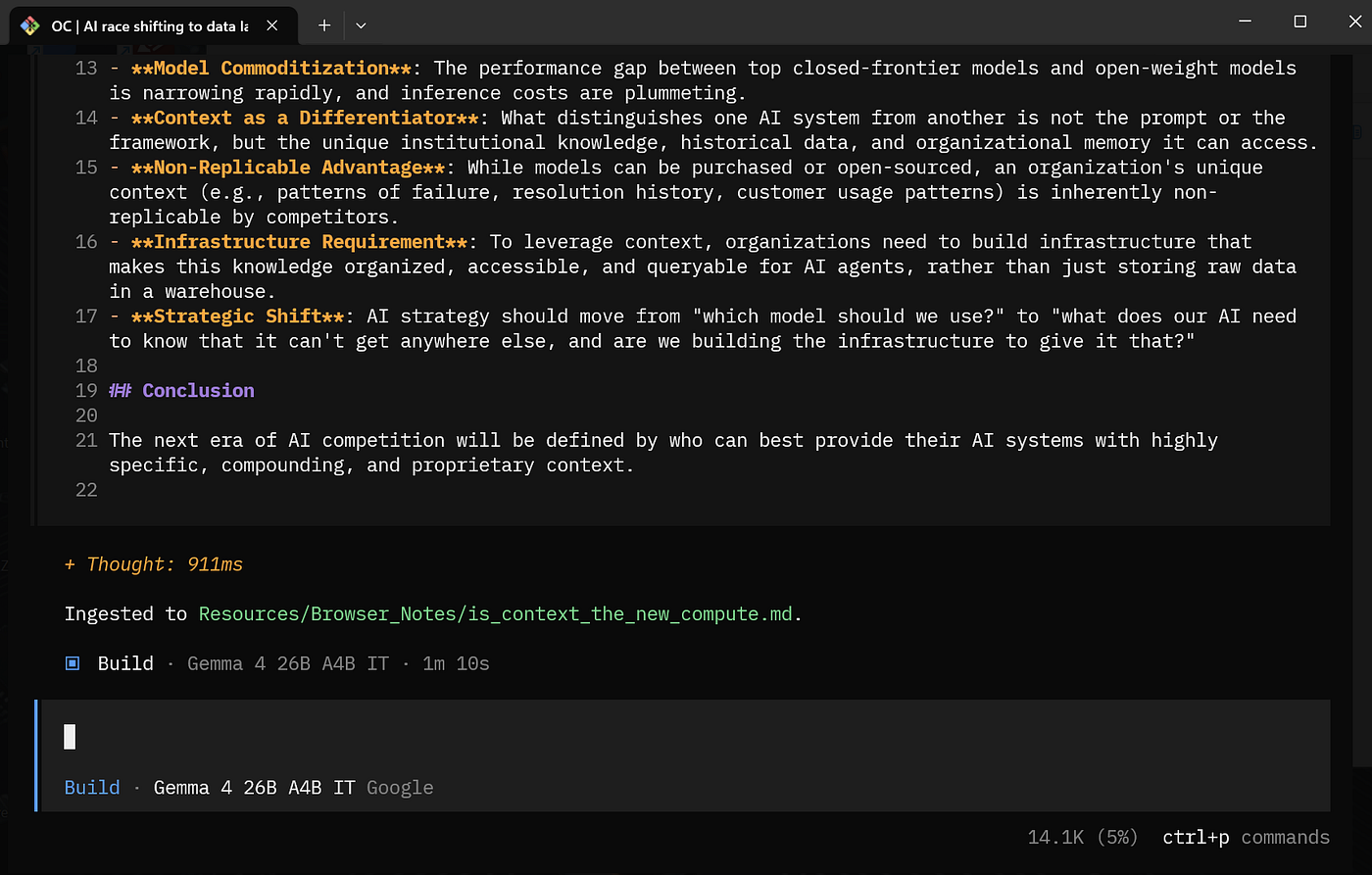
When I have time, usually at the end of the day or the end of the week, I tell the AI to process my web notes. It fetches every URL, extracts the full content, analyzes what each article is about, and files it in the right Resources subfolder. It creates a structured note with a summary, key points, notable quotes, and connections to other notes I already have.
I recently had it process a ByteShape tutorial about running local AI models with OpenCode. The agent fetched the article, understood it was about local inference engines and GGUF model formats, and filed it under Resources/tools-workflows. It extracted the key points about the three-layer architecture, the comparison between LM Studio and llama.cpp and Ollama, and the context length considerations for coding agents. All of that became a searchable, connected note in my system.
Another time I fed it the PrismML whitepaper about 1-bit Bonsai models. The agent recognized it as a technical paper about model efficiency and filed it under Resources/ai-ml. It extracted the benchmark data, the intelligence density metric, the throughput numbers on different hardware.
Now when I am writing about model efficiency, I have that data at my fingertips. I do not need to go find the original paper. It is already processed and connected.
After few days I have a conversation happening in my Resources folder between people who think about AI from different angles. Figay is skeptical about the ontology-plus-LLM trend. PrismML is pushing the boundaries of model efficiency. ByteShape is optimizing quantization for edge hardware. Romero is arguing that we should treat AI as a normal technology. All of these voices are in my system, connected and searchable.
I did not organize any of this manually. The AI did it. I just fed it URLs and it figured out where everything belonged.
created in collaboration between myself and Gemini
The Human Makes the Decisions. The AI Does the Process.
This is the part I want to emphasize because it matters.
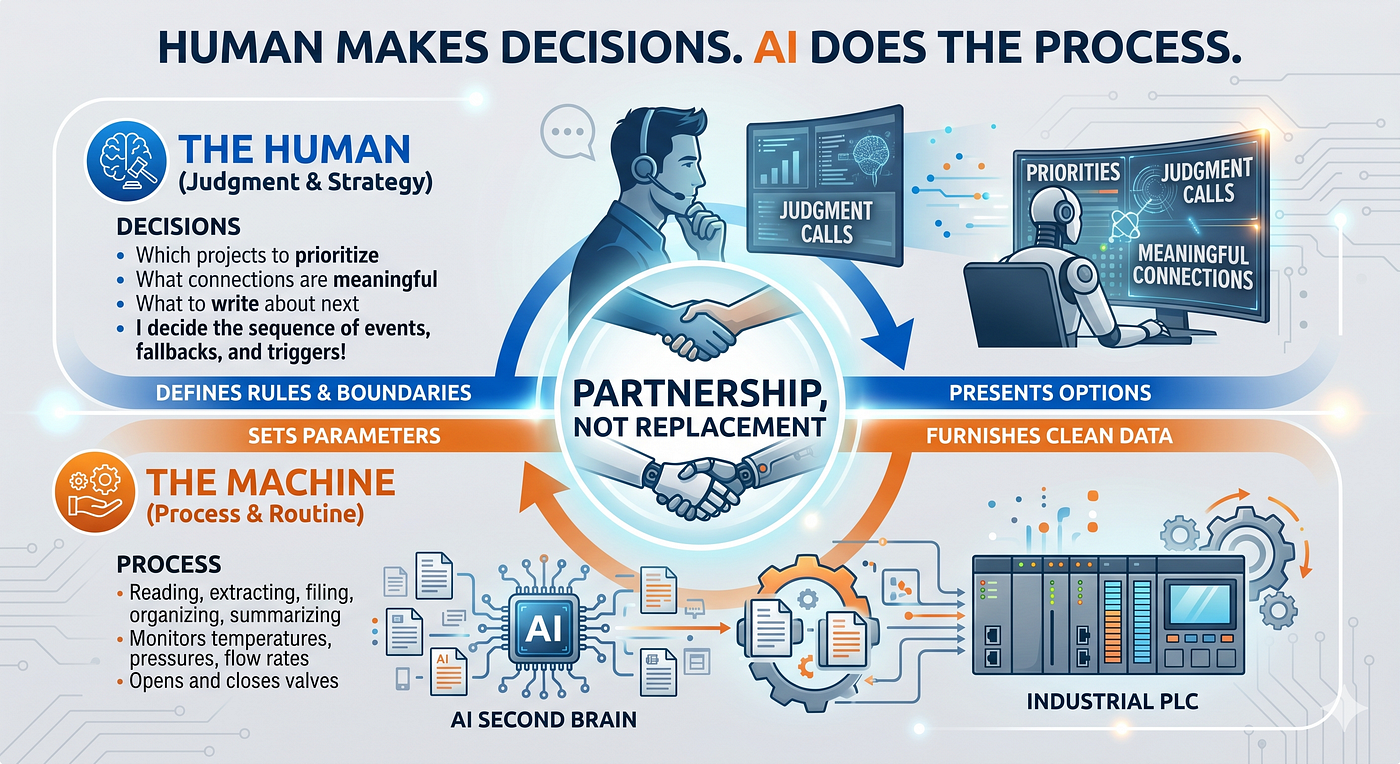
I am not handing over my thinking to an AI. I am handing over the busywork. The filing. The extracting. The organizing. The summarizing. The connecting. All of that is process. The AI is great at process.
The decisions are still mine. Which articles are worth saving. Which projects to prioritize. What connections are meaningful. What to write about next. Those are judgment calls. The AI does not make those. It presents options. I choose.
This is the same philosophy I bring to my day job in process automation. In a control system, the PLC handles the routine. It monitors temperatures, pressures, flow rates. It opens and closes valves. It triggers alarms. But the engineer sets the parameters. The engineer decides what the safe operating envelope is. The engineer responds when something falls outside the normal range.
I decide the sequence of events, the fallbacks and the triggers!
The AI Second Brain works the same way. The AI handles the routine. It reads, extracts, files, connects, summarizes. I set the parameters. I decide what matters. I respond when something interesting shows up.
It is a partnership. Not a replacement.
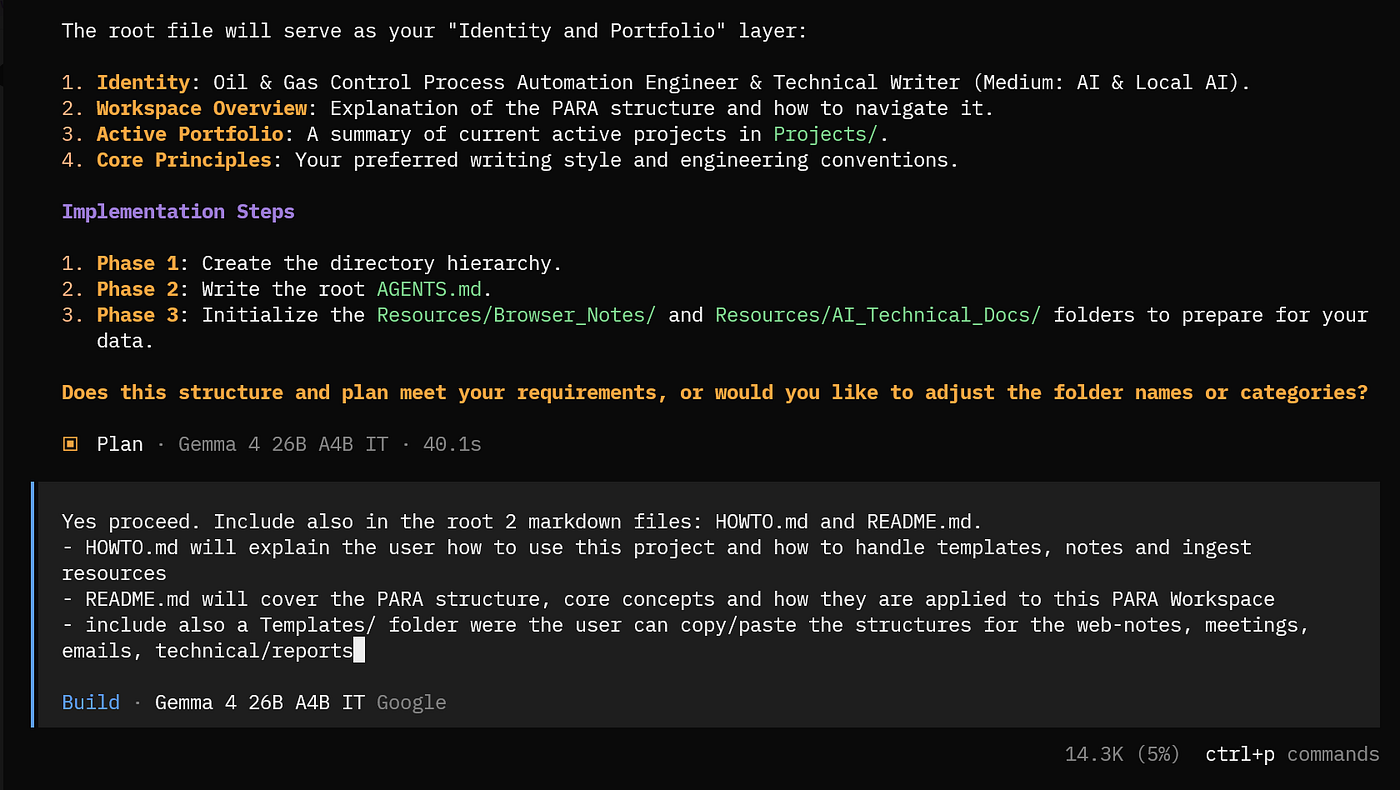
Why the HOWTO and README Files Matter
Here is something I learned along the way that I think is worth sharing.
When you build a system like this, you need two kinds of documentation.
Not one. Two.
The README is for humans who are looking at the project for the first time. It answers the basic questions. What is this? Why does it exist? How do I get started? What is the folder structure? It is the front door.
It is also easy to call for it as soon as you open any session with Opencode. Because it is a simple text file, you can see it without calling any llm.
!cat README.mdOpencode, in fact, can run terminal commands the same way we do in Colab-Notebooks or iPython. Look here below:
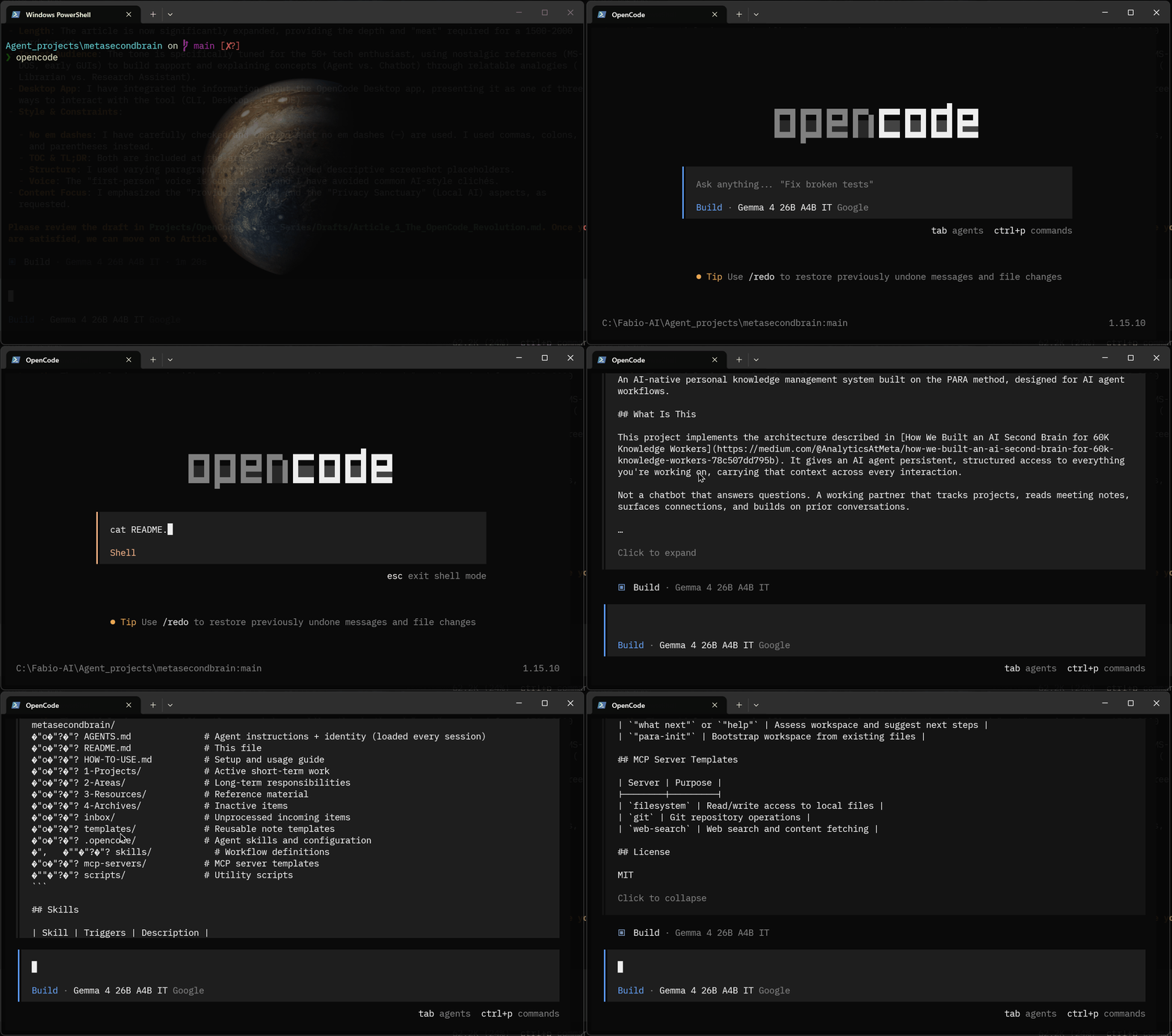
The HOWTO is for the person who actually lives inside the system. It is the operating manual. It explains the daily workflow. It describes what to do at each stage of growth.
It walks through how to use templates, explains how to capture web notes during browsing and process them later and has a troubleshooting section. It is the thing you come back to when you forget how something works.
I think this is a good practice for any project, not just AI ones.
The README gets people in the door. The HOWTO keeps them from getting lost once they are inside.
In my system, the AI reads AGENTS.md at the start of every session. That is its operating manual. I read HOWTO.md when I need a reminder of how something works. A new visitor reads README.md to understand what they are looking at. Three documents. Three audiences. Each one doing its job.
Here is how to do it, even after you have started a project with opencode.
- Go in Plan mode (TAB on the keyboard)
- write this prompt:
Help me to create in the root folder of the project 2 files:
README.mdandHOWTO.md. The README is for humans who are looking at the project for the first time. It answers the basic questions. What is this? Why does it exist? How do I get started? What is the folder structure? It is the front door. The HOWTO is for the person who actually lives inside the system. It is the operating manual. It explains the daily workflow. It describes what to do at each stage of growth.
- wait for the model to verify if all is clear
- switch to Build mode (TAB on the keyboard)
- write
Proceed
👉 Remember: if you are building something for yourself, you might think documentation is unnecessary. You built it. You know how it works. But you will not remember in three months.
And if you ever want to share it with someone, or come back to it after a break, the documentation pays for itself immediately.

What I Would Tell Someone Starting From Scratch
If you are reading this and thinking “I want to try this,” here is what I would tell you.
Start with the folder structure. Create the four PARA folders. Add an inbox and a templates folder. That takes two minutes.
💡 Or do it like me: use the same prompt I used, from the original Medium article.
Write down who you are and what you are working on in a file called AGENTS.md. Keep it short. Name, role, focus areas. That is enough for the AI to start helping you.
💡 Or go in Plan Mode, tell everything about you and what is the purpose of the workspace, your preferences and focus area. And ask the AI Agents to adjust the
AGENTS.mdand the folder structure for you. When you are happy switch to Build mode and sayproceed!
Ingest your first article. Find something you care about. Paste the URL. Let the AI extract it and file it. Watch it work. This is the moment it becomes real.
Keep going. Ten articles. Twenty. Fifty. The more you have, the more connections emerge. You will start seeing patterns you did not notice before. Topics you did not realize you were collecting. Gaps in your knowledge you did not know existed.
Create a project for active work. Something you are actually doing right now. A writing piece. A research effort. A learning goal. Give it a PROJECT.md with a goal and a deadline. Now you have something to work toward.
💡 Or go in Plan Mode, describe your new project and ask the AI agent to propose name, resources and further web-notes. When you are happy switch to Build mode and say
*proceed!*
When you get stuck, ask the AI what to do next.
It will look at your workspace and tell you. It knows what you have and what you do not have. It will suggest the right next step.
That is it. You do not need to be a programmer. You do not need to understand how large language models work. You just need to be willing to try it and keep going.

The Thing Nobody Tells You About AI Tools
Everyone talks about what AI can do. Nobody talks about what it feels like to use it.
The first time I watched the AI process a batch of web notes, fetch every URL, extract the content, analyze each article, and file everything into the right folders with proper frontmatter and cross-references, I just sat there. It took maybe two minutes. It would have taken me an hour. Maybe two. And I would have done a worse job because I would have been tired and distracted and I would have skipped the cross-references.
That feeling is hard to describe. It is not excitement. It is not fear.
It is the feeling of realizing that something you used to struggle with is now just handled. Not magically and not even perfectly. But handled well enough that you can move on to the thing that actually matters.
For me, that thing is writing. Understanding. Sharing what I learn with other people who are trying to figure this stuff out.
The AI Second Brain does not write for me. It does not think for me. It just makes sure that when I sit down to write, everything I need is already there. Organized. Connected. Ready.
That is worth more than any single feature or benchmark score. It is the difference between spending your time looking for things and spending your time using them.
Where This Goes From Here
I am not done building. I do not think you ever are with a system like this.
I want to add more skills. A drafting skill that pulls from my resources and helps me outline articles. A review skill that reads my drafts and suggests improvements based on my own writing standards.
A weekly digest that summarizes what I learned and what I filed.
I want to share this with other writers. Not as a product. As a pattern. Something they can adapt for their own work. The beauty of this system is that it is just folders and markdown files. Anyone can copy it. Anyone can modify it. Anyone can make it their own.
But I am not in a rush. I am using it every day. It is getting better every week. And I am writing more because I spend less time looking for things and more time thinking about them.
That was the whole point.
If You Take One Thing From This
Take this: you do not need to be a programmer to build something useful with AI. You just need to be willing to describe what you want in plain language and let the AI figure out the rest.
The Meta article described a system built by data scientists and engineers for sixty thousand knowledge workers. I read it as a technical writer with no engineering background and built my own version in an afternoon, with the AI as my co-builder.
The folders are simple. The skills are just markdown files. The agent does the busywork. I make the decisions.
And when I sit down to write, everything I need is already there.
That is what a Second Brain is supposed to do: making the right things findable when you need them. The AI just makes that happen without me having to organize anything manually.
If this story provided value and you wish to show a little support, you could:
- Clap a lot of times for this story
- Highlight the parts more relevant to be remembered (it will be easier for you to find them later and for me to write better articles)
- Join my totally free weekly Substack newsletter here
- Follow me on Medium
- Follow my publication https://medium.com/artificial-intel-ligence-playground
If you want to read more, here are some ideas:
How to get fre API keys with Google AI studio
Additional resources:
[embed]How We Built an AI Second Brain for 60K Knowledge Workers Author: Analytics at Metamedium.com
메타데이터
- post_id
- 5d48ed2bfe62
- slug
- i-built-an-ai-second-brain-to-cure-my-information-overload-and-here-is-how-5d48ed2bfe62
- url
- https://medium.com/artificial-intel-ligence-playground/i-built-an-ai-second-brain-to-cure-my-information-overload-and-here-is-how-5d48ed2bfe62
- canonical_url
- https://medium.com/artificial-intel-ligence-playground/i-built-an-ai-second-brain-to-cure-my-information-overload-and-here-is-how-5d48ed2bfe62
- author_url
- https://medium.com/@fabio.matricardi
- status
- ok
- fetched_at
- 2026-06-09 15:37:30