The Claude AI Feature That’s Quietly Replacing My Entire Note-Taking System
I didn’t set out to replace my note-taking system. It just kind of… happened. And honestly? I’m not mad about it.
The Claude AI Feature That’s Quietly Replacing My Entire Note-Taking System
I didn’t set out to replace my note-taking system. It just kind of… happened. And honestly? I’m not mad about it.
Quick thing before we go deep. If you want honest, no-fluff breakdowns of AI tools that actually affect how builders and operators work, my newsletter is where I share them weekly. **[Join free here.] And if you’re the type who likes to have a curated set of AI tools alongside your reading, the [[Practical AI Toolkit]](https://burfat1.gumroad.com/)** has everything I personally use and recommend.
Created With Google Labs
Okay, real talk for a second.
I have tried every note-taking system known to humanity.
Notion has beautiful dashboards and color-coded databases that took three weekends to build. Obsidian with the graph view that made me feel like a genius until I had four hundred orphaned notes and no idea where anything was. The physical notebook phase, which lasted approximately eleven days before I lost the notebook. The voice memo phase, which produced forty-seven recordings I never listened to again. The sticky notes phase. The email yourself phase. The “I’ll just remember it” phase, which, obviously, did not go well.
Every system worked great for about two weeks. Then life happened, the system got messy, and I’d find myself starting over with a new app and a fresh sense of optimism that this time was going to be different.
Sound familiar?
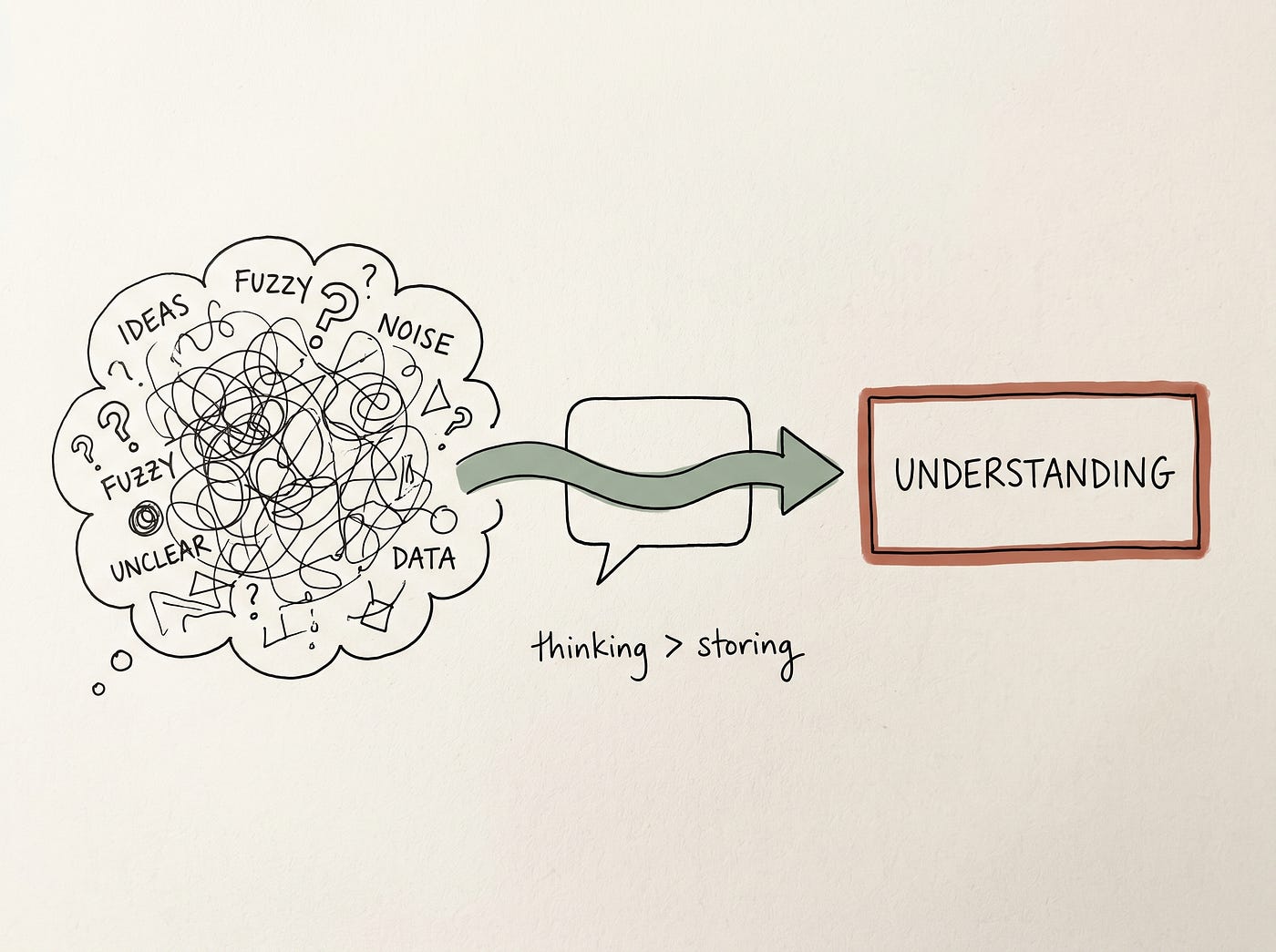
Here’s the thing I’ve figured out recently that I genuinely wish someone had told me earlier. The problem was never the apps. The problem was that note-taking systems are designed around storing information, and what I actually needed was a way to think with information. Those are different problems, and most apps solve the wrong one.
What’s quietly replaced my note-taking system isn’t a note-taking app at all. It’s a specific way of using Claude that I stumbled into by accident and have been refining ever since.
Let me show you what I mean.
How It Actually Started
A few months ago, I was in a particularly scattered week. Three projects running simultaneously, a client deliverable due Friday, and that specific kind of mental fog where you have too many things to think about and somehow think clearly about none of them.
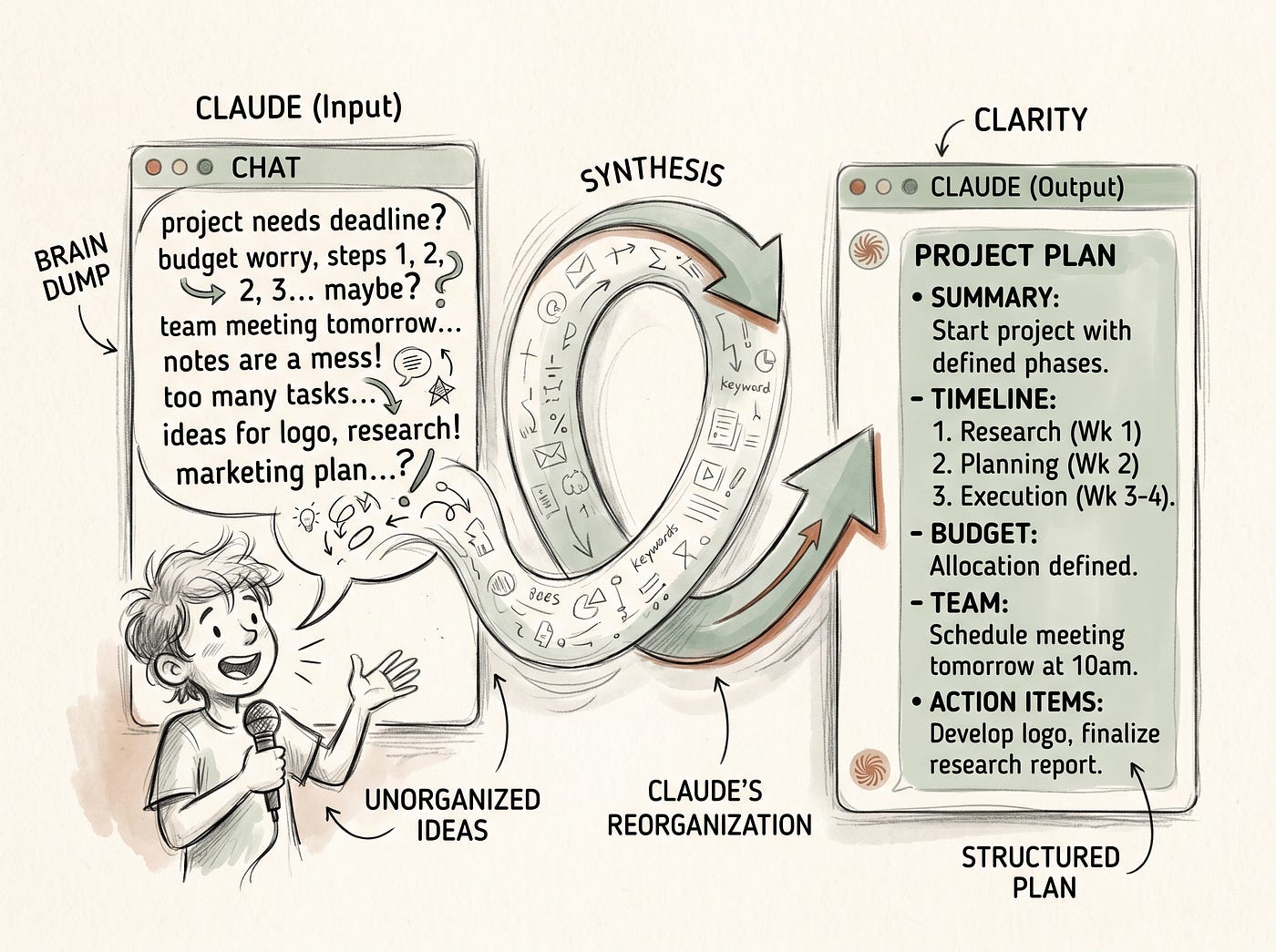
I opened Claude, which I normally use for writing and research tasks, and did something slightly different. Instead of asking it to help me write or research something, I just… dumped everything in my head into the chat window.
Not a structured prompt. Not a clear question. Just a messy brain dump of everything I was trying to hold simultaneously. The project statuses, the things I was worried about, the tasks I knew needed to happen, the stuff I was avoiding, and the vague anxiety about having forgotten something important.
I think I typed something like: “Here’s everything going on in my work right now, can you help me make sense of it?”
What came back genuinely surprised me. Claude organized the dump into categories I hadn’t consciously created. It identified the things that looked time-sensitive versus the things that were important but not urgent. It was noticed that two of the things I was worried about were actually the same underlying problem showing up in two different places, which I hadn’t registered until I saw it stated plainly.
And then it asked me a question that stopped me: “It looks like the Friday deliverable depends on the client feedback from Project B. Have you confirmed you’re getting that in time?”
I had not confirmed that. I had been vaguely anxious about it without identifying exactly why. The answer was: that specific dependency was the source of the anxiety, and the fix was a single email.
I sent the email. The anxiety dissolved.
That session took about fifteen minutes and cleared more mental space than any note-taking reorganization I’d done in years. I kept going back to it.
What This Actually Is
Let me describe the feature more precisely because “talking to Claude about my notes” doesn’t quite capture what makes this different.
The thing that makes Claude genuinely useful as a thinking and organizing tool, rather than just a writing tool, is the combination of a few specific qualities.
It holds context across a conversation. You can tell it something early in a session and reference it fifteen exchanges later, and Claude still has it. This sounds basic, but it’s what most note-taking tools actually lack. Your notes hold information. Claude holds the conversation, including the relationships between pieces of information, which is what actually matters for thinking.
It asks questions back. Good note-taking is passive. You write things down. Claude is active. It will notice what seems missing, flag what seems inconsistent, and ask the clarifying question that helps you realize what you actually mean. This sounds small. In practice, it’s the difference between storing a thought and actually processing it.
It synthesizes without you having to structure first. Every note-taking system I’ve tried requires you to decide where something goes before you write it down. This overhead is tiny, but it accumulates. With Claude, you just say the thing and figure out where it fits later, or let Claude help you figure that out.
And it forgets between sessions, which sounds like a limitation but is sometimes actually useful. Each conversation starts fresh. There’s no accumulating backlog of old notes creating noise. When I want continuity across sessions, I paste in relevant context from previous conversations. This keeps things intentional rather than letting the system get cluttered over time.
The Three Ways I Actually Use This Every Day
Created With Google Labs
Let me get practical because this is where it becomes genuinely useful versus just interesting in theory.
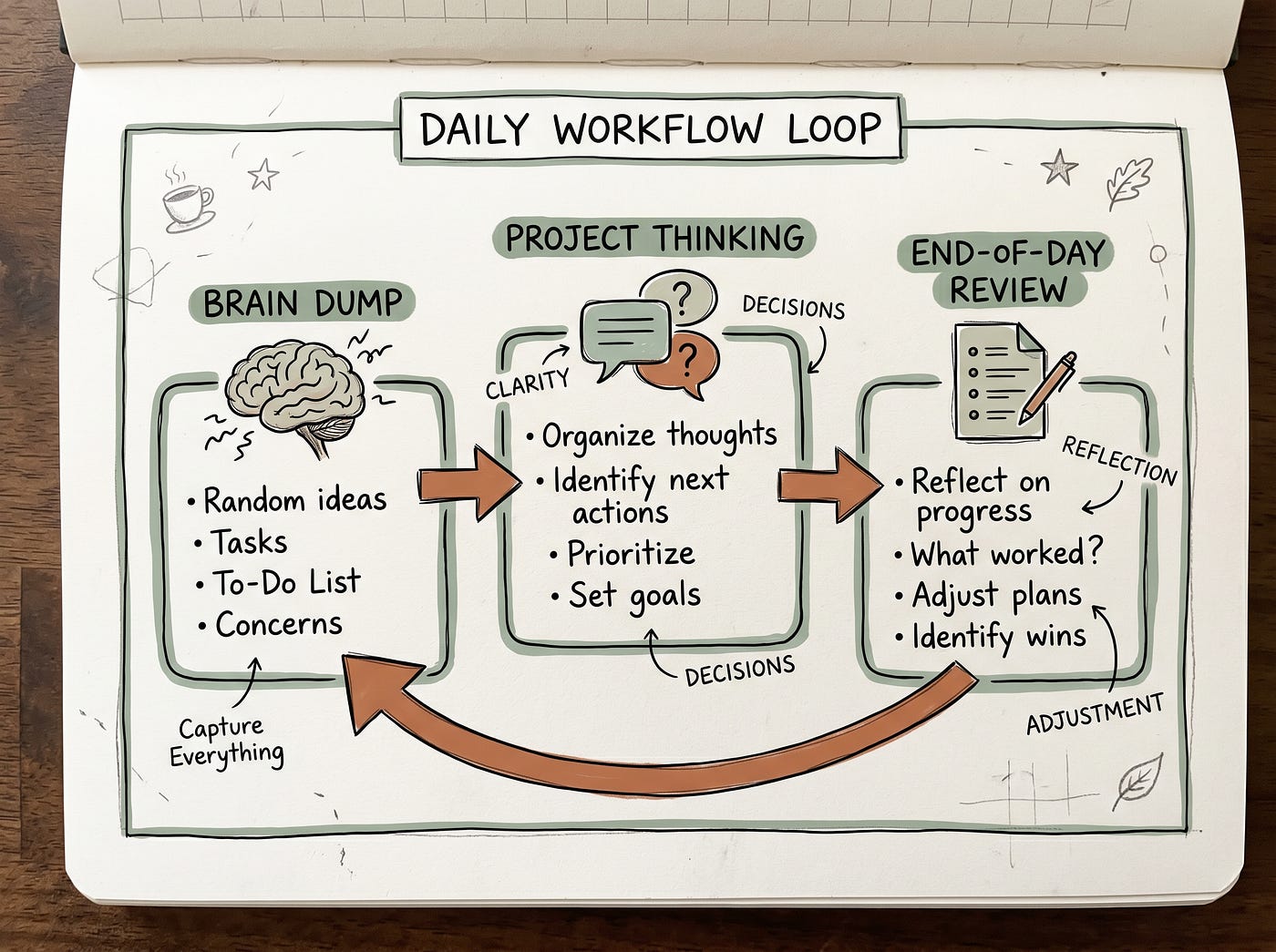
The morning brain dump.
This is the one I use most consistently. Before I start working, I spend about ten minutes telling Claude what’s on my mind. What I’m working on today, what I’m worried about, what I didn’t finish yesterday, anything that’s taking up mental space. No structure required. Just say the things.
Claude organizes it back to me, usually into something like three or four clear categories, flags anything that looks time-sensitive or potentially problematic, and often asks one question that helps me identify the thing I was vaguely anxious about but hadn’t articulated.
This used to be what my morning journaling was supposed to do. I tried journaling for years. The difference is that journaling requires you to organize and make sense of things yourself as you write. Claude does that processing work for you, which means the ten minutes actually produce clarity rather than just a longer list of the same anxieties now written down on paper.
The project thinking session.
This one is for when I’m stuck. Not writer’s block stuck, more like genuinely uncertain which direction to take something, or aware that I’m avoiding a decision without knowing exactly why.
I describe the situation to Claude in as much detail as feels relevant. What I’m trying to accomplish, what the options seem to be, what’s making me hesitate. Then I let the conversation develop.
What Claude does in these sessions is ask the questions that help me hear my own thinking more clearly. It’s not giving me answers I didn’t have. It’s creating the conditions where I can access the thinking I’d been doing vaguely and unconsciously and make it explicit enough to actually use.
One thing I’ve started doing in these sessions is arguing with Claude. I’ll tell it what I’m considering doing and ask it to push back. What are the weaknesses in this approach? What am I not thinking about? What would go wrong with this? This feels slightly odd, but it’s genuinely one of the most useful things I’ve found for testing ideas before I commit to them.
The end-of-day capture.
This one replaced my end-of-day journaling and project note-writing. Instead of sitting down to write structured notes about what happened, what I learned, and what needs to happen next, I just tell Claude about the day conversationally.
What got done, what didn’t, what surprised me, what I’m thinking about for tomorrow. Claude synthesizes it into something organized, asks if there’s anything I want to make sure to capture, and produces a clean summary I can paste into a document if I want to keep it.
The reason this works better than structured note-taking for me is that I’m a better thinker when I’m talking than when I’m writing formally. The conversational format removes the formality overhead and lets me actually say what happened rather than producing a tidy narrative that misses the useful messy parts.
The Honest Limitations
I said I’d be honest and I meant it, so here’s the part where I tell you what this doesn’t do.
Claude doesn’t remember your previous conversations. Every session starts fresh. If you want continuity, you have to paste in context from previous sessions, which is an extra step that genuinely takes a minute. For some people, this friction is enough to make the whole system feel impractical. I’ve found the workaround is keeping a simple running document where I paste the key summaries from important sessions. Takes maybe two minutes at the end of a session. Gives me the continuity without relying on Claude’s memory to hold it.
It’s not a replacement for actual documentation. Client-facing documents, project briefs, anything that needs to live somewhere permanently and be findable later, those still need proper storage somewhere. Claude is a thinking tool, not a filing system. The things I figure out in Claude still need to end up somewhere organized if they need to be retrieved later.
And it requires internet access and a subscription. This isn’t a free system in the way a paper notebook is free. Claude Pro costs money. For me, the value is clear. For someone just exploring, the free tier has usage limits that might make this workflow feel interrupted.
Want more practical workflows like this one? My newsletter is where I share the specific, actually-useful AI discoveries every week. No fluff, just what’s genuinely helping me work smarter. ***[Subscribe here for free.]***
Why This Works When Other Systems Didn’t
Created With Google Labs
Here’s what I think is actually going on underneath all of this, because I’ve been thinking about it a lot.
Every note-taking system I tried failed for the same reason. They required me to be organized to use them. They were systems designed for people who already had their thinking in order, people who knew where something fit before they wrote it down.
I am not that person. My thinking is usually messy before it becomes clear. The process of making it clear is the actual work.
Claude meets me where I am. Messy input, clearer output. That’s the whole thing.
It’s also genuinely patient in a way that matters more than it sounds. I can say the same thing three different ways while I’m figuring out what I actually mean. I can contradict myself between the first message and the fifth. I can start a thought, abandon it, come back to it twenty minutes later, and Claude is still there, still holding all of it, still willing to help me figure it out.
A notebook holds your words. Claude helps you think.
That’s the difference. And for me, after years of failed note-taking systems, it turned out to be the only difference that actually mattered.
If You Want to Try This
Start with one session this week. Not a task where you need Claude to write something for you. A session where you just tell it what’s in your head.
Open a new chat. Type something like: “Here’s everything I’m trying to think about right now,” and then write down everything that’s currently taking up mental space. Don’t organize it. Don’t make it tidy. Just say the things.
See what comes back. See if it helps you think more clearly than you were thinking before you typed.
If it does, you’ll know what to do next. And if it doesn’t, at least you’ll have gotten everything out of your head and onto a screen, which is occasionally useful all by itself.
The note-taking system that’s actually working for me right now is built around thinking out loud with an AI that helps me hear what I’m saying.
That’s it. No color-coded databases required.
See you in the next one.
Mubashir :)
P.S. — If you want more honest takes like this one every week, my newsletter is where they land first: **[join free here]. Also, don’t forget to check out this highly effective [[Practical AI Toolkit]](https://burfat1.gumroad.com/)**. Got a note-taking system you’ve tried and loved or tried and abandoned spectacularly? Drop it in the comments. These are my favorite kinds of conversations because, honestly, the struggle is universal, and sometimes knowing someone else has eleven abandoned Notion workspaces makes you feel significantly better about your own.
메타데이터
- post_id
- 5d92b4903e34
- slug
- the-claude-ai-feature-thats-quietly-replacing-my-entire-note-taking-system-5d92b4903e34
- url
- https://medium.com/productivityspot/the-claude-ai-feature-thats-quietly-replacing-my-entire-note-taking-system-5d92b4903e34
- canonical_url
- https://medium.com/productivityspot/the-claude-ai-feature-thats-quietly-replacing-my-entire-note-taking-system-5d92b4903e34
- author_url
- https://medium.com/@mubashirburfat4
- status
- ok
- fetched_at
- 2026-06-28 14:26:31