The Ultimate Beginner’s Guide to IP Addressing: IPv4, IPv6, IP Classes, and Private IPs
Have you ever wondered how your laptop connects to a website, how a mobile phone sends messages, or how data reaches the correct…
The Ultimate Beginner’s Guide to IP Addressing: IPv4, IPv6, IP Classes, and Private IPs
Have you ever wondered how your laptop connects to a website, how a mobile phone sends messages, or how data reaches the correct destination on the Internet?
Just like every house has a unique postal address, every device on a network needs a unique address to communicate. This unique address is called an IP Address (Internet Protocol Address).
Whether you’re browsing the web, streaming videos, accessing cloud applications, or troubleshooting servers, IP addresses play a crucial role behind the scenes.
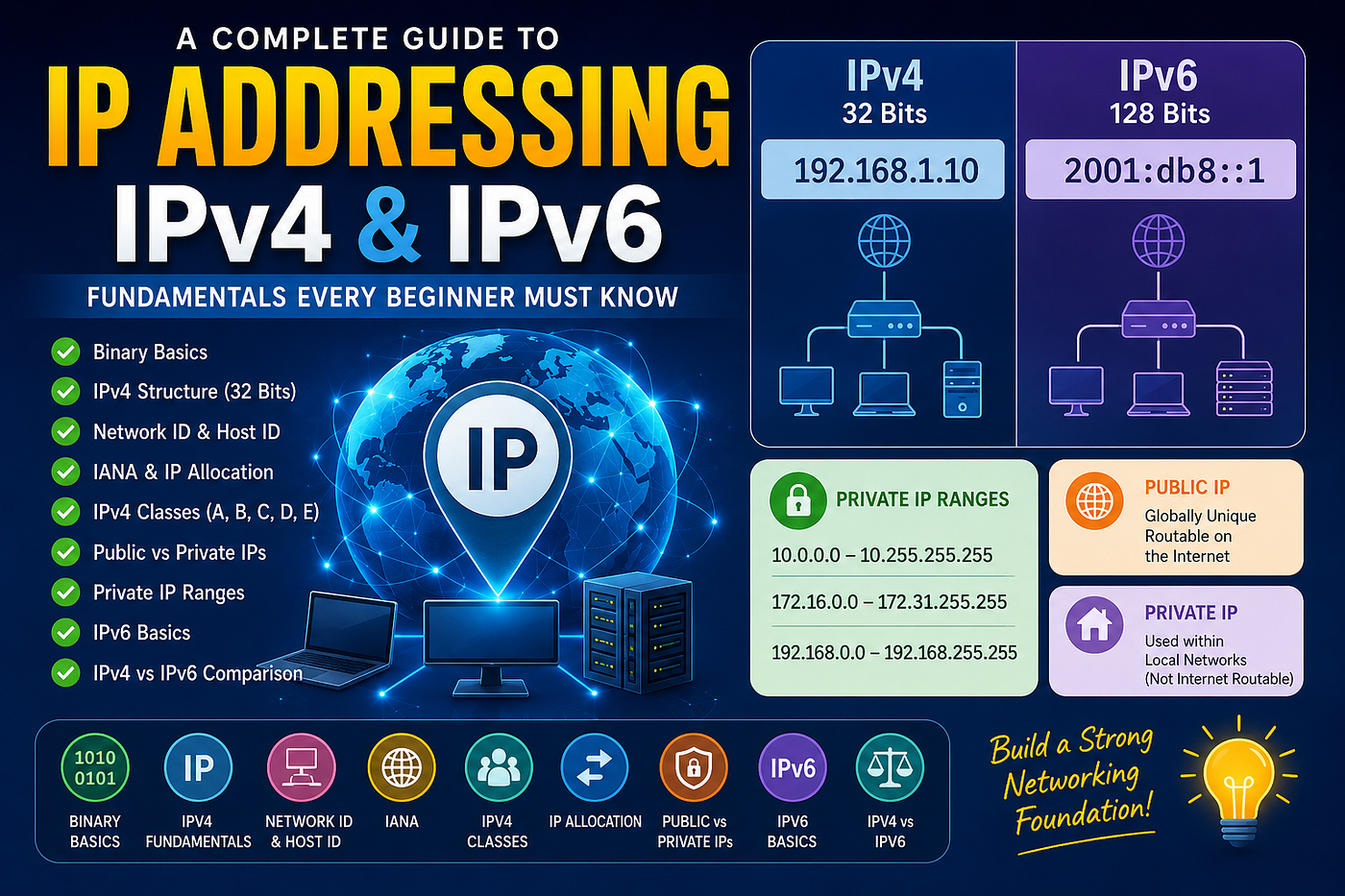
In this article, we’ll explore the fundamentals of IP addressing, including IPv4, Network IDs, Host IDs, IP Classes, Public and Private IPs, and IPv6, with simple explanations and practical examples
Real-World Example
Consider your laptop:
IP Address: 192.168.1.100When you open a website such as Google:
- Your laptop sends a request.
- Routers use IP addresses to find the destination.
- Google’s servers receive the request.
- The response is sent back to your IP address.
Without IP addressing, devices would not know where to send or receive data.
That’s why IP addressing is often called the foundation of networking. Where Does IP Work in the OSI Model?
The OSI (Open Systems Interconnection) model divides network communication into seven layers.
IP Addressing works at:
Layer 3 - Network LayerOSI Model Overview
+--------------------+
| Layer 7 Application|
+--------------------+
| Layer 6 Presentation|
+--------------------+
| Layer 5 Session    |
+--------------------+
| Layer 4 Transport  |
+--------------------+
| Layer 3 Network    |  <-- IP Addressing
+--------------------+
| Layer 2 Data Link  |
+--------------------+
| Layer 1 Physical   |
+--------------------+
The primary responsibility of the Network Layer is:
- Logical Addressing (IP Addresses)
- Routing
- Packet Forwarding
- Path Selection
What is Binary?
A number system that uses only: 0 and 1
What is Bit?
A Bit (Binary Digit) is the smallest unit of data in a computer. A bit can have only two values: 0 and 1
What is an Octet?
An Octet is a group of 8 bits.
1 Octet = 8 BitsNote: IPv4 addresses are made up of 4 octets.
Example:
192.168.12.34Here
192     → Octet 1
168     → Octet 2
12      → Octet 3
34      → Octet 4
Why Does an Octet Have 256 Values?
Each bit has two possibilities: 0 or 1
For 8 bits:
2 × 2 × 2 × 2 × 2 × 2 × 2 × 2Which is: 2⁸=256
Therefore, one octet can represent: 256 different values Range: 0 to 255
Why?
Because counting starts from zero.
0 - 255
Total = 256 values
What is IPv4?
IPv4 stands for Internet Protocol Version 4. It is the most widely used addressing system for identifying devices on a network. Every device connected to a network requires an IP address so that data can be sent and received correctly.
IPv4 Address Structure
An IPv4 address contains:
xx.xx.xx.xxExample:
192.168.12.34192 .168 .12 .34
-------- -------- -------- --------
Octet 1 Octet 2 Octet 3 Octet 4Each octet contains: 8 Bits
Total:
4 Octets × 8 Bits

= 32 Bits
Total IPv4 address is 32 bits
+--------+--------+--------+--------+
| Octet1 | Octet2 | Octet3 | Octet4 |
+--------+--------+--------+--------+
| 8 Bits | 8 Bits | 8 Bits | 8 Bits |
+--------+--------+--------+--------+

Total = 32 Bits
Minimum IPv4 Address
Lowest possible IPv4 address:
0.0.0.0Maximum IPv4 Address
Highest possible IPv4 address:
255.255.255.255How Many IPv4 Addresses Exist?
IPv4 uses: 32 bits
Total possible addresses:
2³² = 4294967296
Approximately: 4.3 Billion AddressesThis seemed huge when IPv4 was designed, but with the growth of:
- Mobile phones
- Laptops
- Servers
- Cloud environments
- IoT devices
IPv4 addresses eventually became limited.
This led to the development of IPv6.
What is Network ID and Host ID?
Every IPv4 address is a combination of two parts:
IP Address = Network ID + Host IDNetwork ID: identifies the network. Host ID: identifies the device within that network.
Think of it like a postal address:
City Name + House NumberWhere:
City Name = Network ID House Number = Host ID
IPv4 is a Combination of Network ID and Host ID
Example
192.168.10.25This IP address contains:
Network ID + Host IDNote: The exact boundary between Network ID and Host ID depends on the IP class.
IANA — Who Manages IP Addresses?
Before learning IPv4 Classes, let’s understand who is responsible for managing IP addresses globally.
Imagine if anyone could assign any IP address they wanted. Multiple organizations could end up using the same IP address, causing communication problems across the Internet.
To avoid this, a global authority manages IP address allocation.
What is IANA?
IANA stands for: Internet Assigned Numbers Authority
IANA is responsible for managing:
- IP Address Allocation
- DNS Root Zone Management
- Protocol Number Assignments
Think of IANA as the top-level authority for Internet numbering resources.
IPv4 Classes
Why Were IPv4 Classes Introduced?
When IPv4 was designed, different organizations had different requirements.
For example:
- A large ISP may require millions of IP addresses.
- A university may require thousands of IP addresses.
- A small office may require only a few hundred IP addresses.
To accommodate these requirements, IPv4 addresses were divided into different classes.
Class A Class B Class C Class D Class E
Each class has:
- A specific IP address range
- A different Network ID and Host ID structure
- Different network and host capacities
- Different use cases
- Class A
Range: 1.0.0.0–126.255.255.255 Structure: N.H.H.H
Example:
10.20.30.40

10 | 20.30.40

Network ID = 10
Host ID    = 20.30.40
Who Uses Class A?
- Internet Service Providers (ISPs)
- Large Government Organizations
- Large Enterprises
- Large Data Centers
Special Address:
127.0.0.1Known as:
- Loopback Address
- Localhost
Used to test the local machine and verify that the TCP/IP stack is working correctly.
- Class B
Range: 128.0.0.0–191.255.255.255 Structure: N.N.H.H
Example:
172.16.10.50

172.16 | 10.50

Network ID = 172.16
Host ID    = 10.50
Who Uses Class B?
Universities Educational Institutions Medium-sized Enterprises Corporate Networks
This makes it suitable for medium-sized organizations.
- Class C
Range: 192.0.0.0–223.255.255.255 Structure: N.N.N.H
Example:
192.168.1.100

192.168.1 | 100

Network ID = 192.168.1
Host ID    = 100
Who Uses Class C?
- Home Networks
- Small Offices
- Small Businesses
- Startups
- Computer Labs
Class C used in QA /UAT environment for Testing.
- Class D
Class D addresses are not assigned to individual devices. They are used to deliver the same data to multiple devices simultaneously through multicast communication.
range : 224.0.0.0–239.255.255.255
Example:
Imagine a company CEO conducting a live video meeting for 1,000 employees.
So, The server must send 1,000 separate streams.
With Multicast
Server
   |
   v
Multicast Group
   |
-------------------
|    |    |    |
E1   E2   E3  E1000
The server sends one stream, and all members receive it.
- Class E
It is reserved for experimental and research purposes.
range : 240.0.0.0–255.255.255.255
IPv4 Class Summary
| Class | Range     | Structure | Purpose                         |
| ----- | --------- | --------- | ------------------------------- |
| A     | 1 - 126   | N.H.H.H   | Large Networks                  |
| B     | 128 - 191 | N.N.H.H   | Medium Networks                 |
| C     | 192 - 223 | N.N.N.H   | Small Networks                  |
| D     | 224 - 239 | Multicast | Streaming & Group Communication |
| E     | 240 - 255 | N/A       | Experimental & Research         |
IP allocation Mathematics
The number of networks and hosts depends on how many bits are allocated to the Network ID and Host ID.
IP Allocation Table
| Class | Structure | Network Bits | Network Formula | Usable Networks | Host Bits | Host Formula | Usable Hosts |
| ----- | --------- | ------------ | --------------- | --------------: | --------- | ------------ | -----------: |
| A     | N.H.H.H   | 7            | 2⁷              |             126 | 24        | 2²⁴ - 2      |   16,777,214 |
| B     | N.N.H.H   | 14           | 2¹⁴             |          16,384 | 16        | 2¹⁶ - 2      |       65,534 |
| C     | N.N.N.H   | 21           | 2²¹             |       2,097,152 | 8         | 2⁸ - 2       |          254 |
Why Do We Subtract 2?
First Address: Network Address Last Address: Broadcast Address
2^n -2Difference between Public IP and Private IP
So far, we have learned how IPv4 addresses are structured and classified. But not all IP addresses are used on the Internet.
IPv4 addresses are divided into two categories:
- Public IP address
- Private IP address
What is Public IP address ?
A Public IP Address is an IP address that is accessible over the Internet.
These addresses are:
- Globally unique
- Assigned by Internet Service Providers (ISPs)
- Reachable from anywhere on the Internet
Example:
8.8.8.8What is a Private IP Address?
A Private IP Address is used within a local network (LAN).
These addresses:
- Are not accessible directly from the Internet
- Can be reused by different organizations
- Are commonly used in homes and offices
Example:
192.168.1.10Private IP Address Ranges
| Class | Private IP Range              |
| ----- | ----------------------------- |
| A     | 10.0.0.0 - 10.255.255.255     |
| B     | 172.16.0.0 - 172.31.255.255   |
| C     | 192.168.0.0 - 192.168.255.255 |
What is IPv6?
IPv6 stands for: Internet Protocol Version 6 IPv6 is the next generation of IP addressing that was introduced to overcome the limitations of IPv4.
IPv6 address format
A full IPv6 address consists of 8 blocks, and each block contains 4 hexadecimal characters.
Example:
2001:0db8:85a3:0000:0000:8a2e:0370:7334Breakdown:
2001 : 0db8 : 85a3 : 0000 : 0000 : 8a2e : 0370 : 7334
  |      |      |      |      |      |      |      |
Block1 Block2 Block3 Block4 Block5 Block6 Block7 Block8
Notice that IPv6 contains only:
0-9

A-F
Difference between IPv4 and IPv6
| Feature        | IPv4                         | IPv6                             |
| -------------- | ---------------------------- | -------------------------------- |
| Full Form      | Internet Protocol Version 4  | Internet Protocol Version 6      |
| Address Length | 32 Bits                      | 128 Bits                         |
| Address Format | Decimal                      | Hexadecimal                      |
| Example        | 192.168.1.10                 | 2001:db8::1                      |
| Separator      | Dot (.)                      | Colon (:)                        |
| Address Space  | ~4.3 Billion                 | Very Large Address Space         |
| Introduced To  | Original Internet Addressing | Overcome IPv4 Address Exhaustion |
Conclusion:
IP addressing is the backbone of network communication. Understanding IPv4, IP classes, public and private IPs, and IPv6 provides a strong foundation for networking, Linux, DevOps, cloud, and production support roles.
메타데이터
- post_id
- 5de5f9cd9bef
- slug
- the-ultimate-beginners-guide-to-ip-addressing-ipv4-ipv6-ip-classes-and-private-ips-5de5f9cd9bef
- url
- https://medium.com/@nagendraparchuri1208/the-ultimate-beginners-guide-to-ip-addressing-ipv4-ipv6-ip-classes-and-private-ips-5de5f9cd9bef
- canonical_url
- https://medium.com/@nagendraparchuri1208/the-ultimate-beginners-guide-to-ip-addressing-ipv4-ipv6-ip-classes-and-private-ips-5de5f9cd9bef
- author_url
- https://medium.com/@nagendraparchuri1208
- status
- ok
- fetched_at
- 2026-06-17 12:58:54




