Magento 2 Bundle Products: Features, Benefits, Setup Process & Best Practices
Magento 2 offers several product types, and bundle products are among the most flexible. They allow customers to customise purchases by…
Magento 2 Bundle Products: Features, Benefits, Setup Process & Best Practices
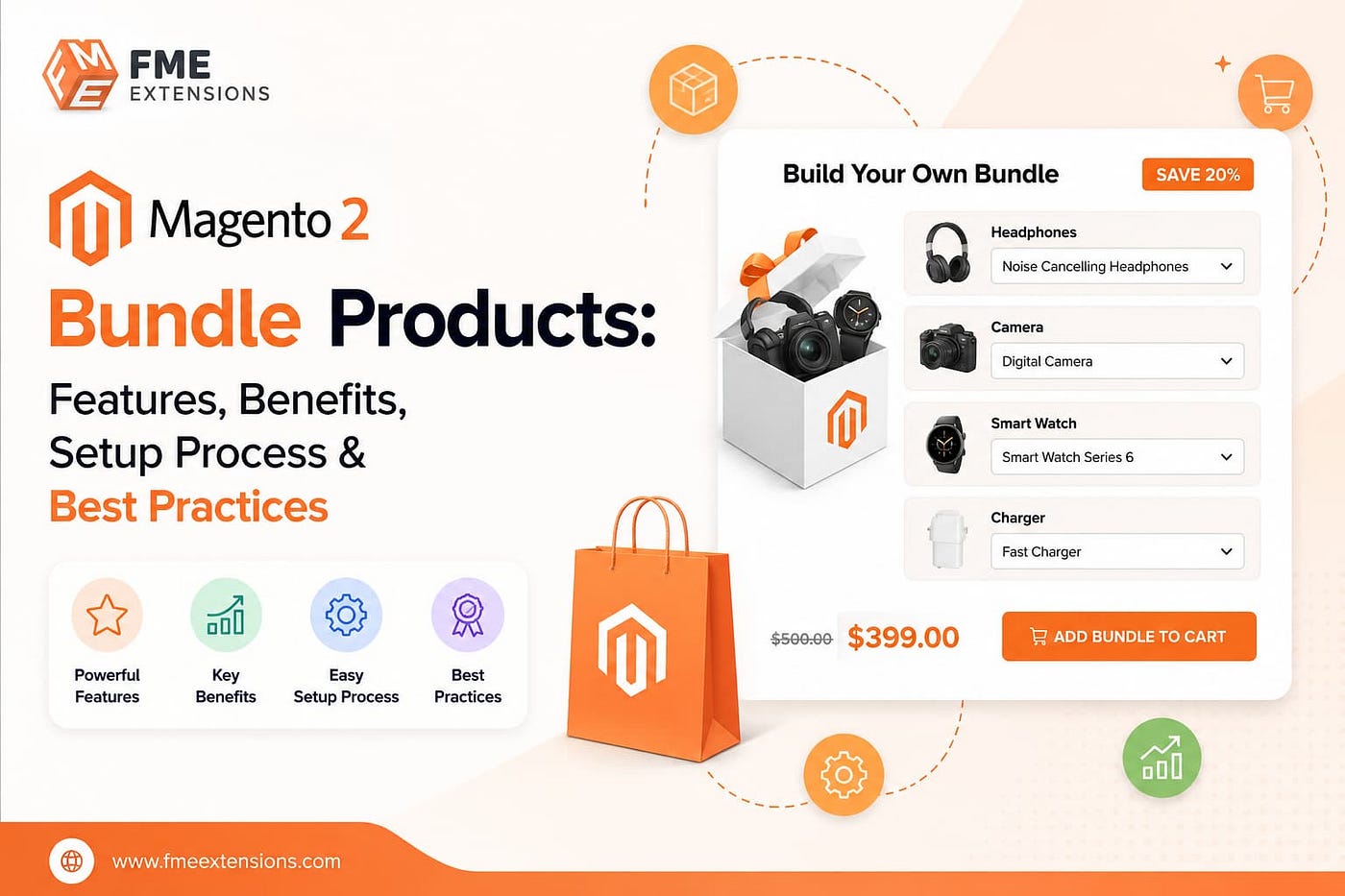
Magento 2 offers several product types, and bundle products are among the most flexible. They allow customers to customise purchases by selecting product options before checkout, creating a more interactive shopping experience.
This guide covers Magento 2 bundle products, including their features, benefits, use cases, setup process, and best practices for boosting conversions.
Known for its flexibility and advanced eCommerce features, Magento 2 enables merchants to create customizable product packages that can increase customer engagement and average order value. For example, stores can offer “Build Your Own Gaming PC” bundles, skincare kits, or travel packages with selectable options.
When paired with tools like a Magento 2 Lookbook Extension, bundle products can also be showcased in visually appealing layouts that encourage product discovery and sales.
What Are Magento 2 Bundle Products?
A bundle product in Magento 2 is a customizable product type that combines multiple products into a single offering. Customers can select from predefined options and build a package according to their preferences.
Unlike grouped products, bundle products are structured and interactive. Customers usually need to make selections before adding the product to the cart.
To better understand the differences between these product types, compare **Magento 2 grouped and bundle products** before deciding which one fits your catalog structure.
Example of a Bundle Product
A “Photography Starter Kit” may include:
- Camera body
- Lens options
- Tripod
- Memory card
- Carrying bag
Customers can select their preferred accessories and create a personalized bundle.
Another common example is a gaming PC builder where shoppers choose components like:
- Processor
- RAM
- Storage
- Graphics card
- Accessories
This flexibility makes Magento 2 bundle products ideal for stores selling configurable kits or packages.
Main Features Of Magento 2 Bundle Products
Dynamic & Fixed Pricing
Magento 2 supports two pricing models for bundle products:
Dynamic Pricing
The total price changes depending on the customer’s selected options.
Fixed Pricing
The merchant sets a single fixed price for the entire bundle regardless of selections.
Many businesses use fixed pricing with discounted bundles because customers often perceive bundled deals as more valuable.
Flexible Product Selection
Store owners can decide how product options appear on the frontend, including:
- Dropdown menus
- Radio buttons
- Checkboxes
- Multi-select fields
This flexibility helps create a smoother shopping experience based on the product type.
Separate Inventory Management
Each item inside the bundle maintains its own inventory.
This provides several advantages:
- Accurate stock tracking
- Better inventory control
- Reduced risk of overselling
- Easier warehouse management
Custom Quantity Control
Magento allows merchants to control whether customers can modify quantities for individual bundle items.
For example:
A “Custom Gaming PC” bundle may allow buyers to select:
- 1 or 2 RAM sticks
- Additional cooling fans
- Extra storage devices
This adds flexibility without requiring separate product pages.
Optional & Required Components
Some bundle options can be mandatory while others remain optional.
For instance:
- Processor selection may be required
- Accessories may remain optional
This helps merchants guide customers while still offering personalization.
Advantages Of Using Bundle Products
Improved Customer Experience
Bundle products make shopping easier by allowing customers to configure products according to their needs.
This interactive experience increases engagement and customer satisfaction.
Higher Average Order Value
Bundle products naturally encourage upselling and cross-selling.
Customers are more likely to purchase additional accessories or upgrades when presented within the same product page.
Better Product Presentation
Complex product combinations become easier to understand when presented as structured bundles.
This works particularly well for:
- Electronics
- Furniture sets
- Fitness equipment
- Beauty kits
Better Inventory Utilization
Since each bundle item has separate inventory tracking, merchants can efficiently manage stock while still selling complete packages.
Flexible Marketing Opportunities
Bundle products are excellent for promotions such as:
- Starter kits
- Gift bundles
- Holiday packages
- Build-your-own sets
- Limited-time promotional deals
Popular Use Cases Of Bundle Products
Magento 2 bundle products are commonly used for:
Electronics
- Custom PCs
- Camera kits
- Mobile accessory packs
Furniture
- Bedroom sets
- Office setup bundles
- Modular furniture packages
Fitness Equipment
- Home gym bundles
- Yoga starter kits
Beauty & Fashion
- Skincare kits
- Makeup bundles
- Clothing collections
Educational Products
- Course materials
- Toolkits
- Student starter packs
How To Create Bundle Products In Magento 2?
Creating a Magento 2 bundle product is relatively simple if your products are already configured properly.
Follow these steps:
Step 1: Log In To Magento Admin
Access your Magento 2 Admin Panel.
Step 2: Navigate To Products
Go to:
Catalog → Products
Step 3: Add A New Product
Click the dropdown beside Add Product and choose:
Bundle Product
Step 4: Enter Product Information
Add the required details such as:
- Product Name
- SKU
- Tax Class
- Visibility
- Categories
- Pricing settings
If you choose fixed pricing, define the bundle price here.
Step 5: Configure Bundle Items
Scroll to the Bundle Items section.
Click:
Add Option
Then configure:
- Option title
- Input type
- Required or optional status
Step 6: Add Products To Bundle
Click:
Add Products to Option
Select the products you want to include in the bundle.
You can also:
- Set default selections
- Configure quantities
- Allow editable quantities
Step 7: Upload Images & Configure SEO
Add:
- Product images
- Product descriptions
- Meta title
- Meta description
Optimized visuals and metadata improve conversions and SEO performance.
Step 8: Save & Preview
Click Save and preview the product on the storefront.
Your customers can now customize and purchase the bundle directly from one page.
Best Practices For Magento 2 Bundle Products
Keep Bundle Options Simple
Avoid overwhelming customers with too many choices.
Too many configuration options can increase confusion and reduce conversions.
Focus only on the most important customization options.
Organize Options Logically
Arrange bundle selections in a natural sequence.
For example:
- Processor
- RAM
- Storage
- Graphics Card
- Accessories
Logical structure improves usability and decision-making.
Highlight Savings Clearly
If the bundle offers discounted pricing, make the savings visible.
Displaying savings encourages customers to complete the purchase.
You can use tools like Magento 2 Product Labels Extensions to highlight promotions effectively.
Use High-Quality Images
Strong visuals improve trust and engagement.
However, large image files can slow down your website, so optimize them using modern formats like WebP.
Compressed images help maintain fast loading speeds without reducing quality.
Optimize For Mobile Users
Many shoppers browse from smartphones.
Ensure your bundle product pages:
- Load quickly
- Display properly on mobile
- Have easy-to-use option selectors
Limitations Of Magento 2 Bundle Products
Although powerful, bundle products also have some limitations.
Complex Setup
Large bundles with multiple options may require additional setup time.
Performance Concerns
Too many complex bundle products can affect store performance if not optimized correctly.
Not Ideal For Simple Sales
If customers do not need customization, a simple or grouped product may be a better choice.
Limited Native Discount Features
Magento’s default bundle functionality has limited advanced discount capabilities without extensions or customizations.
Final Thoughts
Magento 2 bundle products are one of the most effective ways to deliver personalized shopping experiences while increasing average order value and conversions.
They provide flexibility for both merchants and customers by allowing customizable product combinations within a structured setup.
When implemented correctly with clear options, optimized visuals, and strategic pricing, bundle products can significantly improve customer engagement and sales performance.
Whether you sell electronics, furniture, fitness equipment, or promotional kits, Magento 2 bundle products offer a practical way to simplify complex purchasing decisions and create a more interactive shopping experience.
메타데이터
- post_id
- 5e09967e046b
- slug
- magento-2-bundle-products-features-benefits-setup-process-best-practices-5e09967e046b
- url
- https://medium.com/@fme_extensions/magento-2-bundle-products-features-benefits-setup-process-best-practices-5e09967e046b
- canonical_url
- https://medium.com/@fme_extensions/magento-2-bundle-products-features-benefits-setup-process-best-practices-5e09967e046b
- author_url
- https://medium.com/@fme_extensions
- status
- ok
- fetched_at
- 2026-06-09 15:37:30