Democracy: Can Ralph save it?
The tyranny of the cloud is hard to overcome.
Democracy: Can Ralph save it?
The tyranny of the cloud is hard to overcome.

Despite the blatantly political headline which will instantly be subsumed into the legion of other sloppy articles still being indexed (for now) by search engines: Today’s article will actually take a more technical turn, and I’m going to be reporting my experiences playing with local LLMs (running on consumer-grade PC hardware I own) for agentic coding. Sit back and enjoy the fireworks as I regale you with my attempts to turn some Ralph Wiggum loops into an insurance policy against actual inference costs, nerfed flat-fee subscriptions, security theater, political mandates and techno- and token-maximalist tendancies.
Why Ralph Wiggum?
In case you’re not a “Simpsons” fan, you can follow the link above and see what that particularcartoon character’s “schtick” is on the show. In a word, (well-intentioned) “haplessness”. The name has been co-opted as a method for improving the result of an LLM agentic workflow by having it attempt to meet some exit conditions (acceptance criteria) repeatedly in a loop, trying things over and over until it either works or bails out with an unsolvable error or conundrum. In the Pairing with Bots context, this is the equivalent of handing your pair programming partner a long, detailed written list of acceptance criteria and telling them to go away, and not come back until all your demands are met… which sounds pretty dumb and anti-agile out here in the real world. But, we’re in a brave new world… and we’re open-minded, so let’s give it a try. Or I will, so you don’t have to.
So you want develop with local AI…
As a practical matter, what does one need to do this? A couple of friends on Slack have asked me this, so I prepared this summary:
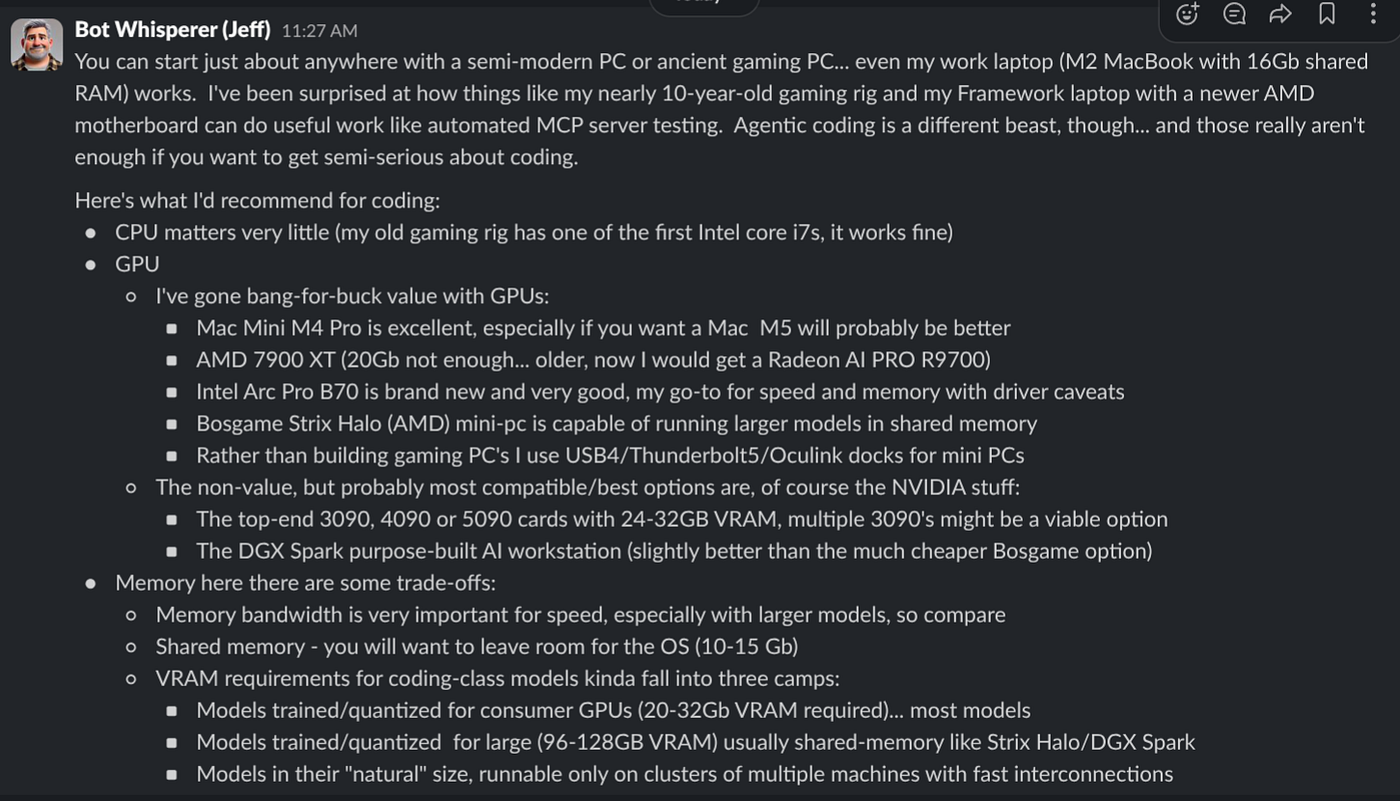
For my experimental setup, I chose pi coding agent, because it’s simple (smaller system prompt stuff for local models) and has extensions, notably pi-wiggum . If you want to follow along, this means the following commands:
curl -o- https://raw.githubusercontent.com/nvm-sh/nvm/master/install.sh | bash
. "$HOME/.nvm/nvm.sh"
nvm install --lts
nvm use lts
npm install -g --ignore-scripts @earendil-works/pi-coding-agent
pi install npm:pi-wiggum
pi install npm:pi-subagents
pi install npm:pi-intercom
If you’re still using Windows… first of all, my condolences… but you’ll have to substitute this for those first couple of lines above:
winget install CoreyButler.NVMforWindowsThat’s what you need for your wiggum-capable, minimal coding agent. You still need to run a model though… for that, the easiest path (but not always the optimal path for running the model at top speed) is LMStudio. Go ahead and install that, and be sure to tell it you’re a developer to get access to the features we’ll need. I won’t go into all the details, but basically, you’re going to want to go to the last icon in the left navigation pane and select the best model for your hardware.
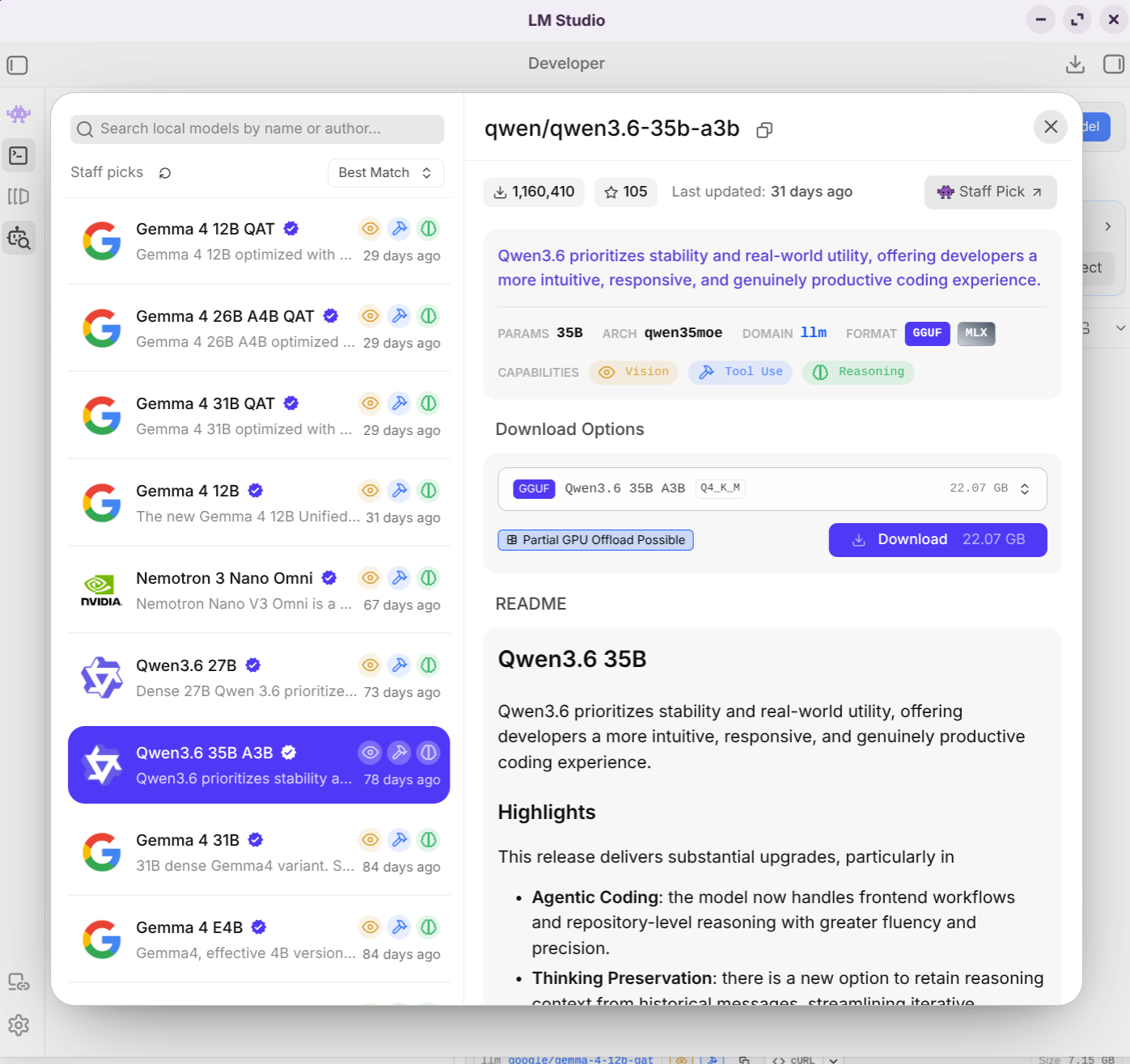
Shopping for the right model on LM Studio
LM Studio will help you with this by recommending things and showing you what will likely run on your hardware. Generally speaking, you want the newest, largest (by billions of parameters), and most popular (by downloads) model that you can get your hands on… probably the “Q4” (quantized to 4 bits) variant. For our purposes, prefer model descriptions that explicitly describe being trained for tool-calling, instruction-following and/or coding, especially being capable of long-horizon tasks. For wiggum loops, I’ve found Qwen models to be slightly better than Gemma… but you do you if you trust Google more than China. Those are the “big 2” in this game, but some of the other players (Deepseek, GLM, GPT-OSS, Mistral are contenders too). If you’re on a Linux or Windows PC, you’ll want a GGUF model, but Apple Silicon Mac users should filter the LM Studio’s model list to only show “MLX” models, which are optimized for that platform.
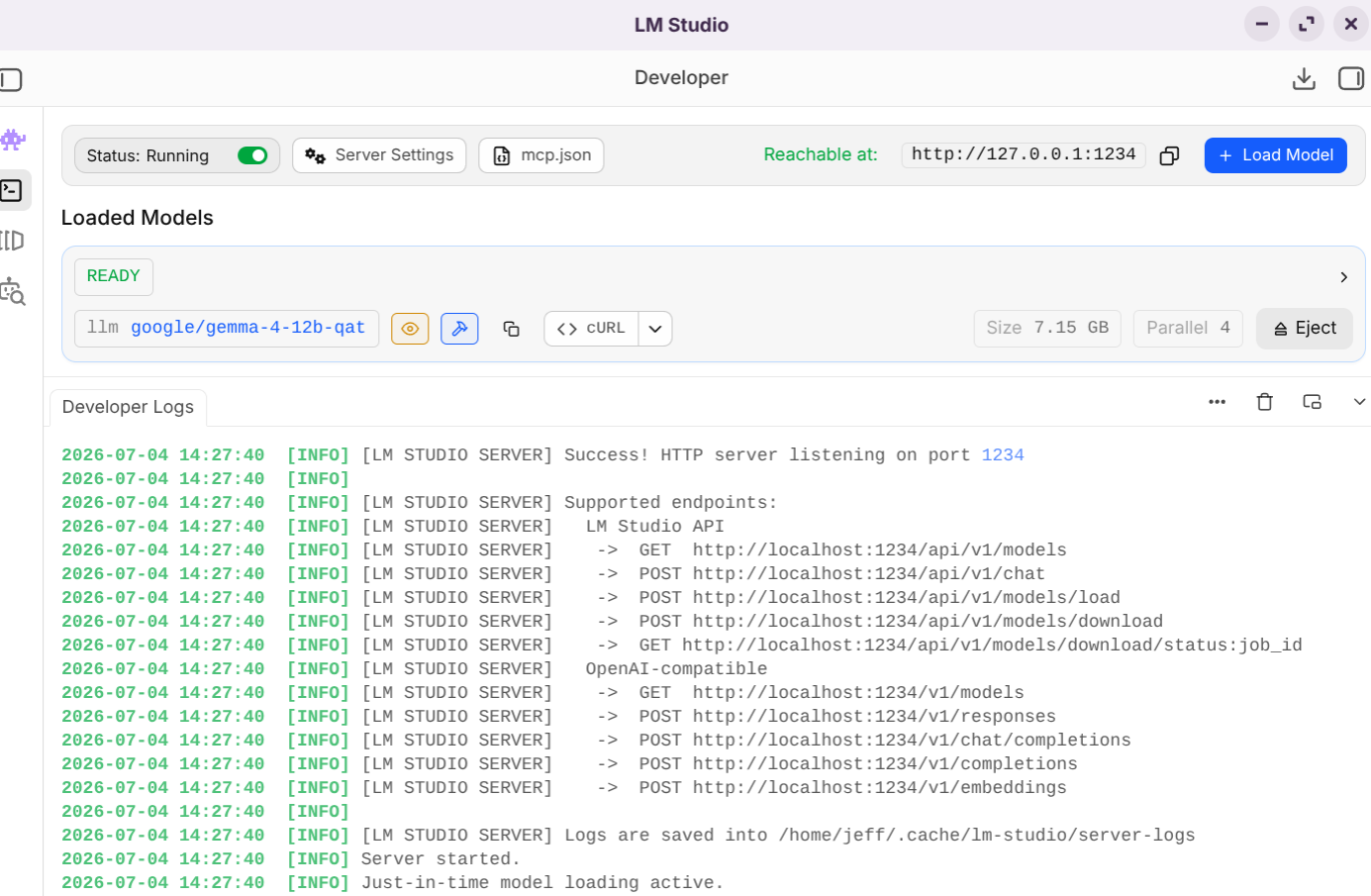
The developer / API server page of LM Studio
The easiest way to proceed once you’ve downloaded the model is to switch to the API tab (The second icon down in the left navigation icon panel) and then click the button at the top-right to load the model you just downloaded. Switch on the “Advanced Settings”, max out your context size and your GPU offload sliders, and feel free to turn on the Flash/KV cache features if you kinda know what you’re doing and want to save memory/go faster. Also, if using a shared memory machine like Strix Halo PC… you can turn off the “keep model in memory” setting and try mmap(). Hit “load”. If loading fails, try setting the context slider to about half of the max. If that doesn’t work, delete that model and try downloading a different model, probably a slightly smaller or more quantized (like Q3) one. Once you switch on the server (“Status” at the top left of the screen), you’ll be able to access your model via local API.
Now, all that’s left is to configure your pi coding agent to use the model which is loaded and ready to go. For the pi coding agent, the current instructions are on the website, but here’s a quick sample to get you started (though it may be out of date if you’re reading this later than mid-2026):
Your ~/.pi/agent/models.json file should look something like this:
{
  "providers": {
    "lm-studio": {
      "baseUrl": "http://localhost:1234/v1",
      "api": "openai-completions",
      "apiKey": "lm-studio",
      "models": [
        { "id": "qwen/qwen3.6-35b-a3b" },
        { "id": "glm-4.7-flash" }
      ]
    }
  }
}
(Substitute the specific model names from LM Studio that you want to use)
On to the coding bit…
So, once you’ve done that… if you type “pi” at the terminal/command prompt, you should be able to actually start a wiggum loop, the AI will guide you through the process once you start it with the /wiggum command… just name this feature in “Quotation Marks”:
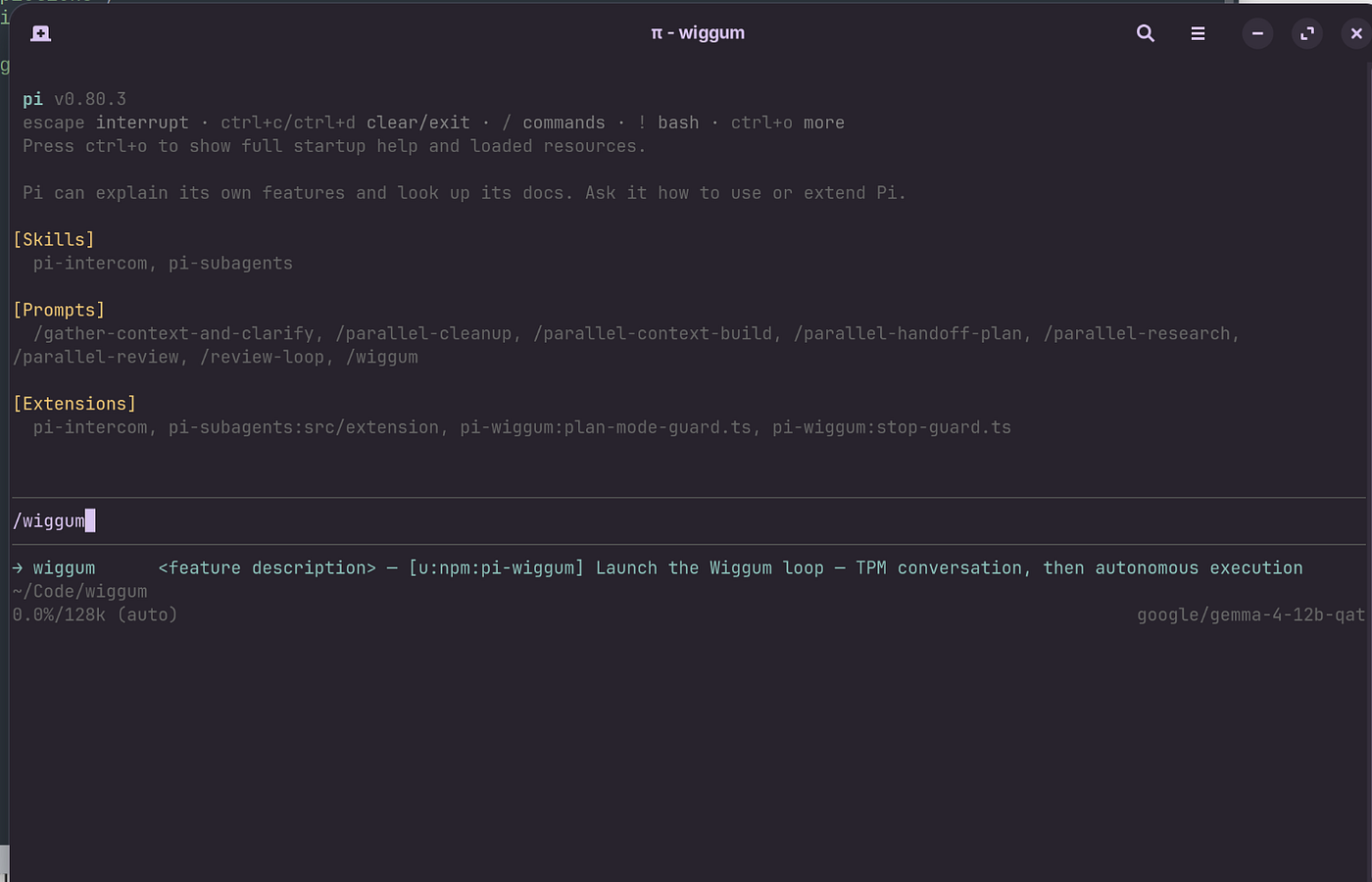
And so it begins…
After allowing the AI to quiz you down about what you actually want, hopefully discovering enough detail to actually implement it…
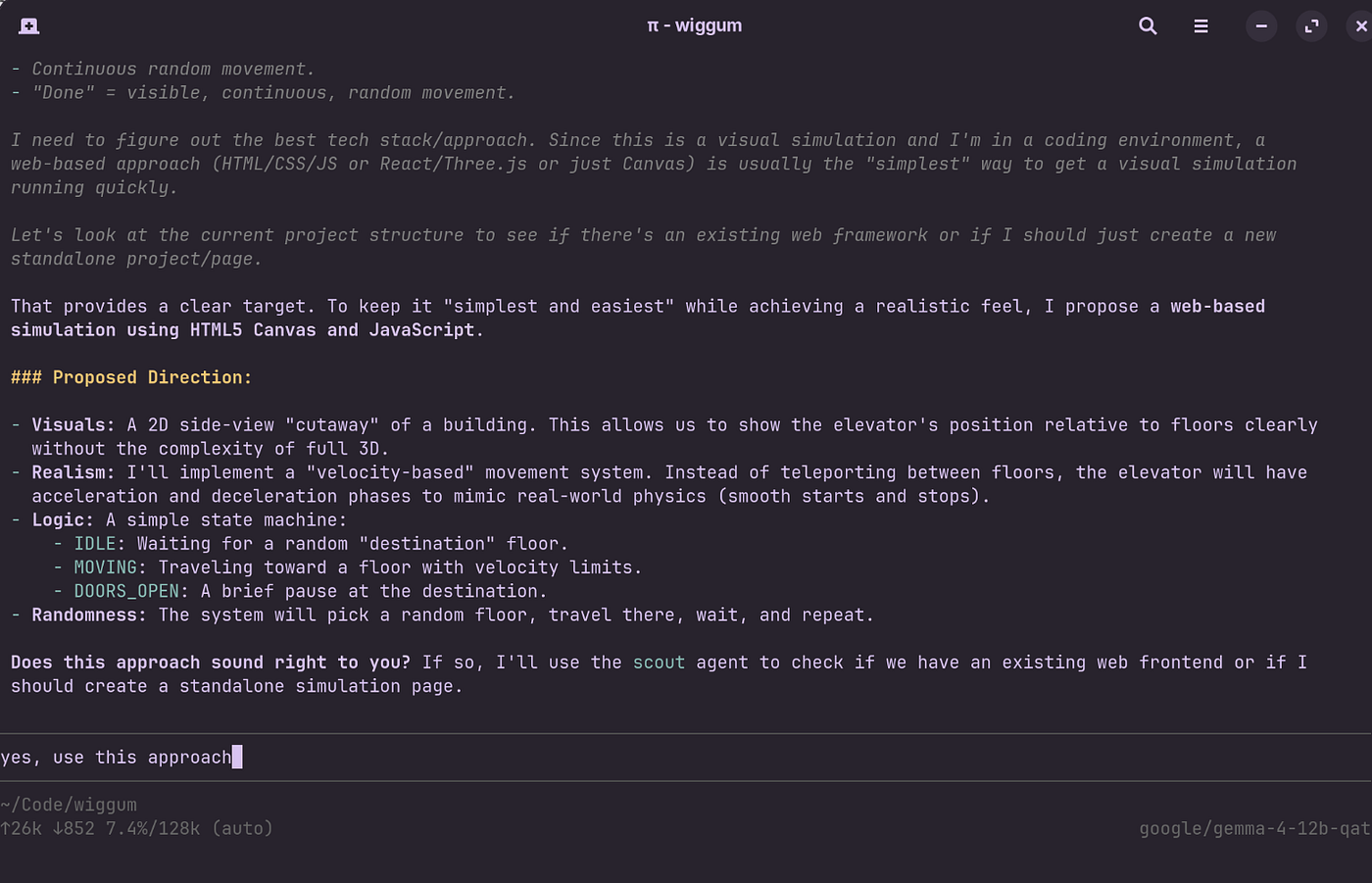
An example of subsequent requirements elicitation
…and then it will ask you for your final “go”, and then you can theoretically walk away for a while. Your computer hardware may convert itself into a very effective space heater and/or white (fan) noise generator for the next few hours, or days… depending on the complexity of your request. You are trading inference running time for your constant attention and cloud inference costs. Will it pay off?
Okay, I’m not doing that… let’s cut to the chase!
If you actually followed all those painstakingly detailed instructions, congratulations. Also, you must be over 40 because you have a lot of patience (or time) and the kind of attention span only belonging to folks from a very different era. But what you probably came here for (and might have skipped to this section for) was the answer to our original question:
Can a Ralph Wiggum loop turn a local model into a frontier model?
I hope I’ve given you the tools to answer this for yourself, but from my personal anecdotal (non-statistical) experience, the answer is: kinda. The background here is I’ve run a lot of tests on my local hardware over the last year and a half… I’ve documented a lot of them in this GitHub project which compares various performance characteristics and outcomes for a couple of “cannonical” prompts I use, an elevator simulation (which the best local LLMs can “one-shot” competently) and a more complex office building simulation which the best frontier models can “one-shot” now.
I tried 3 different setups on 3 different consumer hardware configurations… the only one that I’d really want to use again was a new Intel Arc Pro B70 card GPU (32Gb) running the 35-billion parameter Qwen model. With (frontier-model) AI assistance, I was able to re-compile llama.cpp with the latest Intel SYCL drivers to just about double the token-per-second speed (maybe LM Studio will eventually catch up and make that unnecessary)… so I also kinda cheated, but the more complex office prompt wiggum loop effort still wound up running almost unattended for 4 hours. The model crashed once during that process, and had to be restarted.
The other two attempts with a Mac Mini running a smaller gemma-4 model (12b params) and a Strix Halo machine with a larger but older Qwen Coder model both repeatedly failed with errors or gave up back to a prompt so often that they never finished within the same 4 hour period.
[embed]Results from running wiggum elevator, office a non-wiggum elevator
Subjectively, the simulation from the non-wiggum implementation with the same model was “barely” functional, and had functional and visual problems, but basically worked. The wiggum-loop coded version, however was pretty flawless, and very much on-par with what a frontier model would do given the simpler elevator prompt. The office result had several fatal issues that prevented it from even rendering the office or animating, much like a frontier model from a year or two ago would have done.
So, the takeaway… in a sentence: From my experimentation, if you’re attempting something a local model is “okay” at, using a wiggum loop will probably give you a significantly better result at the cost of more generation time. If you’re attempting something only a frontier model can accomplish, a wiggum loop ain’t gonna get you there with a local model.
The tyrrany of the cloud must continue (for now, sadly).
Freedom was always an ideal, and still worthy of pursuit.
LocalLLMs4evah.
메타데이터
- post_id
- 5f13bed23114
- slug
- democracy-can-ralph-save-it-5f13bed23114
- url
- https://pairingwithbots.org/democracy-can-ralph-save-it-5f13bed23114
- canonical_url
- https://pairingwithbots.org/democracy-can-ralph-save-it-5f13bed23114
- author_url
- https://medium.com/@grover.jeff
- status
- ok
- fetched_at
- 2026-07-09 00:50:33