Input Methods in XR: 6-DoF Controllers
A 6-DoF controller is a hand-held controller used as an input device for higher-end headsets, such as the HTC VIVE, Oculus Rift and Quest…
Input Methods in XR: 6-DoF Controllers
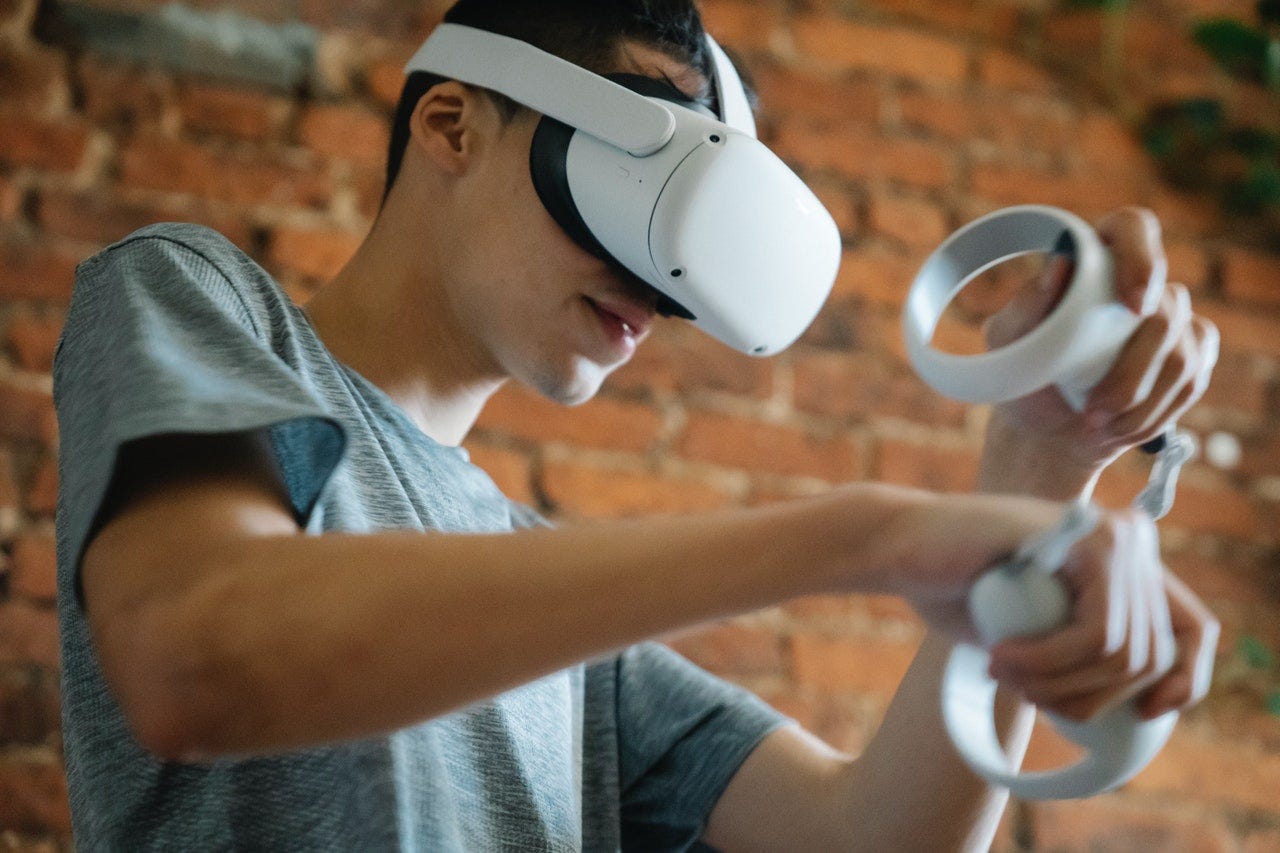
Photo by Eren Li on Pexels
A 6-DoF controller is a hand-held controller used as an input device for higher-end headsets, such as the HTC VIVE, Oculus Rift and Quest, and Valve Index. This is currently the most popular and prevalent input method for immersive experiences.
Wondering what the difference is between 3-DoF and 6-DoF? Check out my article, Transitioning to XR Design.
Pros
- They’re relatively easy to use if you have console gaming experience.
- They can provide passive haptic cues.
- You get accurate 6-DoF spatial tracking with 1:1 motion.
- You can use 2 controllers at once for a more immersive experience.
Cons
- There are currently no standards for button use or placement on controllers.
- You have to remember which button does what per application, since there are no interaction standards for button use.
- You don’t get full finger tracking, although Oculus Touch and Index Knuckles emulate it well.
- You’re not able to go hands-free.
- Extended button-presses can cause finger and hand fatigue.
TL;DR Do’s and Don’ts
Do
- Make sure to keep a 1:1 ratio between virtual motion and real world motion.
- Be sure to follow the specific platform HMI guidelines.
- Accommodate both left and right-handed use.
- Use tooltips and other memory cues to remind users which buttons perform which actions.
Don’t
- Don’t emulate models of hands in the place of wand-type controllers such as the VIVE or PSVR since it is harder to translate gestures to wand controllers. This is not as much of an issue with the Oculus and Index controllers since they take natural hand motions and contours into account in the physical design.
Recommendations
- Use standard button mapping for the specific platform (VIVE, Oculus, etc.) to reduce confusion when switching applications and to help first time users get familiar with VR more quickly.
- Consider emulating the controller in-world or providing that option in a settings menu so that people who are not used to the experience or the controllers can learn as they interact.
Learn more
Try the headsets
If you have access to a 6-DoF headset with a controller, give it a try and see what works and what doesn’t. Have a variety of other people try and observe how they interact. What do they struggle with?
In the next article, I’ll go over haptic gloves as an input method.
Please look forward to it.
UX for XR Toolkit
My full UX for XR toolkit has new content being added regularly.
- Learn how to transition into XR from a UX designer’s perspective.
- Learn the UX best practices for XR and dive deeper with video lessons.
- Learn how others have solved XR design problems with the UX for XR pattern library.
If you enjoy this content, consider supporting me on Patreon.
I’m an Immersive Tech UX Design Professional with over 22 years of experience designing for kiosks, websites, mobile apps and desktop software for many well-known and not-so-well-known companies.
I’m not speaking on behalf of or representing any company. These are my personal thoughts, experiences and opinions.All screenshots in this publication are the property of the studios who produced the film or experience and are used under the Fair Use laws for educational purposes.
메타데이터
- post_id
- 5f17f4f60b07
- slug
- input-methods-in-xr-6-dof-controllers-5f17f4f60b07
- url
- https://medium.com/pintsizedrobotninja/input-methods-in-xr-6-dof-controllers-5f17f4f60b07
- canonical_url
- https://medium.com/pintsizedrobotninja/input-methods-in-xr-6-dof-controllers-5f17f4f60b07
- author_url
- https://medium.com/@aleathasingleton
- status
- ok
- fetched_at
- 2026-06-14 11:28:49