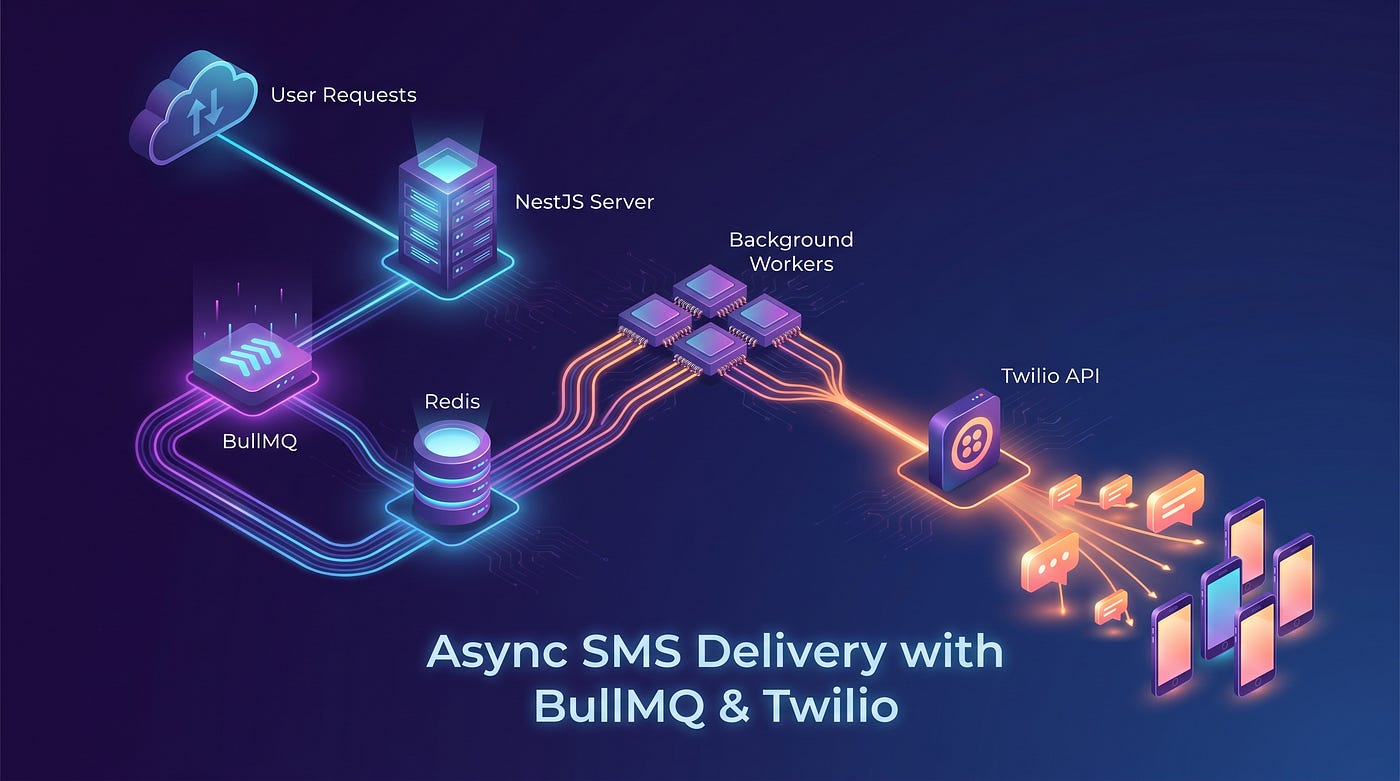
Building a Multi-Channel Notification System in NestJS — Part 3: WhatsApp with Twilio
Series overview: Part 3 — WhatsApp with Twilio
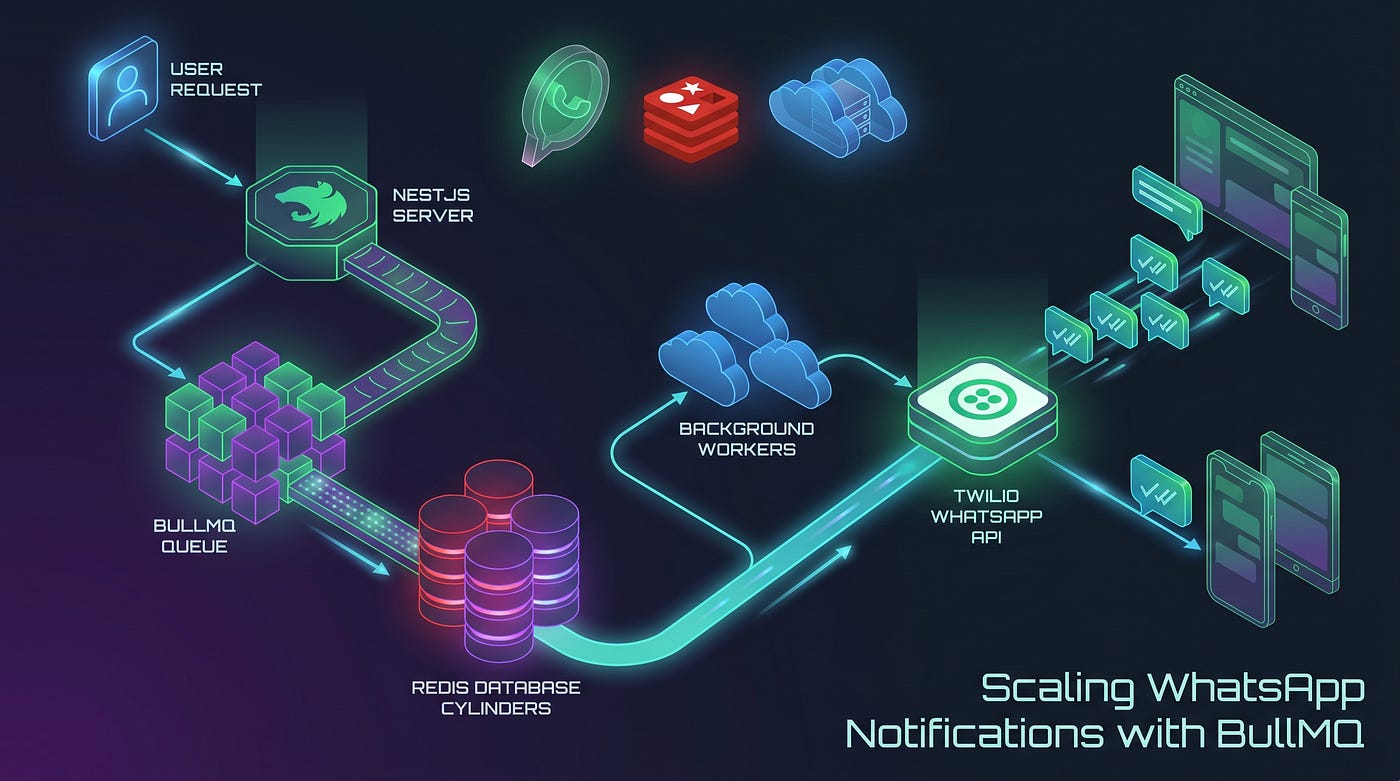
Building a Multi-Channel Notification System in NestJS — Part 3: WhatsApp with Twilio
Series overview: Part 3 — WhatsApp with Twilio
The Final Channel
We’ve covered email and SMS. WhatsApp is the third and final channel — and in many markets, the most important one. In South Asia, Southeast Asia, Latin America, and much of Europe, WhatsApp has higher open rates and faster response times than either email or SMS.
The key difference from SMS is a compliance requirement: WhatsApp’s Business API does not allow businesses to send free-form text to users they haven’t recently interacted with. Any business-initiated message must use a pre-approved message template. Twilio implements this through their Content Templates (Content SID).
So the sendWhatsApp() method in our system needs to support two modes:
Mode When to use What you send Free-form body In a 24h window after the user messaged you first Plain text body Content Template Any time — business-initiated messages contentSid + templateData
Both modes are handled by the same endpoint and the same service method.
What We’re Adding
New files this part:
└── src/bll/channel-handler/whatsapp.channel.ts  ← producer

Files we'll update:
├── src/bll/twilio.service.ts                    ← add sendWhatsApp()
├── src/bll/channel-handler/channel.registry.ts  ← register WhatsAppChannel
├── src/bll/workers/                             ← add whatsapp.processor.ts
├── src/bll/service.module.ts                    ← declare WhatsAppChannel
├── src/bll/workers/worker.module.ts             ← declare WhatsAppProcessor
└── src/modules/bull-queue-module.ts             ← register whatsapp-queue
Notice that TwilioService already exists — it was built in Part 2. We're just extending it.
Step 1: Twilio WhatsApp Setup
Environment variables
Add these to .env:
TWILIO_WHATSAPP_FROM=whatsapp:+14155238886The
whatsapp:prefix is required by Twilio for WhatsApp sender addresses. For production, this will be your approved WhatsApp Business number. For the sandbox, Twilio provides a shared number —whatsapp:+14155238886is the standard Twilio sandbox number.
Twilio Sandbox for WhatsApp
Before testing with your own number, you need to join the Twilio sandbox:
- Go to Console → Messaging → Try it out → Send a WhatsApp message
- Follow the instructions to send a WhatsApp message from your phone to the sandbox number
- Once joined, you can send messages to your number from the sandbox
Sandbox limitations: The sandbox number is shared across all Twilio users. Don’t use it in production. For production, you’ll need a WhatsApp-approved business number, which requires submitting your business details to Twilio.
Content Templates (for business-initiated messages)
To use approved templates:
- Go to Console → Content → Content Editor
- Create a template (e.g., OTP template, order confirmation)
- Submit it for WhatsApp approval (usually 24–48 hours)
- Once approved, the template gets a Content SID — something like
HXxxxxxxxxxxxxxxxxxxxxxxxxxxxx
This SID is what callers pass as contentSid in the request body.
Step 2: Add sendWhatsApp() to TwilioService
In Part 2, we built TwilioService with sendSms() and left a comment for WhatsApp. Now we fill it in.
// src/bll/twilio.service.ts — add alongside sendSms()

export interface WhatsAppPayload {
  to: string;
  body?: string;
  contentSid?: string;
  templateData?: Record<string, string>;  // variables like { "1": "Alex", "2": "Order #123" }
}
// Add this method to TwilioService:
async sendWhatsApp(payload: WhatsAppPayload) {
  try {
    // Base params shared across both modes
    const params: {
      from: string;
      to: string;
      body?: string;
      contentSid?: string;
      contentVariables?: string;
    } = {
      from: this.configService.get<string>('TWILIO_WHATSAPP_FROM'),
      to:   this.formatWhatsAppTo(payload.to),
    };
    if (payload.contentSid) {
      params.contentSid = payload.contentSid;
      if (payload.templateData) {
        // Twilio expects contentVariables as a JSON string of { "1": "val", "2": "val" }
        params.contentVariables = JSON.stringify(payload.templateData);
      }
    } else if (payload.body) {
      params.body = payload.body;
    } else {
      throw new Error('WhatsApp message requires either body or contentSid');
    }
    const message = await this.client.messages.create(params);
    return { success: true, providerMsgId: message.sid };
  } catch (error) {
    throw new Error(error instanceof Error ? error.message : String(error));
  }
}

private formatWhatsAppTo(to: string): string {
  // Strip any existing 'whatsapp:' prefix, normalize the number, re-add the prefix
  const stripped = to.replace(/^whatsapp:/i, '');
  const normalized = stripped.startsWith('+') ? stripped : `+${stripped}`;
  return `whatsapp:${normalized}`;
}
Why contentVariables is a JSON string
This is a Twilio-specific quirk. Even though the rest of your app works with objects, Twilio’s API expects the template variables as a serialized JSON string:
// Your templateData:  { "1": "Alex", "2": "Order #4521" }
// Twilio expects:     '{"1":"Alex","2":"Order #4521"}'
params.contentVariables = JSON.stringify(payload.templateData);
Template variable keys are positional numbers ("1", "2") matching the {{1}}, {{2}} placeholders in your approved template.
Step 3: Add the WhatsApp Queue
// src/modules/bull-queue-module.ts
@Global()
@Module({
  imports: [
    BullModule.registerQueue({ name: BullQueueName.EMAIL }),
    BullModule.registerQueue({ name: BullQueueName.SMS }),
    BullModule.registerQueue({ name: BullQueueName.WHATSAPP }),  // add
  ],
  exports: [BullModule],
})
export class BullQueueModule {}
Step 4: The WhatsApp Channel Handler (Producer)
// src/bll/channel-handler/whatsapp.channel.ts
import { Injectable } from '@nestjs/common';
import { InjectQueue } from '@nestjs/bullmq';
import { Queue } from 'bullmq';
import { INotificationChannel } from '../interfaces/notification-channel.interface';
import { BullQueueName } from 'src/lib/enum';

@Injectable()
export class WhatsAppChannel implements INotificationChannel {
  constructor(@InjectQueue(BullQueueName.WHATSAPP) private whatsappQueue: Queue) {}
  async send(log_id: number, payload: Record<string, any>): Promise<void> {
    await this.whatsappQueue.add(
      BullQueueName.WHATSAPP,
      { log_id, payload },
      {
        attempts: 3,
        backoff: { type: 'exponential', delay: 2000 },
        removeOnComplete: { age: 60 * 60 * 24 },
        removeOnFail:     { age: 60 * 60 * 24 * 7 },
      },
    );
  }
}
Step 5: Register WhatsApp in the Channel Registry
// src/bll/channel-handler/channel.registry.ts
@Injectable()
export class ChannelRegistry {
  private readonly channels = new Map<NotificationChannel, INotificationChannel>();

constructor(
    private readonly emailChannel: EmailChannel,
    private readonly smsChannel: SmsChannel,
    private readonly whatsappChannel: WhatsAppChannel,   // inject
  ) {
    this.channels.set(NotificationChannel.EMAIL,    this.emailChannel);
    this.channels.set(NotificationChannel.SMS,      this.smsChannel);
    this.channels.set(NotificationChannel.WHATSAPP, this.whatsappChannel);  // register
  }
  resolve(channel: NotificationChannel): INotificationChannel {
    const handler = this.channels.get(channel);
    if (!handler) throw new Error(`No handler registered for channel: ${channel}`);
    return handler;
  }
}
The registry now handles all three channels. resolve() hasn't changed at all.
Step 6: The WhatsApp Processor (Consumer)
// src/bll/workers/whatsapp.processor.ts
@Processor(BullQueueName.WHATSAPP)
export class WhatsAppProcessor extends WorkerHost {
  constructor(
    private readonly twilioService: TwilioService,
    private readonly dataService: NotificationDataService,
  ) { super(); }

async process(job: Job) {
    const { payload, log_id } = job.data;
    const log = await this.dataService.getLog(log_id);
    if (!log) throw new Error('Notification log not found');
    try {
      const response = await this.twilioService.sendWhatsApp({
        to:           payload.to,
        body:         payload.body,
        contentSid:   payload.contentSid,
        templateData: payload.templateData,
      });
      await this.dataService.createLog({
        channel:         log.channel,
        provider:        log.provider,
        status:          NotificationStatus.SENT,
        payload,
        attempts:        job.attemptsMade + 1,
        queued_at:       log.queued_at,
        parent_id:       log.id,
        provider_msg_id: response.providerMsgId,
        last_error:      null,
      });
    } catch (error) {
      const message = error instanceof Error ? error.message : String(error);
      await this.dataService.createLog({
        channel:    log.channel,
        provider:   log.provider,
        status:     NotificationStatus.WAITING,
        payload,
        parent_id:  log.id,
        last_error: message,
        attempts:   job.attemptsMade + 1,
      });
      throw error;
    }
  }

  @OnWorkerEvent('failed')
  async onFailed(job: Job) {
    const { payload, log_id } = job.data;
    const log = await this.dataService.getLog(log_id);
    if (!log) return;
    await this.dataService.createLog({
      channel:    log.channel,
      provider:   log.provider,
      status:     NotificationStatus.FAILED,
      payload,
      parent_id:  log.id,
      last_error: job.stacktrace?.join('; ') ?? null,
      attempts:   job.attemptsMade,
      queued_at:  log.queued_at,
    });
  }
}
The only real difference from SmsProcessor is the twilioService.sendWhatsApp() call — which additionally passes contentSid and templateData from the payload. The entire state machine is identical across all three processors.
Step 7: Update the Modules
// src/bll/service.module.ts — add WhatsAppChannel
@Global()
@Module({
  providers: [
    NotificationService,
    ChannelRegistry,
    EmailChannel,
    SmsChannel,
    WhatsAppChannel,    // add
  ],
  exports: [NotificationService],
})
export class ServiceModule {}
// src/bll/workers/worker.module.ts — add WhatsAppProcessor
@Module({
providers: [
EmailProcessor,
SmsProcessor,
WhatsAppProcessor, // add
SendGridService,
TwilioService,
],
})
export class WorkerModule {}TwilioService is already declared here from Part 2 — it's shared between SmsProcessor and WhatsAppProcessor at no extra cost.
Testing WhatsApp
Free-form message (within 24h of user conversation)
curl -X POST http://localhost:3000/api/v1/notification \
  -H "Content-Type: application/json" \
  -d '{
    "channel": "whatsapp",
    "to": "+9779812345678",
    "body": "Hi! Your appointment is confirmed for tomorrow at 10am."
  }'
Approved template message
curl -X POST http://localhost:3000/api/v1/notification \
  -H "Content-Type: application/json" \
  -d '{
    "channel": "whatsapp",
    "to": "+9779812345678",
    "contentSid": "HXxxxxxxxxxxxxxxxxxxxxxxxxxxxx",
    "templateData": {
      "1": "Alex",
      "2": "Order #4521",
      "3": "May 22, 2026"
    }
  }'
If your template is
Hello {{1}}, your {{2}} has been confirmed for {{3}}., the above data renders it as: "Hello Alex, your Order #4521 has been confirmed for May 22, 2026."
Query the log
{
  "id": 9,
  "channel": "whatsapp",
  "provider": "twilio",
  "status": "queued",
  "payload": {
    "to": "+9779812345678",
    "contentSid": "HXxxxx...",
    "templateData": { "1": "Alex", "2": "Order #4521", "3": "May 22, 2026" }
  },
  "child_logs": [
    {
      "id": 10,
      "parent_id": 9,
      "status": "sent",
      "attempts": 1,
      "provider_msg_id": "SMxxxxxxxxxxxxxxxxxxxxxxxxxxxxxxxx"
    }
  ]
}
Common WhatsApp Errors
Error Cause What to do 63016 Failed to send freeform message Outside the 24h window Use an approved Content Template instead 63007 Content template not approved Template pending or rejected Check template status in Twilio console 21211 Invalid phone number Missing + or wrong country code Our formatWhatsAppTo() handles this 63003 Channel unavailable WhatsApp number not provisioned Verify the sender number in console
One important distinction: Error
63016is not a transient error. Retrying it won't work — the 24h window has closed. For a more robust system, parse the Twilio error code before re-throwing, and only re-throw for errors that are actually retryable.
The Complete Picture
Let’s step back and look at what the full system can do now — with just one POST endpoint:
POST /api/v1/notification
{
  "channel": "email" | "sms" | "whatsapp",
  "to": "...",
  ...channel-specific fields
}
Channel Provider Supports email SendGrid Raw HTML body, dynamic templates sms Twilio Plain text body whatsapp Twilio Free-form body, approved Content Templates
And every single one:
- Returns immediately (async queue)
- Retries automatically on failure (3 attempts, exponential backoff)
- Records every attempt in the audit log (QUEUED → WAITING → SENT or FAILED)
- Stores the provider’s message ID for webhook correlation
Final Module Summary
Here’s the full wiring for all three parts together:
// app.module.ts (final state)
@Module({
  imports: [
    ConfigModule.forRoot({ isGlobal: true }),
    BullModule.forRootAsync({ /* Redis config */ }),
    BullQueueModule,   // registers all 3 queues globally
    DalModule,         // NotificationLog entity + NotificationDataService
    ServiceModule,     // NotificationService + ChannelRegistry + all 3 channels
    WorkerModule,      // all 3 processors + SendGridService + TwilioService
    FrontendModule,    // NotificationController
    SequelizeModule.forRootAsync({ useClass: SequelizeConfigService }),
    LoggerModule,
  ],
})
export class AppModule {}
What to Build Next
The foundation is solid. Here’s where to take it:
Delivery status webhooks Both SendGrid and Twilio can POST delivery receipts to your server. Add a /webhook/sendgrid and /webhook/twilio endpoint, look up the log by provider_msg_id, and create a DELIVERED status row.
Bull Board dashboard Install @bull-board/nestjs and get a visual UI for monitoring queue depth, active jobs, and failed jobs — no extra infrastructure needed.
Idempotency keys Accept an optional idempotency_key in the DTO. Before creating a QUEUED log, check whether one already exists for that key. If it does, skip queuing and return the existing log. This prevents double-sends on retried HTTP requests.
Permanent error detection Some errors (Twilio 63016, 21211) are permanent — retrying is pointless. Add a helper that parses the error code and only re-throws for transient errors. BullMQ will stop retrying for jobs that don't re-throw.
Rate limiting per recipient Before enqueuing, check a Redis counter for the recipient. If they’ve received N messages in the last M minutes, reject or defer the request.
Series Recap
Across three parts we built a production-ready multi-channel notification system from scratch:
Part What we built Part 1 Database schema, BullMQ setup, channel registry pattern, SendGrid email delivery Part 2 Twilio SMS delivery, extending the registry with zero changes to existing code Part 3 Twilio WhatsApp delivery, free-form and approved template support
The architectural choices — append-only logs, registry pattern, workers owning state transitions, consistent three-state error handling — were made once in Part 1 and carried through unchanged. Adding each new channel meant adding new files, never editing old ones.
That’s the measure of a well-designed system.
If this series helped you, leave a clap on each part — it helps others find them.
Have questions or improvements? Drop them in the comments.
Tags: #nestjs #nodejs #typescript #twilio #whatsapp #bullmq #backendengineering #softwarearchitecture #advancednotification #notification #redis #bestwaytobuild
메타데이터
- post_id
- 5f33fa1654dd
- slug
- building-a-multi-channel-notification-system-in-nestjs-part-3-whatsapp-with-twilio-5f33fa1654dd
- url
- https://medium.com/@pramodghimire180/building-a-multi-channel-notification-system-in-nestjs-part-3-whatsapp-with-twilio-5f33fa1654dd
- canonical_url
- https://medium.com/@pramodghimire180/building-a-multi-channel-notification-system-in-nestjs-part-3-whatsapp-with-twilio-5f33fa1654dd
- author_url
- https://medium.com/@pramodghimire180
- status
- ok
- fetched_at
- 2026-07-10 09:52:19